📌 MySQL 설치
1. 다운로드
MySQL 홈페이지 접속 - Download
- 젤 밑에 MySQL Community (GPL) Downloads » 클릭
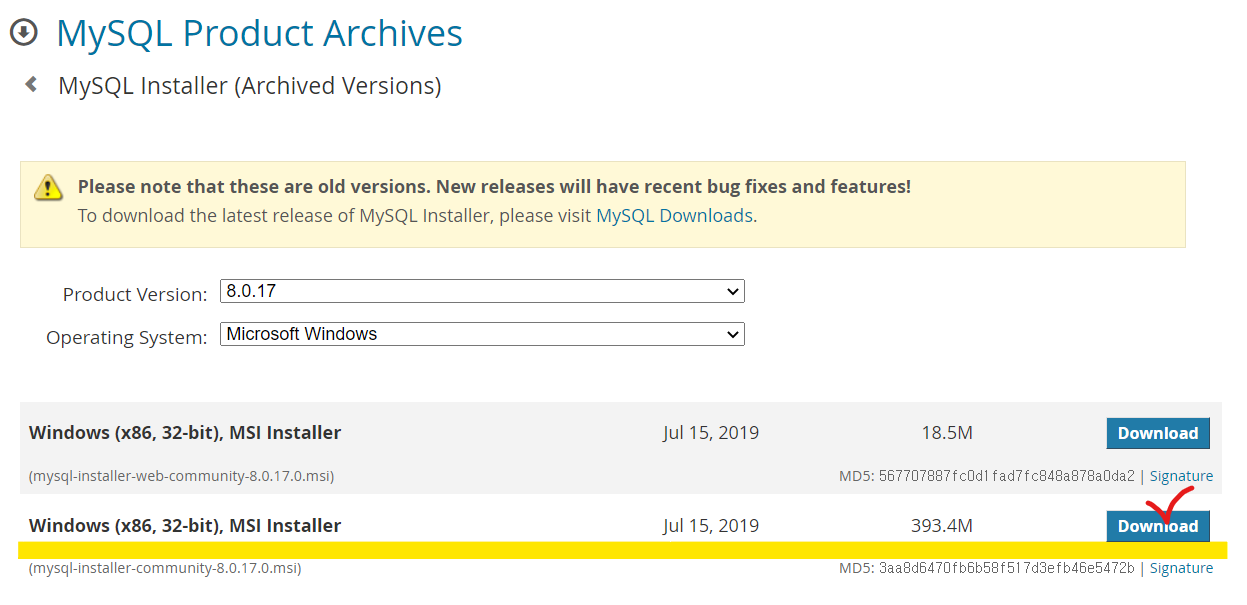
- MySQL Installer for Windows 선택 - 8.0.17버전(393.4M)으로 다운
2. 설치하기
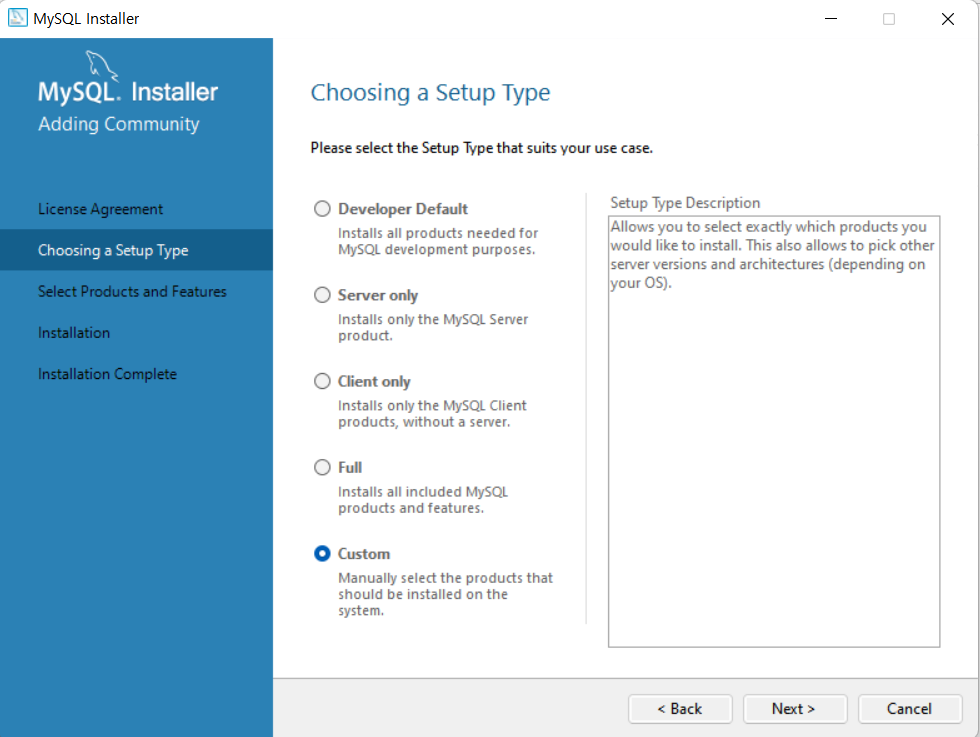
- Choosing a Setup Type -> Custom 선택하고 Next>
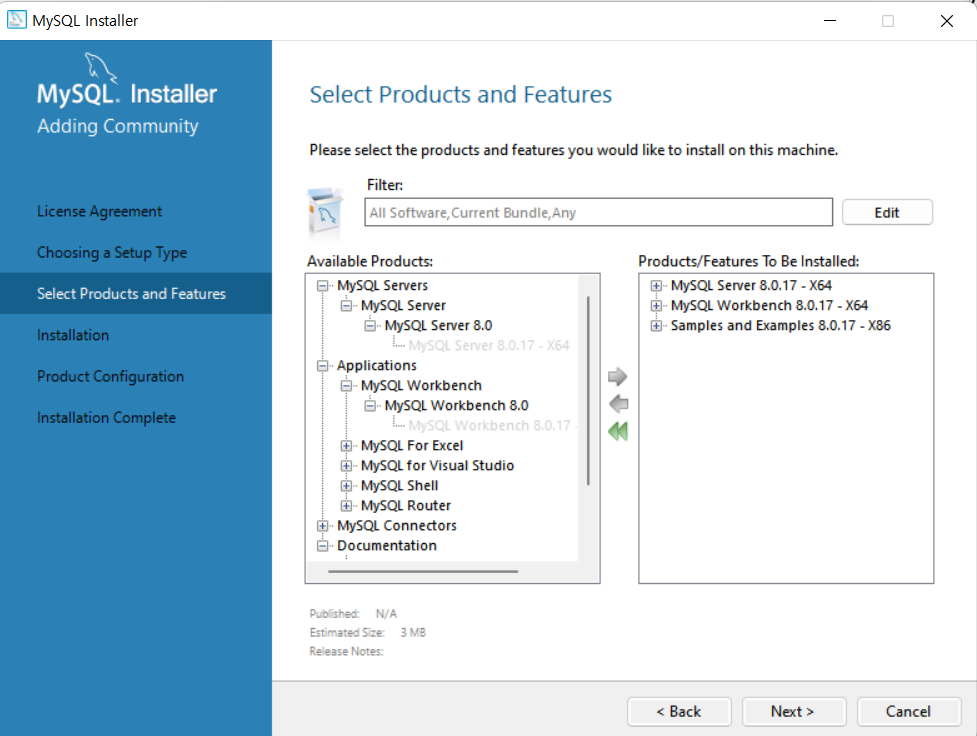
- MySQL Servers –> MySQL Server 8.0 - x64
- Applications –> MySQL Workbench 8.0 - x64
- Documentation –> Samles and Examples 8.0 - x86
선택하여 옆으로 이동시키고 Next>
- 설치할 파일 확인 후 Execute클릭 -> Next>
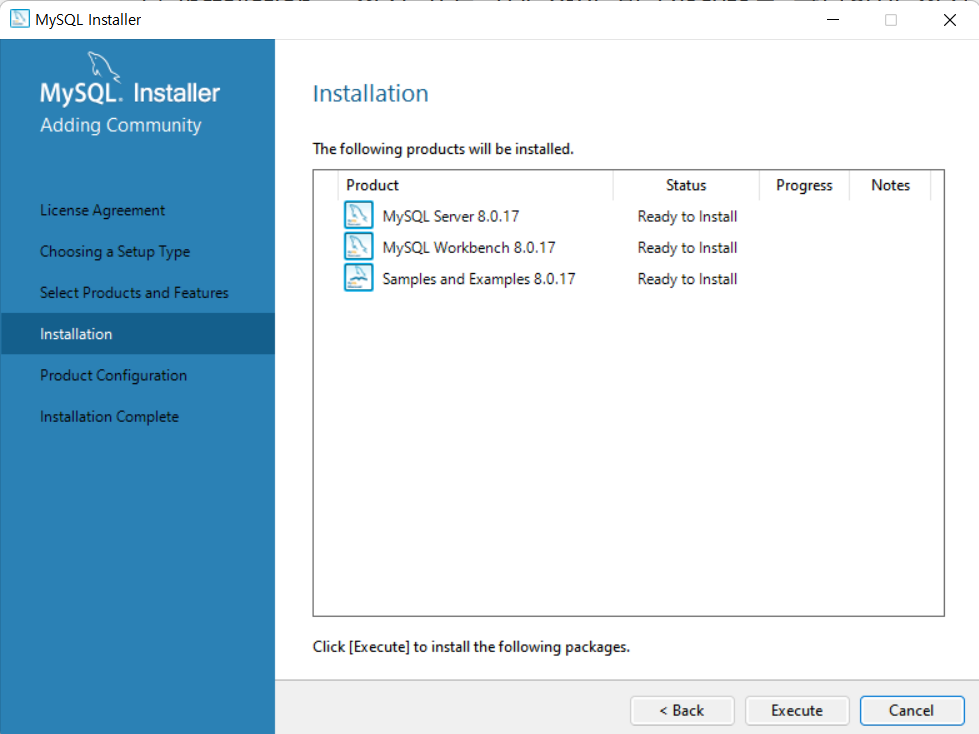
- 항목 확인 후 Next>
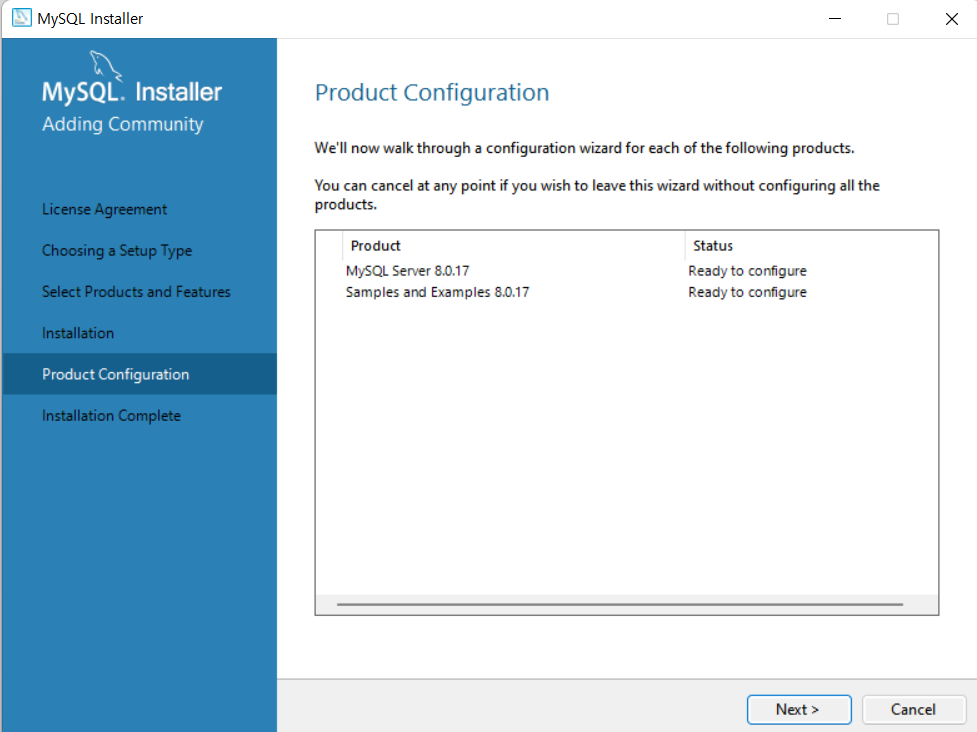
3. 환경설정
- High Availability -> Standalone MySQL Server / Classic MySQL Replication 선택 후 Next>

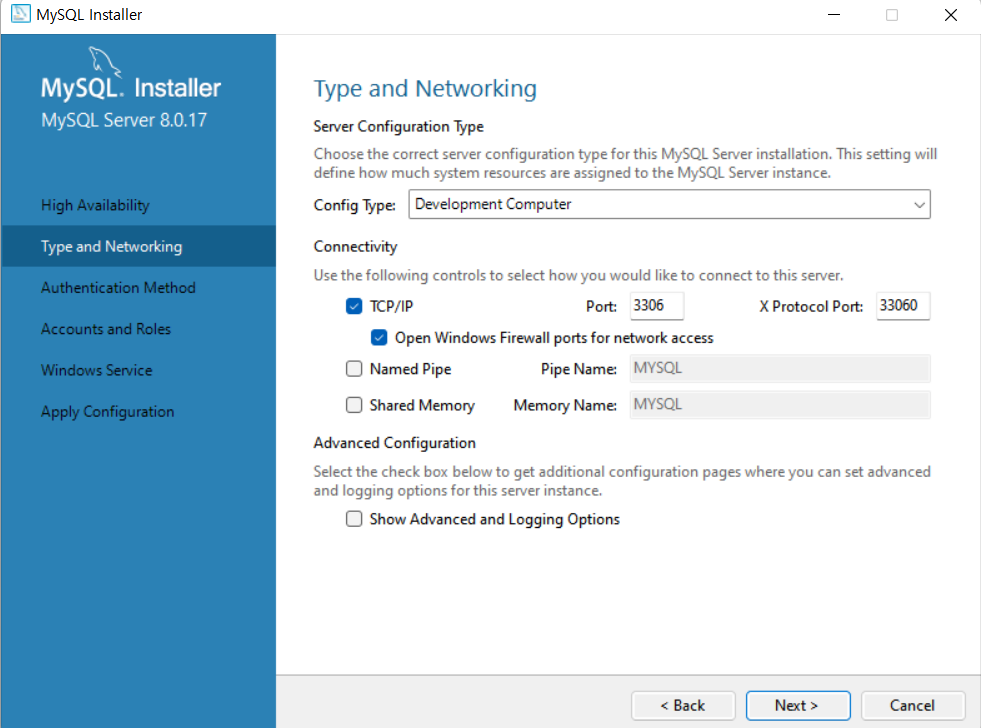
- Development Computer선택 : MySQL 외에도 여러 프로그램을 사용하는 컴퓨터
- TCP/IP 체크 및 Port번호 기억 / Open Windows Firewall ports for network access 체크 => 외부 컴퓨터에서 접근할 수 있도록 [Windows 방화벽]의 포트를 허용함
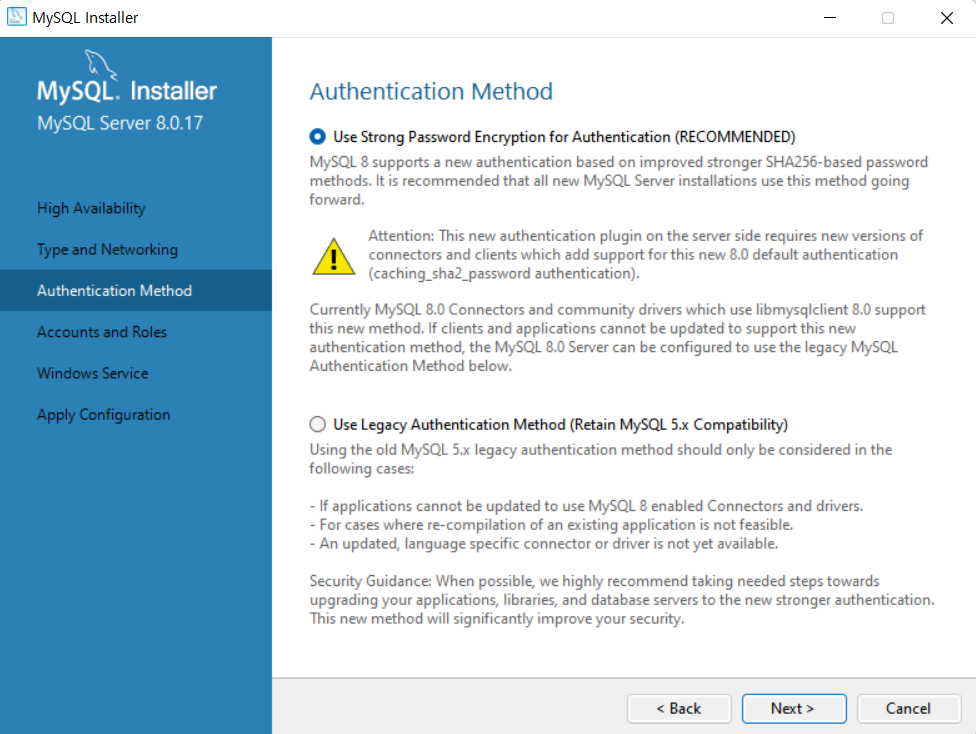
- Authentication Method – [Use Strong Password...] 선택된 상태에서 Next>
- Accounts and Roles – MySQL 관리자(root)의 비밀번호 지정 후 Next>
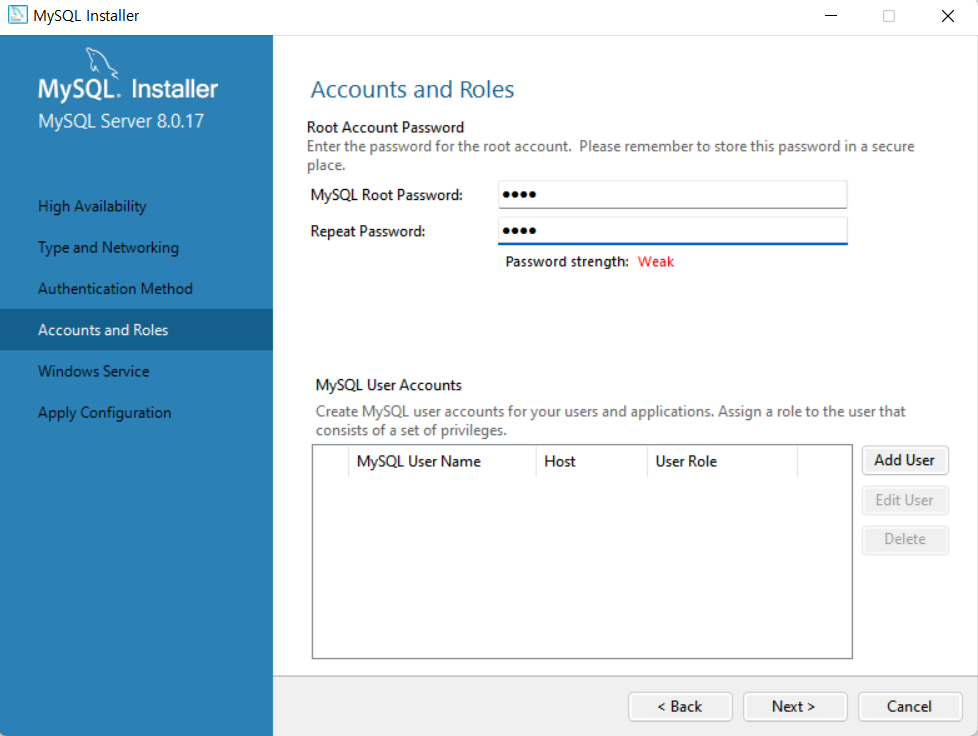
- Windows Service Name : MySQL로 지정 후 Next>
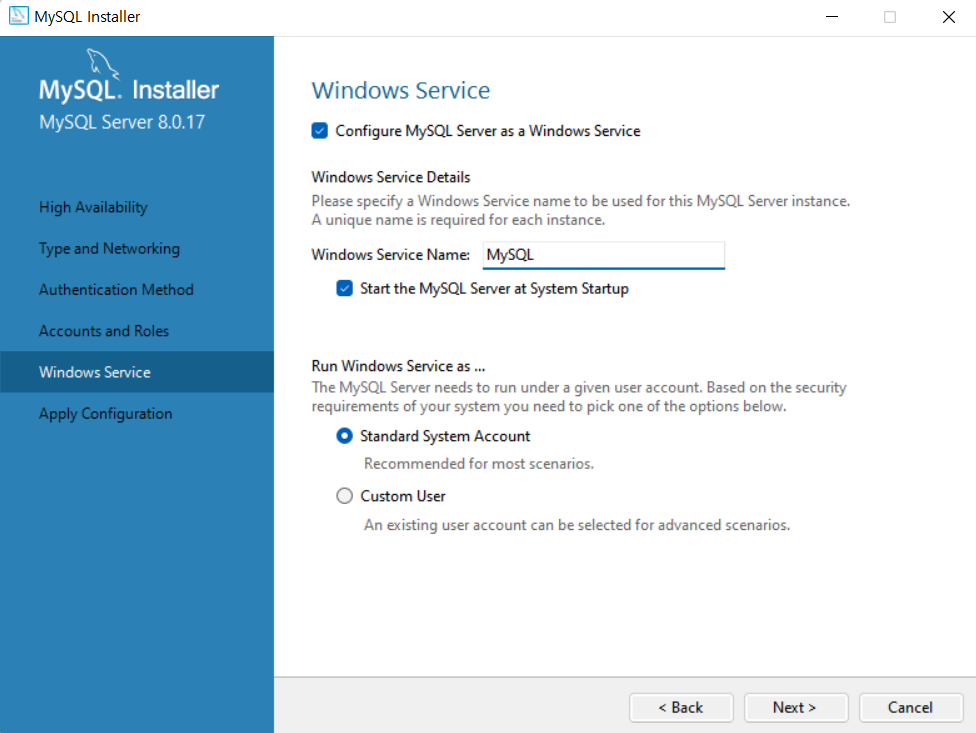
- Apply Configuration – Execute 클릭 후 설정 내용 적용 후 Finish
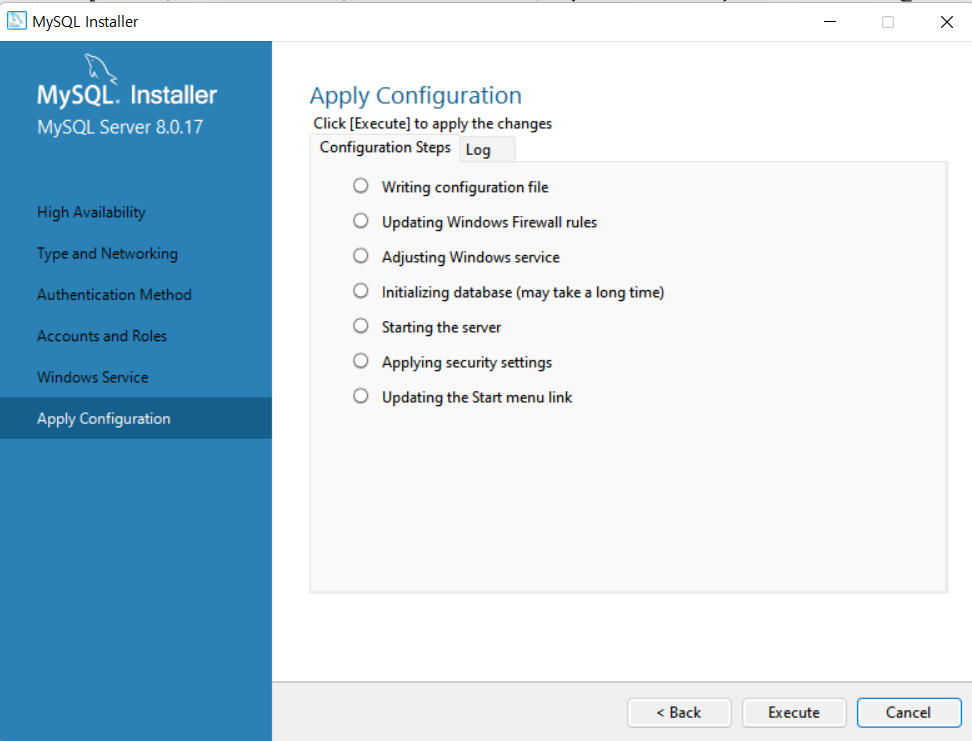
- Product Configuration – Samples and Examples 설정 진행을 위해 Next>

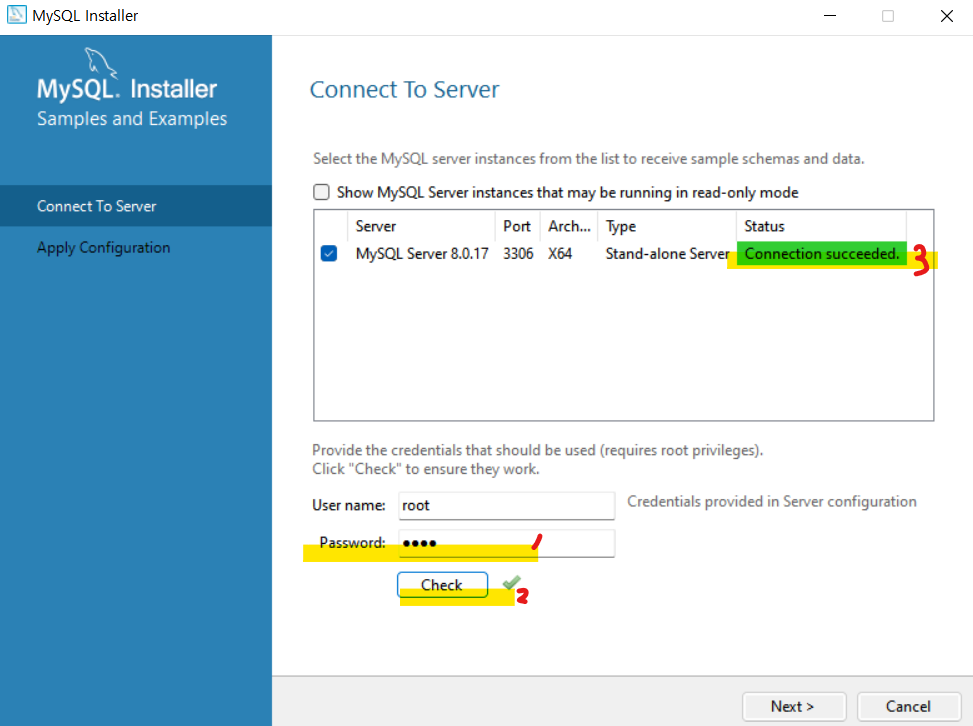
- Username과 Password 입력 후 Check 클릭 시 연결 성공 메시지 확인 후 Next>
- Apply Configuration – Execute 클릭 후 설정 내용 적용되면 Finish
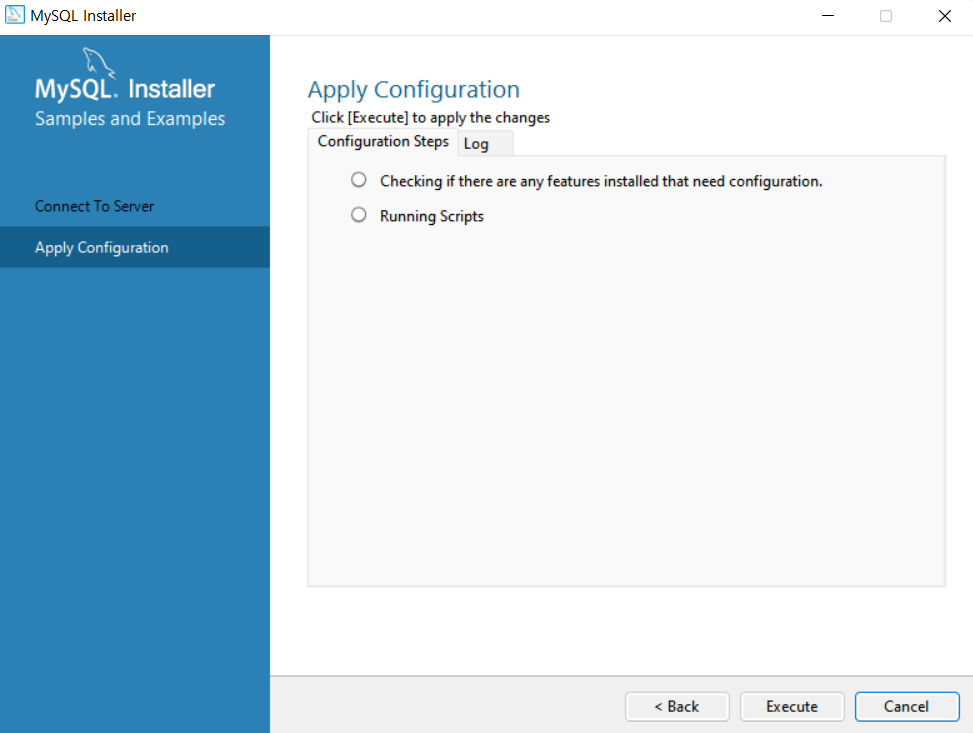
- Product Configuration – 환경 설정 완료 후 Next>
- Installation Complete – Finish를 클릭해서 MySQL 설치 완료!!

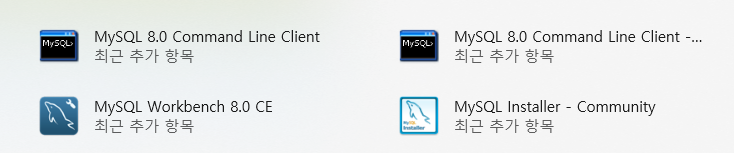
- Window [시작] 메뉴에서 MySQL 설치 확인
📌 MySQL 접속 및 환경설정
1. MySQL의 실행 파일이 있는 경로 Path에 추가하기
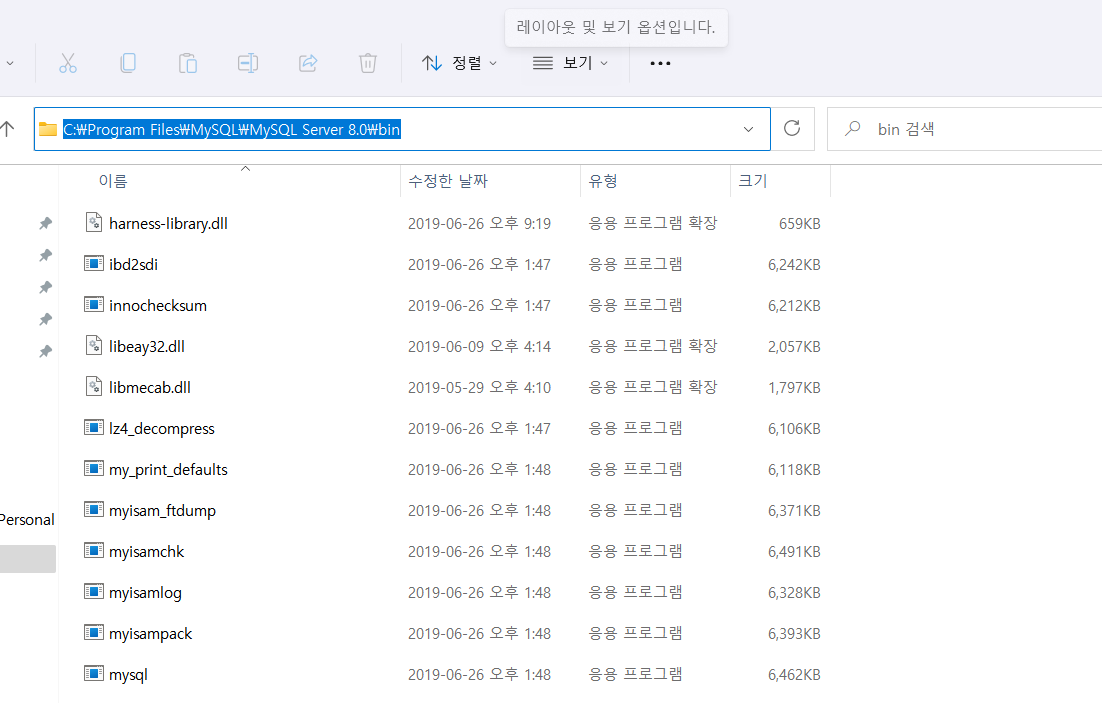
- C: - Program Files - MySQL - MySQL Server 8.0 - bin
-> 이동 후 주소 표시 줄 복사
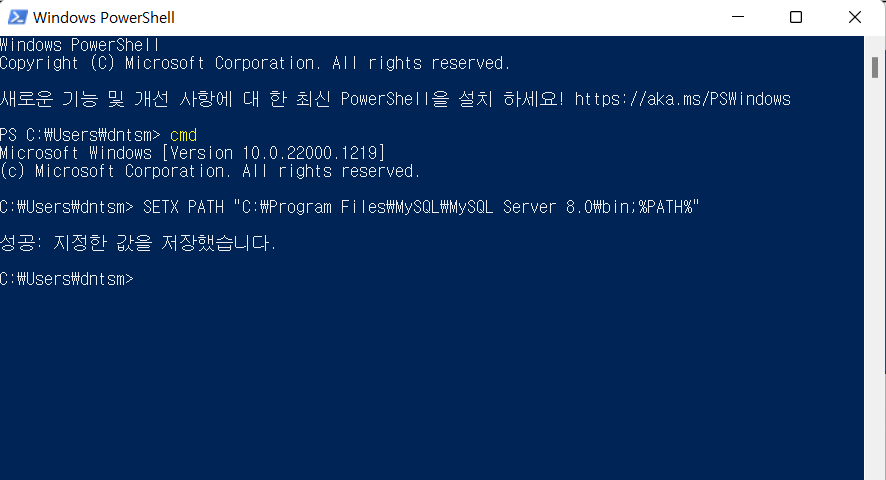
- Windows의 [시작]에서 - [Windows PowerShell(관리자)] 실행
- cmd 입력 : 명령 프롬프트로 전환
- Path 추가 : SETX PATH “C:\Program Files\MySQL\MySQL Server 8.0\bin;%PATH%”
=> 재부팅하기!!
* SETX PATH = 환경변수 저장
2. MySQL 명령프롬프트 사용하기
1) 명령프롬프트(cmd)창 열기
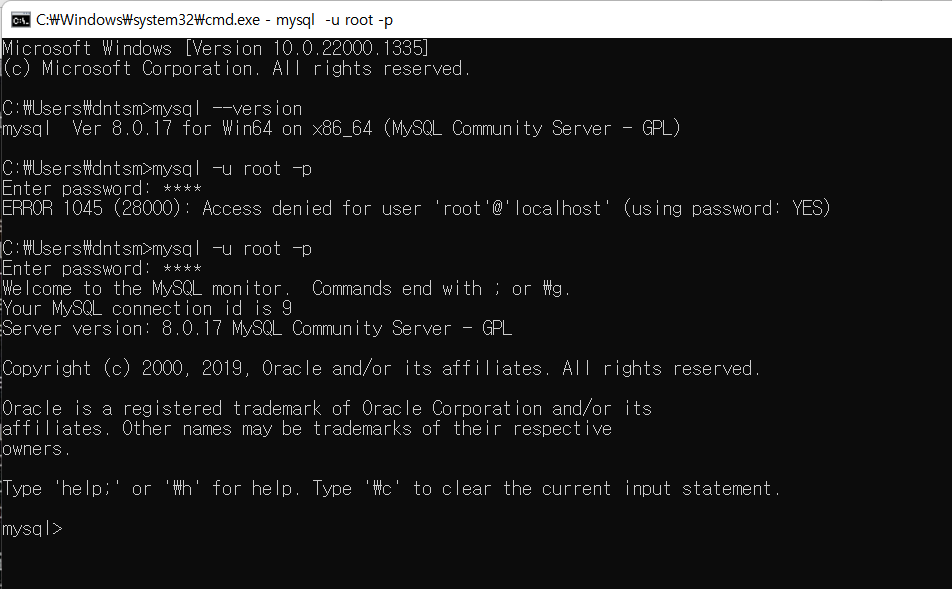
2) 설치된 MySQL 버전 확인
=> mysql --version
3) MySQL 접속하기
=> mysql -u root -p
3) MySQL 명령어 테스트
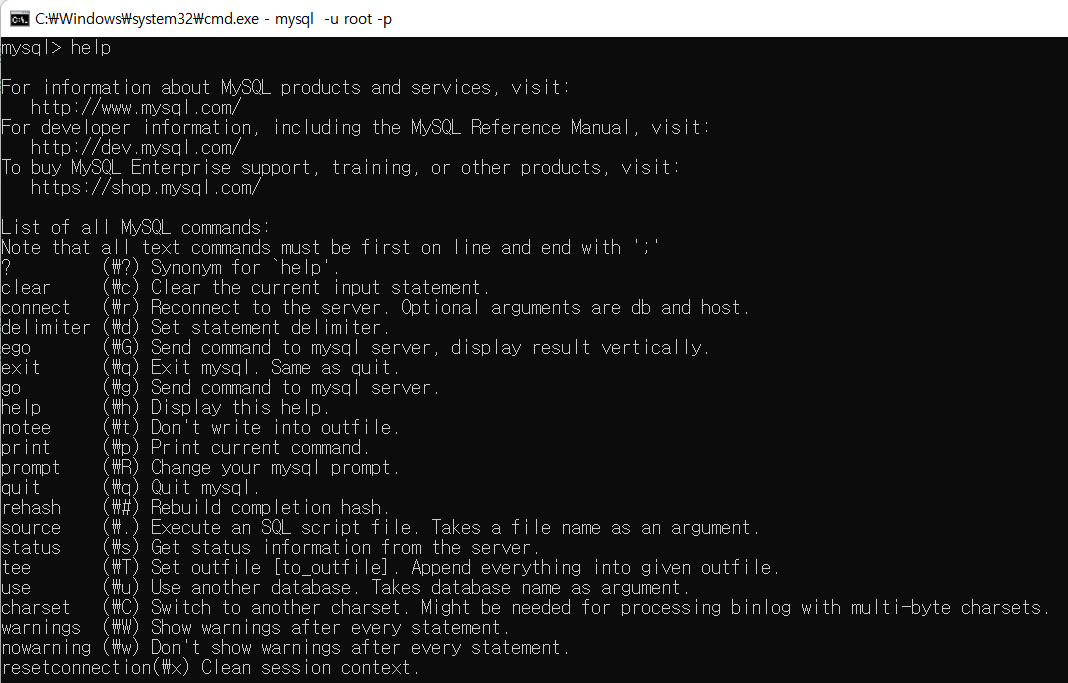
(1)help 명령어
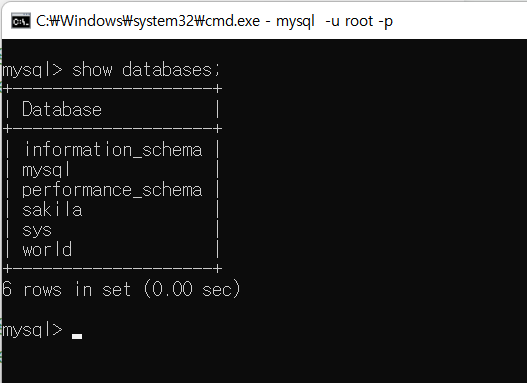
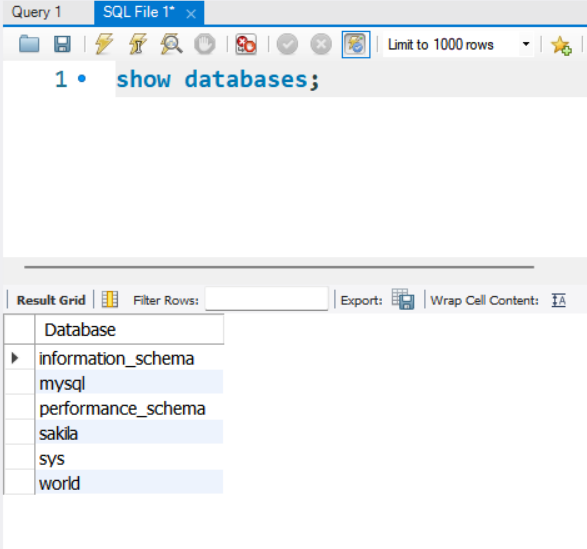
(2) show databases 명령어
- 명령어들
- ; = 항상 마지막에 붙이고 엔터하기
- use = DB사용 변경 ex) use world;
- ctrl + c = 이전 것 취소
- show tables = 테이블 보기
- desc = 테이블 구조 보기 ex) desc city;
- select = 데이터 추출
ex) select *
from city; = city라는 테이블의 모든 데이터를 추출(현장에서 잘 사용X)
3. MySQL Workbench 사용하기
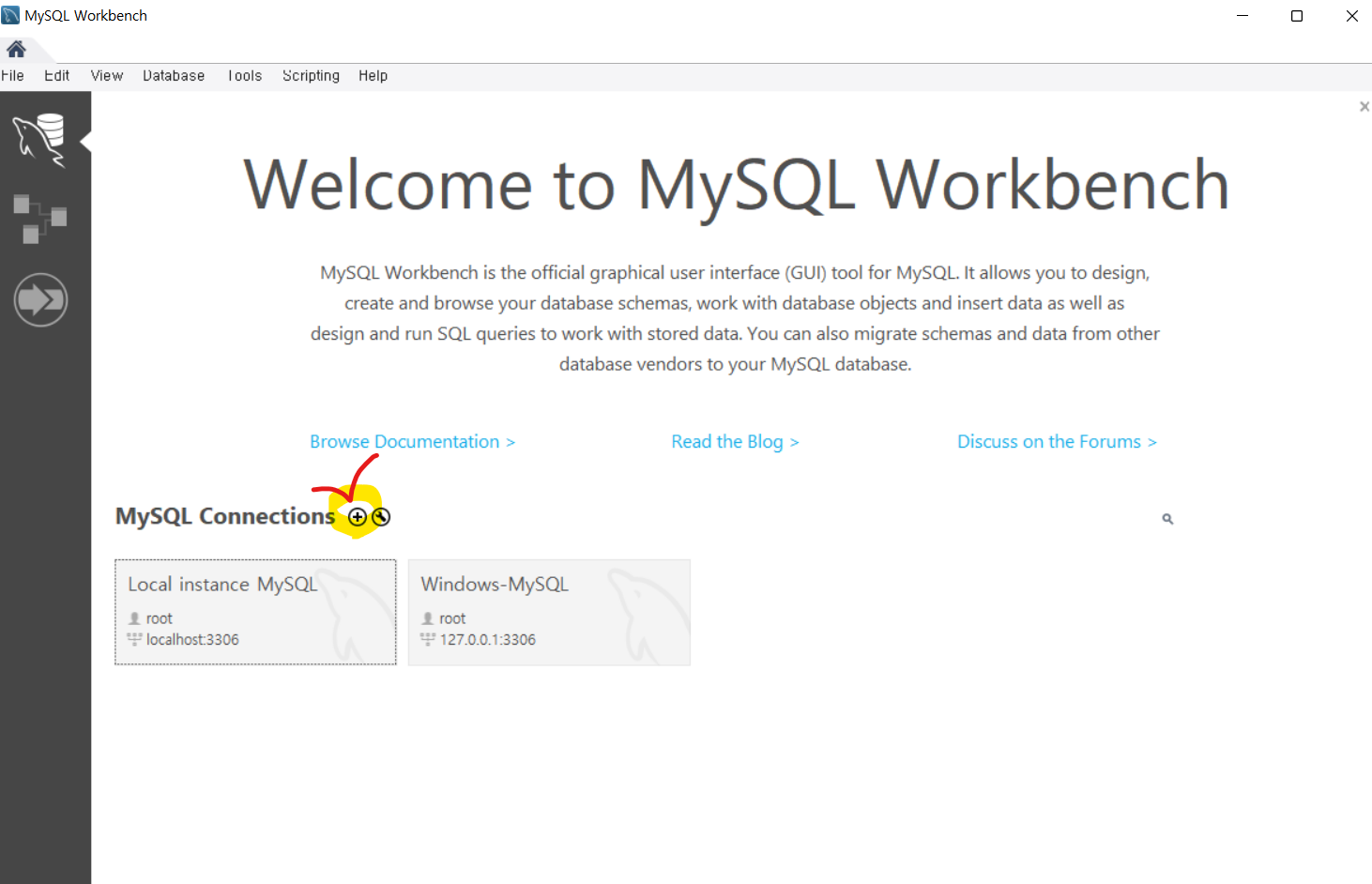
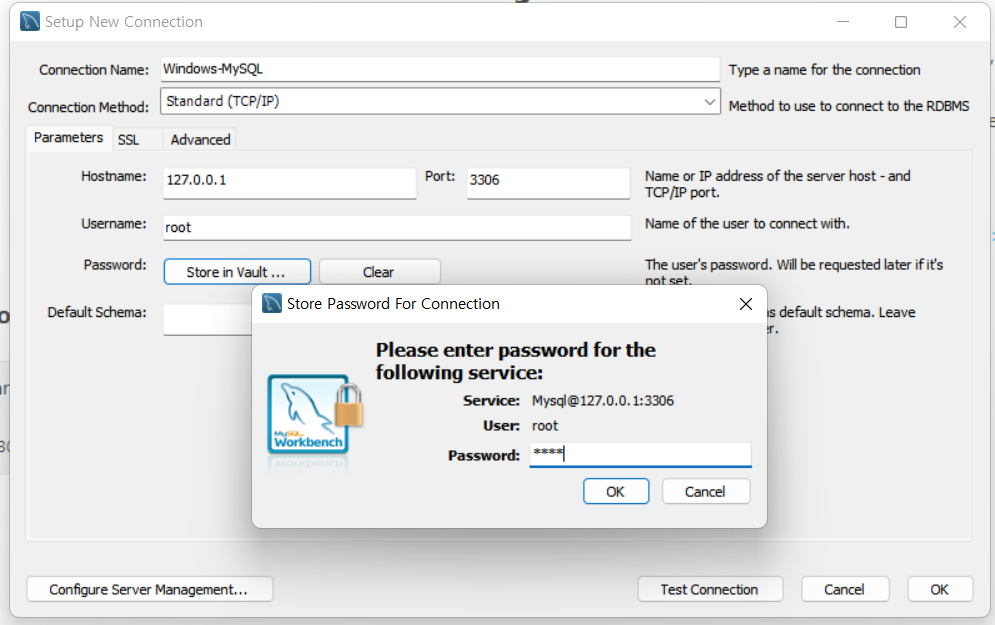
- + 클릭
- Connection Name -> Windows-MySQL
- password 저장
- ok - 새로만든화면 접속
- 마지막 화면 비활성화
- Schemas 화면 사용하면 됨
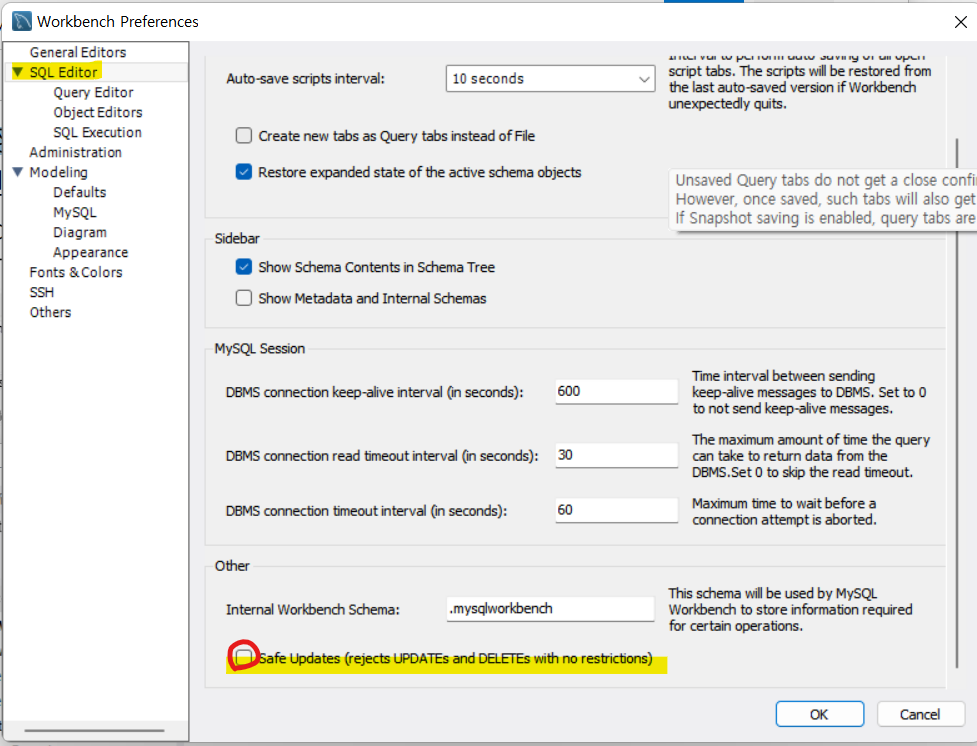
- MySQL Workbench 설정
- [Edit] - [Preferences] - 왼쪽 [SQL Editor] 클릭 – 오른쪽 하단 [Safe Updates] 체크 해제 후 OK
- 이유 : 원활한 update와 delete를 위함.
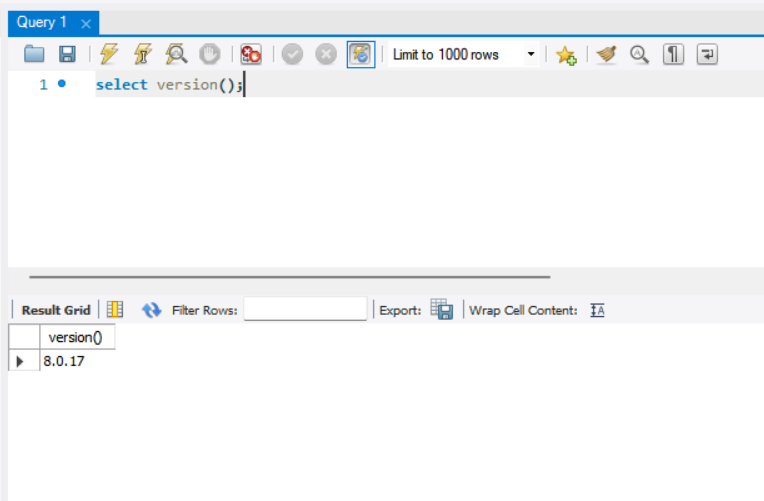
- 설치된 버전 확인
* 번개표시 = 실행(ctrl+enter)
- MySQL 명령어 테스트 - show databases 명령어 실행
- use world 명령어 실행
- show tables 명령어 실행

📌샘플 데이터베이스(스키마) 설치 및 확인
1. employees 데이터베이스(스키마) 설치
- employees.zip 파일을 C드라이브에서 압축 풀기
- Windows의 [시작]에서 오른쪽 마우스 클릭 - [Windows PowerShell(관리자)] 실행

2. hr 데이터베이스(스키마) 설치(동일 방식)
- hr.zip 파일을 C드라이브에서 압축 풀기
- Windows의 [시작]에서 오른쪽 마우스 클릭 - [Windows PowerShell(관리자)] 실행

3. 데이터베이스 확인
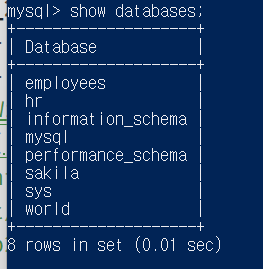
- 명령어
- cd(change directory) = 이동
ex) cd \employees
- source = 스크립트파일 실행
ex) source employees.sql - > employees.sql 실행
- -- = 주석달기
4. MySQL 설치된 폴더 확인
- C:\Program Files\MySQL\MySQL Server 8.0으로 이동
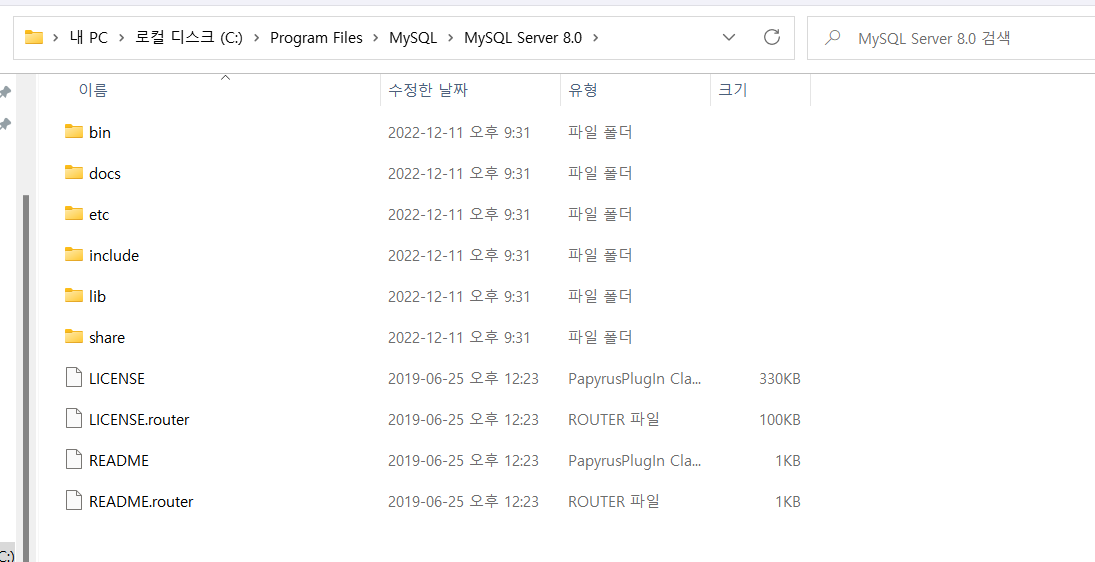
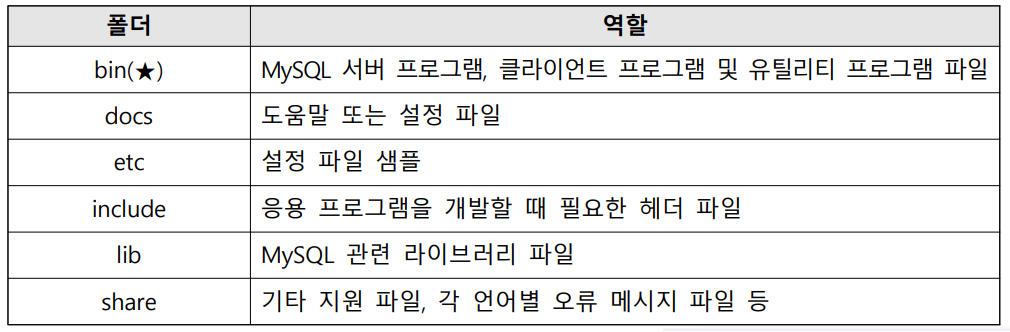
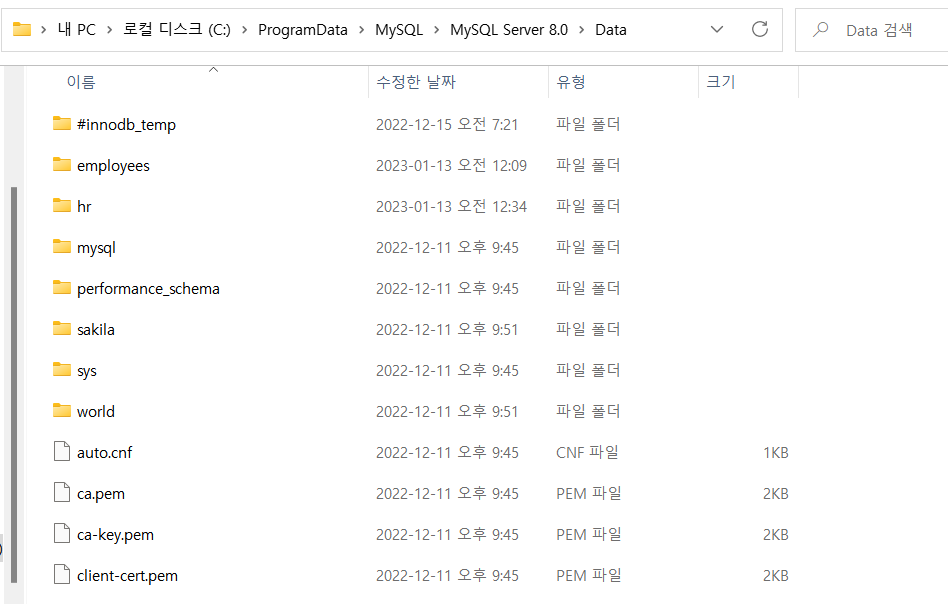
- C:\ProgramData\MySQL\MySQL Server 8.0\Data로 이동
- ProgramData 폴더 안보이는 경우 [보기]-[숨긴 항목] 체크 시 나타남.