Matrix 설명
Matrix4
- A class Representing a 4 x 4 matrix
Every Object3D has associated Martix4
- object3D.matrix: this stores the local transform of the object. (부모를 기준으로 한 object의 변화)
- object3D.matrixWorld: the global or world transform of the object. (부모가 없다면, local와 identical하다)
- Object3D.modelViewMatrix: 카메라의 좌표값에 대응해 object의 변환을 표시⇒ object의 matrixWorld (matrixWorld X matrixWorldInverse를 한 것과 마찬가지이다)
Cameras have three additional Matrix4s:
- **Camera.matrixWorldInverse:** view matrix ⇒ inverse of the Camera’s matrix world
- **Camera.projectionMatrix:** clip space에 정보들이 어떻게 표시될 지 결정한다.
- Camera.projectionMatrixInverse: the inverse of projectionMatrix
React three fiber
const Component = ({
  bufferGeometry,
  material,
}) => {
  const mesh = useRef<THREE.Mesh>()

  useEffect(() => {
      if (mesh.current) {
          const RASToLPS = new THREE.Matrix4()
          RASToLPS.set(-1, 0, 0, 0, 0, -1, 0, 0, 0, 0, 1, 0, 0, 0, 0, 1)
          mesh.current.applyMatrix4(RASToLPS)
      }
  }, [mesh])

  return (
      <mesh
          ****geometry = {bufferGeometry}
          material = {material}
          ref={mesh}
      >
      </mesh>
  )
}
https://github.com/pmndrs/react-three-fiber/discussions/1419
https://www.appsloveworld.com/typescript/146/how-to-use-applymatrix4-in-react-three-fiber#google_vignette (추가적인 링크인데 참고하면 좋을듯 ⇒ matrix에 대한 상세한 정보를 설명하고 있다) - decompose와 관련된 내용들을 담고 있다.
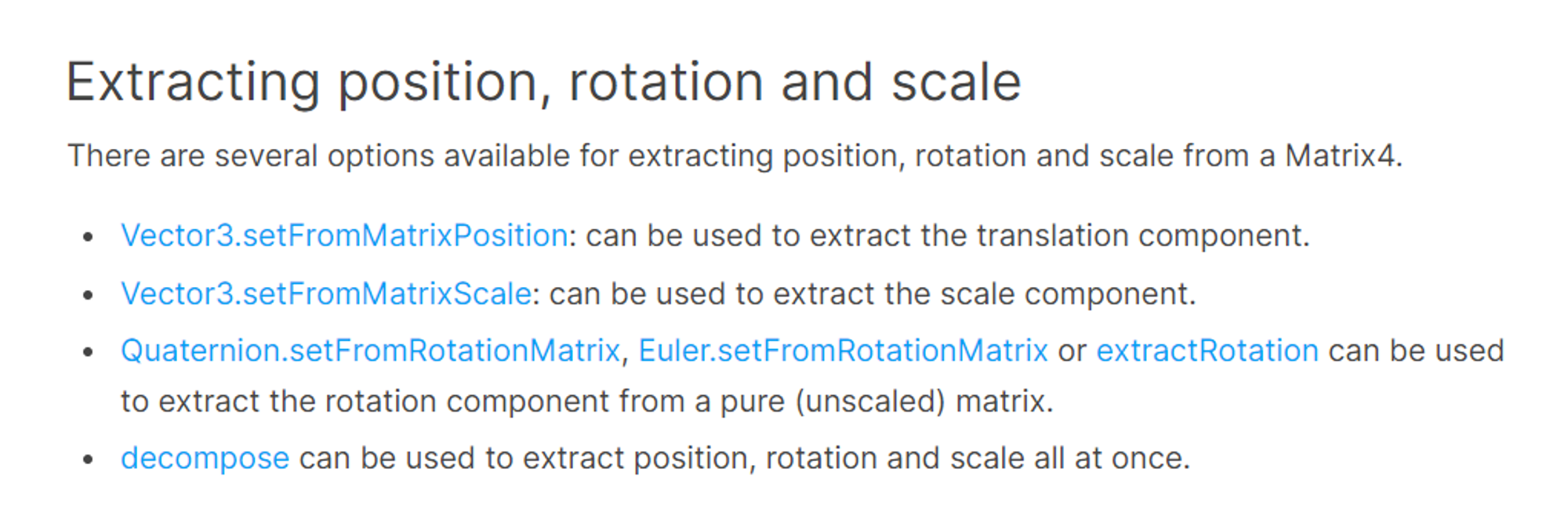

- rotation의 matrix을 extract할 수 있다.
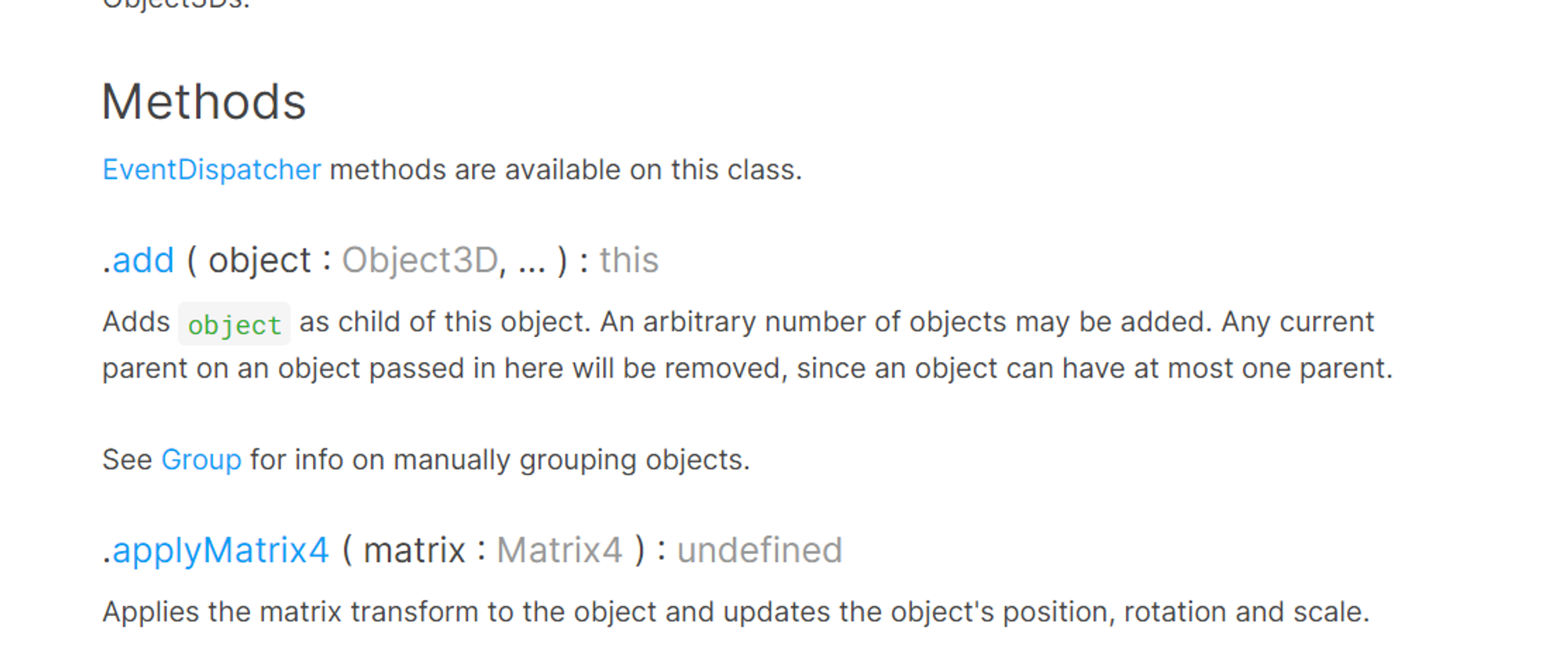
- applyMatrix4을 활용해⇒ position, rotation and scale을 적용할 수 있다.
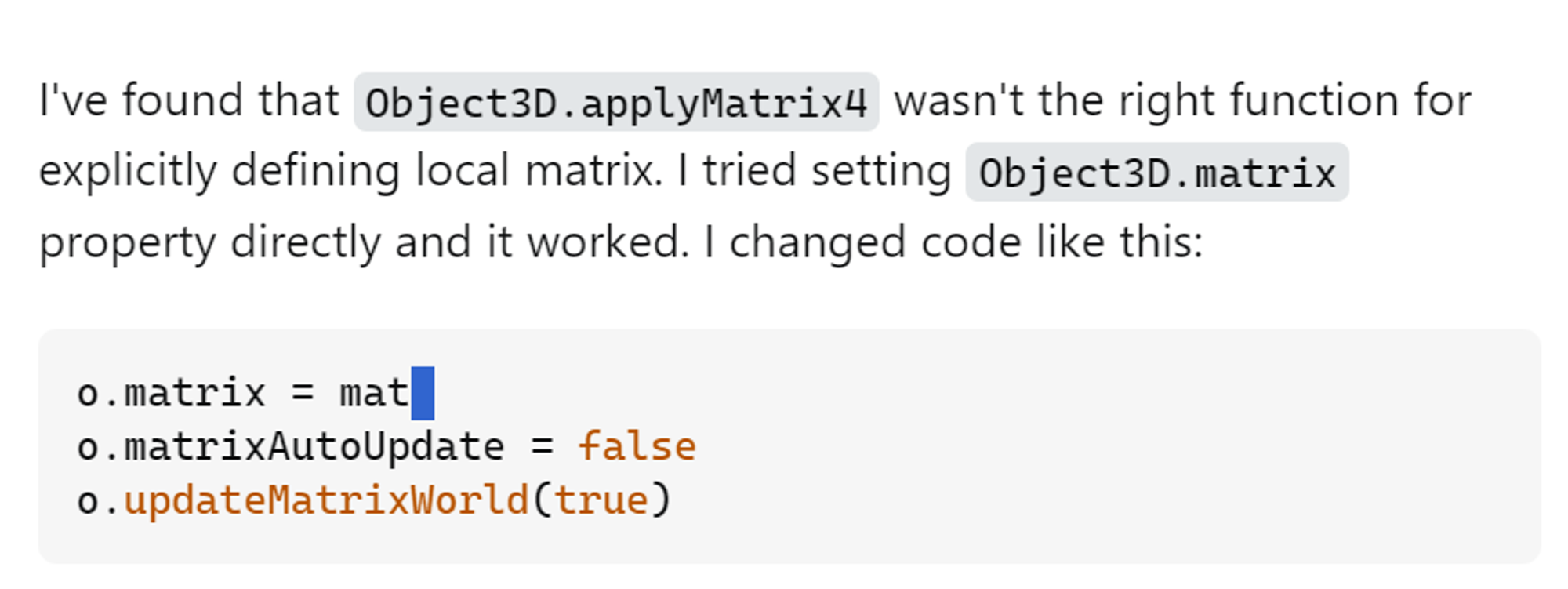
- StackOverflow을 보면, local matrix을 조작하려면, applpyMatrix4가 아닌, 그냥 matrix에 값을 지정하면 된다고 나온다. 위 두 방법을 다 시도해보면 좋을듯? (참고 링크)
Matrix transformation: 링크
three.js는 matrices를 사용해 3D 변형 변환 (위치), 회전, 확대 인코딩 등 정보를 담고 있다. 모든 인스턴스는 matrix를 가지고 있고, object 위치, 회전, 확대 등의 정보를 가지고 있다.
- object 변형 방법:matrixAutoUpdate(defualt: true)
-
postion, quaternion(4원 산법), scale 속성을 조절한다. ⇒ 그리고 three.js가 object의 행렬을 맞추기 위해 재 계산을 진행하게 된다.
object.position.copy( start_position );
object.quaternion.copy( quaternion );
-
- 직접 update하고 싶은 경우 아래 값을 변경하면 된다. (matrixAuto는 false로 변경 후)
- 속성을 변경한 다음에 수동으로 행렬을 업데이트해줍니다.:
object.updateMatrix();
오브젝트의 행렬을 직접 수정합니다. Matrix4 클래스에는 행렬 수정을 위한 여러 메서드가 있습니다.
object.matrix.setRotationFromQuaternion( quaternion );
object.matrix.setPosition( start_position );
object.matrixAutoUpdate = false;- 이 경우에 matrixAutoUpdate는 무조건 false가 되어야 하는 점을 명심하세요. 그리고 updateMatrix 를 사용하지 마세요. updateMatrix를 호출하면 수동으로 변경한 행렬을 덮어버리고position, scale 등의 행렬을 재계산 할 것입니다.
Object와 World 행렬
Object의 Matrix는 object의 변형과 관련된 object의 parent에 저장을 한다. Object의 변형 정보를 world 좌표에서 가져오려면, object3D.matrixWorld에 접근해야 한다. ⇒ 부모 or 자식 object에 변형이 생기면 ⇒ 자식 Object의 Matrixworld을 Update MatrixWorld을 호출해 업데이트 하면 된다.
회전 및 사원수 (Rotation and Quaternion)
Three.js는 3D 회전을 두 가지 방법으로 나타냅니다:
- Euler angles(gimbal lock의 제한 사항이 존재한다.) 와 Quaternions이며 둘 사이의 변한 메서드도 포함입니다. “Euler angles describe rotation around three orthogonal axes (usually X, Y, and Z) in a specified order.”
- QuaTernions: gimbal lock 등 Euler angles의 한계점을 보완한 방법이다. 하지만 덜 지관적이다.
Matrix 및 3D 작업에 대한 이해 (참고 링크)
Homogeneous coordinates
이전까지 3D vertices을 (x,y,z)로만 이해를 함 ⇒ We will now have (x,y,z,w) vectors
- If w == 1, then the vector (x,y,z,1) is a position in space. (공간 좌표값)
- If w == 0, then the vector (x,y,z,0) is a direction. (방향값)
An introduction to matrices
- a matrix is an array of numbers with a predefined number of rows and colums. (아래 사진은 2곱하기 3의 matrix에 해당한다)
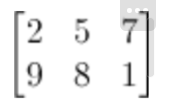
3D graphics에서는 주로 4x4 matrix을 사용할 것이다 ⇒ allow us to transform (x,y,z,w) vertices (vertex 곱하기 matrix을 하면 된다)
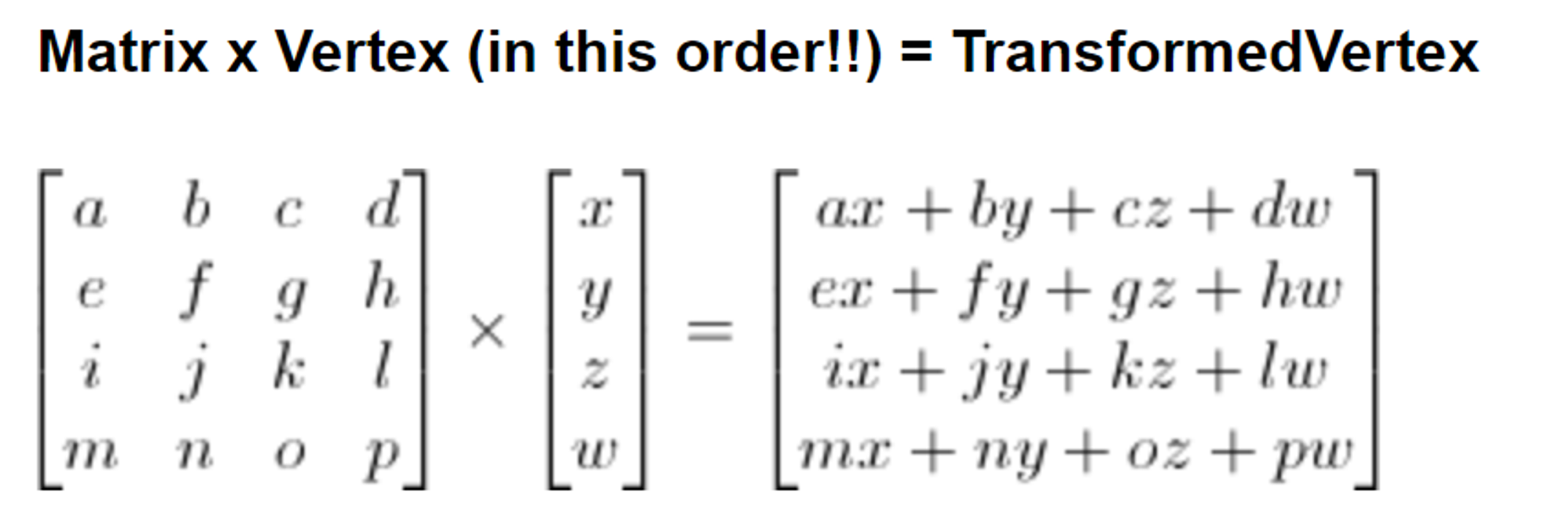
- ax + by + cz + dw. You’ve got your new x (위처럼 row 끼리 x와 곱해서 ⇒ 새로운 x 값을 도출하는 것 ⇒ 모든 line에서 위 작업을 진행하면 new (x,y,z,w) vector을 가지게 된다.
glm::vec4 transformedVector = myMatrix * myVector //위 작업을 수행하는 c++ 코드Translation matrices
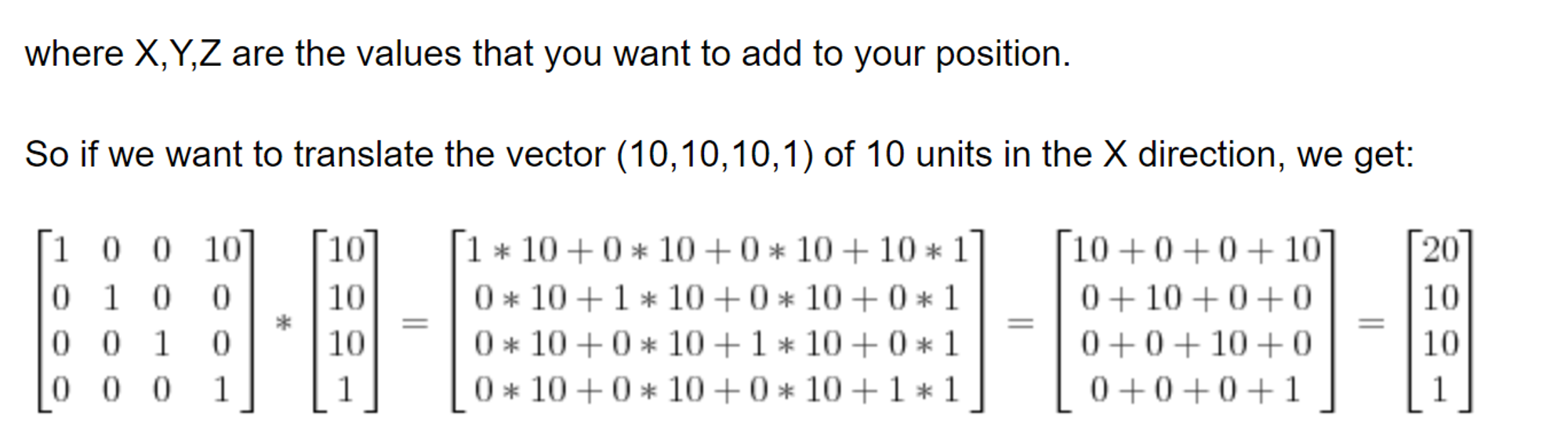
- position의 변화는 transformation의 변화와는 별개이다(direction 변화가 ⇒ transformation을 초래한다)
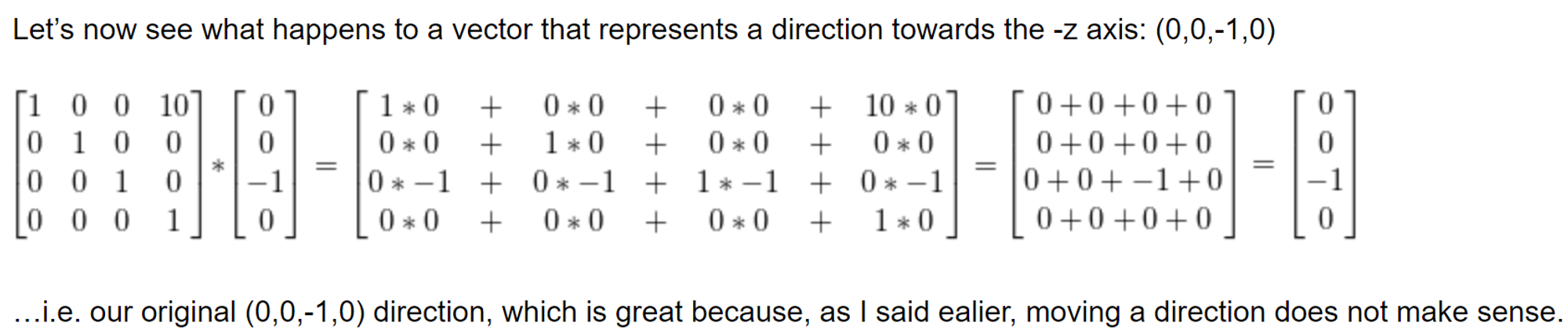
//위 과정을 코드로 표현하면 아래와 같다.
#include <glm/gtx/transform.hpp> // after <glm/glm.hpp>
glm::mat4 myMatrix = glm::translate(glm::mat4(), glm::vec3(10.0f, 0.0f, 0.0f));
glm::vec4 myVector(10.0f, 10.0f, 10.0f, 0.0f);
glm::vec4 transformedVector = myMatrix * myVector; // guess the result
Scaling matrices
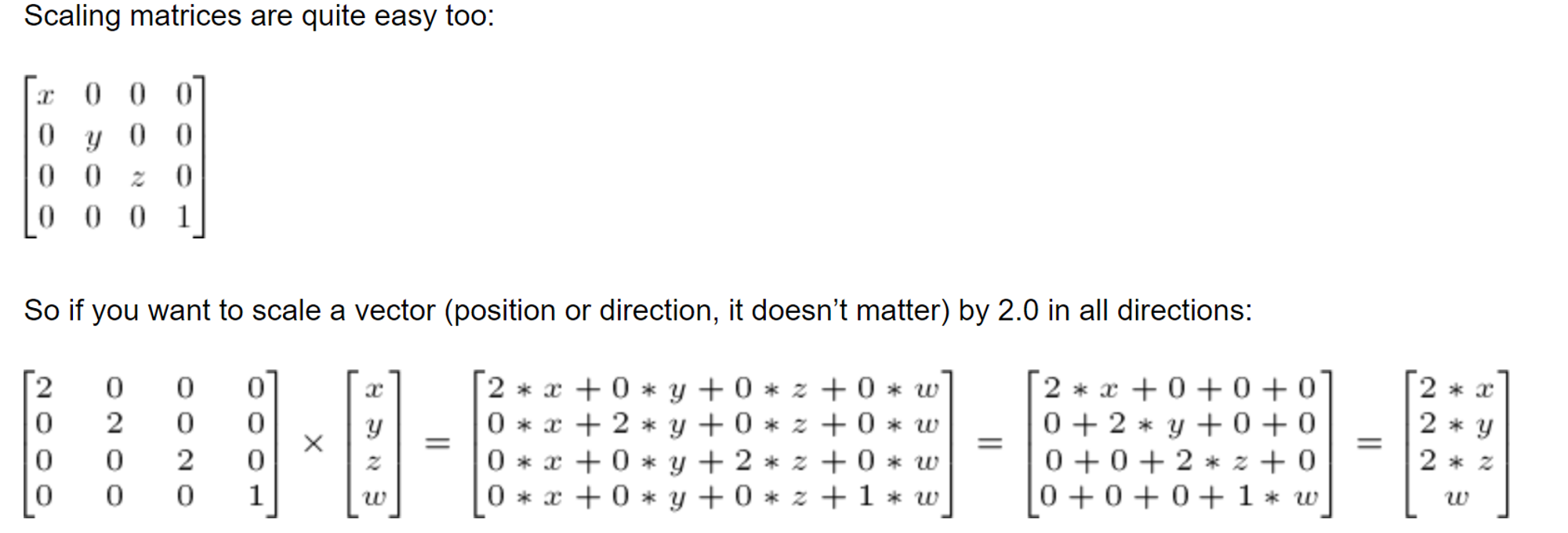
- 거의 사용하지 않는다? ⇒ zoom in/zoom out할 때 사용하는 게 아닌가? \
rotation matrices: 참고 링크

- rotate,scale, translation 등을 합쳐서 진행하는 것 ⇒ (scaling⇒ rotation⇒ translation 순으로 진행된다) 순서가 잘못된다면 원하는 결과값이 도출되지 않는다!.
The Model, View and Projection matrices
동일한 기능을 수행하지만, model, view, projection matrices을 활용하면 보다 명료하고, 간단하게 위에서 한 과정들을 수행할 수 있다 (conventional method).
The Model Matrix
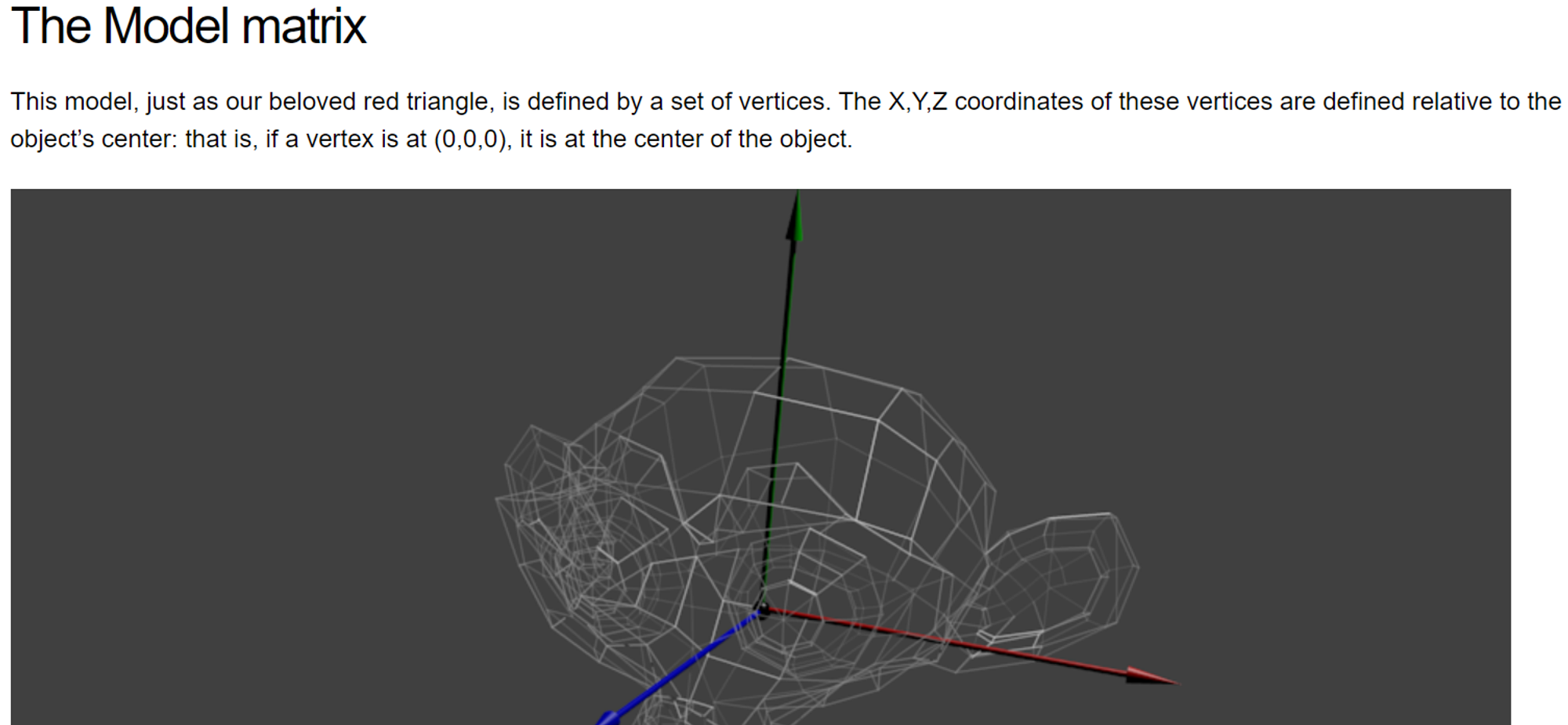
- 위 사진은 center(0,0,0)에 위치한 object을 표시하고 있다.
만약 object을 움직인다고 했을 때 ⇒”translation*rotation*scale”을 수행하면 된다 (You apply this matrix to all your vertices at each frame) ⇒ something doesn’t move will be at the center of the world (움직이지 않는 것은 world의 중심에 있다?)
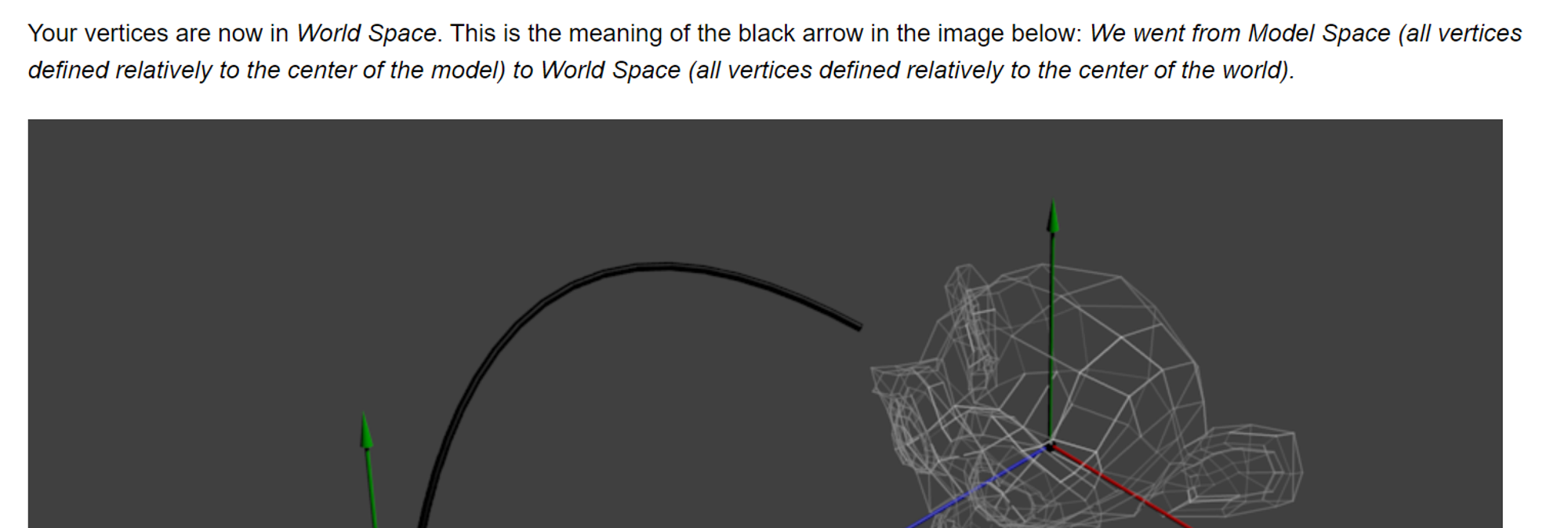
- 위 작업을 수행하면 vertices는 이제 world space에 위치하게 된다 ⇒ model space(중앙을 기점으로 모든 vertices들이 정의됨)에서 ⇒ World Space(all vertices defined relatively to the center of the world)로 전환이 된 것이다.
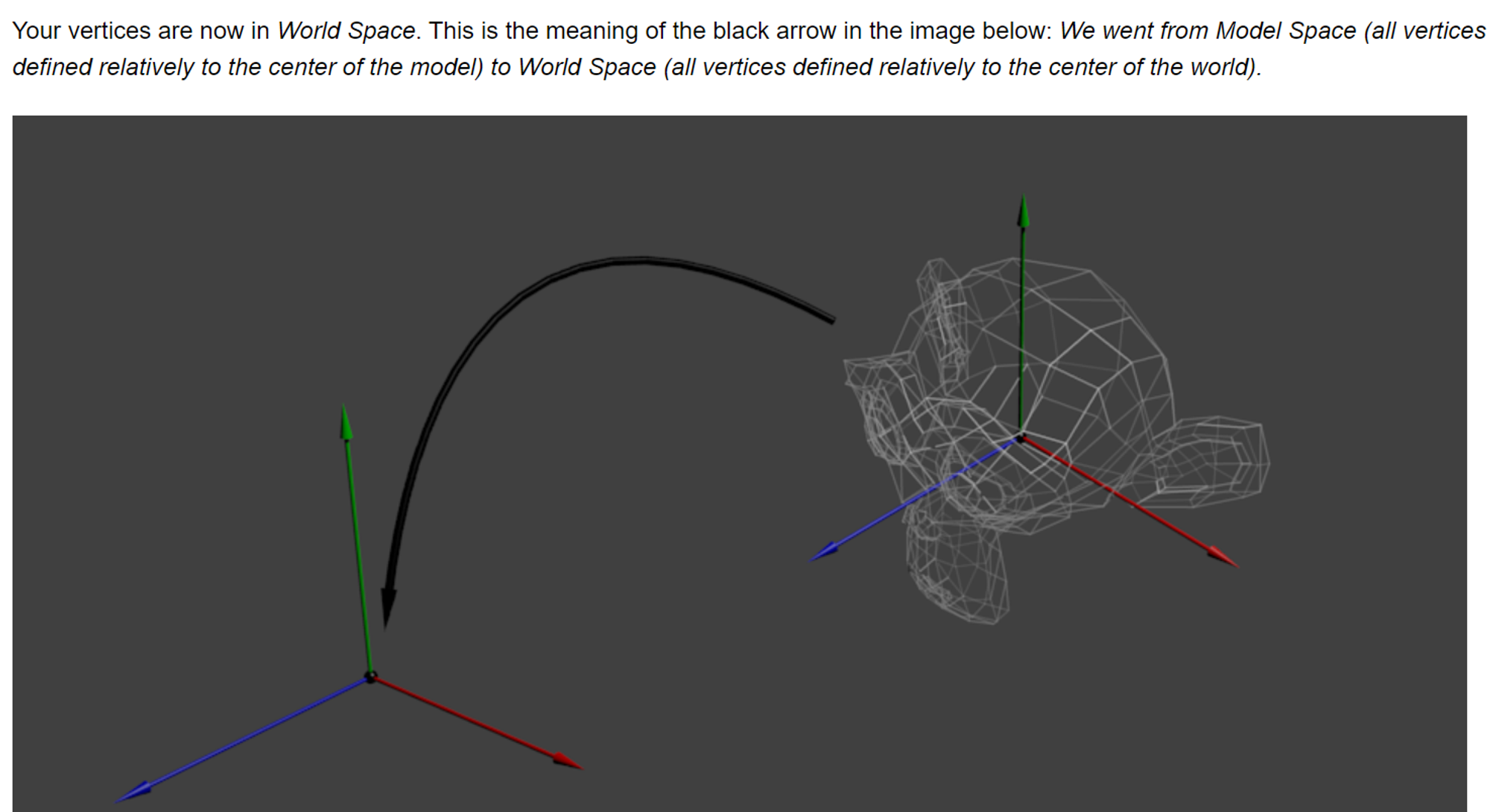

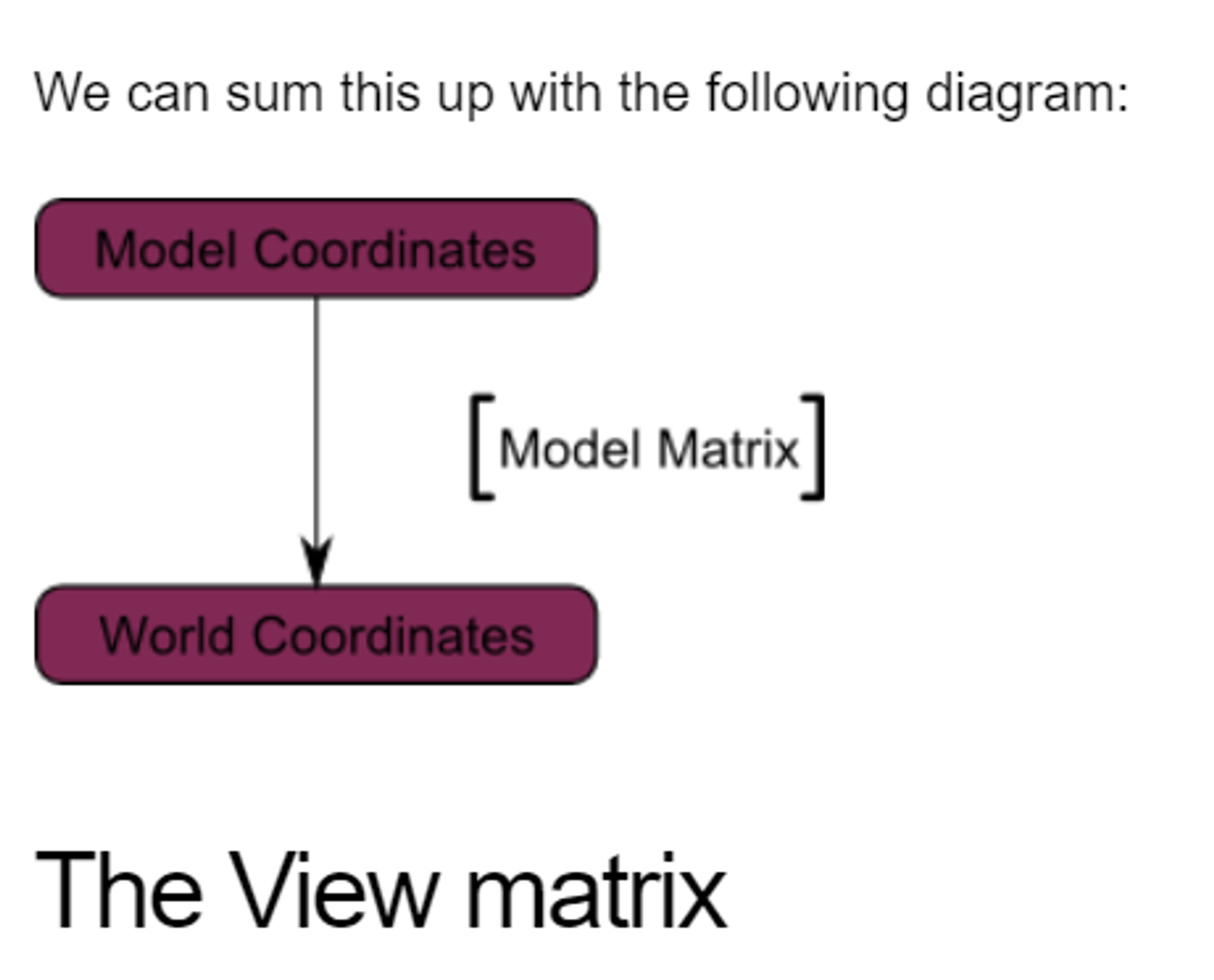
Model Matrix는 좌측에 있는 것을 말하고 있는 것인가?
The engines don’t move the ship at all. The ship stays where it is and the engines move the universe around it.
Model 좌표: 특정 3D 모델 또는 object에 국한된 좌표 시스템을 의미한다. 기준점은 모델 자체 내에서 정의된다.
World 좌표: 전체 3D 장면이나, 환경에서 object들의 위치를 정의하는 데 사용되는 좌표 시스템이다.
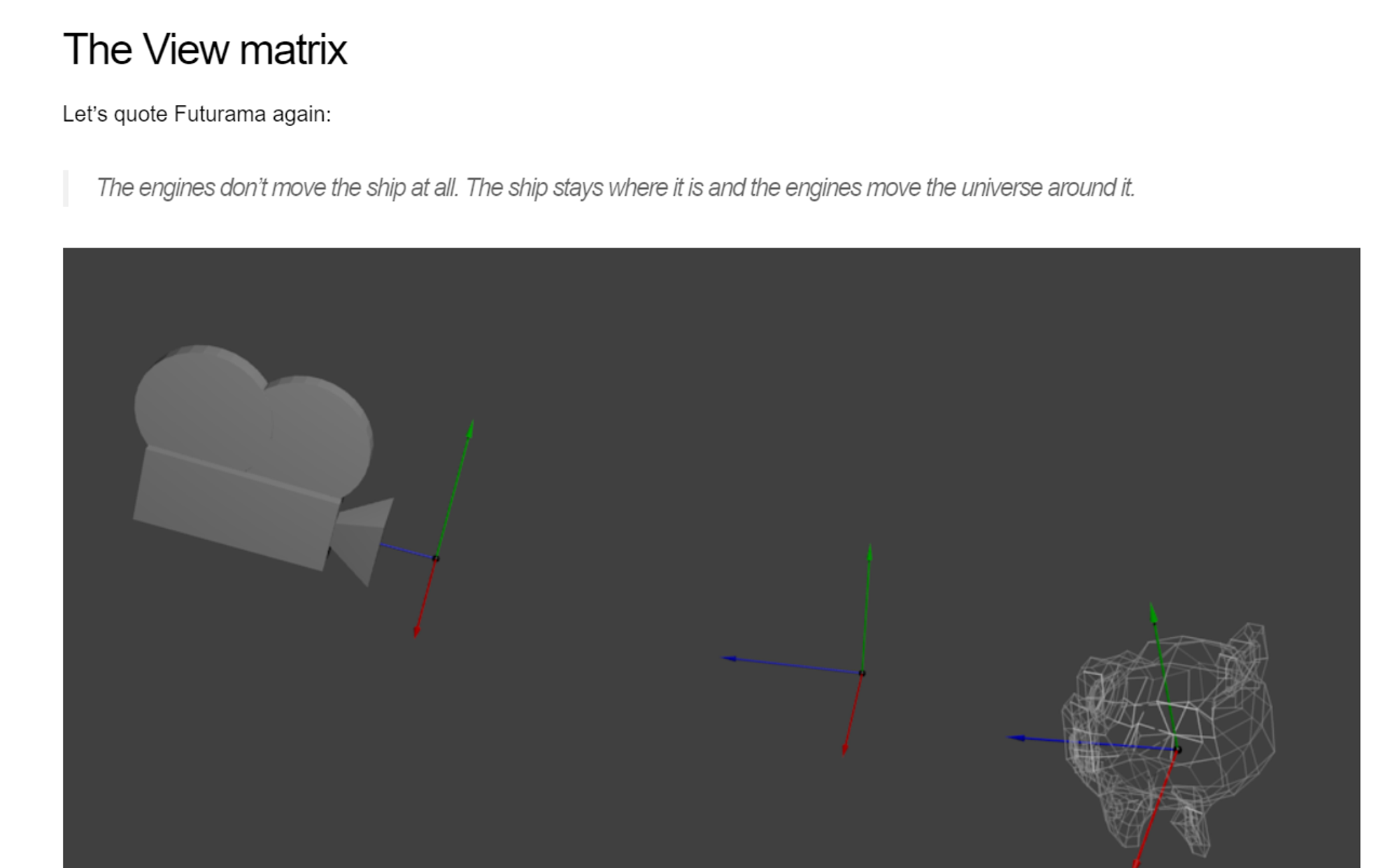
- camera의 경우 초기에는 world Space에 위치해 있는다 ⇒ world을 움직이기 위해서는 다른 matrix을 사용해야 한다(camera가 현재 world이니까)
- ex) want to move your camera of 3 units to the right (+X) === moving your whole world (meshes included) 3 units to the LEFT! (-X). (카메라를 움직이면 자연스럽게 물체가 움직이는 것처럼 보이니까 반대로 움직여야 한다)
glm::mat4 ViewMatrix = glm::translate(glm::mat4(), glm::vec3(-3.0f, 0.0f ,0.0f));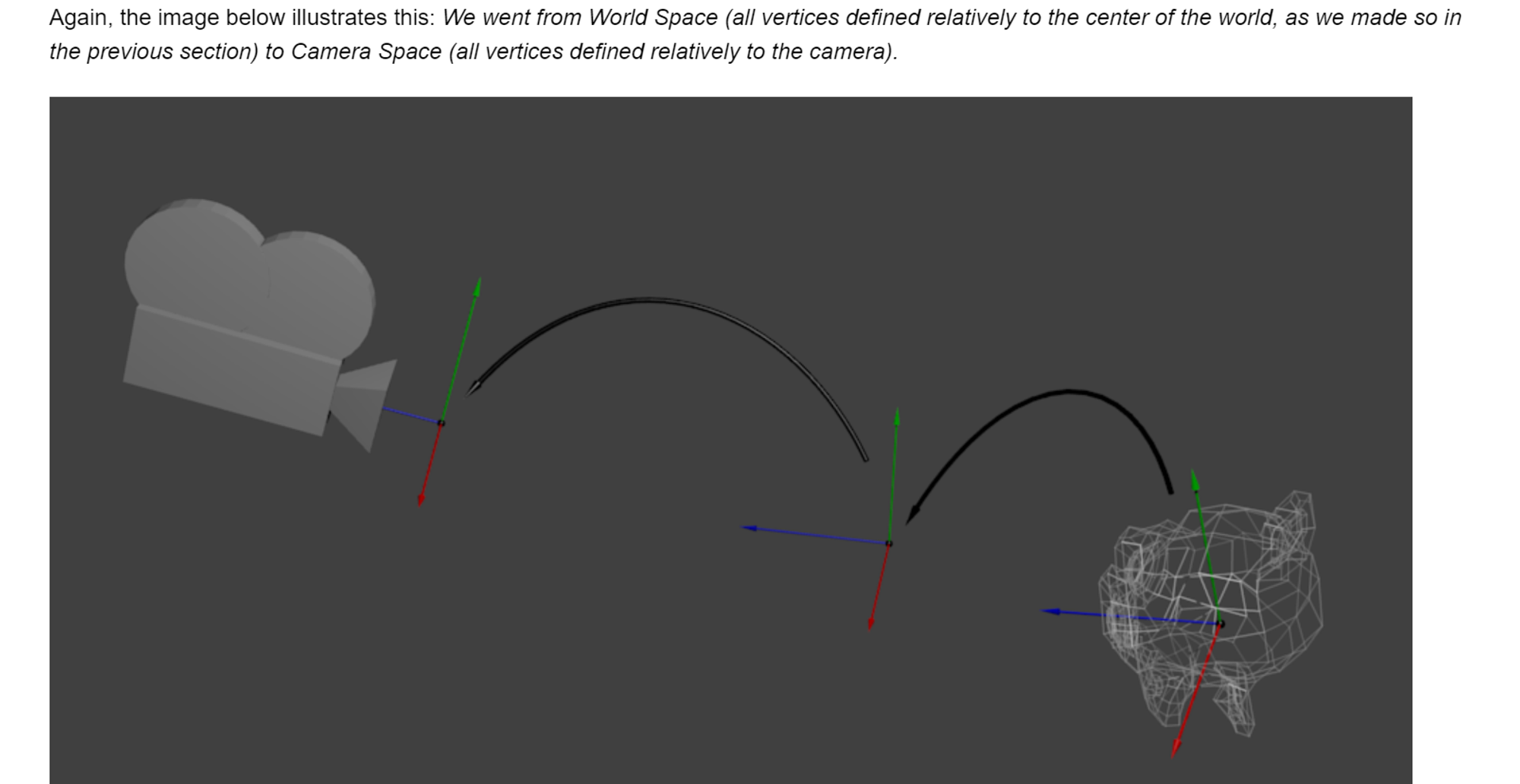
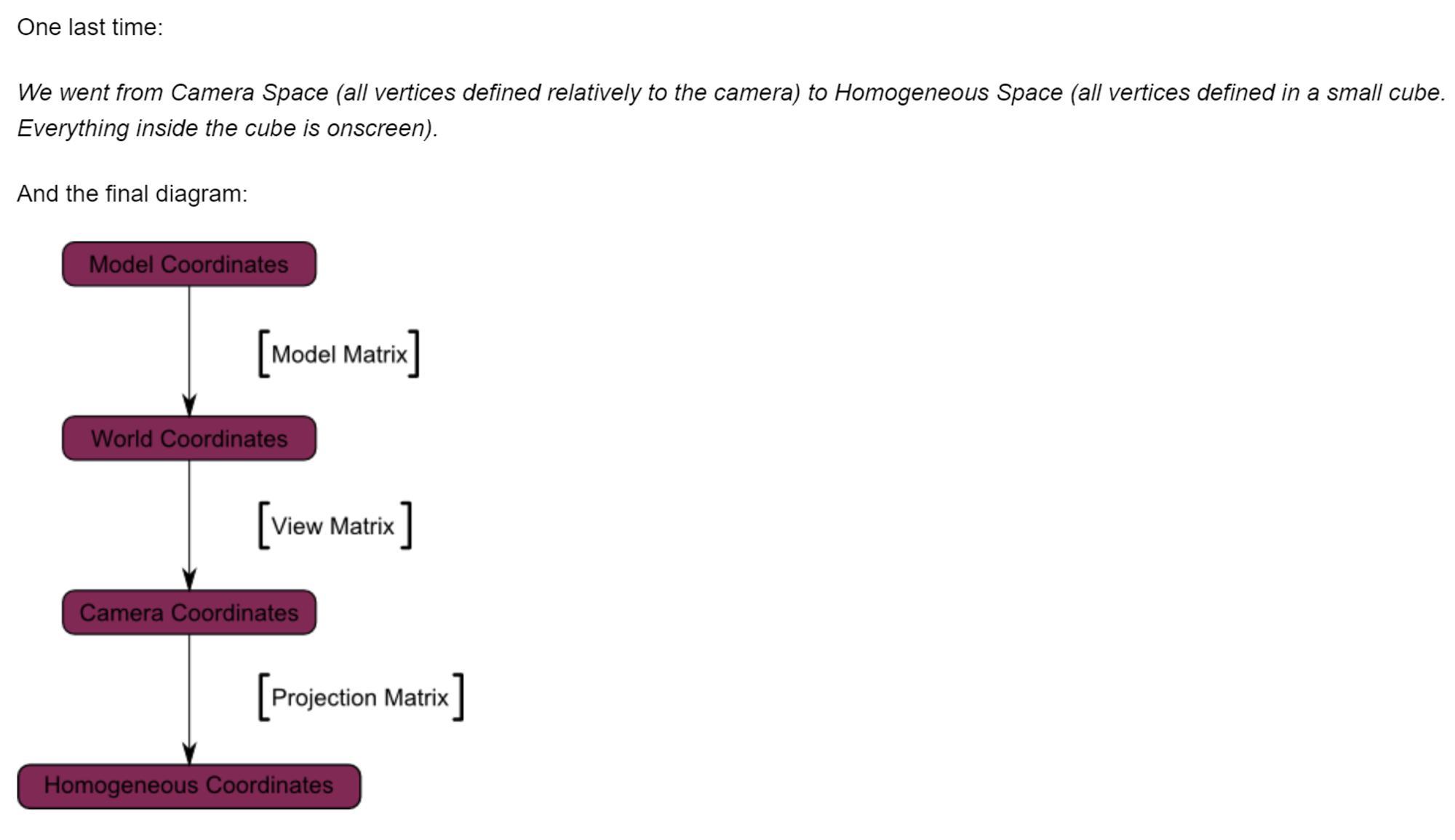
- world space ⇒ Camera Space로 변경된 것 (중심점의 이동이 곧 space의 이전이라고 생각하면 될듯 ⇒ 기준의 이전이니까) ⇒모든 것은 곧 Camera를 기준으로 정의된다 (matrix를 곱하는 것은 곧 기준을 변경하는 것과 마찬가지이다) - model 기준, world 기준, 카메라 기준 등등 기준의 차이가 존재하며, 어떤 관점으로 바라볼 것인가를 결정하는 게 곧 matrix를 곱하는 행위이다.
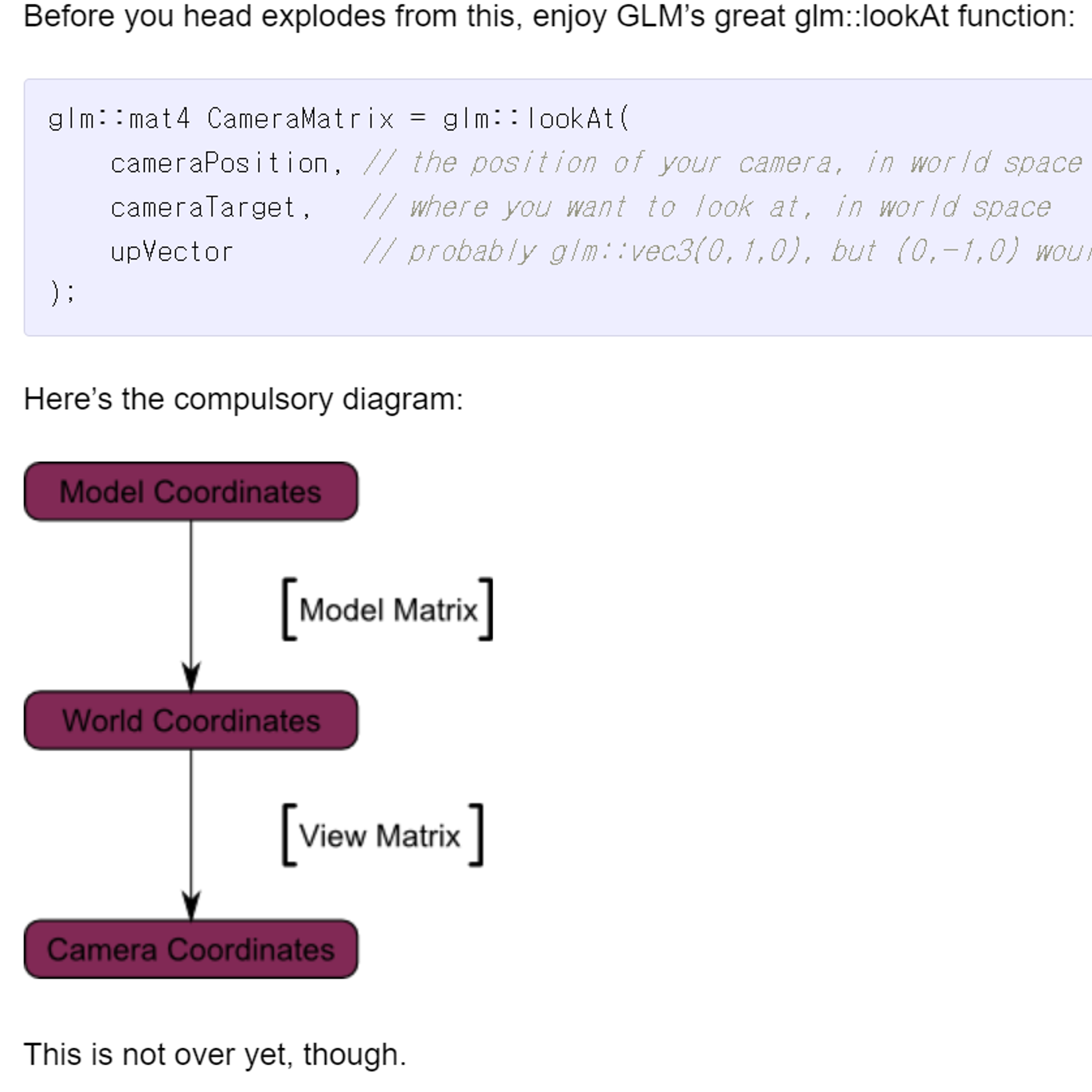
- 위는 기준을 변경하는 단계를 담고 있다.
Projection Matrixc
camera space에서 ⇒ “a vertex that happens to have x==0 and y==0 should be rendered at the center of the screen” (화면이 중앙점)
- But, 단순히 x,y 좌표만으로 object의 화면 상의 위치를 정의할 순 없다 ⇒ Z: distance to the camera가 필요하다. ⇒ 가장 큰 Z 값을 가진 것이 다른 것에 비해 더 화면 중앙에 가까울 것?
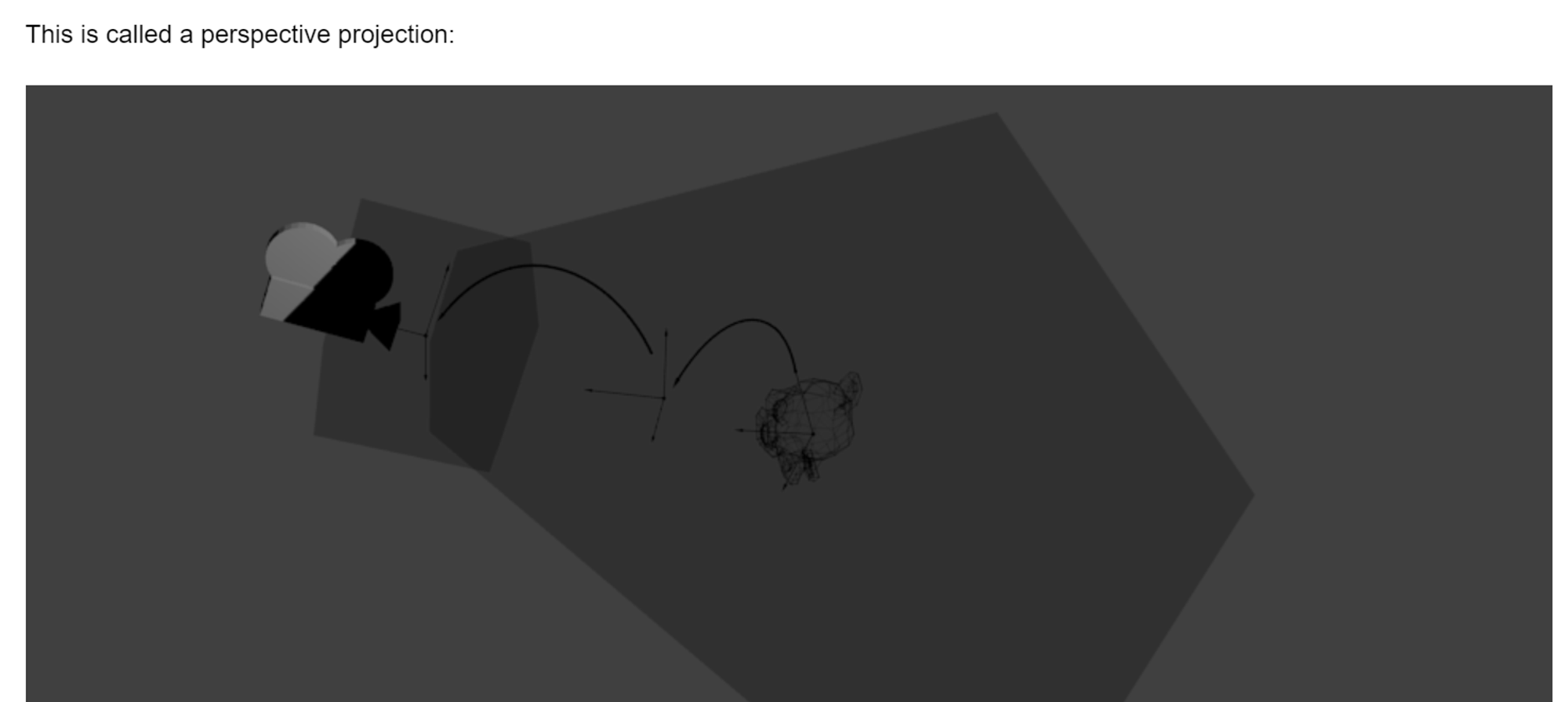
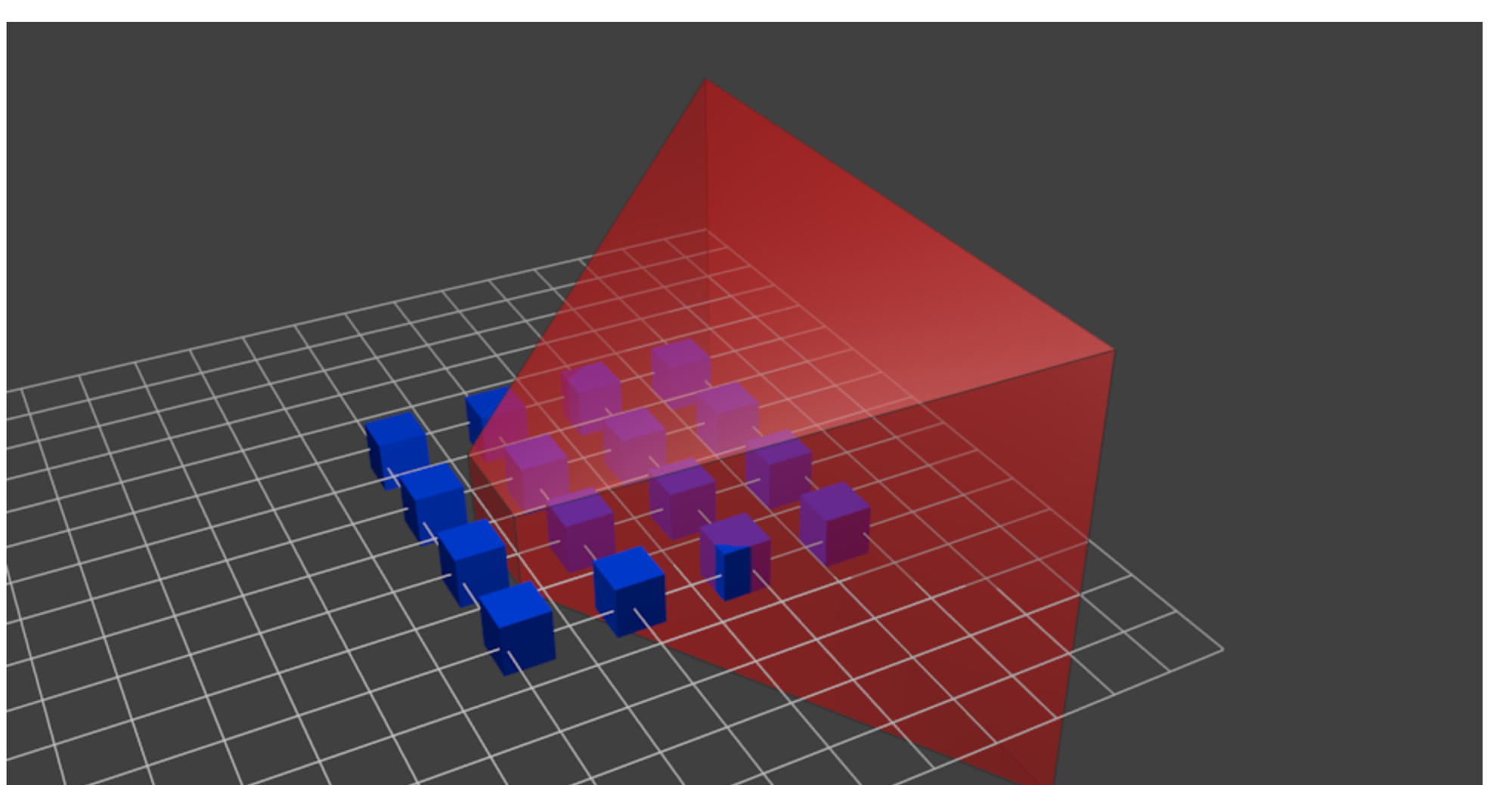
위 그림을 보면, (projection 이전 단계) ⇒ 파란색은 물체이고, 빨간색은 카메라 절두체(실제로 화면에 보이는 영역?을 의미한다)
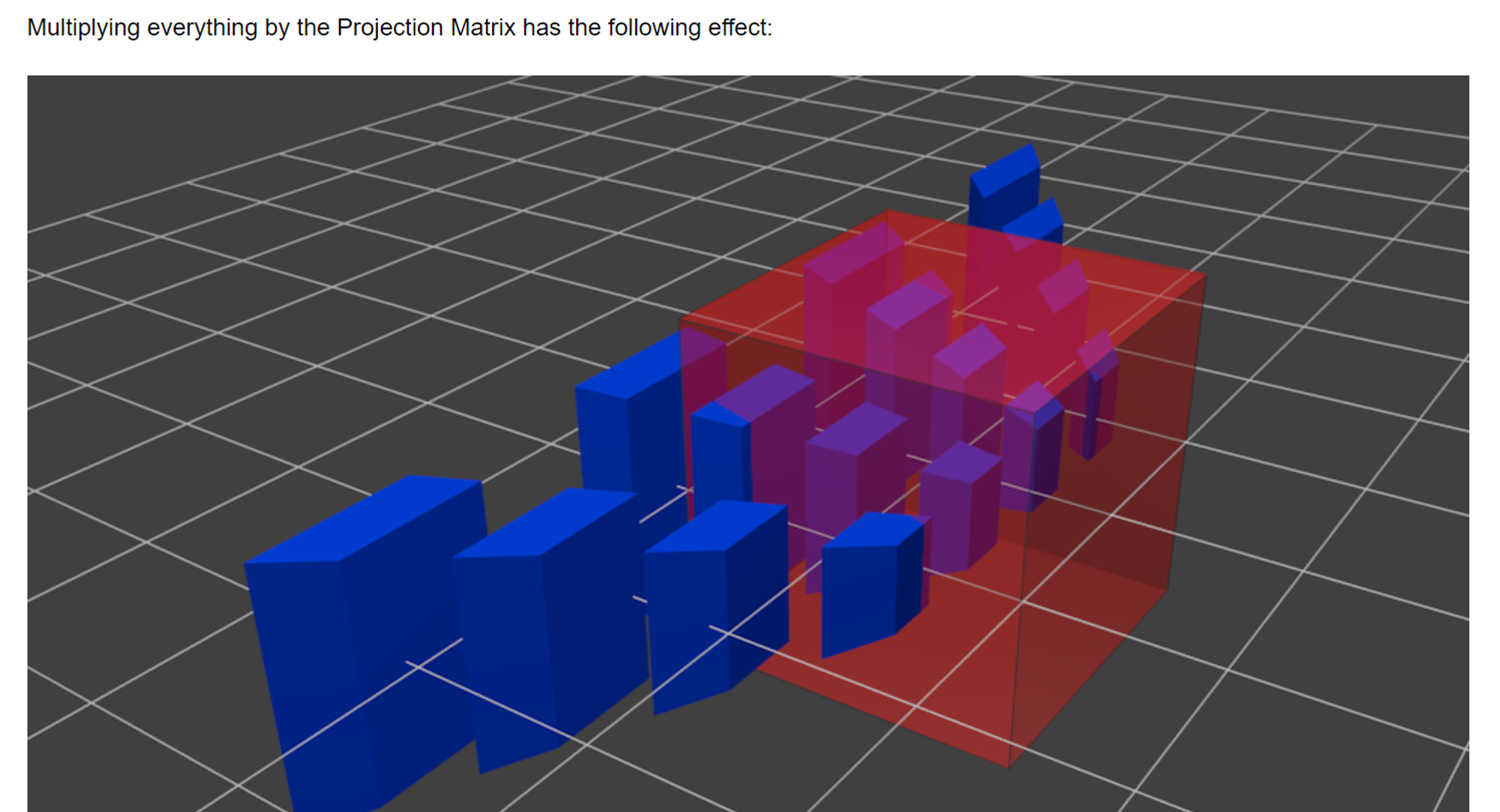
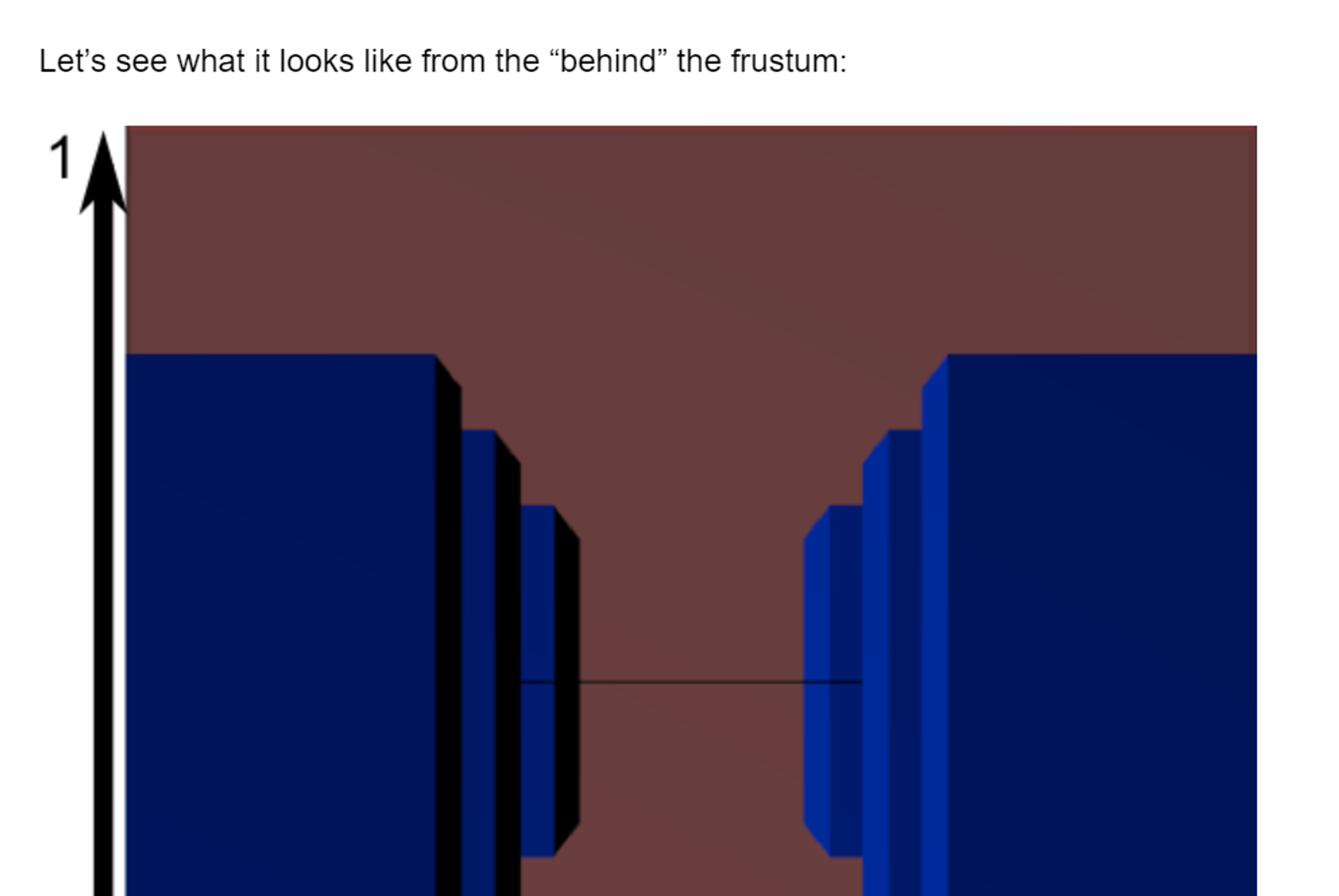
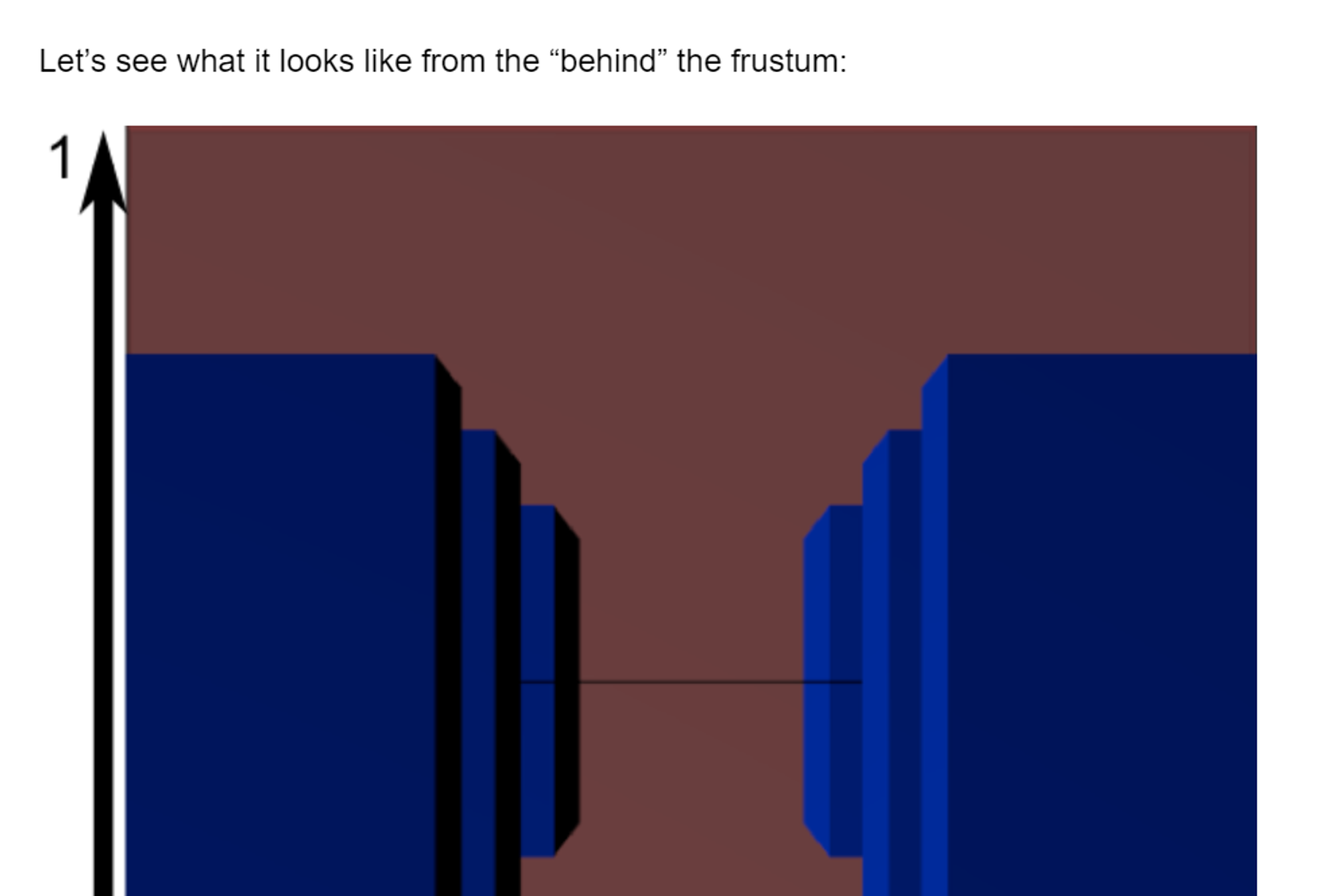
projection matrix을 곱하면 위와 같은 형태를 띤다.
카메라 절두체 (빨간색)의 변화를 보면 projection matrix을 곱하니, cube의 형태를 띠게 되는 것을 확인할 수 있다. ⇒ (between 1 ~ -1), 반면 파란 물체의 경우 첫 번째 사진의 빨간색처럼 변형돼 있다. 원근이 적용된 형태? ⇒ cube안에 있는 것은 작아 보이고, 외부에 있는 것(우리가 볼 수 없는 것은 실제로 크게?)