본 게시물은 Unity Korea 채널의 URP Shader Training 시리즈와 강의에 사용된 도큐먼트를 공부하며 정리한 게시물입니다.
Texture Splatting
두장의 Texture를 섞는 방법.
Texture Blending은 여러가지 방법이 있음.
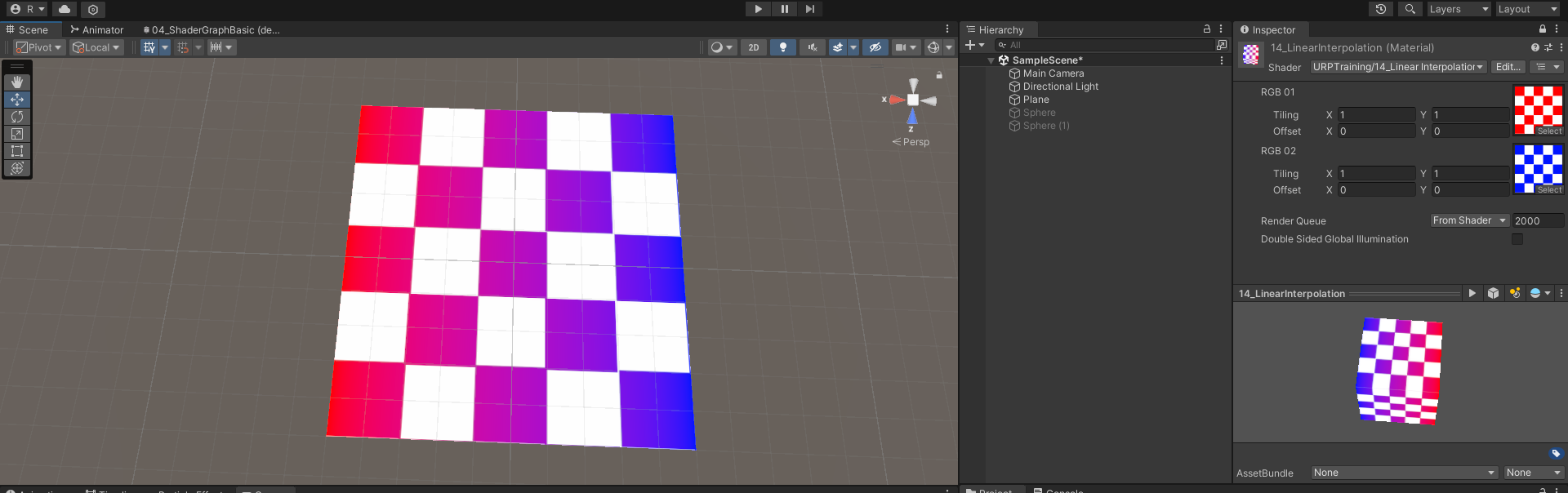
Linear interpolation
Lerp 함수를 사용해서 두장의 텍스쳐를 섞는 방식
lerp(a, b, x) = a + x(b - a)를 리턴.
a, b, x는 모두 동일한 타입으로 지정.
이 함수는 x가 0인 경우 a를, 1인 경우 b를 Return하도록 a와 b의 선형보간함.float lerp(float a, float b, float x) { return a + x(b - a); }
예제 코드
Shader "URPTraining/14_Linear Interpolation"
{
	Properties
	{
		_MainTex("RGB 01", 2D) = "white"{}
		_MainTex02("RGB 02", 2D) = "white"{}
	}

	SubShader
	{
		Tags
		{
			"RenderPipeline" = "UniversalPipeline"
			"RederType" = "Opaque"
			"Queue" = "Geometry"
		}
		Pass
		{
			Name "Universal Forward"
			Tags { "LightMode" = "UniversalForward"}

			HLSLPROGRAM
			#pragma prefer_hlslcc gles
			#pragma exclude_renderers d3d11_9x
			#pragma vertex vert
			#pragma fragment frag

			#include "Packages/com.unity.render-pipelines.universal/ShaderLibrary/Lighting.hlsl"

			struct VertexInput
			{
				float4 vertex	: POSITION;
				float2 uv		: TEXCOORD0;
			};

			struct VertexOutput
			{
				float4 vertex	: SV_POSITION;
				float2 uv		: TEXCOORD0;
				float2 uv2		: TEXCOORD1;
			};

			float4 _MainTex_ST;
			Texture2D _MainTex;
			SamplerState sampler_MainTex;

			float4 _MainTex02_ST;
			Texture2D _MainTex02;

			VertexOutput vert(VertexInput v)
			{
				VertexOutput o;
				o.vertex = TransformObjectToHClip(v.vertex.xyz);

				o.uv = v.uv.xy * _MainTex_ST.xy + _MainTex_ST.zw;
				o.uv2 = v.uv.xy * _MainTex02_ST.xy + _MainTex02_ST.zw;

				return o;
			}

			half4 frag(VertexOutput i) : SV_TARGET
			{
				float4 tex01 = _MainTex.Sample(sampler_MainTex, i.uv);
				float4 tex02 = _MainTex02.Sample(sampler_MainTex, i.uv2);
				float4 color = lerp(tex01, tex02, i.uv.x);

				return color;
			}

			ENDHLSL
		}
	}
}
Mask Texture를 사용한 Texture Blending
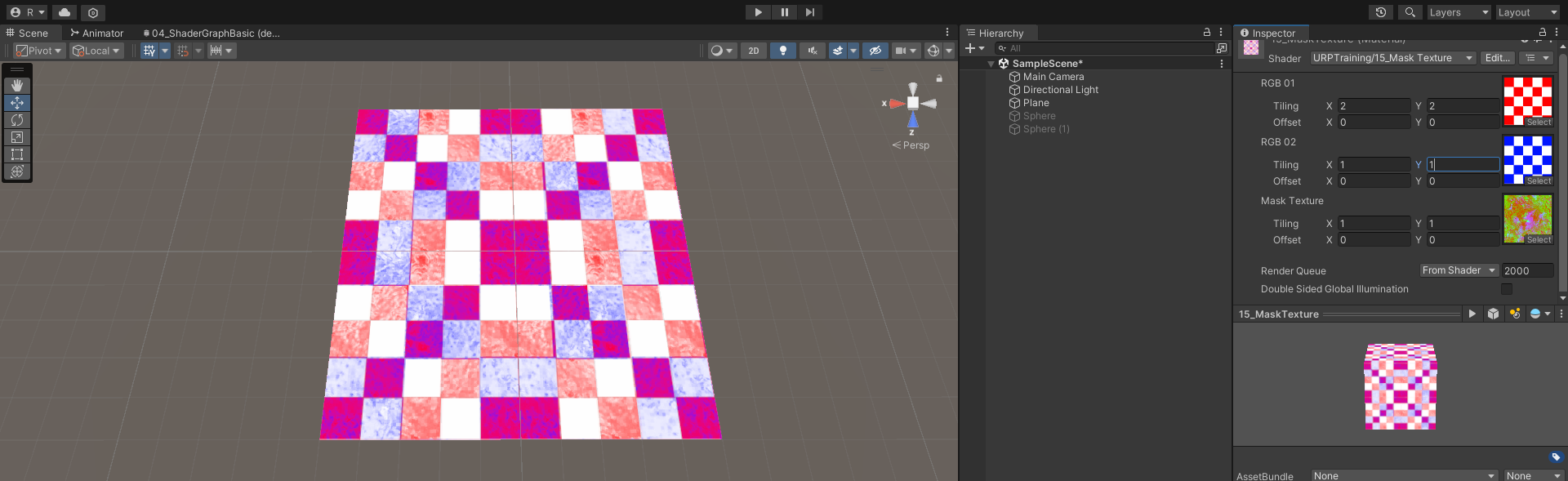
두 장의 Texture를 Mask Texture를 통해 Add하는 방식.
이 경우에는 RGBA Channel을 사용하는 Mask Texture에서 각 색영역에 대한 부분이 중복되는 부분이 없어야 깔끔하게 나온다.
Properties
{
	_MainTex("RGB 01", 2D) = "white"{}
	_MainTex02("RGB 02", 2D) = "white"{}

	_MaskTex("Mask Texture", 2D) = "white"{}
}

half4 frag(VertexOutput i) : SV_TARGET
{
	float4 tex01 = _MainTex.Sample(sampler_MainTex, i.uv);
	float4 tex02 = _MainTex02.Sample(sampler_MainTex, i.uv2);

	float mask = _MaskTex.Sample(sampler_MainTex, i.uv);

	float4 color = lerp(tex01, tex02, mask.r);

	return color;
}
UV Scroll
기본 UV값을 Control하여 다양한 효과를 Shader에서 구현 가능
VertexOutput vert(VertexInput v)
{
	VertexOutput o;
	o.vertex = TransformObjectToHClip(v.vertex.xyz);
	o.uv = v.uv.xy * _MainTex_ST.xy + _MainTex_ST.zw;
	o.uv.x += _Time.x;
	return o;
}
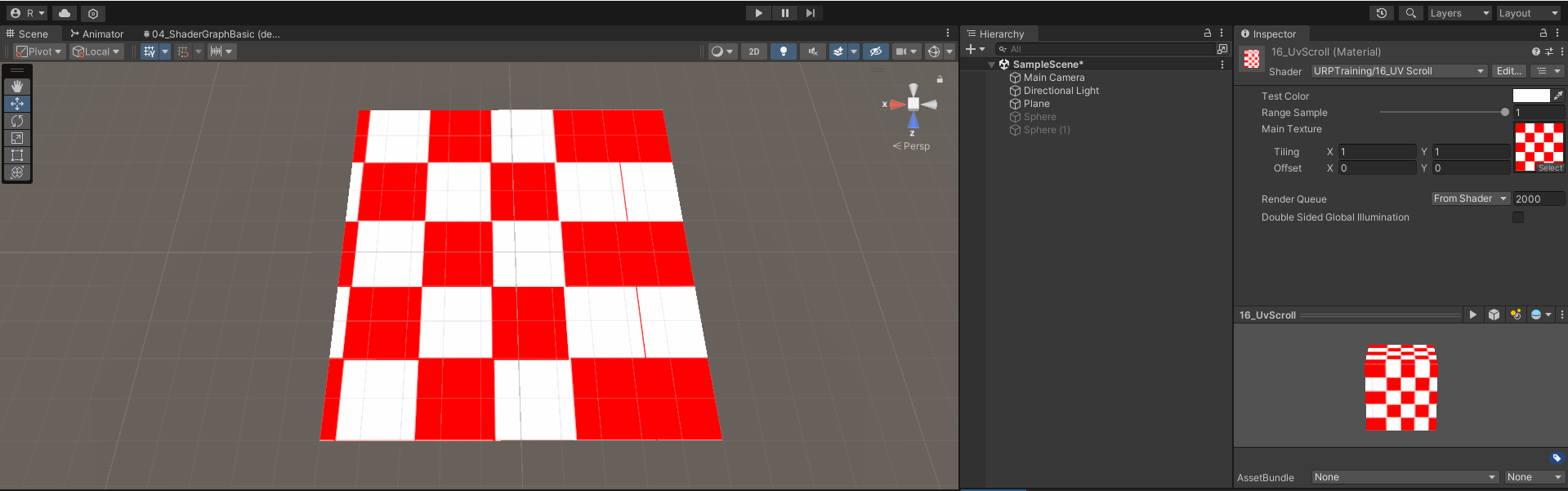
Mesh UV 방향으로 Scroll 되는 Shader 제작
Unity는 내부 Built-In Value를 가짐.
| Name | Type | Value |
|---|---|---|
| _Time | float4 | Time since level load: (t/20, t, t*2, t*3). Use to animate things inside the shader |
| _SinTime | float4 | Sine of time : (t/8, t/4, t/2, t) |
| _CosTime | float4 | Cosine of time : (t/8, t/4, t/2, t) |
| unity_DeltaTime | float4 | Delta Time : (dt, 1/dt, SmoothDt, 1/SmoothDt) |
//버텍스 셰이더 계산에서 _Time함수를 사용해서 offset 이동 가능
VertexOutput vert(VertexInput v)
{
	VertexOutput o;
	o.vertex = TransformObjectToHClip(v.vertex.xyz);
	o.uv = v.uv.xy * _MainTex_ST.xy + _MainTex_ST.zw;

	o.uv.x += _Time.x;

	return o;
}

//픽셀 셰이더에서도 응용 가능
half4 frag(VertexOutput i) : SV_TARGET
{
	i.uv.x += _Time.x;
	float4 color = _MainTex.Sample(sampler_MainTex, i.uv) * _TintColor * _Intensity;

	return color;
}