curl

curl이란
Client URL의 줄임말로 클라이언트에서 서버와 통신할 수 있는 커맨드 명령어 툴이다. 웹개발에 매우 많이 사용되고 있는 무료 오픈소스이다.
http 메서드
[ GET 요청 ]
아무 옵션을 적지 않은 경우 기본적으로 GET으로 동작
$ curl http://localhost:3001/api/auth/following

$ curl -X GET http://localhost:3001/api/auth/following
[ POST 요청 ]
- -d 옵션으로 body 파라미터를 앞에 쓰고, 그 뒤에 POST 처리할 주소를 입력
- body에 입력할 파라미터는 인코딩 된 상태여야 함
- 기본 Content-Type은 application/x-www-form-urlencoded
❄️ url 형식 데이터
// body 파라미터 입력
$ curl - d "memberIdx=5139002&name=yoohyeon" \

// 헤더 지정
-H "Content-Type: application/x-www-form-urlencoded"

// POST 메소드 지정 후 요청할 url 입력
-X POST http://web2.hellomarket.com:8001/health/true
❄️ JSON 형식 데이터
$ curl -d '{"memberIdx":"5139002", "name":"yoohyeon"}' \
-H "Content-Type: application/json" \
-X POST http://web2.hellomarket.com:8001/health/true
[ PUT 요청]
$ curl -X PUT -H "Content-Type: application/json"
-d '{"name":"yoohyeon","email":"cocokiuuu1858@gmail.com"}' http://localhost:8080/user/100
[ DELETE 요청 ]
$ curl -X DELETE http://localhost:8080/user/100Chrome에서 curl 명령어 확인하기
- 사이트 접속
- 개발자 메뉴 (F12 or option + command + i)
- Network Tab
- Copy - Copy As cURL
- curl 전체 명령어 복사 완료
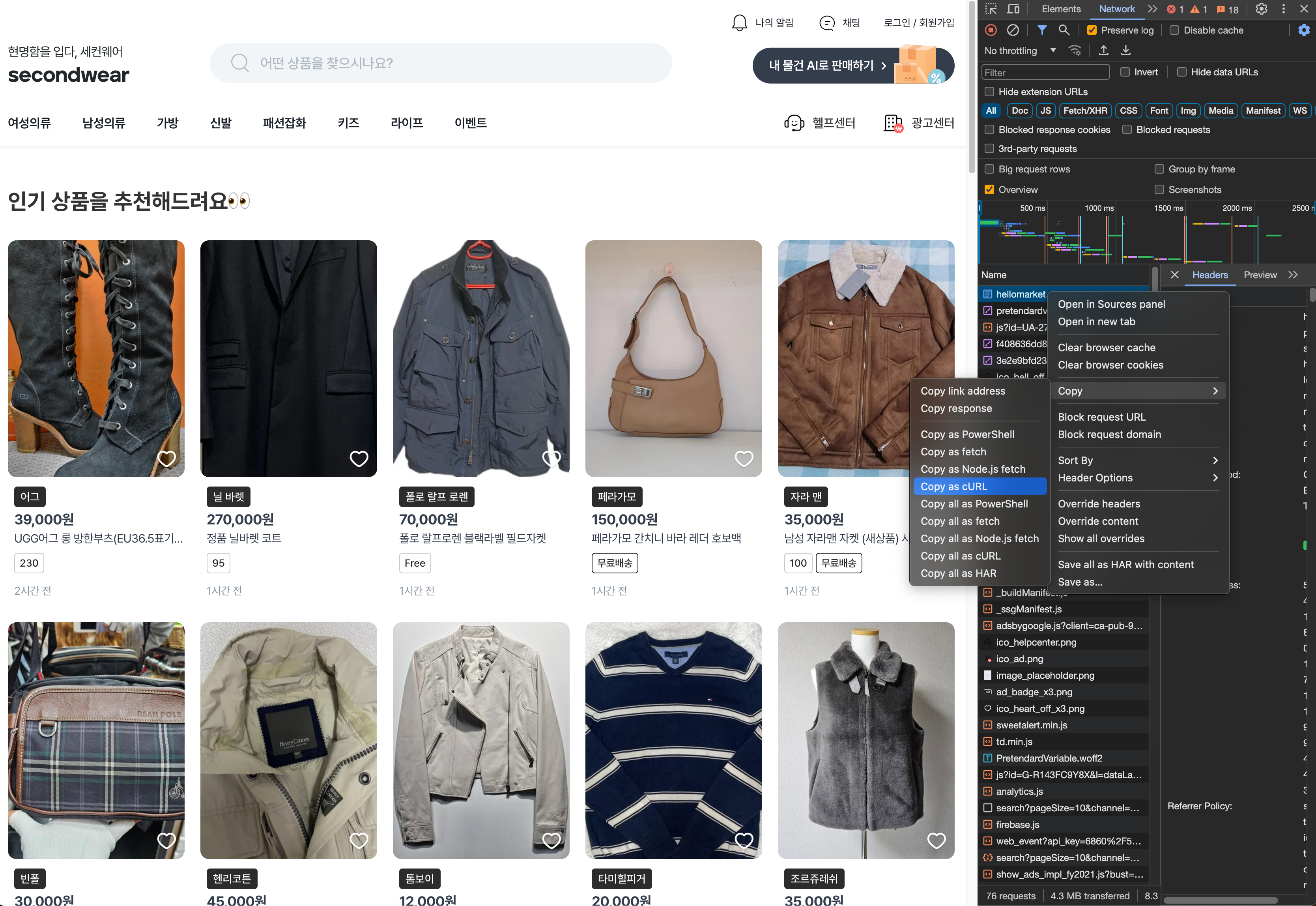
// google 예시 코드
curl 'http://www.google.com/' \
-H 'Upgrade-Insecure-Requests: 1' \
-H 'User-Agent: Mozilla/5.0 (X11; Linux x86_64) AppleWebKit/537.36 (KHTML, like Gecko) Chrome/87.0.4280.66 Safari/537.36' \
-H 'Accept: text/html,application/xhtml+xml,application/xml;q=0.9,image/avif,image/webp,image/apng,*/*;q=0.8,application/signed-exchange;v=b3;q=0.9' \
--compressed \
--insecure