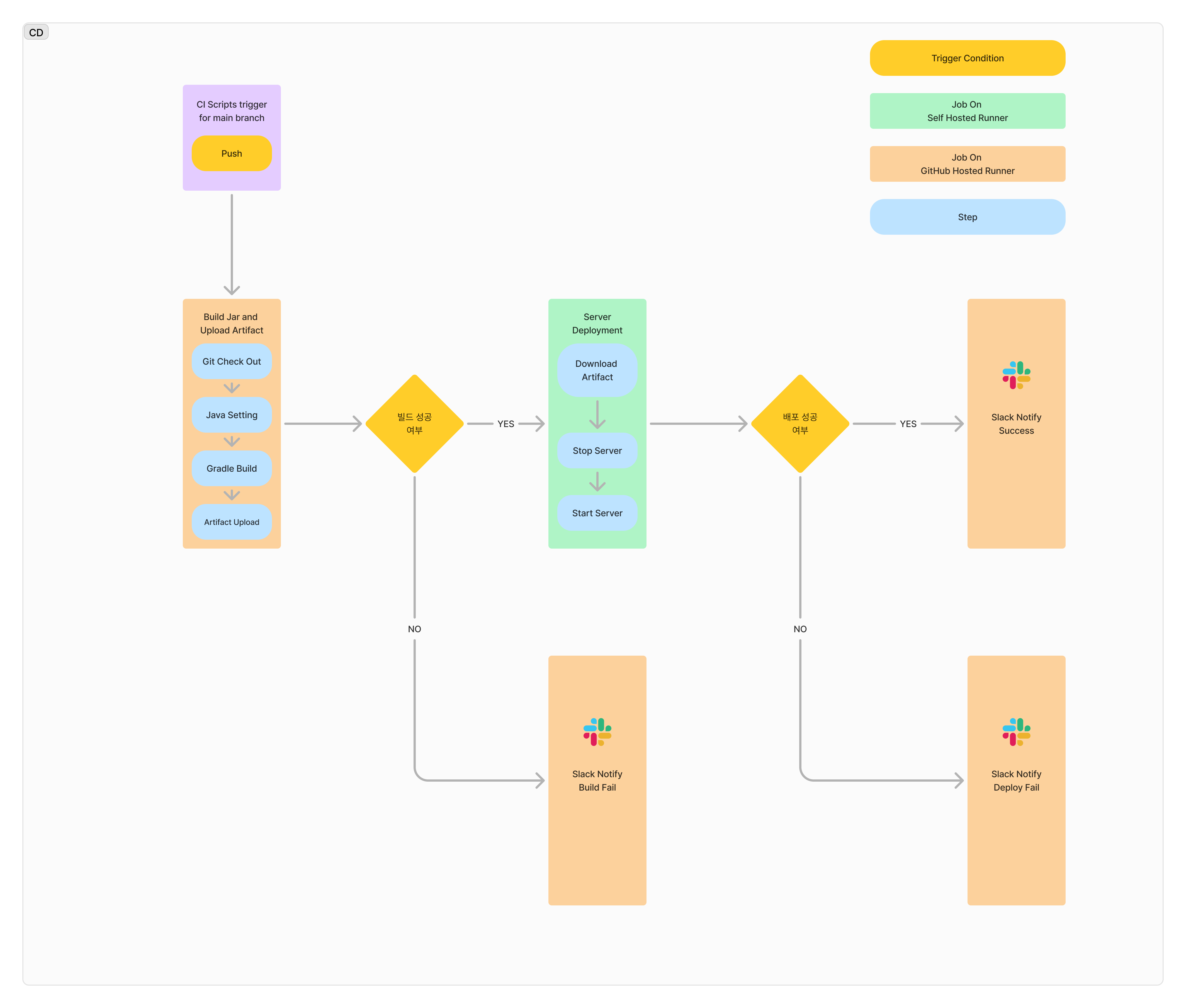
DevelUp CI/CD Setup log
This post translate from 데벨업 CI/CD 구축기.
CI / CD Flow
writer: Im Subin(robin)
The Process of Building DevelUp
The process of building DevelUp is as follows:
🌐 Planning → Issue Creation → Branch Work → PR Submission → Review and Incorporation → Merge into main
Simply put, we work using the GitHub Flow approach and deploy to the development server. As the initial version nears completion and we need to separate production and development deployments, the flow will likely become more complex, but for now, this is our approach.
CI
Background for CI Adoption
Errors are an inevitable part of development. For example, there may be cases where the build fails, or it builds successfully but tests fail. Naturally, such code should not be deployed. In our workflow, each state of the main branch reflects a specific feature's development stage, so the code on the main branch must always be in a deployable state. CI ensures this consistency.
CI Version 1
The initial requirements for CI were as follows:
💡 When a PR is submitted, tests should run. → Test results should be reported via Slack.
During the script creation process, a team member (Lily) provided valuable feedback:
🙋♀️ "It would be ideal if only the backend CI ran for backend work!"
By our working principle, issues are generally separated into frontend and backend tasks, so there's no reason for backend CI to trigger on frontend PRs, or vice versa. We configured workflows accordingly. Additionally, due to our limited understanding of GitHub Actions at the time, all tasks were consolidated into a single job, only separated by steps.
CI Version 2
With the initial implementation, the following issue arose:
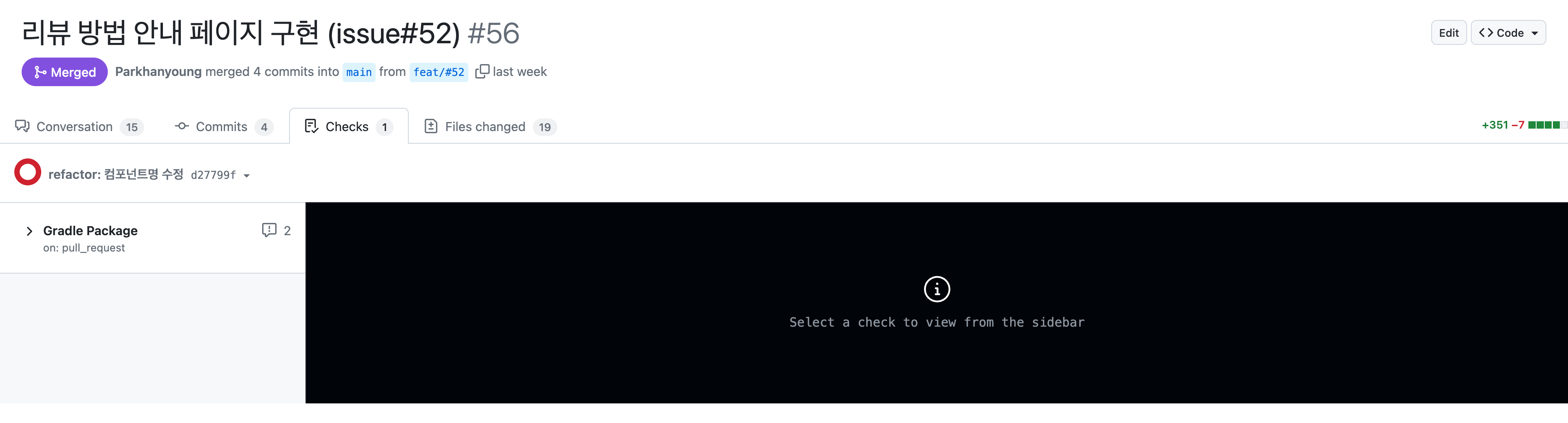
The above image shows the CI result after a frontend task. Since this was not a backend task, the job was skipped, yet it was marked as a failure. This was due to the use of the GitHub CLI command to halt the job for early failure detection and cleaner code.
When this issue was shared with the team, a team member (Atom) suggested an improvement:
🙋♂️ "How about separating the jobs at the job level instead of step level and applying the
ifcondition to the jobs?"
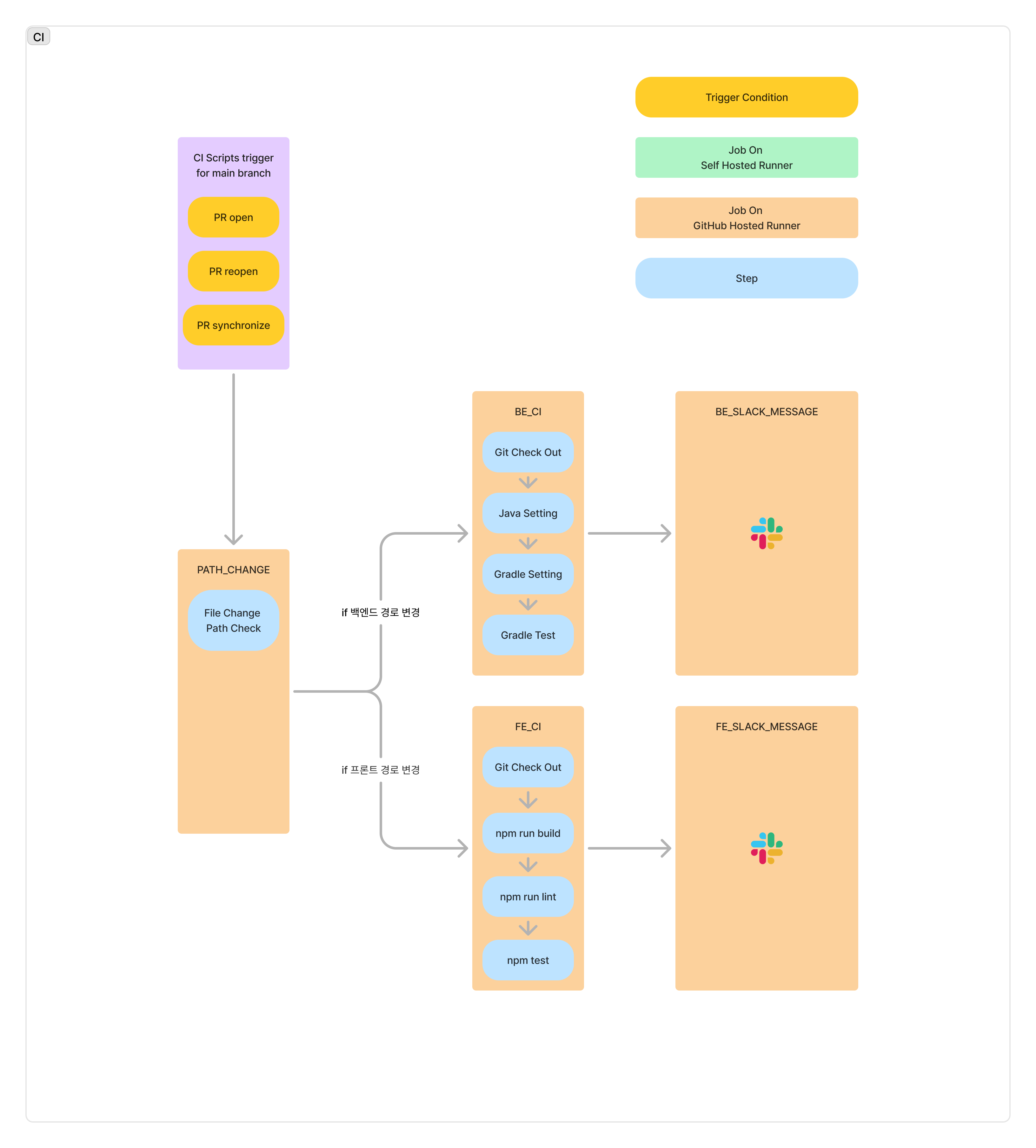
Following this suggestion, the CI process was improved as shown below. We also unified the workflows for frontend and backend CI into a single workflow for better visibility.
At this stage, we encountered a scenario where two valid PRs were merged, causing a semantic conflict that prevented the build. We realized our CI process was not detecting this. To address this, we devised a plan to test by merging the main branch code into PRs during testing. However, recognizing this as an incomplete solution, I shared the issue with the team, and another member (Burgundy) pointed out an option within GitHub settings that could resolve our situation.
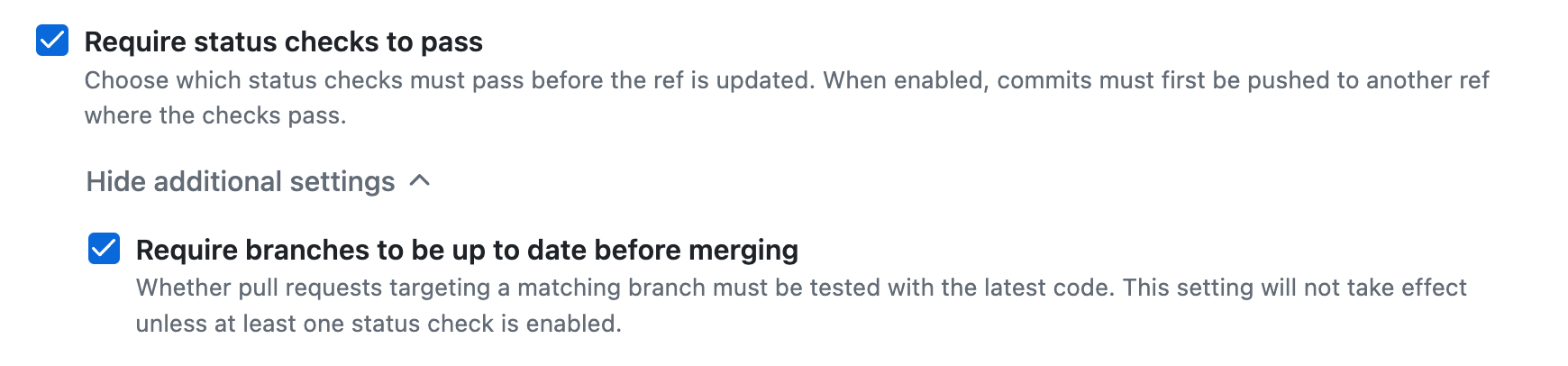
The above image shows an option that enforces the latest changes from main to be included in the PR before merging. This requires merging the main branch code into the PR, pushing it back to the remote, and testing the combined code. To enable this, we added mandatory checks (e.g., GitHub Actions) that must pass before merging.
CI Version 3
Until the previous version, frontend and backend tasks were distinguished by labels. This carried the risk that if a label was omitted, the CI might not execute. To address this, we changed the workflow triggers to activate based on the file path of modified files. This adjustment required separating frontend and backend CI into individual workflows again. Given feedback that combining them into a single workflow actually made them harder to view, this change was not an issue.
CI Version 4
In Version 2, we made both backend and frontend CI jobs mandatory checks. However, the changes in GitHub's criteria for passing jobs and the adjustments in Version 3 led to an error where no PRs could be merged.
GitHub considers a job as "passed" if it is triggered but skipped based on conditions. However, if a job isn’t triggered at all, GitHub marks it as "not passed." With Version 3, CI for non-relevant areas was not triggered, making it impossible to merge PRs. We resolved this by adding a preliminary job to check the modified content, rather than relying solely on trigger conditions.
CD
CD Constraints
SSH access to the AWS EC2 instance was restricted to IPs from the Jamsil and Seolleung campuses. This limitation prevented us from transferring built files from the GitHub-hosted runner to the EC2 instance.
Self-Hosted Runner
GitHub Actions offers a configuration that allows users to host runners themselves, known as a self-hosted runner. Because a self-hosted runner initiates the connection to GitHub internally, it bypasses the restrictions set by AWS security groups. This allows us to perform the build directly on our EC2 instance.
CD Version 1
With the self-hosted runner, builds are conducted directly on our EC2 instance, allowing us to execute deployment commands via a bash script immediately after the build.
During setup, we encountered memory shortages causing EC2 crashes, primarily due to the high memory requirements of the Gradle build process. We resolved this issue by adding swap memory.
CD Version 2
Even with swap memory, Gradle’s high memory demands placed a significant load on the EC2 instance, which also functions as a web server. Reducing this load was beneficial.
To achieve this, we separated the build, deployment, and messaging tasks, keeping only deployment on EC2. This approach reduced load and improved workflow visibility.