Created: 2025년 1월 12일 오후 3:32
🍀 Spring security 카카오 로그인 구현
📁 소셜 로그인의 원리
카카오 로그인 버튼을 누를 시, 카카오에서 지정한 주소로 요청을 보낸다
주소에는 redirect_uri+ client_id + 등등 여러 정보들이 담겨 있다!
로그인 성공 시 카카오에서 정보를 바로 가지고 오는 것이 아닌, 정보를 가져올 수 있는 코드를 준다. ( 지정한 redirect uri로 코드를 확인할 수 있음)
코드와 함께 다시 요청을 보내야 원하는 정보를 가지고 올 수 있다.
아래는 카카오 로그인 플로우를 나타낸 사진이다
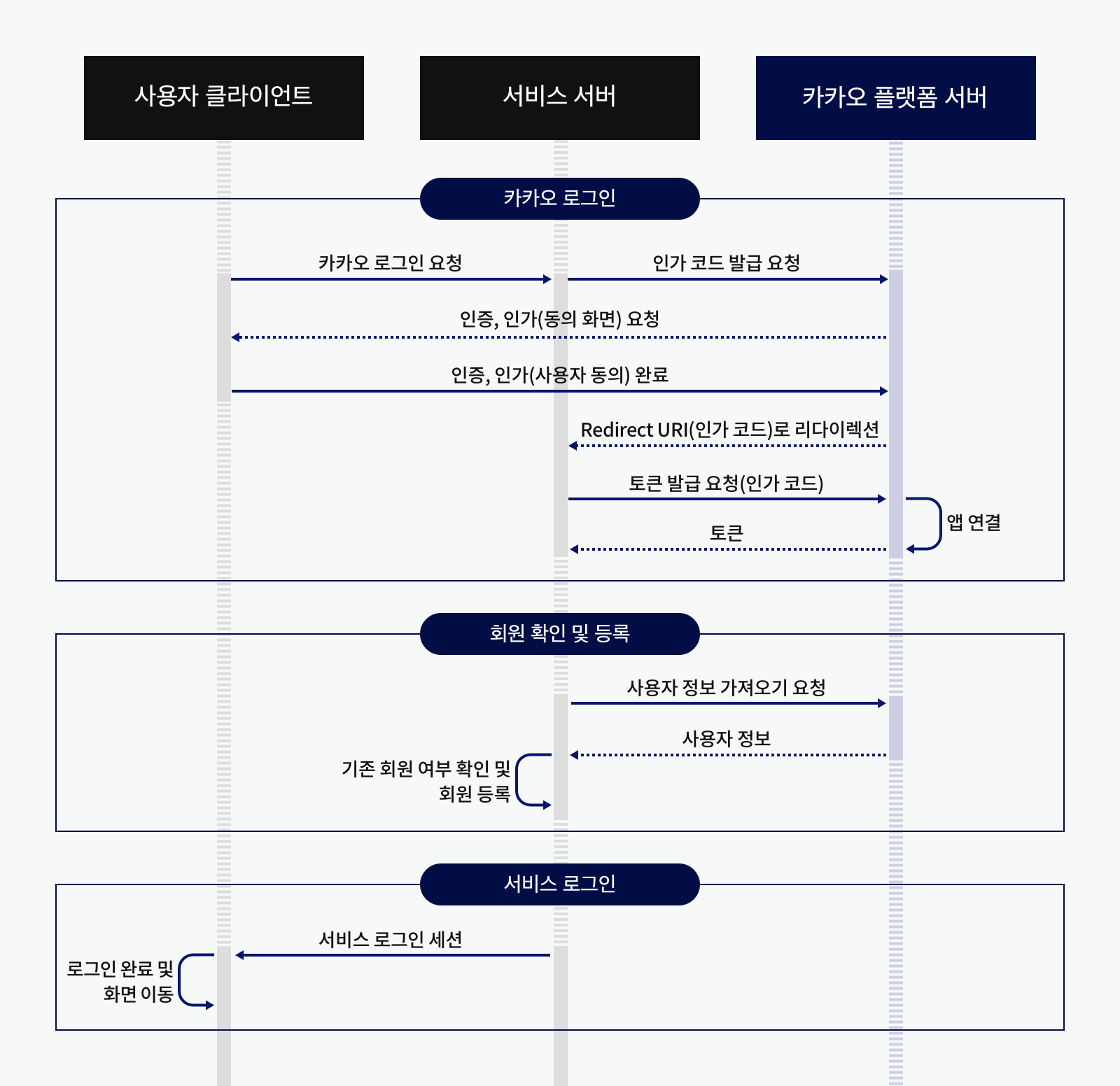
출처 | kakao developers
❗️ 로직 정리
로그인 요청 → 인가code발급 → token 요청 ( + code ) →token발급 → 사용자 정보 요청 ( + token ) →사용자 정보!
📁 카카오 로그인 적용하기
카카오 디벨롭퍼 | https://developers.kakao.com/
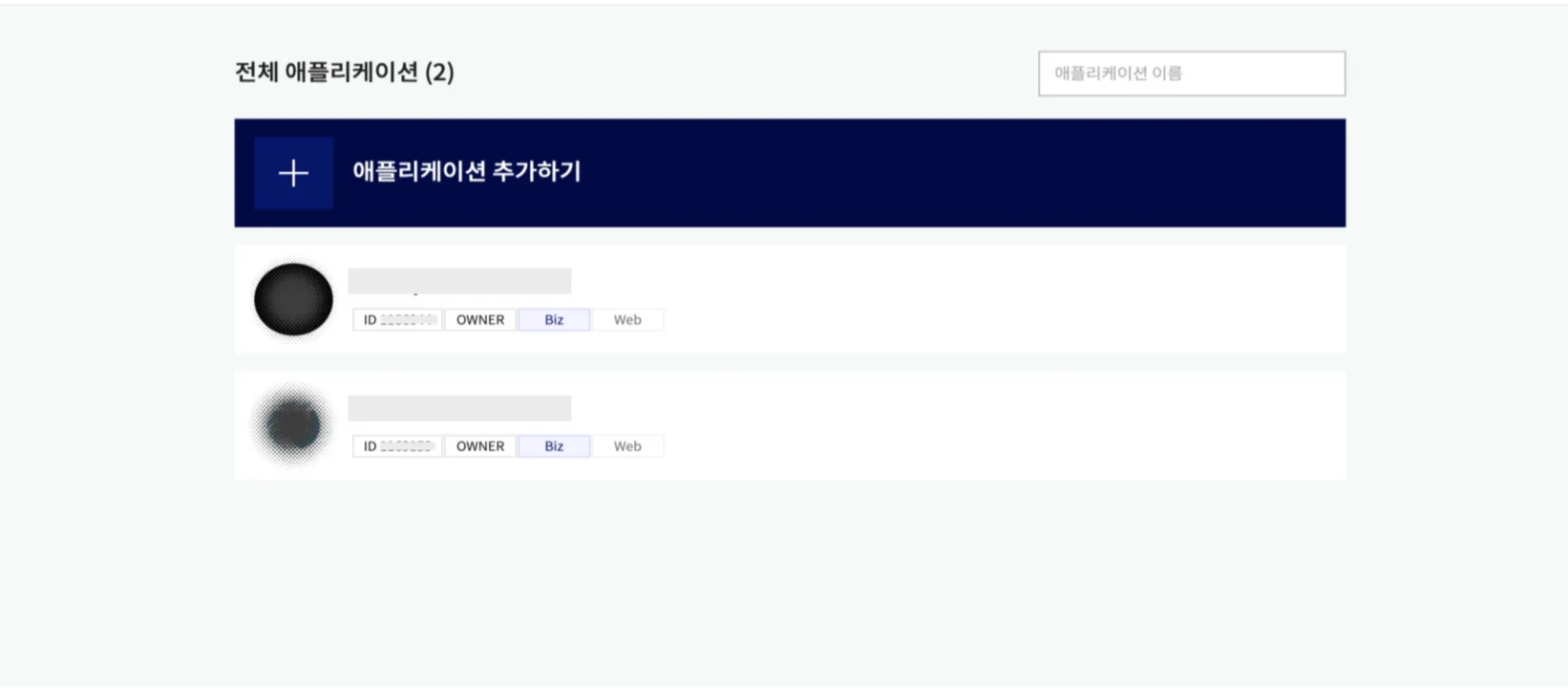
내 애플리케이션 → 애플리케이션 추가하기
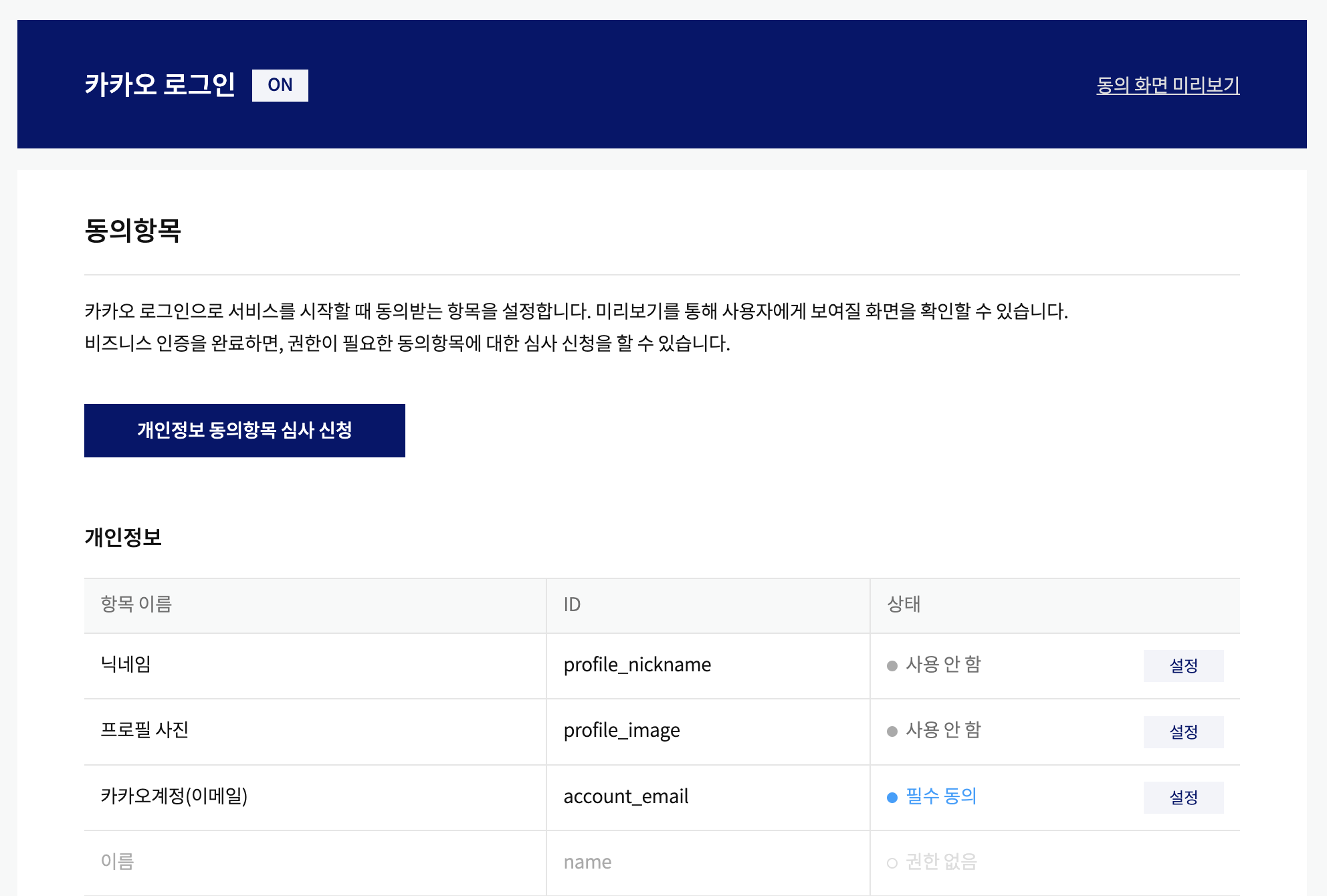
이후, 내 애플리케이션 → 제품 설정 → 카카오 로그인 → 동의항목
여기에서 가져오고자 하는 개인정보에 대해서 “동의 항목 설정”을 설정해주면 된다.
본 포스팅에서는 카카오계정(이메일)에 대해서만 설정을 해주었다.
다음으로는 카카오 로그인을 보낼 url과 인가code를 받을 redirect_uri에 대한 등록이 필요하다
플랫폼 url : 내 애플리케이션 → 앱 설정 → 플랫폼
redirect_uri : 내 애플리케이션 → 제품 설정 → 카카오 로그인
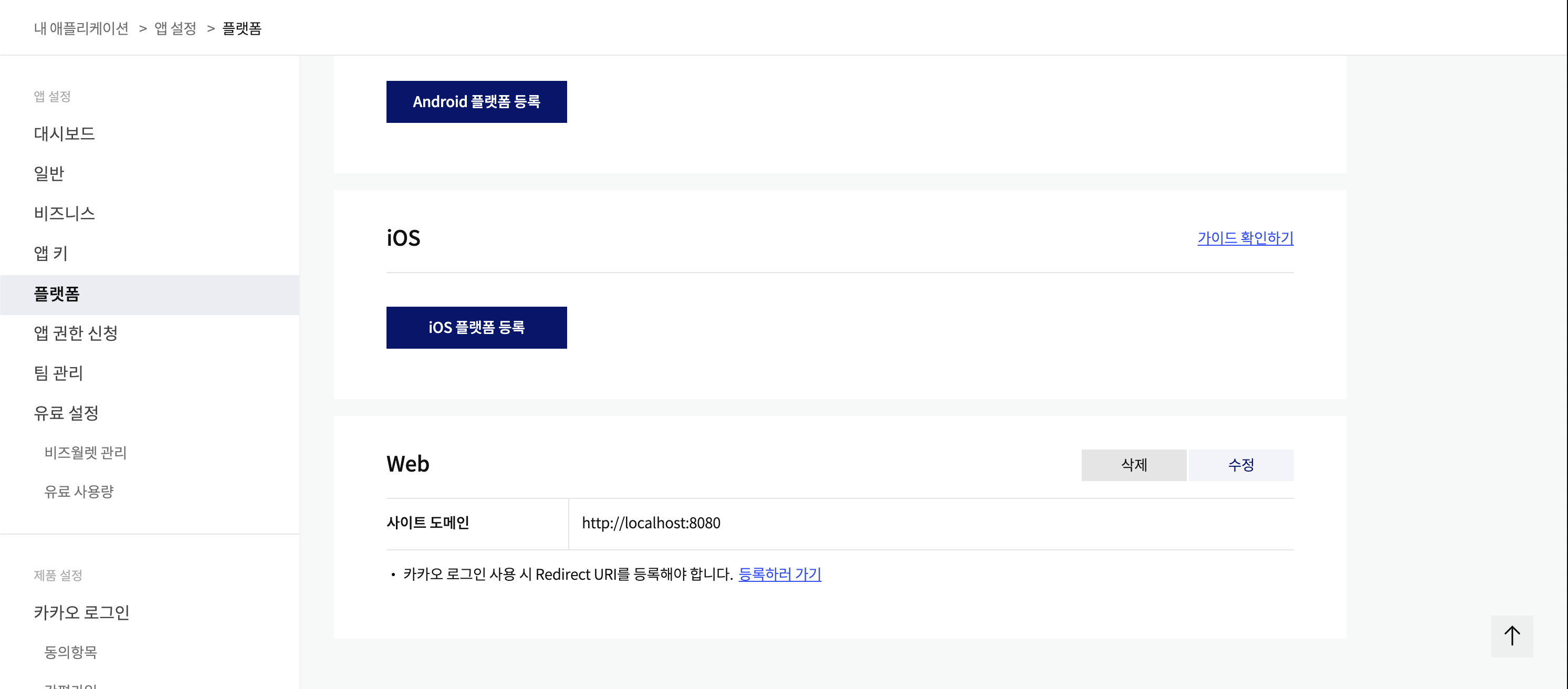
로컬에서 테스트를 할 것이 때문에 http://localhost:8080로 지정해 주었다.
배포 시 배포 url를 등록해주어야 배포환경에서 제대로 작동한다.
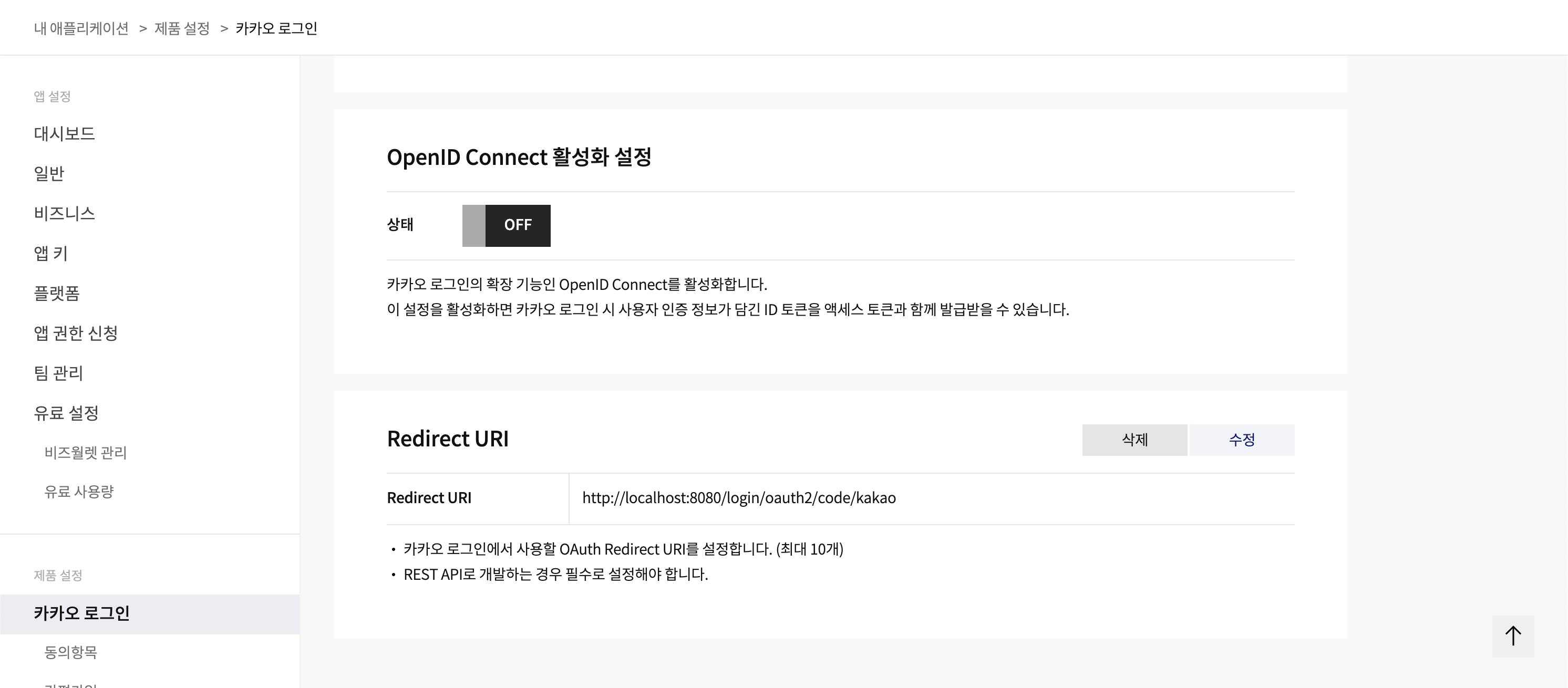
redirect_uri도 지정해 주었다. 요청 시
이런 방식으로 code값이 넘어온다.
kakao Developers 설정은 끝났다. 이제 소셜로그인 코드를 추가해보겠다.
⚙️ Service
code를 통해 accessToken 발급
public String getAccessTokenFromKakao(String code) {

        KakaoTokenResponseDto kakaoTokenResponseDto = WebClient.create(KAUTH_TOKEN_URL_HOST).post()
                .uri(uriBuilder -> uriBuilder
                        .path("/oauth/token")
                        .queryParam("grant_type", "authorization_code")
                        .queryParam("client_id", clientId)
                        .queryParam("code", code)
                        .queryParam("scope", "account_email")
                        .build(true))
                .header(HttpHeaders.CONTENT_TYPE, HttpHeaderValues.APPLICATION_X_WWW_FORM_URLENCODED.toString())
                .retrieve()
                .onStatus(HttpStatusCode::is4xxClientError, clientResponse -> Mono.error(new RuntimeException("Invalid Parameter")))
                .onStatus(HttpStatusCode::is5xxServerError, clientResponse -> Mono.error(new RuntimeException("Internal Server Error")))
                .bodyToMono(KakaoTokenResponseDto.class)
                .block();

        return kakaoTokenResponseDto.getAccessToken();
    }
accessToken을 통해 유저 개인 정보 가져오기
public KakaoUserInfoResponseDto getUserInfo(String accessToken) {

        KakaoUserInfoResponseDto userInfo = WebClient.create(KAUTH_USER_URL_HOST)
                .get()
                .uri(uriBuilder -> uriBuilder
                        .path("/v2/user/me")
                        .build(true))
                .header(HttpHeaders.AUTHORIZATION, "Bearer " + accessToken)
                .header(HttpHeaders.CONTENT_TYPE, HttpHeaderValues.APPLICATION_X_WWW_FORM_URLENCODED.toString())
                .retrieve()
                .onStatus(HttpStatusCode::is4xxClientError, clientResponse -> Mono.error(new RuntimeException("Invalid Parameter")))
                .onStatus(HttpStatusCode::is5xxServerError, clientResponse -> Mono.error(new RuntimeException("Internal Server Error")))
                .bodyToMono(KakaoUserInfoResponseDto.class)
                .block();

        if (userInfo == null || userInfo.getKakaoAccount() == null) {
            throw new RuntimeException("Invalid user info response");

        return userInfo;
    }
참고 블로그 | https://ddonghyeo.tistory.com/16
그렇다면 준비가 끝났다. 카카오에 올바른 요청을 보내면 원하는 정보를 가지고 올 수 있다.
- 요청 URI
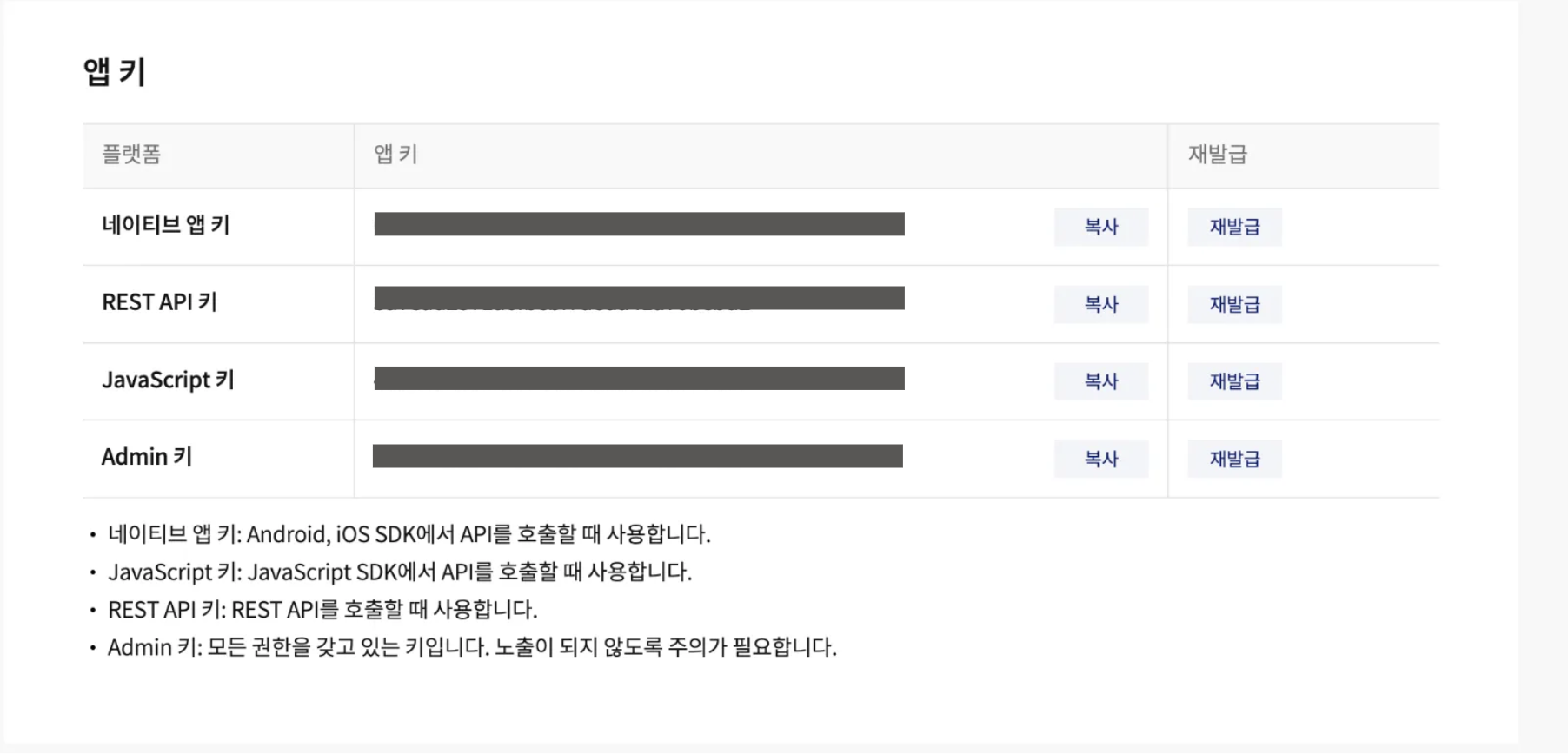
REST_API_KEY는 아래에서 확인 할 수 있다.
내 애플리케이션 → 앱 설정 → 앱 키
Copyright 2025. @rude_ore098 All rights reserved.
