토스트 UI를 사용해 글쓰기 에디터 생성하기
npm install --save @toast-ui/react-editor토스트UI를 임포트하자.
npm error Found: react@18.3.1
npm error node_modules/react
npm error   react@"^18.3.1" from the root project
npm error
npm error Could not resolve dependency:
npm error peer react@"^17.0.1" from @toast-ui/react-editor@3.2.3
npm error node_modules/@toast-ui/react-editor
npm error   @toast-ui/react-editor@"*" from the root project
npm error
npm error Fix the upstream dependency conflict, or retry
npm error this command with --force or --legacy-peer-deps
npm error to accept an incorrect (and potentially broken) dependency resolution.
이런 에러가 뜬다. 내 프로젝트의 React 버전이 18인데 토스트UI가 17버전이라 뜨는 에러이다.
--force 명령어로 강제 실행했다.
pages 디렉토리에 ToastEditors.jsx 파일 추가하고
import { Editor } from '@toast-ui/react-editor';
import '@toast-ui/editor/dist/toastui-editor.css';
UI와 해당 CSS를 임포트하자
Editors.jsx
function editor(props) {
    return(
        <div>
            <Editor initialValue="리액트 에디터입니다"
            previewStyle="vertical"
            height="600px"
            initalEditType="WYSIWYG"
            useCommandShortcut={true}>
            </Editor>
        </div>
    );
}

export default editor;
import Editor from "./pages/Editors";
...
<Route path="/editor" element={<Editor />} />App.jsx 에도 임포트
<Nav.Link href="editor">글쓰기 에디터</Nav.Link>Navigation.jsx에도 링크를 추가
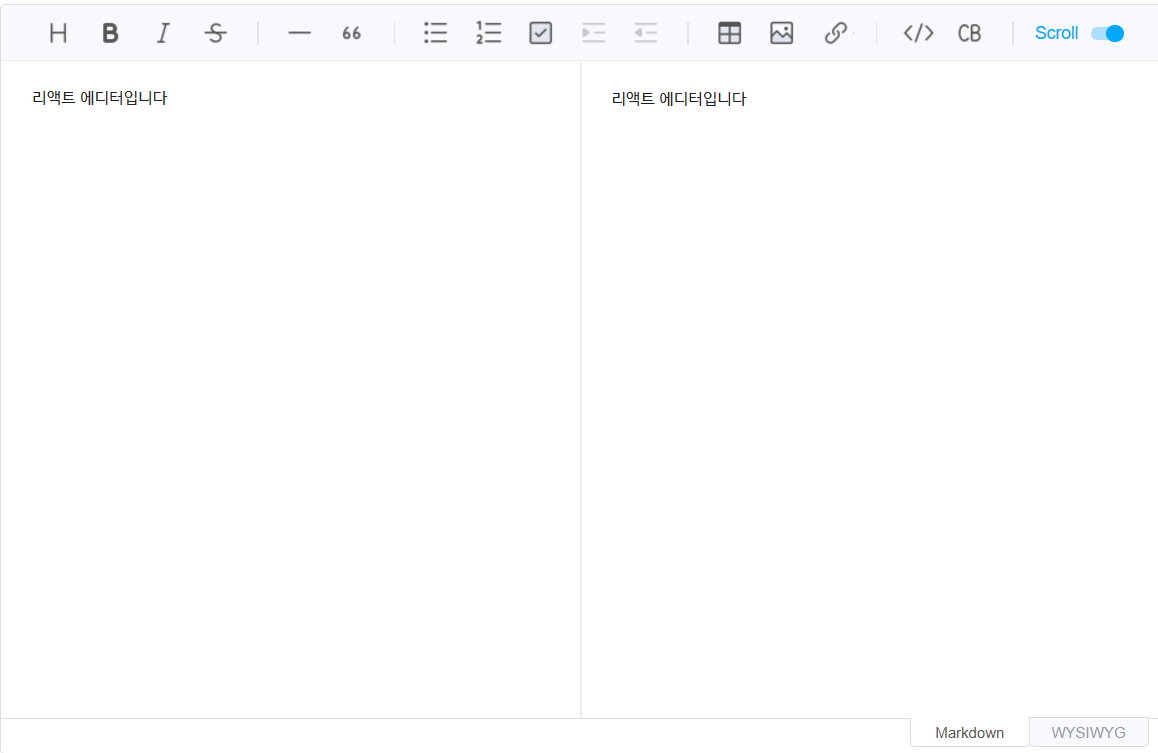 에디터화면이 정상적으로 뜬다.
ToastEditor1.jsx
import { Editor } from '@toast-ui/react-editor';
import '@toast-ui/editor/toastui-editor.css';

const Props = {
    editorRef: null,
    imageHandler: function(blob, callback){},
    content: undefined
};

const toolbar = [['heading','bold', 'italic','strike'], ['hr', 'qnote', 'ul', 'ol'],['image']];

function ToEditor({content, editorRef, imageHandler}){
    return(
        <Editor
        initialValue={content ?? ' '}
        initialEditType='wysiwyg'
        autofocus={false}
        ref={editorRef}
        toolbarItems={toolbar}
        hideModeSwitch
        height='600px'
        hooks={{ addImageBlobHook: imageHandler}}
        />
    );
}

export default ToEditor;
ToastEditor2.jsx
import React  from "react";
import { Editor } from '@toast-ui/react-editor';
import '@toast-ui/editor/dist/toastui-editor.css';

// eslint-disable-next-line no-unused-vars
function ToastEditor(props) {
    return(
        <div>
            <Editor initialValue="리액트 에디터입니다"
            previewStyle="vertical"
            height="600px"
            initalEditType="WYSIWYG"
            useCommandShortcut={true}>
            </Editor>
        </div>
    );
}

export default ToastEditor;
에디터 jsx파일의 경우 const와 function 컴포넌트 두 버전으로 코드를 구현해놨다.

sudo love me spring