
templates > message.html
<!DOCTYPE html>
<html lang="en">
<head>
    <meta charset="UTF-8">
    <title>Title</title>
</head>

<script th:inline="javascript">
    /*<![CDATA[*/
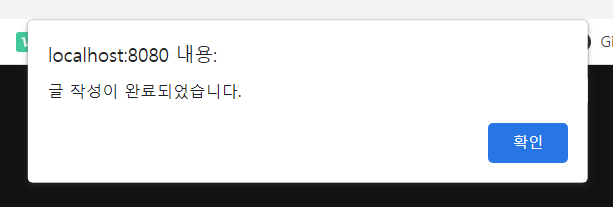
    let message = [[${message}]];
    alert(message);
    location.replace([[${searchUrl}]])
    /*]]>*/
</script>
<body>

</body>
</html>
controller > BoardController.java
package com.study.board.controller;

import com.study.board.entity.Board;
import com.study.board.service.BoardService;
import org.springframework.beans.factory.annotation.Autowired;
import org.springframework.stereotype.Controller;
import org.springframework.ui.Model;
import org.springframework.web.bind.annotation.GetMapping;
import org.springframework.web.bind.annotation.PathVariable;
import org.springframework.web.bind.annotation.PostMapping;

@Controller
public class BoardController {

    @Autowired
    private BoardService boardService;

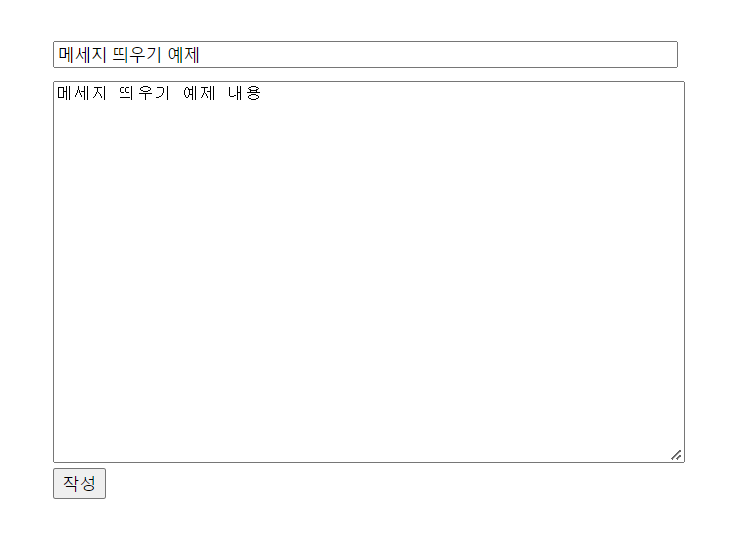
    @GetMapping("/board/write") // localhost:8080/baord/write
    public String boardWriteForm() {
        //  return "boardwrite"; :  boardwrite.html에 있는 요소 띄어줌
        return "boardwrite";
    }

    @PostMapping("/board/writepro")
    public String boardWritePro(Board board, Model model) {
        boardService.write(board);

        model.addAttribute("message", "글 작성이 완료되었습니다.");
        model.addAttribute("searchUrl", "/board/list");

        return "message";
    }
}

코딩공부