❖ 예외 포착하기
예외 처리 키워드
- try
- 예외를 유발할 수 있는 무언가를 실행하는 코드 블록
- 대부분의 경우에는 작동하지만, 가끔 작동하지 않는 경우도 있음
- except
- try를 실행했을 때, 예외가 있었다면 except 블록 안을 실행
- 실패했을 경우 대처할 방안을 작성하여 무슨 일이 있어도 성공하는 것이 목적
- 하나의 try에 다수의 except 가능
- PEP 8 권장사항 : 각 except 키워드 옆에 어떤 예외를 처리하는 지 명시
(try의 모든 에러가 전부 하나의 except로 예외처리되는 상황을 방지)
- else
- try를 실행했을 때, 모두 문제 없이 성공했다면 else 블록 안을 실행
- finally
- 어떤 일이 일어나더라도(try가 성공하든, 실패하든) 항상 실행해야 할 코드 블록
- 코드 실행 마지막에 무언가를 지우거나 정리하기 위해 많이 사용됨
- 선택 사항으로, 보통 잘 쓰이지 않음
⌨️ a_file.txt가 존재하지 않음
try:
    file = open("a_file.txt")       # 실제하지 않는 파일을 읽음

    a_dictionary = {"key": "value"}
    print(a_dictionary["cey"])      # 실제하지 않는 키 입력

except FileNotFoundError:
    file = open("a_file.txt", "w")
    file.write("something")
except KeyError as error_message:
    print(f"The key {error_message} doesn't exist")

else:
    content = file.read()
    print(content)

finally:
    file.close()
    print("File was closed")
File was closed
📄 a_file.txt
something⌨️ a_file.txt가 존재하는 상태
try:
    file = open("a_file.txt")

    a_dictionary = {"key": "value"}
    print(a_dictionary["cey"])      # 실제하지 않는 키 입력

except FileNotFoundError:
    file = open("a_file.txt", "w")
    file.write("something")
except KeyError as error_message:
    print(f"The key {error_message} doesn't exist")

else:
    content = file.read()
    print(content)

finally:
    file.close()
    print("File was closed")
The key 'cey' doesn't exist
File was closed
❖ 나만의 예외 생성하기
raise errortype("txt")
- 앞선 키워드에서 어떻게 처리되었든 상관없이 예외를 생성
(맨 마지막에 finally 코드 블록 안에서 사용) - 코드 실행에는 문제가 없지만, 자신만의 예외가 필요한 경우 사용
height = float(input("Height: "))
weight = int(input("Weight: "))

if height > 3:
    raise ValueError("Human Height should not be over 3 meters.")

bmi = weight / height ** 2
print(bmi)
Height: 35
Weight: 50
ValueError: Human Height should not be over 3 meters.
💯 coding exercises
IndexError Handling
IndexError를 일으키는 코드 수정하기
- 예외 발생 시 "Fruit pie"만 출력되어야 함
fruits = ["Apple", "Pear", "Orange"]
# 🚨 Do not change the code above

# TODO: Catch the exception and make sure the code runs without crashing.
def make_pie(index):
  try:
    fruit = fruits[index]
  except IndexError:
    print("Fruit pie")
  else:
    print(fruit + " pie")

# 🚨 Do not change the code below
make_pie(4)
Fruit pie
💯 coding exercises
KeyError Handling
KeyError를 일으키는 코드 수정하기
facebook_posts = [
  {'Likes': 21, 'Comments': 2},
  {'Likes': 13, 'Comments': 2, 'Shares': 1},
  {'Likes': 33, 'Comments': 8, 'Shares': 3},
  {'Comments': 4, 'Shares': 2},
  {'Comments': 1, 'Shares': 1},
  {'Likes': 19, 'Comments': 3}
]

total_likes = 0
# TODO: Catch the KeyError exception
for post in facebook_posts:
  try:
    total_likes = total_likes + post['Likes']
  except KeyError:
    pass

print(total_likes)
86
🗂️ NATO 알파벳 음성기호 예외 처리
🔍 유의 사항
- 유저가 입력한 단어가 딕셔너리에 없다면(숫자, 기호) 다시 입력하도록 피드백하기
⌨️ main.py
import pandas

data = pandas.read_csv("nato_phonetic_alphabet.csv")

# 1. 딕셔너리 생성
phonetic_dict = {row.letter:row.code for (index, row) in data.iterrows()}

# 2. 사용자가 입력한 단어 각각의 문자에 대한 음성규약 단어 리스트 생성
def generate_phonetic():
    user_word = input("Enter a word : ").upper()
    # Day30에서 수정한 부분(예외 처리)
    try:
        output_list = [phonetic_dict[letter] for letter in user_word]
    except KeyError:
        print("Sorry, only letters in the alphabet please.")
        generate_phonetic()
    else:
        print(output_list)


generate_phonetic()
Enter a word : qwerty123$
Sorry, only letters in the alphabet please.
Enter a word : qwerty
['Quebec', 'Whiskey', 'Echo', 'Romeo', 'Tango', 'Yankee']
❖ JSON 데이터
JSON(JavaScript Object Notation)
(python JSON module documentation)
- 인터넷을 통해 앱들 간에 데이터를 전송하는 데 가장 널리 사용되는 데이터 형식 중 하나
- 자바스크립트를 위해 설계되었으나, 구조가 단순하고 다루기 쉬워서 파이썬에서도 사용됨
- 딕셔너리 구조와 유사
- 파이썬에 내장된 json 라이브러리를 임포트 후, 파일 불러오기로 이용 가능
- json.dump( obj, file, **options ) : 'w' 모드로 JSON파일에 기록
obj: JSON 파일로 내보내려는 것file: 대상 JSON 파일 경로indent: 지정한 정수형 숫자만큼 들여쓰기를 하여 파일을 읽기 쉽게 바꿈separators: 튜플 ( 디폴트 값 = (", ", ": ") )- 첫 번째 값 : 각 객체를 구분하는 기호 변경 가능
- 두 번째 값 : 키-값을 구분하는 기호 변경 가능
- sort_keys` : True값을 넣으면 키 순서를 알파벳 순서로 정렬
- Json.load( file, **options ) : 'r' 모드로 JSON 데이터를 취해서 파이썬 딕셔너리로 변환
- olddata.update( newdata ) : 'w' 모드로 기존 데이터에 새 데이터 갱신
(갱신한 olddata는 다시 파일에 dump 해야 함)
- json.dump( obj, file, **options ) : 'w' 모드로 JSON파일에 기록
Python objects → JSON 변환
| Python | JSON |
|---|---|
| dict | Object |
| list | Array |
| tuple | Array |
| str | String |
| int | Number |
| float | Number |
| True | ture |
| False | false |
| None | null |
🗂️ Day30 프로젝트 : 패스워드 매니저 개선
Day29 프로젝트 : 패스워드 매니저 GUI 를 개선한 프로그램
◇ JSON 데이터 읽고 쓰고 업데이트
🔍 유의 사항
- Add버튼을 누르면 뜨는 확인창 제거
- txt 파일이 아닌 json 파일에 쓰는 것으로 변경
- 아직은 json 파일이 없는 채로 실행하면 에러가 나는 문제 있음 → 다음 단계
⌨️ main.py
…
import json

# ---------------------------- PASSWORD GENERATOR ------------------------------- #
…

# ---------------------------- SAVE PASSWORD ------------------------------- #
def save():
    website = website_entry.get()
    email = email_entry.get()
    password = password_entry.get()

    # JSON 파일에 저장할 데이터 포멧
    new_data = {
        website: {
            "email": email,
            "password": password
        }
    }

    if len(website) == 0 or len(password) == 0:
        messagebox.showwarning(message="Please make sure "
                                       "you haven't left any fields empty.")
    else:
        # JSON
        with open("data.json", 'r') as data_file:
            data = json.load(data_file)
            data.update(new_data)
        with open("data.json", 'w') as data_file:
            json.dump(data, data_file, indent=4)

            website_entry.delete(0, END)
            password_entry.delete(0, END)

# ---------------------------- UI SETUP ------------------------------- #
…
📄 data.json
{
    "Amazon": {
        "email": "example@gmail.com",
        "password": "$xvZWwDri4)1+LS"
    },
    "Ebay": {
        "email": "example@gmail.com",
        "password": "rz)#20xFSL+ZZg6Z"
    }
}
◇ 예외 처리
🔍 유의 사항
- 위의 코드를 json 파일이 없는 채로 실행해도 에러가 발생하지 않도록 수정하기
- 파일을 오픈하는 코드가 계속 반복되기 때문에 따로 함수로 만들어도 되지만,
그대로 두면 나중에 코드를 검토할 때 더 이해하기 쉽다는 장점이 있음
⌨️ main.py
…
import json

# ---------------------------- PASSWORD GENERATOR ------------------------------- #
…

# ---------------------------- SAVE PASSWORD ------------------------------- #
def save():
    website = website_entry.get()
    email = email_entry.get()
    password = password_entry.get()

    # JSON 파일에 저장할 데이터 포멧
    new_data = {
        website: {
            "email": email,
            "password": password
        }
    }

    if len(website) == 0 or len(password) == 0:
        messagebox.showwarning(message="Please make sure "
                                       "you haven't left any fields empty.")
    else:
        try:
            with open("data.json", 'r') as data_file:
                data = json.load(data_file)
        except FileNotFoundError:
            with open("data.json", 'w') as data_file:
                json.dump(new_data, data_file, indent=4)
        else:
            data.update(new_data)
            with open("data.json", 'w') as data_file:
                json.dump(data, data_file, indent=4)
        finally:
                website_entry.delete(0, END)
                password_entry.delete(0, END)

# ---------------------------- UI SETUP ------------------------------- #
…
◇ 웹사이트 검색
🔍 유의 사항
- Search 버튼 추가(웹사이트를 입력 후 누르면 이메일과 비밀번호를 팝업창으로 알려줌)
- 예외 처리
- json 파일이 없는 채로 검색하면 데이터 파일이 없다는 문구를 팝업창으로 띄우기
- json 파일이 있을 때만 저장한 이메일과 패스워들을 팝업창으로 띄우기
- if와 else로 쉽게 예외 처리를 할 수 있는 경우에는 가급적 예외 처리 키워드 사용 지양
⌨️ main.py
…
import json

# ---------------------------- PASSWORD GENERATOR ------------------------------- #
…
# ---------------------------- SAVE PASSWORD ------------------------------- #
…

# ---------------------------- FIND PASSWORD ------------------------------- #
def find_password():
    website = website_entry.get()

    try:
        with open("data.json") as data_file:
            data = json.load(data_file)
    except FileNotFoundError:
        messagebox.showwarning(message="No Data File Found.")
    else:
        if website in data:
            email = data[website]["email"]
            password = data[website]["password"]
            messagebox.showinfo(title=website,
                                message=f"Email: {email}\nPassword: {password}")
        else:
            messagebox.showwarning(message=f"No details for the {website} exists.")
    finally:
        website_entry.delete(0, END)

# ---------------------------- UI SETUP ------------------------------- #
…

search_button = Button(text="Search", width=13, command=find_password)
search_button.grid(row=1, column=2)
…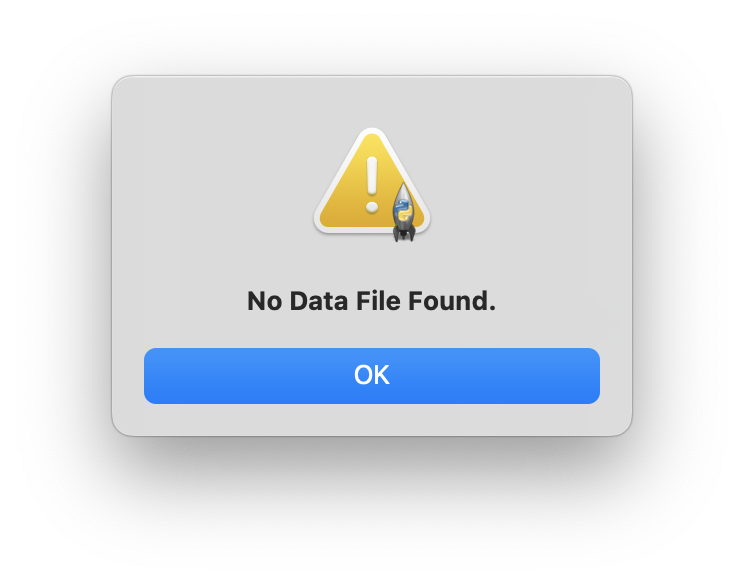
파일이 없을 때 검색한 경우
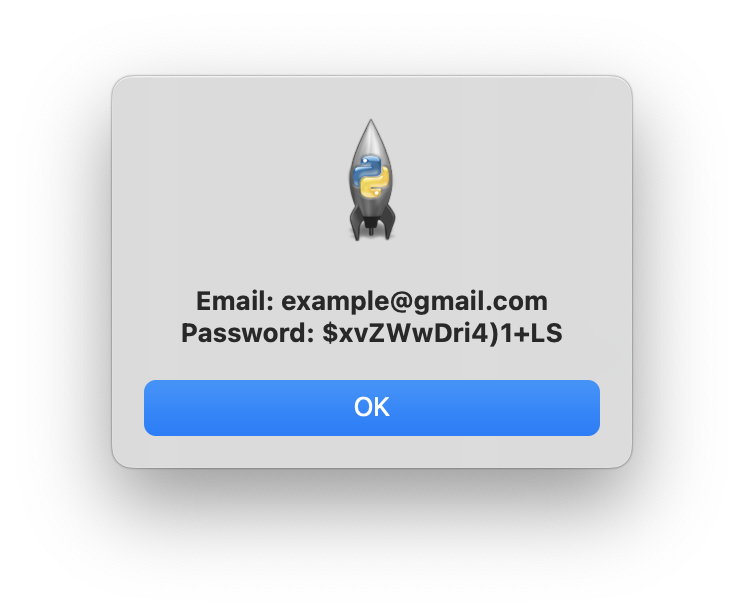
파일에 저장된 웹사이트로 검색한 경우

파일에 저장되지 않은 웹사이트로 검색한 경우
