🗂️ Day67 프로젝트: 블로그 RESTful 라우팅
🗂️ Day59 프로젝트: 블로그에 스타일 추가 에서 업그레이드
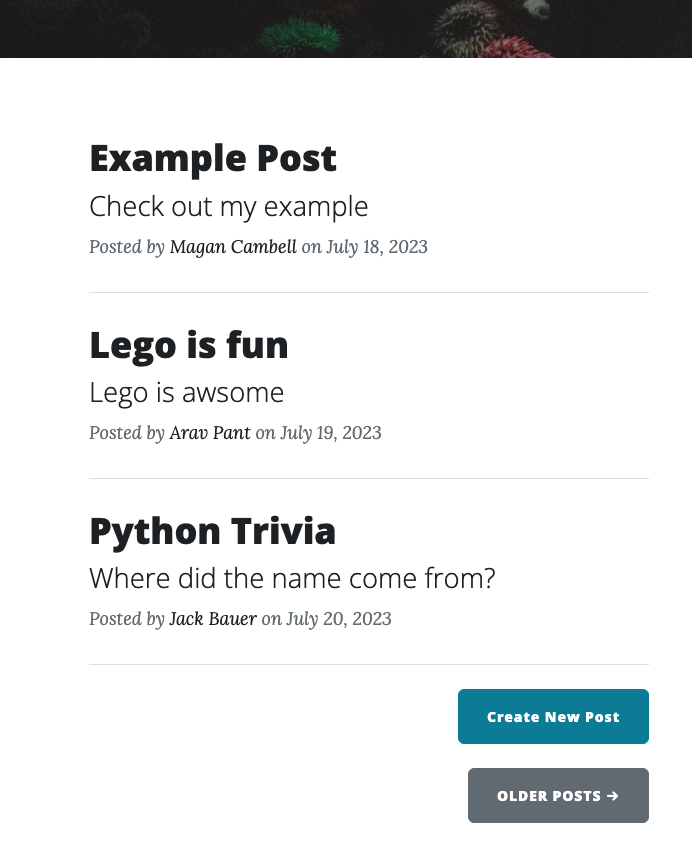
1. 블로그 게시물 항목을 가져올 수 있을 것
🔍 유의 사항
- API 대신 시작 파일에 포함된
posts.db파일에서 게시물 가져오기
2. 신규 블로그 게시물을 게시할 수 있을 것
🔍 유의 사항
- 새 POST 경로
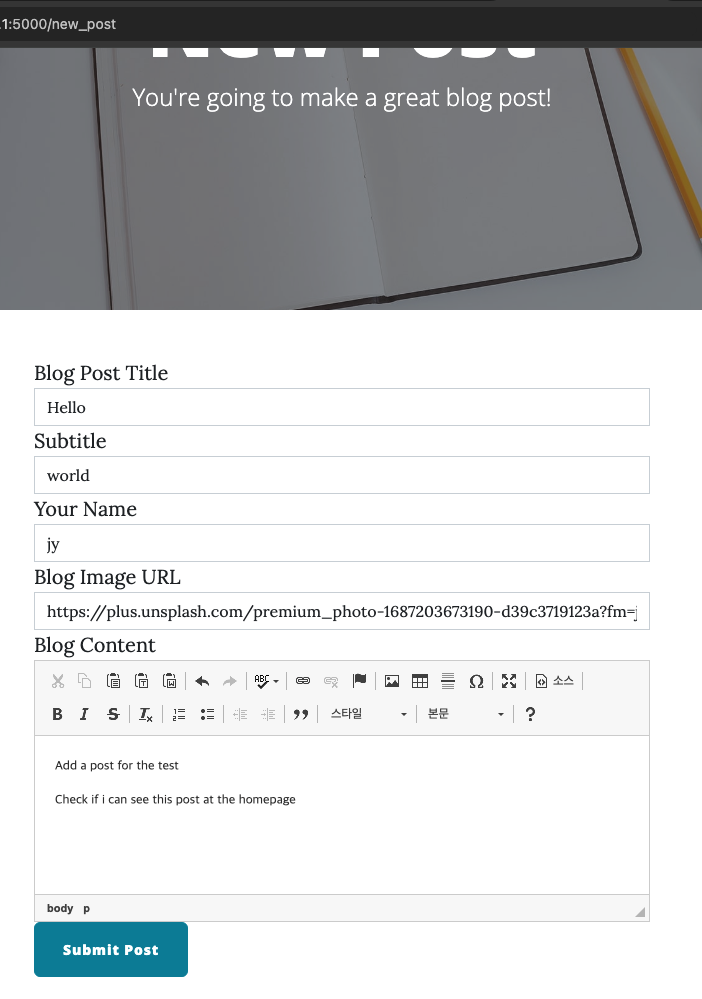
/new-post생성- Create New Post 버튼을 클릭하면
make-post.html페이지 표시하기- 플라스크 CKEditor 패키지로 WTForm의 블로그 콘텐츠(body)를 전체 CKEditor로 입력
- CKEditor 5 from CDN에서 최신버전 CKEditor 설치 참고
- Basic Usage 참고
- WTForm의 Submit 버튼 색을 기본 설정된 흰색에서 파란색으로 변경하기
- WTForms support 참고
- button_map 매개변수를 wtf quickform에 추가하고 제출 필드를 부트스트랩 '기본' 버튼으로 생성
- 사용자가 모든 필드를 입력하면 폼의 데이터를
posts.db에 BlogPost 객체로 저장하기
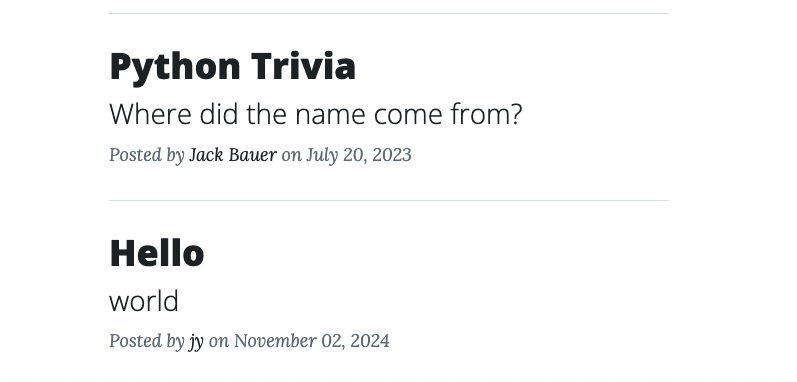
- 게시물이 저장되면 홈페이지로 리디렉션하고 새 게시물이 표시되어야 한다
- datetime 모듈로 날짜 자동 계산하고
예) August 31, 2019형식으로 만들기- Jinja safe() filter 추가하기
- Filters 참고
- CKEditorField의 데이터가 HTML로 저장될 때 블로그 게시물의 모든 구조와 스타일이 포함됨
post.html페이지로 이동했을 때 이러한 구조가 반영되도록 하기 위함
(Jinja가post.html템플릿을 렌더링할 때 HTML을 텍스트로 처리하지 않음)
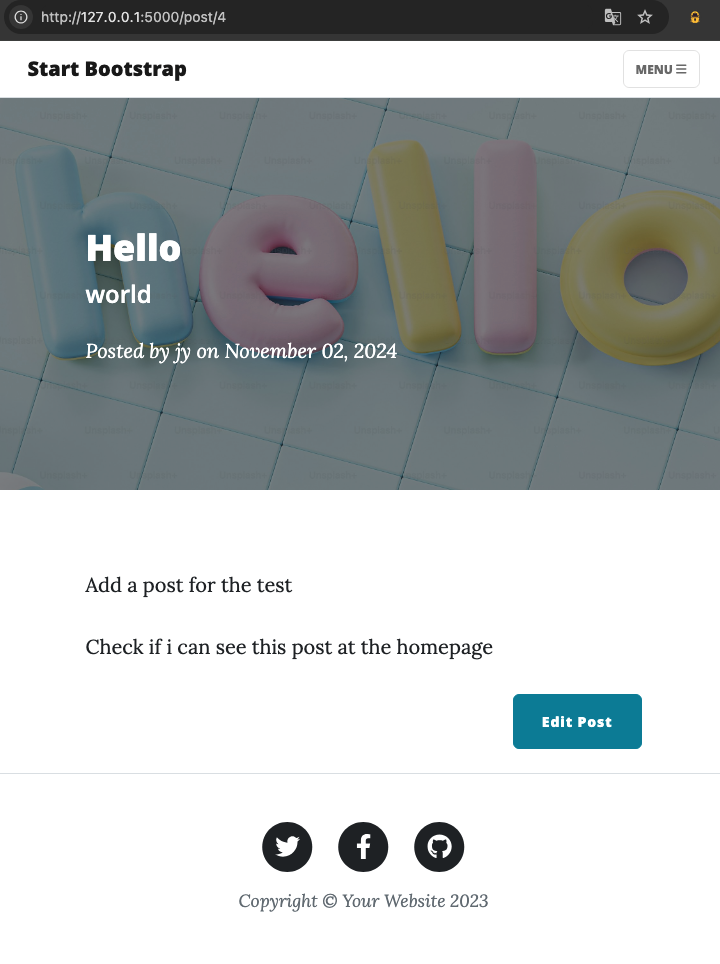
3. 기존 블로그 게시물을 편집할 수 있을 것
🔍 유의 사항
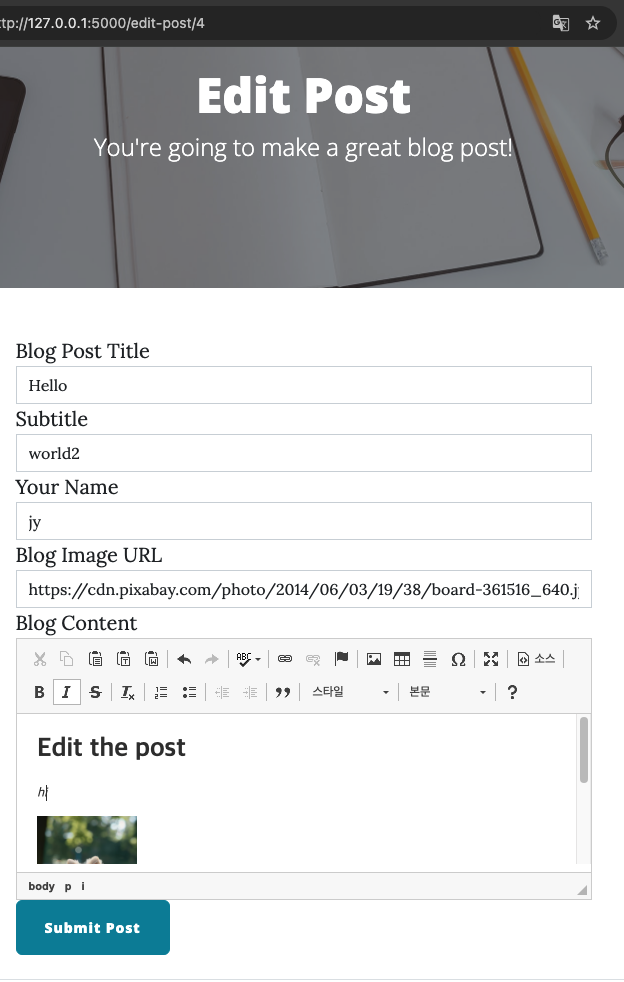
- 각 post.html 페이지에서 Edit Post 버튼을 클릭하면,
- make-post.html 페이지로 이동
/edit-post/<post_id>경로로 GET 요청- 요청에 따른
post.html의<h1>변화
- 사용자가 Create New Post 에서 온 경우 New Post를 읽어들이기
- 사용자가 특정 블로그 게시물을 수정하려고 온 경우에는 Edit Post를 읽어들이기
- 수정할 경우 블로그 게시물의 데이터로 WTForm의 필드가 자동으로 채워지게 하기
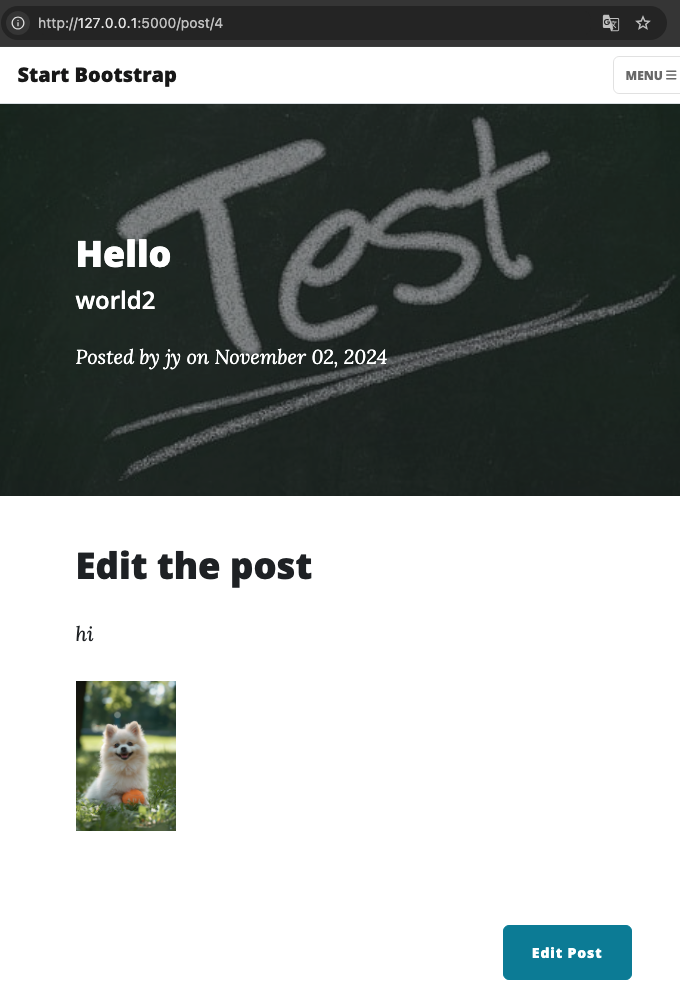
- WTForm에서 수정을 마치고 Submit Post를 클릭하면,
- 데이터베이스에서 게시물이 업데이트
- 해당 블로그 게시물의 post.html 페이지로 리디렉션
- 기존 데이터를 교체하는 작업은 보통 PUT 요청이지만 HTML 폼에서 오는 수정된 게시물은 POST 요청
(WTForms를 포함한 HTML 폼은 PUT, PATCH, DELETE 메소드를 허용하지 않음)- data 필드는 게시물이 최로 작성된 날짜 그대로 변경하지 않음
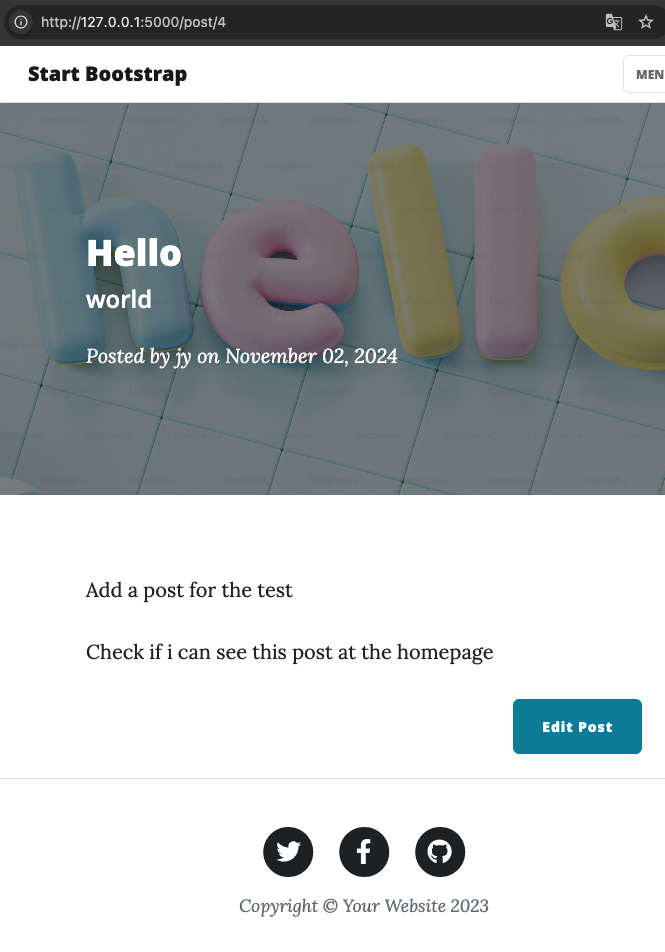
4. 블로그 게시물을 삭제할 수 있을 것
🔍 유의 사항
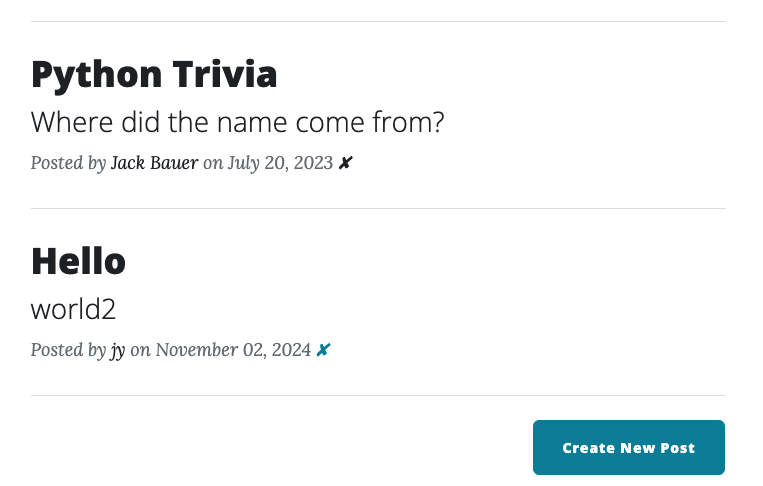
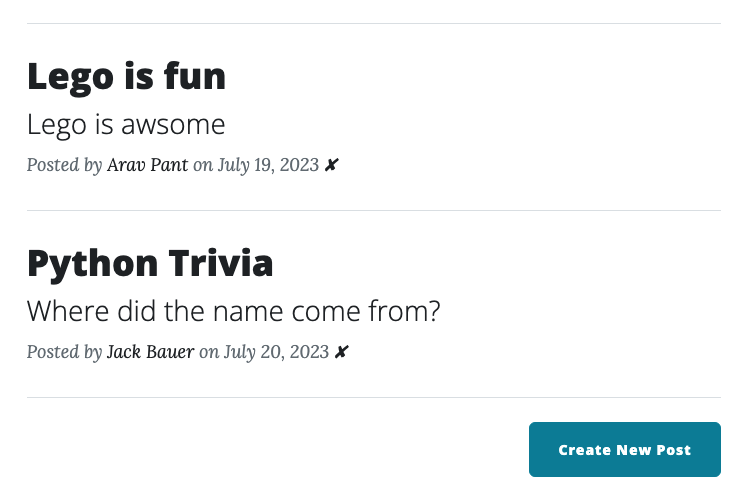
/delete/<post_id>경로에 DELETE 경로를 생성- index.html에서 각 게시물 옆에 ✘ 표시만 보여지는 앵커 태그 만들기
- ✘ 를 클릭하면 데이터베이스에서 게시물이 삭제되고, 사용자가 홈페이지로 리디렉션
⌨️ main.py
from flask import Flask, render_template, redirect, url_for
from flask_bootstrap import Bootstrap
from flask_sqlalchemy import SQLAlchemy
from sqlalchemy.orm import DeclarativeBase, Mapped, mapped_column
from sqlalchemy import Integer, String, Text
# Flask-WTF/WTForms에서 Flask-CKEditor의 CKEditorField를 StringField처럼 사용 가능
from flask_wtf import FlaskForm
from wtforms import StringField, SubmitField
from wtforms.validators import DataRequired, URL
from flask_ckeditor import CKEditor, CKEditorField
#############################################################################
from datetime import date

app = Flask(__name__)
app.config['SECRET_KEY'] = '8BYkEfBA6O6donzWlSihBXox7C0sKR6b'
# Flask CKEditor 패키지 초기화(HTML을 사용해 콘텐츠를 작성할 수 있도록 하는 에디터)
ckeditor = CKEditor(app)
# Flask 앱에 Bootstrap을 등록
Bootstrap(app)

# CREATE DATABASE
class Base(DeclarativeBase):
    pass
app.config['SQLALCHEMY_DATABASE_URI'] = 'sqlite:///posts.db'
app.config['SQLALCHEMY_TRACK_MODIFICATIONS'] = False
db = SQLAlchemy(model_class=Base)
db.init_app(app)

# CONFIGURE TABLE
class BlogPost(db.Model):
    id: Mapped[int] = mapped_column(Integer, primary_key=True)
    title: Mapped[str] = mapped_column(String(250), unique=True, nullable=False)
    subtitle: Mapped[str] = mapped_column(String(250), nullable=False)
    date: Mapped[str] = mapped_column(String(250), nullable=False)
    body: Mapped[str] = mapped_column(Text, nullable=False)
    author: Mapped[str] = mapped_column(String(250), nullable=False)
    img_url: Mapped[str] = mapped_column(String(250), nullable=False)

##WTForm
class CreatePostForm(FlaskForm):
    title = StringField("Blog Post Title", validators=[DataRequired()])
    subtitle = StringField("Subtitle", validators=[DataRequired()])
    author = StringField("Your Name", validators=[DataRequired()])
    img_url = StringField("Blog Image URL", validators=[DataRequired(), URL()])
    # body에는 StringField 대신 CKEditorField 사용
    body = CKEditorField("Blog Content", validators=[DataRequired()])
    submit = SubmitField("Submit Post")


with app.app_context():
    db.create_all()

##RENDER HOME PAGE USING DB
@app.route('/')
def get_all_posts():
    posts = db.session.query(BlogPost).all()
    return render_template("index.html", all_posts=posts)

##RENDER POST USING DB
@app.route('/post/<int:post_id>')
def show_post(post_id):
    requested_post = BlogPost.query.get(post_id)
    return render_template("post.html", post=requested_post)


@app.route('/new_post', methods=["GET", "POST"])
def add_new_post():
    form = CreatePostForm()
    if form.validate_on_submit():
        new_post = BlogPost(
            title=form.title.data,
            subtitle=form.subtitle.data,
            body=form.body.data,
            img_url=form.img_url.data,
            author=form.author.data,
            date=date.today().strftime("%B %d, %Y")
        )
        db.session.add(new_post)
        db.session.commit()
        return redirect(url_for("get_all_posts"))
    return render_template("make-post.html", form=form)


@app.route('/edit-post/<int:post_id>', methods=["GET", "POST"])
def edit_post(post_id):
    post = BlogPost.query.get(post_id)
    edit_form = CreatePostForm(
        title=post.title,
        subtitle=post.subtitle,
        img_url=post.img_url,
        author=post.author,
        body=post.body
    )
    if edit_form.validate_on_submit():
        post.title = edit_form.title.data
        post.subtitle = edit_form.subtitle.data
        post.img_url = edit_form.img_url.data
        post.author = edit_form.author.data
        post.body = edit_form.body.data
        db.session.commit()
        return redirect(url_for("show_post", post_id=post.id))
    return render_template("make-post.html", form=edit_form, is_edit=True)


@app.route('/delete/<post_id>')
def delete_post(post_id):
    post_to_delete = db.get_or_404(BlogPost, post_id)
    db.session.delete(post_to_delete)
    db.session.commit()
    return redirect(url_for('get_all_posts'))


# Below is the code from previous lessons. No changes needed.
@app.route("/about")
def about():
    return render_template("about.html")


@app.route("/contact")
def contact():
    return render_template("contact.html")


if __name__ == "__main__":
    app.run(debug=True)
🏗️ header.html
<!DOCTYPE html>
<html lang="en">
  <head>
    <meta charset="utf-8" />
    <meta
      name="viewport"
      content="width=device-width, initial-scale=1, shrink-to-fit=no"
    />
    <meta name="description" content="" />
    <meta name="author" content="" />
    <title>Clean Blog - Start Bootstrap Theme</title>
    {% block styles %}
    <!-- CKEditor CDN 로드 -->
    <link rel="stylesheet" href="https://cdn.ckeditor.com/ckeditor5/43.3.0/ckeditor5.css" />
    <!-- Bootstrap-Flask CSS 로드 -->
    <link href="https://cdn.jsdelivr.net/npm/bootstrap@5.3.3/dist/css/bootstrap.min.css" rel="stylesheet" integrity="sha384-QWTKZyjpPEjISv5WaRU9OFeRpok6YctnYmDr5pNlyT2bRjXh0JMhjY6hW+ALEwIH" crossorigin="anonymous">
    <link
      rel="icon"
      type="image/x-icon"
      href="{{ url_for('static', filename='assets/favicon.ico') }}"
    />
    <!-- Font Awesome icons (free version)-->
    …
    <!-- Google fonts-->
    …
    <!-- Core theme CSS (includes Bootstrap)-->
    <link
      href="{{ url_for('static', filename='css/styles.css') }}"
      rel="stylesheet"
    />
    {% endblock %}
  </head>
  <body>
    <!-- Navigation-->
    …
🏗️ footer.html
        <!-- Footer-->
        <footer class="border-top">
          …
        </footer>
      <!-- ckeditor avaScript code -->
      <script type="importmap">
        {
          "imports": {
              "ckeditor5": "https://cdn.ckeditor.com/ckeditor5/43.3.0/ckeditor5.js",
              "ckeditor5/": "https://cdn.ckeditor.com/ckeditor5/43.3.0/"
          }
        }
      </script>
      <!-- Bootstrap core JS-->
      <script src="https://cdn.jsdelivr.net/npm/bootstrap@5.3.3/dist/js/bootstrap.bundle.min.js" integrity="sha384-YvpcrYf0tY3lHB60NNkmXc5s9fDVZLESaAA55NDzOxhy9GkcIdslK1eN7N6jIeHz" crossorigin="anonymous"></script>
      <!-- Core theme JS-->
      <script src="{{ url_for('static', filename='js/scripts.js') }}"></script>
  </body>
</html>
🏗️ index.html
{% include "header.html" %}

<!-- Page Header-->
<header
  class="masthead"
  style="background-image: url('../static/assets/img/home-bg.jpg')"
>
  <div class="container position-relative px-4 px-lg-5">
    <div class="row gx-4 gx-lg-5 justify-content-center">
      <div class="col-md-10 col-lg-8 col-xl-7">
        <div class="site-heading">
          <h1>Clean Blog</h1>
          <span class="subheading">A Blog Theme by Start Bootstrap</span>
        </div>
      </div>
    </div>
  </div>
</header>
<!-- Main Content-->
<div class="container px-4 px-lg-5">
  <div class="row gx-4 gx-lg-5 justify-content-center">
    <div class="col-md-10 col-lg-8 col-xl-7">
      <!-- Post preview-->
      {% for post in all_posts %}
      <div class="post-preview">
        <a href="{{ url_for('show_post', post_id=post.id) }}">
          <h2 class="post-title">{{ post.title }}</h2>
          <h3 class="post-subtitle">{{ post.subtitle }}</h3>
        </a>
        <p class="post-meta">
          Posted by
          <a href="#">{{post.author}}</a>
          on {{post.date}}
          <a href="{{ url_for('delete_post', post_id=post.id) }}">✘</a>
        </p>
      </div>
      <!-- Divider-->
      <hr class="my-4" />
      {% endfor %}

      <!-- New Post -->
      <div class="d-flex justify-content-end mb-4">
        <a
          class="btn btn-primary float-right"
          href="{{ url_for('add_new_post') }}"
          >Create New Post</a
        >
      </div>

      <!-- Pager-->
      <div class="d-flex justify-content-end mb-4">
        <a class="btn btn-secondary text-uppercase" href="#!">Older Posts →</a>
      </div>
    </div>
  </div>
</div>

{% include "footer.html" %}
🏗️ post.html
{% include "header.html" %}

<!-- Page Header-->
<header class="masthead" style="background-image: url('{{post.img_url}}')">
  <div class="container position-relative px-4 px-lg-5">
    <div class="row gx-4 gx-lg-5 justify-content-center">
      <div class="col-md-10 col-lg-8 col-xl-7">
        <div class="post-heading">
          <h1>{{ post.title }}</h1>
          <h2 class="subheading">{{ post.subtitle }}</h2>
          <span class="meta"
            >Posted by
            <a href="#">{{ post.author }}</a>
            on {{ post.date }}
          </span>
        </div>
      </div>
    </div>
  </div>
</header>

<!-- Post Content -->
<article>
  <div class="container px-4 px-lg-5">
    <div class="row gx-4 gx-lg-5 justify-content-center">
      <div class="col-md-10 col-lg-8 col-xl-7">
        <!-- Safe filter applied to the post.body -->
        {{ post.body|safe }}

        <div class="d-flex justify-content-end mb-4">
          <a
            class="btn btn-primary float-right"
            href="{{ url_for('edit_post', post_id=post.id) }}"
            >Edit Post</a
          >
        </div>
      </div>
    </div>
  </div>
</article>

{% include "footer.html" %}
🏗️ make-post.html
{% import "bootstrap/wtf.html" as wtf %}
{% block content %} {% include "header.html" %}

<!-- Page Header -->
<header
  class="masthead"
  style="background-image: url('../static/assets/img/edit-bg.jpg')"
>
  <div class="container position-relative px-4 px-lg-5">
    <div class="row gx-4 gx-lg-5 justify-content-center">
      <div class="col-md-10 col-lg-8 col-xl-7">
        <div class="page-heading">
          {% if is_edit: %}
          <h1>Edit Post</h1>
          {% else: %}
          <h1>New Post</h1>
          {% endif %}
          <span class="subheading">You're going to make a great blog post!</span>
        </div>
      </div>
    </div>
  </div>
</header>

<main class="mb-4">
  <div class="container">
    <div class="row">
      <div class="col-lg-8 col-md-10 mx-auto">
        <!-- WTF quickform 추가하기 -->
        {{ wtf.quick_form(form, novalidate=True, button_map={"submit": "primary"}) }}
        <!-- CKEditor를 HTML 템플릿에 포함(기본 CKEditor 파일을 로드하는 방법) -->
        {{ ckeditor.load() }}
        <!-- WTForm의 어느 필드가 CKEditor로 작성되어야 하는지 알려주기 -->
        {{ ckeditor.config(name='body') }}
      </div>
    </div>
  </div>
</main>
{% include "footer.html" %} {% endblock %}