[SwiftUI] FCM으로 Remote Notification 보내기
저번글에서 Local Notification을 보냈었는데 이번에는 FCM으로 원격 푸시알림을 보내보려고 한다 !
Remote Notification
원격 알림은 앱이 실행 중이 아닐때도 앱을 사용하는 기기에 소량의 데이터를 푸시할 수 있다.
원격 알림 전달에는 다음과 같은 핵심 구성 요소가 포함된다
- 내 회사의 서버 (provider 서버라고 불림)
- Apple Push Notification service (APNs)
- 유저의 디바이스
- 사용자 기기에서 실행되는 앱
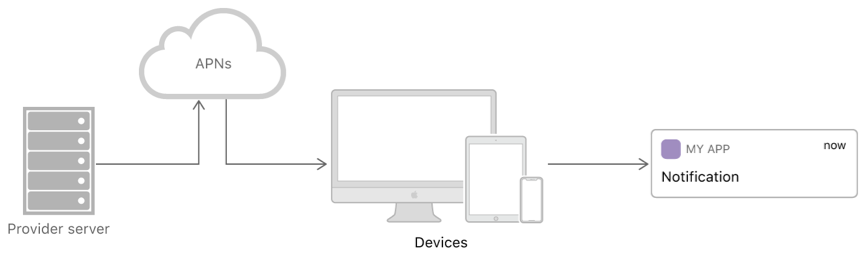
원격알림은 내 회사 서버에서 시작된다 (혹은 FCM과 같은 서드파티) 개발자는 유저에게 보내고 싶은 알림, 보내고 싶은 시간을 결정할 수 있다.
알림을 보낼 시점이 되면 알림 데이터와 사용자 기기의 고유 식별자가 포함된 요청을 생성한다.
그런 다음 APNs로 요청을 전달하면 APNs에서 사용자 기기로 알림을 전송한다
알림을 수신하면 사용자 기기의 운영 체제가 모든 사용자 상호작용을 처리하고 앱으로 알림을 전송한다
바로 실습으로 알아보겠다.
1. APNs에 앱등록
Apple 푸시 알림 서비스(APNs)는 사용자 기기에 알림을 전송하기 전에 해당 기기의 주소를 알아야 한다. 이 주소는 기기와 앱 모두에 고유한 디바이스 토큰 형태로 제공된다. 앱 실행 시, 앱은 APNs와 통신하여 디바이스 토큰을 수신하고, 사용자는 이 토큰을 provider 서버로 전달한다. 서버는 전송하는 모든 알림에 이 토큰을 포함한다.
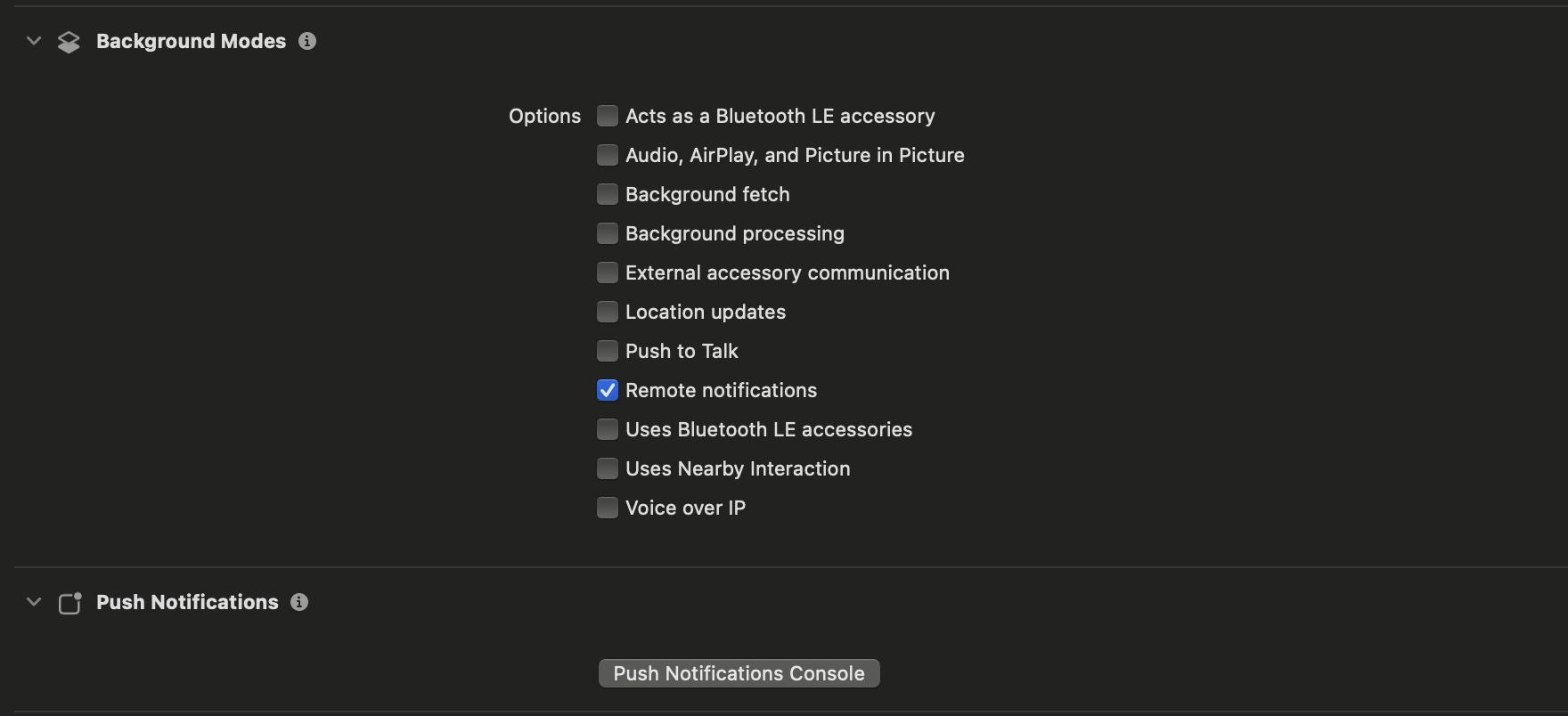
먼저 Xcode에 들어가서 project -> targets -> Signing & Capabilities 에 진입한뒤 +Capability 버튼을 눌러 Background Modes, Remote notifications를 추가해준다.
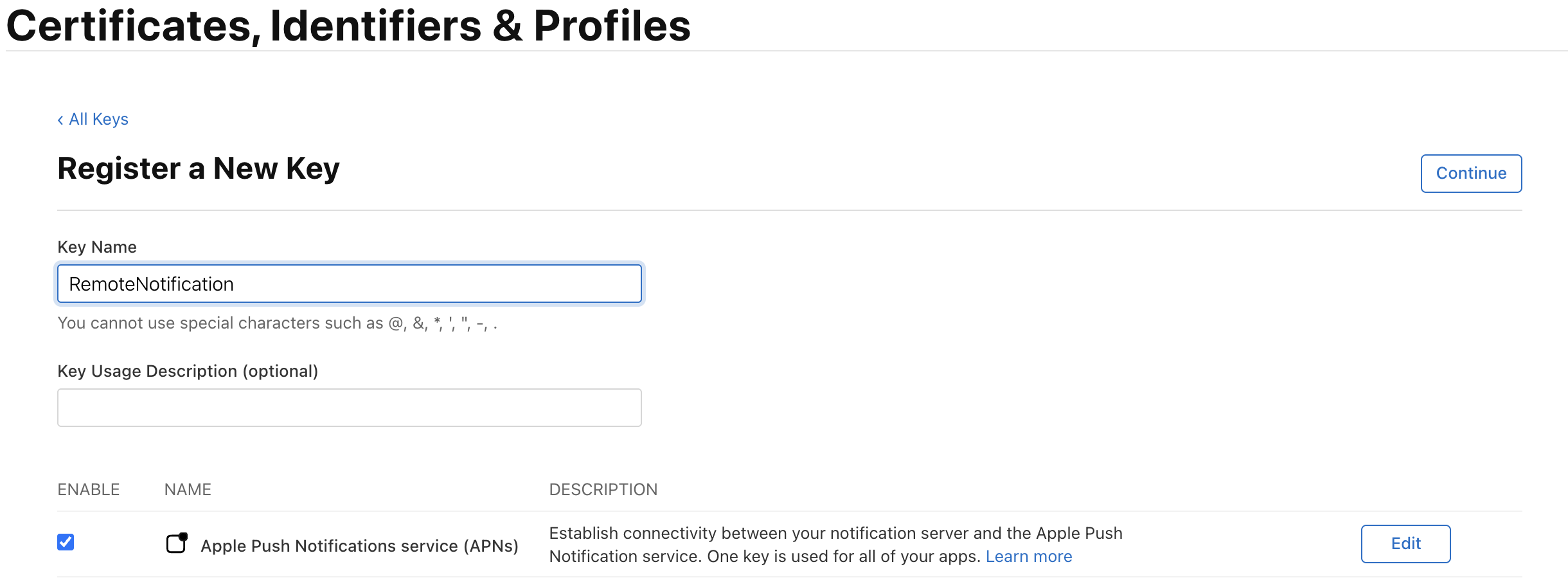
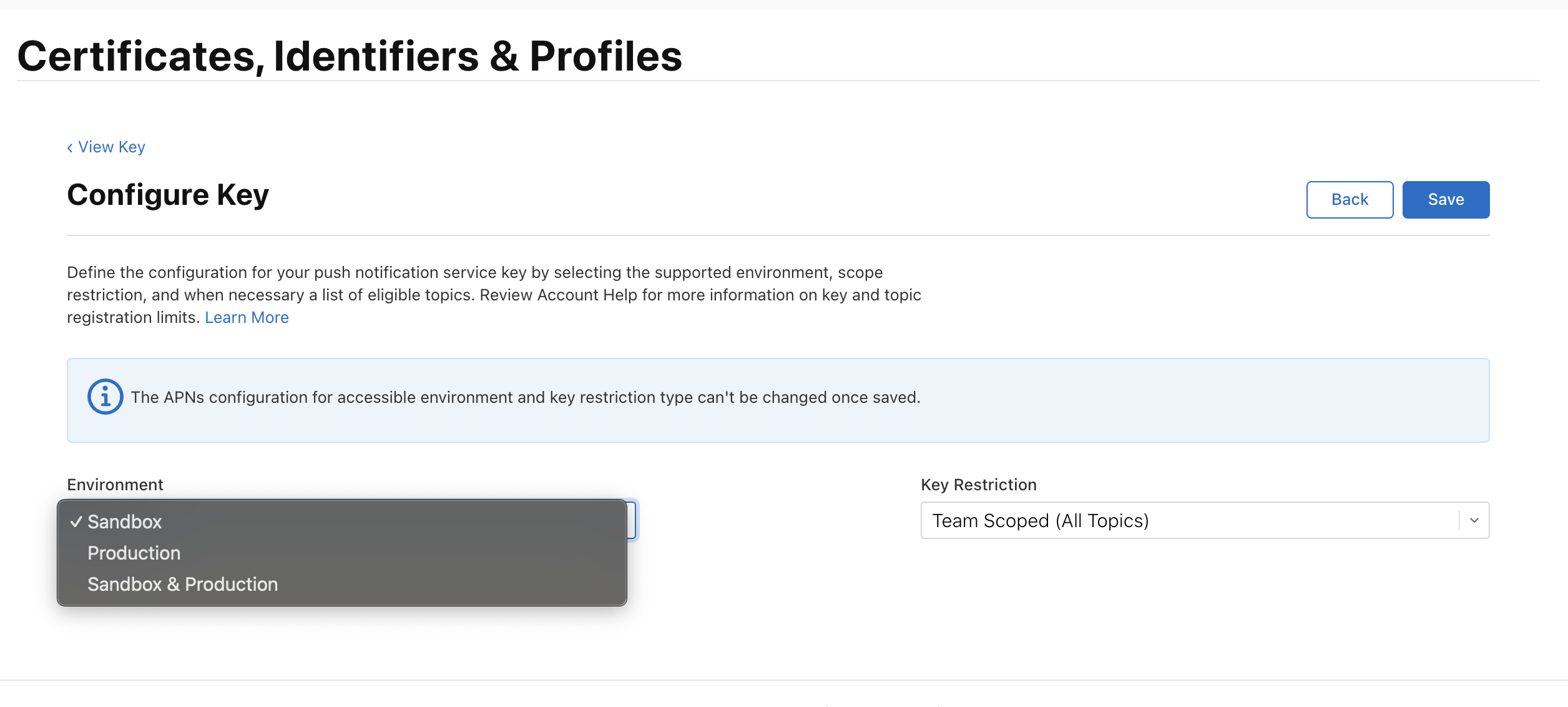
그 후, 애플 개발자 계정에 들어가서 Certificates, Identifiers & Profiles을 찾은 뒤 APNs를 선택해주고 Key를 발급받는다 (p8파일이다)
2. FCM 설정
Firebase 사이트에서 새 프로젝트를 만들고 새로운 앱 등록을 한다.
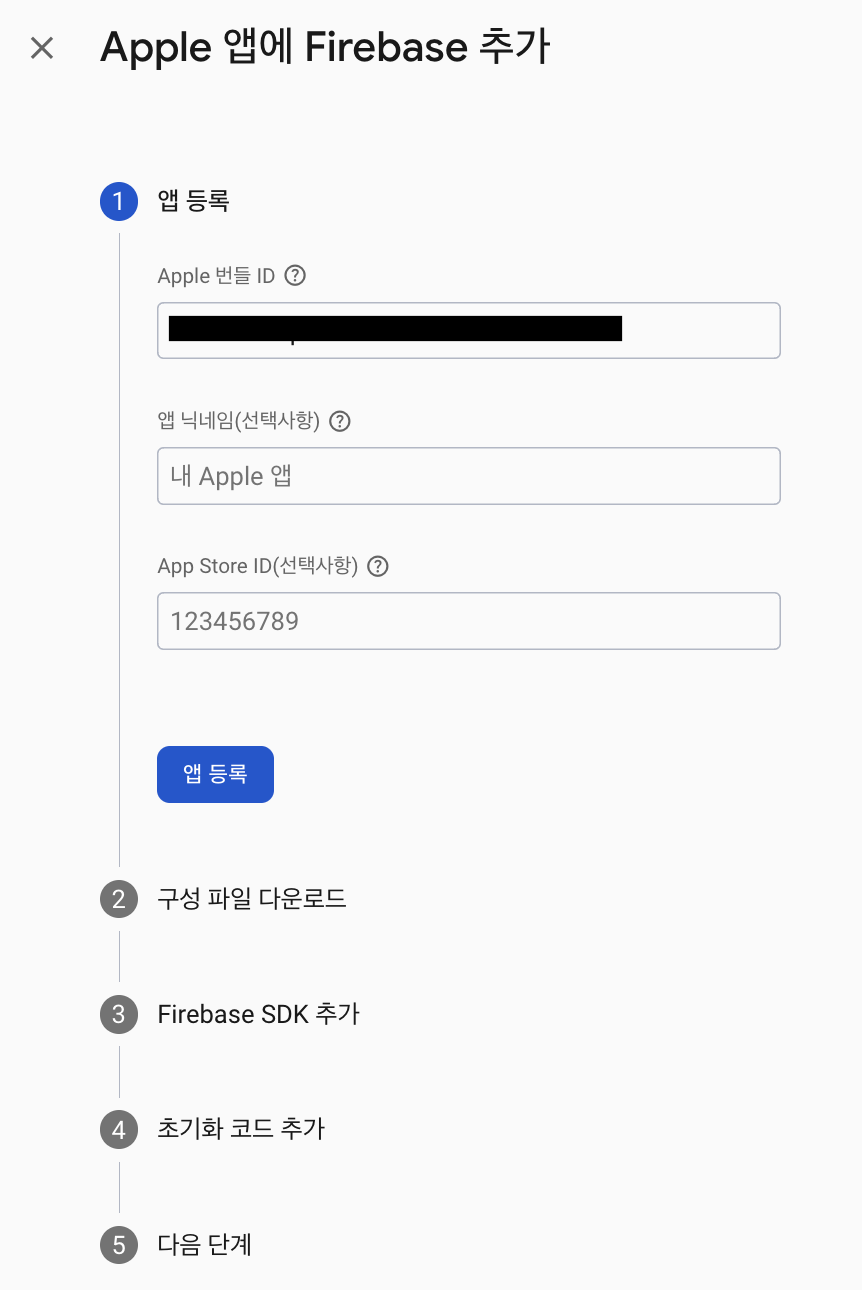
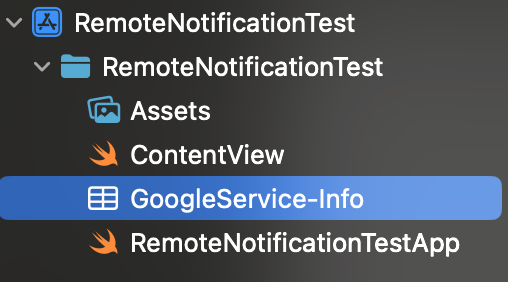
GoogleService-Info.plist 파일을 다운받고 Xcode에 넣어준다.
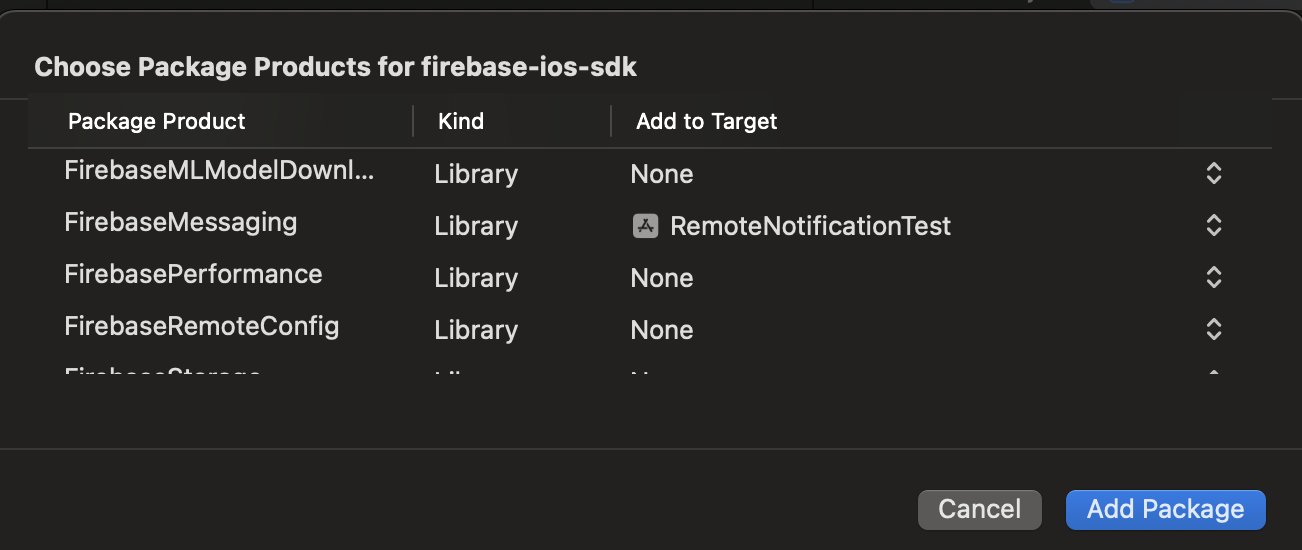
SPM으로 FirebaseAnalytics와 FirebaseMessaging을 추가해준다.
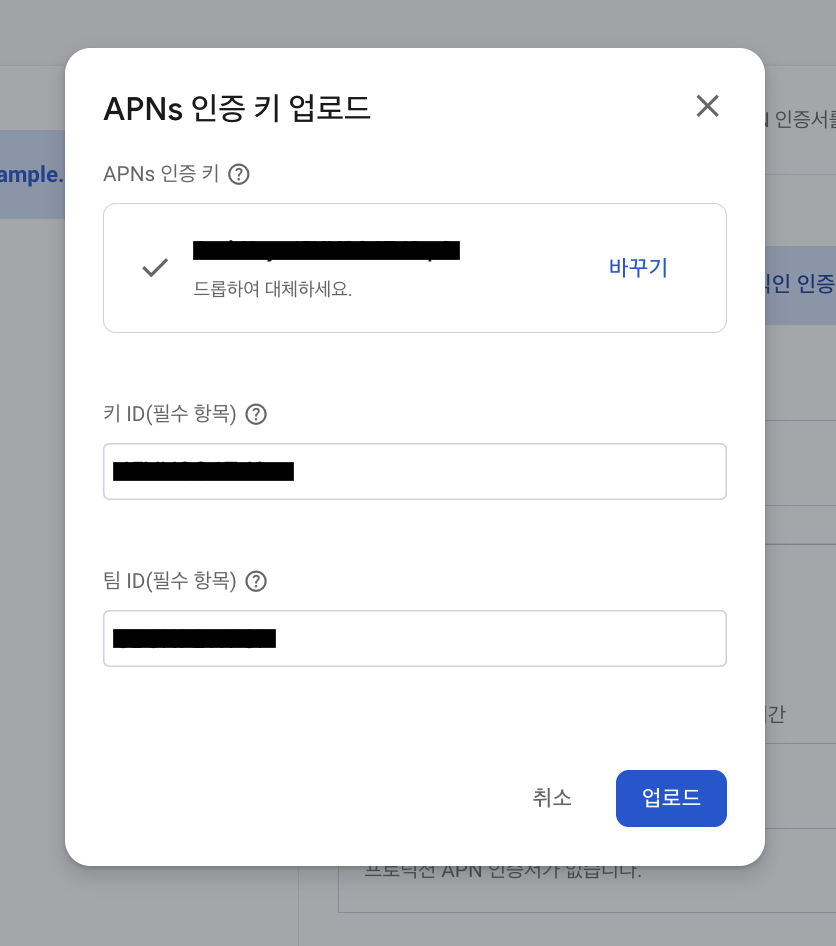
그후, 다시 Firebase 사이트에 와서 프로젝트 설정 -> 클라우드 메시징에 들어간 후 Apple 앱 구성에서 아까 다운받은 APNs p8파일을 넣어주고, 키 ID와 팀 ID도 넣어준다.
3. AppDelegate 설정
import UIKit
import FirebaseCore
import FirebaseMessaging


class AppDelegate: NSObject, UIApplicationDelegate {
    //앱 실행될 때 메서드
    func application(_ application: UIApplication, didFinishLaunchingWithOptions launchOptions:[UIApplication.LaunchOptionsKey: Any]?) -> Bool {
        //<---🔥 FireBase --->
        FirebaseApp.configure()
        Messaging.messaging().delegate = self
        //<------------------>

        UNUserNotificationCenter.current().delegate = self
        UNUserNotificationCenter.current().requestAuthorization(
            options: [.alert, .badge, .sound],
            completionHandler: { _, _ in }
        )

        application.registerForRemoteNotifications()

        return true
    }

    //APNs 서버로부터 디바이스 토큰을 성공적으로 발급받았을 때 호출
    func application(_ application: UIApplication, didRegisterForRemoteNotificationsWithDeviceToken deviceToken: Data) {
        Messaging.messaging().apnsToken = deviceToken
    }

    //APNs 토큰 발급에 실패했을 때 호출
    func application(_ application: UIApplication, didFailToRegisterForRemoteNotificationsWithError error: Error) {
        print(error)
    }

}

//MARK: - 푸시 알림 관련 처리
extension AppDelegate: UNUserNotificationCenterDelegate {
    // Foreground에서 알림이 도착했을때 호출
    func userNotificationCenter(_ center: UNUserNotificationCenter, willPresent notification: UNNotification, withCompletionHandler completionHandler: @escaping (UNNotificationPresentationOptions) -> Void) {
        print("foreground에서 알림 도착")
        completionHandler([.badge, .banner, .list, .sound])
    }

    // 유저가 푸시 알림을 탭했을때 처리
    func userNotificationCenter(_ center: UNUserNotificationCenter,
                                didReceive response: UNNotificationResponse,
                                withCompletionHandler completionHandler: @escaping () -> Void) {
        print("유저가 푸시 알람을 탭함")
        completionHandler()
    }
}

//MARK: - FCM 토큰 관련 처리
extension AppDelegate: MessagingDelegate {
    func messaging(_ messaging: Messaging, didReceiveRegistrationToken fcmToken: String?) {
        print("🔥FCM Token: \(String(describing: fcmToken))")

        let dataDict: [String: String] = ["token": fcmToken ?? ""]
        NotificationCenter.default.post(
            name: Notification.Name("FCMToken"),
            object: nil,
            userInfo: dataDict
        )
        // TODO: 우리 서버로 FCM Token 보내주기
    }
}
하나 하나 살펴보겠다.
func application(_ application: UIApplication, didFinishLaunchingWithOptions launchOptions:[UIApplication.LaunchOptionsKey: Any]?) -> Bool {
        //<---🔥 FireBase --->
        FirebaseApp.configure()
        Messaging.messaging().delegate = self
        //<------------------>

        UNUserNotificationCenter.current().delegate = self
        UNUserNotificationCenter.current().requestAuthorization(
            options: [.alert, .badge, .sound],
            completionHandler: { _, _ in }
        )

        application.registerForRemoteNotifications()

        return true
    }
제일 처음 앱이 실행될 때 메서드다.
먼저 Firebase SDK를 초기화 해주고, MessagingDelegate와 UNUserNotificationCenterDelegate를 각각 연결 시켜준다.
그 후 UNUserNotificationCenter.current().requestAuthorization() 를 통해 푸시 알림 권한부터 요청한 후 application.registerForRemoteNotifications() 이 메서드로 APNs에 푸시 알림을 등록 요청한다.
  //APNs 서버로부터 디바이스 토큰을 성공적으로 발급받았을 때 호출
    func application(_ application: UIApplication, didRegisterForRemoteNotificationsWithDeviceToken deviceToken: Data) {
        Messaging.messaging().apnsToken = deviceToken
    }

    //APNs 토큰 발급에 실패했을 때 호출
    func application(_ application: UIApplication, didFailToRegisterForRemoteNotificationsWithError error: Error) {
        print(error)
    }
다음은 이 2가지 메서든데, 위 메서드는 APNs 서버로부터 디바이스 토큰을 성공적으로 발급받았을 때 호출되며, 밑에 메서드는 디바이스 토큰 발급에 실패했을 때 호출된다.
Messaging.messaging().apnsToken = deviceToken 이 코드 같은 경우에 APNs 토큰을 명시적으로 FCM 등록 토큰에 매핑 해주는 역할을 한다.
하지만 여기서 이 메서드가 호출되지않고 swizzle과 관련된 로그가 뜨는 경우가 있는데, firebase가 메서드 동적 교체를 지원하기 때문에 런타임에서 firebase가 메서드를 가로채서 자동으로 APNs토큰을 등록하고 Firebase 서버로 전송하기 때문에 didRegisterForRemoteNotificationsWithDeviceToken 이 친구가 호출되지 않는 것이다.
파이어베이스가 swizzling을 해주길 원하지 않는다면 Info.plist에 FirebaseAppDelegateProxyEnabled을 추가하고 NO로 두면 더이상 자동으로 메서드를 가로채지 않는다.

//MARK: - 푸시 알림 관련 처리
extension AppDelegate: UNUserNotificationCenterDelegate {
    // Foreground에서 알림이 도착했을때 호출
    func userNotificationCenter(_ center: UNUserNotificationCenter, willPresent notification: UNNotification, withCompletionHandler completionHandler: @escaping (UNNotificationPresentationOptions) -> Void) {
        print("foreground에서 알림 도착")
        completionHandler([.badge, .banner, .list, .sound])
    }

    // 유저가 푸시 알림을 탭했을때 처리
    func userNotificationCenter(_ center: UNUserNotificationCenter,
                                didReceive response: UNNotificationResponse,
                                withCompletionHandler completionHandler: @escaping () -> Void) {
        print("유저가 푸시 알람을 탭함")
        completionHandler()
    }
}
다음은 푸시 알림 관련 처리에 관한 메서드들이다.
위 메서드는 foreground에서 알림이 도착했을때 호출된다.
밑에 메서드는 유저가 foreground/background 관계없이 푸시알림을 탭했을때 호출된다.
그래서 이 메서드에서는 유저가 푸시 알림을 탭했을 때 딥링크등의 처리를 해줄 수 있다.
//MARK: - FCM 토큰 관련 처리
extension AppDelegate: MessagingDelegate {
    func messaging(_ messaging: Messaging, didReceiveRegistrationToken fcmToken: String?) {
        print("🔥FCM Token: \(String(describing: fcmToken))")

        let dataDict: [String: String] = ["token": fcmToken ?? ""]
        NotificationCenter.default.post(
            name: Notification.Name("FCMToken"),
            object: nil,
            userInfo: dataDict
        )
        // TODO: 우리 서버로 FCM Token 보내주기
    }
}
다음은 FCM 토큰 관련 처리 메서드다. 이 MessagingDelegate 딜리게이트를 통해 FCM 토큰이 업데이트 될때마다 메서드가 호출될 수 있다.
참고로 앱을 처음 설치했을때는 FCM토큰이 파이어베이스가 초기화될때 한 번, registerForRemoteNotifications() 메서드가 실행되고 한 번, 이렇게 총 2번 발급받게 되는 이슈가 있다. 앱을 한 번 설치하고 나면 그 후로는 한 번만 발급되긴 한다.
어쨌든 이 딜리게이트를 통해 FCM 토큰을 받으면 이 토큰을 우리 서버에 전달해주는 로직을 짤 수 있고, 우리 서버가 토큰을 받으면 이 토큰으로 푸시 알림을 쏠 수 있는 것이다.
4. 실제 푸시 알림 테스트
푸시 알림 테스트를 위해 Firebase 사이트에서 Cloud Messaging에 들어간 후 캠페인 만들기를 눌러준다.
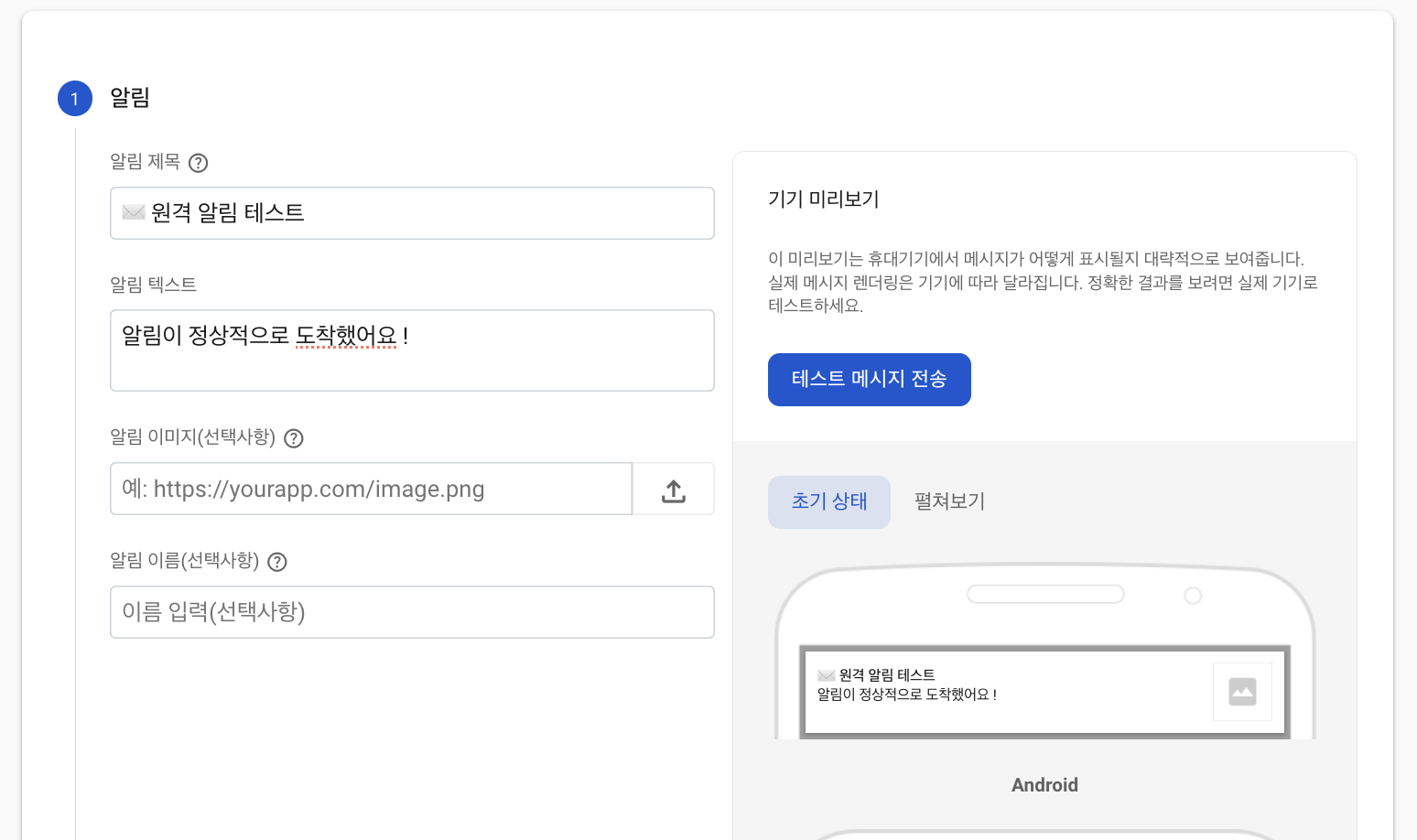
이런 창이 뜨면 원하는 제목과 텍스트를 입력해주고, 테스트 메시지 전송 버튼을 눌러준다.
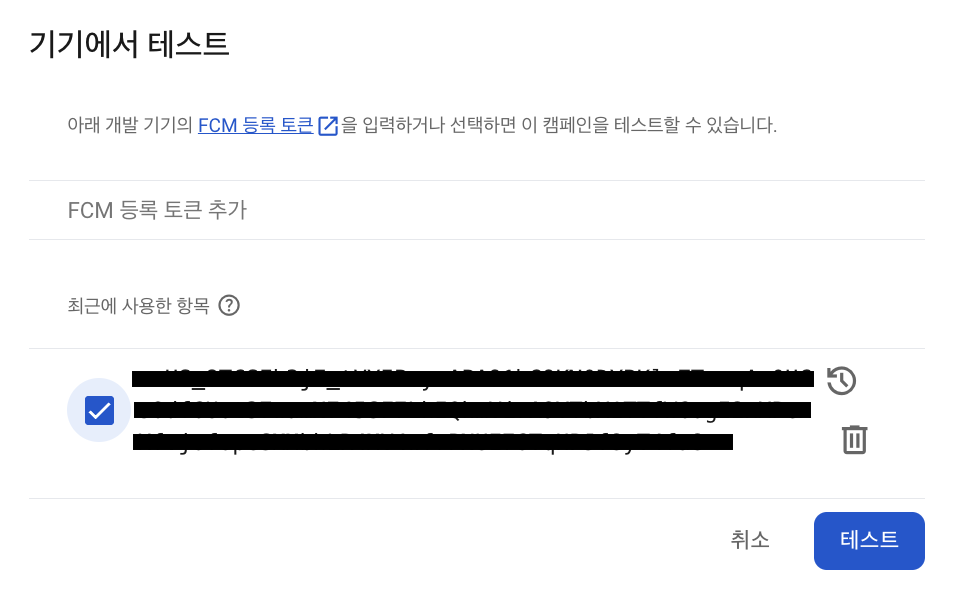
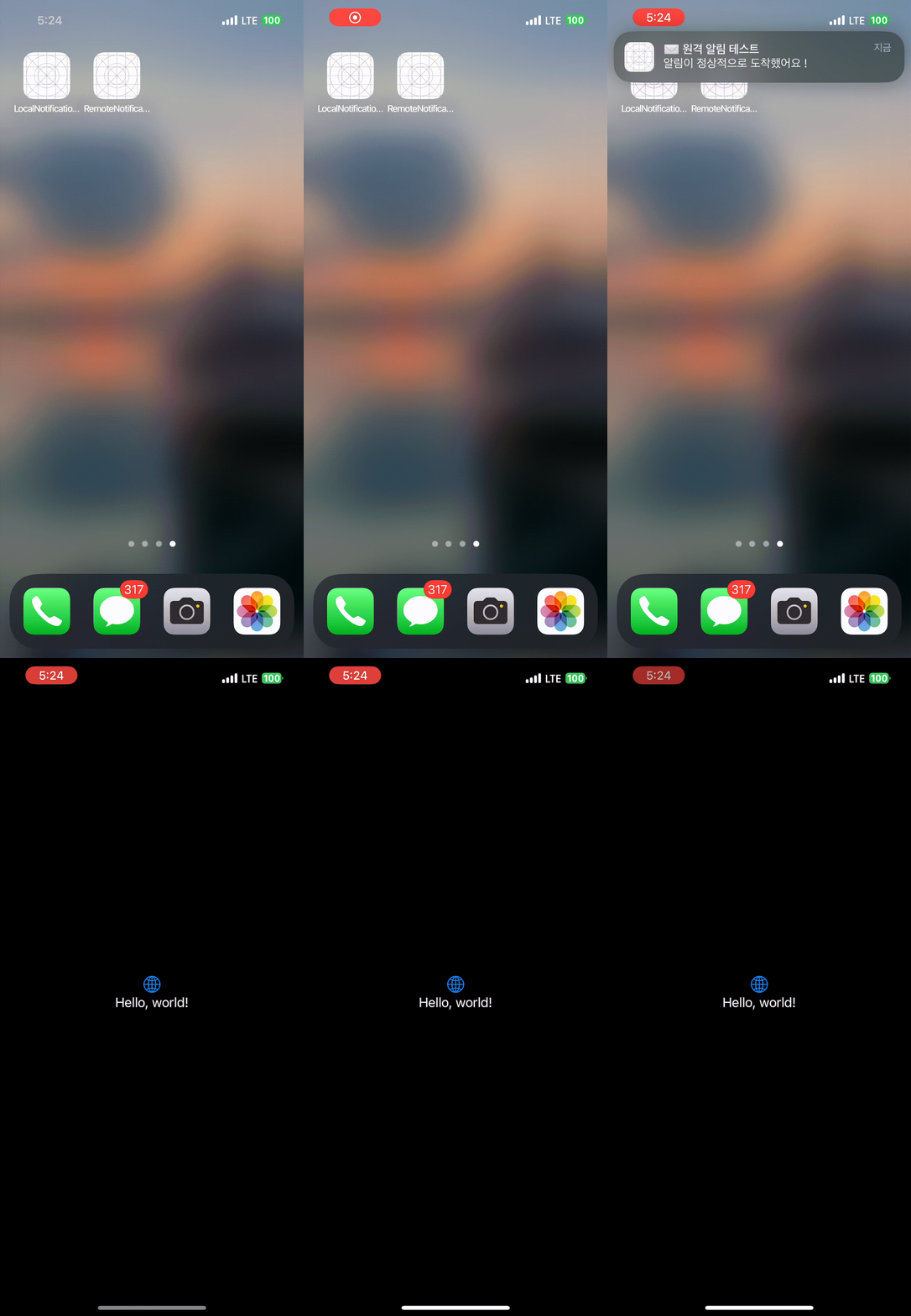
그럼 이런 창이 뜰텐데 앱을 빌드하면 FCM 토큰이 출력될건데 그 토큰을 여기다 넣어주고 테스트 버튼을 눌러준다.
🍎 참고
https://developer.apple.com/documentation/usernotifications/setting-up-a-remote-notification-server
https://firebase.google.com/docs/cloud-messaging/ios/client?hl=ko