
📖 todoCell에 취소선 구현하기
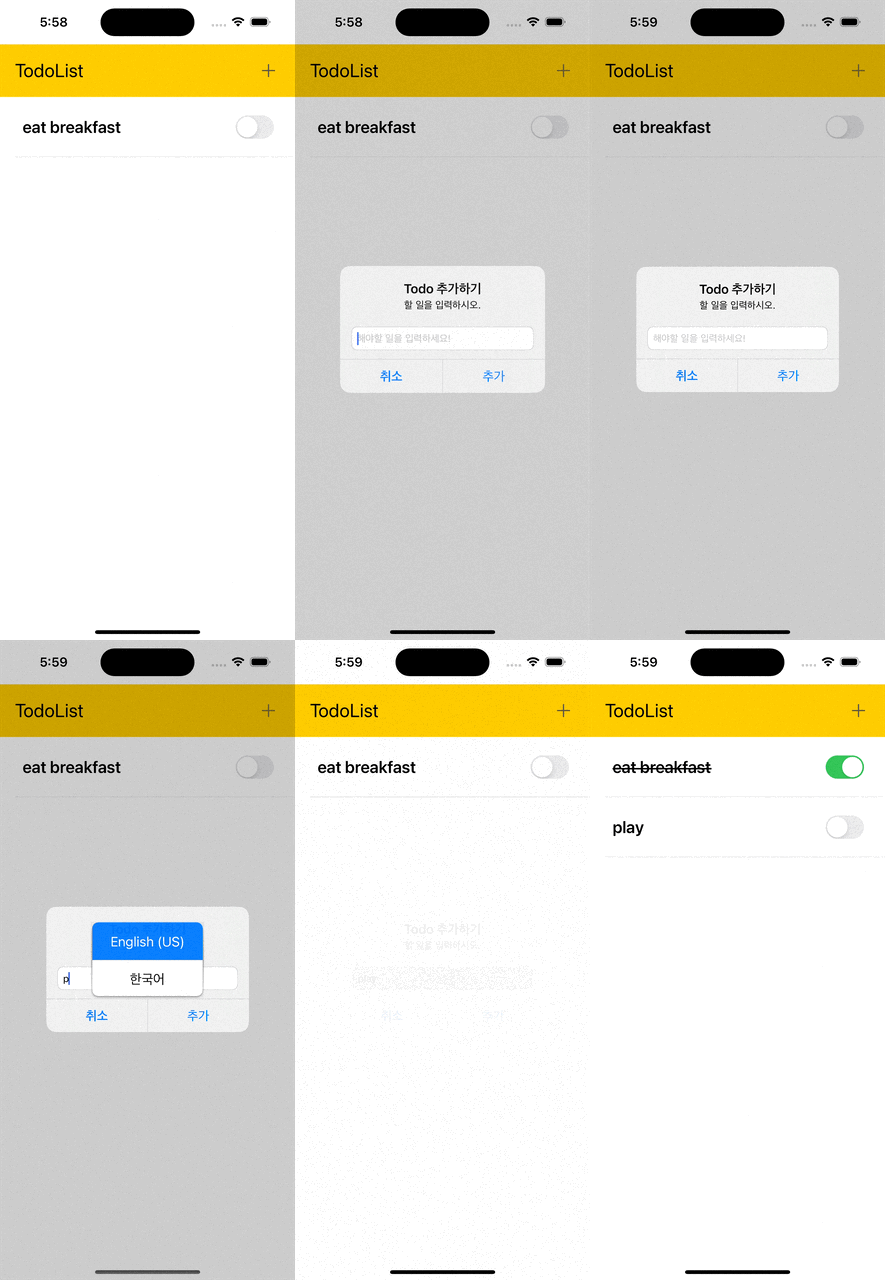
완료의 느낌을 주기 위해 todoCell이 완료된다면 title에 취소선을 그어주는 기능을 추가할 것이다. switch버튼을 on 했을때 title에 취소선이 그어지고, off 했을때는 이미 그어진 취소선이 없어지도록 해야한다.
취소선을 긋는 방법은 인터넷 서치 결과 string에 extension을 사용하여 기능을 추가해주어야 했다!!
extension String {
    func strikeThrough() -> NSAttributedString {
        let attributeString = NSMutableAttributedString(string: self)
        attributeString.addAttribute(NSAttributedString.Key.strikethroughStyle, value: NSUnderlineStyle.single.rawValue, range: NSMakeRange(0, attributeString.length))
        return attributeString
    }
}
여기서 strikeThrough() 메서드는 문자열에 취해진 모든 텍스트에 취소선을 추가한 NSAttributedString을 반환한다.
그런다음 cell에 데이터를 뿌리는 과정에서 strikeThrough()메서드를 구현해준다.
func tableView(_ tableView: UITableView, cellForRowAt indexPath: IndexPath) -> UITableViewCell {
        let cell = todoTable.dequeueReusableCell(withIdentifier: "todoCell", for: indexPath) as! TodoTableViewCell

        //데이터 뿌리기
        let todo = todoList[indexPath.row]
        if todo.isCompleted {
            cell.todoTitle.attributedText = todo.title.strikeThrough()
            cell.todoSwitch.setOn(true, animated: true)
        } else {
            cell.todoTitle.attributedText = NSAttributedString(string: todo.title)
            cell.todoSwitch.setOn(false, animated: true)
        }

        //switchLabel 액션 전달
        cell.todoSwitch.tag = indexPath.row
        cell.todoSwitch.addTarget(self, action: #selector(switchDidChange(_:)), for: .valueChanged)

        return cell
    }
@objc func switchDidChange(_ sender: UISwitch) 메서드에서 switch의 on/off가 변화함에 따라 table의 데이터를 reload하여 취소선을 긋거나 없앨 수 있다. 구현한 화면은 다음과 같다.
📖 edit 버튼 추가하기
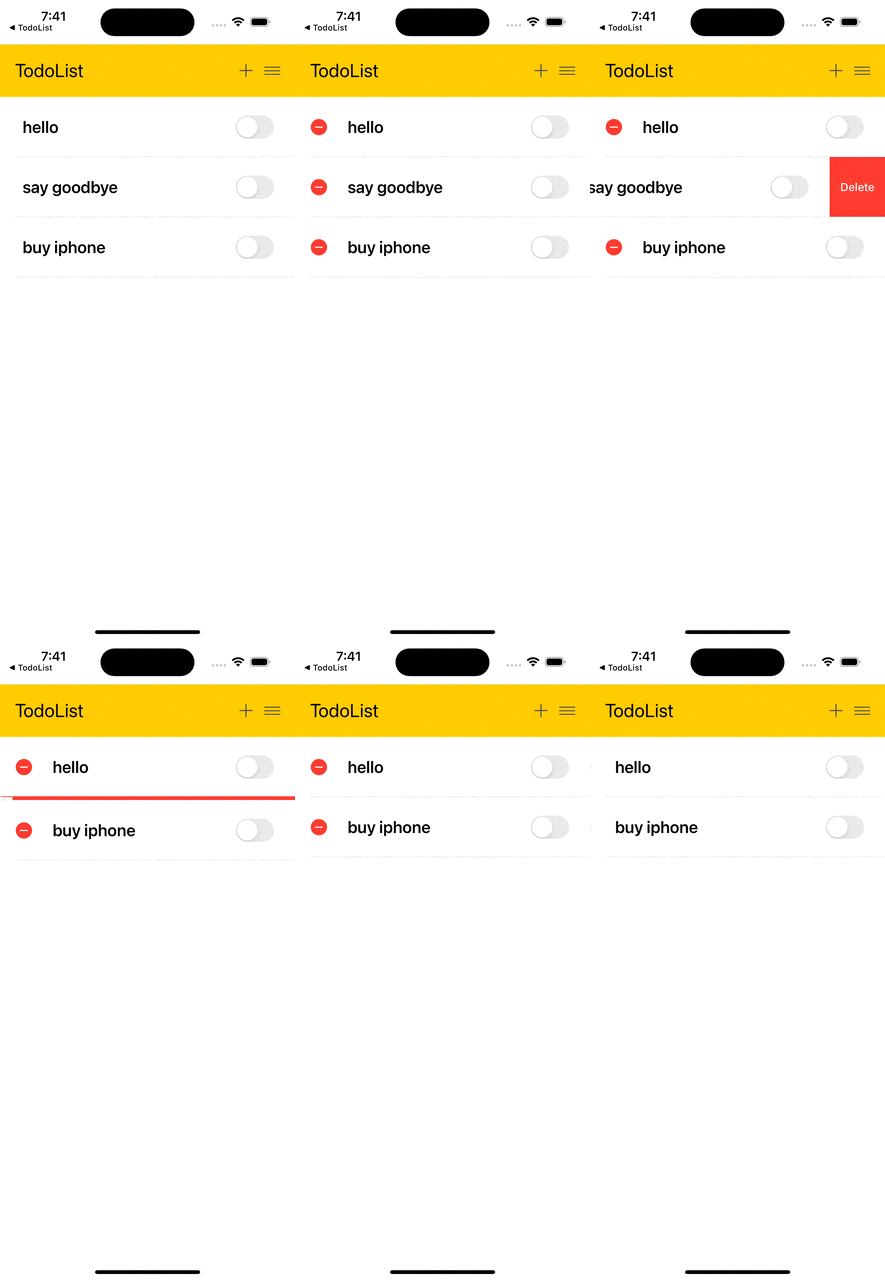
플러스 버튼 옆에 edit 버튼을 추가하고 해당 버튼을 누르면 편집모드 상태가 되도록 버튼을 구현했다.
@IBAction func tappedEditBtn(_ sender: UIButton) {
        let shouldBeEdited = !todoTable.isEditing
        todoTable.setEditing(shouldBeEdited, animated: true)
    }

🐣 iOS Developer