apple OAuth
1. apple developer 설정
https://appstoreconnect.apple.com/
https://appstoreconnect.apple.com/apps
앱등록을 해주어야한다
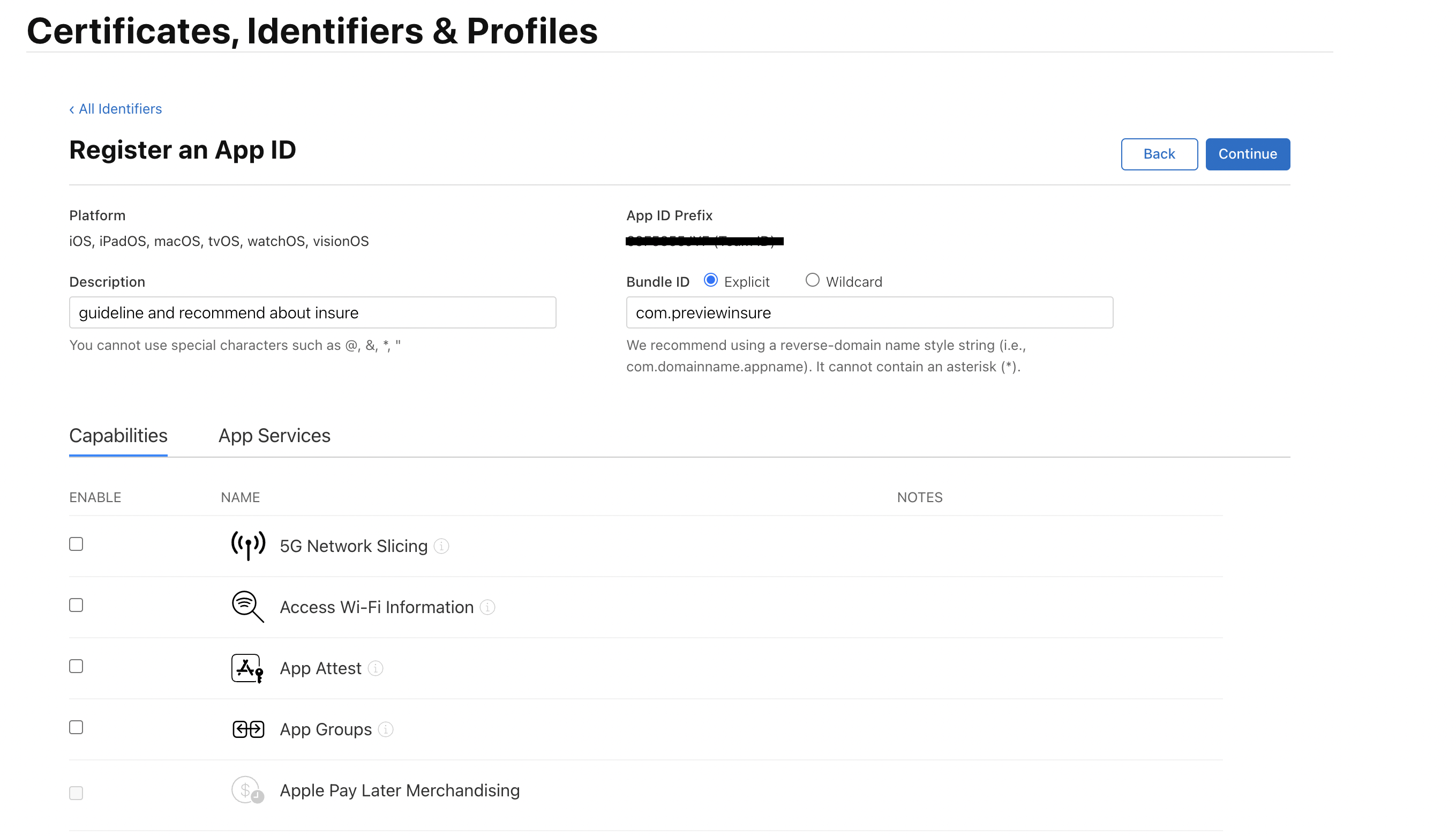
App ID 등록
identifiers 설정
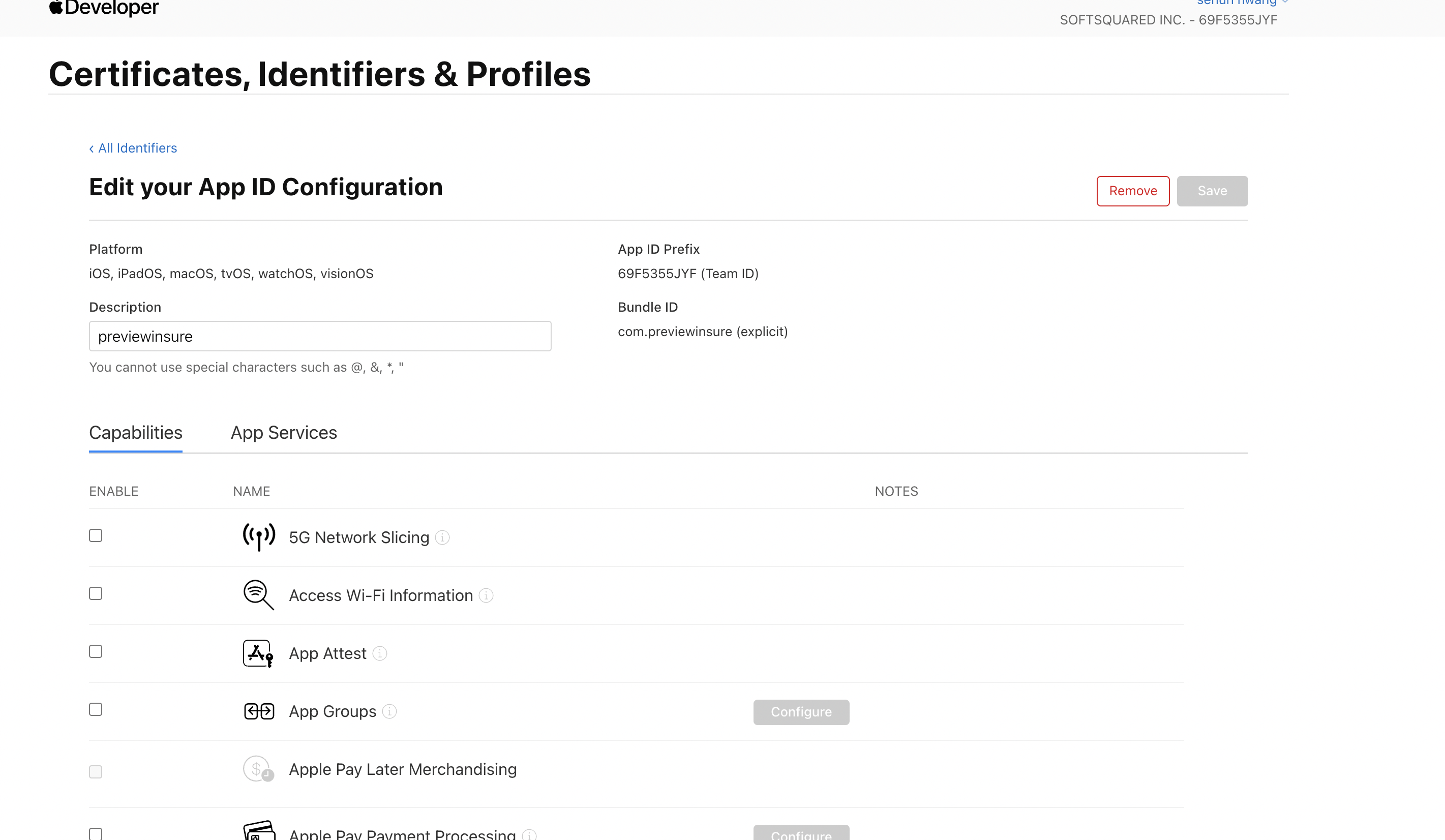
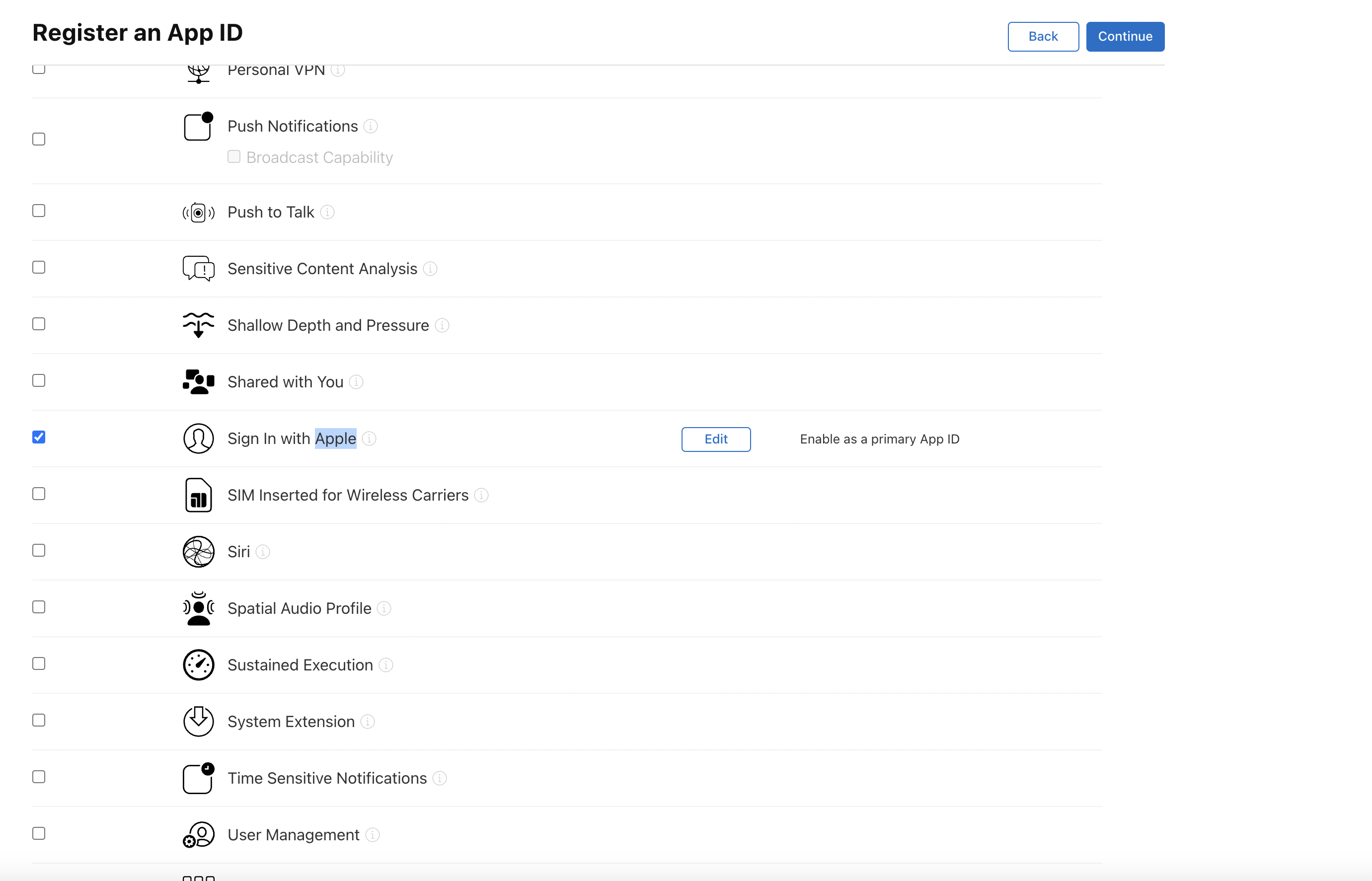
capabilities에서 sign with Apple 선택
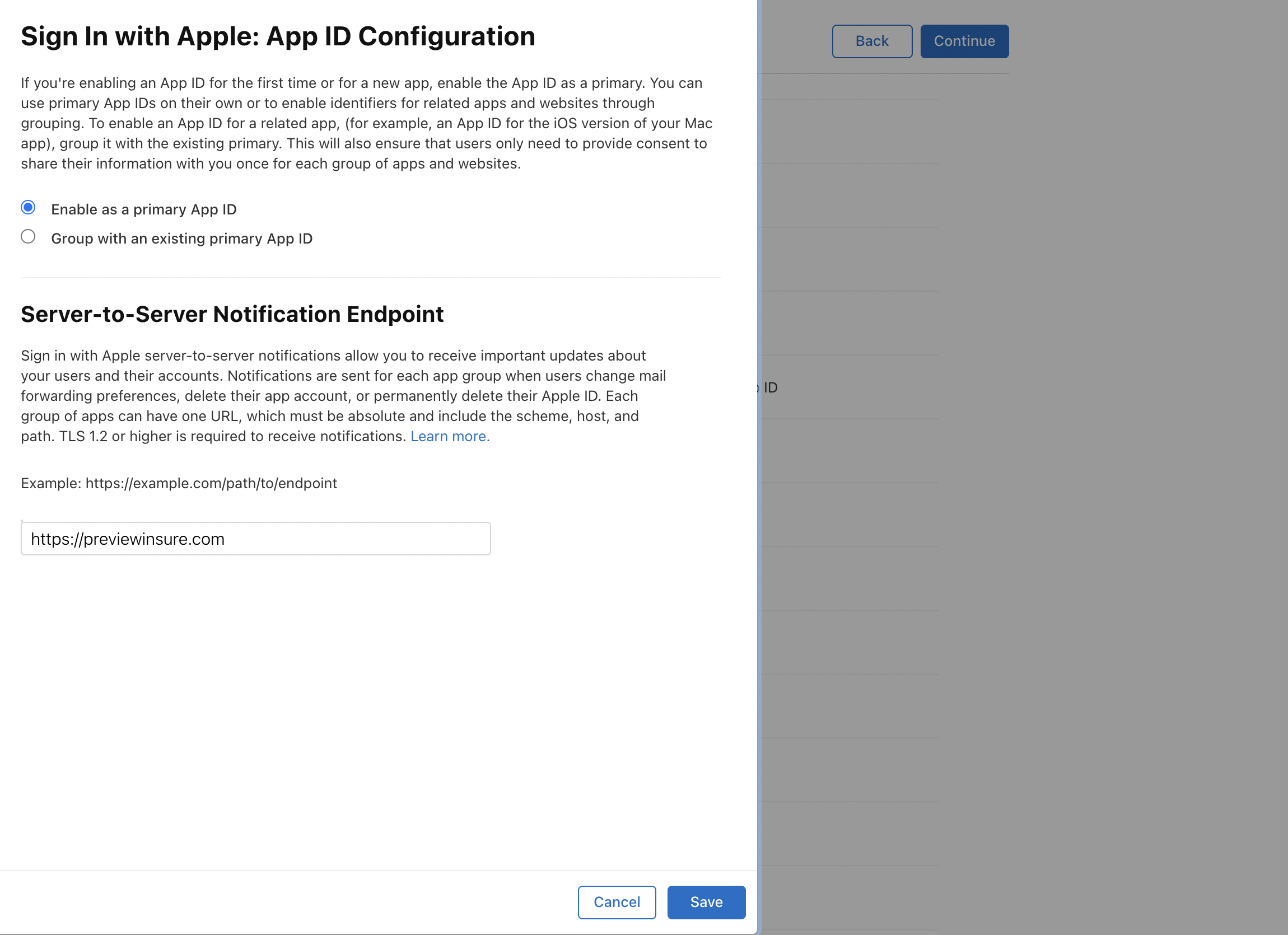
edit 클릭 후 도메인 설정 ( 아무 도메인 입력, 이후 수정 필요 )
service ID 등록
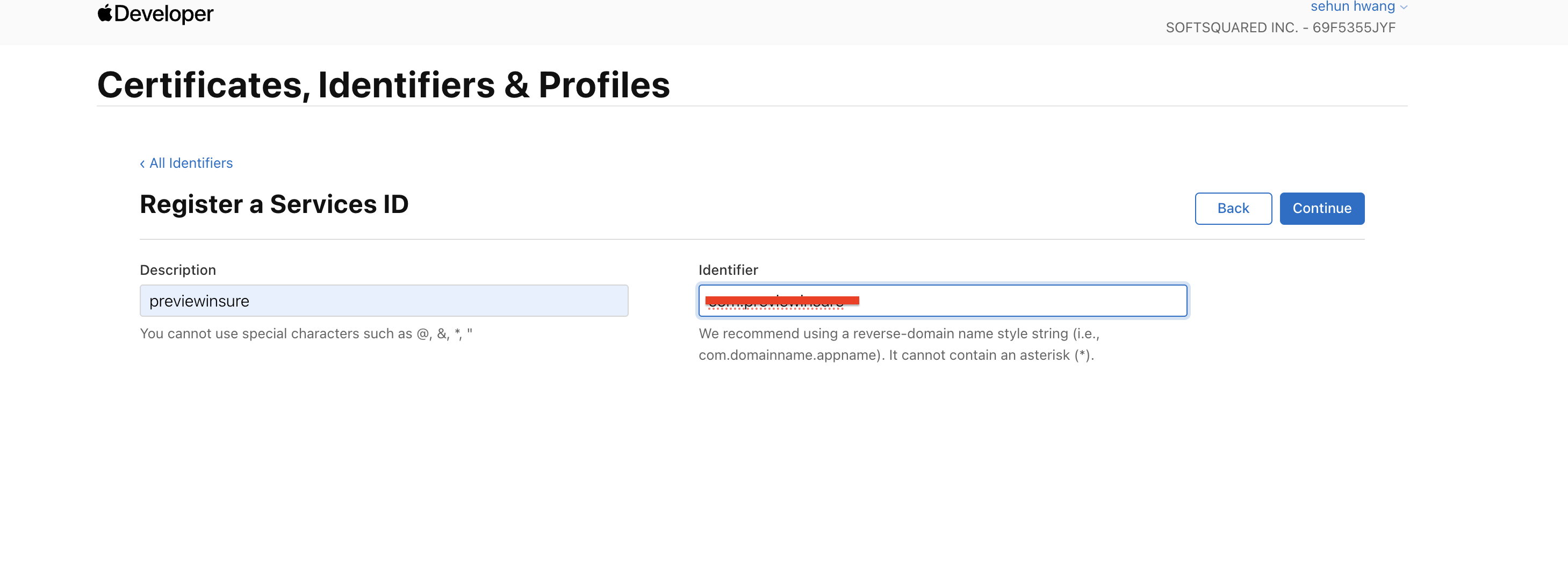
등록한 Service를 클릭하여 들어가서 하단의 Configure을 클릭
redirect URI 설정을 해준다. ( APP ID 도 등록해주어야 함 )
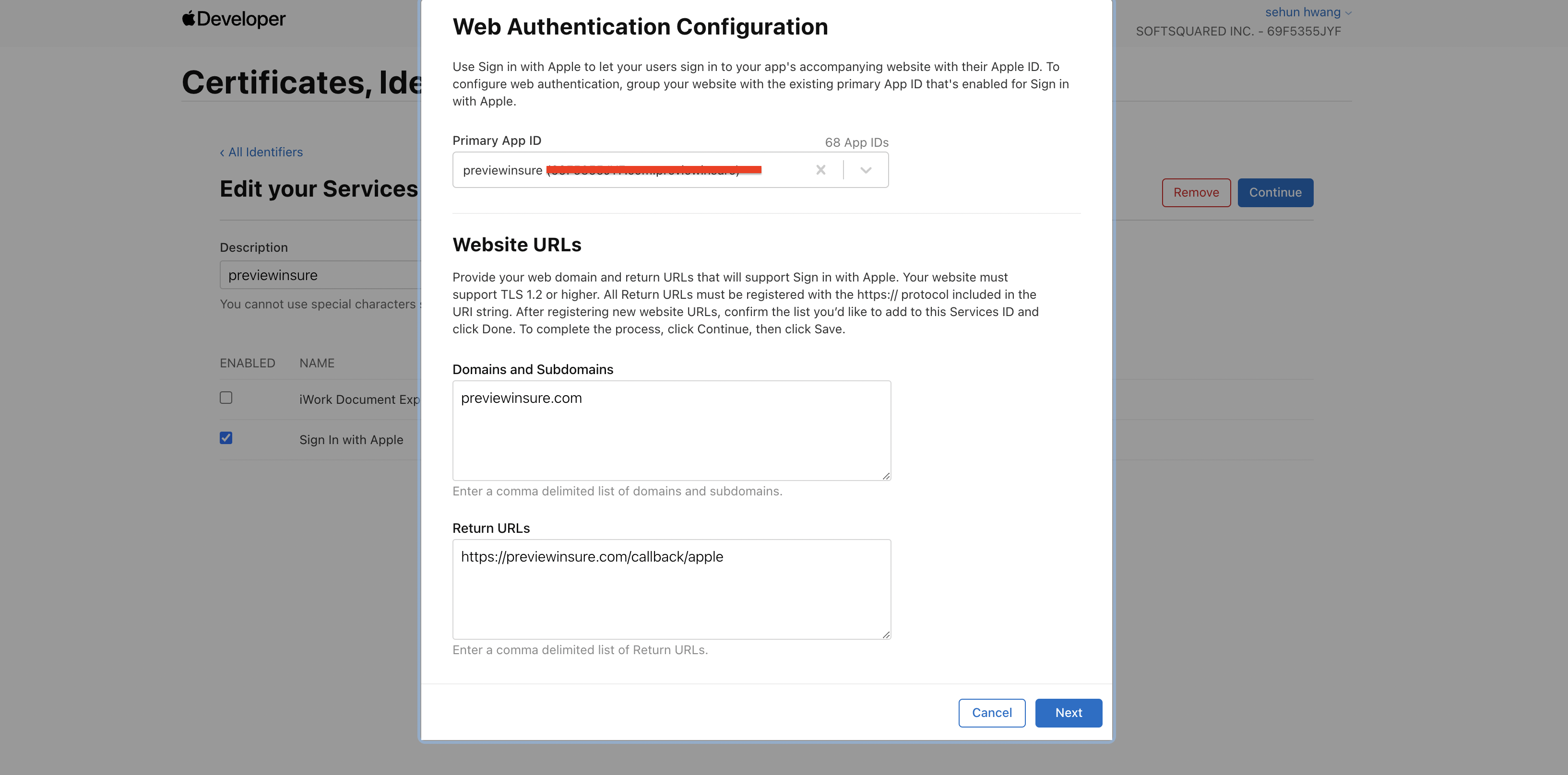
근데, localhost, vercel주소 등록이 안된다...
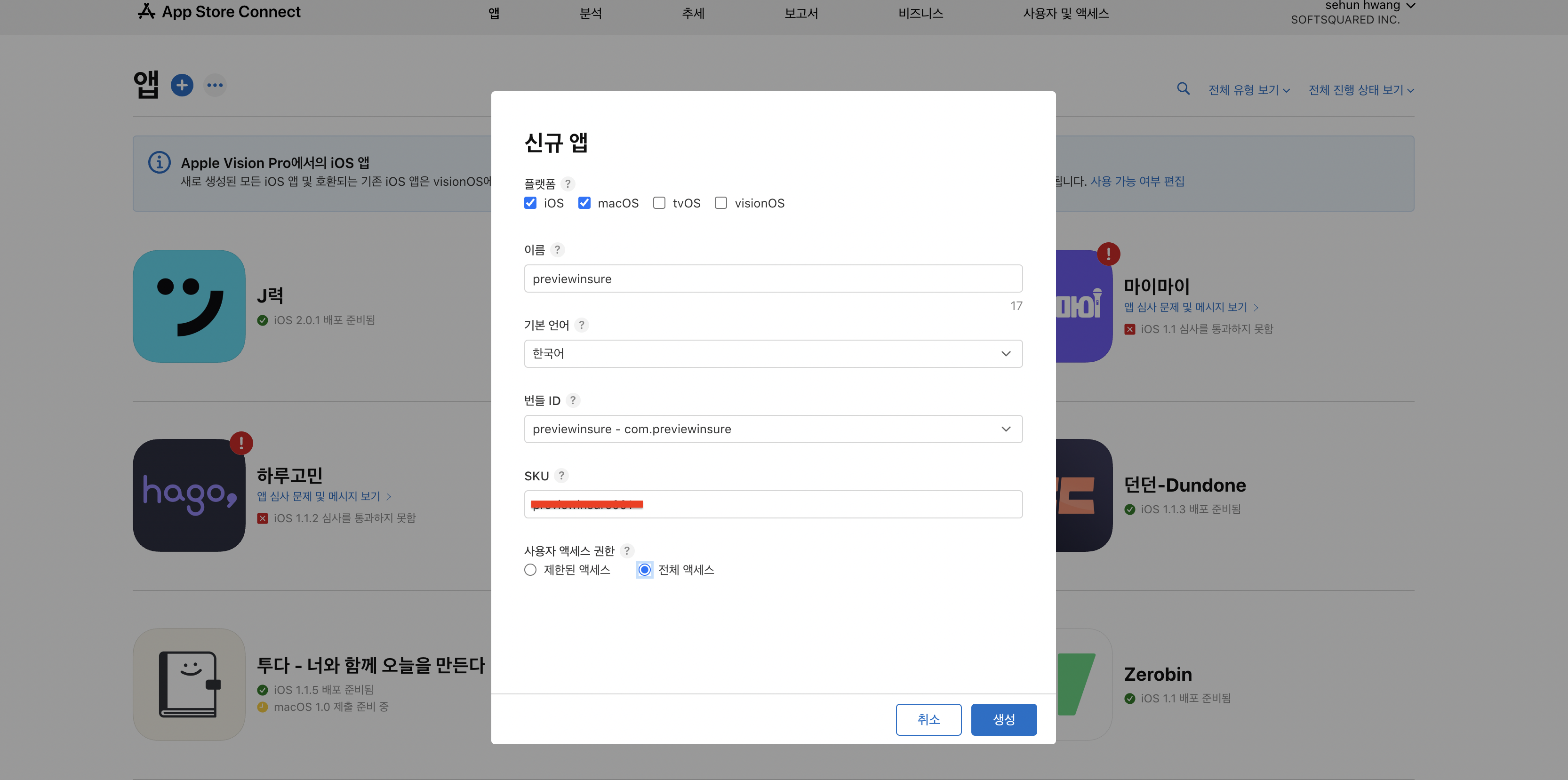
신규앱 등록 (나중 앱배포에 사용될 예정 )
위에서 등록한 previewinsure 번들ID사용
SKU 자체설정
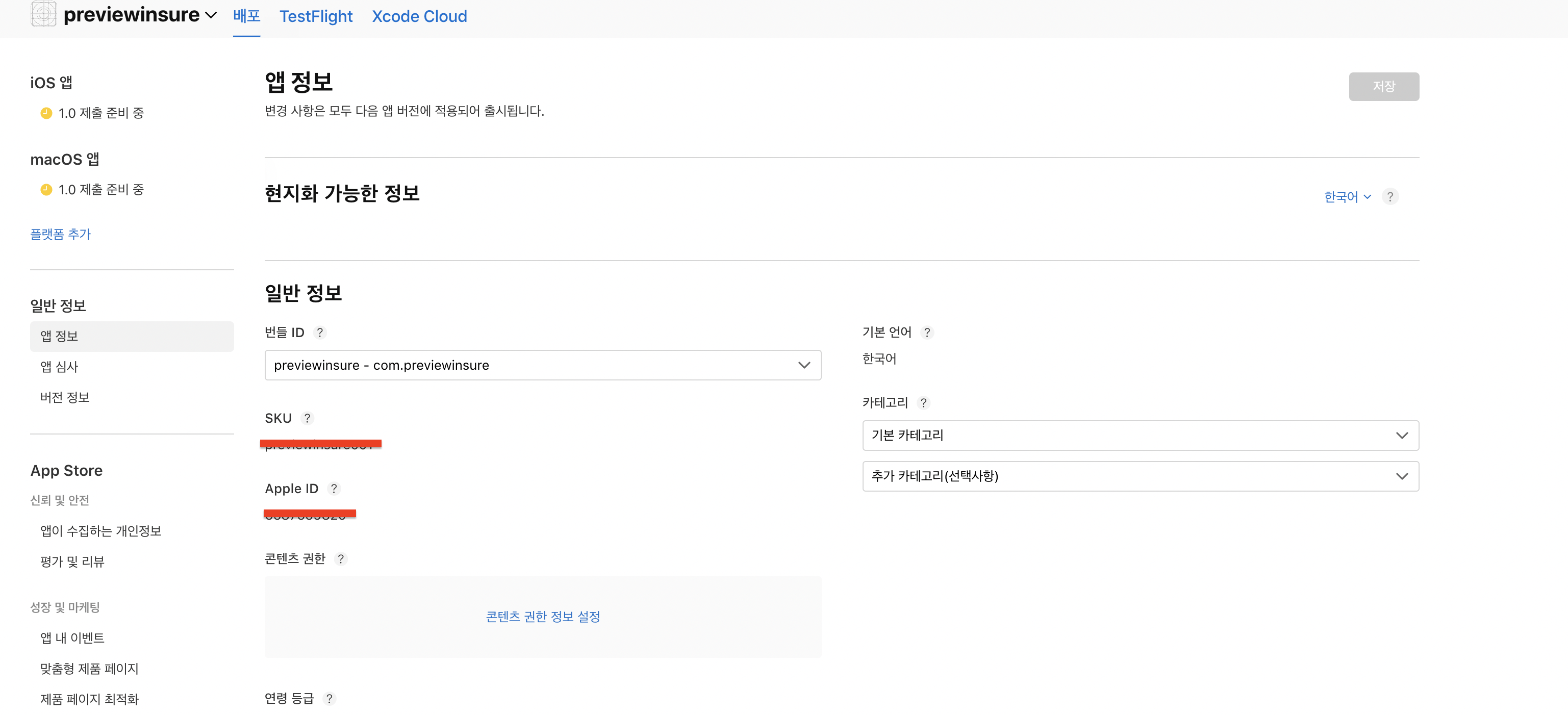
앱의 대시보드에서 ID등의 값을 확인할 수 있다
2.React 프로젝트에 적용
sign_in_with_apple 참고하여 진행
index.html에 코드삽입
<script type="text/javascript" src="https://appleid.cdn-apple.com/appleauth/static/jsapi/appleid/1/en_US/appleid.auth.js"></script>apple로그인 함수 등록
 export const appleLogin = async () => {

    window.AppleID.auth.init({
      clientId: 'serviceID 생성 시 identifier 등록',
      scope: 'email name',
      redirectURI: 'https://previewinsure.com/callback/apple',
      state: '임의의 문자열',
      nonce: '임의의 숫자',
      usePopup: true,
    });

    try {
      const res = await window.AppleID.auth.signIn();
      console.log(res);
    } catch (error) {
      console.log(error);
    }
  };
redirectURI로 /Callback/apple 을 넣어주어 이후 회원가입 여부를 보고 따로 처리해준 후 다음 페이지로 전환 ( if 회원가입 -> 회원가입 동의페이지로 )
type 정의해주기
interface ClientConfig {
  clientId: string;
  redirectURI: string;
  scope?: string;
  state?: string;
  nonce?: string;
  usePopup?: boolean;
}
interface Authorization {
  code: string;
  id_token: string;
  state?: string;
}

interface User {
  email: string;
  name: string;
}

interface SigninResponse {
  authorization: Authorization;
  user?: User;
}

declare global {
  interface Window {
    AppleID: {
      auth: {
        init: (config: ClientConfig) => void;
        signIn: (config?: ClientConfig) => Promise<SigninResponse>;
      };
    };
  }
}
동작은 잘 한다..!
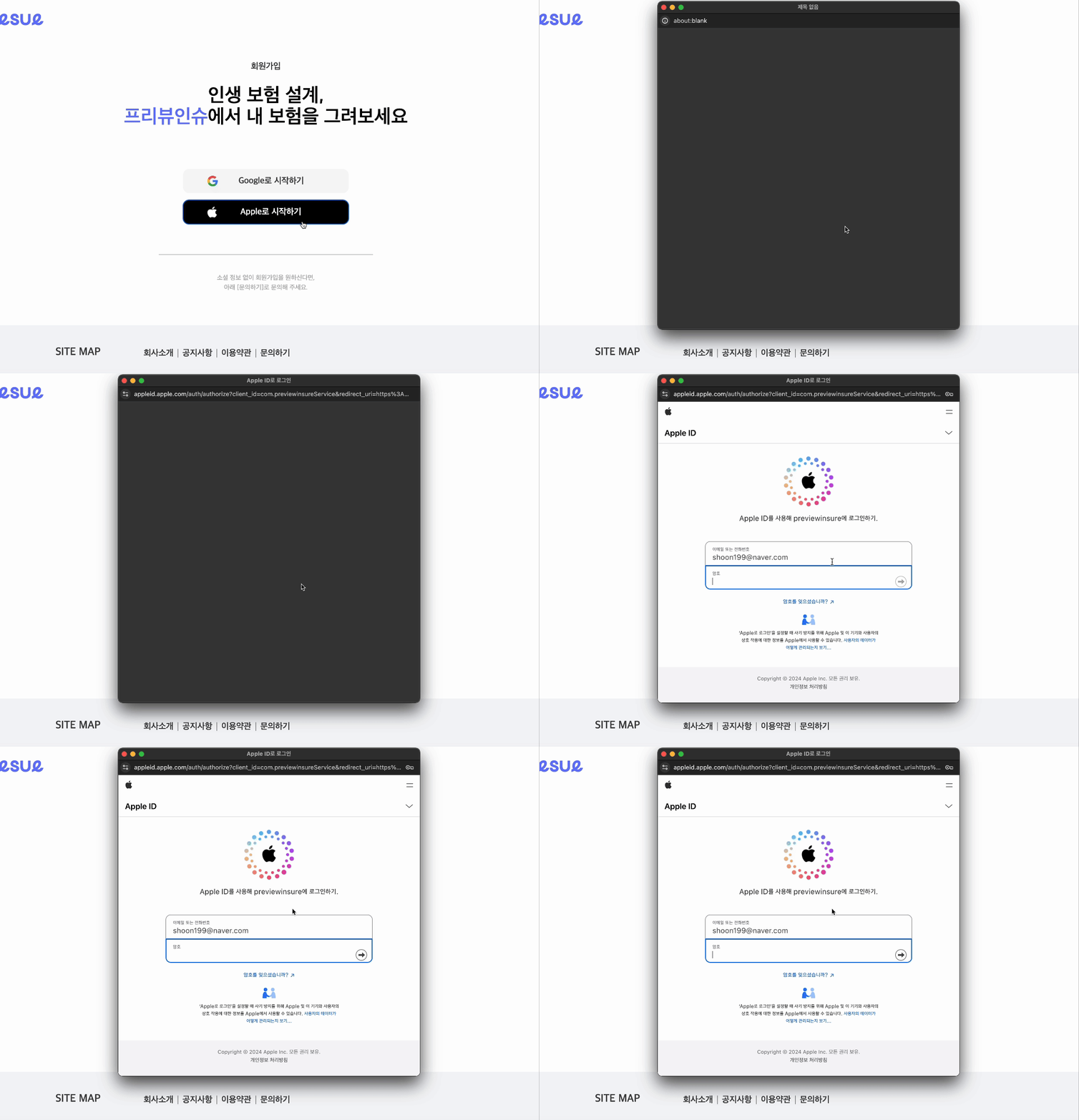
이슈사항&이후작업
localhost나 vercel 배포환경이 적용되지 않음
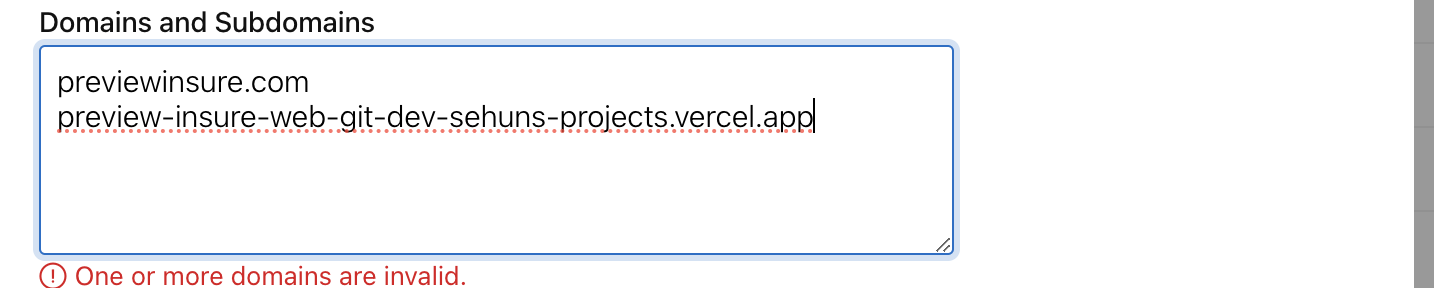
vercel 배포환경 해결
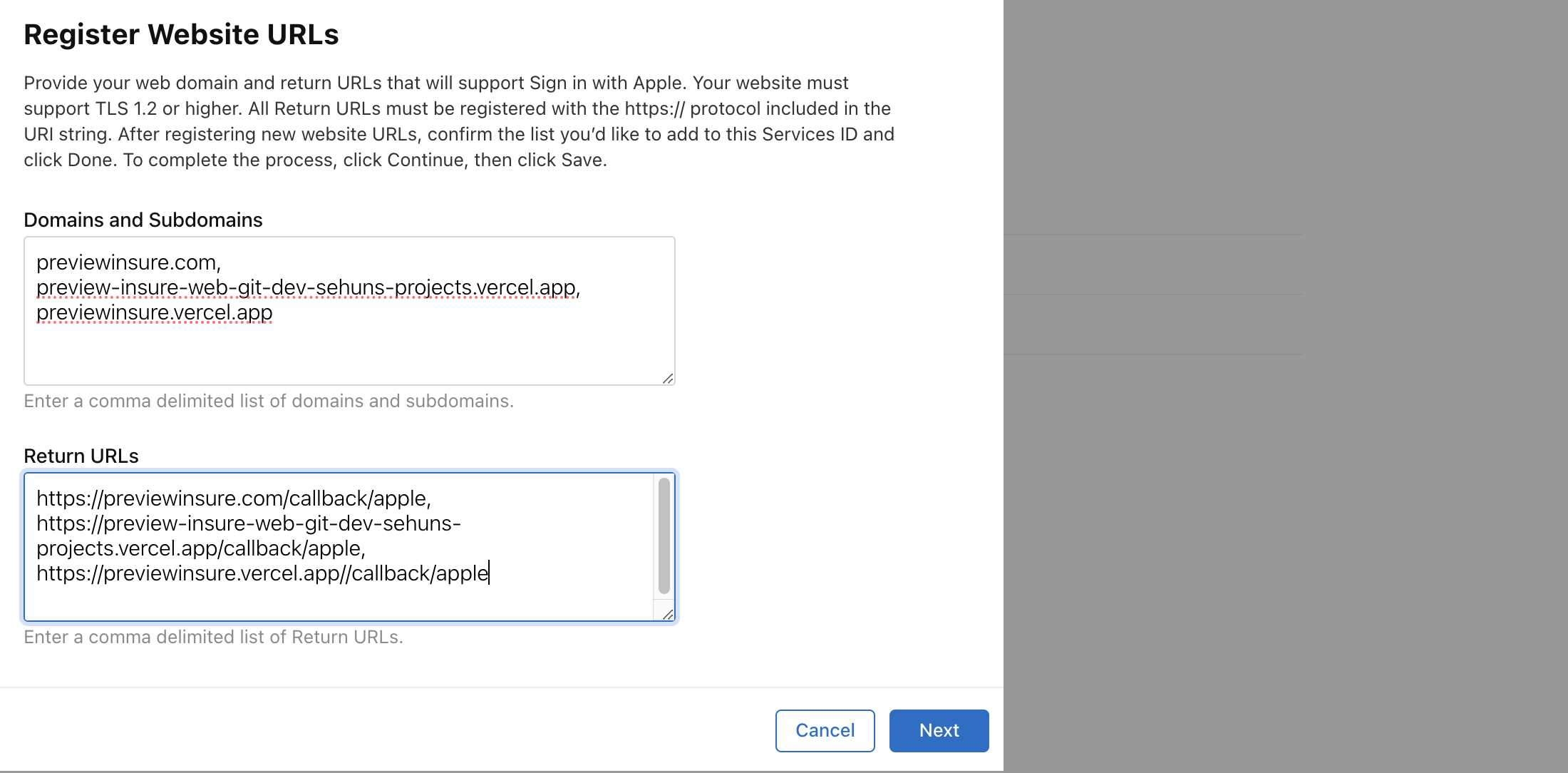
,(comma) 로 구분하니 적용되었다 ( 설명을 잘 읽자 )
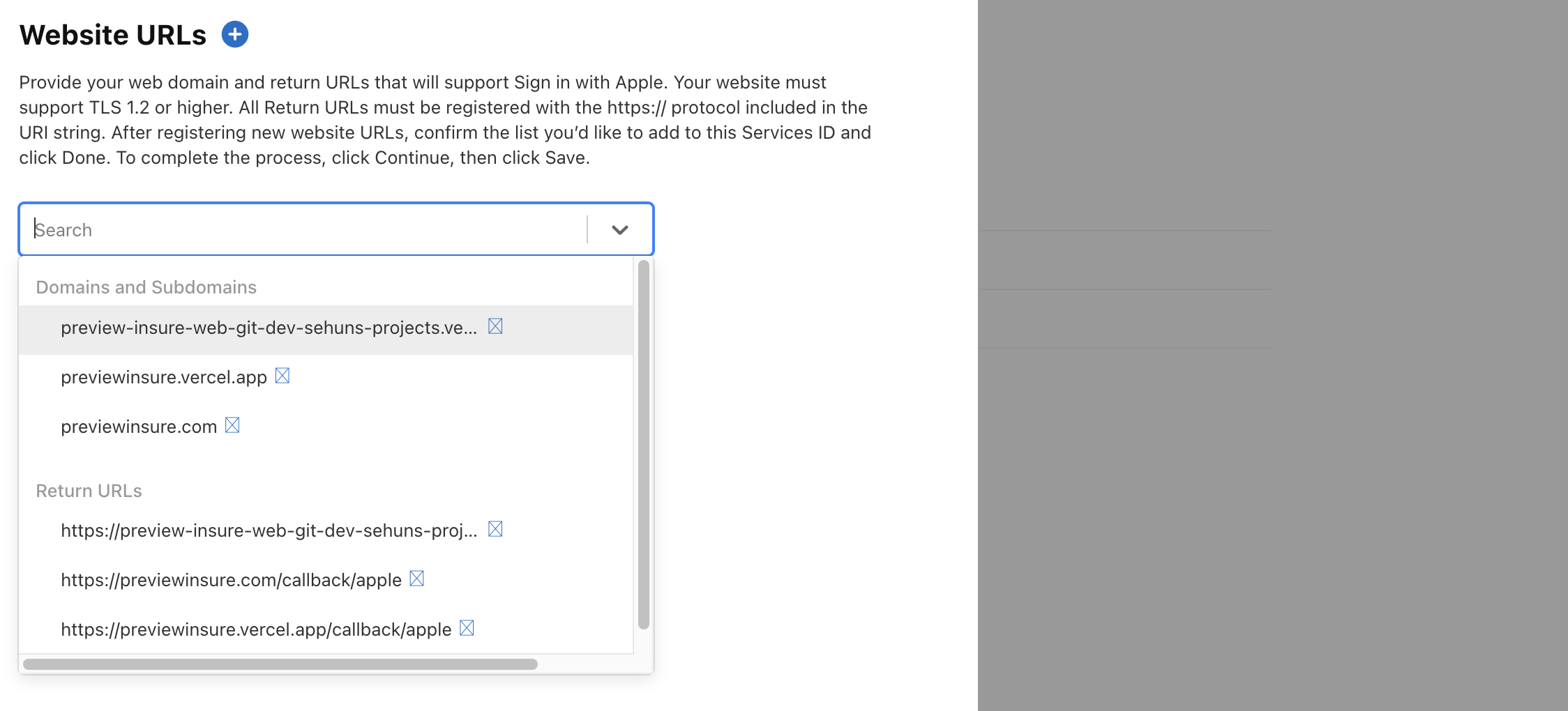
이제 localhost도 돌아가게끔 해주어야 함.
해당 문제를 해결한 후 redirect주소( /callback/apple )로 갔을 떄, login or register에 따라 처리방식을 적용해야함.
참고