1. RSA KEY를 생성한다.
키 기반 인증을 사용하려면 클라이언트에서 공개/프라이빗 키 쌍을 생성해야 한다. 윈도우가 제공하는 ssh-keygen.exe는 키 파일을 생성하는 데 사용되며, DSA, RSA, ECDSA, Ed25519 알고리즘을 지정할 수 있다. 알고리즘을 지정하지 않으면 RSA가 적용된다. (마이크로소프트 공식 웹사이트, ssh-keygen.exe 설명)
C:\Dev>ssh-keygen

Generating public/private rsa key pair.
Enter file in which to save the key (C:\Users\you/.ssh/id_rsa): @저장폴더
Enter passphrase (empty for no passphrase): @비번
Enter same passphrase again: @비번
Your identification has been saved in C:\Users\you/.ssh/id_rsa
Your public key has been saved in C:\Users\you/.ssh/id_rsa.pub
The key fingerprint is:
SHA256:@#!@#!@#!@#!@#!@#!@# you@yourpc
The key's randomart image is:
+---[RSA 3072]----+
| o=+o oo.        |
|.+.ooo.o.        |
|o o+ o ..        |
| E  +.+          |
|.  .+=..S        |
|   .==...        |
|   .=o+. o       |
|.. +.=..=        |
|..+.++++ ++.     |
+----[SHA256]-----+
2. 생성된 파일의 폴더로 이동한다.
해당 디렉토리를 보면 RSA Private Key 및 RSA Public Key가 생성되었음을 확인할 수 있다.
C:\Dev>
C:\Dev>
C:\Dev>cd c:\users\you\.ssh

c:\Users\you\.ssh>
c:\Users\you\.ssh>
c:\Users\you\.ssh>dir

 Volume in drive C is Local Disk
 Volume Serial Number is 78ED-00

 Directory of c:\Users\you\.ssh

2023-10-30  오전 09:02    <DIR>          .
2023-10-02  오전 10:38    <DIR>          ..
2023-11-03  오후 04:37             2,655 id_rsa
2023-11-03  오후 04:37               572 id_rsa.pub
3. 생성된 RSA 파일을 연다.
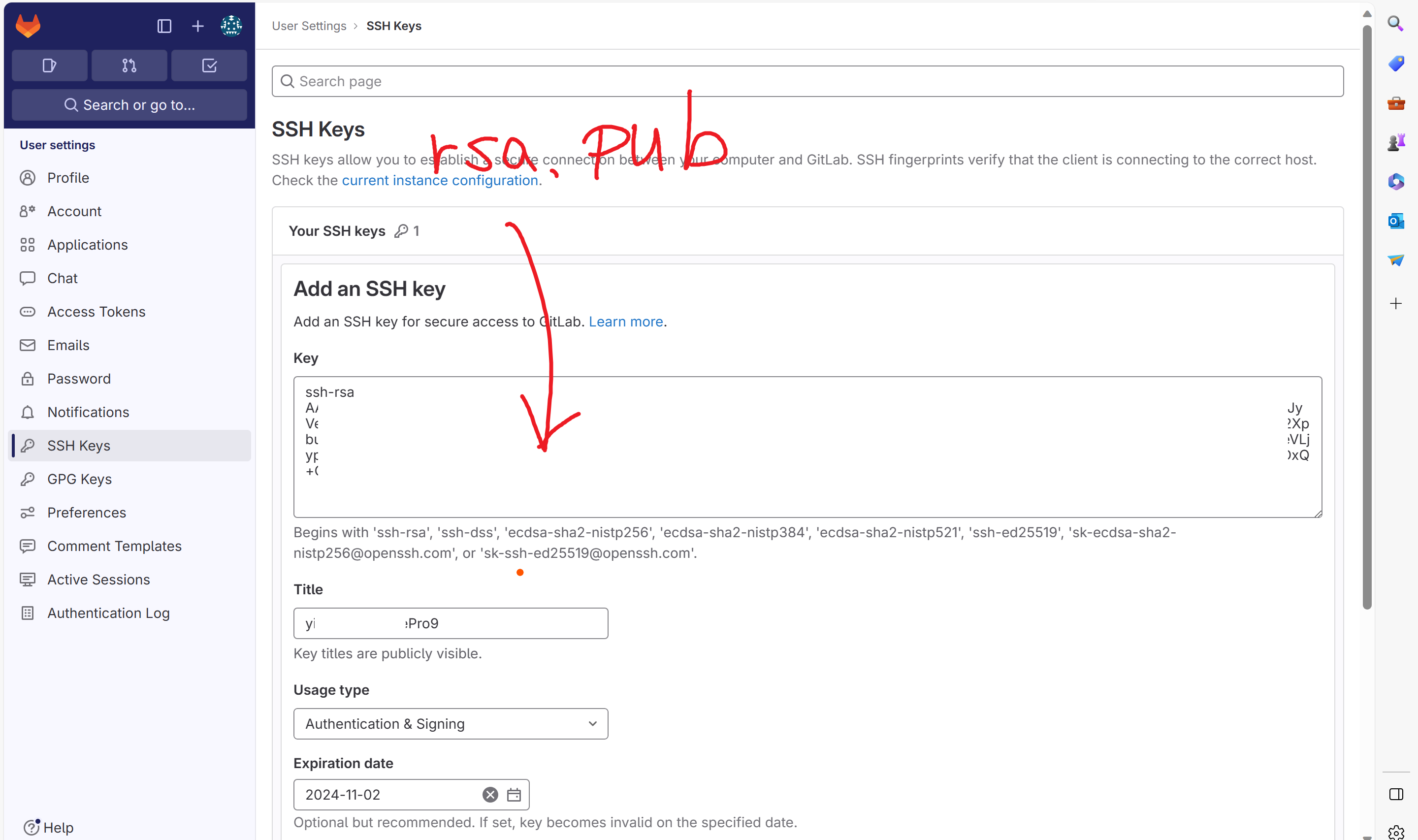
c:\Users\you\.ssh>type id_rsa.pub
ssh-rsa AAAAB3NzaC1yc2EAAAADAQABAAABgQD@#!@#!@#!@#
!@#!@#!@#!@#!@#!@#!@#!@#!@#!@#!@#!@#!@#!@#!@#!@#!
@#!@#!@#!@#!@#!@#!@#!@#!@#!@#!@#!@#!@#!@!@3@!@#!
@# you@yourpc
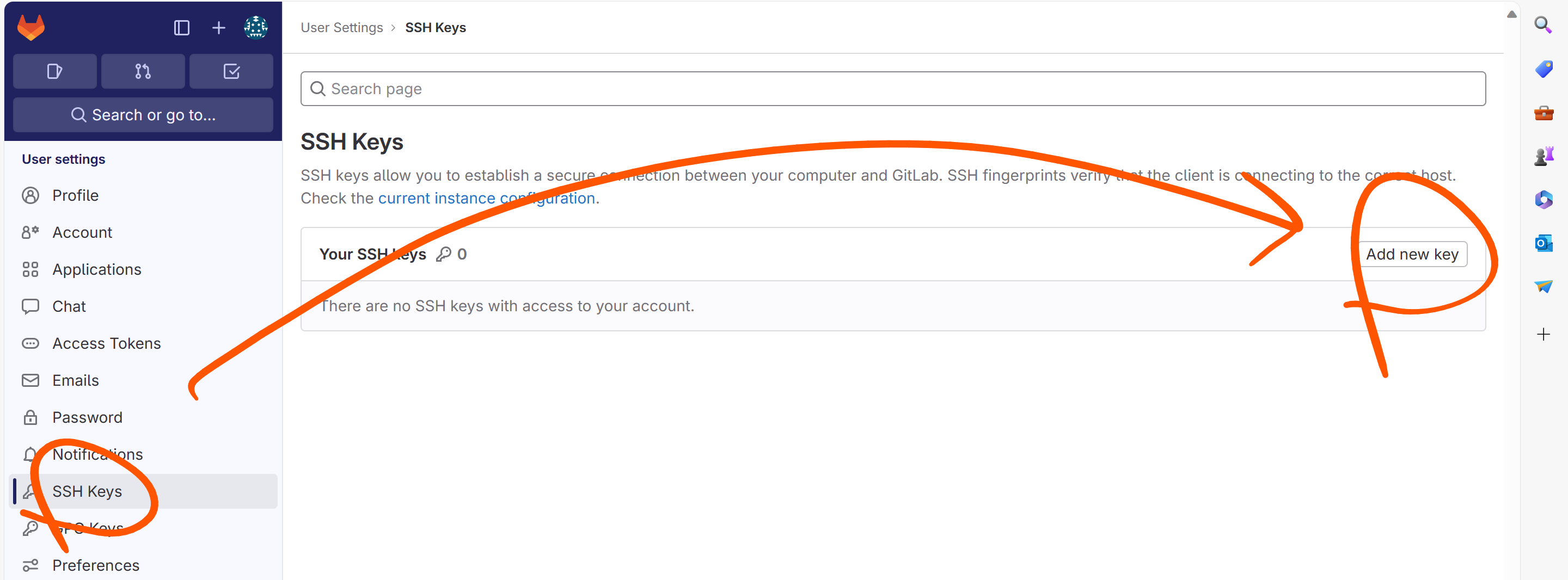
4. RSA public key를 gitlab에 붙여넣는다. 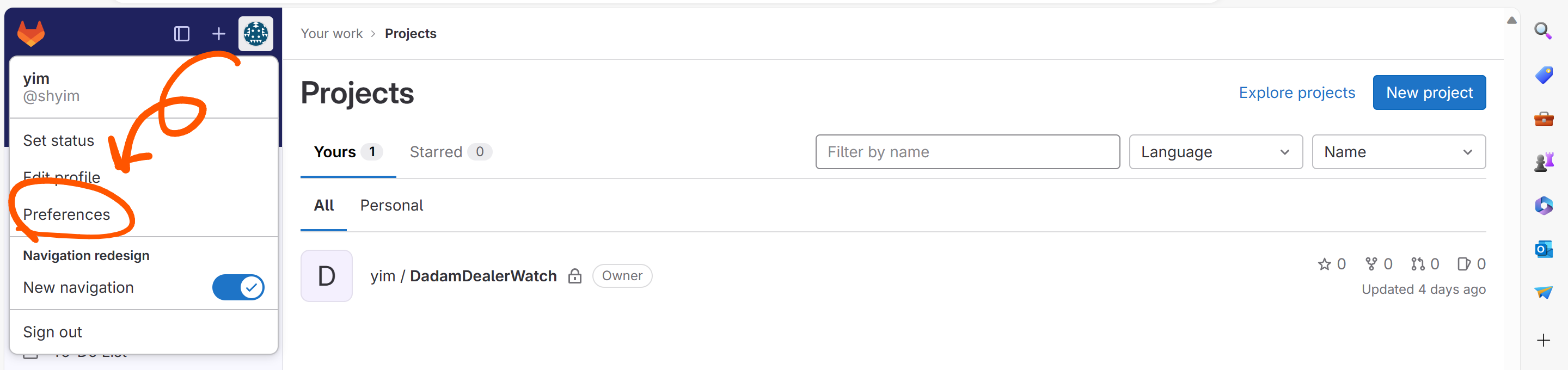

because we know you'll love it