
본 포스팅은 "Do it! LLM을 활용한 AI 에이전트 개발 입문"을 독학하며 쓴 글입니다.
내돈내산 포스팅임을 참고해주시면 감사하겠습니다.
2026년 2월 14일 기준으로 작성되었습니다.
Chapter 6
AI 투자자
본 포스팅에서는 스트림 출력에 대해서 알아보겠습니다!!
1. 터미널 창에서 스트림 방식으로 출력하기
현재 스트림릿에서의 응답은 GPT API에서 한 번에 완성해서 반환한다
이런 방식은 사용자가 답변을 기다리기 까지 시간이 걸린다는 점이다
챗GPT처럼 생성된 답변이 타이핑하듯이 출력되는 것을 스트림 출력 이라고 한다
이번 포스팅에서는 GPT API에서 스트림 출력을 구현하는 방법을 알아보자!!
GPT API에서 스트림 방식으로 답변을 받으려면 stream이라는 매개변수를 추가하고
stream = TRUE 로 설정하면 된다
펑션 콜링을 하지 않는 단순한 텍스트 답변은 비교적 쉽게 처리할 수 있으므로 일반 텍스트 답변에 먼저 적용해보자
이전 포스팅에서 만든 stock_info_streamlit.py의 코드를 수정해보자
def get_ai_response(messages, tools = None, stream = True):
  response = client.chat.completions.create(
    model = "gpt-4o",
    messages = messages,
    tools = tools,
    stream = stream,
  )

  if stream:
    for chunk in response:
      yield chunk   # 생성한 응답의 내용을 yield로 순차적으로 반환
  else:
    return response  # 생성한 응답 내용 반환
- for chunk in response: yield chunk
스트림 출력방식의 경우 for문을 이용해서 중간중간 값을 yield로 반환한다
yield 키워드는 함수를 한 번에 끝까지 실행하지 않고 중간중간 값을 내보낼 수 있게 만들어준다
그리고 user_input 에서 ai_response를 출력하는 부분을 수정한다
if user_input := st.chat_input():
  st.session_state.messages.append({"role": "user", "content": user_input})
  st.chat_message("user").write(user_input)

  ai_response = get_ai_response(st.session_state.messages, tools = tools)
  # print(ai_response)

  for chunk in ai_response:
    print(chunk)
  print("=================")

  ai_message = ai_response.choices[0].message
  tool_calls = ai_message.tool_calls
  (...생략...)
이렇게 코드를 수정하고 스트림릿으로 파일을 실행시켜보면 아래와 같은 오류가 발생할 것이다
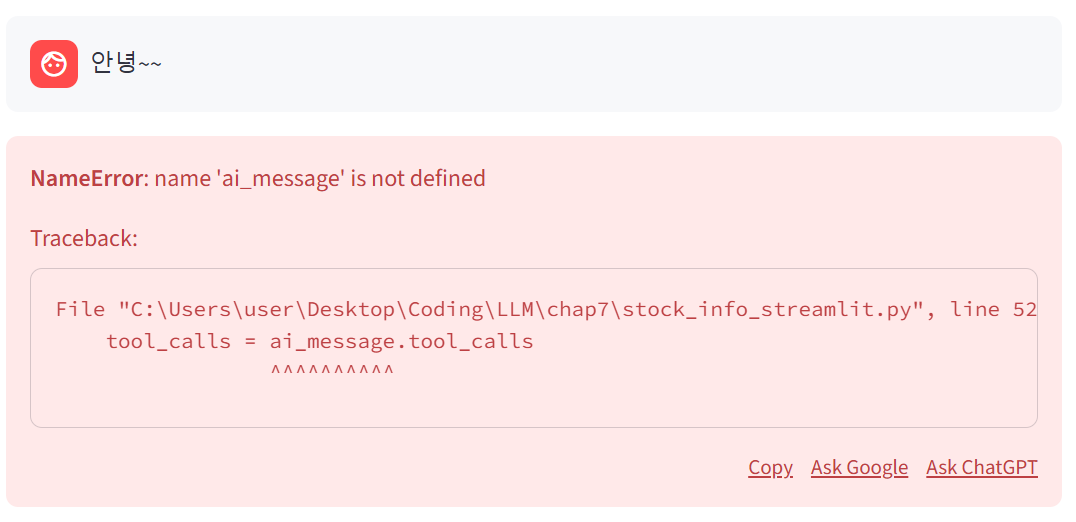
일단 이 오류를 두고 터미널 창을 봐보자
터미널 창을 보면 content 부분에 청크가 스트림 방식으로 출력되고 있는 것을 확인할 수 있을 것이다
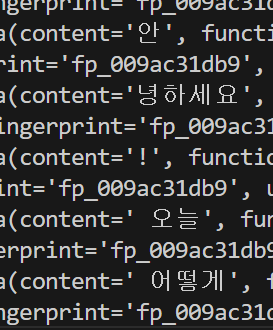
우선 터미널 창에서 결과가 스트림 방식으로 출력되도록 코드를 수정해보자
if user_input := st.chat_input():
  st.session_state.messages.append({"role": "user", "content": user_input})
  st.chat_message("user").write(user_input)

  ai_response = get_ai_response(st.session_state.messages, tools = tools)
  # print(ai_response)

  content = ''

  for chunk in ai_response:
    content_chunk = chunk.choices[0].delta.content
    if content_chunk:
      print(content_chunk, end="")
      content += content_chunk

  print("\n=================")
  print(content)

  ai_message = ai_response.choices[0].message
  tool_calls = ai_message.tool_calls
위의 코드에서 확인해봐야 할 부분은 다음과 같다
- content_chunk = chunk.choices[0].delta.content
청크 속에서 content를 추출하는 코드
- if content_chunk:
content_chunk가 비어있거나 펑션콜링을 해야한다면 메세지를 출력하지 않는다
이제 다시 코드를 실행해보자
스트림릿에서 여전히 오류가 있지만 터미널에서는 스트림 방식으로 출력되는 결과를 확인할 수 있다
2. 스트림릿에서 스트림 방식으로 출력하기
이제 터미널 창뿐만 아니라 스트림릿에서도 스트림 방식으로 출력되도록 수정해보자
if user_input := st.chat_input():
  st.session_state.messages.append({"role": "user", "content": user_input})
  st.chat_message("user").write(user_input)

  ai_response = get_ai_response(st.session_state.messages, tools = tools)
  # print(ai_response)

  content = ''

  with st.chat_message("assistant").empty():
    for chunk in ai_response:
      content_chunk = chunk.choices[0].delta.content
      if content_chunk:
        print(content_chunk, end="")
        content += content_chunk
        st.markdown(content)

  print("\n=================")
  print(content)

  ai_message = ai_response.choices[0].message
  tool_calls = ai_message.tool_calls
- with st.chat_message("assistant").empty():
with을 사용해 비어있는 챗 메세지를 만들고 그 메세지를 assistant로 설정한다
그 안에서 기존 코드를 반복해서 content를 비어있는 챗 메세지에 마크다운 형태로 채워준다
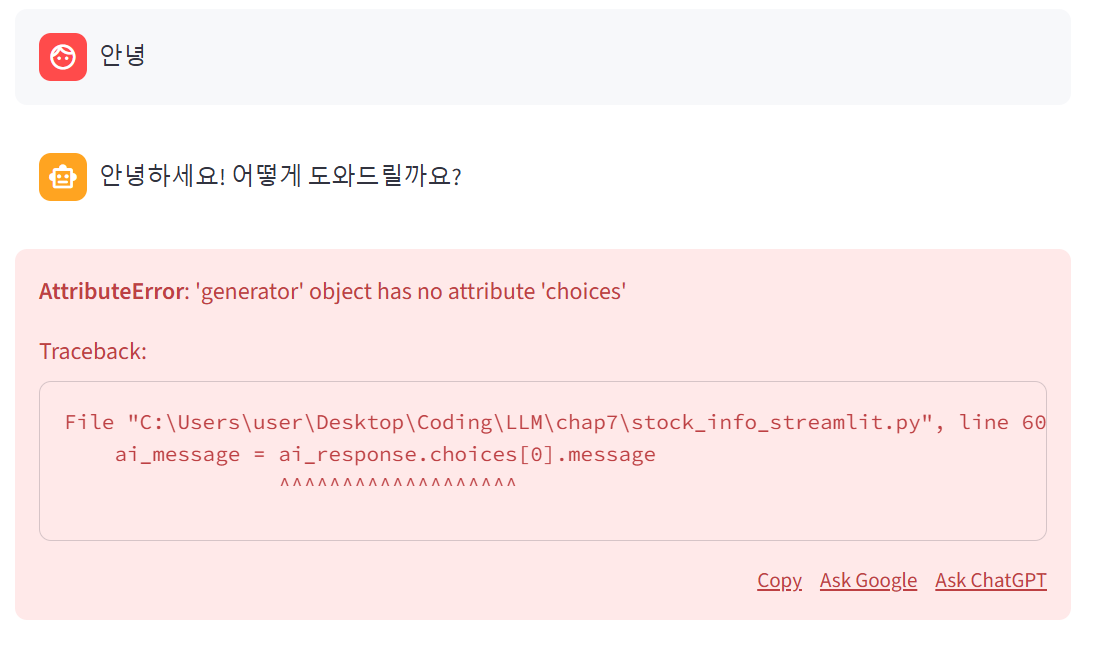
이러면 스트림릿에서 답변이 타이핑 하듯이 스트림 방식으로 출력된다
하지만 아직 오류가 발생하고 있는데 이제 이 문제를 해결해보자
이 오류를 해결하는 방법은 의외로 간단하다 오류메세지에 친절하게 오류 발생 이유를 알려주고 있기 때문이다!!
이전까지는 GPT가 그냥 메세지를 반환했지만 이제는 스트림 방식으로 메세지를 반환하면서
ai_message = ai_response.choices[0].message 가 더 이상 맞지 않기 때문이다
따라서 이 부분을 포함해서 약간의 부분을 수정해주도록 하자
if user_input := st.chat_input():
  st.session_state.messages.append({"role": "user", "content": user_input})
  st.chat_message("user").write(user_input)

  ai_response = get_ai_response(st.session_state.messages, tools = tools)
  # print(ai_response)

  content = ''
  tool_calls = None

  with st.chat_message("assistant").empty():
    for chunk in ai_response:
      content_chunk = chunk.choices[0].delta.content
      if content_chunk:
        print(content_chunk, end="")
        content += content_chunk
        st.markdown(content)

  print("\n=================")
  print(content)

  # ai_message = ai_response.choices[0].message
  # tool_calls = ai_message.tool_calls

  if tool_calls:
    # 반복문을 이용해서 함수를 차례대로 실행할 수 있도록 함
    for tool_call in tool_calls:
      tool_name = tool_call.function.name
      tool_call_id = tool_call.id
      arguments = json.loads(tool_call.function.arguments)

      # 리팩토링된 부분
      if tool_name == "get_current_time":
        func_result = get_current_time(timezone = arguments['timezone'])

      elif tool_name == "get_yf_stock_info":
        func_result = get_yf_stock_info(ticker = arguments['ticker'])

      elif tool_name == "get_yf_stock_history":
        func_result = get_yf_stock_history(ticker = arguments['ticker'],
                                           period = arguments['period'])
        #스트림릿에서는 데이터 프레임으로 출력시킴
        st.dataframe(func_result)
        #GPT에는 마크다운으로 변형시켜서 전달
        func_result = func_result.to_markdown()

      elif tool_name == "get_yf_stock_recommendations":
        func_result = get_yf_stock_recommendations(ticker = arguments['ticker'])

      st.session_state.messages.append({
        "role" : "function",
        "tool_call_id" : tool_call_id,
        "name" : tool_name,
        "content" : func_result,
      })

    st.session_state.messages.append({"role" : "system", "content" : "이제 주어진 결과를 바탕으로 답변할 차례다"})

    ai_response = get_ai_response(st.session_state.messages)
    ai_message = ai_response.choices[0].message

  st.session_state.messages.append({
    "role" : "assistant",
    "content" : content
  })

  print("AI\t: " + content)
  # st.chat_message("assistant").write(content)
- tool_calls = ai_message.tool_calls
원래 이 코드의 목적은 펑션 콜링을 할 때 tool_calls를 확인하는 것이었다
일단은 펑션 콜링을 사용하지 않으니 tool_calls = None으로 초기화 코드를 수정한다
이 부분은 추후에 수정한다
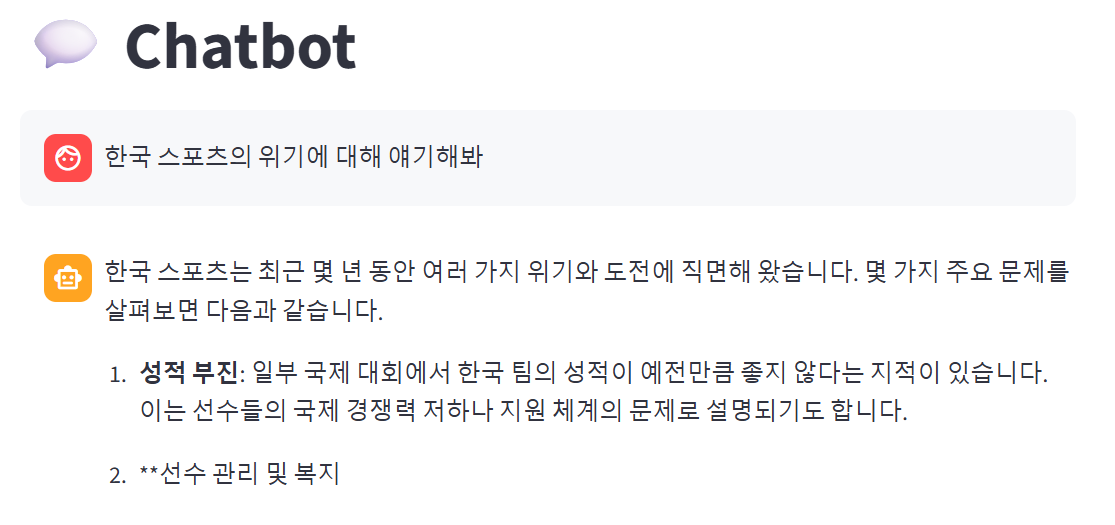
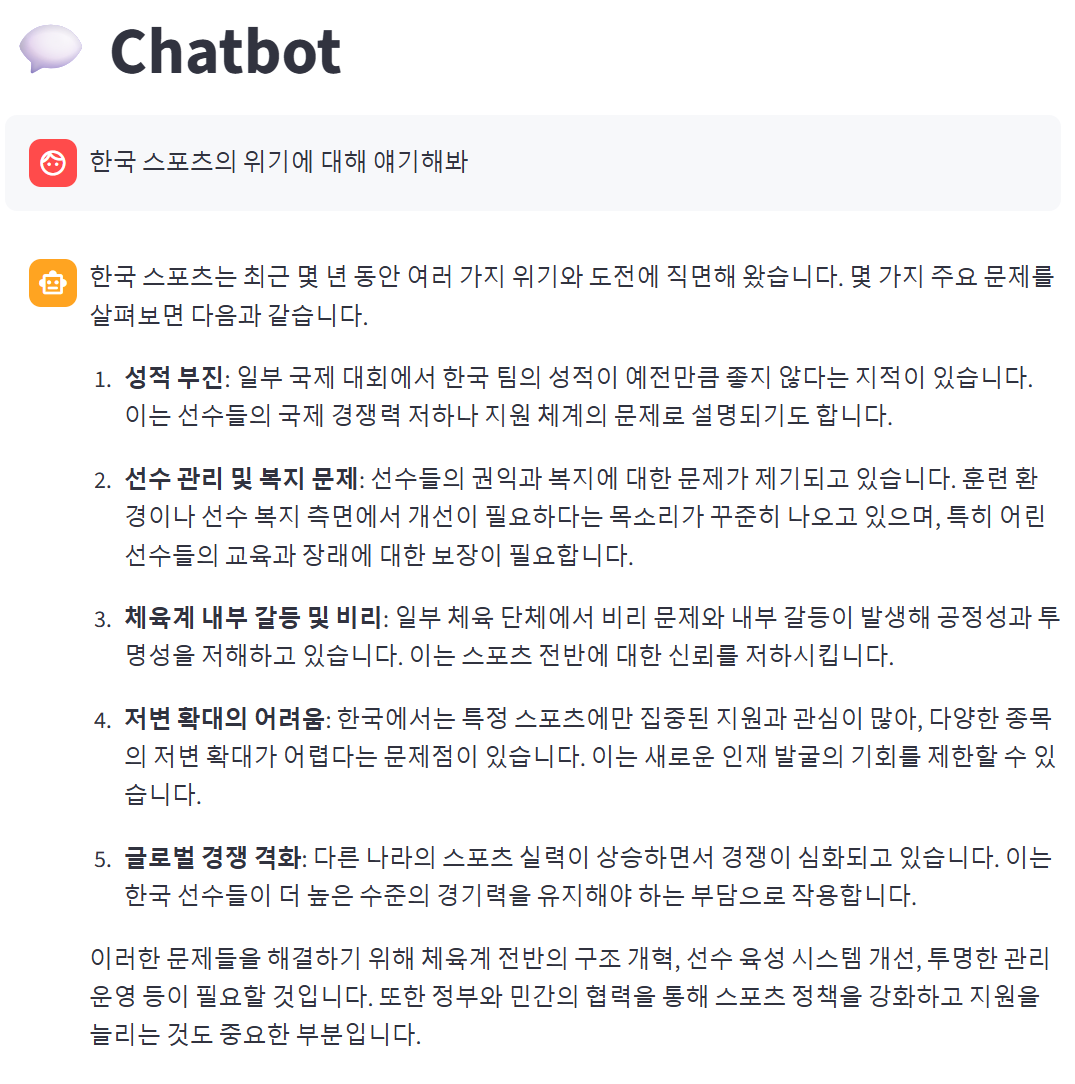
오류 메세지가 발생하지 않으면서 스트림 방식으로 출력이 되는 것을 볼 수 있다
3. 스트림 방식에서 펑션콜링 사용하기
stream = True 인 상태에서 펑션콜링을 사용하면 그 결과도 조각 단위로 반환된다
따라서 이 부분도 코드를 수정할 필요가 있다
위에 이어서 stream_info_streamlit.py 에서 작업해보자
우선 chunk를 출력하는 코드를 임시로 추가한다
  with st.chat_message("assistant").empty():
    for chunk in ai_response:
      content_chunk = chunk.choices[0].delta.content
      if content_chunk:
        print(content_chunk, end="")
        content += content_chunk
        st.markdown(content)

      print(chunk)
이제 get_current_time 함수를 사용하도록 유도하는 질문을 해보자
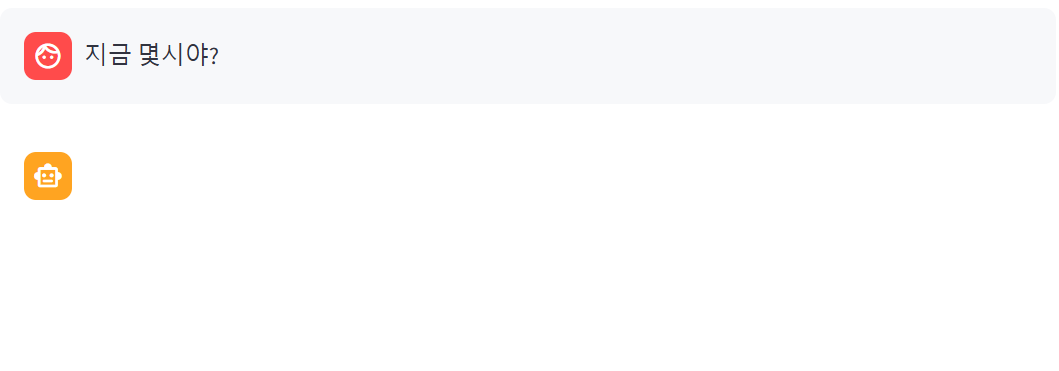
이렇게 스트림릿에서는 아무것도 보이지 않지만 터미널에 출력된 결과는 보면 get_current_time 함수를 사용하고 필요한 매개변수들도 arguments 안에 스트림 방식으로 출력되고 있다
이렇게 출력되는 정보를 한곳에 모으기 위해 코드를 수정하자
  with st.chat_message("assistant").empty():
    for chunk in ai_response:
      content_chunk = chunk.choices[0].delta.content
      if content_chunk:
        print(content_chunk, end="")
        content += content_chunk
        st.markdown(content)

      # print(chunk)
      if chunk.choices[0].delta.tool_calls:
        tool_calls_chunk += chunk.choices[0].delta.tool_calls


  print("\n=================")
  print(content)

  print("\n================= tool_calls_chunk")
  for tool_call_chunk in tool_calls_chunk:
    print(tool_call_chunk)
- if chunk.choices[0].delta.tool_calls:
tool_calls가 잇는 경우에는 빈 리스트로 초기화한 tool_calls_chunk에 덧붙여나간다
- for tool_call_chunk in tool_calls_chunk:
print(tool_call_chunk)
위에서 추가된 tool_calls_chunk를 for문을 이용해서 출력한다
이제 다시 스트림릿에서 get_current_time 함수를 사용하도록 유도하는 질문을 해보자

스트림릿에서는 여전히 빈칸으로 보이고 터미널에서는 위의 사진처럼 보인다!
arguments가 쪼개져서 들어가있는데 이 정보를 합쳐서 넣어줘야 할 것 같다
4. 조각난 정보를 모아 딕셔너리 형태로 정리하기
이제 조각난 정보를 모아서 딕셔너리 형태로 정리해보자
해당 역할을 하는 함수로 tool_list_to_tool_obj 함수를 만들어보자
이 함수는 tools로 전달된 조각 단위의 정보를 리스트 형태로 받아 딕셔너리 형태의 리스트로 반환한다
리스트로 반환하는 이유는 GPT가 여러 함수를 동시에 실행하려고 할 때, 해당 내용을 리스트에 담기 위함이다
이 함수는 오픈 AI 커뮤니티를 참고하였다
from collections import defaultdict

def tool_list_to_tool_obj(tools):
  tool_calls_dict = defaultdict(lambda: {"id" : None, "function" : {"arguments" : "", "name" : None}, "type" : None})

  for tool_call in tools:
    # id가 None이 아닌 경우 설정
    if tool_call.id is not None:
      tool_calls_dict[tool_call.index]["id"] = tool_call.id

    # 함수이름이 None이 아닌 경우 설정
    if tool_call.function.name is not None:
      tool_calls_dict[tool_call.index]["function"]["name"] = tool_call.function.name

    # 인자 추가
    if tool_call.id is not None:
      tool_calls_dict[tool_call.index]["function"]["name"] += tool_call.function.arguments

    # 타입이 None이 아닌 경우 설정
    if tool_call.type is not None:
      tool_calls_dict[tool_call.index]["type"] = tool_call.type

    tool_calls_list = list(tool_calls_dict.values())

    return {"tool_calls" : tool_calls_list}
이 함수를 만들어서 코드에 추가해주도록 하자
그리고 이 함수를 사용하도록 코드를 수정한다
기존의 아래와 같은 코드를 주석처리하고
  # print("\n================= tool_calls_chunk")
  # for tool_call_chunk in tool_calls_chunk:
  #   print(tool_call_chunk)
이 코드로 대체한다
  tool_obj = tool_list_to_tool_obj(tool_calls_chunk)
  tool_calls = tool_obj["tool_calls"]
  print(tool_calls)
이제 다시 스트림릿을 실행하고 '테슬라 주식 기본 정보를 알려주고 일주일간 주가 변동도 알려줘'라고 질문해보자
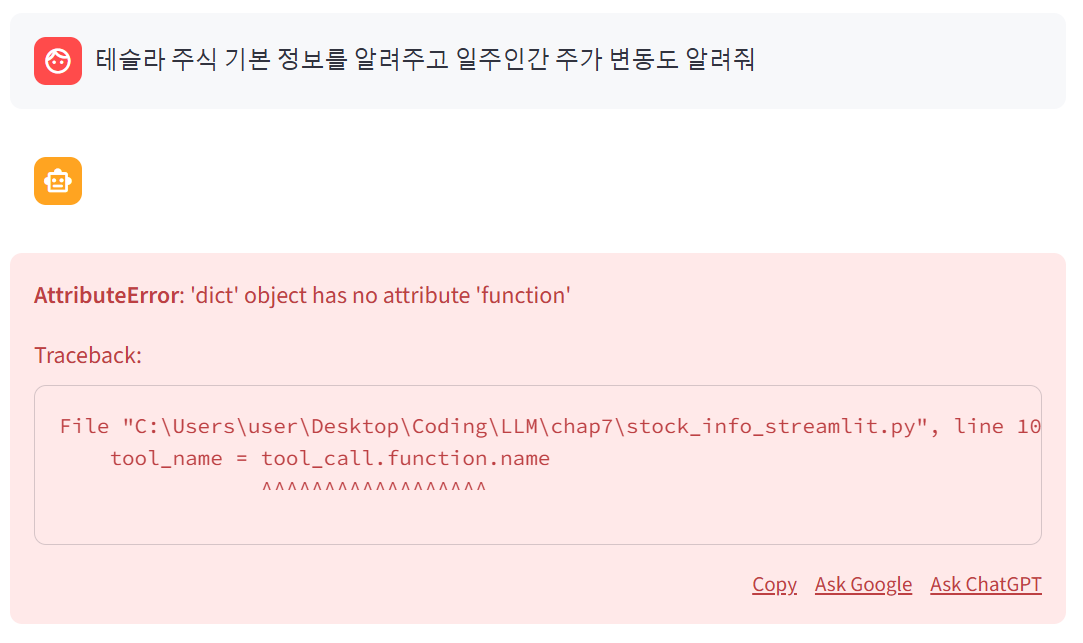
아직까지 스트림릿에서는 오류가 발생하지만 해당 오류는 dict형태로 반환하면서 dict에는 .function이 없기에 발생한 오류이다
터미널창을 보면 원래 목적대로 arguments가 한번에 전달된 것을 볼 수 있다
[{'id': 'call_ywZQedEryn0gRWiLCuUMuREW', 'function': {'arguments': '', 'name': 'get_yf_stock_info'}, 'type': 'function'}]이제 본격적으로 tool_calls가 있을 때 함수를 실행할 수 있도록 코드를 수정해보자
tool_list_to_tool_obj 함수를 이용해 tool_calls를 딕셔너리 형태로 변환했으므로 딕셔너리 형태로 읽어올 수 있도록 수정한다
  if tool_calls:
    # 반복문을 이용해서 함수를 차례대로 실행할 수 있도록 함
    for tool_call in tool_calls:
      # tool_name = tool_call.function.name
      # tool_call_id = tool_call.id
      # arguments = json.loads(tool_call.function.arguments)

      # 딕셔너리 형태에서 받기
      tool_name = tool_call["function"]["name"]
      tool_call_id = tool_call["id"]
      arguments = json.loads(tool_call["function"]["arguments"])
      (....생략....)
함수를 실행한 후, 그 결과를 다시 get_ai_response 함수를 이용해서 받아와야한다
이때, 스트림 방식으로 출력되므로 지금까지 with st.chat_message("assistant").empty()로 시작해 출력하는 방식을 그대로 적용해보자
(....생략....)
    st.session_state.messages.append({"role" : "system", "content" : "이제 주어진 결과를 바탕으로 답변할 차례다"})

    ai_response = get_ai_response(st.session_state.messages)
    # ai_message = ai_response.choices[0].message
    content = ""
    with st.chat_message("assistant").empty():
      for chunk in ai_response:
        content_chunk = chunk.choices[0].delta.content
        if content_chunk:
          print(content_chunk, end="")
          content += content_chunk
          st.markdown(content)
(....생략....)
이제 다시 똑같은 질문을 해보자
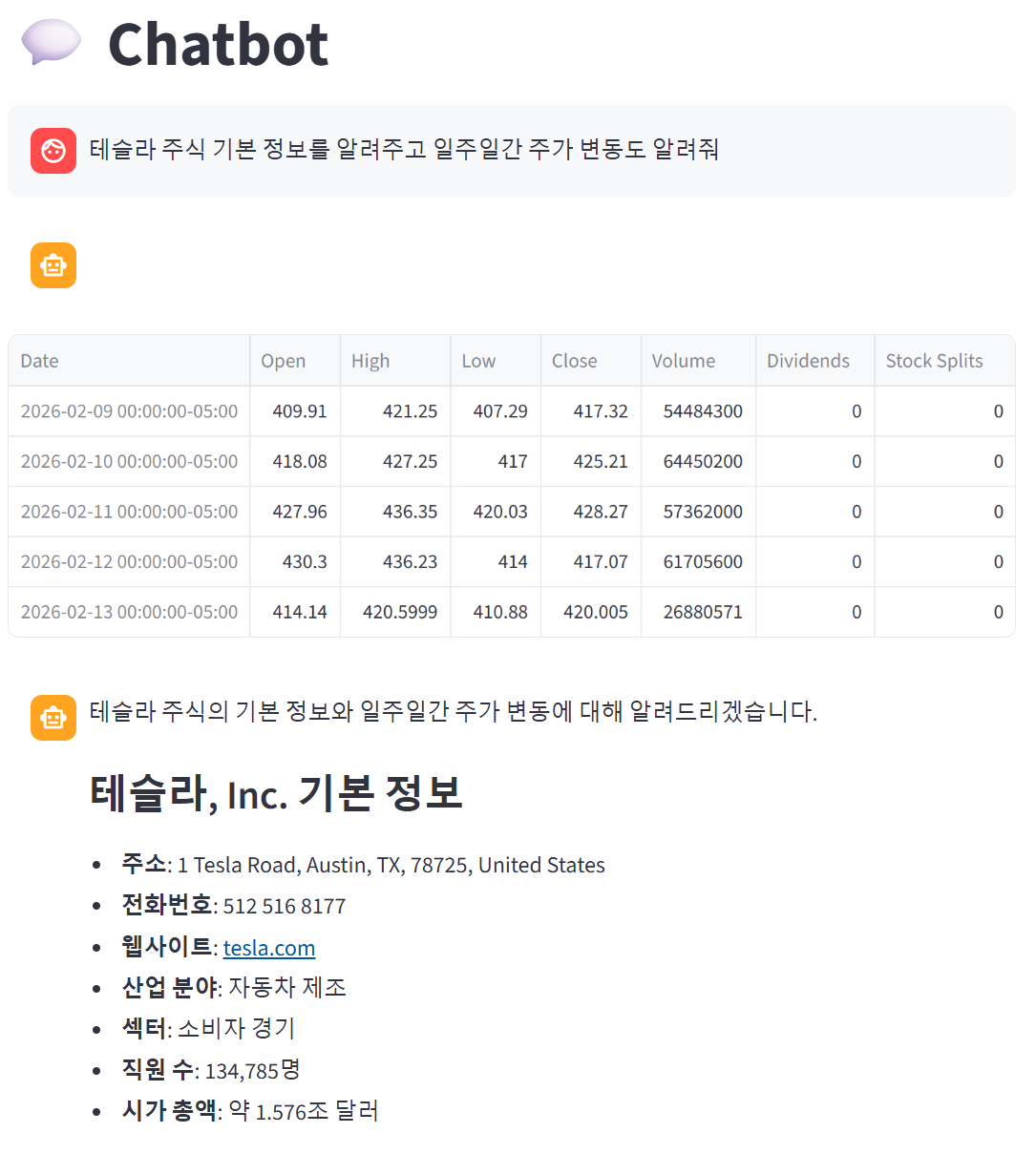
코드를 실행해보니까 정상적으로 작동하는것을 볼 수 있다
마지막으로 펑션 콜링이 제대로 사용되었는지를 보기 위해 약간의 코드를 수정해보자
tool_obj와 tool_calls를 처리하던 코드를 with st.chat_message("assistant").empty() 안으로 옮긴다
그리고 for문을 이용해서 코드를 아래와 같이 수정해보자.
if user_input := st.chat_input():
  st.session_state.messages.append({"role": "user", "content": user_input})
  st.chat_message("user").write(user_input)

  ai_response = get_ai_response(st.session_state.messages, tools = tools)
  # print(ai_response)

  content = ''
  tool_calls = None
  tool_calls_chunk = []

  with st.chat_message("assistant").empty():
    for chunk in ai_response:
      content_chunk = chunk.choices[0].delta.content
      if content_chunk:
        print(content_chunk, end="")
        content += content_chunk
        st.markdown(content)

      # print(chunk)
      if chunk.choices[0].delta.tool_calls:
        tool_calls_chunk += chunk.choices[0].delta.tool_calls

      tool_obj = tool_list_to_tool_obj(tool_calls_chunk)
      tool_calls = tool_obj["tool_calls"]

      if len(tool_calls) > 0 :
        print(tool_calls)

        tool_call_msg = [tool_call["function"] for tool_call in tool_calls]
        st.write(tool_call_msg)


  print("\n=================")
  print(content)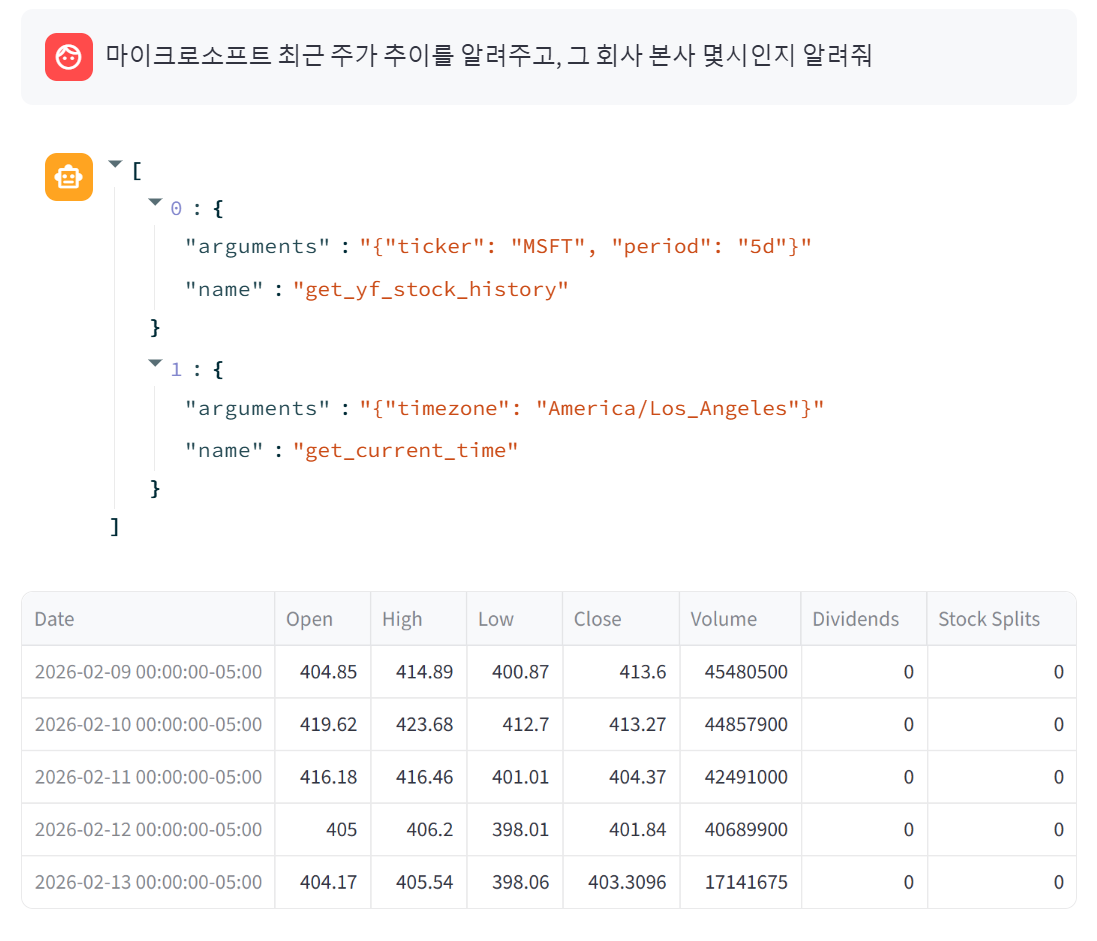
5. 마무리
처음으로 스트림 출력 방식이라는 것에 대해 다뤄본것 같다!!
되게 간단해 보이지만 구현하기 위해서는 은근 고려해야 할 것이 많은 것 같음.....
게다가 단순 출력방식에서 스트림 출력방식으로 출력 방식만 바꿨을 뿐인데 꽤나 많은 양의 코드를 수정했다
이렇게 기능을 바꾸는 것이 생각보다 어려워서 개발자의 고통을 조금이나마 이해할 수 있었다
이렇게 이번 챕터를 마무리하고 다음 챕터는 드디어 랭체인을 활용해서 에이전트를 개발하는 실습을 진행하려 한다
LLM을 다루면서 필수적으로 듣게 되는게 랭체인과 RAG 이었는데 드디어 그 부분을 공부하고 실습해보는 것 같아서 기대된다