root account
Has too much power and authority so should not use or share anywhere. So you should make seperate User and Groups when using AWS following the least privilege principle.
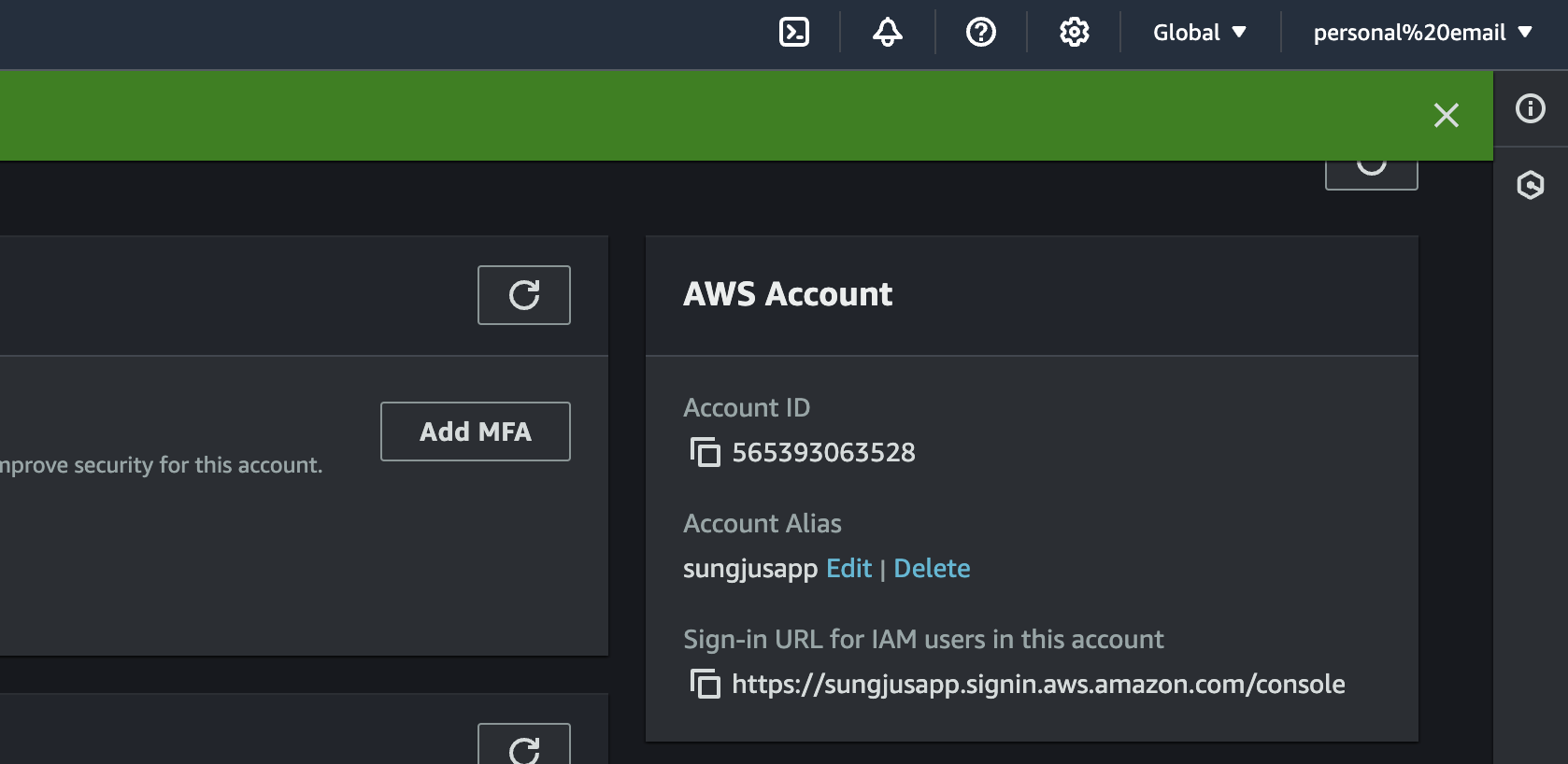
AWS IAM User Account Alias
- allows multiple people to access one IAM User Account.
Sample Policy Structure (JSON)
{
  "Version": "policy-version",
  "Statement": [
    {
      "Effect": "allow-or-deny",
      "Action": ["action-name"],
      "Resource": ["resource-arn"],
      "Condition": {
        "condition-operator": {
          "condition-key": "condition-value"
        }
      }
    }
  ]
}
Types of Cloud Service
- IaaS (Infrastructure as a Service) : 하드웨어 인프라를 인터넷을 통해 제공하는 서비스를 말합니다. IaaS는 가상화된 하드웨어, 스토리지, 네트워크, 운영체제 등을 제공하며, 사용자는 이를 이용해 자신의 애플리케이션을 실행할 수 있습니다. AWS EC2, Microsoft Azure, Google Compute Engine 등이 IaaS 서비스를 제공합니다.
- PaaS (Platform as a Service) : 애플리케이션을 개발, 실행, 관리하기 위한 플랫폼을 인터넷을 통해 제공하는 서비스를 말합니다. PaaS는 IaaS에서 제공하는 하드웨어 인프라와 미들웨어를 이용하여, 애플리케이션 개발, 배포, 운영 등에 필요한 환경을 제공합니다. 예를 들어, AWS Elastic Beanstalk, Heroku, Google App Engine 등이 PaaS 서비스를 제공합니다.
- SaaS (Software as a Service): SaaS는 사용자에게 완전한 애플리케이션을 제공하며, 이 애플리케이션은 클라우드 제공업체의 서버에서 실행됩니다. 사용자는 애플리케이션에 대한 제한된 제어권을 가지며, 클라우드 제공업체가 모든 인프라, 운영 체제, 백엔드 애플리케이션 및 데이터 관리를 담당합니다. SaaS는 대부분의 사용자에게 필요한 소프트웨어 서비스를 제공합니다. 예를 들어, 구글 드라이브, 마이크로소프트 오피스 365, Salesforce 등이 SaaS 서비스의 예입니다.
EC2 (Elastic Cloud)
- adjustable settings
- instance type
- operating system
- storage option
- security group
- availability zone
Opening an AWS server (EC2)
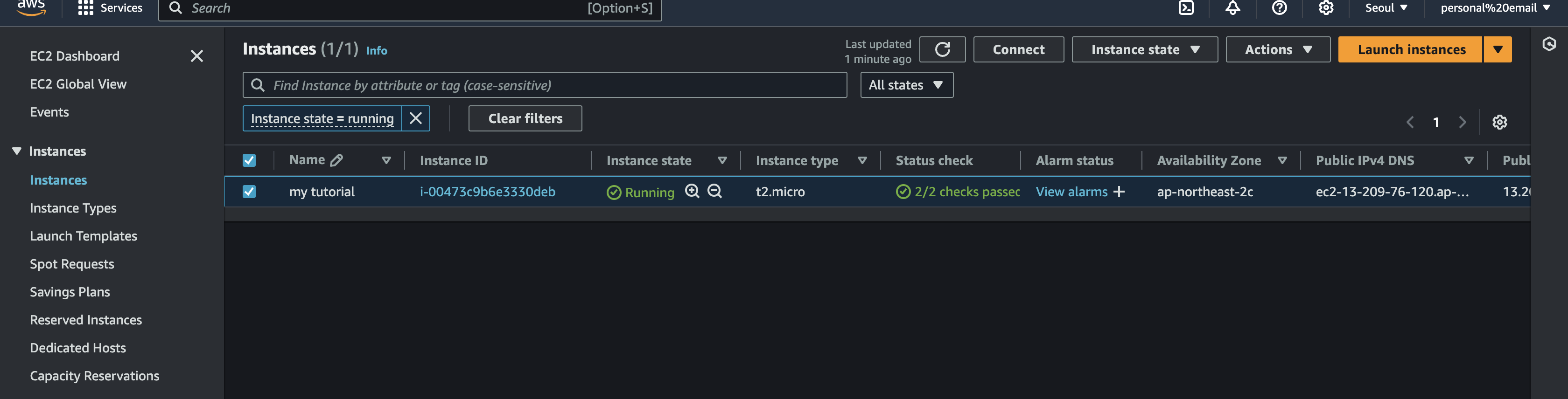
STEP1: Create an instance
STEP2: Connect!
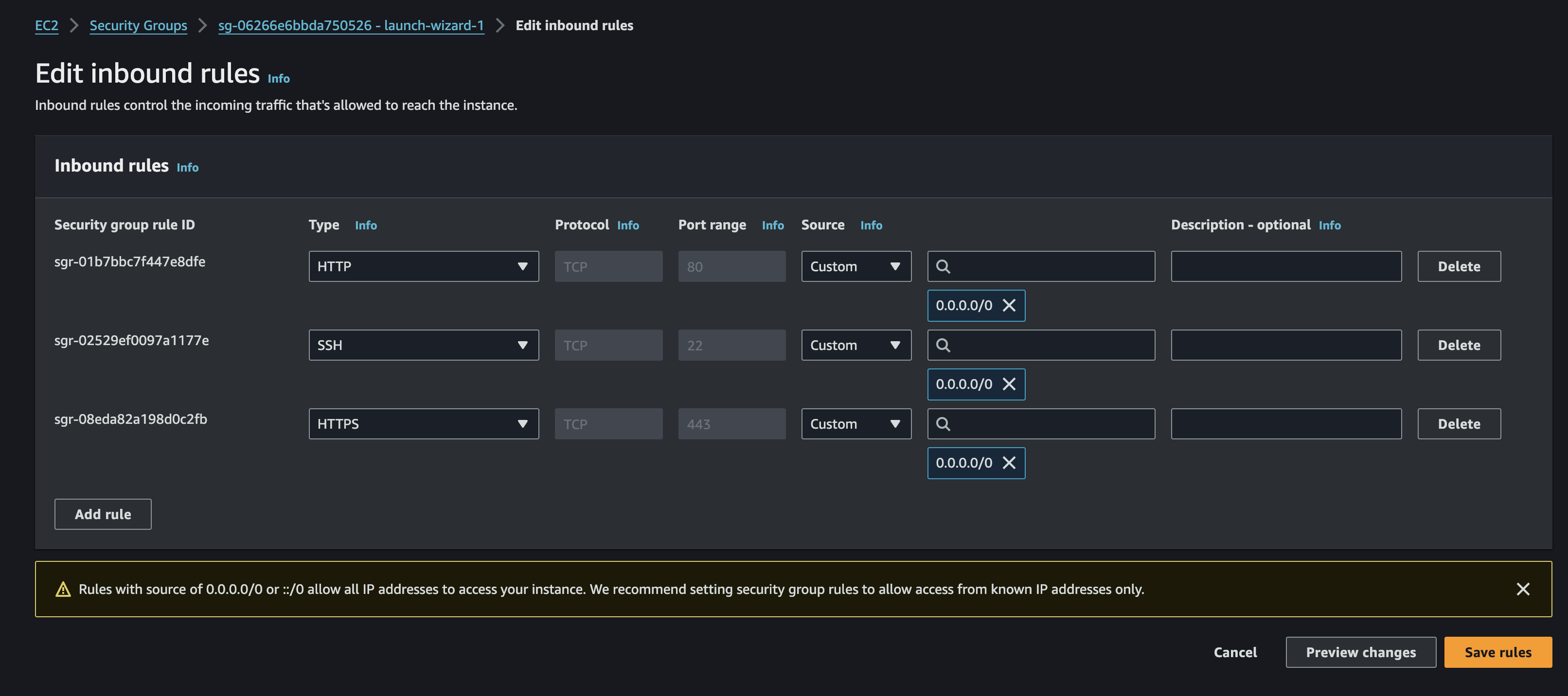
STEP3: Modify Security Settings > Edit Inbound Rules
STEP4: Set up instance
// update packages
sudo apt-get update

// install nginx
sudo apt-get install nginx

// start nginx
sudo systemctl start nginx

// check if it worked
sudo systemctl status nginx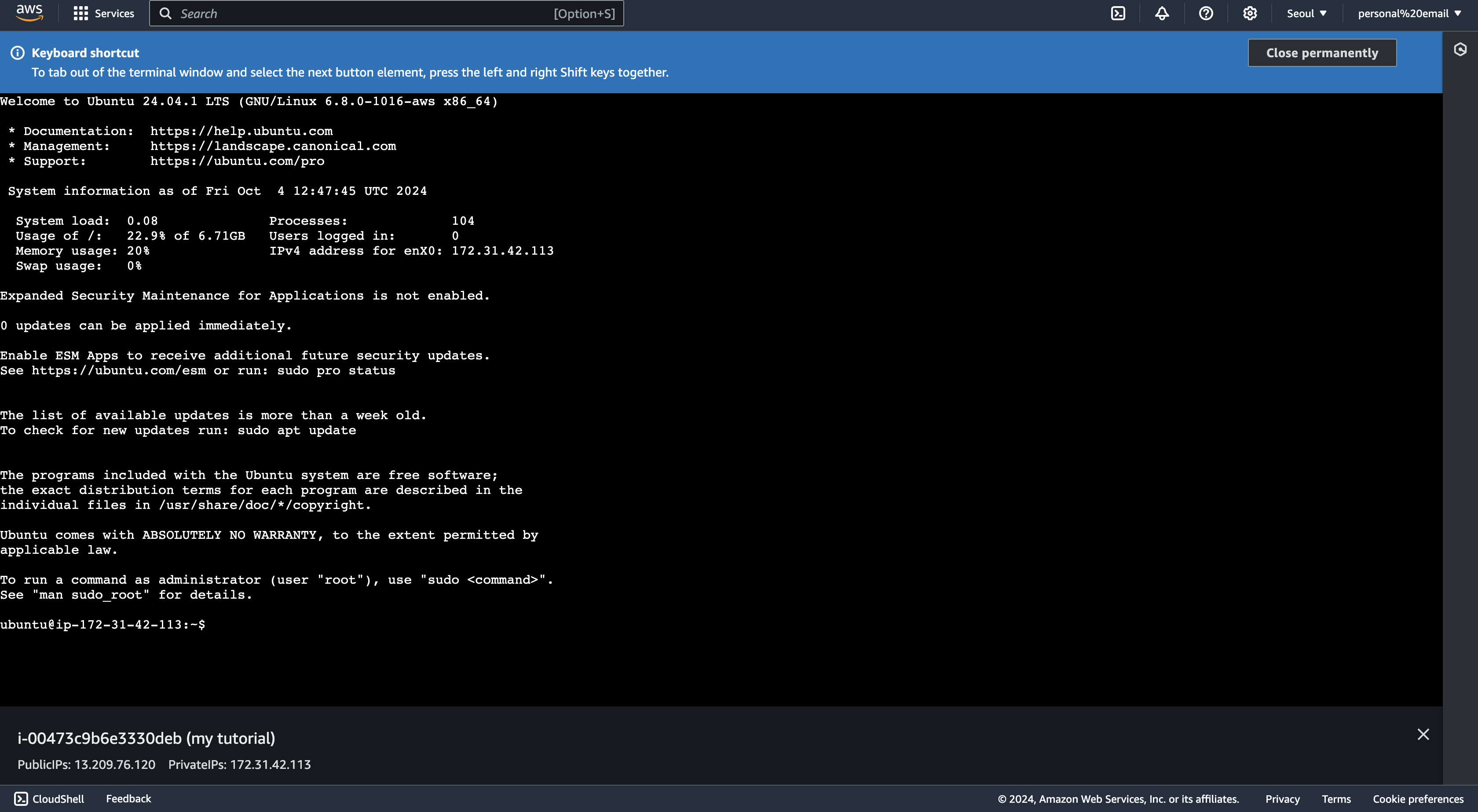
⚠️ If the web browser still does not work change https -> http in your web address field.
Elastic IP Address
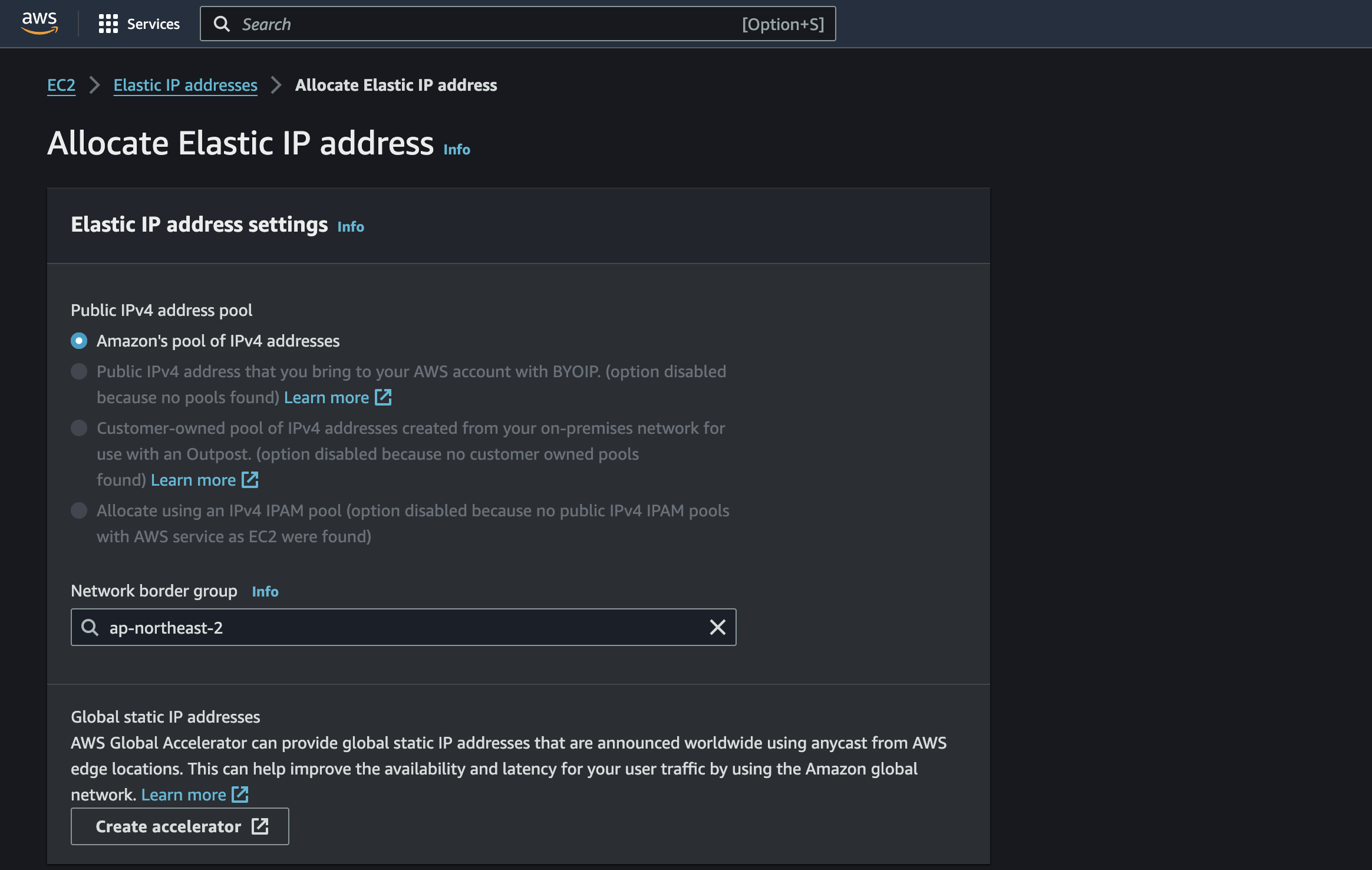
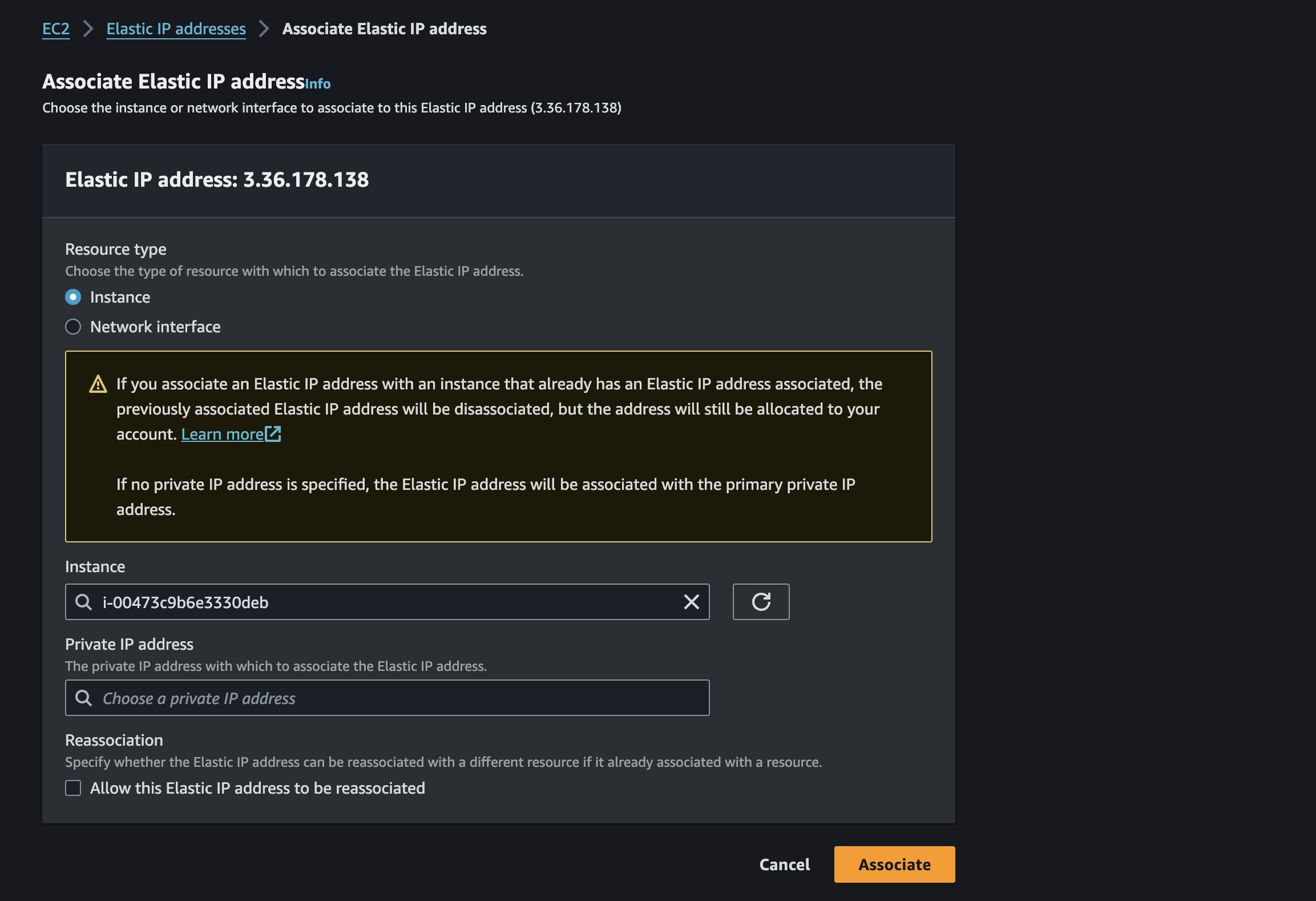
Associate Elastic IP Address
Copy over the instance ID.
Rules about security
- can allocate in multiple instances
- time out error ➡️ security settings issue
- in-bounds are by default blocked
- outbounds are by default open
Port Numbers
- 22: SSH (Secure Shell)
- 21: FTP (File Transfer Protocol)
- 80: HTTP Web
- 443: HTTPS (safer version of HTTP) - current industry standard
How to connect to an instance on terminal
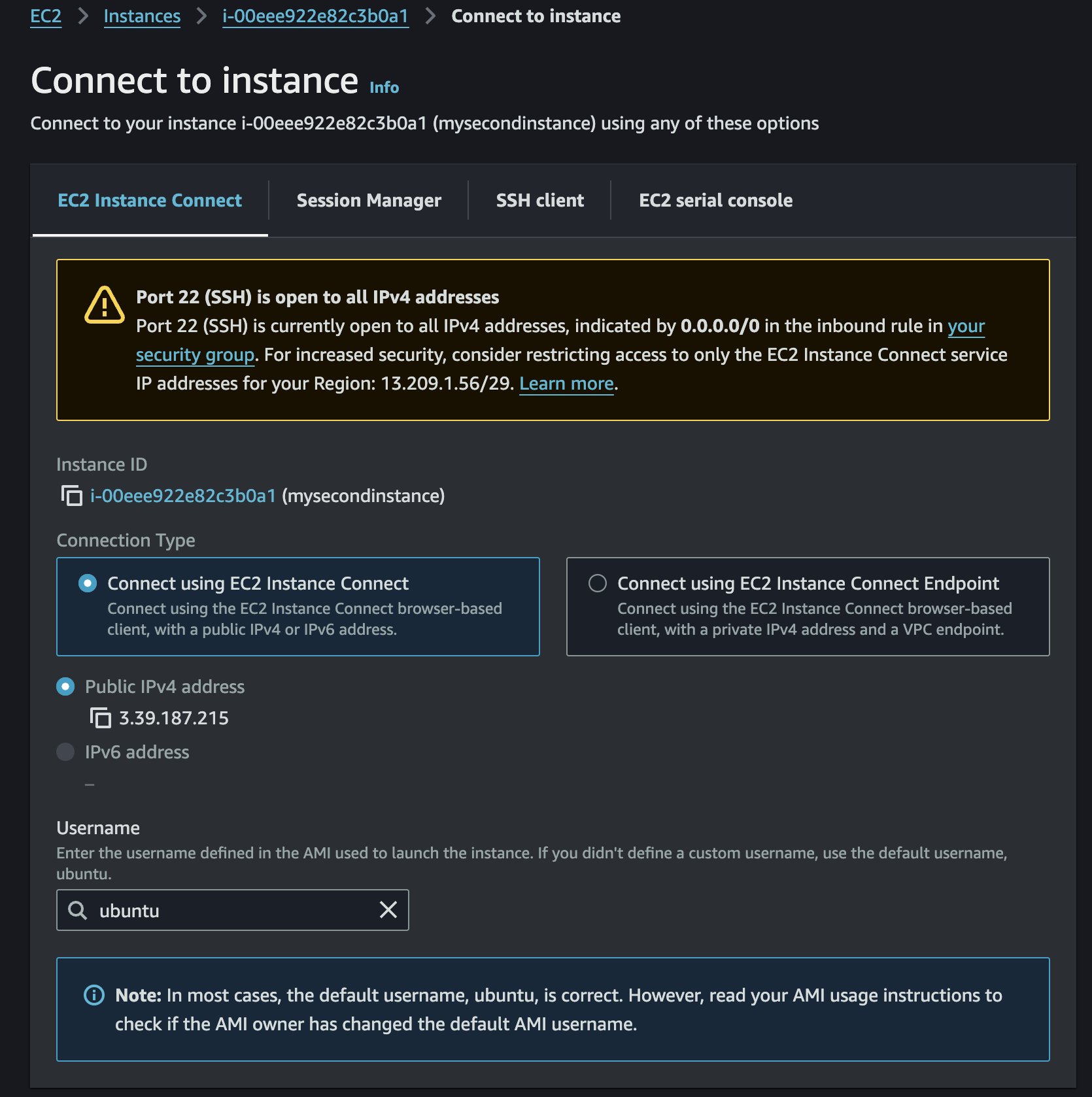
While you can get terminal connection to the terminal like the below image, you can do the same thing on your own computer terminal.
First, make a directory in your computer and place the key (.pem) in it. Then move to that directory via terminal. Then, type the following:
chmod 400 newkeypair_name.pem
ssh -i newkeypair_name.pem user_name@your_public_ip
You can check the user_name and public ip in the following page.
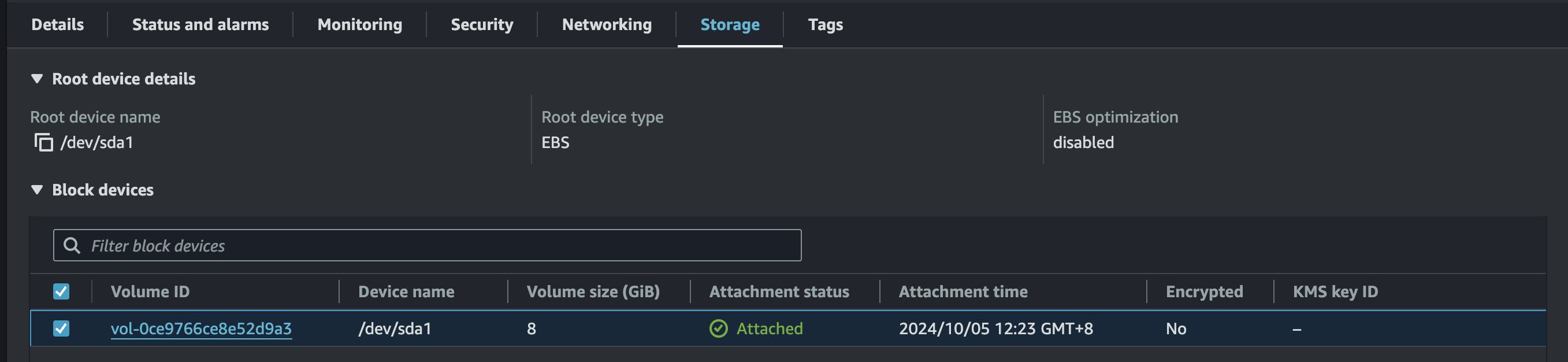
EBS (Elastic Block Store)
Per instance, there is an EBS created by default which you can check under storage.
- Block-level storage: EBS provides block-level storage volumes for Amazon EC2 instances.
- Data persistence: Data remains even after the EC2 instance is terminated.
- Network-attached storage: EBS volumes are attached to instances over the network.
- Highly available: EBS volumes are replicated and backed up within AWS for durability and fault tolerance.
- AZ-specific: EBS volumes are limited to a single Availability Zone (AZ). An EBS volume cannot be directly moved or attached to an EC2 instance in a different Availability Zone (AZ).
- Snapshot backups: Supports snapshot backups, enabling easy recovery and data migration.
- Detachable and re-attachable: EBS volumes can be detached from one instance and reattached to another.
- Single attachment: One EBS volume can be attached to only one EC2 instance at a time, but one instance can have multiple EBS volumes.
- Comparable to a USB drive: EBS acts like a virtual USB drive for EC2 instances.
- EBS snapshots can be sent across AZs.
Amazon Machine Image (AMI)
- Used to launch EC2 instances: AMI contains the necessary information to launch an EC2 instance, including the operating system, applications, and libraries.
- Pre-configured environments: AMIs allow developers to quickly set up pre-configured environments, simplifying instance creation.
- Customizable: Developers can create their own AMIs, not just use those provided by Amazon.
- Reusable and shareable: Developers can create AMIs from their configured instances and share them with others.
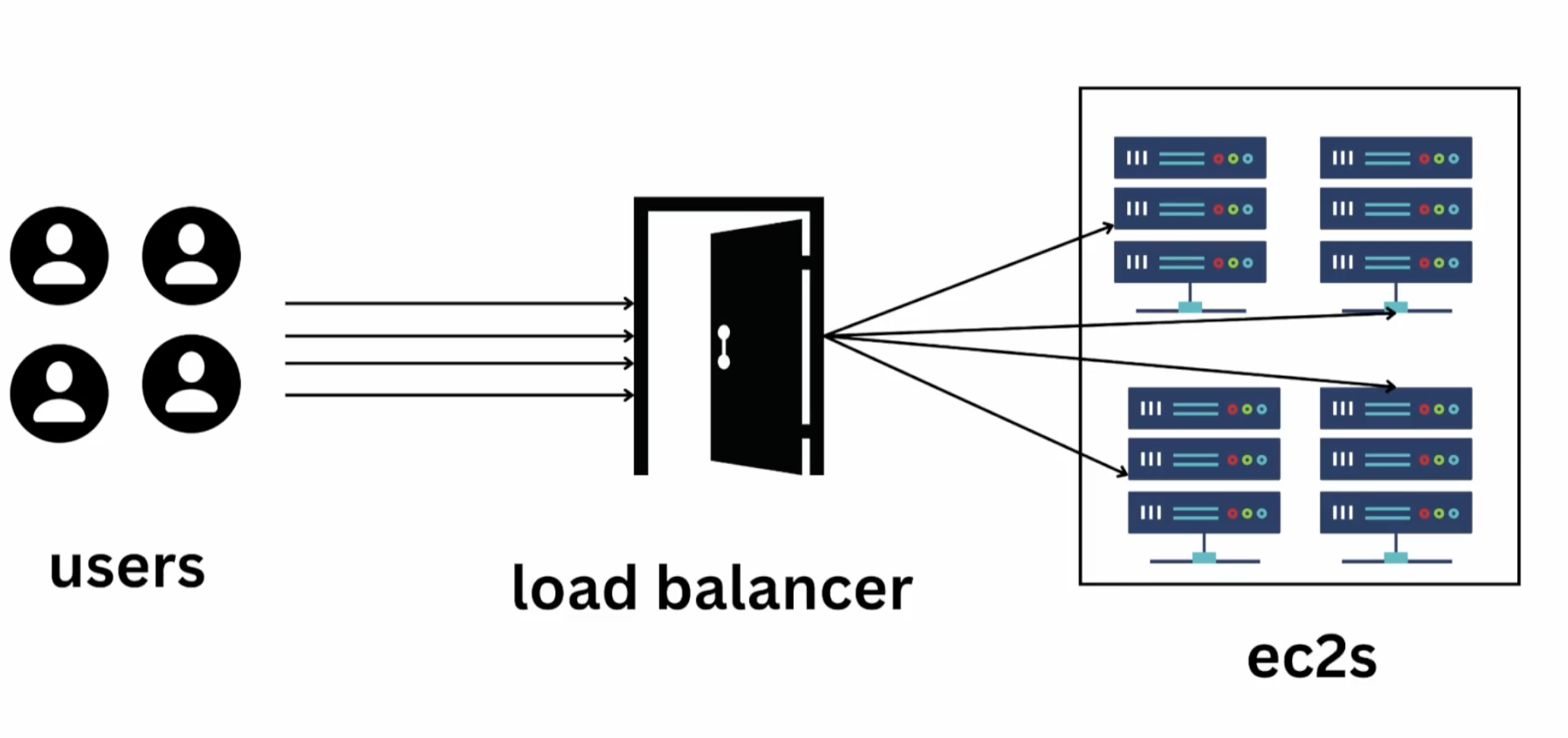
Elastic Load Balancer
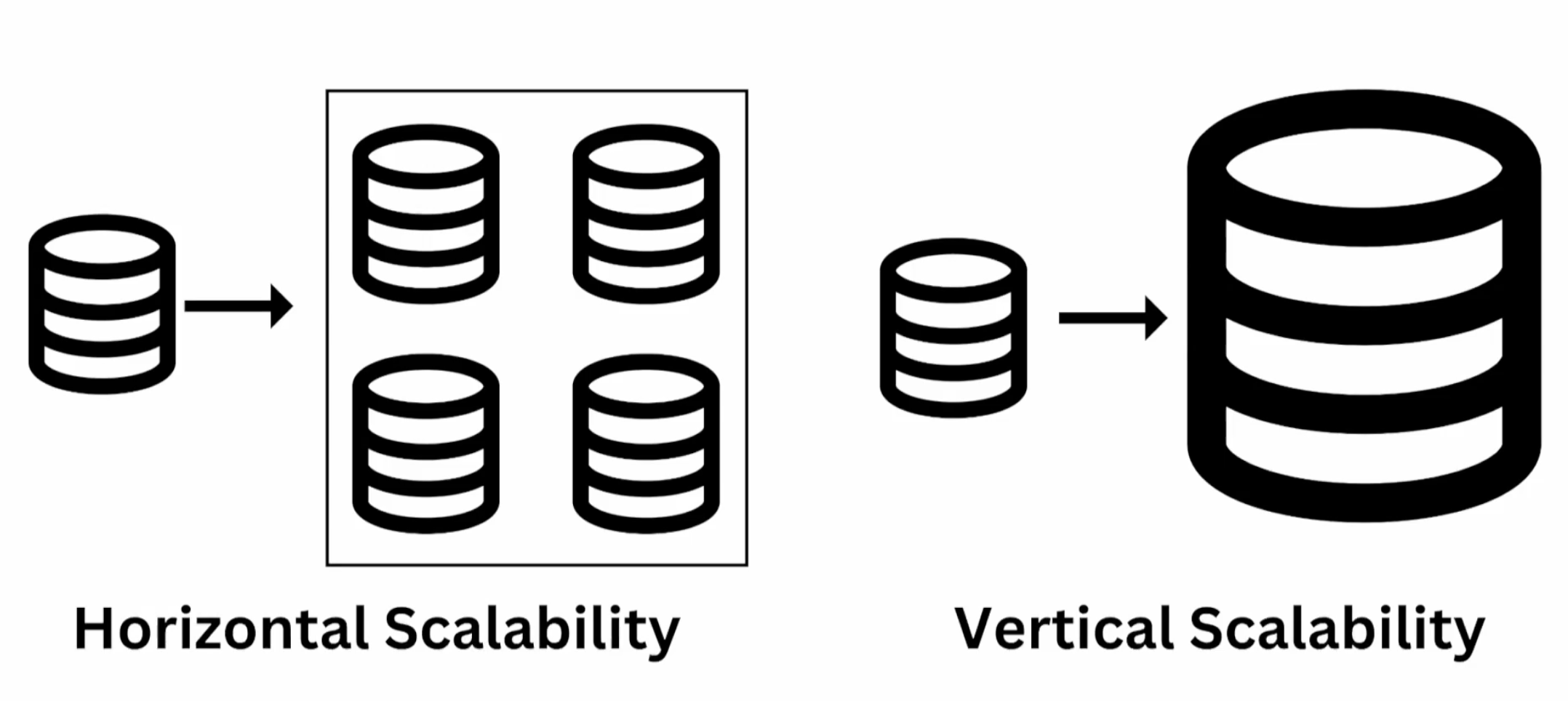
Scalability
- Horizontal: adding multiple.
- Verticla: scaling up the capacity without increasing the number of instances.
Types
-
Classic Load Balancer (deprecated)
-
Application Load Balancer (ALB): Best suited for HTTP/HTTPS traffic, it operates at Layer 7 (application layer), allowing advanced routing based on content, ideal for web applications.
-
Network Load Balancer (NLB): Designed for handling high-performance TCP/UDP traffic at Layer 4 (transport layer), it's ideal for scenarios requiring ultra-low latency and high throughput.
- Finance companies like Goldman Sachs use NLB for ultra-low latency TCP traffic to handle real-time financial transactions or stock trading.
-
Gateway Load Balancer (GWLB): Used for deploying and managing third-party virtual appliances, it combines load balancing with traffic inspection, ideal for security and network services.
Setting Inbound Rules to Loadbalancer
Making a security group where the inbound rule only allows the loadbalancer to access can protect ec2s from over exposure.

SSL (Secure Sockets Layer):
SSL is a cryptographic protocol designed to secure communications over a computer network, ensuring data integrity and privacy by encrypting data between a client (like a web browser) and a server.
TLS (Transport Layer Security):
TLS is the upgraded, more secure version of SSL, offering better encryption, authentication, and data integrity. It is the standard protocol used today for securing internet communications (e.g., HTTPS).
RDS (Relational Database Service)
-
Examples: Postgres, MySQL, MariaDB, Oracle, Microsoft SQL service etc.
-
supports auto scaling
- need to indicate Maximum Storage Threshold
-
Read Replica: can only operate
SELECTstatement(cannot useINSERT, UPDATE, DELETE).
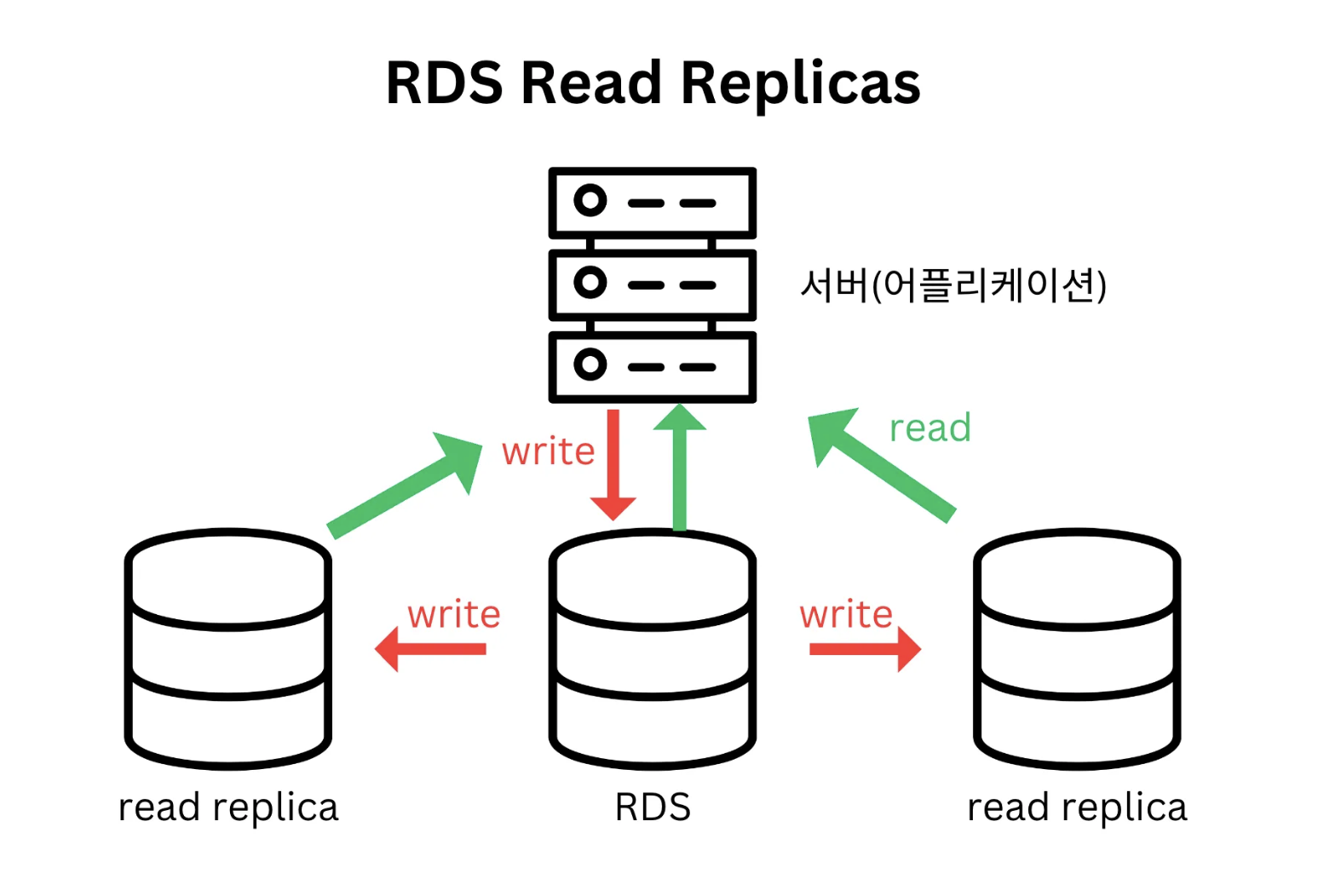
-
Multi Application Zone: RDS allows back up to another AZ.
Route53 & DNS
Simple Storage Service (S3)
Amazon Simple Storage Service (Amazon S3) is an internet-based storage service that provides scalable data storage for developers and IT operators. It is used for a variety of purposes, including website hosting, online backups, data archiving, and big data analytics.
Example Use Cases:
- Website hosting
- Storage and streaming of multimedia files
- Application data storage
- Backup and restoration
- Data archiving
Key Benefits:
- High durability, availability, and reliability
- Easy to use and manage
- Strong security features
- Highly scalable for various workloads
Buckets
Buckets are like a folder container.
prefix/delimiter/object-name

s3://my-bucket/my_folder/my_file.txt- Act as containers to store data
- Define public or private access permissions for objects
- Set up special event notifications for object changes
- Track and monitor usage costs of buckets and objects within an AWS account
Bucket Naming Conventions:
- No uppercase letters or underscores allowed
- Must be between 3 and 63 characters long
- Can only include lowercase letters, numbers, periods (.), and hyphens (-)
- Must start and end with a letter or number
- No consecutive periods (..)
- Bucket names cannot resemble IP address formats (e.g., 192.168.5.4)
Bucket Policy
- Similar to IAM policies, it is a JSON-formatted document.
- Controls access to all objects within a bucket.
- Can manage access to specific objects or object groups.
- Allows specification of IP addresses or ranges that are permitted access.
- Restricts the scope of resources that can be accessed.
- Can enforce the use of encrypted connections (e.g., HTTPS).
💡 Domain/URL and bucket (you like to connect to) needs to have the same name 💡
{
    "Version": "2012-10-17",
    "Statement": [
        {
            "Sid": "AllowUserToGetBucket",
            "Effect": "Allow",
            "Principal": {
                "AWS": "arn:aws:iam::ACCOUNT-ID:user/USERNAME"
            },
            "Action": "s3:GetBucketLocation",
            "Resource": "arn:aws:s3:::BUCKET-NAME"
        }
    ]
}
ARN
- arn: Fixed string that indicates it's an ARN.
- aws: Fixed string indicating the resource is hosted in AWS.
- service: The name of the AWS service (e.g.,
s3,lambda,ec2). - region: The AWS region where the resource resides (e.g.,
us-east-1,ap-northeast-2). - account-id: The numeric AWS account ID that owns the resource.
- resource-id: The unique identifier for the resource (e.g., S3 bucket name, Lambda function name).
arn:partition:service:region:account-id:resource-id
arn:partition:service:region:account-id:resource-type/resource-id
arn:partition:service:region:account-id:resource-type:resource-id

//예시
arn:aws:iam::123456789012:user/johndoe
arn:aws:s3:::my_corporate_bucket/
arn:aws:ec2:us-east-1:123456789012:vpc/vpc-0e9801d129EXAMPLE
Cloudfront
Content Delivery Network (CDN)
A CDN is a network of distributed servers that deliver content to users based on their geographic location, improving performance and security.
Advantages:
- Improved speed: Content is cached on servers closer to the user, reducing latency and loading time.
- Security: CDN providers offer built-in firewalls and protection against DDoS attacks, while caching reduces traffic load on the origin server.
Disadvantages:
- Caching: CDNs are less suitable for delivering dynamic content that requires real-time updates, as cached content may not be the latest.
- Additional cost: Using a CDN service incurs extra costs.
Elastic Beanstalk (EBS)
EBS is a Platform-as-a-Service (PaaS) that simplifies the deployment and management of applications. It allows developers to upload their code, and Elastic Beanstalk automatically handles the underlying infrastructure, including provisioning resources, load balancing, scaling, and monitoring.
Key Features:
- Supports multiple languages: Works with Java, .NET, Node.js, Python, Ruby, PHP, and more.
- Managed service: AWS takes care of infrastructure management tasks, letting developers focus on the application itself.
- Automatic scaling: Automatically adjusts the resources to handle the application’s load.