💡
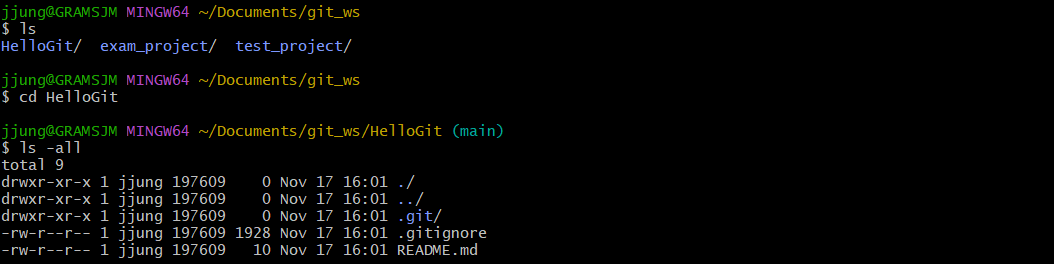
- README file : 프로젝트에 대한 설명, 사용법, 라이센스, 설치방법 등에 대한 내용을 기술하는 파일.
- .gitignore : Git버전 관리에서 제외할 파일목록을 지정하는 파일. 원하지 않는 파일들을 자동으로 commit대상에서 제외시킴.
Default Branch
: Repository 생성하자 마자 기본으로 생성되는 하나의 Branch (Main / Master)
개인 설정 탭에서 이름 설정할 수 있다.
⏹ Remote Repository 복제
- remote repository를 로컬로 복제해와서 사용하는 법local repository를 생성하지 않은 상태에서 Git Clone명령을 사용하여 Remote Repository를 local에 복제할 수 있다.
◼ Git Clone
[폴더 생성 -> Git init으로 폴더 초기화 -> Remote Repository 등록 -> Remote Repository 내용 Pull]
위 모든 과정을 Git Clone으로 가능
git clone https://<username>:<token>@github.com/<repository>.git

-Local Repository 생성 확인
⏹ Branch
-
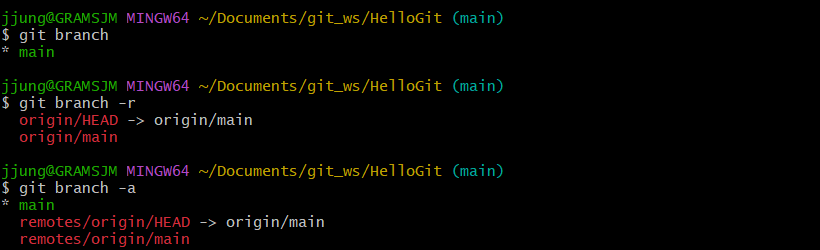
Branch 조회 (Local Branch만 해당)
:git branch -
Branch 조회 (Remote Branch)
:git branch -r -
Branch 전체 조회
:git branch -a
💡* main: 현재위치가 main
-
Branch 생성
:git branch <branchname>

-
Branch 이동
git checkout <branchname>

💡* branch01: 현재위치가 main에서 branch01로 이동 확인 -
Branch 생성 + 이동
git checkout -b <branchname>

-
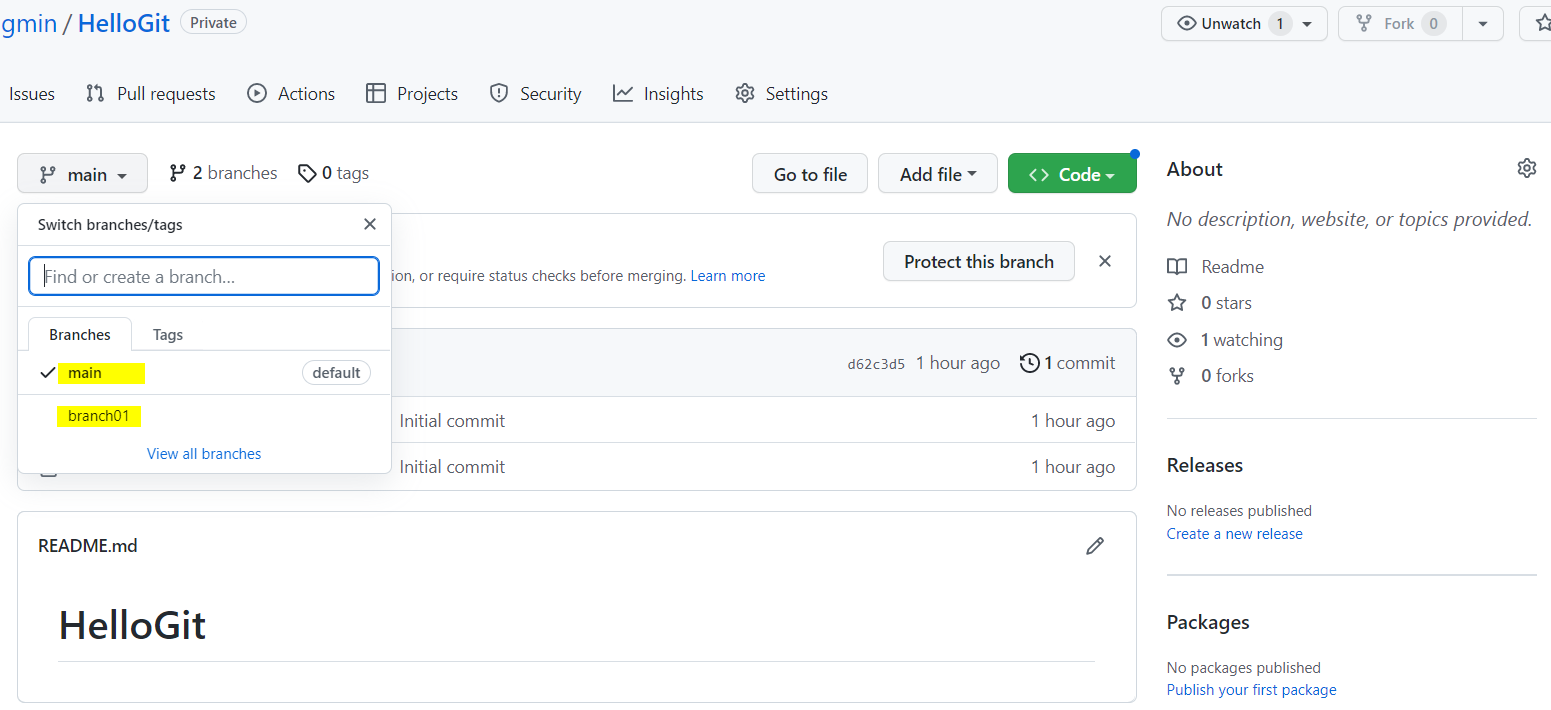
Github에서 Branch 확인
: local repository에 생성된 Branch는 Remote Repository(Github)에서 보이지 않음. -
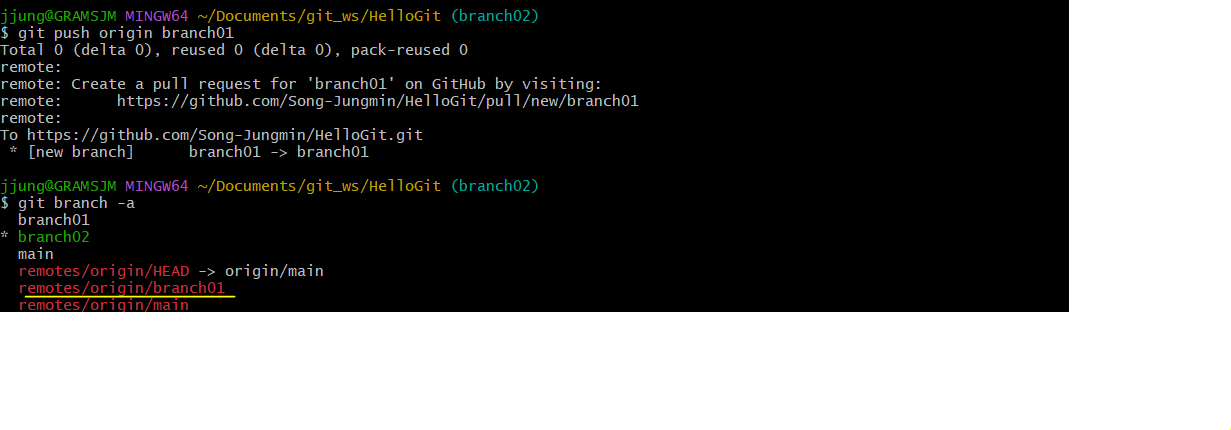
Remote에도 Branch 푸시하여 생성
git push origin <branchname>
-
Github에서도 확인 가능
-
Branch 삭제 (Local)
git branch -d <branchname>
💡첫번째 error : 삭제하려는 브랜치로 부터 이동하여야 한다.
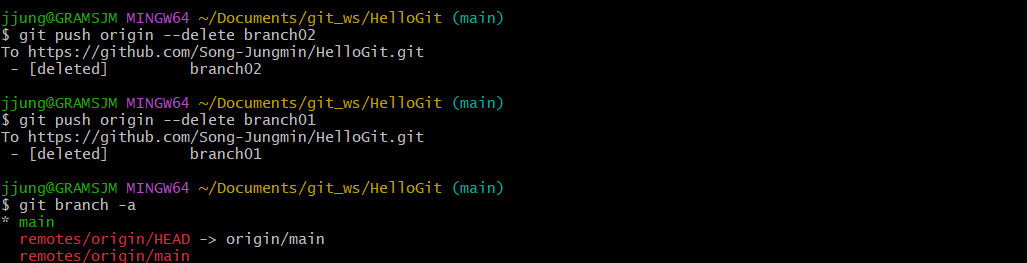
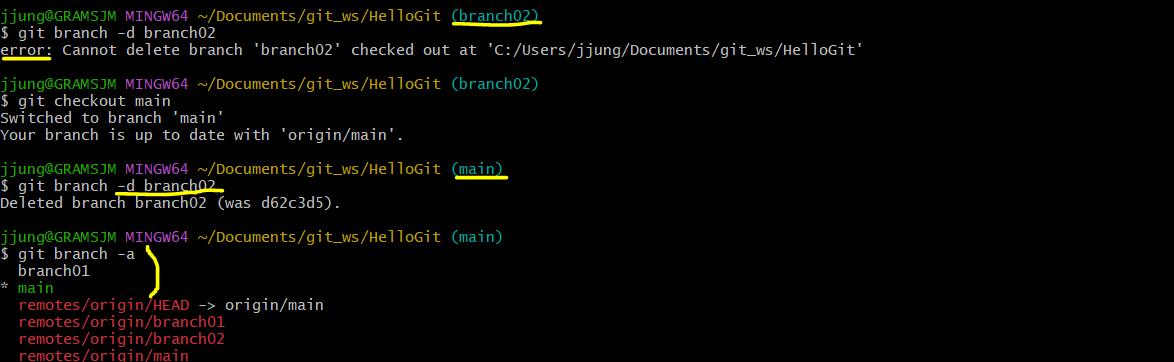 남은 branch01도 삭제해준 뒤 확인 (remote에는 아직 남아있음)

-
Branch 삭제 (Remote)
git push origin --deleted <branchname>