
들어가기
브라우저는 JavaScript나 css파일을 여는게 아니라 html파일을 열고 그 안에서 js, css파일을 가져와서 실행시킨다.
alert("hi") // 경고창 띄우기
JavaScript 타입
변수 선언하기 - const, let
1. const
- 바뀌지 않는 값을 선언할 때 사용
- 절대 바꿀 수 없음
( 자바스크립트에서 변수는 camelCase로 작성)
const a = 5;
const b = 2;
const myName = "bible";

console.log(a + b);
console.log(a * b);
console.log(a / b);
console.log("hello " + myName);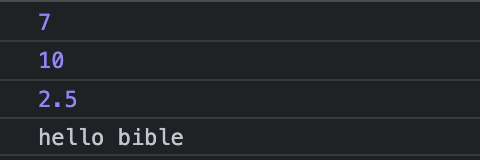
2. let
- 값을 바꿀 수 있음
const a = 5;
const b = 2;
let myName = "bible";

console.log(a + b);
console.log(a * b);
console.log(a / b);
console.log("hello " + myName);

myName = "bible Kim";

console.log("your new name is " + myName);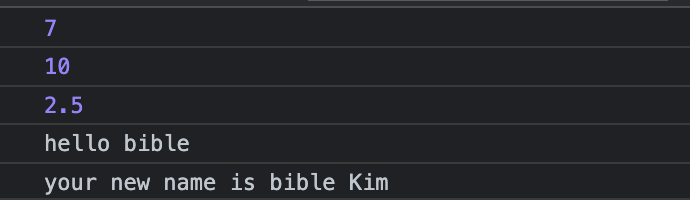
둘 중에 어떤 걸 써야 할까?
const를 기본적으로 사용하고 만약 variable을 업데이트 하고 싶으면 let을 쓰기
처음 JavaScript에서는 변수 var를 사용했다. var는 원한다면 어디서든 업데이트 가능하다. 그치만 새로운 변수 const, let을 사용하는게 좋은 이유는 변수 선언만 보고도 이게 업데이트 가능한지 아닌지 그 의미를 알 수 있기 때문이다.
항상 const, 가끔 let, 네버 var !!!
JavaScript에는 숫자, 문자 이외에 다양한 데이터를 담을 수 있는 변수들이 존재한다.
boolean
- true 또는 false 값을 가짐
const amIFat = false;null
- 변수에 아무것도 없음을 의미
- const a = null 라고 선언하는 것은 a가 아무것도 아니라는 값이라고 정의하는 거임
cf) undefined는 변수가 선언은 되어 있지만 안에 아무런 값이 정의되지 않을 때 뜨는 데이터타입
const amIFat = null // amIFat이라는 변수가 비어있음을 의도적으로 표현

let something;  // 선언만
console.log(something);
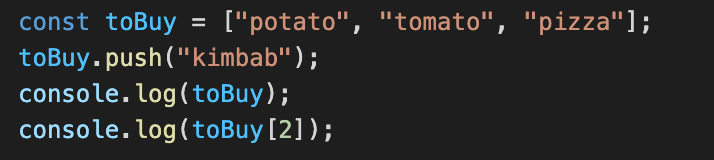
array
- 하나의 variable안에 데이터의 list를 가질 수 있음
- 숫자, 문자, null, undefined 등 섞어서 넣을 수 있음
- array에 아이템 하나 추가하기 -> arrayName.push()

object
- property를 가진 데이터 저장
- object안에 어떤 property든 만들 수 있음
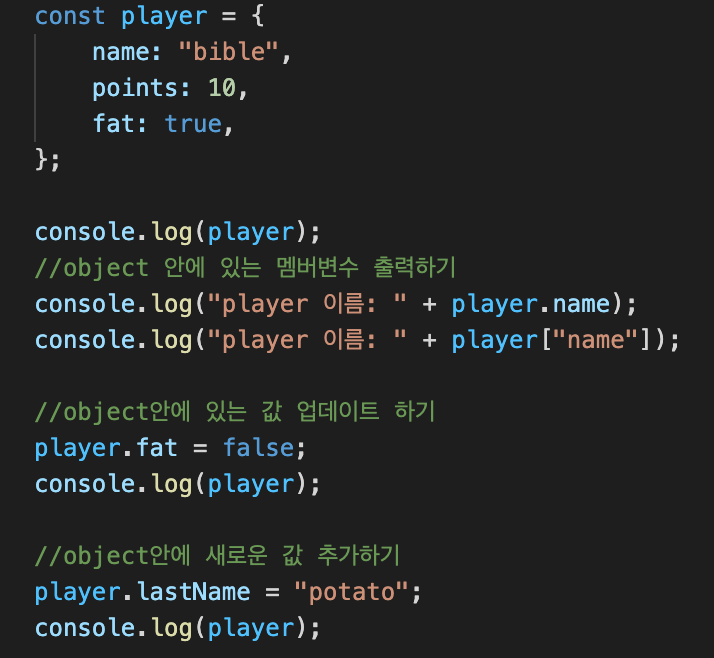
 const player는 지금 Object인데 player를 = true와 같이 object에서 같이 다른 값으로 바꾸려고 하는 건 안된다. 왜냐하면 player 자체는 const로 선언되어 다른 것으로 바꿀 수 없기 때문이다. 하지만 object안에 있는 속성 값은 player.fat = false로 바꾸는 건 가능하다.
function
- 함수 선언하기
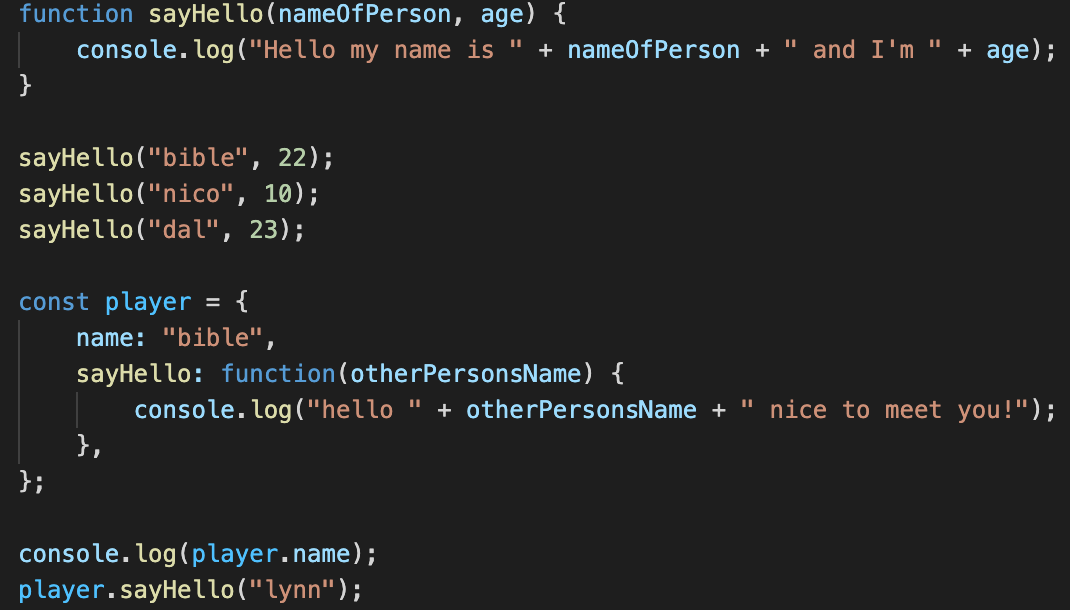
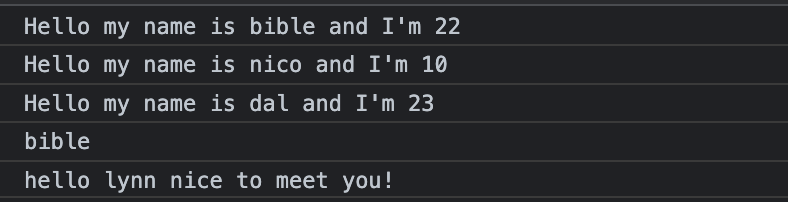
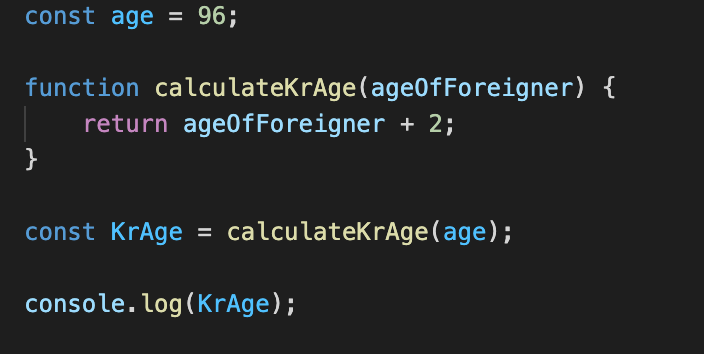
- 함수 return 하기

JavaScript 더 알아보기
변수 타입 알아보기
- typeof
prompt에서 사용자에게 나이를 물어보고 입력된 값의 타입을 알아보자
참고로 prompt는 너무 올드하고, 어떤 브라우저에서는 이런 모달창을 막기도 하고 디자인 못바꾼다는 단점이 있어서 요즘은 prompt보다는 html, css로 사용자로부터 값을 입력 받을 수 있게 한다.

value의 type을 볼려면 typeof라는 키워드를 써야한다.
const age = prompt("How old are you?");

console.log(typeof age);
결과:
prompt에 뭘 입력해도 그 입력값의 type은 string 임을 알 수 있다. 타입을 변경할 수는 없을까?
변수 타입 변경하기
- parseInt() : string -> number로 변환하는 함수
const age = prompt("How old are you?");

console.log(age, parseInt(age));
결과 : 하나는 string, 다른 하나는 number
parseInt() 함수를 사용하면 string을 int로 바꿀 수 있는데 만약 "123"이 아니라 "lalala"이런 경우라면 number로 바꾸지 못하고 NaN(Not a Number)가 뜬다. 만약 NaN이라면 사용자로 하여금 다시 입력받게 하기 위해 NaN인지 판별하기 위한 isNaN()함수 사용면 된다.
JavaScript에서 HTML element에 접근하기
console에 document라고 치면 내가 작성한 html을 볼 수 있다. Document는 브라우저에 이미 존재하는 object이다.
JavaScript는 HTML에 접근하고 읽을 수 있게 설정되어 있다. 예를 들어 JavaScript에서 HTML document 객체로부터 title을 가져올 수 있다.
document.title이렇듯 JavaScript랑 HTML은 이미 서로 연결되어 있어서 document object를 통해 많은 정보를 얻을 수 있고 HTML element에 접근해 값을 읽고 변경할 수 있다.
JavaScript로 id를 가진 element 가져오기
- getElementById()
document.getElementById("id명")
<h1 class="hello" id="title">Grab me!</h1>const title = document.getElementById("title");
title.innerText = "Got you";
console.log(title.id);
console.log(title.className);
많은 element들을 한번에 가져오는 방법
- getElementsByClassName()
document.getElementsByClassName("class명")
<h1 class="hello">Grab me!</h1>
    <h1 class="hello">Grab me!</h1>
    <h1 class="hello">Grab me!</h1>
    <h1 class="hello">Grab me!</h1>
    <h1 class="hello">Grab me!</h1>
const hellos = document.getElementsByClassName("hello");
console.log(hellos);
//hellos는 배열이 됨
console.dir() - element를 더 자세히 보여줌