아키텍처
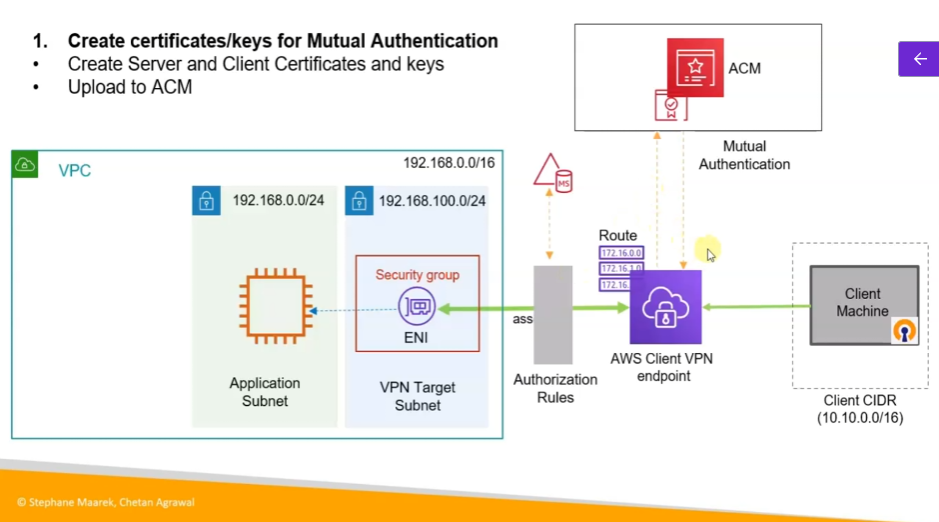
-
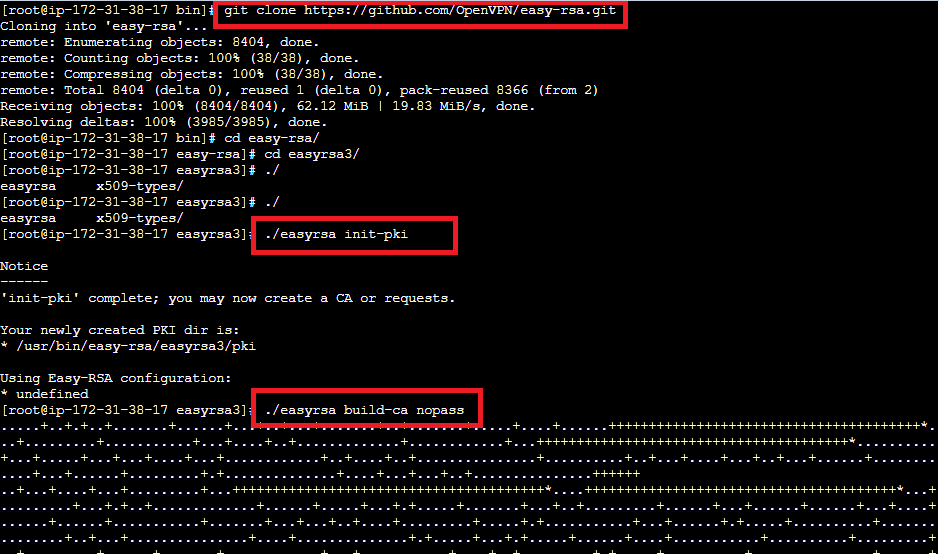
Clone the easy-rsa repo
$ git clone https://github.com/OpenVPN/easy-rsa.git $ cd easy-rsa/easyrsa3 -
Initialize PKI environment
$ ./easyrsa init-pki -
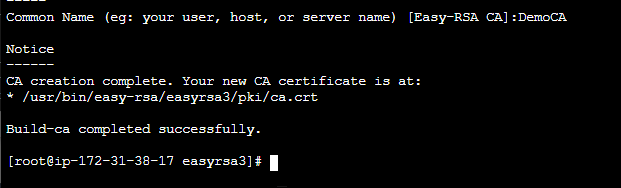
Create new Certification Authority (CA)
$ ./easyrsa build-ca nopass -
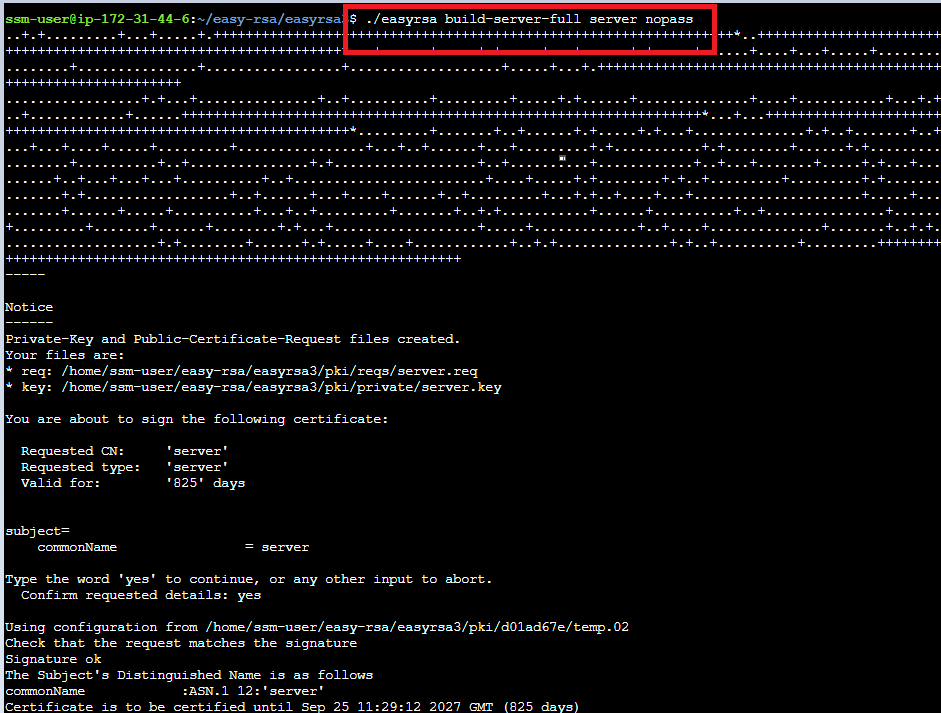
Generate the server certificate and key
$ ./easyrsa build-server-full server.domain.tld nopass -
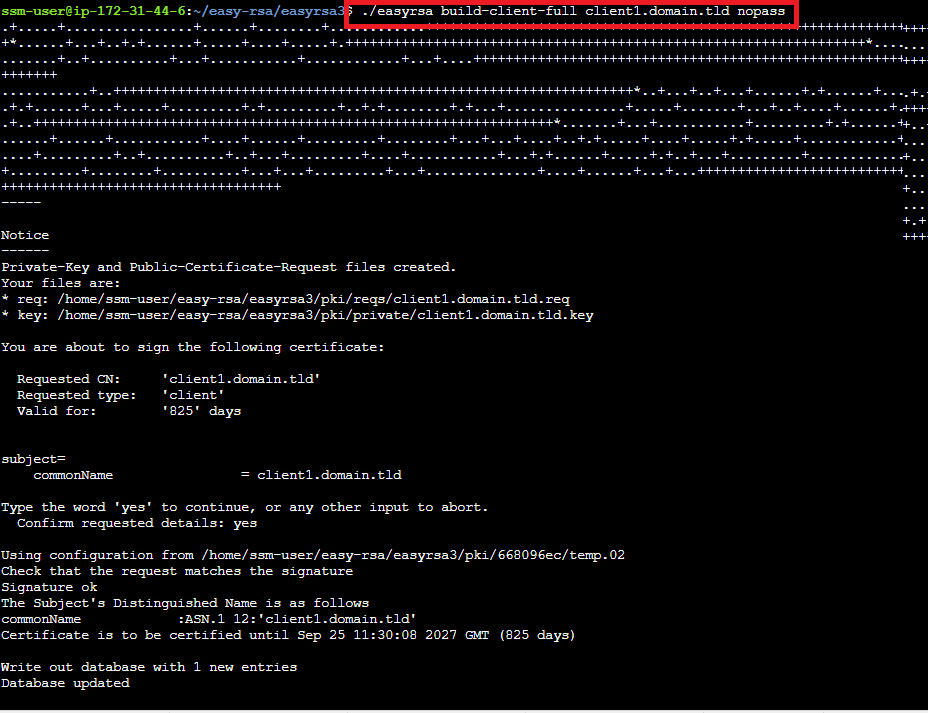
Generate the client certificate and key
$ ./easyrsa build-server-full server.domain.tld nopass -
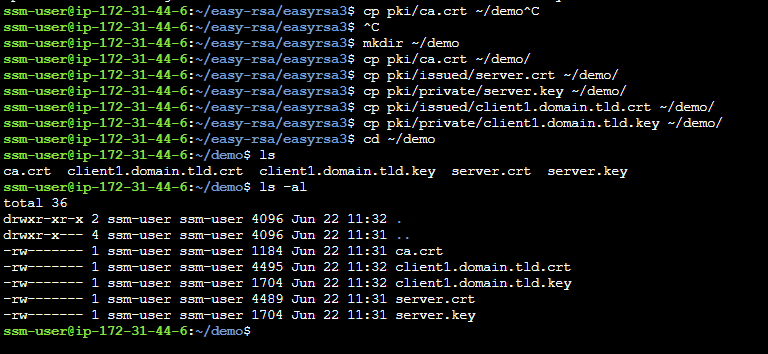
Copy server and client certificates and keys to one directory
$ mkdir ~/demo
$ cp pki/ca.crt ~/demo/
$ cp pki/issued/server.crt ~/demo/
$ cp pki/private/server.key ~/demo/
$ cp pki/issued/client1.domain.tld.crt ~/demo/
$ cp pki/private/client1.domain.tld.key ~/demo/ $ cd ~/demo -
Upload the certificate and keys to ACM
$ aws acm import-certificate --certificate fileb://server.domain.tld.crt --private-key fileb://server.domain.tld.key --certificate-chain fileb://ca.crt --region ap-northeast-2
$ aws acm import-certificate --certificate fileb://client1.domain.tld.crt --private-key fileb://client1.domain.tld.key --certificate-chain
fileb://ca.crt --region ap-northeast-2
CA 생성


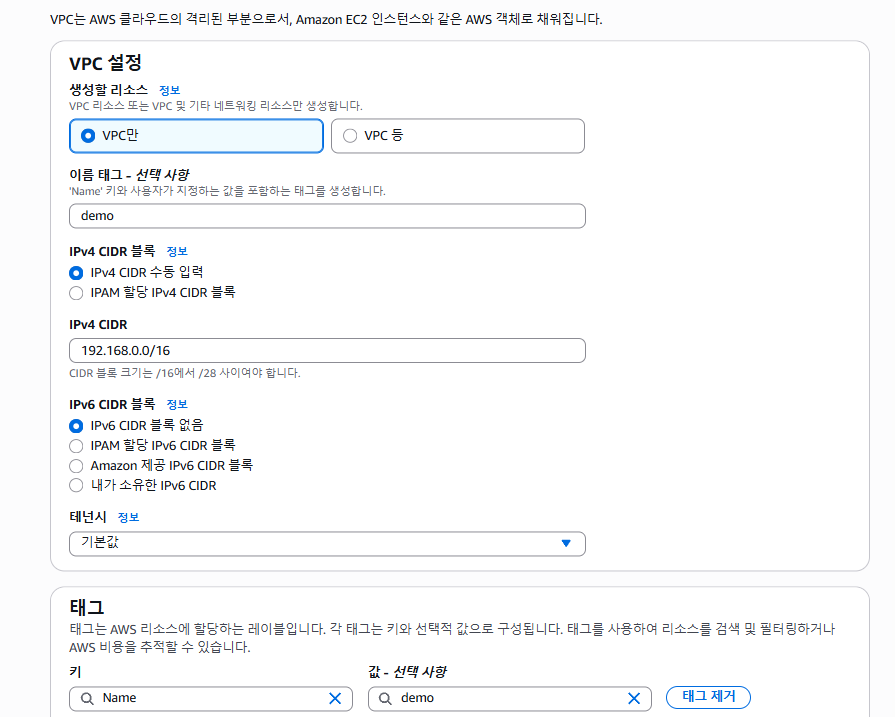
vpc
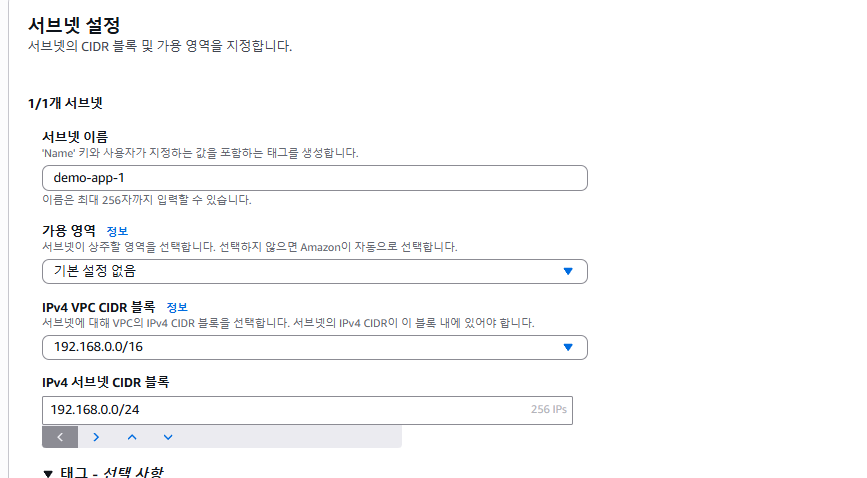
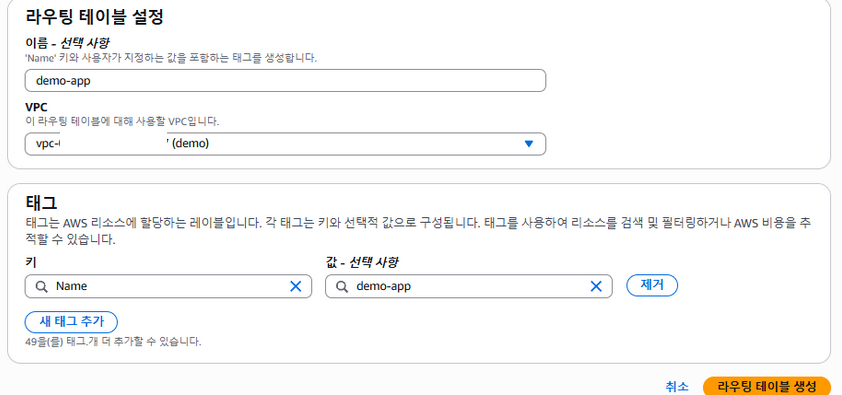
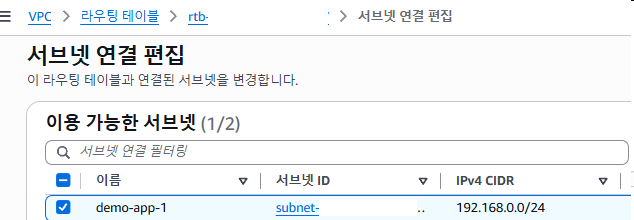
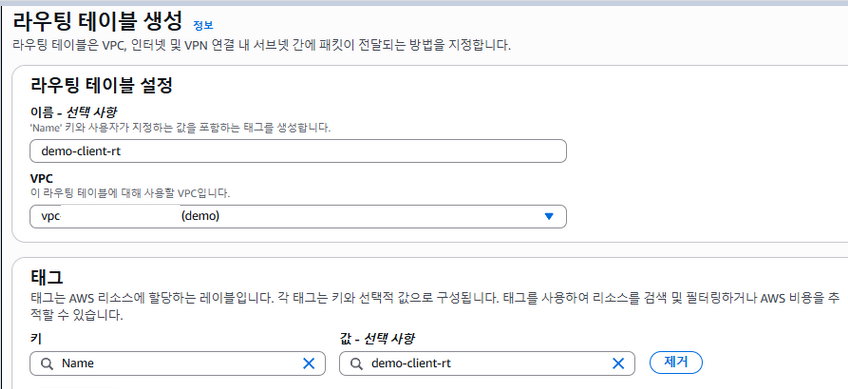
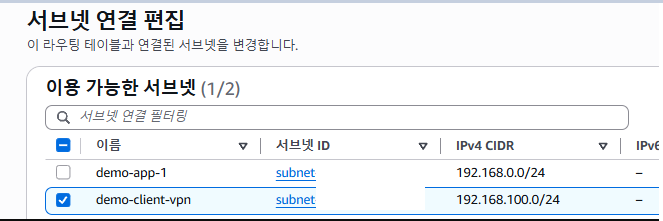
subnet
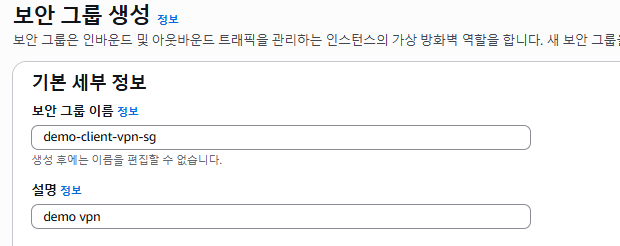
sg
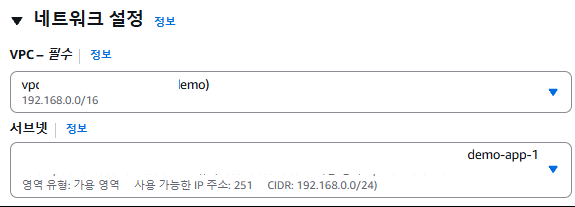
ec2
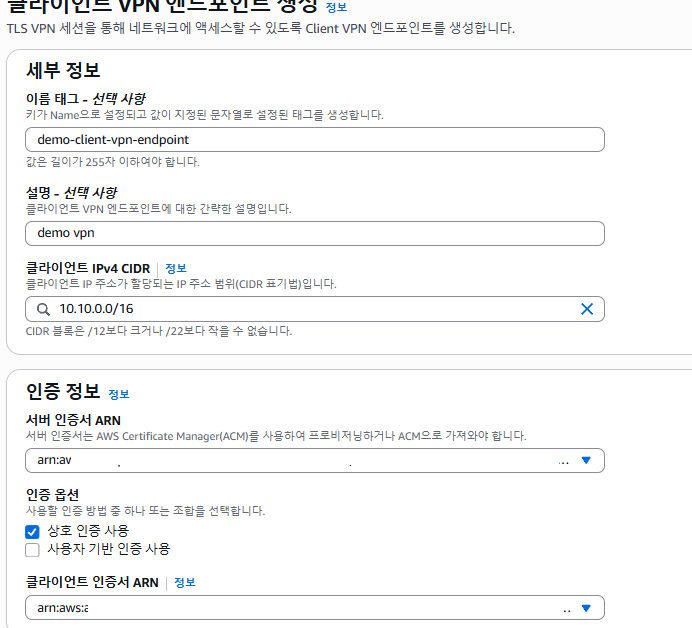
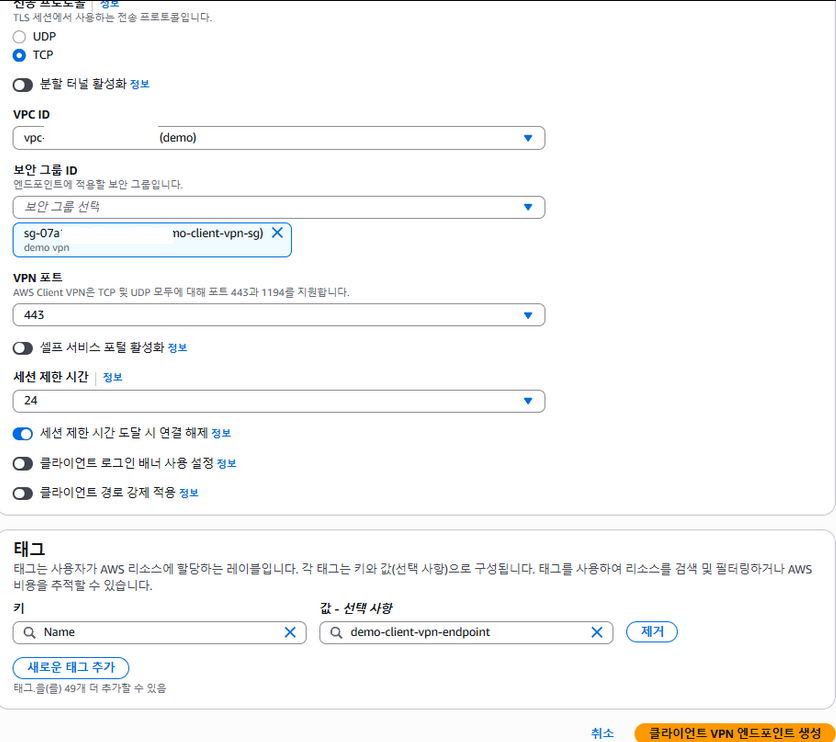
vpn
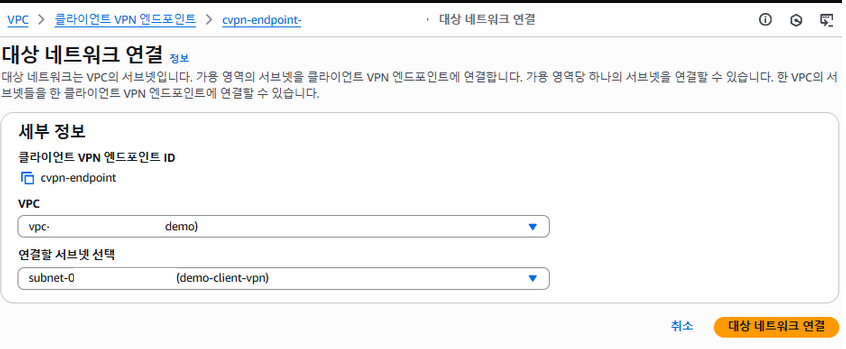
네트워크 연결
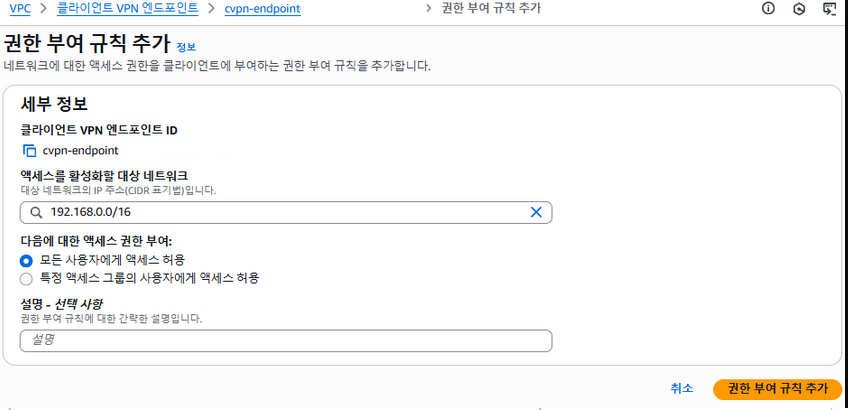
권한부여
설치
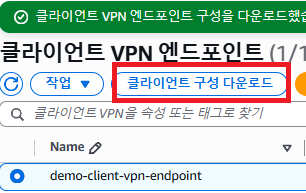

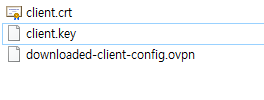
다운받은 vpn 컨피그 파일에
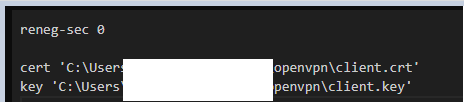
위 파일 경로 지정
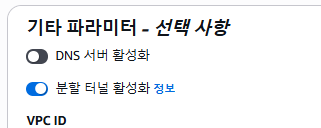
추가로 IGW 이용방법
internet gateway 생성 후
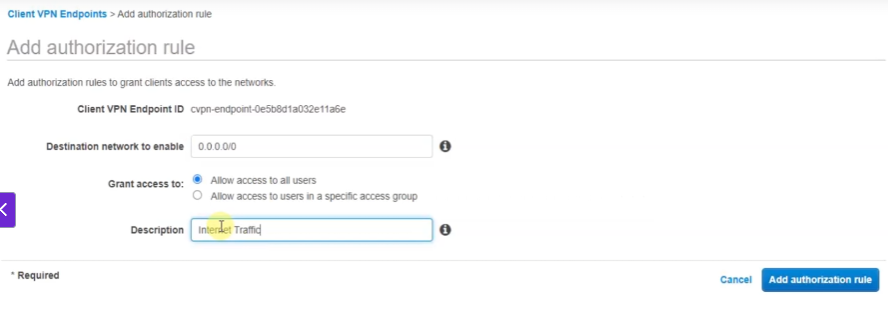
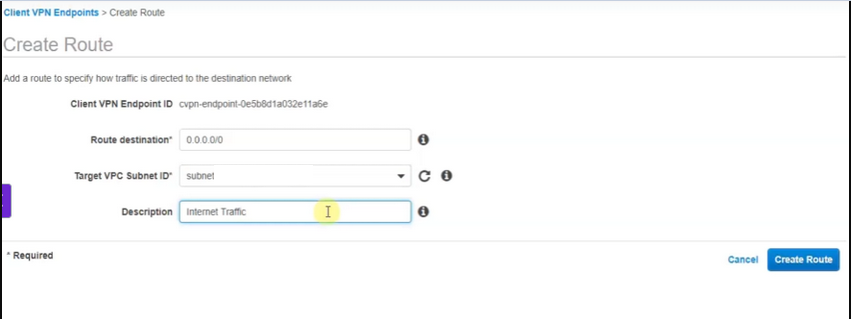
split-tunnel