
Netmiko
- Multi-vendor library to simplify CLI connections to network devices
- 네트워크 장치에 대한 CLI 연결을 단순화하기 위한 멀티 벤더 라이브러리
- 실습에서는 gns3 내 스위치, 라우터 등을 사용해 가상머신에서 사용하는 우분투에 원격접속할 수 있게 도와주는 패키지?
- 따라서 Netmiko는 VMWare 내 가상머신에 설치해야함
apt update
apt install python3-pip
pip3 install netmiko - 오류 발생
최신 Ubuntu에서 시스템 패키지 관리자(apt)가 Python 환경을 관리하고 있어서 pip로 직접 패키지 설치를 방지하는 보호 기능으로 인해 오류 발생
apt install python3-netmiko
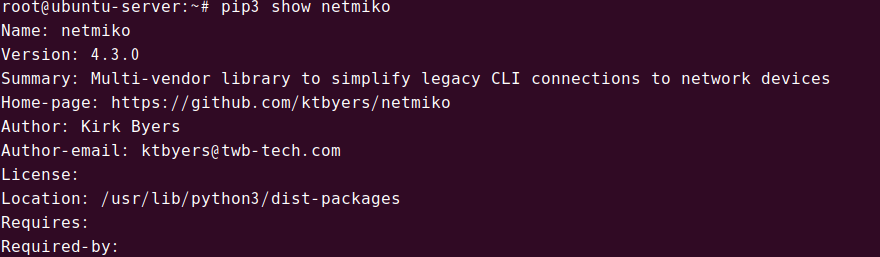
pip3 show netmiko
설치된것을 확인
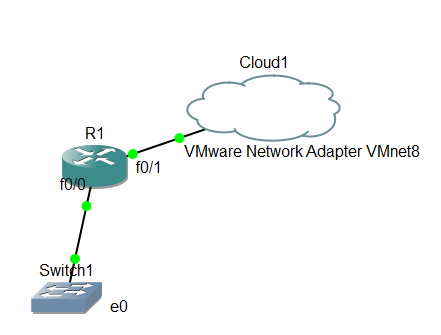
gns3에서 연결을 확인하기 위해 단순하게 구조 생성
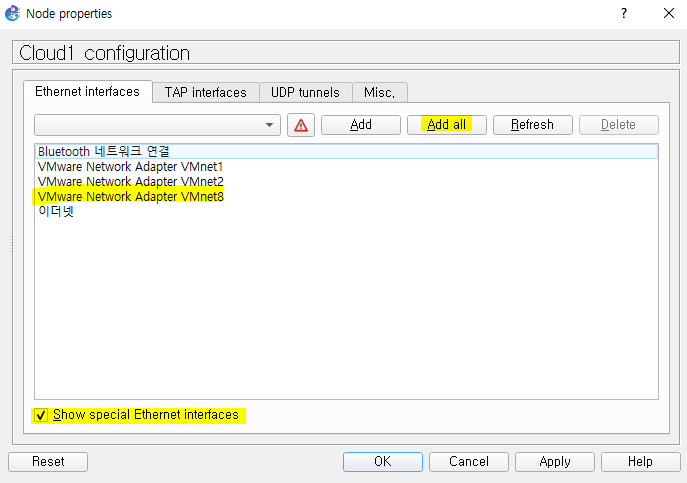
- 이때 클라우드는 GNS3가 아닌 DESKTOP으로 생성
VMnet8으로 연결해야 연결이 성공적으로 됨
ip addr
우분투의 ip가 192.168.111.134/24인것을 확인
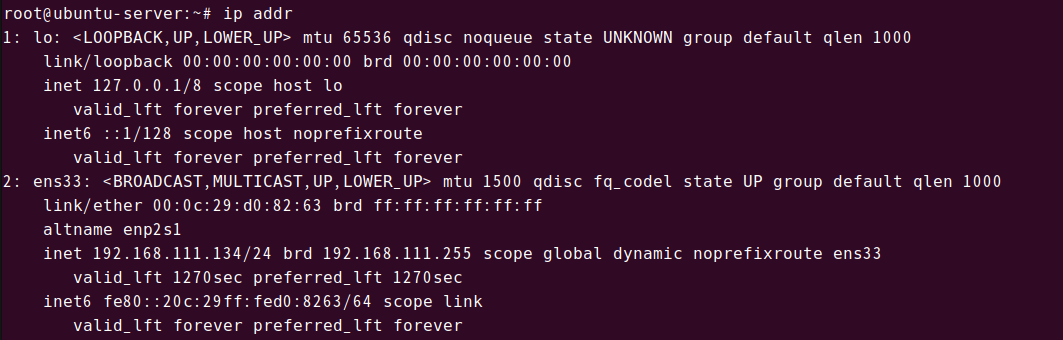
R1에서 Cloud와 연결하기 위해 R1의 f0/1은 192.168.111.x로 같은 대역대 다른 ip로 입력해줘야함 (임의로 입력)
R1
conf t
int f0/1
ip add 192.168.111.135 255.255.255.0
no sh
연결 성공

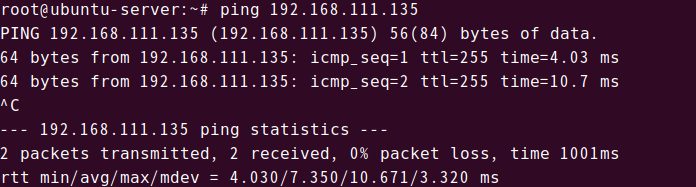
우분투에서도 라우터로 ping 성공
from netmiko import ConnectHandler
import time

# 장비 목록
devices = [
    {
        'device_type': 'cisco_ios',
        'ip': '192.168.111.135',
        'username': 'ccnp',
        'password': 'cisco',
    },
    {
        'device_type': 'cisco_ios',
        'ip': '192.168.111.136',
        'username': 'ccnp',
        'password': 'cisco',
    }
]

# 장비 이름 별도 정의
device_names = ['R1_Router', 'SW1_Switch']

def connect_to_device(device, device_name):
    try:
        print(f"\n{device_name} 연결 시도 중...")
        connection = ConnectHandler(**device)
        print(f"✓ {device_name} 연결 성공!")

        # 기본 정보 수집
        commands = [
            "show version | include IOS",
            "show ip interface brief",
            "show running-config | include hostname"
        ]

        for command in commands:
            print(f"\n--- {command} ---")
            output = connection.send_command(command)
            print(output)

        connection.disconnect()
        print(f"✓ {device_name} 연결 종료")
        return True

    except Exception as e:
        print(f"✗ {device_name} 연결 실패: {e}")
        return False

# 모든 장비에 연결
print("=== GNS3 장비 연결 테스트 시작 ===")
for i, device in enumerate(devices):
    connect_to_device(device, device_names[i])
    time.sleep(1)  # 연결 간 대기시간

print("\n=== 연결 테스트 완료 ===")
오늘도 하나씩 해결해 나가자!