캘린더를 이제 슬슬 만들어야 하는데 이미 시중에 많은 라이브러리가 있어서 그것 중에 골라서 적용해야 할 것 같다. 본격적인 작업에 앞서 일단 내가 필요한 디자인과 기능은 이런데
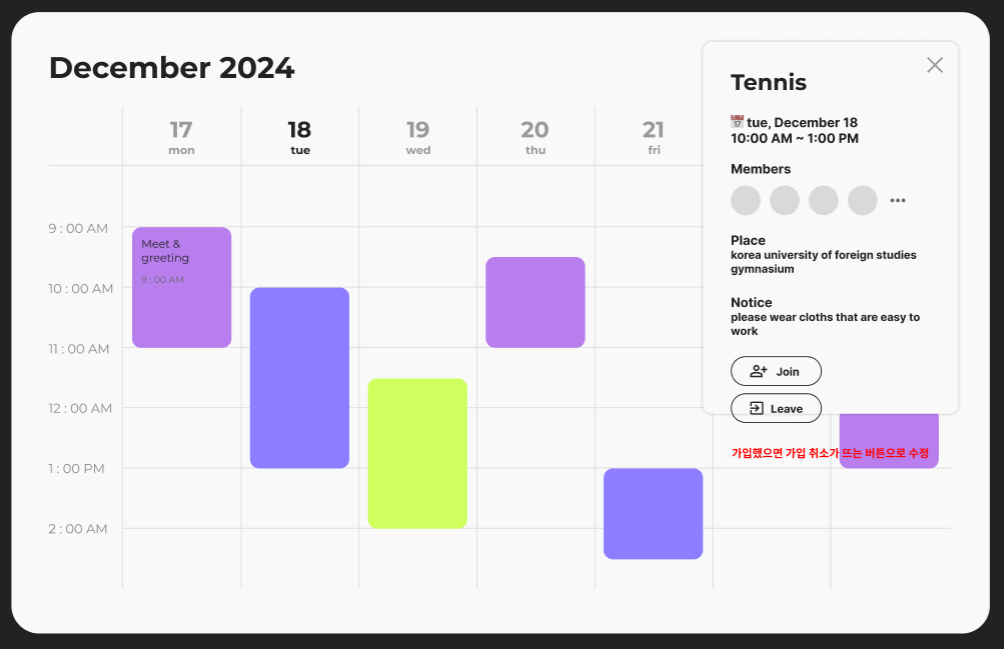
디자인
- 월 - 일 일주일 간의 일정이 표시됨
- 좌측에는 모임이 시작되는 시간대가 표시됨
- 일정 부분을 컬러로 표시하며 둥그런 상자 안에 일정 제목과 시간이 간단하게 표시됨
기능
- 네모 박스 클릭 시 우측 상단에 모임과 관련된 세부 사항이 뜨게 함
- Join 버튼 클릭 시 모임에 가입이 되며, 만약 가입이 된다면 Join 버튼이 Leave 버튼으로 바뀜
- members 옆에 ... 아이콘 클릭 시 전체 멤버가 보이게 함 (아코디언으로 보여줄지 팝업으로 보여줄지 고민해봐야 할 듯)
그리고 이건 심화과정인데 만약 정말 된다면 관리자 페이지를 만들어서 편집하기 버튼으로 편집하는 기능도 구현해보고 싶음
원래 꿈은 크게 가지는 거니까... 기간 한 일년 쯤 되어야 해볼 만 할듯?
라이브러리 값이 안읽히는 오류 발생 🚨🚨🚨
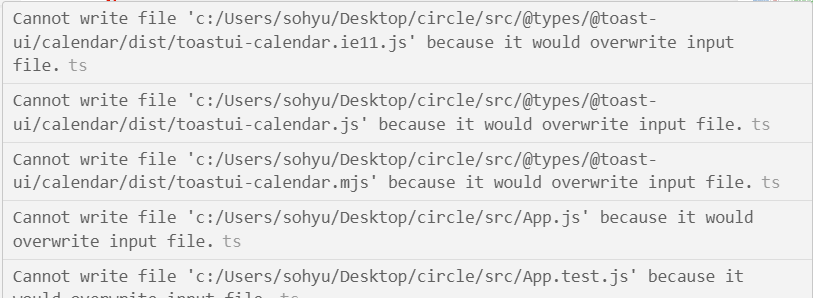
인식을 못하고 있다...
근데 왜 css는 되는지 모르겠음
그래서 해결방안을 찾아봤다
1. 파일 경로 바꿔보기
src/
└── @types/
└── @toast-ui/
└── calendar/
└── index.d.ts
- tsconfig.json 파일 수정
{
  "compilerOptions": {
    "baseUrl": "./",
    "paths": {
      "@toast-ui/*": ["node_modules/@toast-ui/*"]
    }
  },
  "include": ["src", "src/@types/**/*"] // @type
}
경로 때문에 인식을 못하는 것일 수도 있어서 바꿔보았지만 결과는 같았다.
다른 오류 발생 : 플러그인 오류
import React, { useEffect, useRef } from 'react';
import { Calendar } from '@fullcalendar/core';
import momentTimezonePlugin from '@fullcalendar/moment-timezone';
import { toMoment } from '@fullcalendar/moment';
import interactionPlugin from '@fullcalendar/interaction';

const Schedule: React.FC = () => {
  const calendarEl = useRef<HTMLDivElement | null>(null); // ✅ useRef 사용

  useEffect(() => {
    if (calendarEl.current) { // ✅ null 체크 후 실행
      const calendar = new Calendar(calendarEl.current, {
        plugins: [momentTimezonePlugin, interactionPlugin],
        timeZone: 'America/New_York',
        events: [
          { start: '2018-09-01T12:30:00Z' }, // America/New_York로 변환
          { start: '2018-09-01T12:30:00+XX:XX' }, // America/New_York로 변환
          { start: '2018-09-01T12:30:00' } // 기본적으로 America/New_York로 해석
        ],
        dateClick: function (arg: { date: Date }) {
            console.log(arg.date.valueOf());

            let m = toMoment(arg.date, calendar);
            console.log(m.format());
          }
      });

      calendar.render();
    }
  }, []);

  return (
    <div className="schedule_wrap">
      <h1>222</h1>
      <div ref={calendarEl}></div> {/* ✅ 캘린더 렌더링될 div */}
    </div>
  );
};

export default Schedule;
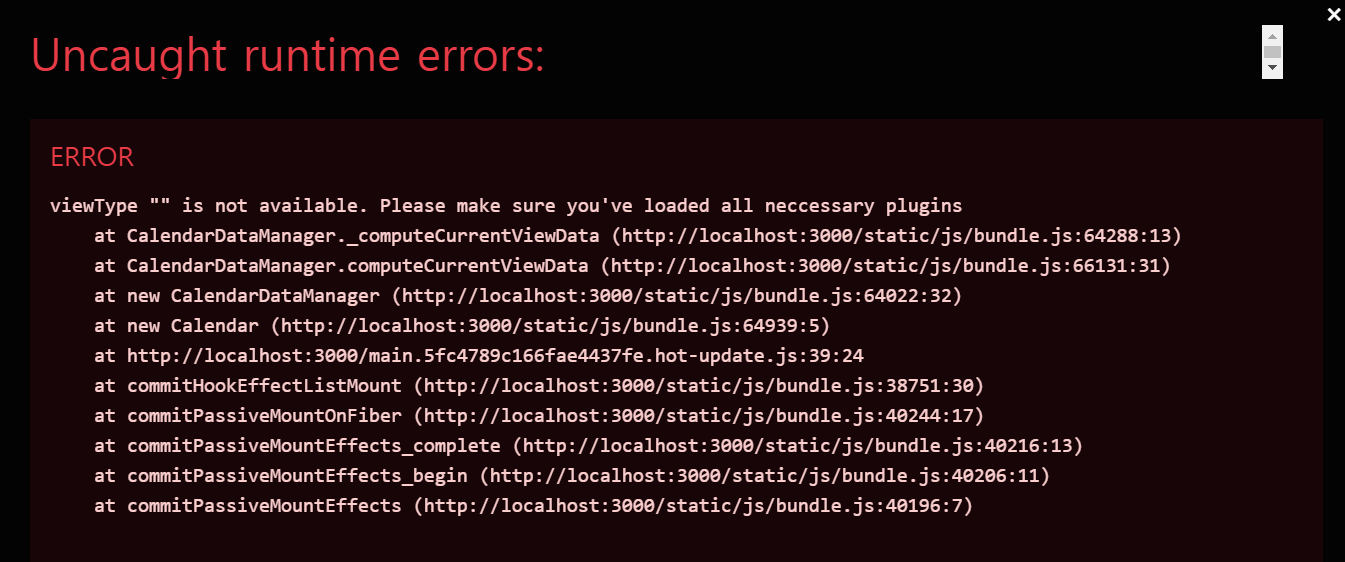
서버를 실행했는데 갑자기 이런 오류가 떴다.
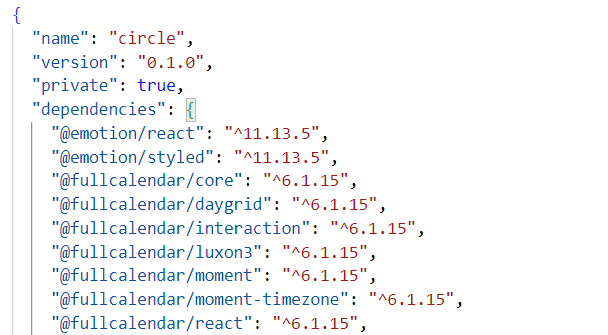
혹시 패키지가 제대로 설치되지 않아서 그런건가 하고 package.json 을 살펴보았지만 모든 패키지가 제대로 깔려 있었다.
import React from 'react';
import FullCalendar from '@fullcalendar/react';
import dayGridPlugin from '@fullcalendar/daygrid'; // 월간 보기
import interactionPlugin from '@fullcalendar/interaction'; // 클릭 이벤트
import momentTimezonePlugin from '@fullcalendar/moment-timezone'; // 시간대 플러그인

const Schedule: React.FC = () => {
  return (
    <div className="schedule_wrap">
      <h1>222</h1>
      <FullCalendar
        plugins={[dayGridPlugin, momentTimezonePlugin, interactionPlugin]} // 플러그인 설정
        initialView="dayGridMonth" // 초기 화면 설정
        timeZone="America/New_York" // 시간대 설정
        events={[
          { title: 'Event 1', start: '2024-02-01T12:30:00Z' },
          { title: 'Event 2', start: '2024-02-05T14:00:00Z' },
        ]} // 이벤트 추가
        dateClick={(arg) => {
          console.log(arg.date);
        }} // 날짜 클릭 이벤트
      />
    </div>
  );
};

export default Schedule;

hi