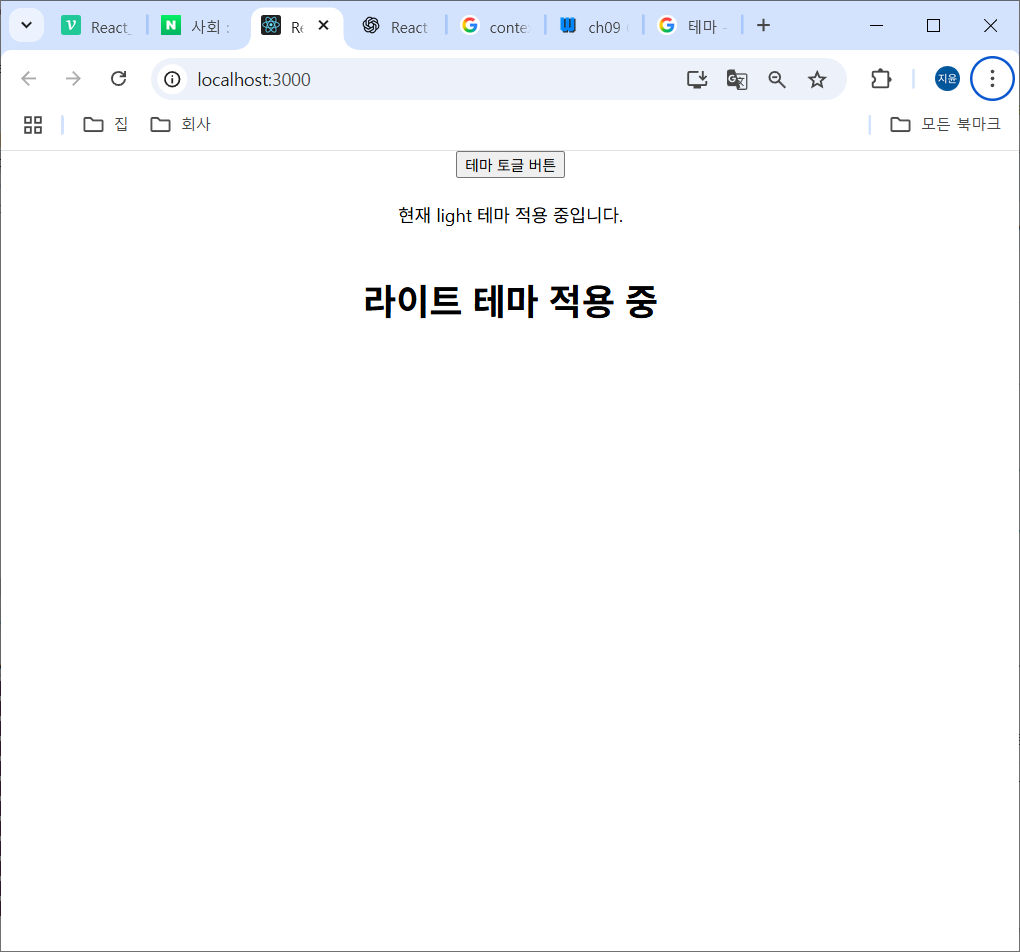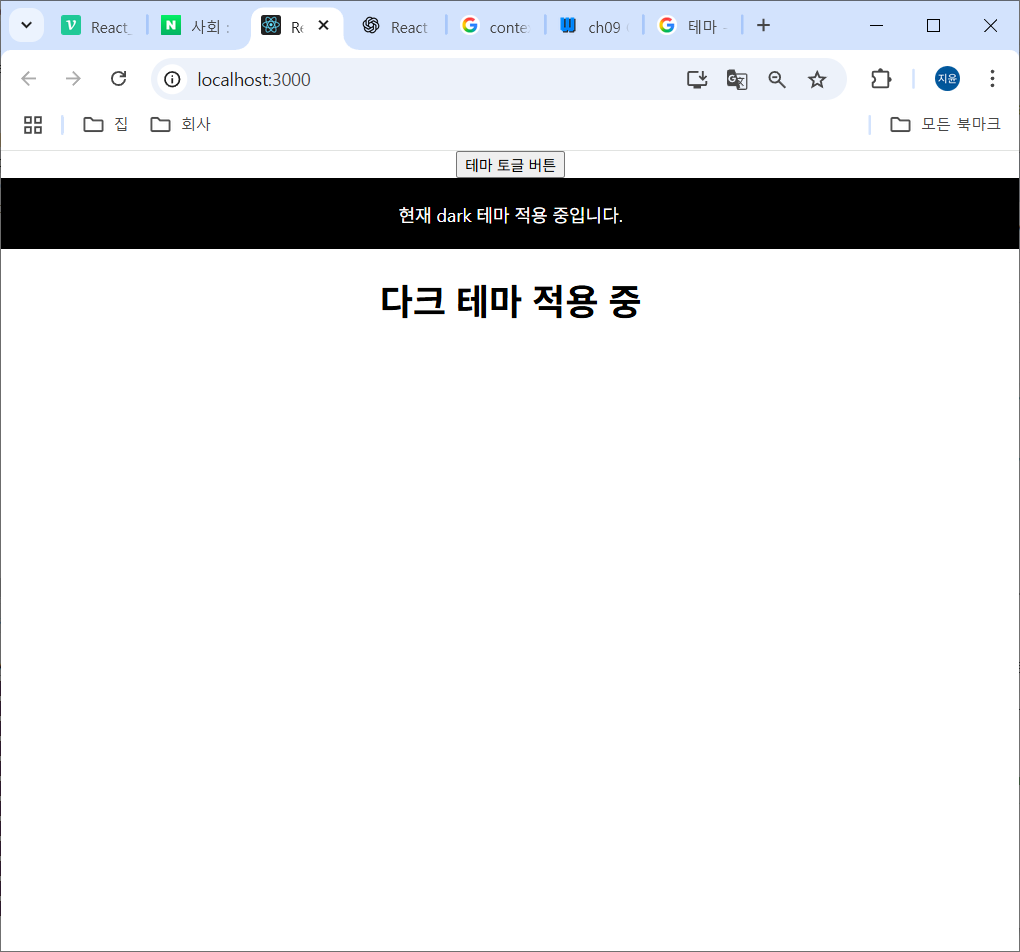
Context API
Context API는 React에서 컴포넌트 트리 전체에 걸쳐 전역적인 데이터를 공유하고 전달하기 위한 방법
-> 깊이 중첩된 컴포넌트들 간에도 데이터를 간편하게 전달할 수 있다.
-> props drilling(상태 내리꽂기)를 피하기 위해 사용
사용방법
createContext() 함수를 사용하여 Context 객체를 생성할 수 있음
-> Provider와 Consumer를 포함
- Provider : 컨텍스트를 사용하는 컴포넌트들에게 값을 제공하는 역할.
값을 전달할 (자식)컴포넌트들을 감싸고, 'value'라는 prop을 통해서 전달한 값을 지정 - Consumer: 컨텍스트의 값을 사용하는 컴포넌트.
최근에는 React 에서는 useContext Hook 사용하여 컨텍스트 값을 가져와 사용함 => Consumer를 부르지 않아도 컨텍스트 값을 부를 수 있는 Hook
Context API 사용해보기
App.css
.light-theme {
  background-color: #fff;
  color: #000;
  padding: 20px;
  text-align: center;
}

.dark-theme {
  background-color: #000;
  color: #fff;
  padding: 20px;
  text-align: center;
}
라이트모드 다크모드 css 정의
ThemeContext.js
src/contextAPI/ThemeContext.js
import { createContext, useState } from "react";

// Context 생성 (전역으로 공유할 상자)
const ThemeContext = createContext();

// Context 객체를 사용할 컴포넌트 생성 (값을 전달하는 컴포넌트)
// Context 값을 관리하는 전용 컴포넌트
const ThemeProvider = ({children}) => {
    // theme 초기값 light
    const [theme, setTheme] = useState('light');

    // 버튼 클릭 시 테마 바꿔줄 토글 함수 정의
    const toggleTheme = () => {
        setTheme(theme == 'light' ? 'dark' : 'light');
        // theme 값이 light 이면 dark로 dark 이면 light로 값 바꿔줄 함수
    }

    return(
        <ThemeContext.Provider value={{ theme, toggleTheme }}>
            {children}
        </ThemeContext.Provider>
        // ThemeContext.Provider 전달 받은 값을 하위 컴포넌트들에게 뿌리는 통로
    );
}

export {ThemeContext, ThemeProvider};
ThemeContext가 제공하는 Provider를 통해서 이 안에 들어오는 모든 컴포넌트들에게 value 라는 prop 에 theme, toggleTheme 두 개를 전달
ThemeProvider를 App.js 에서 불러다 쓸건데 ThemeProvider 태그로 부를 거
태그 안에 불린 것들이 children 안에 들어오는 것
App.js 에서 불러다 쓴 태그 안에 불린 것들이 children 으로 들어와 theme, toggleTheme 다 쓸 수 있게 되는 것
ThemeToggle.js
src/contextAPI/ThemeToggle.js
import { useContext } from "react"
import { ThemeContext } from "./ThemeContext"

// 버튼 컴포넌트 만들어줄 거
const ThemeToggle = () => {
    const {toggleTheme} = useContext(ThemeContext);
    // useContext Hook을 사용하여 ThemeContext에 만들어둔 toggleTheme 함수 가져옴
    return <button onClick={toggleTheme}>테마 토글 버튼</button>
}

export default ThemeToggle;
ThemeChildComponent.js
src/contextAPI/ThemeChildComponent.js
import { useContext } from "react"
import { ThemeContext } from "./ThemeContext"

const ThemeChildComponent = () => {
    const {theme} = useContext(ThemeContext);
    // ThemeContext 통해서 theme, toggleTheme 값 쓸 수 있음
    const modeName = theme == 'light' ? '라이트' : '다크';
    return <h1>{modeName} 테마 적용 중</h1>
}

export default ThemeChildComponent;
ThemeComponent.js
src/contextAPI/ThemeComponent.js
import { useContext } from "react"
import { ThemeContext } from "./ThemeContext"
import ThemeChildComponent from "./ThemeChildComponent";

// 현재 테마 상태에 따라서 스타일을 적용하고 보여줄 컴포넌트
const ThemeComponent= () => {
    const {theme} = useContext(ThemeContext);
    // theme과 toggleTheme 둘 다 쓰고 싶으면
    // const {theme, toggleTheme} = useContext(ThemeContext); 이렇게 작성

    const themeStyle = theme == 'light' ? 'light-theme' : 'dark-theme';

    return (
        <>
            <div className={themeStyle}>
                현재 {theme} 테마 적용 중입니다.
            </div>

            <ThemeChildComponent></ThemeChildComponent>
        </>
    );
}

export default ThemeComponent;
여기서 ThemeChildComponent 컴포넌트 호출
App.js
src/App.js
import './App.css'; // light, dark 테마 css 정의돼있음
import ThemeComponent from './contextAPI/ThemeComponent';
import { ThemeProvider } from './contextAPI/ThemeContext';
import ThemeToggle from './contextAPI/ThemeToggle';

function App() {
  return (
    <div className='App'>
      <ThemeProvider>
        <ThemeToggle />
        <ThemeComponent />
      </ThemeProvider>
    </div>
  );
}

export default App; // 내보내기
ThemeProvider 안에 컴포넌트 ThemeToggle과 ThemeComponent 에 ThemeProvider 정의해둔 theme과 toggleTheme을 전달해줄 수 있음