TIL - 04.2 제어문 [230717]
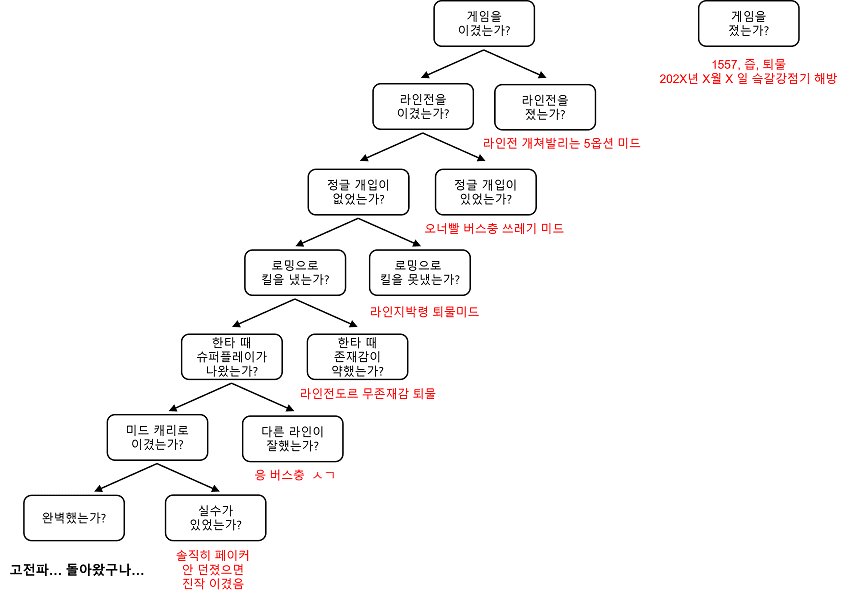
LOL 프로게이머 페이커 관련 알고리즘
if 조건문을 보다보니 끝없는 true 찾기가 생각났다.
마치 큰 미로 안에서 양갈래 길을 무수히 선택하는 기분이었다.
정답에 다다르기엔 힘들지만 도달하면 그만큼 뿌듯하려나.
제어문
위에서 아래로 수행되는 프로그램의 흐름을 바꾸는 역할을 함
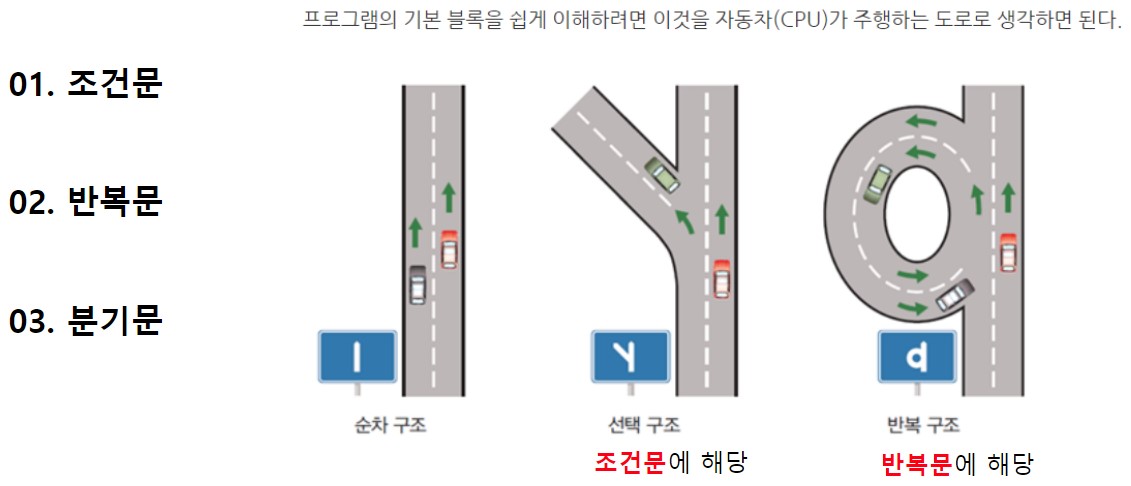
조건문
프로그램 수행 흐름을 바꾸는 역할을 하는 제어문 중 하나로 조건에 따라 다른 문장이 수행되도록 함
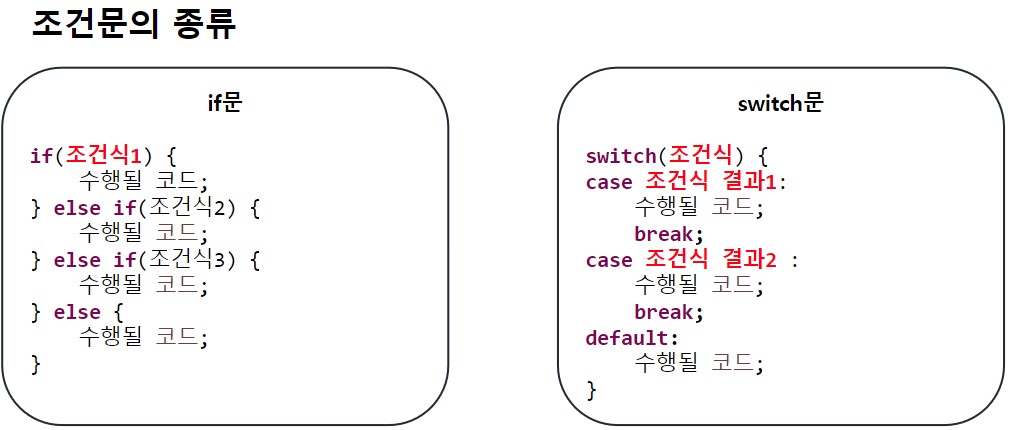
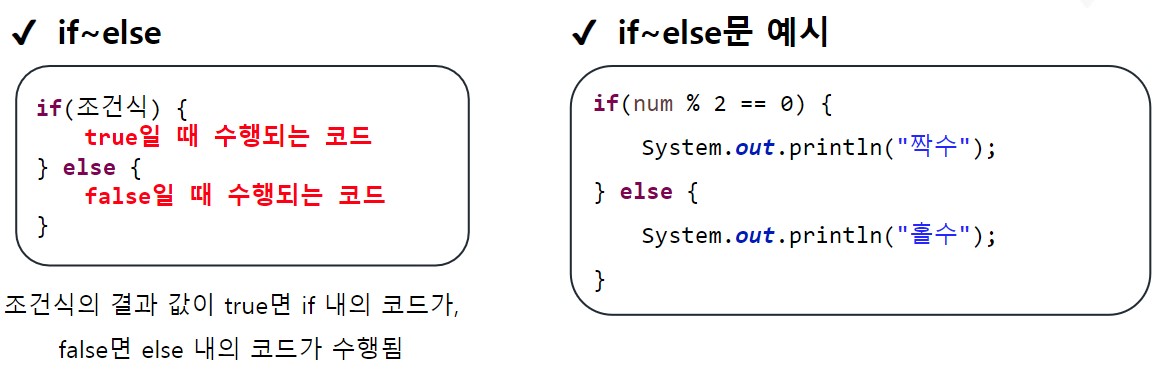
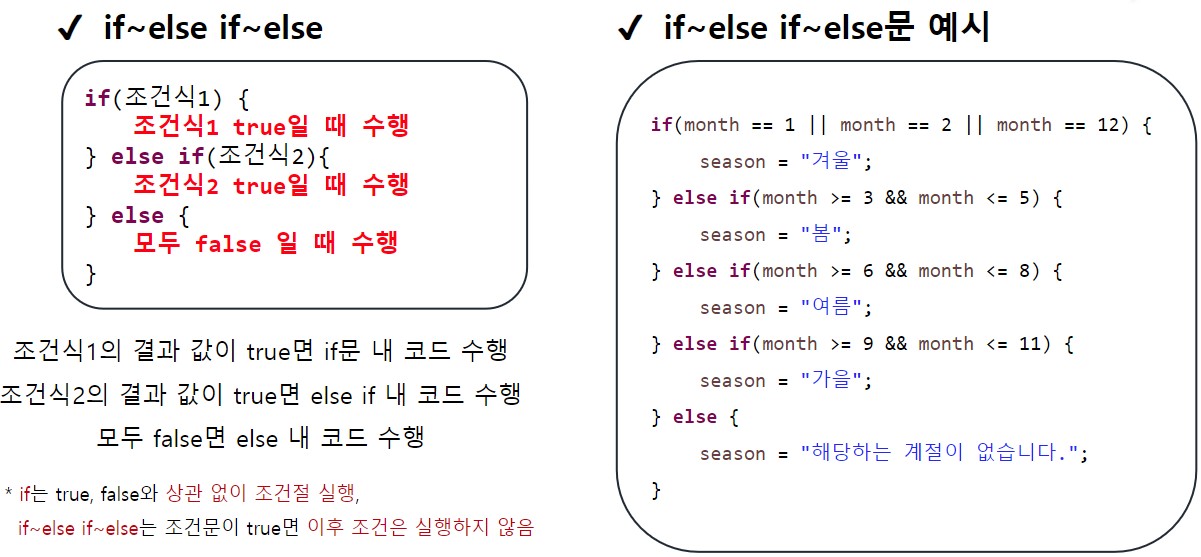
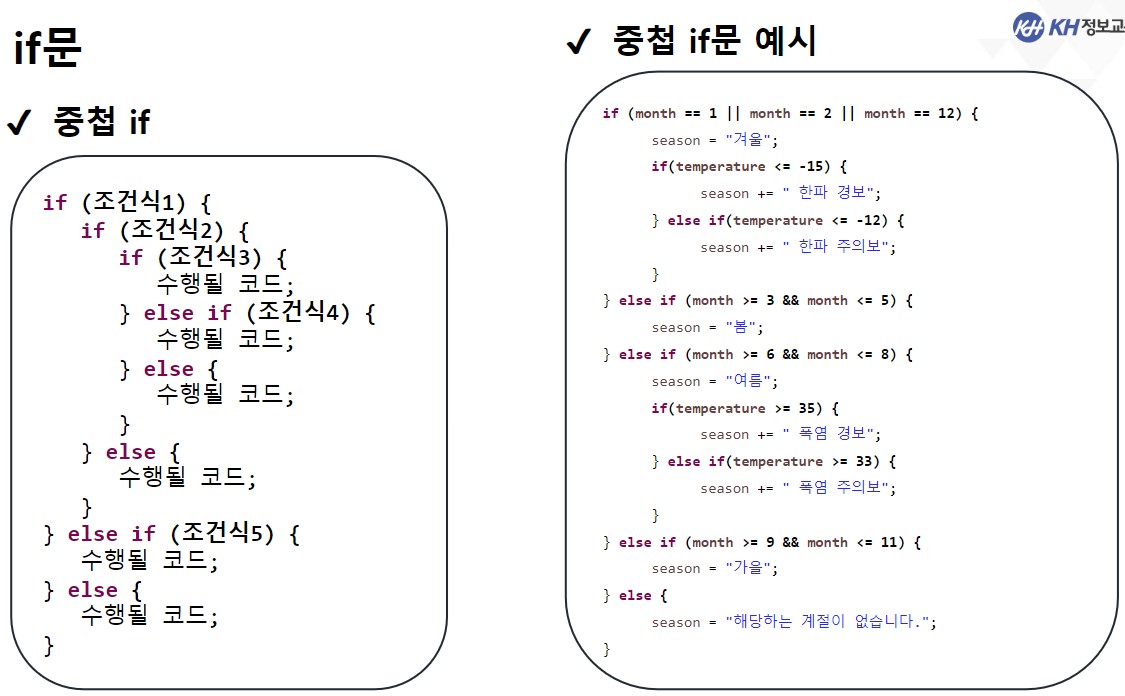
if문
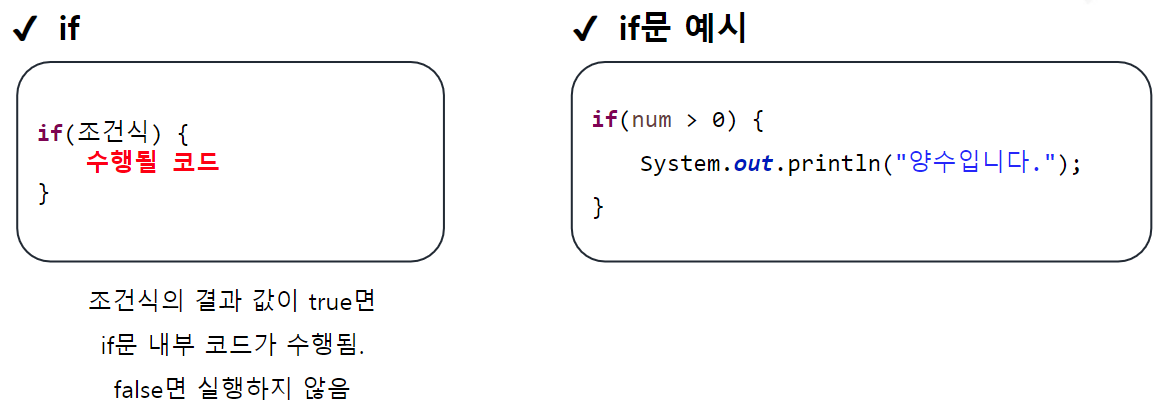
switch문
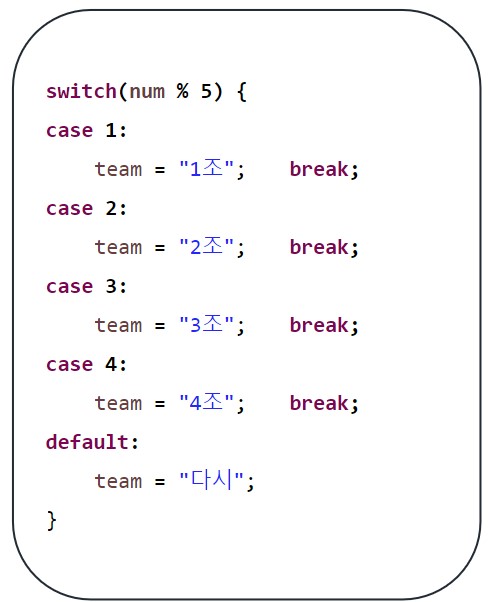
조건식 하나로 많은 경우의 수 처리할 때 사용하며
이때 조건식의 결과는 정수 또는 문자, 문자열
조건식의 결과 값과 일치하는 case문으로 이동
default문은 일치하는 case문이 없을 때 수행(= else )
반복문
프로그램 수행 흐름을 바꾸는 역할을 하는 제어문 중 하나로 특정 문장들을 반복해서 수행하도록 함
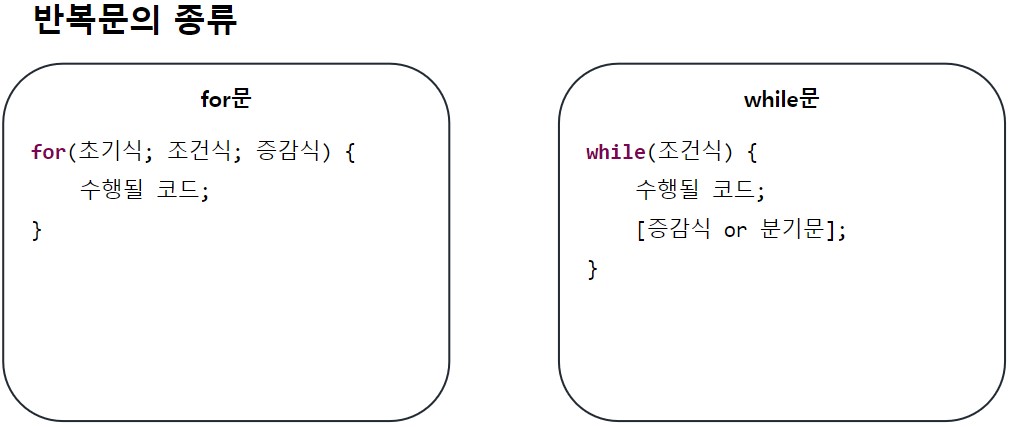
for문
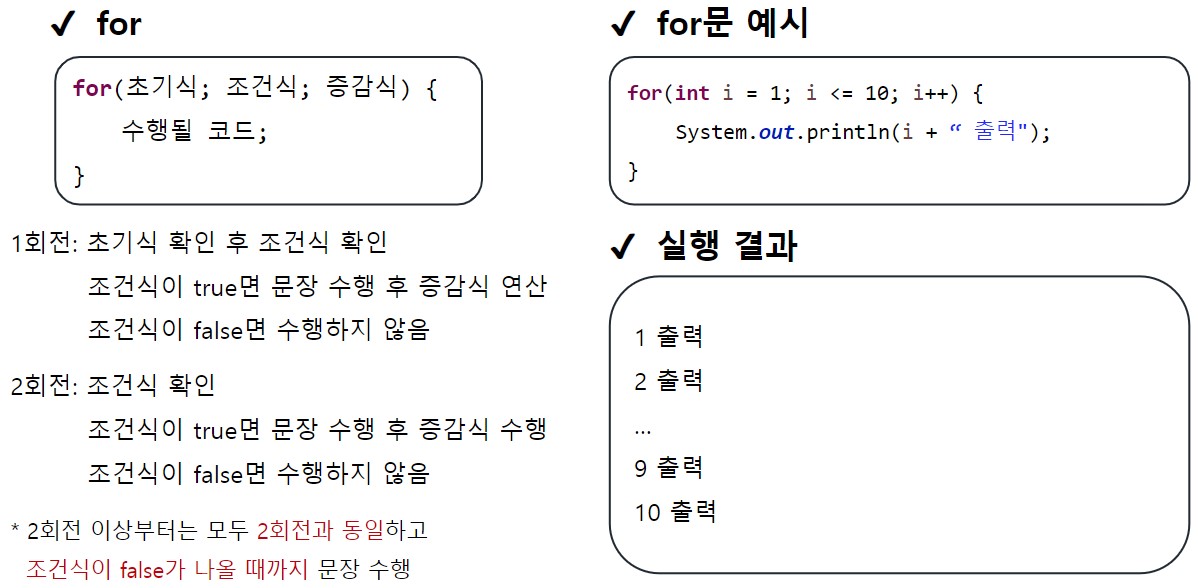
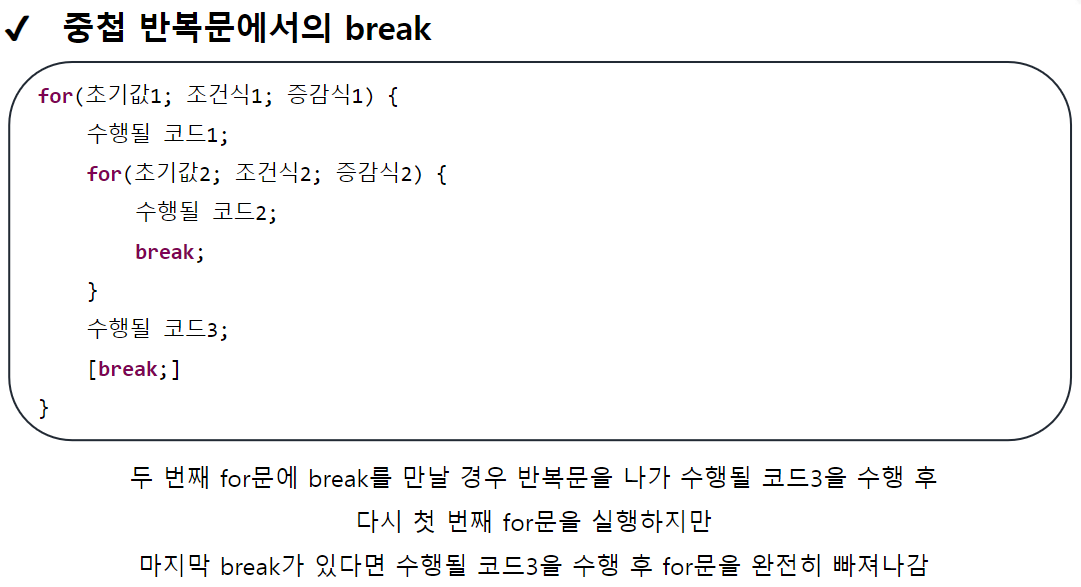
중첩 반복문
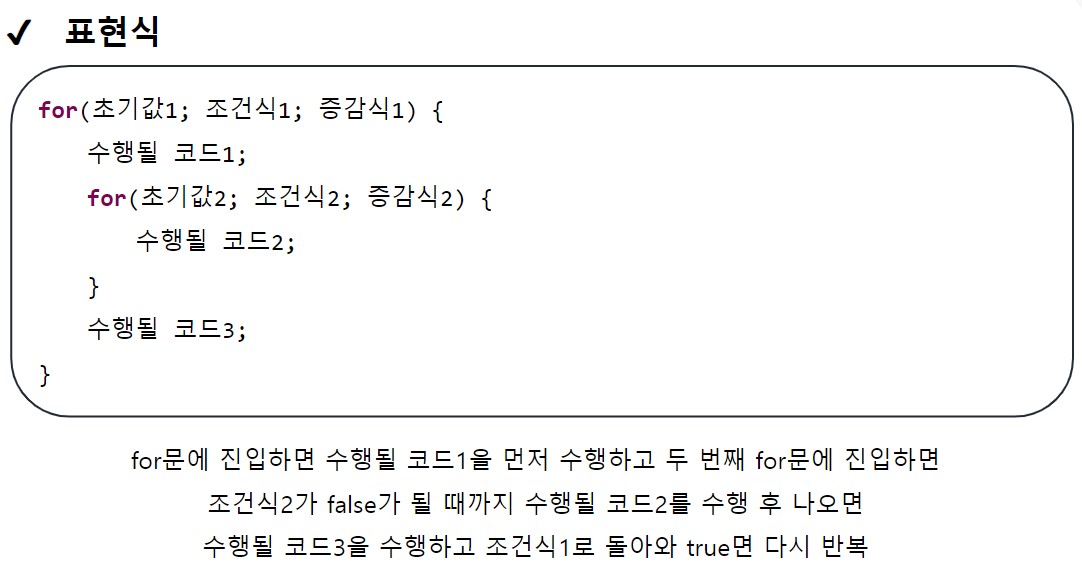
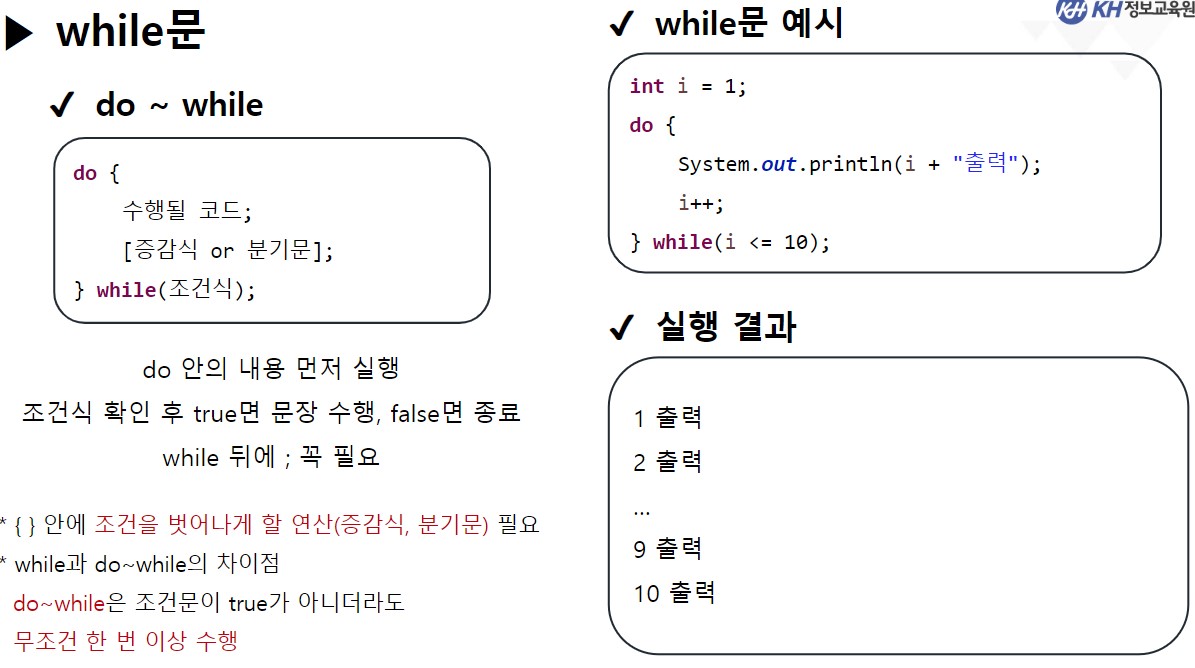
while문
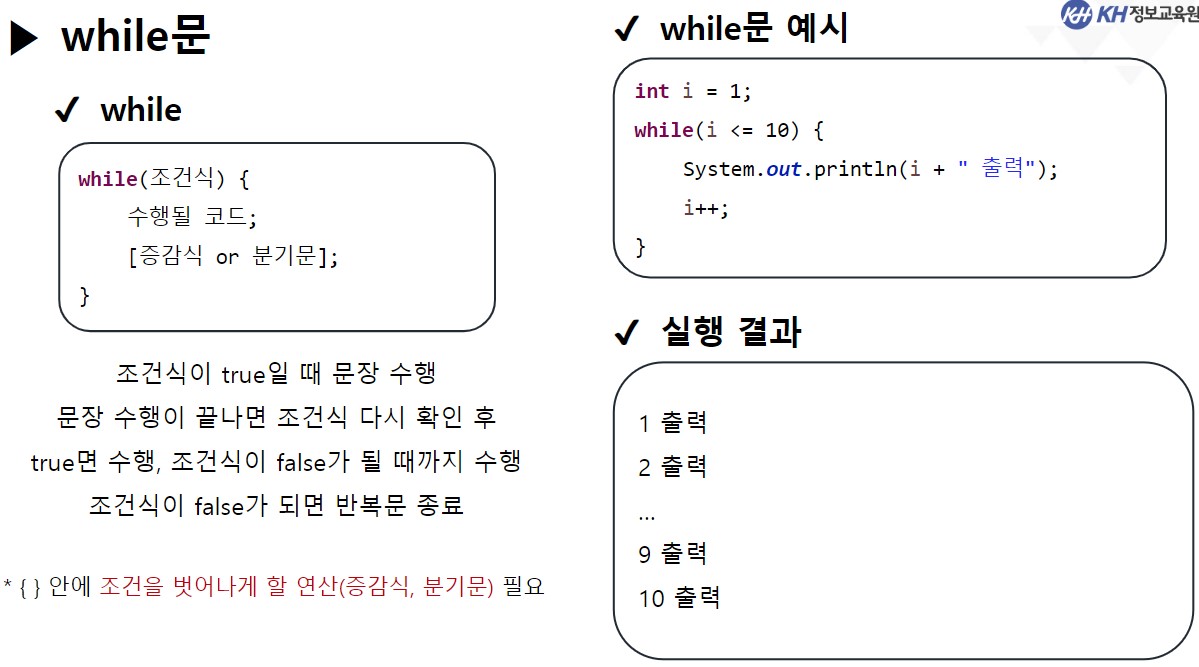
do while문
분기문
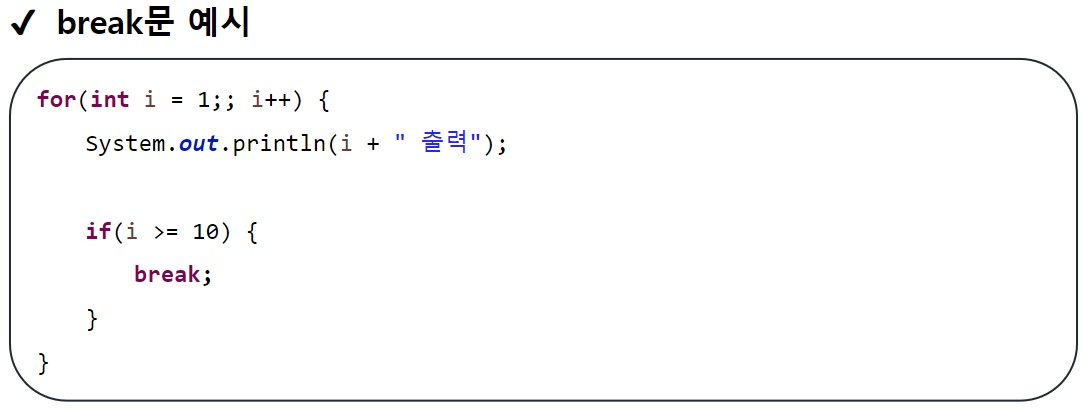
break
반복문에서는 break문 자신이 포함된 가장 가까운 반복문을 빠져나가는 구문
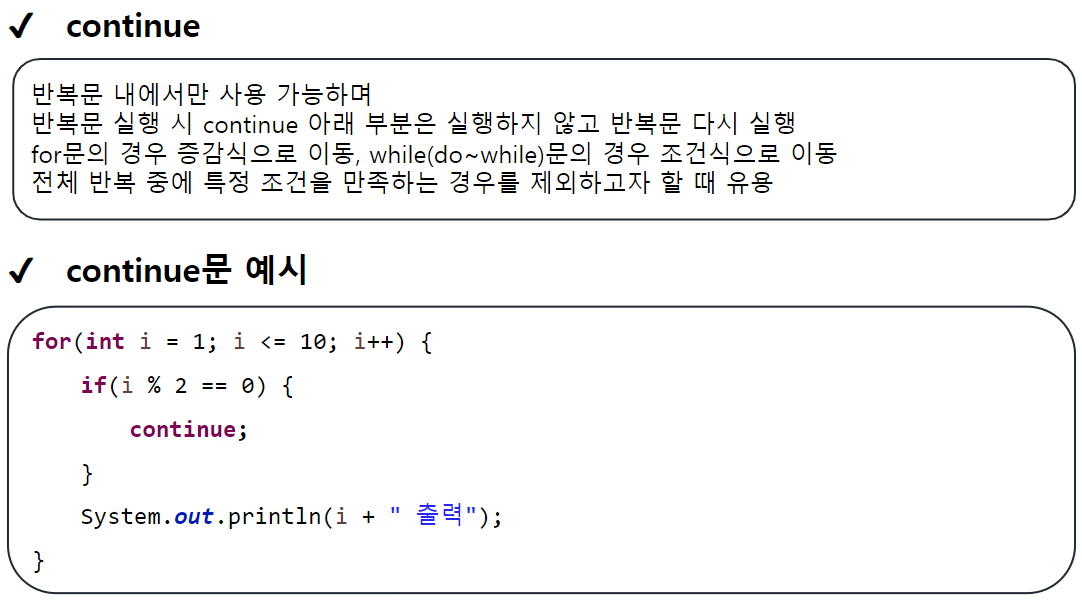
continue
package edu.kh.control.condition;

import java.util.Scanner;

public class ConditionExample {

	public void ex1() {

		// if문
		// 조건식이 true 일때만 내부 코드 수행

		/*
		 * [작성법]
		 * if(조건식) {
		 * 		조건식이 true 일 때 수행할 코드
		 * }
		 *
		 *
		 */

		Scanner sc = new Scanner(System.in);

		System.out.print("정수 입력 : ");
		int input = sc.nextInt();

		// 입력된 정수가 양수인지 검사
		if(input > 0) {
			System.out.print("양수입니다.");
		}

		if(input <= 0) {
			System.out.print("양수가 아니다.");
		}

	}

		public void ex2() {

			// if -else
			// 조건식 결과가 true면 if문,
			// false면 else 구문이 수행됨.

			/*
			 * if(조건식) {
			 * 		조건식이 true일 때 수행될 코드
			 * } else {
			 * 		조건식이 false일 때 수행될 코드
			 * }
			 *
			 *
			 */

			Scanner sc = new Scanner(System.in);

			// 홀짝 검사
			System.out.print("정수 입력 : ");
			int input = sc.nextInt();

			if ( input % 2 != 0 ) {
				System.out.print("홀수 입니다.");

			} else { // 짝수 또는 0 입력 시 수행

				// 중첩 if문
				if(input == 0) {
					System.out.print("0입니다.");
				} else {
					System.out.print("짝수입니다.");
				}

			}

		}

		public void ex3() {

			// 양수, 음수, 0 판별

			// if - else if - else

			Scanner sc = new Scanner(System.in);

			System.out.print("정수 입력 : ");
			int input = sc.nextInt();

			if (input > 0) {
				System.out.print("양수입니다.");
			} else if (input < 0) { // input이 음수일 경우
				// 바로 위에 있는 if문이 만족되지 않은 경우 수행
				System.out.println("음수 입니다.");
			} else {
				System.out.println("0입니다.");
			}

		}

		public void ex4() {

			// 달(month)을 입력받아 해당 달에 맞는 계절 출력
			// 단, 겨울일 때 온도가 -15도 이하 "한파 경보", -12도 이하 "한파 주의보"
			// 여름일 때 온도가 35도 이상 "폭염 경보", 33도 이상 " 폭염 주의보"
			// 1~12 사이가 아닐 땐 "해당하는 계절이 없습니다." 출력

			Scanner sc = new Scanner(System.in);

			System.out.print("달 입력: ");
			int month = sc.nextInt();

			int temperature = 10;

			String season;

			if (month == 1 || month == 2 || month == 12) {
				season = "겨울";

				if (temperature <= -15) {
					season += " 한파 경보";
				} else if (temperature <= -12) {
					season += " 한파 주의보";
				}

			} else if (month >= 3 && month <= 5) {
				season = "봄";

			} else if (month >= 6 && month <= 8) {
				season = "여름";

				if (temperature >= 35) {
					season += " 폭염 경보";
				} else if (temperature >= 33) {
					season += " 폭염 주의보";
				}

			} else if (month >= 9 && month <= 11) {
				season = "가을";

			} else {
				season = "해당하는 계절이 없습니다.";
			}

			System.out.println(season);

		}
}
실행문
package edu.kh.control.condition;

public class ConditionRun {


	public static void main(String [] args) {

		ConditionExample condition = new ConditionExample();

		//condition.ex1();
		//condition.ex2();
		//condition.ex3();
		condition.ex4();

	}
}

초보자
정보가 많아서 도움이 많이 됐습니다.