Introduction
Operating System
- A program that acts as an intermediary between a user of a computer and the computer hardware
Operating system goals
- Execute user programs and make solving user problems easier
- Use the computer hardware in an efficient manner
Role of Operating System
- A resource mannager and allocator
- Decide between conflicting requests for hardware access
- Attempt to be efficient and fair
- A control program
- Control execution of user programs
Two common OS families
POSIX
- Unix-ish
- e.g. Linux, Mac, Android, iOS
Windows
- Shipped by Microsoft
Computer Component
CPU: Central Processing Unit
- IBM PCs are Intel 80386 compatible
- Intel, AMD
- Today's dominant ISA(Instruction Set Architecture): x86-64 (developed by AMD)
RAM: Random Access Memory
- Periodically charge to store in a capacitor
High power consumption
Traditional RAM
- Execute data transfer at falling edges
DDR RAM: Double data rate SDRAM
- Execute data transfer on both rising and falling edges
North Bridge
- Coordinate access to main memory
- CPU - RAM
I/O device
South Bridge
- Facilitate I/O between devices, CPU and main memory
- CPU - I/O
Architecture Review
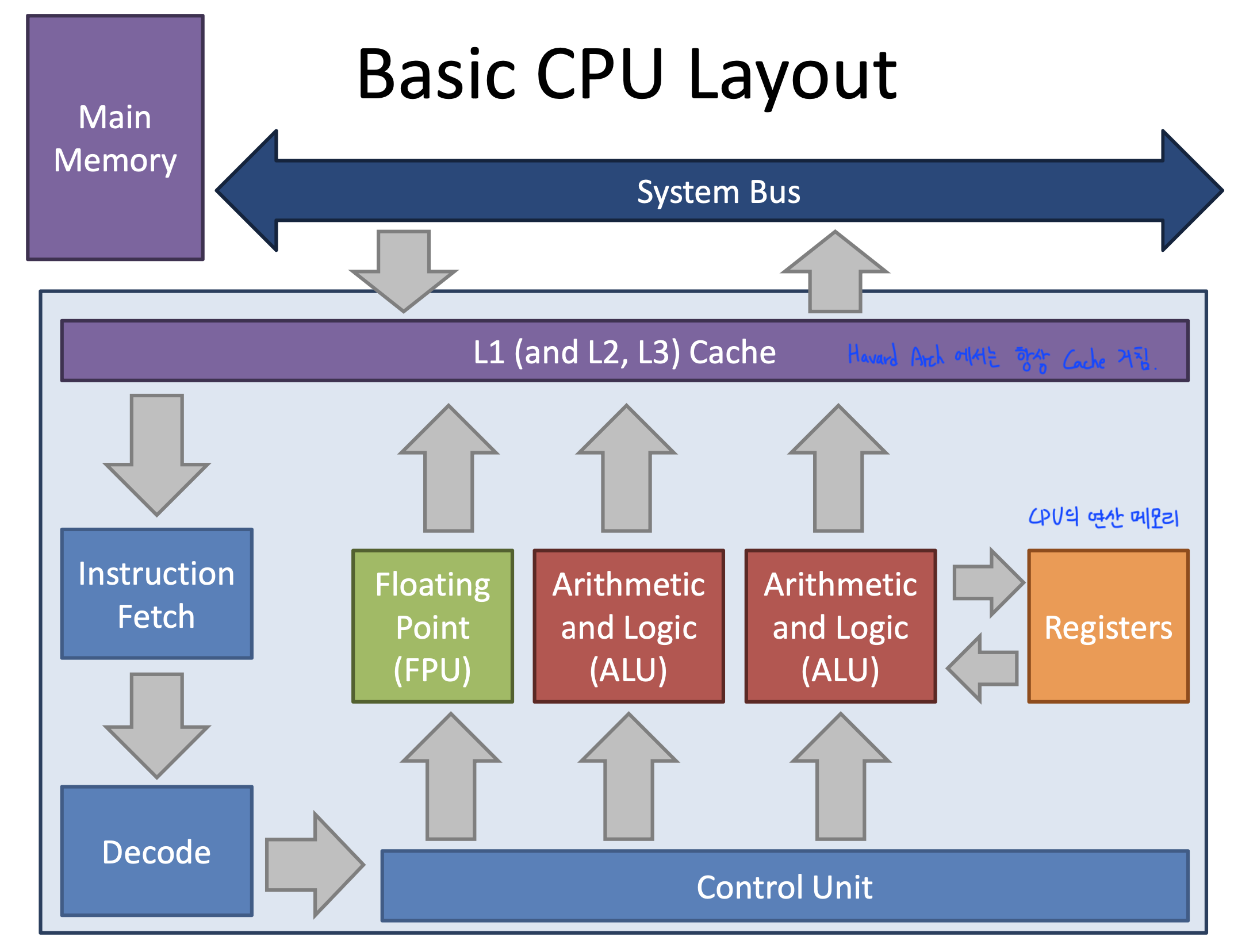
CPU
RAM
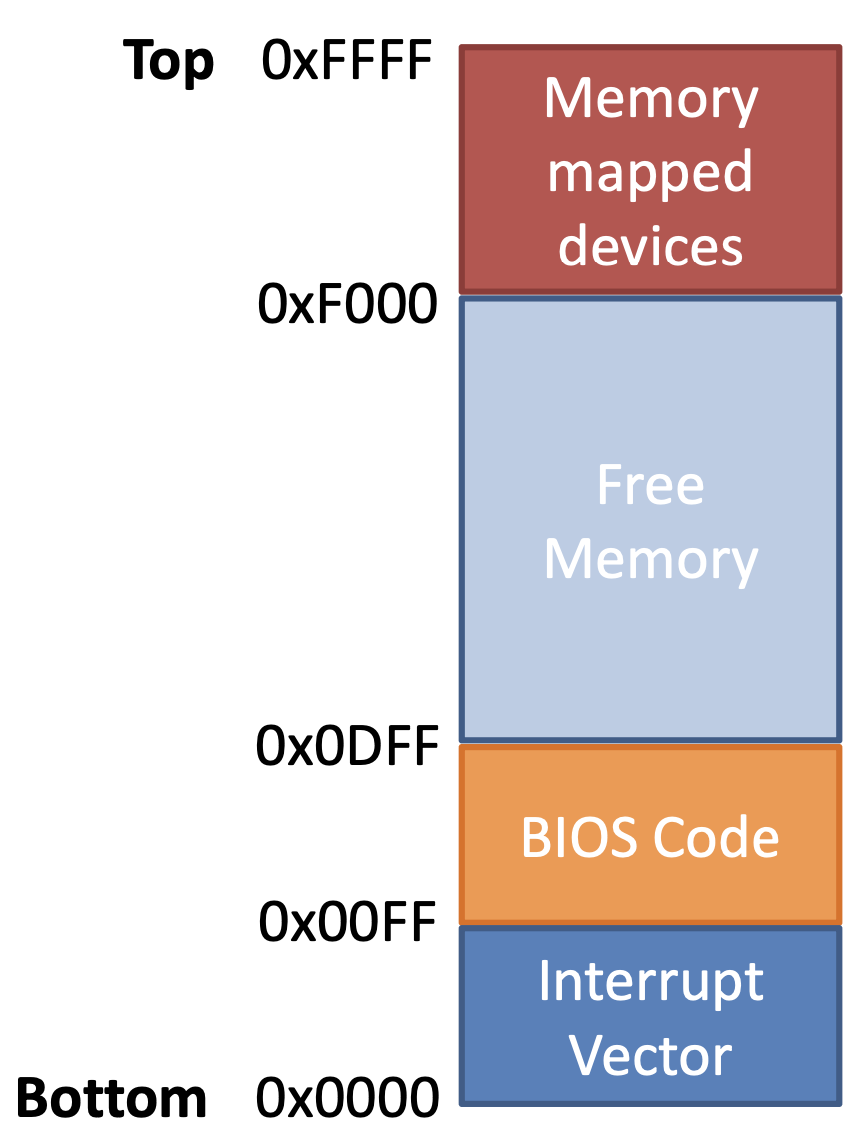
- 16-bit CPU can address 64KB of memory(= bytes)
- 1 byte is stored at each address
- Not all memory is free
Bit of CPU determines address space
Commuincating between CPU and the devices
1. I/O = Polling
- I/O-only memory space shared by the CPU and a device
- CPU and device communicate by reading / writing to the virtual memory space
- Problems
- CPU must mediate all transfers
- Case) Transfer data from disk to memory
- CPU must copy value from the I/O port to memory
- All I/O must be synchronous
- Case) Disk wants to send data
- but the CPU isn't reading the I/O port
- CPU must mediate all transfers
2. DMA: Direct Memory Access
- Parts of RAM shared by the CPU and a device
- I/O can access to memory directly
- After transfer is completed, I/O generate interrupt to the CPU
3. Interrupts
- Signal from a device to the CPU
- Interrupt causes the OS to switch to handler code (from the running code to an interrupt handler)
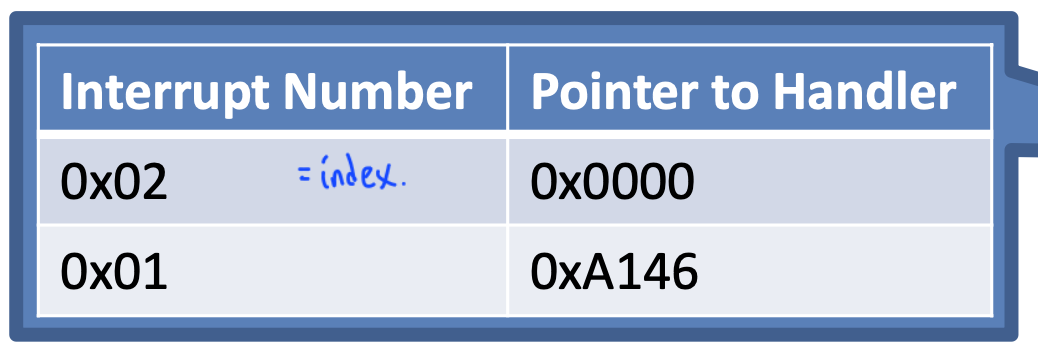
- Each interrupt (=each device) is assigned a number
- Number acts as an index into the Interrupt Vector Table
- Interrupt causes a context switch
- State of the CPU must be saved before the switch
- and restored after the handler completes
Context means the Current task status = register value
 | 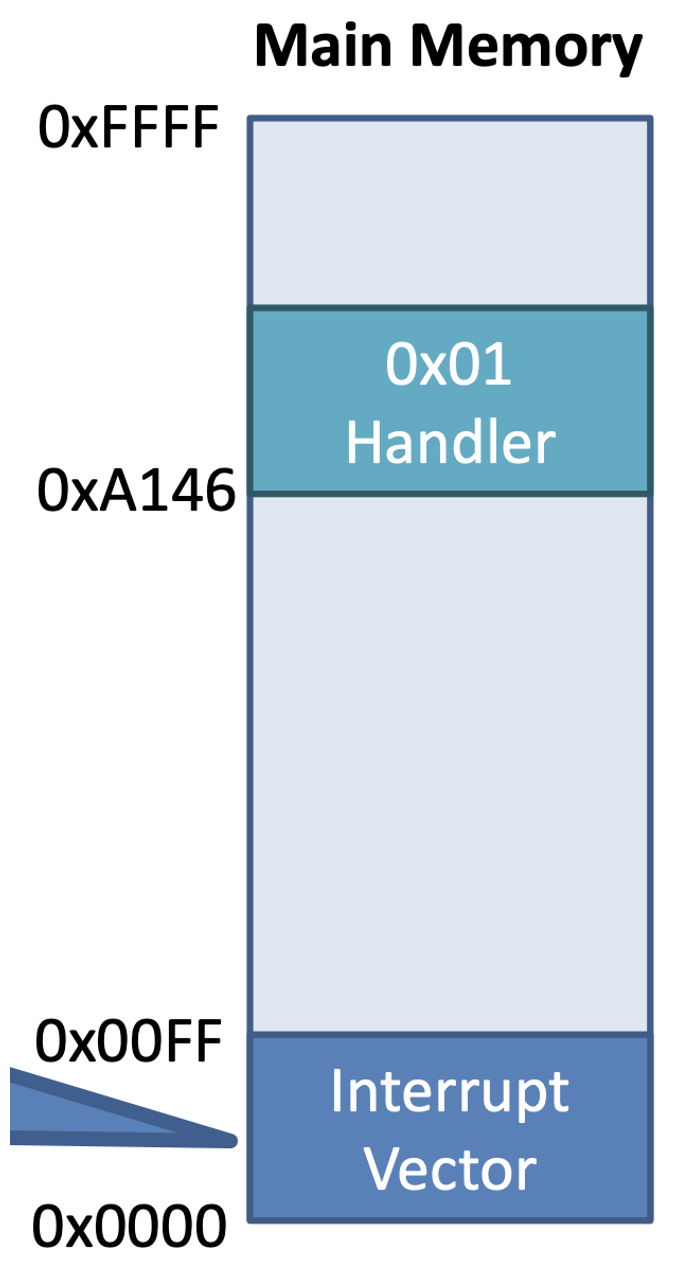 |
|---|
Interrupt Timeline
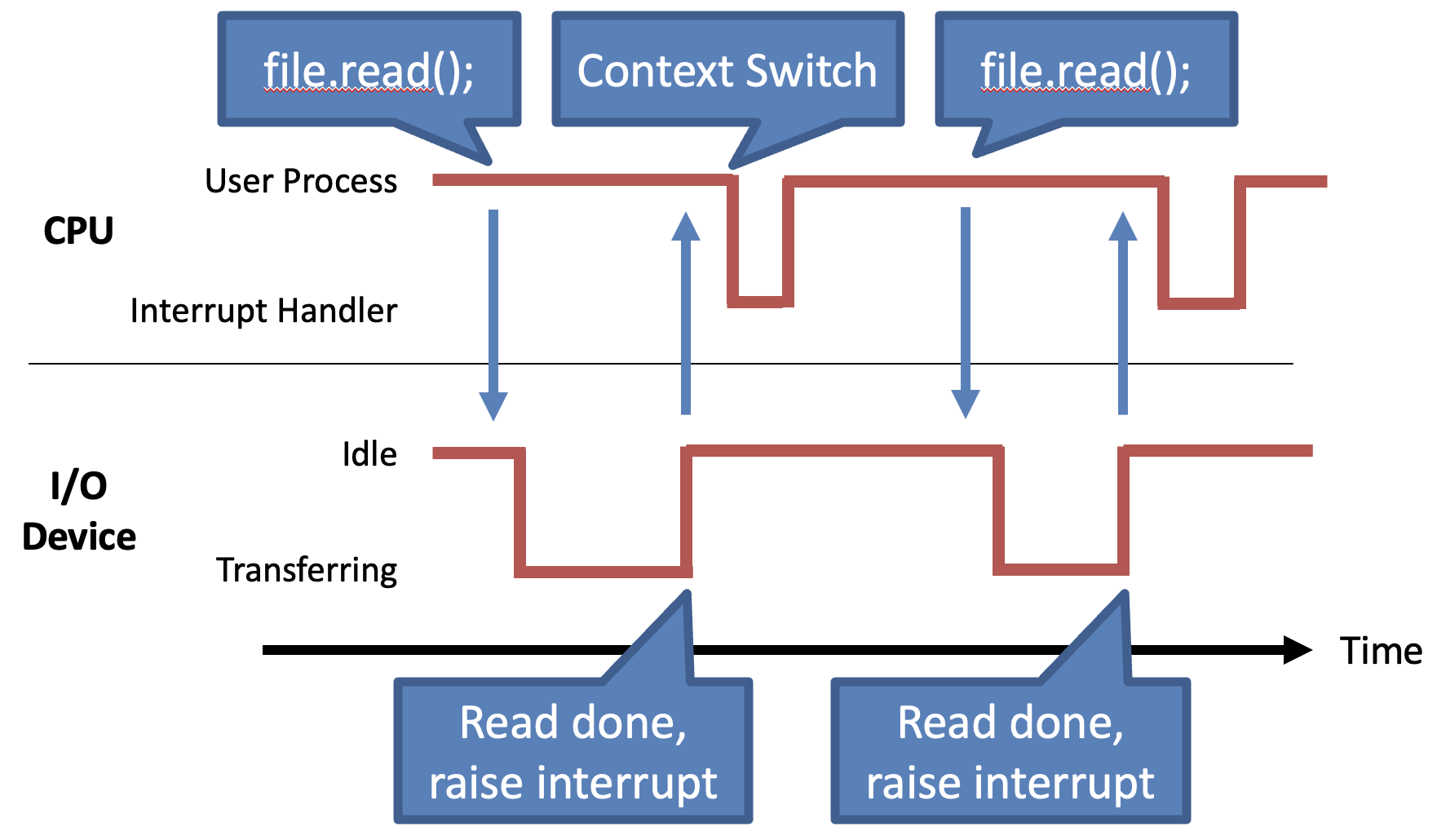
- Interrupt enables the CPU and devices to work in parallel
Booting up
1. Start the BIOS
BIOS: Basic Input/Output System
- Code from the BIOS gets copied to RAM at a low address (e.g. 0xFF)
- BIOS is stored in ROM so that BIOS doesn't need to be copied to RAM
- Practically, BIOS code gets copied to RAM because ROM is too slow
- JMP 0xFF written to RAM at 0xFFFF0
- x86 CPU always start with 0xFFFF0 in the EIP(Instruction Pointer) register
RAM 0xFF 에 BIOS code 가 복사되고 CPU 가 항상 시작하는 위치인 0xFFFF0 에는 0xFF 로 JMP 하라는 명령어가 존재
Essential goals of the BIOS
- Scan storage media for a Master Boot Record (MBR)
- Load the boot record into RAM
- Tell the CPU to execute the loaded code
2. Load setting from CMOS
3. Initialize devices
Scans and initializes hardware
- CPU and memory
- Keyboard and mouse
Builds the Interrupt Vector Table
Runs POST test
4. RUN POST (Power-On Self Test)
5. Initiate the bootstrap sequence
Bootstrapping
- BIOS identifies all potentially bootable devices
- MBR has code(bootloader) that can load the actual OS
Master Boot Record
- 512 byte file written to sector 1
- 446 bytes of executable code
- Entries for 4 partitions
- The magic number (55AA) serves to identify the MBR
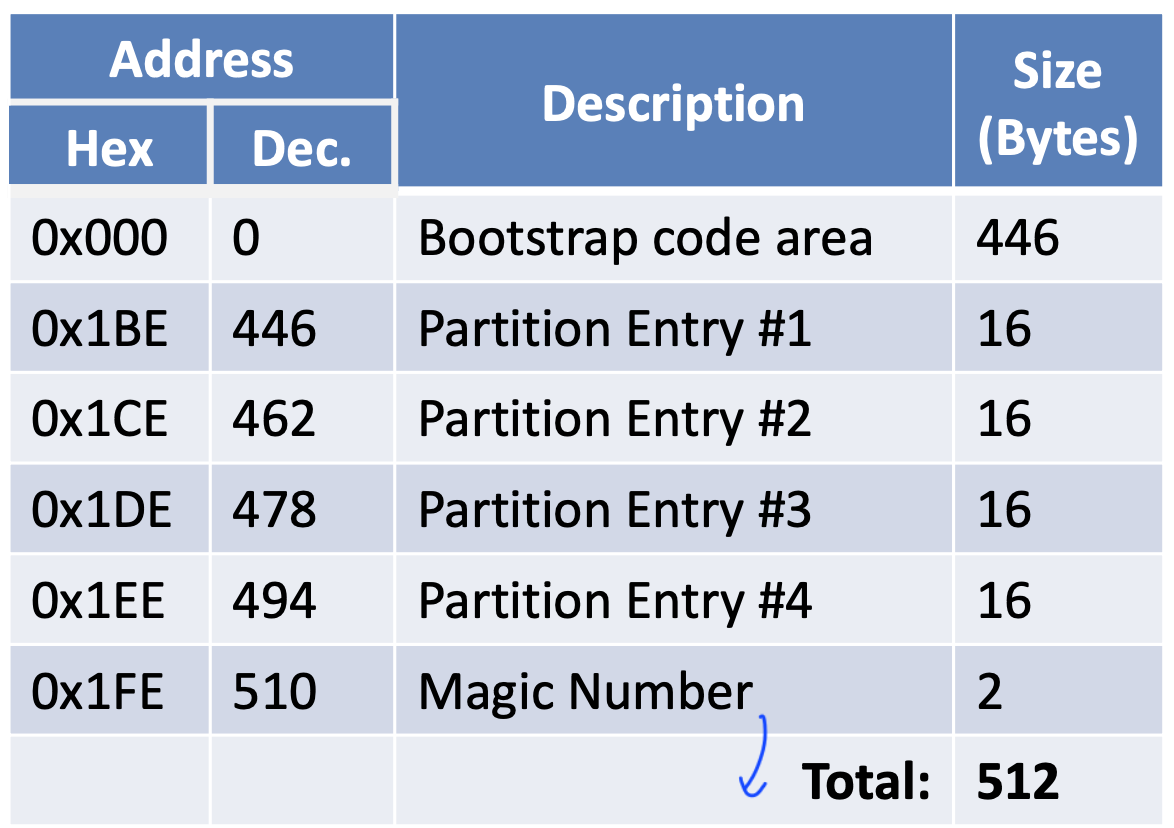
Applications
System Call Interface
System call
- Interface between OS and Applications
System call table
- Each OS API is given a specific index in the table
Traps: Software Interrupts
Software can also generate interrupts
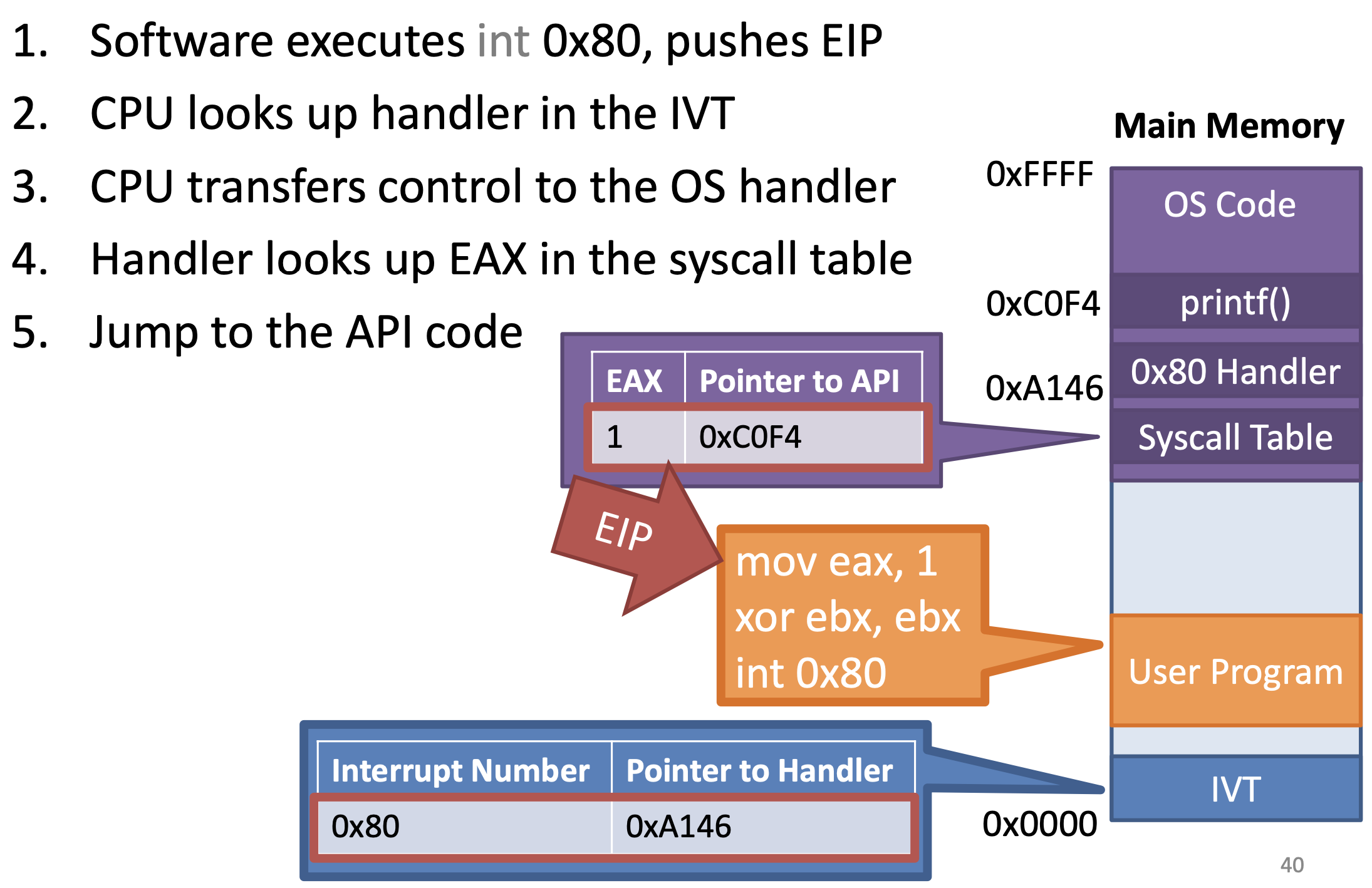
- 1 is system call number
- CPU calls 80 interrupt
- On x86, system calls are initiated via an interrupt
- On x86, int 0x80 is the system call interrupt
- EAX holds the table index of the desired API
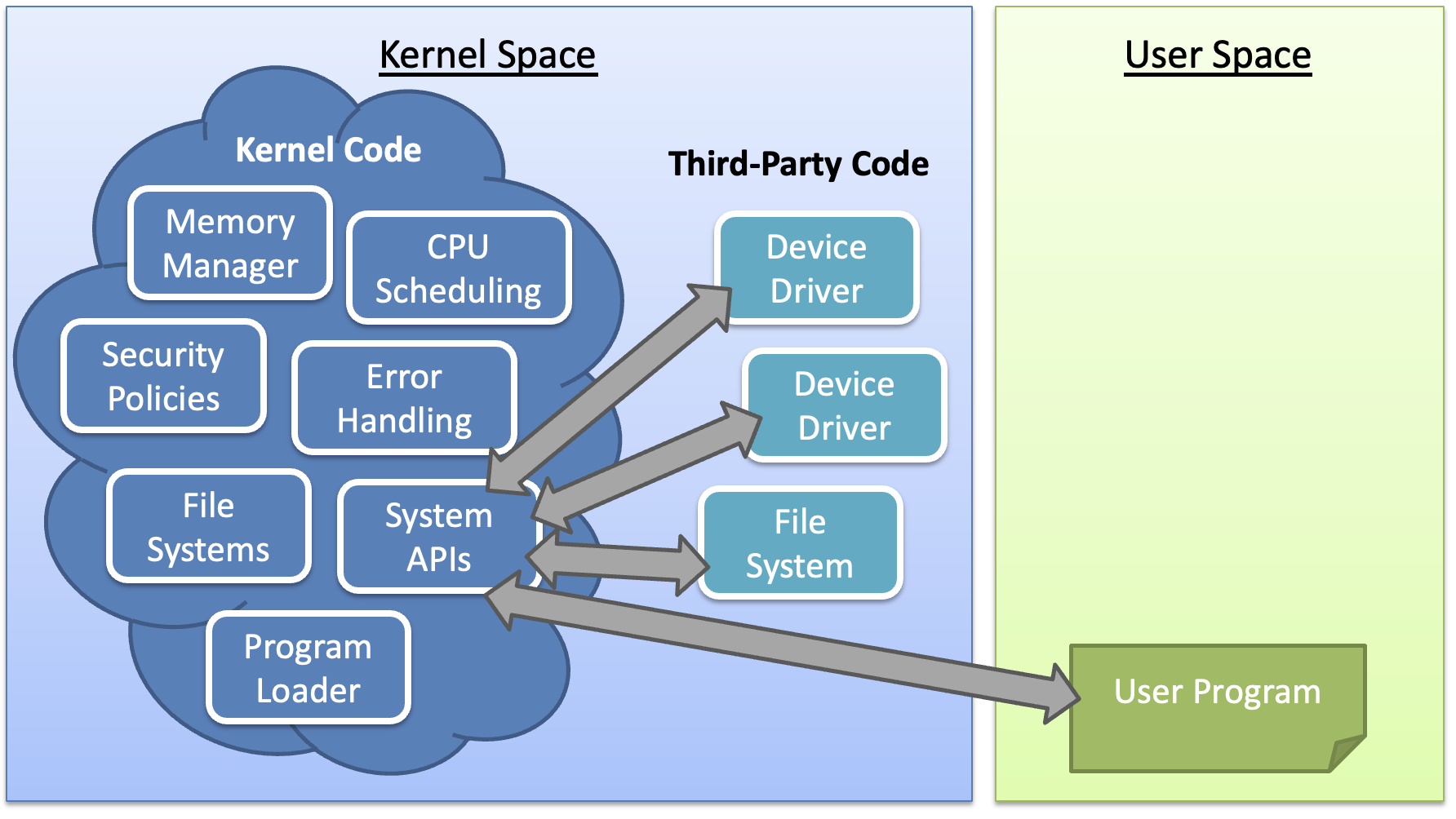
Kernel
Kernel
- The one program running at all times on the computer
Kernel features
Device Management
- Required: CPU and Memory
- Optional: disks, keyboards, etc.
Loading and executing programs
System calls and APIs
Protection and Security
Kernel architecture
Monolithic kernels
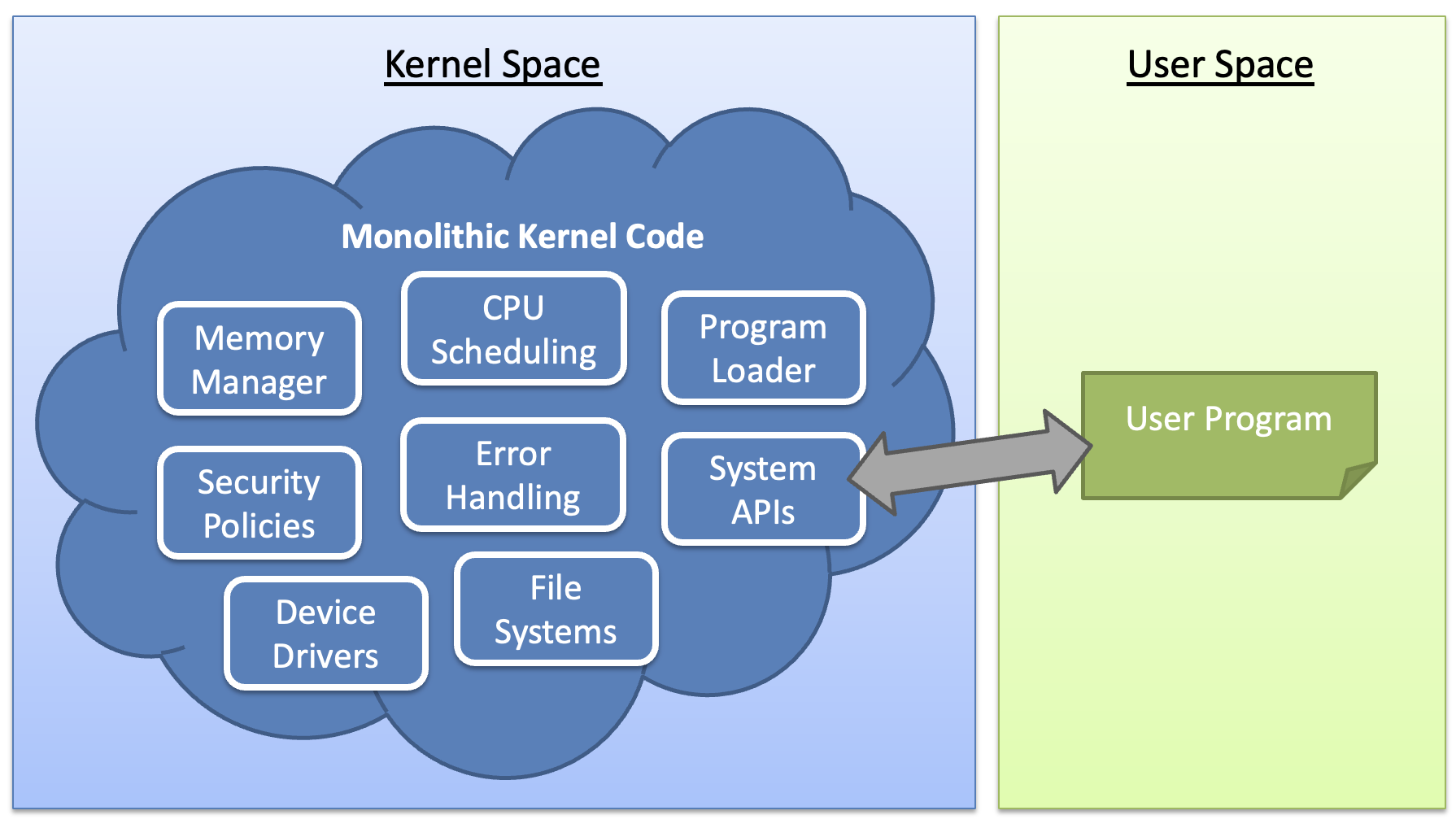
- All funcitonality is compiled together
- All code runs in privileged kernel-space
Pros
- Single code base
- Robust APIs
- Fast performance
Cons
- Large code base hard to manage
- Bugs crash the entire kernel
Micro kernels
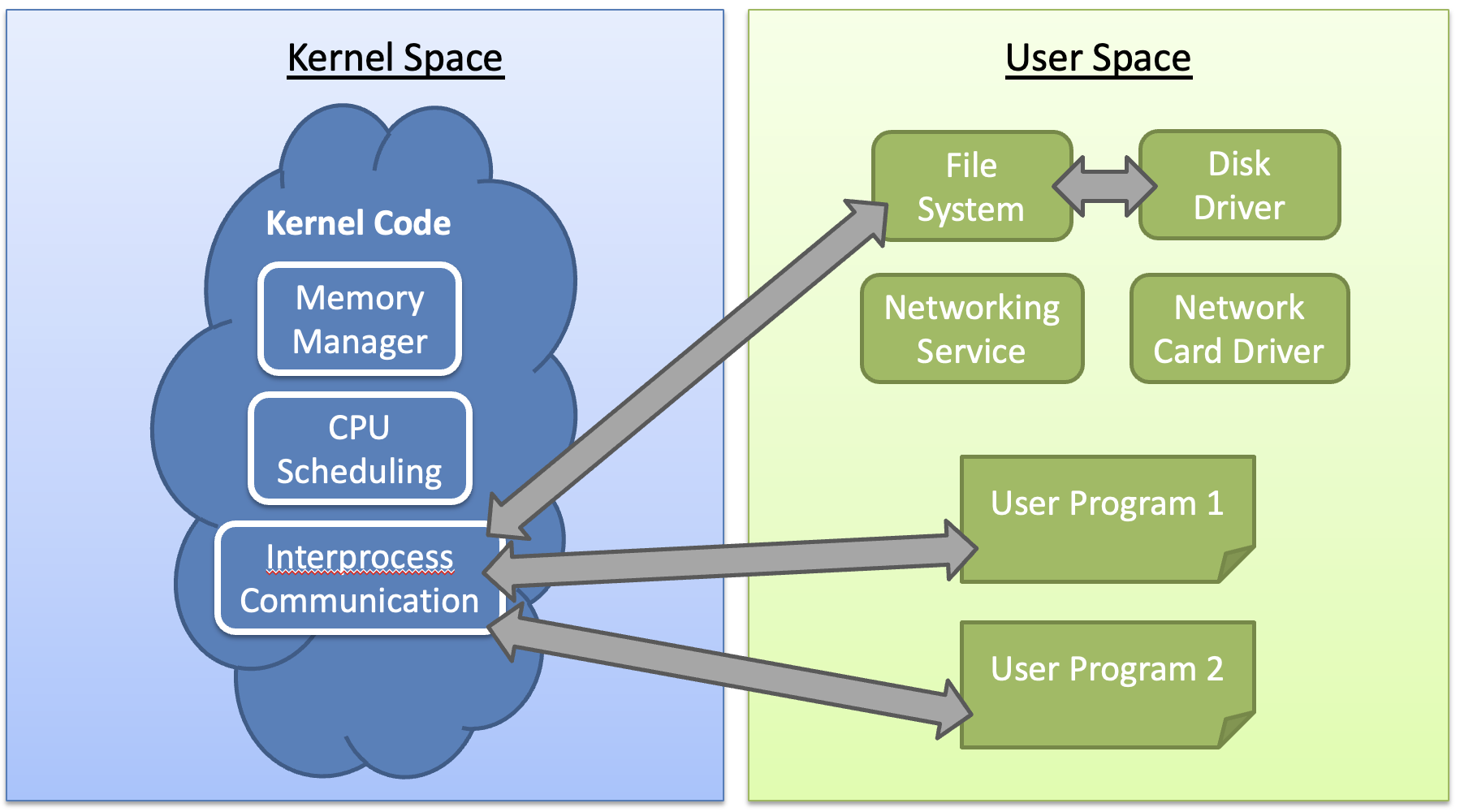
Pros
- Small code base easy to manage
- Service may crash, but the system will remain stable
- Easy to add new functionality
Cons
- Slow performance (Many context switches)
- No stable APIs
Hybrid kernels