1. 뷰(Views)와 템플릿(Templates)
뷰(Views)에서 데이터 출력하기
polls/views.py-
models를 임포트할 때
.models와polls.models는 같은 의미를 갖는다from .models import * # = from polls.models import * def index(request): # order_by로 5개를 가져온다 (-pub_date를 역순정렬) latest_question_list = Question.objects.order_by('-pub_date')[:5] # 5개 요소를 순회하며 question_text만 가져오고, 이것을 ', '로 조인한다 output = ', '.join([q.question_text for q in latest_question_list ]) return HttpResponse(output)
-
Django Shell에서 결과 미리 확인해보기>>> from polls.models import * >>> Question.objects.order_by('-pub_date')[:5] <QuerySet [<Question: 제목: 휴가 계획이 있나요?, 날짜: 2024-04-08 08:31:23.274211+00:00>, <Question: 제목: 휴가를 가실 계획인가요?, 날짜: 2024-04-08 08:21:04.019412+00:00>, <Question: 제목: abc???, 날짜: 2024-04-08 07:19:16.996914+00:00>, <Question: 제목: 커피 vs 녹차, 날짜: 2024-04-08 07:16:07.468897+00:00>, <Question: 제목: 가장 좋아하는 디저트는?, 날짜: 2024-04-08 05:57:13+00:00>]>>>> print(Question.objects.order_by('-pub_date')[:5].query) SELECT "polls_question"."id", "polls_question"."question_text", "polls_question"."pub_date" FROM "polls_question" ORDER BY "polls_question"."pub_date" DESC LIMIT 5- 결과 화면

뷰에 템플릿(html 문서) 연결하기
템플릿(html 문서)을 만들어 화면에 띄우기
polls/templates/polls/index.html-
테스트용 html 파일 생성
<ul>
    <li>text</li>
</ul>
-
polls/views.py:render()를 통해 템플릿과 연결from django.shortcuts import render def index(request): # order_by로 5개를 가져온다 (-pub_date를 역순정렬) latest_question_list = Question.objects.order_by('-pub_date')[:5] # 5개 요소를 순회하며 question_text만 가져오고, 이것을 ', '로 조인한다 output = ', '.join([q.question_text for q in latest_question_list ]) # return HttpResponse(output) return render(request, 'polls/index.html')- 결과 화면

템플릿에 변수를 전달해서 표시하기
polls/views.py-
‘first_question’ 이라는 변수에 하나의 질문 객체(latest_question_list[0])를 전달
from django.shortcuts import render

def index(request):
    #  order_by로 5개를 가져온다 (-pub_date를 역순정렬)
    latest_question_list = Question.objects.order_by('-pub_date')[:5]
    context = {'first_question' : latest_question_list[0]}

    return render(request, 'polls/index.html', context)
-
polls/templates/polls/index.html-
html 문서에서 변수를 사용할 때는 중괄호를 중첩해 사용한다
→ `{{ 변수명 }}`<ul> <li>{{first_question}}</li> </ul>
-
- 결과 화면

2. 템플릿(Templates)에서 제어문 사용하기
템플릿에서 변수 인덱싱하기
polls/views.py
from .models import *
from django.shortcuts import render

def index(request):
    latest_question_list = Question.objects.order_by('-pub_date')[:5]
    context = {'questions': latest_question_list}
return render(request, 'polls/index.html', context)polls/templates/polls/index.html-
html에서 인덱싱할 때, 대괄호를 사용하면 오류가 난다
→ `.` 을 사용해야 한다<ul> <li>{{questions.0}}</li> </ul>
-
- 결과 화면
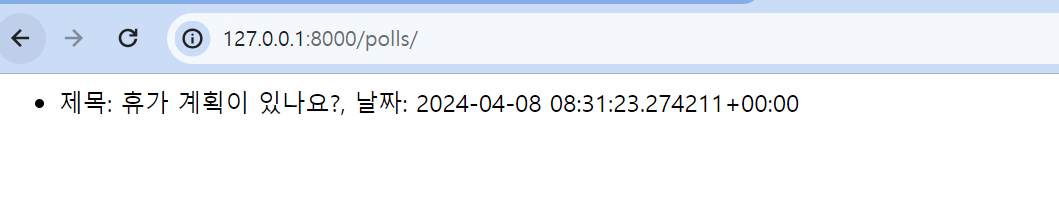
템플릿에서 반복문 구현하기
polls/views.pyfrom .models import * from django.shortcuts import render def index(request): latest_question_list = Question.objects.order_by('-pub_date')[:5] context = {'questions': latest_question_list} #context = {'questions': []} return render(request, 'polls/index.html', context)polls/templates/polls/index.html-
if, for 문은
{% %}을 활용한다 -
반드시 구문의 끝을 표시해 주어야 한다
-{% else %},{% endif %}{% if questions %} <ul> {% for question in questions %} <li>{{question}}</li> {% endfor %} </ul> {% else %} <p>no questions</p> {% endif %}
-
- 결과 화면
{% if questions %}→ question이 존재하는 경우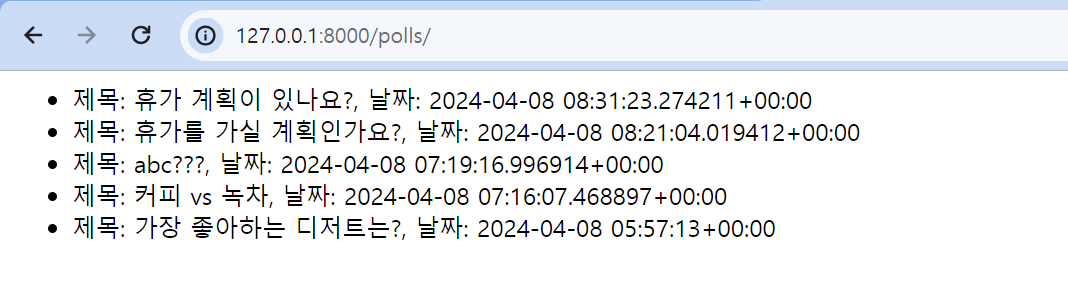
{% else %}→ question이 존재하지 않는 경우
3. 상세(detail) 페이지 만들기
- id를 받아 하나 하나의 question 자세하게 보여주는 detail 페이지 구현
url로 정수형(int) 값을 받아올 때
polls/urls.py-
새로운 url 패턴이 생기는 것이므로 urls.py에 case를 추가한다
-
정수형 값을 가져오려면
<int:변수명>을 활용한다from django.urls import path from . import views urlpatterns = [ ... # 숫자가 들어온 경우 views.detail에서 처리하라 path('<int:question_id>/', views.detail, name='detail') ... ]
-
polls/views.py-
url의 값을 잘 가져오는지 확인
def detail(request, question_id):
    return HttpResponse(f"입력 받은 id: {question_id}")
-
- 결과 화면

반복문을 이용해 Question별 상세 페이지 만들기
-
polls/templates/polls/detail.html<h1>{{question.question_text}}</h1> <ul> {% for choice in question.choice_set.all %} <li>{{choice.choice_text}}</li> {% endfor %} </ul> -
polls/views.pydef detail(request, question_id): # id에 맞는 quetion object 가져오기 question = Question.objects.get(pk=question_id) return render(request, 'polls/detail.html', {'question' : question}) -
결과 화면
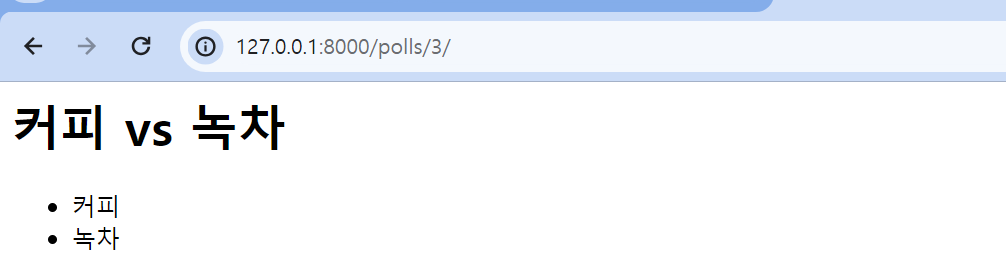
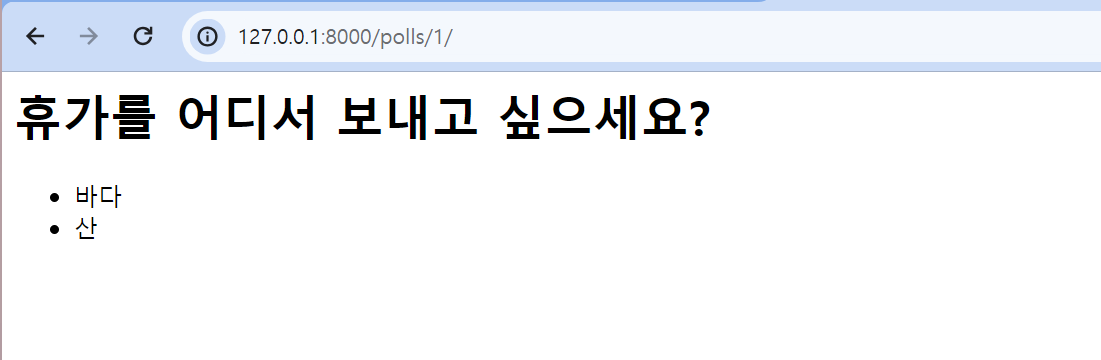
4. 상세(detail) 페이지로 링크 추가하기
- 질문(Question)을 클릭하면 하이퍼 링크로 detail 사이트로 이동하는 기능 구현
app_name 설정
- app_name: 애플리케이션 간에 url 네임 스페이스 충돌 방지용
-
app_name을 설정하면 앞으로 그 애플리케이션의 path 이름을 표기할 때
app_name:path_name과 같은 양식을 지켜야 한다→ `polls:detail` 처럼!from django.urls import path from . import views **app_name = 'polls'** urlpatterns = [ ... path('<int:question_id>/', views.detail, name='detail'), ]
-
id에 맞춰 상세 페이지 링크 추가하기
polls/templates/polls/index.html-
href="{% url 'questions:question_detail' [question.id](http://question.id) %}"을 통해 입력받은 question.id 를 활용해 detail 페이지로 이동할 수 있도록 한다{% if questions %} <ul> {% for question in questions %} <li><a href="{% url 'polls:detail' question.id %}">{{question}}</li> {% endfor %} </ul> {% else %} <p>no questions</p> {% endif %}
-
5. 404 에러 처리하기
404 에러란?
- 404 에러: 사용자가 잘못된 요청을 했을 경우 발생
- 제공되지 않은 url로 접속을 시도할 경우
- 500 에러: 찾으려고 노력은 해보았으나, 결국 찾지 못해 서버에 문제가 있는 것 같다고 판단한 경우 발생
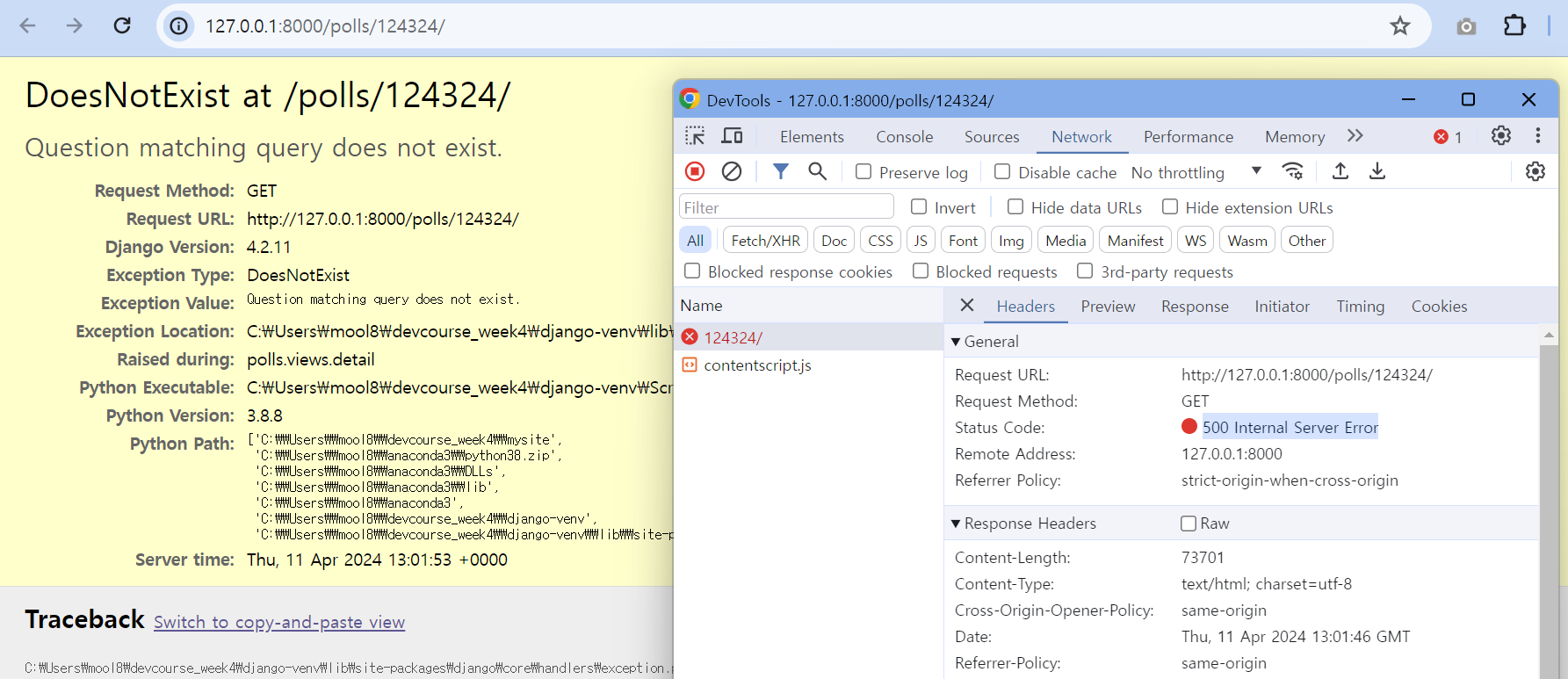
- 위 경우는 존재하지 않는 url을 입력한 경우로, 404 에러가 나는 것이 옳다
- 이때 404 에러로 처리할 수 있도록 만들어보자
404 에러 처리하기
Django Shell에서 에러 메시지 확인하기-
get()은 찾지 못했을 경우 에러가 발생한다> **polls.models.Question.DoesNotExist: Question matching query does not exist.** > → 이때 발생하는 에러는 `DoesNotExist`>>> question = Question.objects.get(pk=123123) Traceback (most recent call last): File "<console>", line 1, in <module> File "C:\Users\mool8\devcourse_week4\django-venv\lib\site-packages\django\db\models\manager.py", line 87, in manager_method return getattr(self.get_queryset(), name)(*args, **kwargs) File "C:\Users\mool8\devcourse_week4\django-venv\lib\site-packages\django\db\models\query.py", line 637, in get raise self.model.DoesNotExist( **polls.models.Question.DoesNotExist: Question matching query does not exist.** -
filter()는 동일한 상황에서 에러가 나지 않는다>>> question = Question.objects.filter(pk=123123) >>> question <QuerySet []>
-
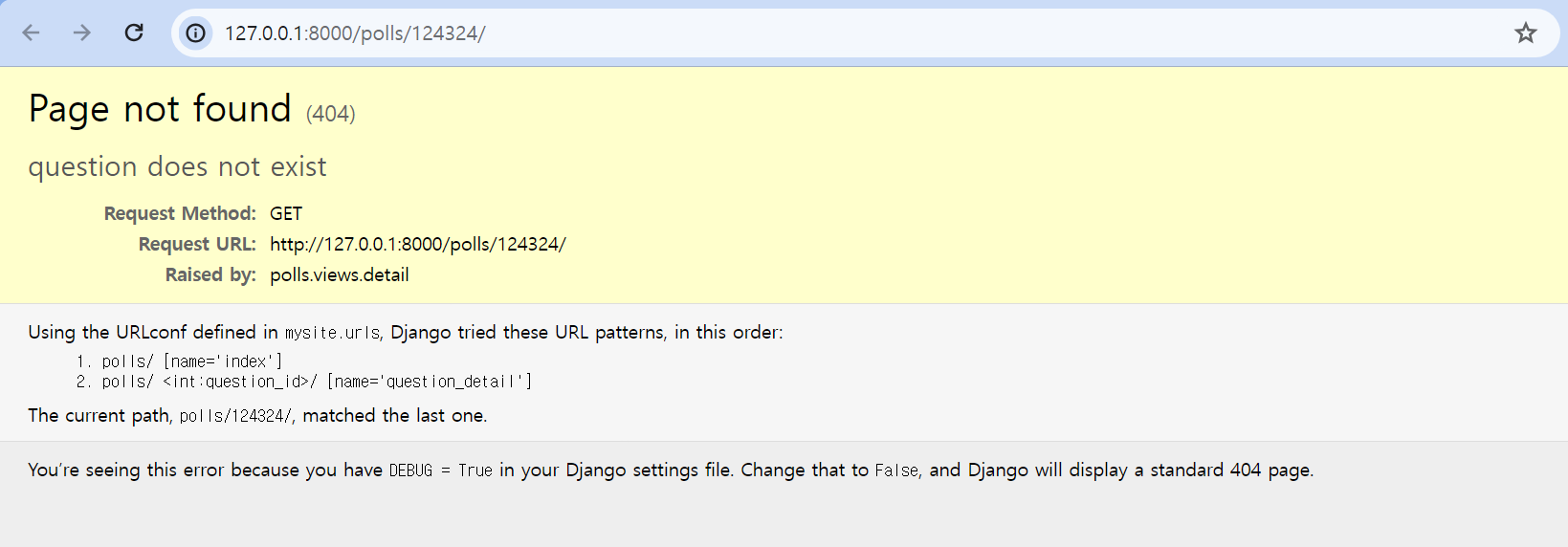
polls/views.pytry-except을 활용한 예외 처리from models.py import * from django.http import HttpResponse from django.http import Http404 def detail(request, question_id): # id에 맞는 quetion object 가져오기 try: # 에러가 발생할 만한 부분 question = Question.objects.get(pk=question_id) # 에러 처리 except Question.DoesNotExist: raise Http404("question does not exist") return render(request, 'polls/detail.html', {'question' : question})get_object_or_404()을 활용한 예외 처리from models.py import * from django.http import HttpResponse from django.shortcuts import get_object_or_404 def detail(request, question_id): # 간단한 방법 question = get_object_or_404(Question, pk=question_id) return render(request, 'polls/detail.html', {'question' : question})
- 404 에러 화면

가보자고! 🔥