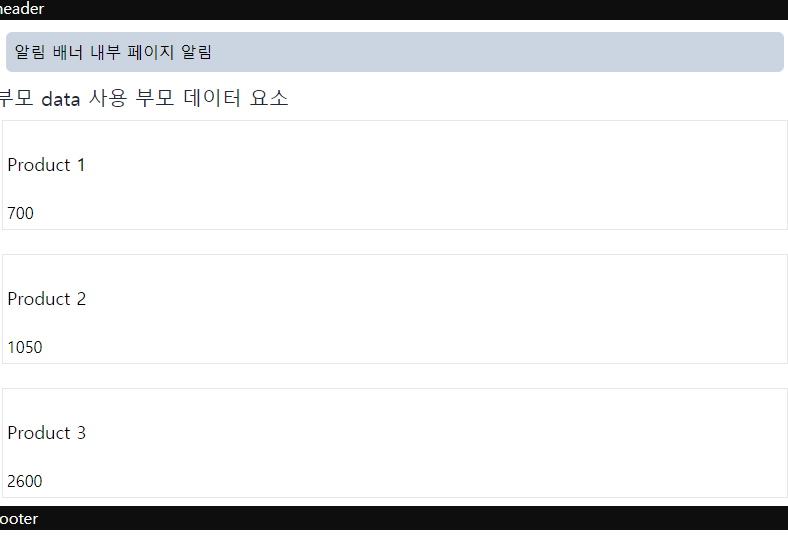
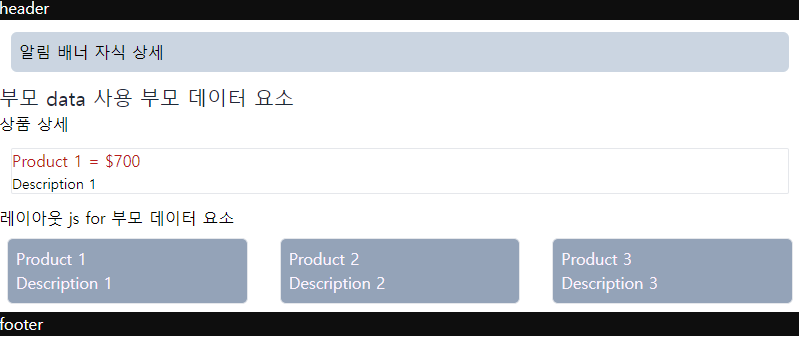
layout data, using prant data, using child data,
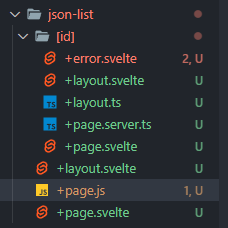
- +page.js
import Product from '$lib/components/Product.svelte';

export const load = async ({ fetch, data }) => {
	const res = await fetch('http://localhost:5000/products');
	const products = await res.json();

	const title = '1';
	const notification = '내부 페이지 알림';

	// return { title, description };

	return { title, products, Component: Product, notification };
};

export const ssr = true;
export const csr = false;
// export const prerender = true;
- +page.svelte
<script>
	export let data;
	const products = data.products;
	console.log(products);
	const Component = data.Component;
</script>

<style>
	.product-item {
		min-height: 1rem;
	}
</style>

<div class="grid gap-2">
	{#each products as product}
		<div class="product-item border m-2">
			<Component product="{product}" />
		</div>
	{/each}
</div>
- +layout.svelte
<script lang="ts">
	import { page } from '$app/stores';

	export let data;
	const { username } = data;
</script>

<style>
</style>

<svelte:head>
	<title>{$page.data.notification || '다르거나'}</title>
</svelte:head>

{#if $page.data.notification}
	<p class="bg-slate-300 rounded-md m-3 p-2">
		알림 배너 {$page.data.notification}
	</p>
{/if}

<p class="text-xl text-gray-800">부모 data 사용 {username}</p>

<slot />
[id]
+layout.ts
import type { LayoutLoad } from './$types';

export const load = (async ({ fetch, parent }) => {
	const pageTitle = '레이아웃 js';
	const parentData = await parent();
	const { username } = parentData;
	const url = 'http://localhost:5000/products';
	const res = await fetch(url);
	const jsProducts = await res.json();

	return { username, pageTitle, jsProducts };
}) satisfies LayoutLoad;
+layout.svelte
<script lang="ts">
	export let data;

	const username = data.username;
	const pageTitle: string = data.pageTitle;
	const jsProducts = data.jsProducts;
</script>

<style>
</style>

<slot />

<h3>{pageTitle} for {username}</h3>

<div class="grid gap-4 grid-cols-3">
	{#each jsProducts as product}
		<div class="border rounded-md m-2 p-2 bg-slate-400">
			<p class="pr-5 text-fuchsia-50">{product.title}</p>
			<p class="pr-5 text-fuchsia-50">{product.description}</p>
		</div>
	{/each}
</div>
+page.server.ts
import type { PageServerLoad } from './$types';
import { error, redirect } from '@sveltejs/kit';

export const load = (async ({ fetch, params, url, route }) => {
	const { id } = params;
	const res = await fetch(`http://localhost:5000/products/${id}`);
	const products = await res.json();
	const pageTitle = '상품 상세';
	const notification = '자식 상세';
	console.log(fetch, params, url, route);

	// if (Number(id) > 3) {
	// 	// throw error(404, {
	// 	// 	message: `${pageTitle}를 열수 없습니다.`,
	// 	// 	hint: `다시 시도해주세요.`,
	// 	// });
	// 	throw redirect(307, '/products');
	// }

	return {
		id,
		pageTitle,
		products,
		notification,
	};
}) satisfies PageServerLoad;

// export const prerender = 'auto';
+page.svelte
<script lang="ts">
	export let data;

	type prod = {
		id: number;
		title: string;
		price: number;
		description: string;
	};

	const { pageTitle, products } = data;
	const { title = '', price = 0, description = '' } = products;
</script>

<style>
</style>

<h1>{pageTitle}</h1>
<div class="border rounded-sm m-3">
	<h2 class="text-base text-red-700">{title} = ${price}</h2>
	<p class="text-sm">{description}</p>
</div>
결과 페이지