If you want your GitHub Actions or Python script to automatically send messages to Slack,
you first need to generate a Slack Webhook URL.
1️⃣ Create a Slack App
- Go to 👉 https://api.slack.com/apps
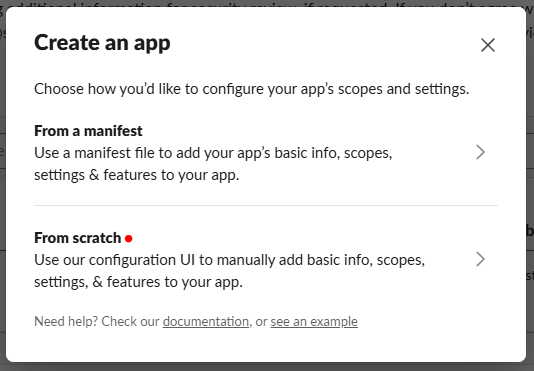
- Click “Create New App” → “From Scratch”
-
Enter the following information:
- App Name: e.g.,
Arxiv Daily Bot - Workspace: select the workspace you’ll use
- App Name: e.g.,
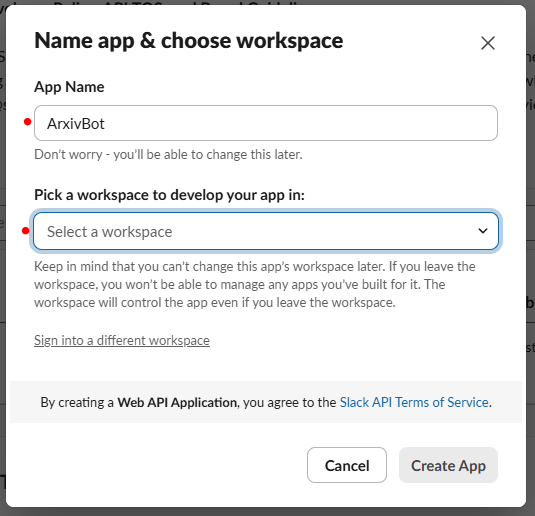
- Click Create App
2️⃣ Enable Incoming Webhooks
- In the left sidebar, click “Incoming Webhooks”
- Toggle “Activate Incoming Webhooks” → ON
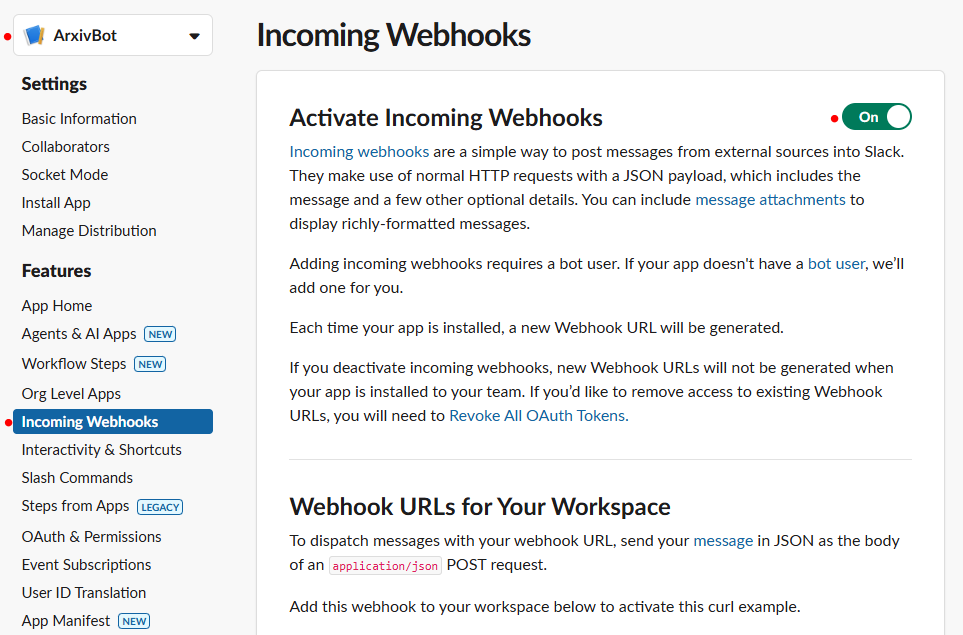
- Scroll down and click “Add New Webhook to Workspace”
- Choose the channel where you want to post messages (e.g.,
#arxiv-daily)

- Click Allow
You’ll now get a URL like this 👇
https://hooks.slack.com/services/T00000000/B00000000/XXXXXXXXXXXXXXXXXXXXXXXX✅ This is your Slack Webhook URL.
You’ll use it in GitHub Actions or Python code.
3️⃣ Test Your Webhook with Python
You can quickly test if your Webhook is working —for example, using Colab 👇
import requests

webhook_url = "https://hooks.slack.com/services/T00000000/B00000000/XXXXXXXXXXXXXXXXXXXXXXXX"
message = "recommendation"

response = requests.post(webhook_url, json={"text": message})

if response.status_code == 200:
    print("✅ Message sent successfully")
else:
    print(f"⚠️ Failed to send: {response.status_code}, {response.text}")
If the message appears in your selected Slack channel, you’re all set 🎉

AI 😎