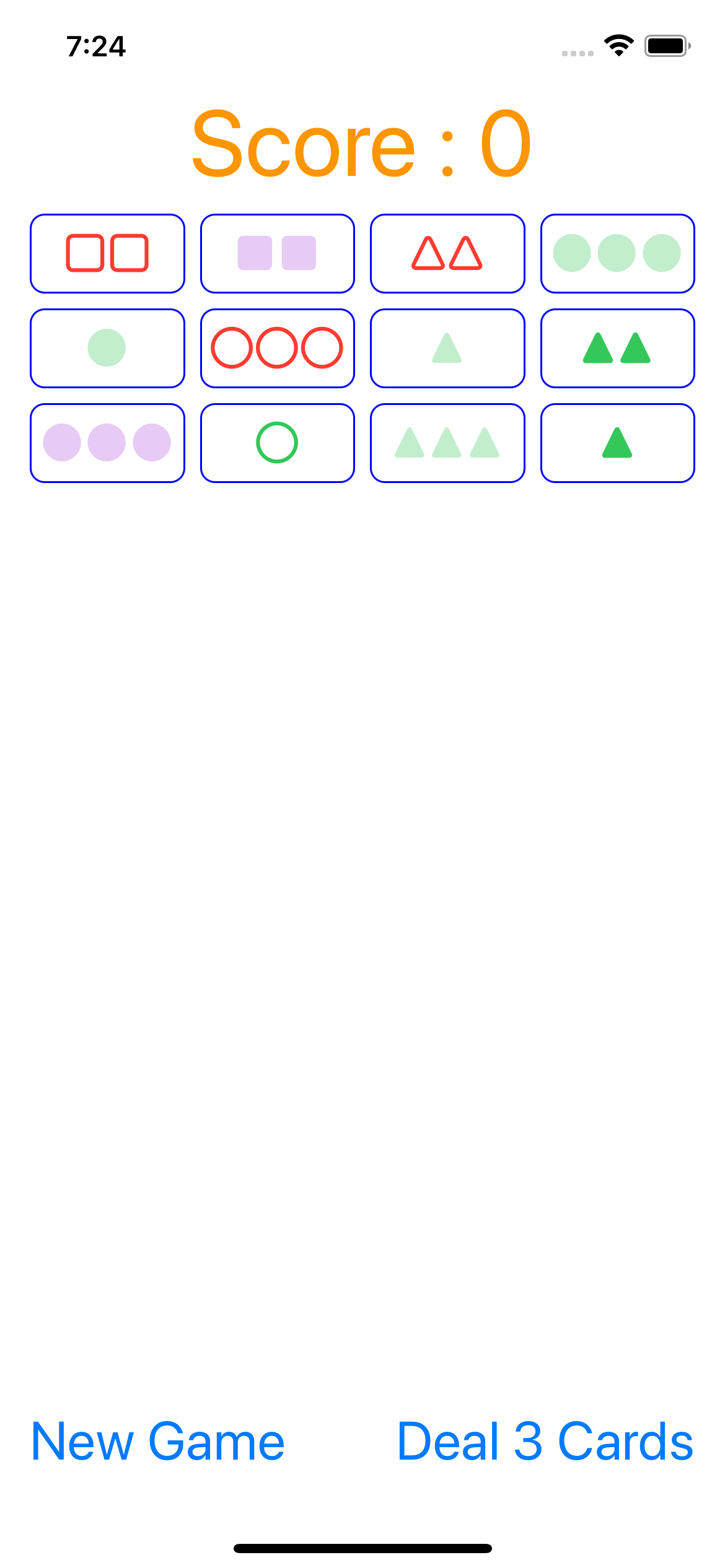
Model 의 전체적인 로직은 2021 강의를 들으면서 했던 것과 유사해서 생략하고, ViewController 관련 내용만 정리해 볼 생각이다
# UI 에 카드 나타내기
-
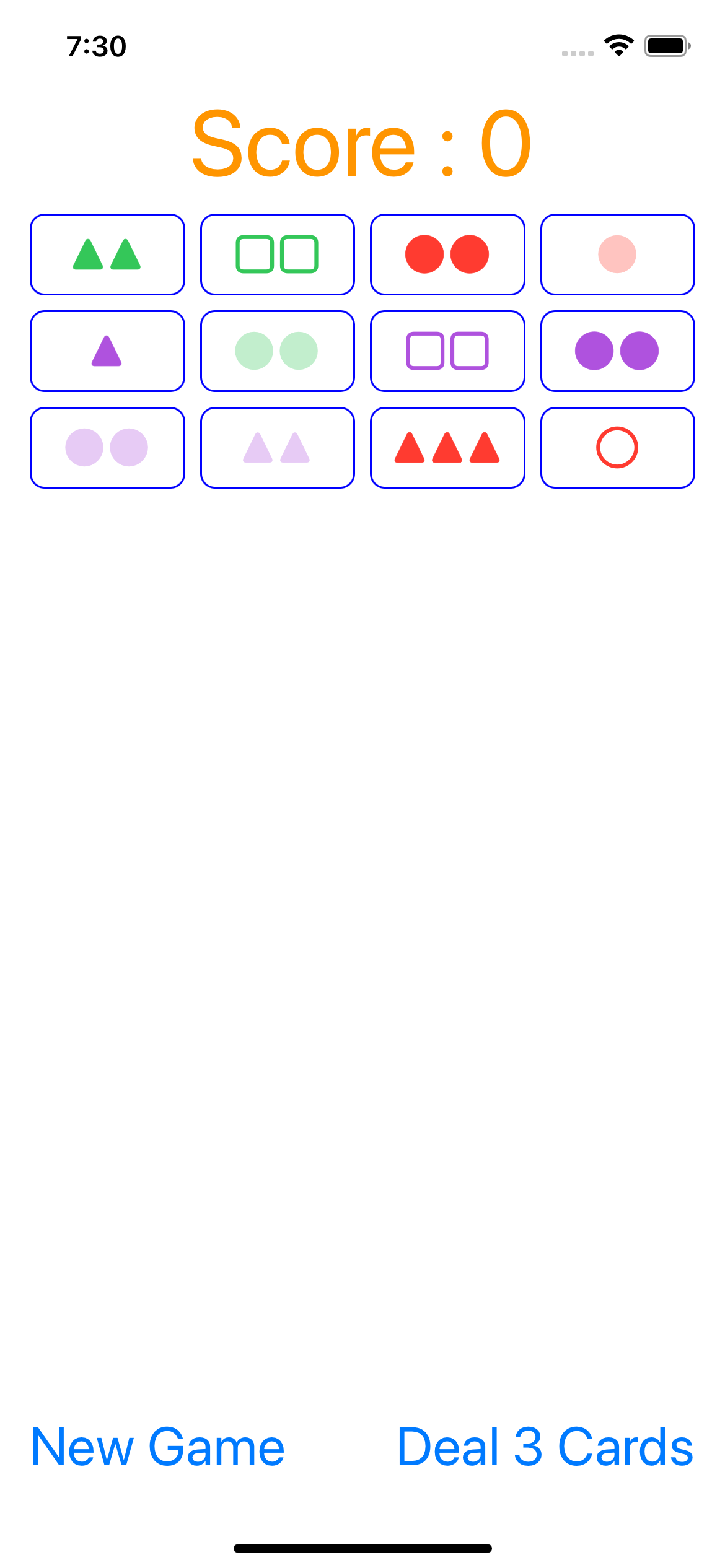
이 과제를 하면서 가장 많이 고민한 부분이었는데, 카드의 속성은 Model 로부터 주어지지만, 이를 화면에 어떻게 그리느냐였다. 나는 문양, 색깔, 개수, 무늬의 4가지 속성을 모두 각각의 enum 으로 선언해서 이걸 사용하긴 해야할 것 같은데 어떻게??? 가 난관이었다.
-
유저가 카드를 터치할 때마다 뭔가 나타내야할 변화가 생길 것이므로 updateViewFromModel() 메서드를 만들어서 touchCard(_:) 메서드가 내부에서 호출하는 것까지는 Concentration 과 같았고 이제 updateViewFromModel() 의 내부만 구현하면 됐는데,
-
먼저 버튼과 playingCards 의 개수가 게임이 진행됨에 따라 다를 텐데 while 문을 어떻게 작성해야할지가 고민됐다. UI 상에는 24개의 버튼이 있는데, 애초에 게임을 시작할 때는 12개의 카드로 시작하기도하고, 게임이 진행됨에 따라 카드 개수가 24개보다 적을 수 있다(카드가 24개면 더 이상 추가할 수 없도록 해서 카드 개수가 24개를 초과할 수는 없다). 카드 개수가 24개보다 적은 경우에는 나머지 버튼들을 투명하게 해줘야 했다. 카드 버튼을 기준으로 돌리되, playingCards 에 있으면 카드에 따라 그리고, 없는 경우 투명하게 했다.
class ViewController: UIViewController {
    private func updateViewFromModel() {
        for index in cardButtons.indices {
            let button = cardButtons[index]
            if game.playingCards.indices.contains(index) {
                // some code
            }
        }
    }
}- 카드를 그리는 게 두 번째였는데, 각 카드의 문양, 무늬, 색깔, 개수(이하 속성들)를 어떻게 표현할 수 있을지가 걱정이었다. 과제 지시사항에서는 NSAttributedString 을 사용해서 문양은 뭘 쓰고, 무늬는 어떻게 표현하고 등등 힌트를 줬는데, 어떻게 각 케이스를 따지느냐가 어려웠다. 더 좋은 방법이 있을 것 같긴 한데 최종적으로는 각 속성 마다 switch 문으로 분기해서 어떻게 설정할 지 정해줬다. 제일 난감했던 문양과 개수의 경우 1. 문자열에 각 문양(주어진 동그라미, 세모, 네모 유니코드)을 대입한 다음 2. 개수만큼 문자열에 더해주는 방식으로 해결했다.
class ViewController: UIViewController {
    private func getAttributedString(for card: Card) -> NSAttributedString {
        var attributes: [NSAttributedString.Key:Any] = [
            .font: UIFont.systemFont(ofSize: 26)
        ]
        var string: String

        switch card.shape {
        case .diamond:
            string = "▲"
        case .oval:
            string = "●"
        case .squiggle:
            string = "■"
        }

        switch card.number {
        case .one:
            break
        case .two:
            string += string
        case  .three:
            string += (string + string)
        }

        switch card.color {
        case .red:
            attributes[.foregroundColor] = UIColor.systemRed
        case .green:
            attributes[.foregroundColor] = UIColor.systemGreen
        case .purple:
            attributes[.foregroundColor] = UIColor.systemPurple
        }

        switch card.shading {
        case .open:
            attributes[.strokeWidth] = 8
        case .striped:
            let color: UIColor = attributes[.foregroundColor] as! UIColor
            attributes[.foregroundColor] = color.withAlphaComponent(0.3)
        case .solid:
            attributes[.strokeWidth] = -1
        }

        return NSAttributedString(string: string, attributes: attributes)
    }
}- 그 외에 선택한 카드, 매칭된 카드, 매칭 실패한 카드를 표현하는 데는 테두리선의 색상을 사용했다!
button.layer.borderColor = UIColor.blue.cgColor
button.layer.borderWidth = 1.0
# 버튼 비활성화
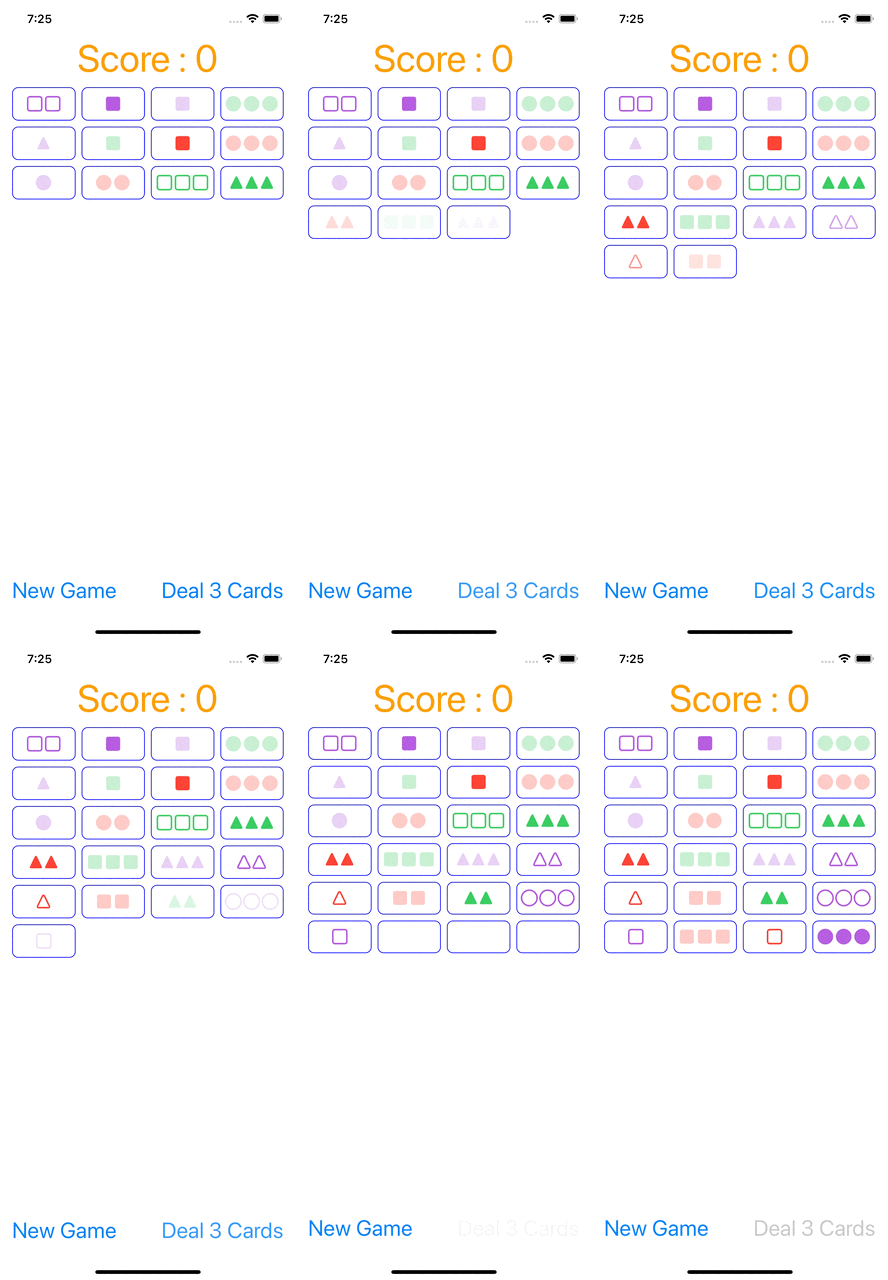
- 카드를 3장 추가하는 Add 3 Cards 버튼의 경우 이미 24개의 카드가 나와있고 세트가 선택되지 않는 경우나 덱의 카드가 떨어진 경우 비활성화해야했다. 2021 강의에서는 그냥 버튼을 텍스트로 대체하는 방식으로 작업했으나 여기서는 버튼의 상태를 .disable, .normal 등으로 셋팅할 수 있는 것을 봐서 앞서 말한 조건에 해당하는 경우 버튼을 비활성화할 수 있는지 검색해봤고, isEnable 이라는 프로퍼티를 사용해서 조건에 따라 활성화/비활성화했다. 이러한 활성화/비활성화가 어떤 시점에 이루어져야 할지 잠깐 고민했는데 결국 Model 의 playingCards 에 변화가 있을 때마다 확인해야 하는 사항이므로 기존의 updateViewFromModel 에 추가해줬다.
class ViewController: UIViewController {
private func updateViewFromModel() {
        if !game.cardDeck.isEmpty
            && (game.playingCards.count < 24 || game.isSet) {
            dealThreeCardsButton.isEnabled = true
        } else {
            dealThreeCardsButton.isEnabled = false
        }
    }
}
# 투명한 카드
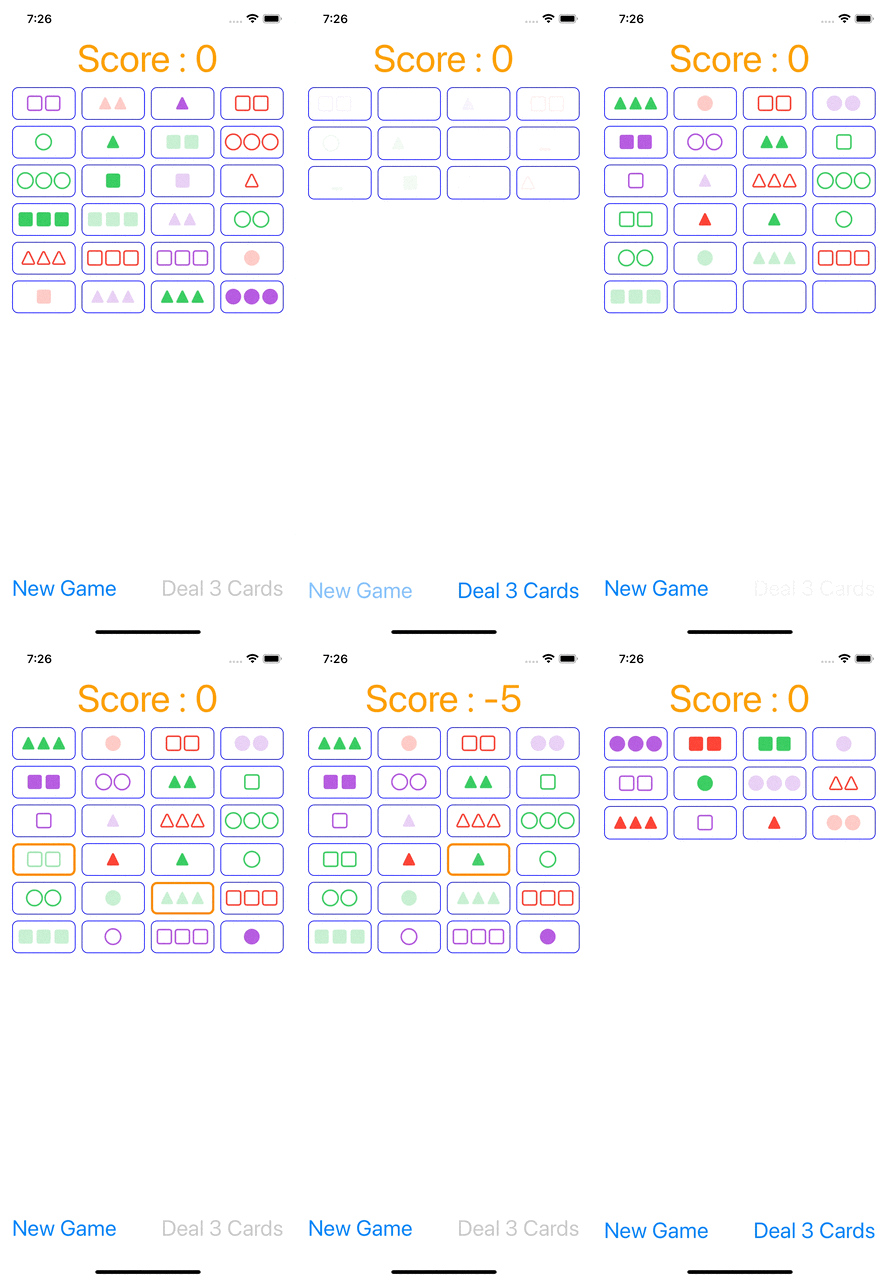
- New Game 버튼을 테스트해보다가 투명해져야할 카드가 실제로 투명하게 처리되지 않고 그대로 남아있다는 것을 발견했다. 사실 SwiftUI 에 길들여져서 어차피 변화가 있으면 View 가 처음부터 그려진다고 생각하고 그냥 backgroundColor 만 .clear 로 설정해주고 있었다. 하지만 UIKit 에서는 updateViewFromModel() 메서드에서 현재 cardButtons 배열을 수동으로 업데이트 해주고 있는 것이므로 위와 같이 하면 배경화면만 투명으로 바뀔뿐 이전에 설정했던 borderColor 라던가 attributedString 은 그대로 남게 된다. 따라서 borderColor 도 투명하게 바꿔주고, attributedString 의 경우 nil 로 바꿔줬다.
class ViewController: UIViewController {
    private func updateViewFromModel() {
        for index in cardButtons.indices {
            let button = cardButtons[index]
            if game.playingCards.indices.contains(index) {
                // some code
            } else {
                button.backgroundColor = .clear
                button.layer.borderColor = UIColor.clear.cgColor
                button.setAttributedTitle(nil, for: .normal)
            }
        }
    }
}
☀️ 느낀점
- ViewController 와 View 의 관계를 좀 더 잘 이해하는 관계가 된 거 같다. UIKit 에서는 일종의 덮어쓰기 같은 느낌!
- 리팩토링...의 필요성이 당연히 느껴지지만 일단 난 핸들이 고장난 에잇톤 트럭...진도 달린다

☀️