프로젝트에 Google 로그인 SDK 추가
-
앱 프로젝트를 연 상태로 Xcode에서 File(파일) > Add Packages(패키지 추가)로 이동합니다.
-
메시지가 표시되면 Google 로그인 SDK 저장소를 추가합니다.
https://github.com/google/GoogleSignIn-iOS -
완료되면 Xcode가 백그라운드에서 자동으로 종속 항목을 확인하고 다운로드하기 시작합니다.
위와 같이 문서에 나와 있지만 나는 Tuist를 사용중이라 다음과 같은 방법으로는 SDK를 추가할 수 없다.
tuist edit으로 Tuist Manifests 파일을 열고 Package.swift 파일을 수정한다.
let package = Package(
    name: "Jip-coon",
    dependencies: [
        // Add your own dependencies here:
      .package(url: "https://github.com/firebase/firebase-ios-sdk", from: "12.1.0"),
      .package(url: "https://github.com/google/GoogleSignIn-iOS", from: "9.0.0")
        // You can read more about dependencies here: https://docs.tuist.io/documentation/tuist/dependencies
    ]
)
저장한 뒤 tuist install
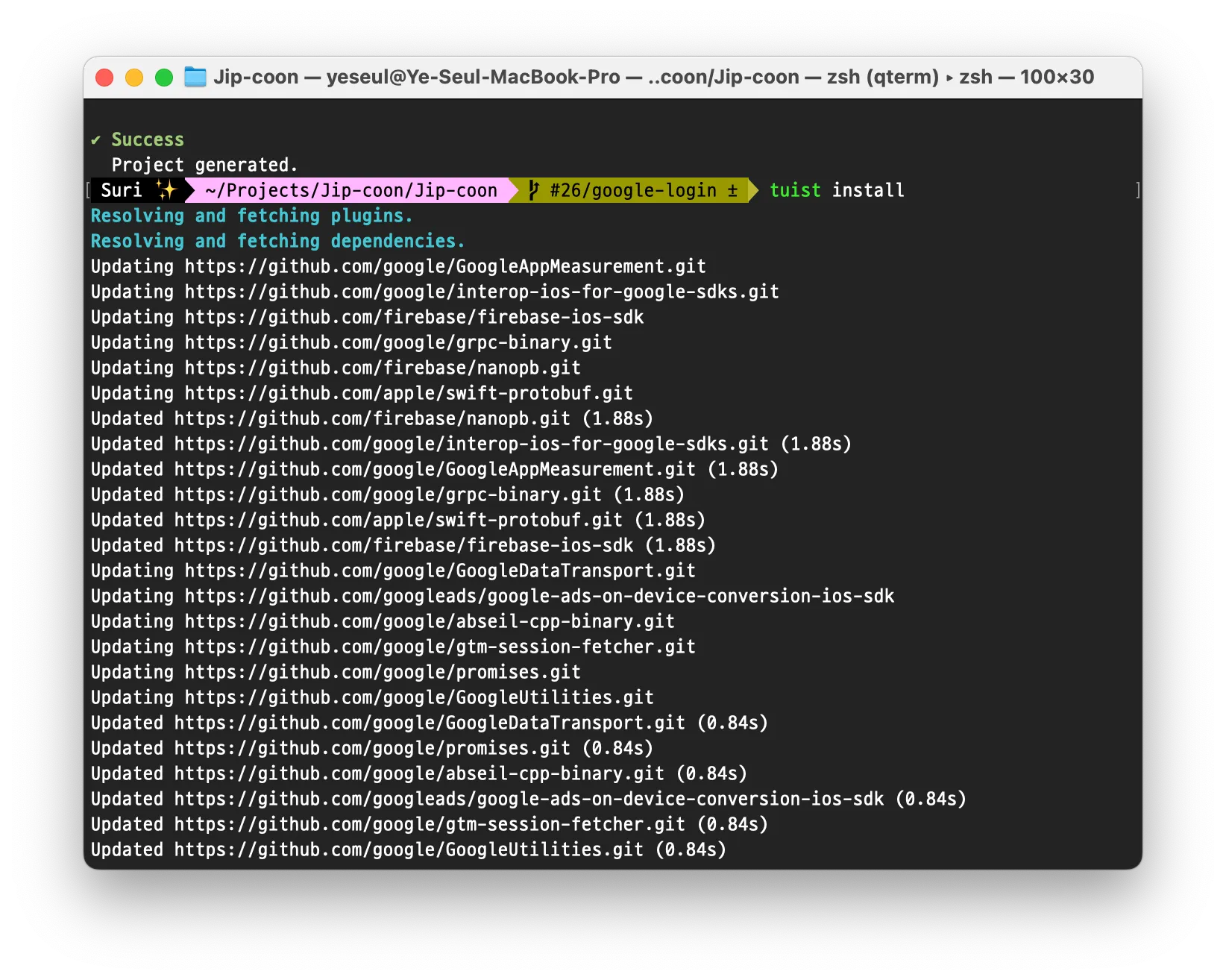

성공적으로 설치되었다.
Firebase 프로젝트에서 Google 로그인 사용 설정
사용자가 Google 로그인을 사용하여 로그인할 수 있게 하려면 먼저 Firebase 프로젝트에서 Google 로그인 제공업체를 사용 설정해야 합니다.
- Firebase Console에서 인증 섹션을 엽니다.
- 로그인 방법 탭에서 Google 제공업체를 사용 설정합니다.
- 저장을 클릭합니다.
- 프로젝트의
GoogleService-Info.plist파일의 새 사본을 다운로드하여 Xcode 프로젝트에 복사합니다. 기존 버전을 새 버전으로 덮어씁니다. (iOS 프로젝트에 Firebase 추가를 참조하세요.)
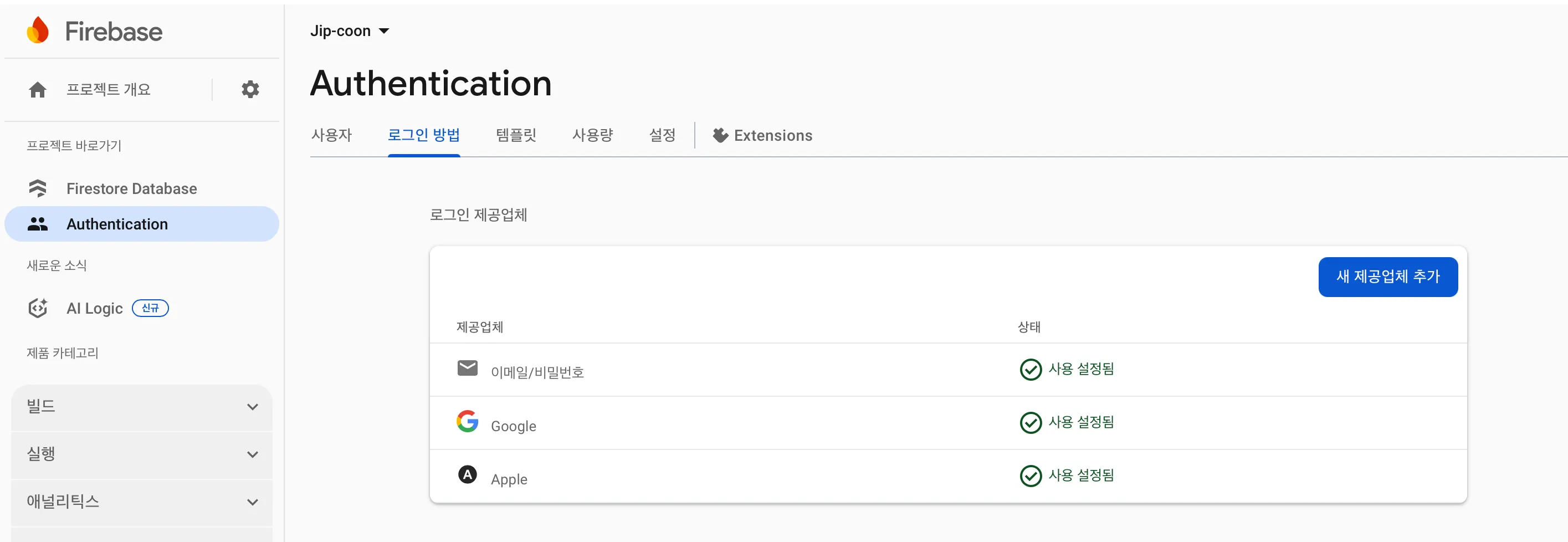
다시 GoogleService-Info.plist 파일의 새 사본을 다운로드 하는 방법
iOS 앱의 구성 파일 가져오기
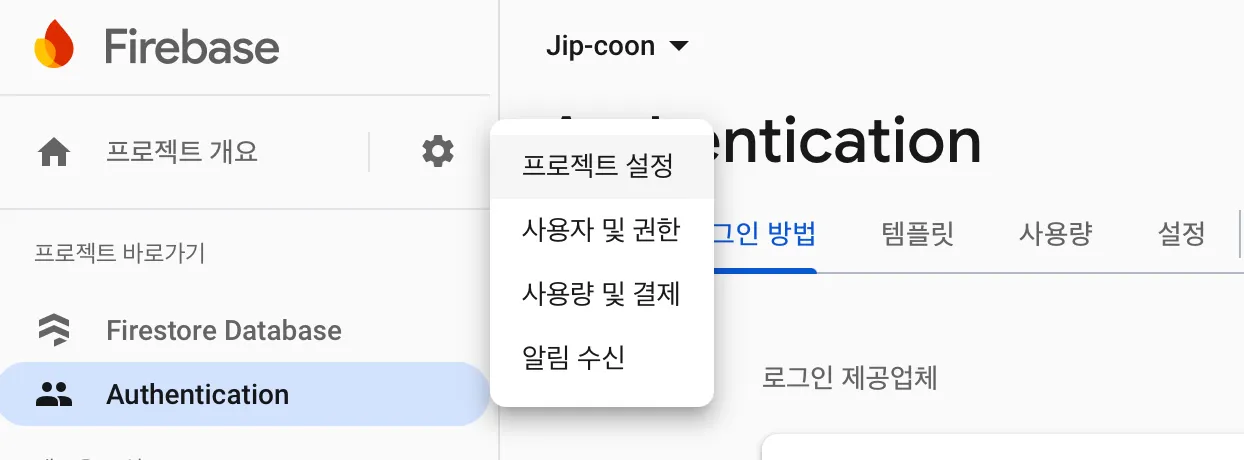
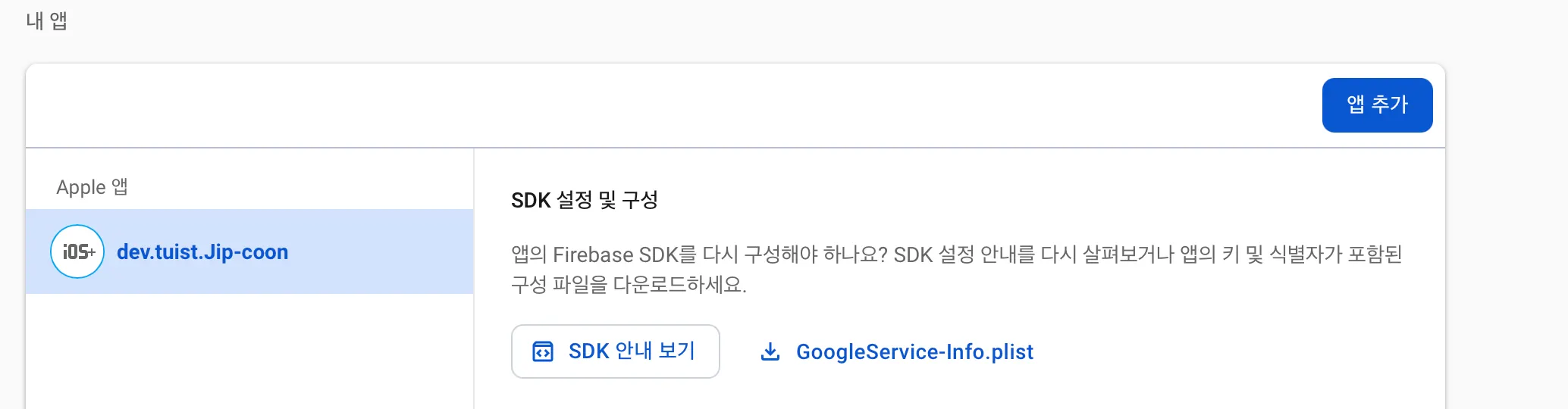
iOS 앱의 구성 파일을 다운로드하는 방법은 다음과 같습니다.
- Firebase에 로그인하고 프로젝트를 엽니다.
- 설정 아이콘을 클릭하고 프로젝트 설정을 선택합니다.
- 내 앱 카드에서 구성 파일이 필요한 앱의 번들 ID를 목록에서 선택합니다.
- GoogleService-Info.plist를 클릭합니다.
필수 헤더 파일 가져오기
먼저 Firebase SDK와 Google 로그인 SDK의 헤더 파일을 앱으로 가져와야 합니다.
import FirebaseCore
import FirebaseAuth
import GoogleSignIn
tuist edit// App.swift
import ProjectDescription
let project = Project(
name: "Jip-coon",
targets: [
.target(
name: "Jip-coon",
destinations: .iOS,
product: .app,
bundleId: "dev.tuist.Jip-coon",
infoPlist: .extendingDefault(
with: [
"UILaunchStoryboardName": "Launch Screen.storyboard",
"UIApplicationSceneManifest": [
"UIApplicationSupportsMultipleScenes": false,
"UISceneConfigurations": [
"UIWindowSceneSessionRoleApplication": [
[
"UISceneConfigurationName": "Default Configuration",
"UISceneDelegateClassName": "$(PRODUCT_MODULE_NAME).SceneDelegate"
],
]
]
],
]
),
sources: ["Sources/**"],
resources: ["Resources/**"],
entitlements: "Jip-coon.entitlements",
dependencies: [
.project(target: "Feature", path: .relativeToRoot("Projects/Feature")),
.external(name: "FirebaseCore"),
.external(name: "GoogleSignIn") // 이 부분 추가
],
settings: .settings(
base: [
"OTHER_LDFLAGS": "$(inherited) -ObjC",
"ENABLE_USER_SCRIPT_SANDBOXING": "NO"
]
)
),
.target(
name: "Jip-coonTests",
destinations: .iOS,
product: .unitTests,
bundleId: "dev.tuist.Jip-coonTests",
infoPlist: .default,
sources: ["Tests/**"],
resources: [],
dependencies: [.target(name: "Jip-coon")]
),
]
)
Google 로그인 구현
OAuth 클라이언트 ID 생성하기
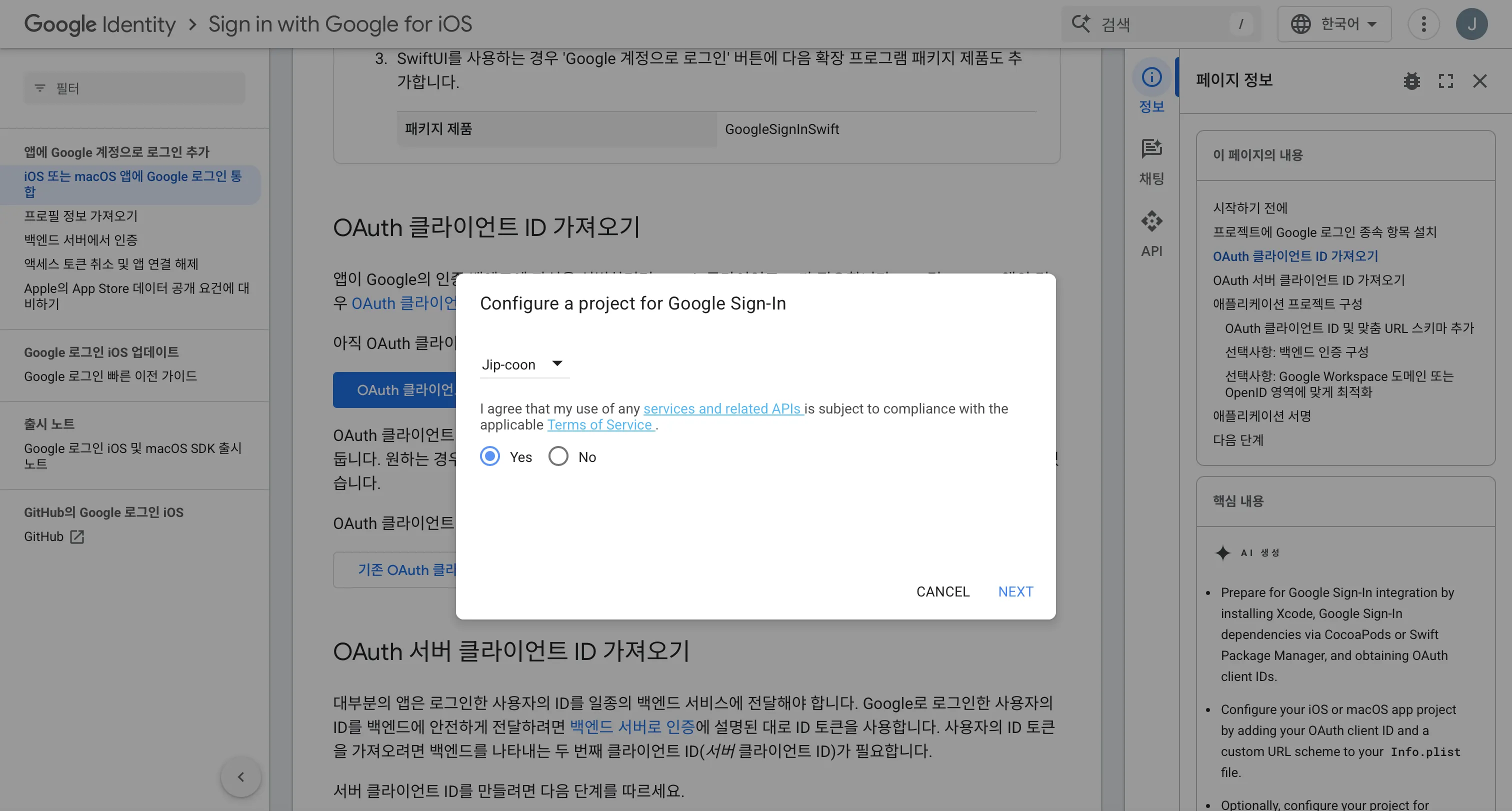
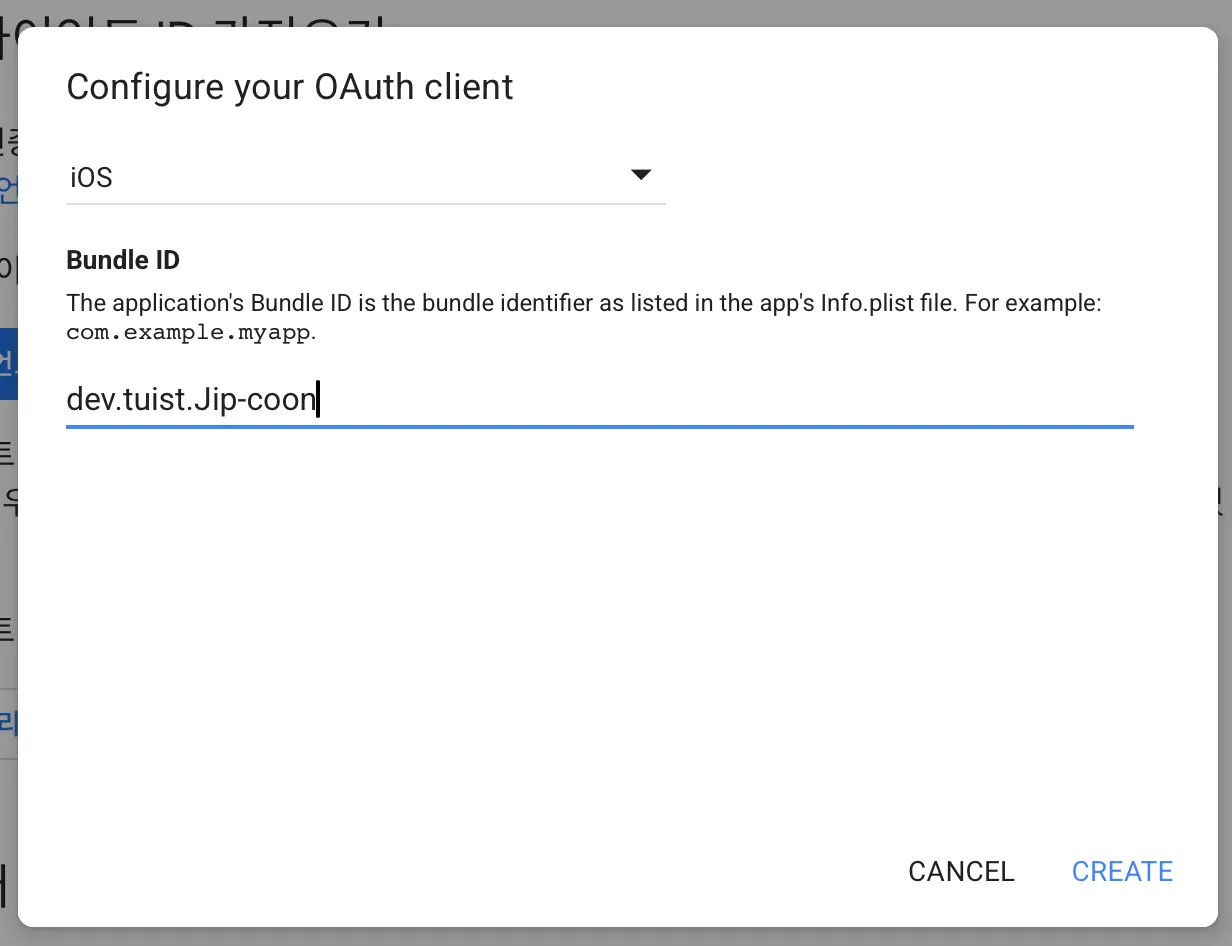
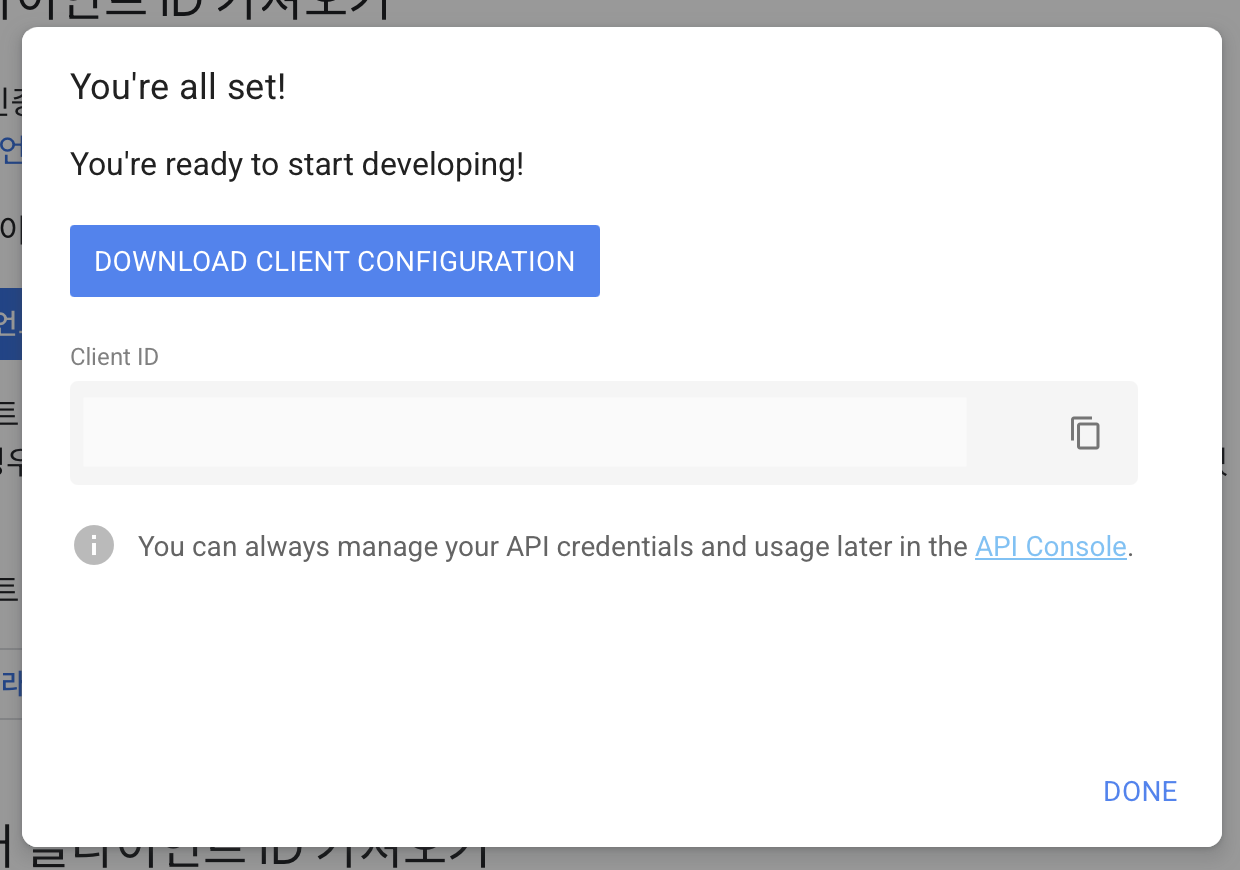
클라이언트 ID를 잊어버렸을 때는 Google Cloud에서 확인 가능하다.
1. Xcode 프로젝트에 커스텀 URL 스킴을 추가
프로젝트 타겟 → Info → URL Types
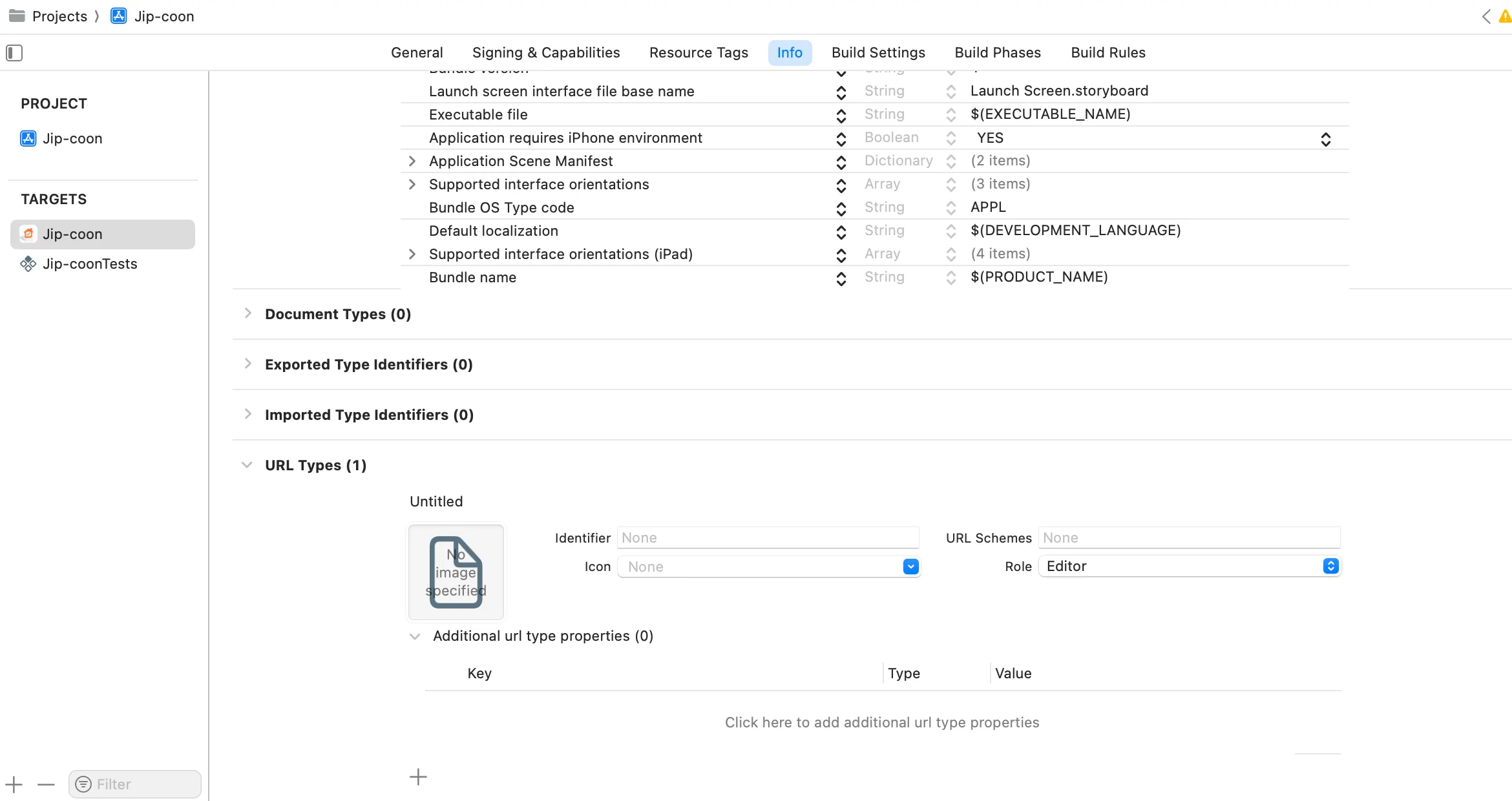
+ 버튼을 클릭하고 반전된 클라이언트 ID의 URL 스키마를 추가합니다. 이 값을 찾으려면 GoogleService-Info.plist 구성 파일을 열고 REVERSED_CLIENT_ID 키를 찾습니다. 이 키의 값을 복사하여 구성 페이지의 URL 스킴 상자에 붙여넣습니다. 다른 필드는 그대로 둡니다.
저는 Tuist를 사용중이라.. 이것도 Tuist에서 설정을 해줍니다..🥲
App/Project.swift 의 infoPlist 부분을 수정하면 돼요.. 아래 코드를 추가합니다.
infoPlist: .extendingDefault(with: [
                "CFBundleURLTypes": [
                    [
                        "CFBundleTypeRole": "Editor",
                        "CFBundleURLSchemes": ["com.googleusercontent.apps.YOUR_CLIENT_ID"]
                    ]
                ]
            ]),
최종 App/Project.swift
//
//  Project.swift
//  Config
//
//  Created by 예슬 on 8/18/25.
//

import ProjectDescription

let project = Project(
    name: "Jip-coon",
    targets: [
        .target(
            name: "Jip-coon",
            destinations: .iOS,
            product: .app,
            bundleId: "dev.tuist.Jip-coon",
            infoPlist: .extendingDefault(
                with: [
                    "UILaunchStoryboardName": "Launch Screen.storyboard",
                    "UIApplicationSceneManifest": [
                        "UIApplicationSupportsMultipleScenes": false,
                        "UISceneConfigurations": [
                            "UIWindowSceneSessionRoleApplication": [
                                [
                                    "UISceneConfigurationName": "Default Configuration",
                                    "UISceneDelegateClassName": "$(PRODUCT_MODULE_NAME).SceneDelegate"
                                ],
                            ]
                        ]
                    ],
                    "CFBundleURLTypes": [
                        [
                            "CFBundleTypeRole": "Editor",
                            "CFBundleURLSchemes": ["com.googleusercontent.apps.930536285317-qhv64s0qc5u0peoi1j32vipm75msseau"]
                        ]
                    ]
                ]
            ),
            sources: ["Sources/**"],
            resources: ["Resources/**"],
            entitlements: "Jip-coon.entitlements",
            dependencies: [
                .project(target: "Feature", path: .relativeToRoot("Projects/Feature")),
                .external(name: "FirebaseCore"),
                .external(name: "GoogleSignIn")
            ],
            settings: .settings(
                base: [
                    "OTHER_LDFLAGS": "$(inherited) -ObjC",
                    "ENABLE_USER_SCRIPT_SANDBOXING": "NO"
                ]
            )
        ),
        .target(
            name: "Jip-coonTests",
            destinations: .iOS,
            product: .unitTests,
            bundleId: "dev.tuist.Jip-coonTests",
            infoPlist: .default,
            sources: ["Tests/**"],
            resources: [],
            dependencies: [.target(name: "Jip-coon")]
        ),
    ]
)
2. 코드 구현
-
AppDelegete.swift 의
application:didFinishLaunchingWithOptions:메서드에서FirebaseApp객체를 구성합니다.FirebaseApp.configure() -
AppDelegete.swift 의
application:openURL:options:메서드를 구현합니다. 이 메서드는GIDSignIn인스턴스의handleURL메서드를 호출하여 인증 프로세스가 끝날 때 애플리케이션이 수신하는 URL을 적절히 처리합니다.func application(_ app: UIApplication, open url: URL, options: [UIApplication.OpenURLOptionsKey: Any] = [:]) -> Bool { return GIDSignIn.sharedInstance.handle(url) }최종 AppDelegate.swift
// AppDelegate.swift import UIKit import FirebaseCore import GoogleSignIn @main class AppDelegate: UIResponder, UIApplicationDelegate { func application(_ application: UIApplication, didFinishLaunchingWithOptions launchOptions: [UIApplication.LaunchOptionsKey: Any]?) -> Bool { // Override point for customization after application launch. FirebaseApp.configure() return true } func application(_ app: UIApplication, open url: URL, options: [UIApplication.OpenURLOptionsKey: Any] = [:]) -> Bool { return GIDSignIn.sharedInstance.handle(url) } -
GoogleLoginViewModel.swift 생성
    import Foundation
    import Combine
    import FirebaseAuth
    import FirebaseCore
    import GoogleSignIn

    final class GoogleLoginViewModel {
        public let loginSuccess = PassthroughSubject<Void, Never>()

        func signIn(presentingVC: UIViewController) {
            guard let clientID = FirebaseApp.app()?.options.clientID else { return }

            // Create Google Sign In configuration object.
            let config = GIDConfiguration(clientID: clientID)
            GIDSignIn.sharedInstance.configuration = config

            // Start the sign in flow!
            GIDSignIn.sharedInstance.signIn(withPresenting: presentingVC) { result, error in
                guard error == nil else {
                    // ...
                    return
                }

                guard let user = result?.user,
                      let idToken = user.idToken?.tokenString
                else {
                    // ...
                    return
                }

                let credential = GoogleAuthProvider.credential(withIDToken: idToken,
                                                               accessToken: user.accessToken.tokenString)

                // 로그인
                Auth.auth().signIn(with: credential) { authResult, error in
                    if let error = error {
                        return
                    }
                    if let user = authResult?.user {
                        self.loginSuccess.send()
                    }
                }
            }
        }
    }
- LoginViewController.swift 수정
    public class LoginViewController: UIViewController {
        private let googleLoginViewModel = GoogleLoginViewModel()

        public override func viewDidLoad() {
            super.viewDidLoad()
            setUpButtonAction()
            bindViewModel()
        }

        private func setUpButtonAction() {
            loginView.googleLoginButton.addTarget(self, action: #selector(googleLoginTapped), for: .touchUpInside)
        }

        @objc private func googleLoginTapped() {
            print("google login button tapped")
            googleLoginViewModel.signIn(presentingVC: self)
        }

        private func bindViewModel() {
            googleLoginViewModel.loginSuccess
                .receive(on: DispatchQueue.main)
                .sink { [weak self] in
                    self?.navigateToMainScreen()
                }
                .store(in: &cancellables)
        }

        private func navigateToMainScreen() {
            // 로그인 성공 알림 전송
            NotificationCenter.default.post(name: NSNotification.Name("LoginSuccess"), object: nil)
        }
+참고
    // SceneDelegate.swift

    class SceneDelegate: UIResponder, UIWindowSceneDelegate {

        var window: UIWindow?

        func scene(_ scene: UIScene,
                   willConnectTo session: UISceneSession,
                   options connectionOptions: UIScene.ConnectionOptions) {
            guard let ws = scene as? UIWindowScene else { return }
            let window = UIWindow(windowScene: ws)
            let loginViewController = LoginViewController()
            let navigationController = UINavigationController(rootViewController: loginViewController)

            // 로그인 상태 확인
            let authService = AuthService()
            if authService.isLoggedIn {
                window.rootViewController = MainTabBarController()
            } else {
                window.rootViewController = navigationController
            }

            window.makeKeyAndVisible()
            self.window = window

            // 로그인 성공 알림 구독
            NotificationCenter.default.addObserver(
                self,
                selector: #selector(handleLoginSuccess),
                name: NSNotification.Name("LoginSuccess"),
                object: nil
            )

            // 로그아웃 성공 알림 구독
            NotificationCenter.default.addObserver(
                self,
                selector: #selector(handleLogoutSuccess),
                name: NSNotification.Name("LogoutSuccess"),
                object: nil
            )
        }

        @objc private func handleLoginSuccess() {
            DispatchQueue.main.async { [weak self] in
                self?.window?.rootViewController = MainTabBarController()
                self?.window?.makeKeyAndVisible()
            }
        }

        @objc private func handleLogoutSuccess() {
            DispatchQueue.main.async { [weak self] in
                self?.window?.rootViewController = LoginViewController()
                self?.window?.makeKeyAndVisible()
            }
        }

        deinit {
            NotificationCenter.default.removeObserver(self)
        }
    }
참고자료