Vibe Coding — The New Way Developers Build Software with AI in 2026🤖
Korean version of this post (한국어 버전은 여기서 확인하세요): 한국어로 읽기
"You don't write code anymore. You describe what you want, and AI writes it. You review, refine, and ship."
— The Vibe Coding Philosophy
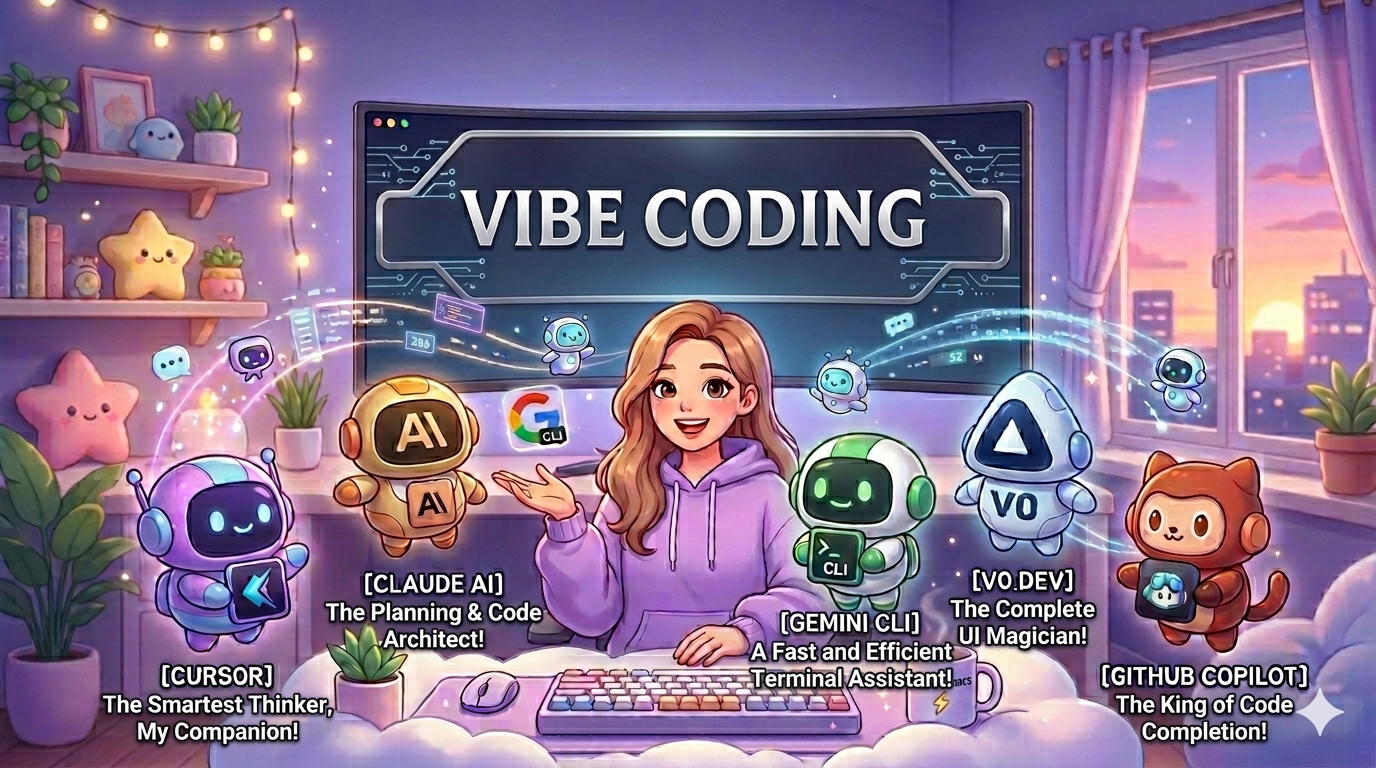
🤔 What is Vibe Coding?
Vibe Coding is a new development methodology where you use AI tools to rapidly prototype, build, and iterate on software by describing what you want in plain English — instead of writing every line of code manually.
The term was coined in early 2025 and has taken the developer community by storm. It's not about replacing developers — it's about making developers 10x faster.
Think of it like this:
Traditional Coding:
Developer thinks → Developer writes code →
Developer debugs → Developer ships
(Hours to days)
Vibe Coding:
Developer describes → AI writes code →
Developer reviews → Developer refines → Ships
(Minutes to hours)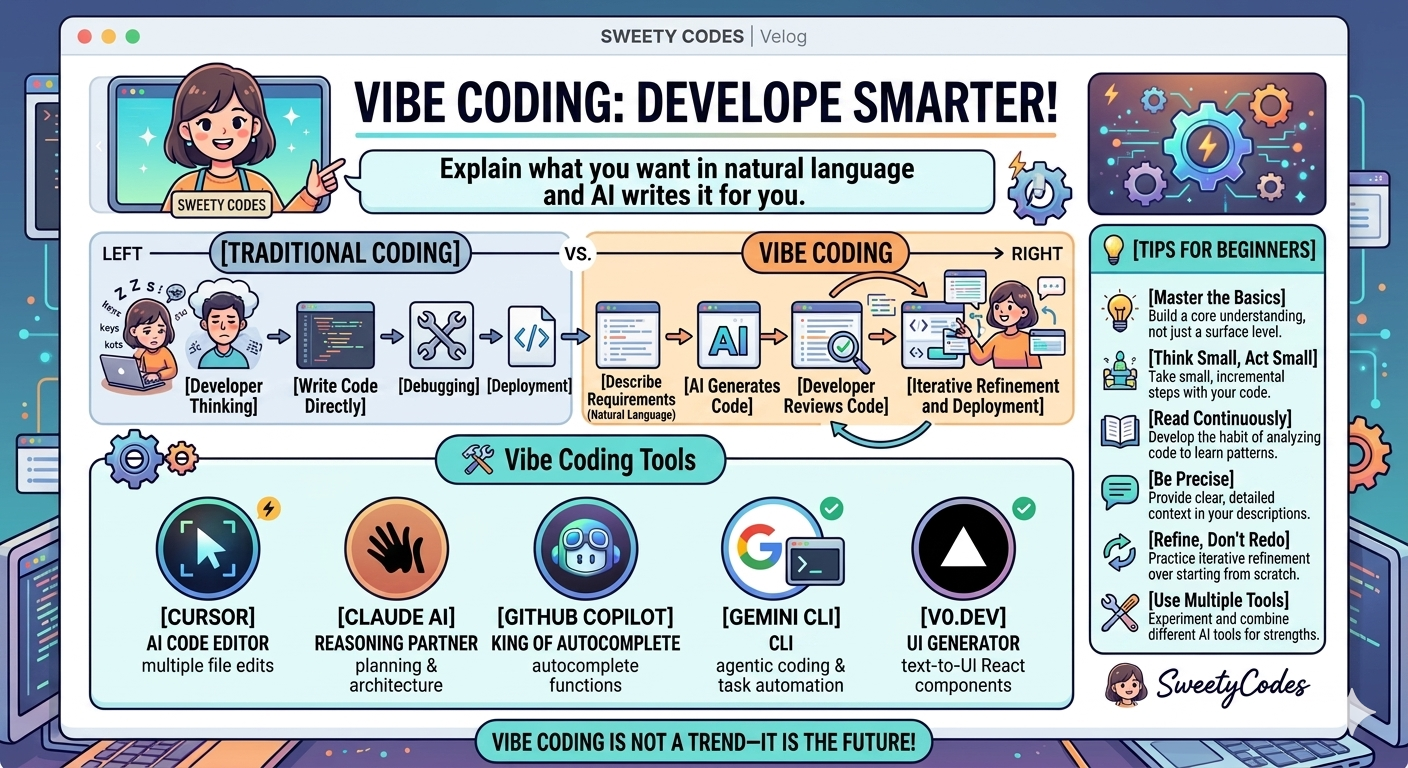
🛠️ Tools Used in Vibe Coding
There are several AI tools that power the Vibe Coding workflow. Here are the most popular ones in 2026:
1. Cursor — The AI Code Editor
Cursor is a VS Code fork with AI built into every part of the editor. You can describe changes in plain English and it edits multiple files at once. It's the most popular Vibe Coding tool right now.
2. Claude AI — The Thinking Partner
Claude (by Anthropic) is great for architecture decisions, code reviews, and explaining complex concepts. Many Vibe Coders use Claude for planning before switching to Cursor for building.
3. GitHub Copilot — The Autocomplete King
GitHub Copilot suggests entire functions and code blocks as you type. It's deeply integrated into VS Code and is great for repetitive code patterns.
4. Gemini CLI — The Free Powerhouse
Google's Gemini CLI brings AI directly into your terminal. With 1000 free requests per day, it's perfect for budget-conscious developers who want full agentic coding capabilities.
5. V0.dev — The UI Generator
V0.dev by Vercel generates entire React UI components from a text description. Describe a dashboard, and it builds it. Perfect for frontend prototyping.
⚡ How Vibe Coding Actually Works
Here's the real workflow that most Vibe Coders use:
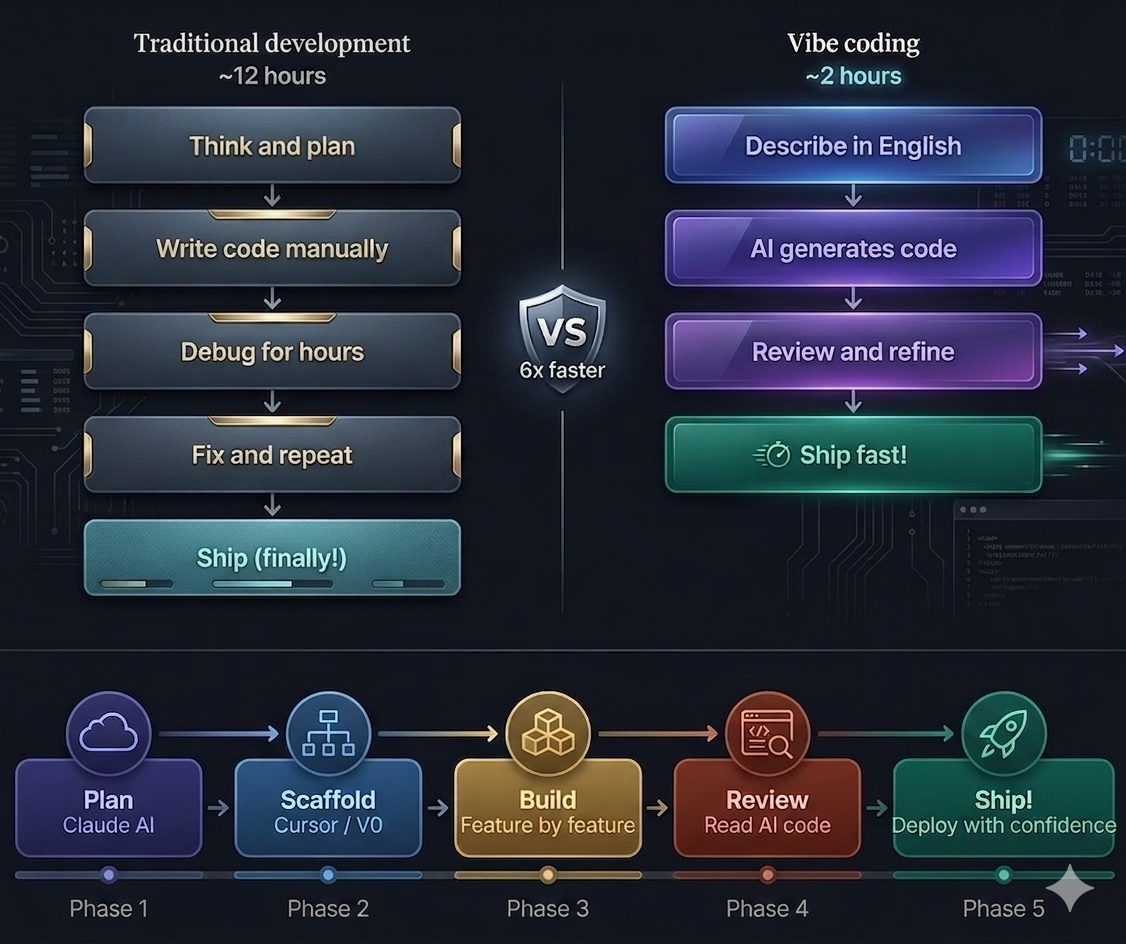
Step 1 — Plan (with Claude or ChatGPT)
Before writing a single line, describe your project to an AI and ask it to:
- Break it into components
- Suggest the tech stack
- Identify potential problems
Step 2 — Scaffold (with Cursor or V0.dev)
Use AI to generate the initial structure:
- Project files and folders
- Basic components
- Database schemas
Step 3 — Build Feature by Feature
For each feature:
1. Describe what you want in plain English
2. AI generates the code
3. You read and understand it
4. Test it
5. Fix issues (with AI help)
6. Move to next feature
Step 4 — Review and Refine
Always review AI-generated code:
- Does it make sense?
- Are there security issues?
- Is it efficient?
Step 5 — Ship
Deploy with confidence because you understood every line!
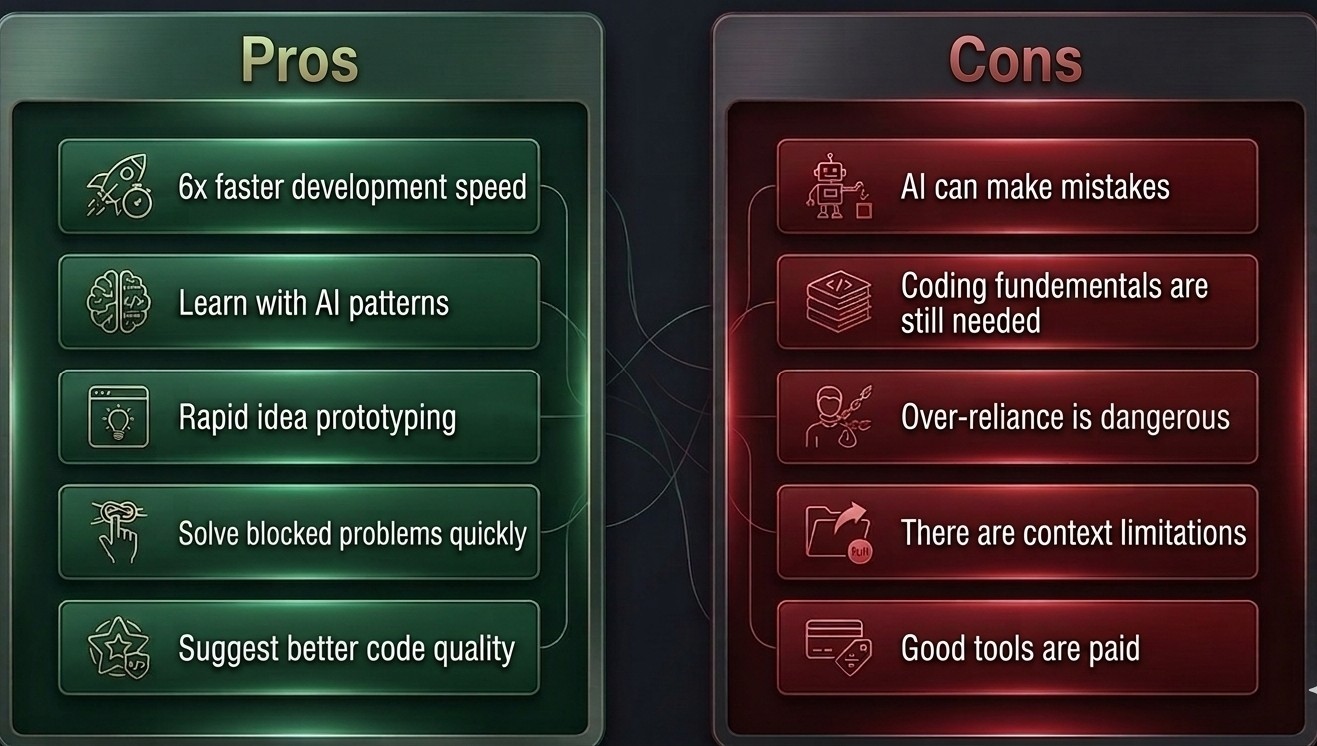
✅ Pros of Vibe Coding
1. Build Faster
Projects that used to take weeks now take days. Perfect for hackathons!
2. Learn by Seeing
AI generates code you might not know how to write — you can study it and learn new patterns.
3. Prototype Quickly
Test ideas fast without spending days on implementation. If the idea doesn't work, you haven't wasted much time.
4. Overcome Blocks
Stuck on a problem? Describe it to AI and get unstuck immediately.
5. Better Code Quality
AI often suggests best practices and patterns you might not know about.
❌ Cons — The Honest Truth
1. AI Makes Mistakes
AI-generated code is NOT always correct. It can have bugs, security issues, and logical errors. Always review!
2. You Still Need to Understand Code
If you can't read and understand the AI-generated code, you can't fix it when it breaks. And it WILL break.
3. Over-reliance is Dangerous
Some developers stop learning because AI does everything. This is a career killer. Keep learning fundamentals!
4. Context Limits
AI tools have limits on how much code they can see at once. For large projects, you need to manage context carefully.
5. Cost
Good AI tools like Cursor Pro cost $20/month. Budget-conscious developers need to plan for this.
🤔 Is Vibe Coding Cheating?
This is the most controversial question in the developer community right now.
My honest opinion: NO, it's not cheating.
Here's why:
- Developers have always used tools — Stack Overflow, documentation, libraries
- The goal is to ship working software, not to memorize syntax
- A carpenter who uses an electric drill isn't "cheating" compared to one using a hand drill
- What matters is the result and your understanding of it
BUT — and this is important — you still need to know how to code.
Vibe Coding without coding knowledge is like trying to edit a video without knowing what good editing looks like. You won't know when the AI is wrong.
💡 Tips for Beginners
1. Learn basics first
Don't start Vibe Coding without understanding HTML, CSS, JavaScript, and at least one backend language. The fundamentals matter.
2. Start small
Don't try to build a complex app first. Start with a simple component or feature.
3. Always read AI code
Never copy-paste without reading. Understand what the code does before running it.
4. Be specific in prompts
Vague prompts get vague code. The more specific you are, the better the output.
❌ Bad: "Make a button"
✅ Good: "Make a cyan rounded button with a hover glow effect that opens a modal when clicked"
5. Iterate, don't regenerate
Instead of regenerating from scratch when something is wrong, describe specifically what needs to change.
6. Use multiple tools
Different tools are good at different things. Use Claude for planning, Cursor for coding, V0.dev for UI.
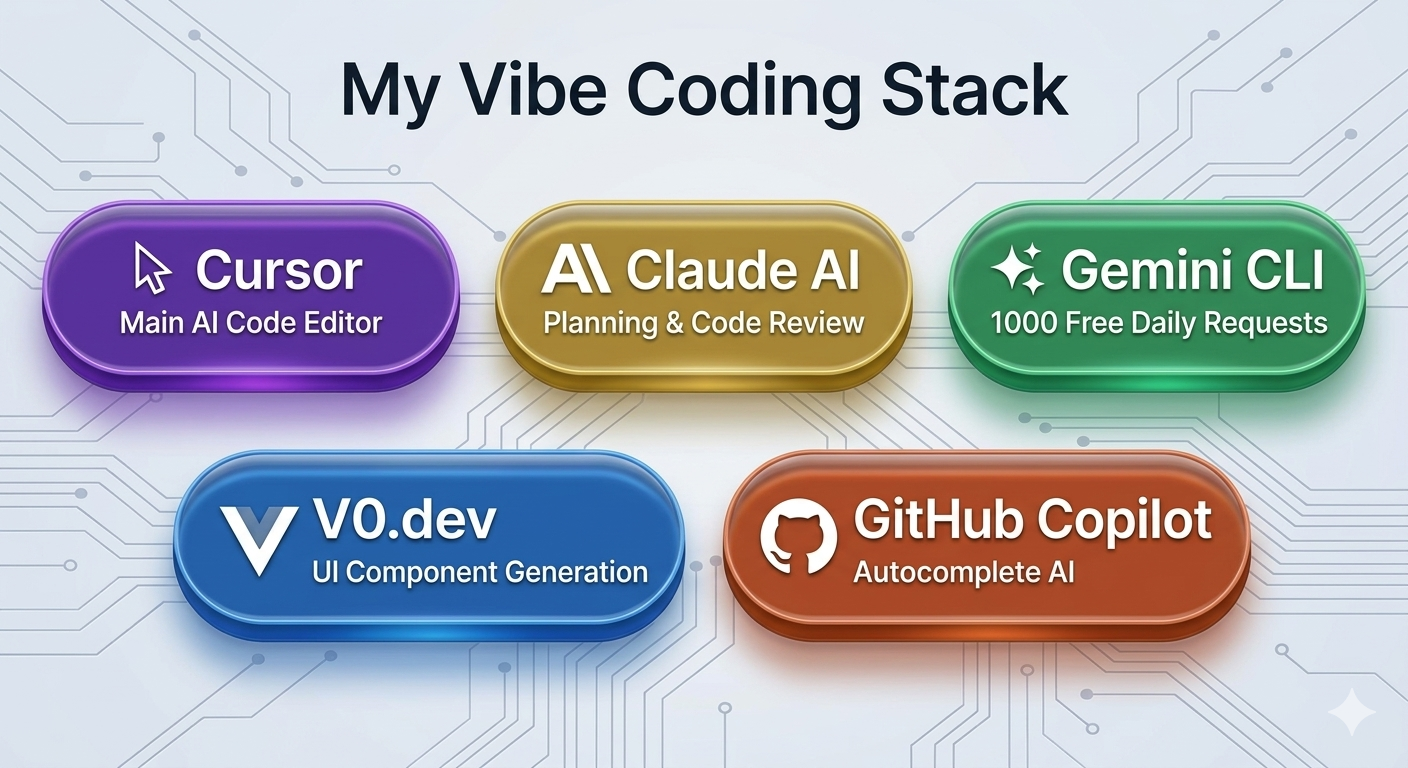
🚀 My Vibe Coding Stack in 2026
Here's what I personally use:
| Task | Tool |
|---|---|
| Planning & Architecture | Claude AI |
| Main coding | Cursor |
| UI Components | V0.dev |
| Terminal tasks | Gemini CLI |
| Code review | GitHub Copilot |
| Quick questions | Claude AI |
🔮 The Future of Coding
Vibe Coding is not a trend — it's the future of software development.
In 5 years, every developer will use AI tools the same way every developer uses Git today. It won't be optional — it will be the standard.
The developers who thrive will be the ones who:
- Understand fundamentals deeply
- Know how to work WITH AI
- Can review and improve AI-generated code
- Focus on creativity and problem-solving
The developers who struggle will be the ones who:
- Refuse to adapt
- OR rely completely on AI without understanding
The sweet spot is in the middle — use AI as a powerful tool, not a crutch.
🎯 Conclusion
Vibe Coding has genuinely changed how I build software. I ship faster, learn more by seeing AI patterns, and spend more time on creative problem-solving instead of repetitive syntax.
Is it perfect? No. Does it have drawbacks? Absolutely. But as a developer in 2026, ignoring AI tools is like ignoring the internet in 2000.
Start small. Learn the fundamentals. Use AI as your co-pilot. Ship great software.
That's the Vibe Coding way. ⚡
Written by SweetyCodes — Full-Stack Developer & AI Engineer