refactoring)intersectionObserver + requestAnimationFrame
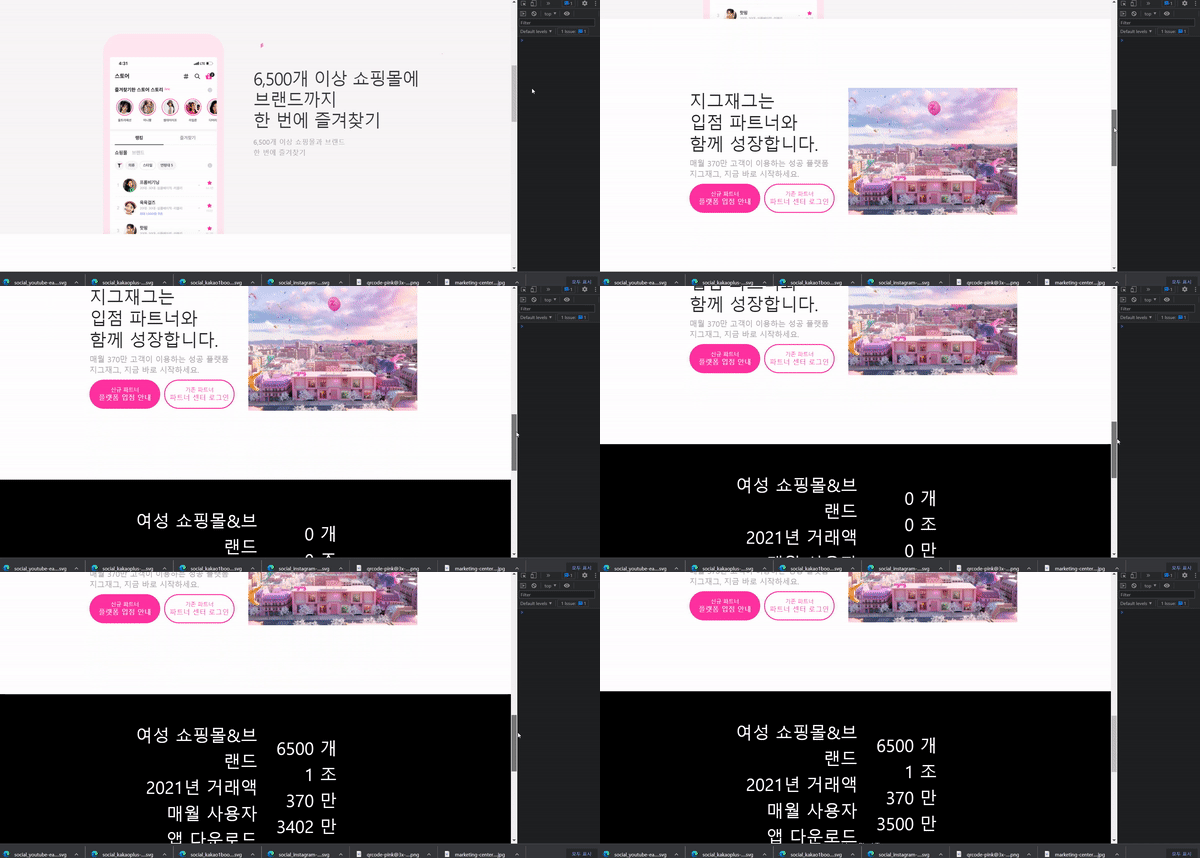
기존 레거시 코드를 수정하는 작업을 진행하였다.
const partner = document.querySelector('#partner');
const counting = document.querySelectorAll('.howMany span');
const speed = 700;

window.addEventListener("scroll", () => {

  const countStart = partner.offsetTop - 300;
  let scTop = document.documentElement.scrollTop;

  counting.forEach( counter => {

    const animate = () => {

      const value = +counter.getAttribute('data');
      const data = +counter.innerText;
      const time = value / speed;
      if ( data < value ) {
        counter.innerText = Math.ceil(data + time);
        setTimeout(animate, 1);
      }
      else {
        counter.innerText = value;
      }
    };

    if(scTop > countStart) {

      animate();

    };
  });
});
아래는 직접 리팩토링한 코드
기존의 window scroll로 진행된 이밴트를 intersection Observer를 통해 요소가 관찰되면 이밴트가 진행되게 바꾸어주었고. setTimeout을 rAF로 바꾸어 보다 적은 리소스로 같은 이벤트가 진행될 수 있도록 리펙토링하였다.
const option = {
  rootMargin: '10px',
  threshold: 0.8,
}

const scrollCallback = () =>
  counting.forEach( counter => {
    let speed = 500;
    const animate = () => {
      const data = +counter.getAttribute('data');
      const value = +counter.innerText;
      const time = data / speed;
      if ( value < data ) {
        counter.innerText = Math.ceil(value + time);
        requestAnimationFrame(animate);
      }
    };
    animate();
  });

const callback = (entries,observer) => {
  entries.forEach((entry)=>{
    if(entry.isIntersecting){
     scrollCallback();
    }
  })
}

const io = new IntersectionObserver(callback,option);

const observerBox = document.querySelector('.howMany');

io.observe(observerBox);
이런 멋진 이벤트는 어떻게 생각해내는걸까..?
리팩토링하면서 정말 많은것을 배우게 된 것 같다.
