월드(World)
- 게임 콘텐츠 담기 위해 제공되는 가상공간
- 시간, 트랜스폼, 틱을 서비스로 제공
- 월드 세팅이라는 콘텐츠 제작 위한 기본 환경 설정 제공
- 월드 기본 단위는 액터로 정의, 액터 클래스 의 접두사는 A
게임 모드(Game Mode)
- 게임 규칙 지정, 게임 팡정 하는 최고 관리자 액터. 형태X
- 하나의 게임에는 하나의 게임 모드만
- 입장할 사용자 규격 지정 가능
- 멀티플레이 판정 처리하는 절대적 권위 심판
기믹
- 게임 진행 위한 이벤트 발생시키는 사물 액터
- 트리거: 이벤트 발생 위해 성정한 충돌 영역
- 트리거 통해 캐릭터와 상호작용, 월드에 액터 스폰해 콘텐츠 전개
플레이어
- 게임 입장한 사용자 액터, 형태X
- 게임모드의 로그인 통해 사용자 게임월드 입장 시 플레이어 생성
- 싱글 플레이는 0번 플레이어 설정
- 사용자와 최종 커무니케이션 담당(입력장치 해석, 화면장치로 출력)
폰
- 무형의 액터인 플레이어가 빙의해 조종하는 액터
- 길찾기 사용 가능, 기믹 및 다른 폰과 상호작용함
- 캐릭터: 인간형 폰
실습
1. 월드설정 & 게임 모드 생성
실습파일의 월드를 가져온후
클래스들을 만들어 줬는데 빌드에서 에러 발생
경로 지정이 안돼있기 때문
Build.cs 에 아래 경로 추가
PublicIncludePaths.AddRange(new string[] { "ArenaBattle" });캐릭터 스폰
언리얼에서 기본으로 제공하는 3인칭 게임 모드를 사용하면 딸깍으로 할 수도 있다
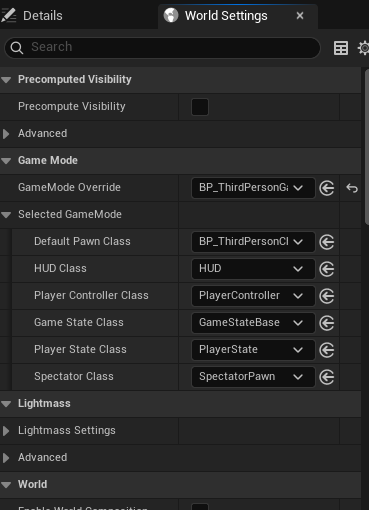
하지만 딸깍으로는 좋은 개발자를 할 수 없으니 실습을 해보자
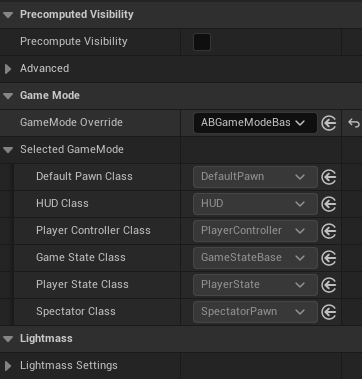
빙의를 할 폰 클래스와 컨트롤러를 지정해주어야 함
설정을 하지 않아 사진에서는 선택이 비활성화 되어있음
- 게임 모드 생성자에 해당 클래스 정보를 주면 언리얼 에디터가 자동으로 할당해줄 것임
// Fill out your copyright notice in the Description page of Project Settings.

#include "Game/ABGameModeBase.h"
#include "Player/ABPlayerController.h"

AABGameModeBase::AABGameModeBase()
{
	//DefaultPawnClass

	PlayerControllerClass = AABPlayerController::StaticClass();
}
빌드를 해주면
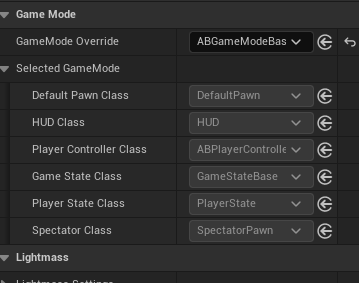
플레이어 컨트롤러 클래스가 변경되었다!
이제 플레이어가 빙의 할 폰을 언리얼에서 제공하는 3인칭 마네킹으로 설정해야함
- 에셋 주소를 가져오자
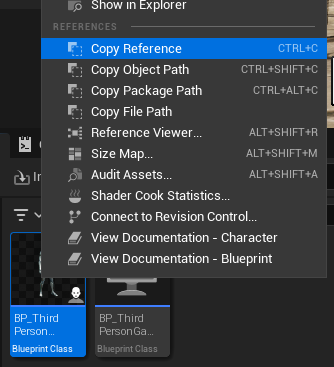
- static ConstructorHelpers::FClassFinder 으로 ThirdPersonClassRef 에 복사한 주소를 넣어주는데 경로 마지막에 _C를 붙여줘야 함(클래스 정보를 가져올 것이기 때문)
- : 폰에서 상속받았기 때문
// Fill out your copyright notice in the Description page of Project Settings.

#include "Game/ABGameModeBase.h"
#include "Player/ABPlayerController.h"

AABGameModeBase::AABGameModeBase()
{
	static ConstructorHelpers::FClassFinder<APawn>ThirdPersonClassRef(TEXT("/Script/Engine.Blueprint'/Game/ThirdPerson/Blueprints/BP_ThirdPersonCharacter.BP_ThirdPersonCharacter_C'"));
	// 주소 끝에 _C 붙여줘야함
	if (ThirdPersonClassRef.Class) // 클래스 정보가 null이 아니면
	{
		DefaultPawnClass = ThirdPersonClassRef.Class;
	}

	PlayerControllerClass = AABPlayerController::StaticClass();
}
빌드하고 실행해 보면
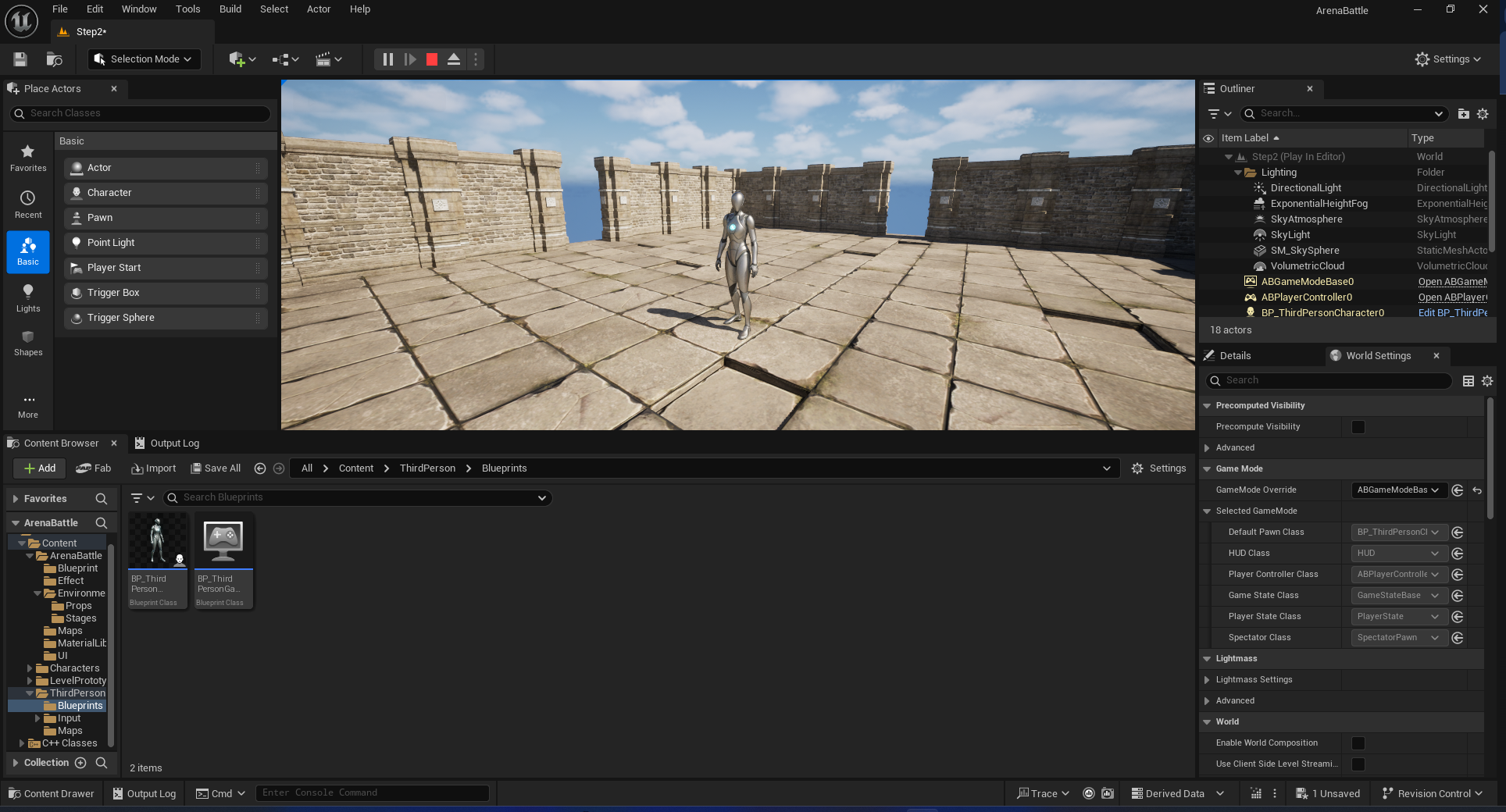
성공!
ABPlayerController
- 생성만 해뒀던 ABPlayerController를 사용해 시작 시 마우스 입력이 바로 뷰포트로 들어가게 설정하기
이게 무슨소리지?
-
아마 언리얼에서 플레이 버튼 눌러도 뷰포트를 한번 클릭하지 않으면 캐릭터 조작이 불가능 했는데 플레이 버튼만 누르면 바로 조작하게 설정하는 것 같음
-
게임 시작 시 마우스 인풋을 뷰포트로 옮겨주는 코드를 작성하자
ABPlayerController.h
BeginPlay 라는 함수를 오버드라이브 해 구현하자
// Fill out your copyright notice in the Description page of Project Settings.

#pragma once

#include "CoreMinimal.h"
#include "GameFramework/PlayerController.h"
#include "ABPlayerController.generated.h"

/**
 *
 */
UCLASS()
class ARENABATTLE_API AABPlayerController : public APlayerController
{
	GENERATED_BODY()

protected:
	virtual void BeginPlay() override; //

};
ABPlayerController.cpp
// Fill out your copyright notice in the Description page of Project Settings.

#include "Player/ABPlayerController.h"

void AABPlayerController::BeginPlay()
{
	Super::BeginPlay();

	FInputModeGameOnly GameOnlyInputMode;
	SetInputMode(GameOnlyInputMode);
}
이제 시작하자마자 포커스가 뷰포트로 들어감
게임모드에서 헤더로 인클루드 안하고 ABPlayerController 설정하기
- 생성한 C++ 객체들은 고유 경로를 가지고 있음
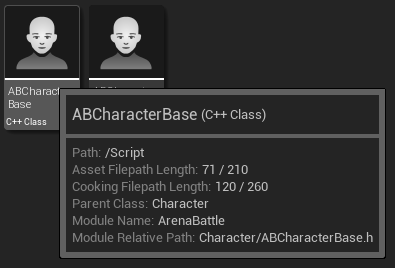
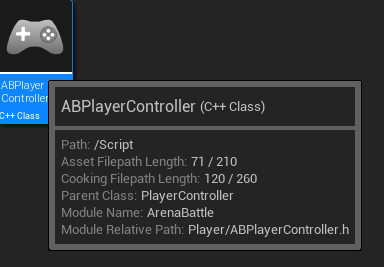
3인칭 캐릭터에 했던것 처럼 이 주소를 사용하면
해더를 인클루드 안해도 클래스 정보 얻어올 수 있다
// Fill out your copyright notice in the Description page of Project Settings.

#include "Game/ABGameModeBase.h"
#include "Player/ABPlayerController.h"

AABGameModeBase::AABGameModeBase()
{
	static ConstructorHelpers::FClassFinder<APawn>ThirdPersonClassRef(TEXT("/Game/ThirdPerson/Blueprints/BP_ThirdPersonCharacter.BP_ThirdPersonCharacter_C"));
	// 주소 끝에 _C 붙여줘야함
	if (ThirdPersonClassRef.Class) // 클래스 정보가 null이 아니면
	{
		DefaultPawnClass = ThirdPersonClassRef.Class;
	}

// 추가
	static ConstructorHelpers::FClassFinder<APlayerController> PlayerControllerClassRaf(TEXT("/Script/ArenaBattle.ABPlayerController"));
	// 클래스 정보가 복제된 것이기 때문에 _C 안함
	if (PlayerControllerClassRaf.Class)
	{
		PlayerControllerClass = PlayerControllerClassRaf.Class;
	}
// --------------------------------

	PlayerControllerClass = AABPlayerController::StaticClass();
}
이 방식은 헤더파일 의존도를 낮출 수 있음