파이어베이스에서 불편한 점을 해결한 supabase가 무료로 오픈하여 이걸 활용해보기로 했다.
또한, drizzle과 auth.js도 함께 사용해서 해보겠다. 그럼 바로 시작해보겠다.
필요한 사이트
- supabase : https://supabase.com/
- drizzle.orm : https://orm.drizzle.team/
- auth.js : https://authjs.dev/
시작하기
- supabase 회원가입 로그인 진행 후 올가니를 생성한다.
- 다음으로 헤더에 위치한 Connect 클릭 후 ORMs를 선택합니다.
그런 후 Tool을 Drizzle로 변경해준 후 URL을 복사합니다.
복사한 URL은.env생성 후 붙여넣기 -> 비밀번호는 자신이 작성한 걸로 변경하여야합니다.

- drizzle에서 supabase 선택 후 step1 설치!
npm i drizzle-orm postgres dotenv
npm i -D drizzle-kit tsx- auth 설치하기
npm install next-auth@beta
npx auth secret // 이 코드 설치 시 .env.local 파일 생성됨! 2번에 나온 파일과 합치기! 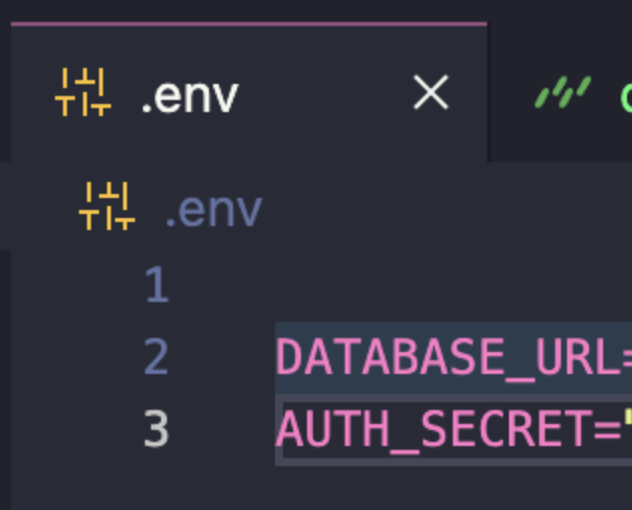
- drizzle-adapter 설치
npm add drizzle-orm @/auth/drizzle-adapter
npm install drizzle-kit --save-dev
이제 본격적으로 코드를 짜보자
- db 폴터 생성 후 index.ts 파일 생성 (step3 코드 중 2번째 코드를 복붙한다.)
import { drizzle } from 'drizzle-orm/postgres-js';
import postgres from 'postgres';
import * as schema from './schema';

const client = postgres(process.env.DATABASE_URL!);
const db = drizzle(client, { schema });

export { db };- step4 무시한 채 step5로 간다.
drizzle.config.ts를 폴더 최상위에 생성한 후 코드를 붙여넣기
import 'dotenv/config';
import { defineConfig } from 'drizzle-kit';

export default defineConfig({
  out: './drizzle',
  schema: './src/db/schema.ts',
  dialect: 'postgresql',
  dbCredentials: {
    url: process.env.DATABASE_URL!,
  },
});- src > db > auth.ts 생성 후 코드 삽입
"use server";

import { NextAuthOptions } from "@/db/options";
import NextAuth from "next-auth";

export const { handlers, signIn, signOut, auth } = NextAuth(NextAuthOptions);- api > [...nextauth] > route.ts 생성 후 다음 코드 삽입
import { handlers } from '@/db/auth';
export const { GET, POST } = handlers;- Auth.js에 접속하여 Adapter > Drizzle을 선택하고 아래 사진과 같은 것을 선택 후 코드를 복사해준다! db > schema.ts 에 넣어주는 것이다
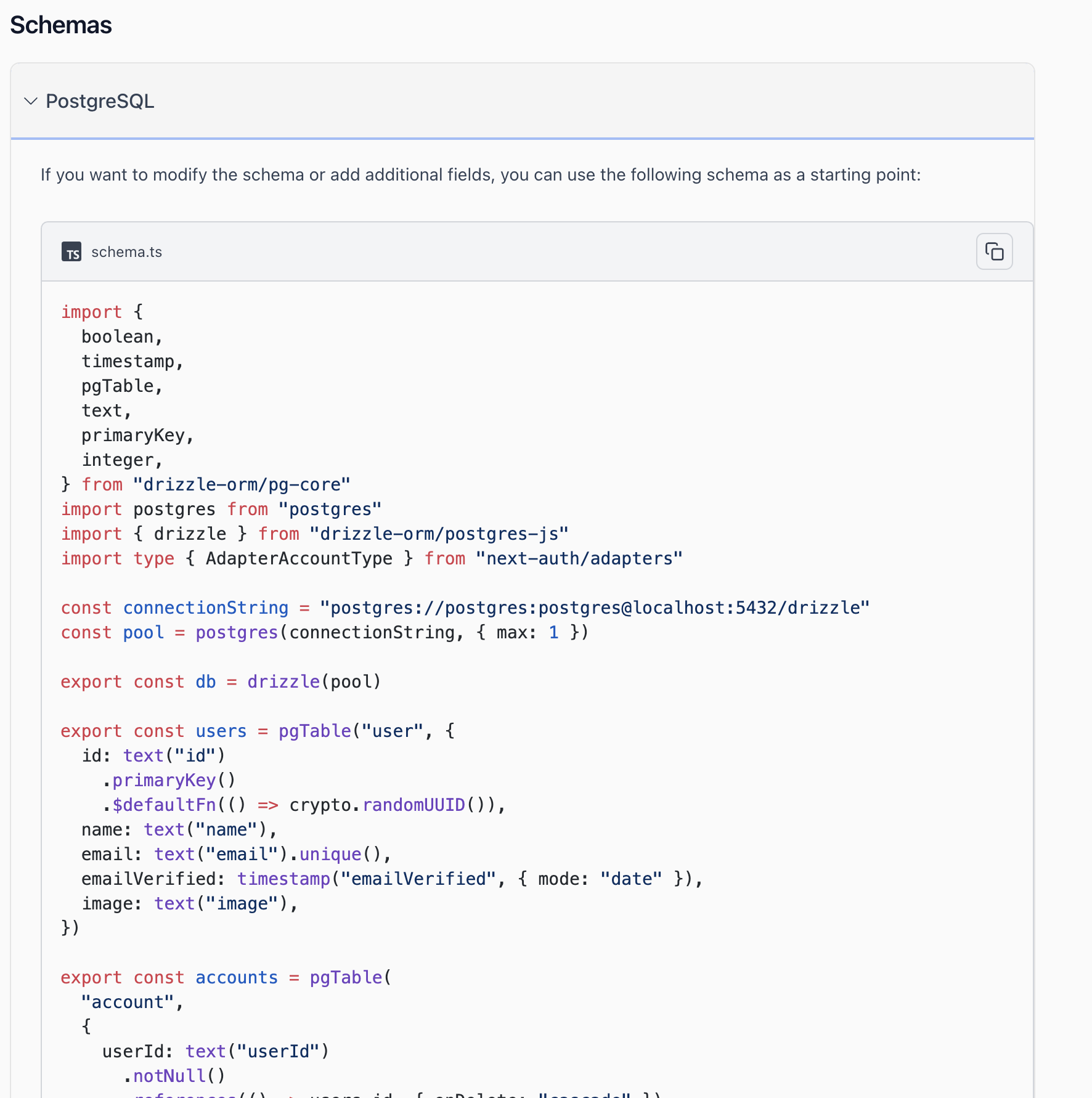
주석처리를 해주었고, 주석처리는 삭제해도 상관없다!
import {
	boolean,
	timestamp,
	pgTable,
	text,
	primaryKey,
	integer,
} from 'drizzle-orm/pg-core';
// import postgres from "postgres";
// import { drizzle } from "drizzle-orm/postgres-js";
import type { AdapterAccountType } from 'next-auth/adapters';

// const connectionString = "postgres://postgres:postgres@localhost:5432/drizzle";
// const pool = postgres(connectionString, { max: 1 });

// export const db = drizzle(pool);

export const users = pgTable('user', {
	id: text('id')
		.primaryKey()
		.$defaultFn(() => crypto.randomUUID()),
	name: text('name'),
	email: text('email').unique(),
	password: text('password'),
	emailVerified: timestamp('emailVerified', { mode: 'date' }),
	image: text('image'),
});

export const accounts = pgTable(
	'account',
	{
		userId: text('userId')
			.notNull()
			.references(() => users.id, { onDelete: 'cascade' }),
		type: text('type').$type<AdapterAccountType>().notNull(),
		provider: text('provider').notNull(),
		providerAccountId: text('providerAccountId').notNull(),
		refresh_token: text('refresh_token'),
		access_token: text('access_token'),
		expires_at: integer('expires_at'),
		token_type: text('token_type'),
		scope: text('scope'),
		id_token: text('id_token'),
		session_state: text('session_state'),
	},
	(account) => [
		{
			compoundKey: primaryKey({
				columns: [account.provider, account.providerAccountId],
			}),
		},
	]
);

export const sessions = pgTable('session', {
	sessionToken: text('sessionToken').primaryKey(),
	userId: text('userId')
		.notNull()
		.references(() => users.id, { onDelete: 'cascade' }),
	expires: timestamp('expires', { mode: 'date' }).notNull(),
});

export const verificationTokens = pgTable(
	'verificationToken',
	{
		identifier: text('identifier').notNull(),
		token: text('token').notNull(),
		expires: timestamp('expires', { mode: 'date' }).notNull(),
	},
	(verificationToken) => [
		{
			compositePk: primaryKey({
				columns: [verificationToken.identifier, verificationToken.token],
			}),
		},
	]
);

export const authenticators = pgTable(
	'authenticator',
	{
		credentialID: text('credentialID').notNull().unique(),
		userId: text('userId')
			.notNull()
			.references(() => users.id, { onDelete: 'cascade' }),
		providerAccountId: text('providerAccountId').notNull(),
		credentialPublicKey: text('credentialPublicKey').notNull(),
		counter: integer('counter').notNull(),
		credentialDeviceType: text('credentialDeviceType').notNull(),
		credentialBackedUp: boolean('credentialBackedUp').notNull(),
		transports: text('transports'),
	},
	(authenticator) => [
		{
			compositePK: primaryKey({
				columns: [authenticator.userId, authenticator.credentialID],
			}),
		},
	]
);- db > options.ts 폴더 생성 후 아래 코드를 작성한다.
import { DrizzleAdapter } from '@auth/drizzle-adapter';
import { NextAuthConfig } from 'next-auth';
import Credentials from 'next-auth/providers/credentials';
import { db } from '.';

export const NextAuthOptions: NextAuthConfig = {
	adapter: DrizzleAdapter(db),
	providers: [
		Credentials({
			credentials: {
				email: { label: 'Email', type: 'email' },
				password: { label: 'Password', type: 'password' },
			},
			async authorize(credentials) {},
		}),
	],
};
아마도 async authorize(credentials) {}, 이 부분에서 에러가 발생할 것이지만 지금은 무시해도 상관이 없다
- DB와 연결을 위해
package.json에 코드를 추가한다.
	"scripts": {
		"dev": "next dev --turbopack",
		"build": "next build",
		"start": "next start",
		"lint": "next lint",
        // 여기 아래부터 추가한 부분
		"db:generate": "drizzle-kit generate",
		"db:migrate": "drizzle-kit migrate",
		"db:push": "drizzle-kit push",
		"db:studio": "drizzle-kit studio",
		"db:pull": "drizzle-kit pull",
		"db:check": "drizzle-kit chekc"
	},
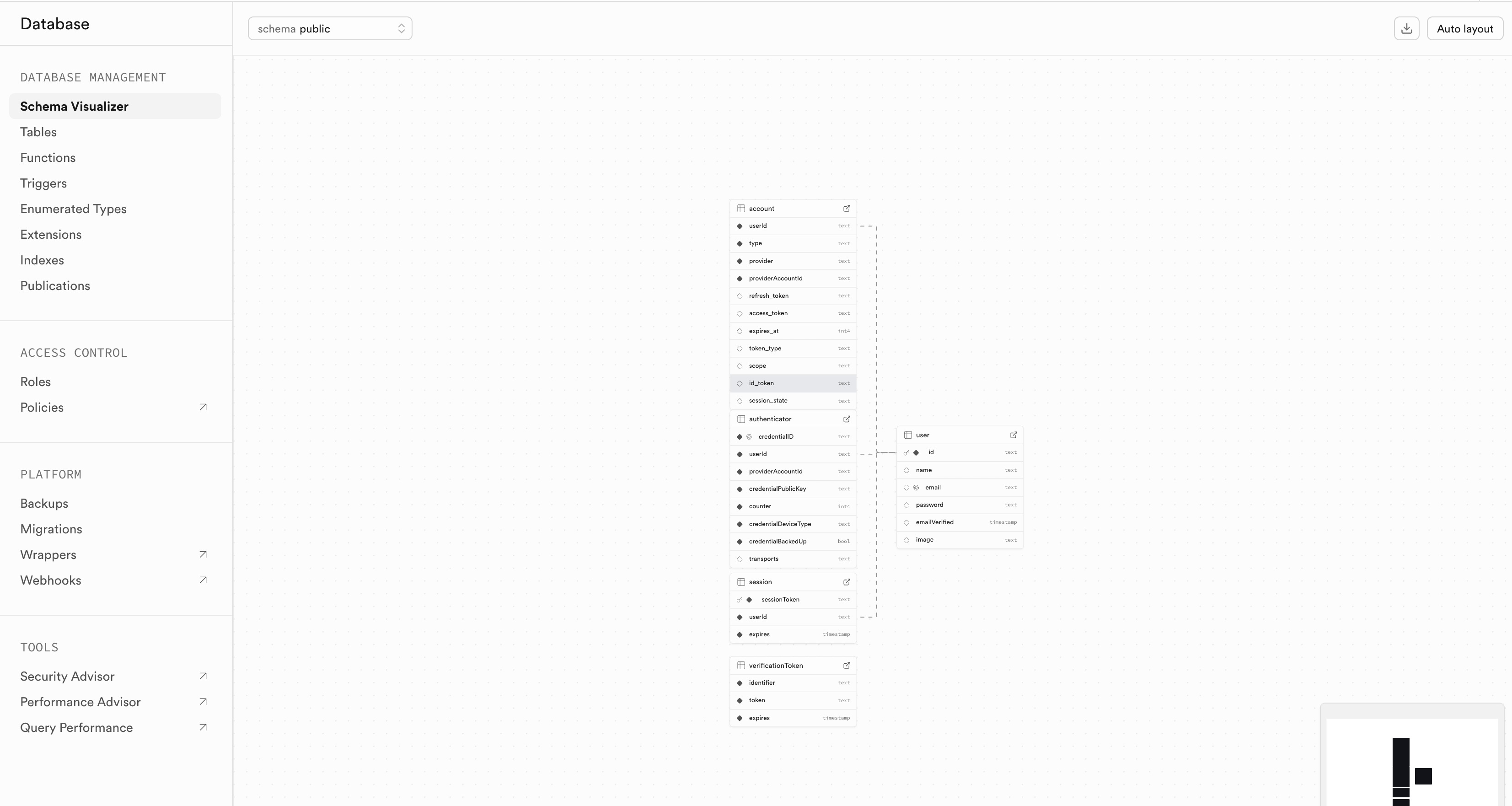
작성 후 터미널에 pnpm db:push를 작성하면 연동이 된다.
저렇게 했는데 오류가 난다면 npm run db:push을 시도하면 될 것이다. <- npm은 아마도 이렇게 하면 될 것이다.
사이트에 들어가 확인하면 아래와 같이 뜬다,
- action > auth.ts
"use server";

import { db } from "@/db";
import { users } from "@/db/schema";
import { eq } from "drizzle-orm";
import { z } from "zod";
import { createInsertSchema } from "drizzle-zod";

const signInSchema = z.object({
  email: z.string().email(),
  password: z.string().min(0),
});

export type TSignInActionParams = z.infer<typeof signInSchema>;

export const SignInAction = async (data: TSignInActionParams) => {
  const { email, password } = signInSchema.parse(data);
  const user = await db.query.users.findFirst({
    where: eq(users.email, email),
  });
  if (!user) {
    return { error: "user not found", data: null };
  }
  if (user.password !== password) {
    return { error: "invalid", data: null };
  }
  return { success: "user signed in", data: user };
};

export const signUpSchema = createInsertSchema(users)
  .omit({
    id: true,
  })
  .extend({
    email: z.string().email(),
    password: z.string().min(0),
  });

export type TSignUpActionParams = z.infer<typeof signInSchema>;

export const signUpAction = async (data: TSignUpActionParams) => {
  const { email, password } = signUpSchema.parse(data);
  const user = await db.insert(users).values({ email, password }).returning();
  return { success: "user signed up", data: user[0] };
};
3가지를 활용해서 개발을 해보았다. 처음이라 헷갈렸던 부분도 있었지만, 직접 하나씩 적용해보면서 전체적인 흐름을 익힐 수 있었다. 다음에는 더 깊은 내용을 해봐야겠다.

Front-end Developer