
✨ vuex 모듈화 및 state 적용
📂 store 폴더 생성
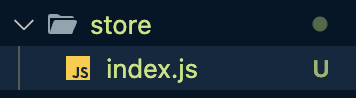
✍🏻 index.js
import { createStore } from 'vuex'
export const store = createStore({
	// 코드  작성
});
✍🏻 main.js
import { createApp } from 'vue'
import App from './App.vue'
import router from './router/index'
import { store } from "./store/index";

const app = createApp(App)

app.use(router)
app.use(store)

app.mount('#app')
✨ vuex를 이용해 actions와 mutations를 사용해 리팩토링
API를 vuex에서 불러오는 것을 처리하기 위해
actions사용. 각 컴포넌트의 crated에 작성되어 있던것을actions로 불러온다.
✍🏻 index.js
import { createStore } from 'vuex'
// API 불러오기
import { fetchNewsList, fetchJobsList, fetchAskList } from '../api/index.js'
export const store = createStore({
    state: {
        news: [],
        jobs: [],
        ask: []
    },
    getters: {
        fetchedsNews(state) {
            return state.ask
        },
        fetchedsJobs(state) {
            return state.jobs
        },
        fetchedsAsk(state) {
            return state.ask
        }
    },
    // state의 news 배열을 응답 데이터로 설정
    mutations: {
        SET_NEWS(state, news) {
            state.news = news;
        },
        SET_JOBS(state, jobs) {
            state.jobs = jobs;
        },
        SET_ASK(state, ask) {
            state.ask = ask;
        }
    },
    // actions는 바로 state에 접근이 안됨.
    actions: {
        // context.commit을 destructuring 처리
        FETCH_NEWS({ commit }) {
            fetchNewsList()
             // response.data descructuring  처리
            .then(({ data }) => {
                // 컴포넌트에서 mutation을 호출하려면 commit() API를 사용해야 한다.
                // 첫번째 인자는 호출한 mutaitond의 이름, 두번째 인자는 데이터 값이다.
                commit('SET_NEWS', data)
            })
            .catch(error => {
                console.log(error)
            })
        },
        FETCH_JOBS({ commit }) {
            fetchJobsList()
            .then(({ data }) => {
                commit('SET_JOBS', data)
            })
            .catch(error => {
                console.log(error)
            })
        },
        FETCH_ASK({ commit }) {
            fetchAskList()
            .then(({ data }) => {
                commit('SET_ASK', data)
            })
            .catch(error => {
                console.log(error)
            })
        }
    }
});
✍🏻 NewsView.vue
<template>
    <div>
        <p v-for="user in FETCH_NEWS" v-bind:key="user">
            <a :href="user.url">{{ user.title }}</a>
        </p>
    </div>
</template>

<script>
export default {
    created() {
    	this.$store.dispatch('FETCH_NEWS')
    },
}
</script>

<style>

</style>
✨ map 헬퍼 함수를 이용해 리팩토링
mapGetter를computed속성에 사용해서 store의 getters 속성을 컴포넌트에서 접근 가능하게 해준다.
✍🏻 NewsView.vue
<template>
    <div>
        <p v-for="user in fetchedsAsk" v-bind:key="user">
            <a :href="user.url">{{ user.title }}</a>
        </p>
    </div>
</template>

<script>
import { mapGetters } from 'vuex';

export default {
  	created() {
    	this.$store.dispatch('FETCH_NEWS')
    },
  	computed: {
  		...mapGetters({
            fetchedsAsk: 'fetchedsAsk'
        })
  	}
}
</script>

<style>

</style>
🛁 역시 TIL은 프로젝트 끝나고 쓰는게 제 맛이지!