
현재 작업되어 있는 컴포넌트들을 살펴 보면 리스트 아이템들이 형태는 비슷하게 반복이 되어있는 것들이 많다. 이것들을 하나의 컴포넌트로 작성하여 분기 처리하는 것을 실습!
✨ 공통 컴포넌트 제작하기
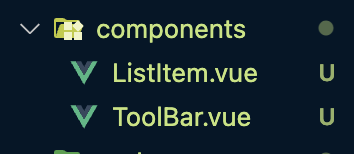
- 컴포넌트 폴더 내부에
ListItem.vue를 만든다
📂 각각의 세부 컴포넌트들
<template>
    <div>
        <List-item></List-item>
    </div>
</template>

<script>
import ListItem from '../components/ListItem.vue'

export default {
    components: {
        ListItem
    }
}
</script>

<style scoped>

</style>
📂 ListItem.vue
<template>
    <div>
        <ul>
            <li v-for="user in fetchedsNews" v-bind:key="user">
                <small class="point">{{ user.points }}</small>
                <div>
                    <a :href="user.url">{{ user.title }}</a>
                    <small class="author">
                        <a :href="user.url">by {{ user.domain }}</a>
                        {{ user.time_ago }}
                    </small>
                </div>
            </li>
        </ul>
    </div>
</template>

<script>
import { mapGetters } from 'vuex';

  export default {
    created() {
        this.$store.dispatch('FETCH_NEWS')
    },
  	computed: {
        ...mapGetters({
            fetchedsNews: 'fetchedsNews'
        })
    }
}
</script>

<style>
    a {
        text-decoration: none;
        color: #000;
    }
    small {
        color: #929292;
    }
    small a{
        color: darkblue;
    }
    .point {
        margin-right: 8px;
    }
    .author {
        display: block;
    }
    ul {
        padding: 0;
        margin: 0;
        margin-top: 30px;
    }
    li {
        list-style: none;
        padding: 5px 10px;
        margin-bottom: 8px;
        border-radius: 10px;
        background-color: bisque;
        display: flex;
        align-items: center;
    }
</style>- 일단
NewsView.vue를 그대로 가져오게 되면 모든 페이지가NewsView.vue와 같은 내용으로 구현이 된다. 이것을 분기처리 하면 된다.
✨ 컴포넌트 구현해서 페이지별로 데이터 분기하기
<template>
    <div>
        <ul>
            <li v-for="user in listItems" v-bind:key="user">
                <small class="point">{{ user.points }}</small>
                <div>
                    <a :href="user.url">{{ user.title }}</a>
                    <small class="author">
                        <a :href="user.url">by {{ user.domain }}</a>
                        {{ user.time_ago }}
                    </small>
                </div>
            </li>
        </ul>
    </div>
</template>

<script>
export default {
    created() {
  		// 각 라우트의 name을 확인해서 분기처리
        const name = this.$route.name;
        if( name === 'news') {
            this.$store.dispatch('FETCH_NEWS')
        } else if(name === 'ask') {
            this.$store.dispatch('FETCH_ASK')
        } else if( name === 'jobs') {
            this.$store.dispatch('FETCH_JOBS')
        }
    },
    computed: {
       listItems() {
  		// 각 라우트의 name을 확인해서 분기처리
        const name = this.$route.name;
        if( name === 'news') {
            return this.$store.state.news
        } else if(name === 'ask') {
            return this.$store.state.ask
        } else if( name === 'jobs') {
            return this.$store.state.jobs
        } else {
            return [];
        }
       }
    }
}
</script>

<style>

</style>
✨ template 속성과 v-if 활용하기
<template>
    <div>
        <ul>
            <li v-for="user in listItems" v-bind:key="user">
                <small class="point">{{ user.points }}</small>
                <div>
                    <template v-if="user.domain">
                        <a :href="user.url">{{ user.title }}</a>
                    </template>
                    <template v-else>
                        <router-link :to="`/item/${user.id}`">{{ user.title }}</router-link>
                    </template>
                    <small class="author">
                        <router-link :to="`/user/${user.user}`" v-if="user.user">by {{ user.user }}</router-link>
                        <a :href="user.url" v-else>by {{ user.domain }}</a>
                        {{ user.time_ago }}
                    </small>
                </div>
            </li>
        </ul>
    </div>
</template>
🛁 역시 TIL은 프로젝트 끝나고 쓰는게 제 맛이지!