펫스타그램 포스트 부분의 사용자 프로필 이미지를 구현하면서 next.js에서는 img 태그 대신에 img태그를 확장한 Image 컴포넌트를 사용한다는 것을 알게 되었다.
Image 컴포넌트를 왜 사용하는가?
Next/Image 컴포넌트의 기능은 대표적으로 다음의 세가지이다.
- lazy loading -> 이미지 로드 시점을 필요할 때까지 지연시킴
- 이미지 사이즈 최적화 -> webp와 같은 용량이 작은 포맷으로 이미지 변환
- CLS(Cumulative Layout Shift) 방지
-> 이미지가 로드되기 전에도 이미지 높이만큼 영역을 표시해서 이미지가 로드된 후에 레이아웃이 흔들리지 않도록 함
lazy loading과 이미지 최적화의 경우에는 앱의 성능 향상을 위해 항상 고려되는 부분인 만큼 Next/Image 컴포넌트를 사용하면 쉽게 앱의 성능을 증진시킬 수 있는 것이다. 따라서 내가 하는 프로젝트에도 Image 컴포넌트를 적용해보기로 결정했다.
img 태그 -> Image 컴포넌트로 변환
Image 컴포넌트를 적용하기 전 코드는 다음과 같다. img 태그를 사용했다.
import baseProfile from '@/public/profile.jpg';

export function Profile({ post }: PostCardProps) {
  const [postUserData, setPostUserData] = useState<User | undefined>(undefined);

  // postUserData를 set하는 코드. postUserData에는 profile_url이 들어있음.

  return (
     <ProfileButton>{renderProfile(postUserData)}</ProfileButton>
  );
}

const renderProfile = (postUserData: User | undefined) => {
  if (
    postUserData &&
    postUserData.profile_url &&
    postUserData.profile_url != ''
  ) {
    return <img src={postUserData.profile_url} alt='프로필 사진' />;
  }

  return <img src={baseProfile.src} alt='프로필 사진' />;
};

const ProfileButton = styled.button`
  all: unset;
  width: 40px;
  height: 40px;
  border-radius: 50%;

  img {
    width: 100%;
    height: 100%;
    object-fit: cover;
    border-radius: 50%;
  }
`;
이 코드를 Image 컴포넌트를 써서 바꿔보자. 먼저 Image 컴포넌트를 불러와야 한다.
1. Image 컴포넌트 사용하기
import Image from 'next/image';

const renderProfile = (postUserData: User | undefined) => {
  if (
    postUserData &&
    postUserData.profile_url &&
    postUserData.profile_url != ''
  ) {
    return <Image src={postUserData.profile_url} alt='프로필 사진' />;
  }

  return <Image src={baseProfile.src} alt='프로필 사진' />;
};
Image 컴포넌트를 import해서 img 태그 대신에 Image 컴포넌트로 바꿔주었다. 그랬더니 다음과 같은 오류가 생겼다.

Image 컴포넌트는 CLS를 방지하기 위해 필수적으로 width, height 값을 지정해줘야 한다.
const renderProfile2 = (postUserData: User | undefined) => {
  if (
    postUserData &&
    postUserData.profile_url &&
    postUserData.profile_url != ''
  ) {
    return (
      <Image
        src={postUserData.profile_url을 }
        alt='프로필 사진'
        width={100}
        height={100}
      />
    );
  }

  return (
    <Image src={baseProfile.src} alt='프로필 사진' width={100} height={100} />
  );
};
2. 리모트 이미지의 경우 호스트 설정
profile_url은 firebase의 storage에 업로드된 이미지의 url이다. 이렇게 외부 서버에 저장된 이미지를 불러올 경우에는 Next.js 서버에서 이미지를 가지고 있는 리모트 서버에 직접 요청을 하기 때문에 모든 url에 대한 접근을 허용할 경우 악의를 가진 사용자에 의해 공격을 받을 가능성이 있다. 따라서 이를 방지하기 위해 next.config.js 파일에 CDN의 host를 명시하여 이미지를 서빙하는 서버가 안전한 서버라는 것을 Next.js에 알려줘야 한다.
(리모트 서버 이미지인데 호스트가 지정되지 않은 경우 다음과 같은 오류가 뜬다.)

오류에서 친절하게 호스트가 누군지 설명해준다. storage에 올린 이미지 파일의 경우 호스트는
'firebasestorage.googleapis.com' 이라고 한다.
이제 next.config.js 파일에 다음과 같이 호스트를 설정해준다.
/** @type {import('next').NextConfig} */
const nextConfig = {
  reactStrictMode: true,
  // 호스트 설정
  images: {
    domains: ['firebasestorage.googleapis.com'],
  },
};

const withImages = require('next-images');

module.exports = withImages(nextConfig);
원래의 경우에는 이렇게 설정하면 된다고 적혀있는데 나의 경우에는 이 설정이 먹지 않는지 오류가 없어지지 않았다.
구글링을 통해 unoptimized 속성을 추가해서 오류를 해결했다.
Image 컴포넌트 styled-component로 스타일링
const ProfileButton = styled.button`
  all: unset;
  width: 40px;
  height: 40px;
  border-radius: 50%;

  img {
    width: 100%;
    height: 100%;
    object-fit: cover;
    border-radius: 50%;
  }
`;
가장 처음 코드를 보면 알 수 있듯이 img의 width, height는 100%가 되어야 한다. 하지만 Image 컴포넌트에서 width, height를 설정할 때는 %단위로 넣을 수 없기 때문에 Image 컴포넌트에 styled 속성을 주어서 스타일을 덮어씌워줘야한다.
필자는 다음과 같이 StyledImage 스타일을 따로 만들어서 작성했다.
const renderProfile = (postUserData: User | undefined) => {
  if (
    postUserData &&
    postUserData.profile_url &&
    postUserData.profile_url != ''
  ) {
    return (
      <StyledImage
        src={postUserData.profile_url}
        alt='프로필 사진'
        width={100}
        height={100}
        unoptimized
      />
    );
  }

  return (
    <StyledImage src={baseProfile} alt='프로필 사진' width={100} height={100} />
  );
};

const ProfileButton = styled.button`
  all: unset;
  width: 40px;
  height: 40px;
  border-radius: 50%;
`;

const StyledImage = styled(Image)`
  width: 100%;
  height: 100%;
  object-fit: cover;
  border-radius: 50%;
`;
결과
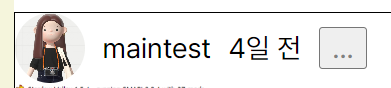
의도했던 대로 스타일이 깨지지 않게 img 태그에서 Image 컴포넌트로 바꾸기에 성공했다.
참고링크
Next.js 공식문서 - unoptimized
kakao 기술블로그 - Next/Image를 활용한 이미지 최적화