body.dart
import 'package:flutter/material.dart';
// 화면을 구상하기 위해서는 -> widget 사용하겠다!
// 반드시 material 테마가 있어야 한다!

class ExBody extends StatelessWidget {
  const ExBody({super.key});

  @override
  Widget build(BuildContext context) {
    return Scaffold(
      appBar: AppBar(
        title: Text('My App'),
        backgroundColor: Colors.blue,
      ),
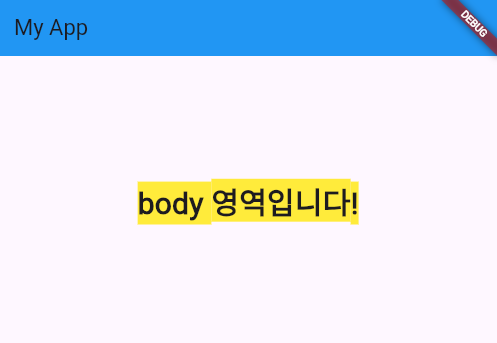
      body: Center(
        child: Text(
          'body 영역입니다!',
            // textAlign: TextAlign.center,
            style: TextStyle(fontSize: 30, fontWeight: FontWeight.bold, backgroundColor: Colors.yellow),
        ),
      ),
    );
  }
}

class ExColumn extends StatelessWidget {
  const ExColumn({super.key});

  @override
  Widget build(BuildContext context) {
    return Scaffold(
      // SafeArea() : 핸드폰의 상태표시줄의 영역을 안전하게 보장하는 위젯!
      body: SingleChildScrollView(
        // SingleChildScrollView : 화면에 스크롤을 생성하기 위한 위젯!
        scrollDirection: Axis.horizontal, //스크롤 방향을 좌우로 설정하는 값!
        // Axis.vertical -> 세로 방향
          child:
              Row(
                // Column(), Row() : 여러 요소들을 연달아 연결하기 위하여 사용하는 위젯!
                // 여러개의 위젯이 한번에 관리 되어야 하므로 [] 담아서 관리 하며,
                // 해당 내용은 각 위젯은 children (하위 위젯 == 자식 위젯)으로 지정 되어야 한다!
                children: [
                  Column(
                    children: [
                    Text('첫번째 Text Widget', style: TextStyle(fontSize: 30),),
                    Text('두번째 Text Widget', style: TextStyle(fontSize: 30),),
                    ],
                  ),
                ],
              ),
      ),
    );
  }
}

개발자