import 'package:flutter/material.dart';

class ExTextField extends StatefulWidget {
  const ExTextField({super.key});

  @override
  State<ExTextField> createState() => _ExTextFieldState();
}

class _ExTextFieldState extends State<ExTextField> {

  // 텍스트 필드의 내용을 관리할 수 있는 컨트롤러 생성!
  // 각각의 텍스트 필드마다 개인의 컨트롤러를 가지고 있어야 한다!
  TextEditingController emailCon = TextEditingController();
  TextEditingController passCon = TextEditingController();

  @override
  Widget build(BuildContext context) {
    return Scaffold(
      body: SafeArea(
          child: Padding(padding: EdgeInsets.all(12),
            child: Column(
              children: [
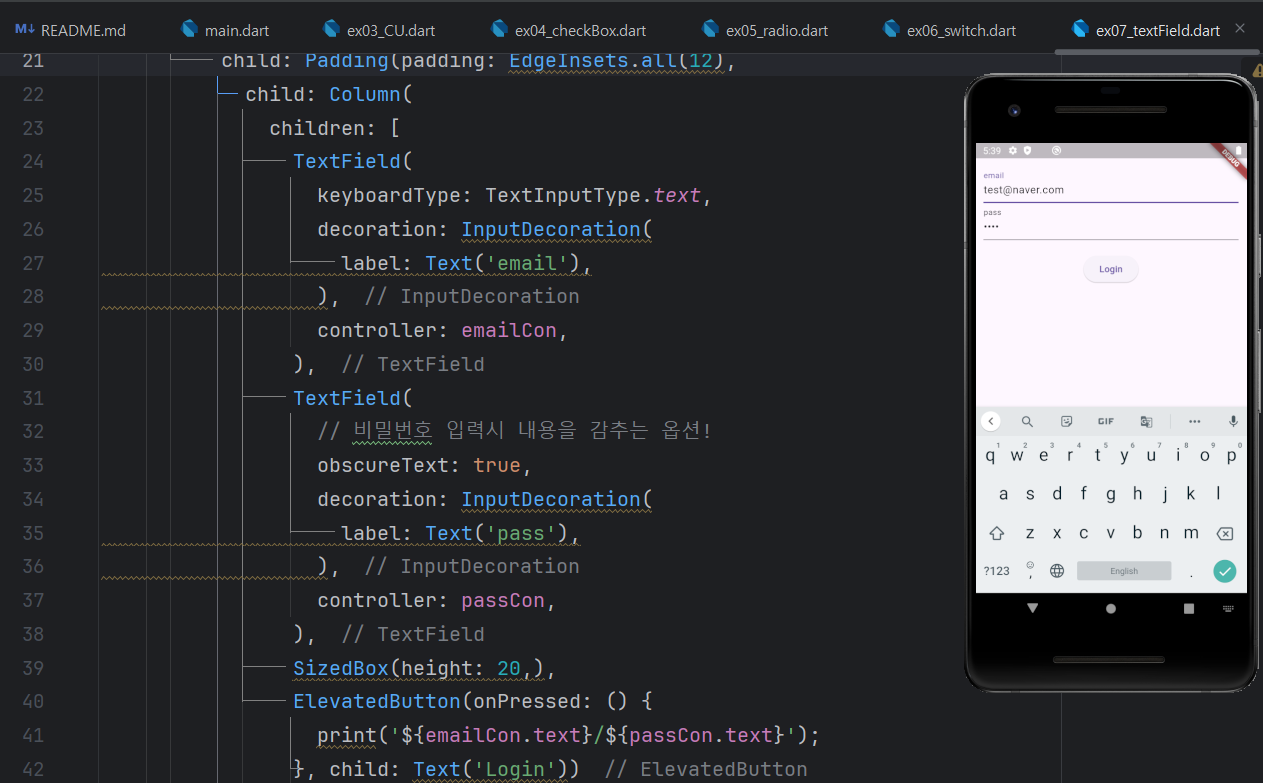
                TextField(
                  keyboardType: TextInputType.text,
                  decoration: InputDecoration(
                    label: Text('email'),
                  ),
                  controller: emailCon,
                ),
                TextField(
                  // 비밀번호 입력시 내용을 감추는 옵션!
                  obscureText: true,
                  decoration: InputDecoration(
                    label: Text('pass'),
                  ),
                  controller: passCon,
                ),
                SizedBox(height: 20,),
                ElevatedButton(onPressed: () {
                  print('${emailCon.text}/${passCon.text}');
                }, child: Text('Login'))
              ],
            ),
          )),
    );
  }
}


개발자