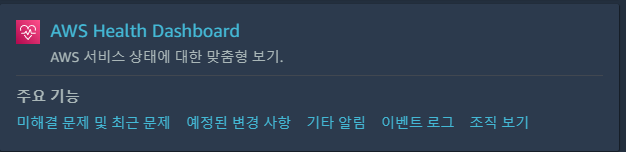
AWS 서비스 가용성에 대해 가시화 해주는 서비스
특정 Instance에 재기동 이벤트가 예정되어 있다.
사유는 물리 장비(하드웨어) 성능 저하 이슈. 해당 이슈로 특정 일(AWS에서 지정) 까지 '정지 - 시작' 프로세스가 필요하다.
'Restart'가 아닌 'Stop - Start'가 필요하다.
왜나하면, 'Restart'는 물리 장비 전환이 이루어지지 않는다.
'Stop - Start'는 물리 장비가 전환되어 다른 장비로 마이그레이션되어 시작이 된다.
해당 과정에서 EIP가 부여되어있지 않다면 공인 IP가 변경되는 참사가 발생할 수 있다.
한번은 Stop - Start를 진행하지 않고 AWS에서 지정한 시간에 인스턴스가 중지되어버린 적이 있는데, 시작을 했음에도 이벤트가 제대로 해소되지 않아, 다시 꺼진적이 있다.
그러므로 그 전에 하거나 한번 더하자!
아래는 Health Dashboard에서 해당 이벤트 확인하는 경로이다.
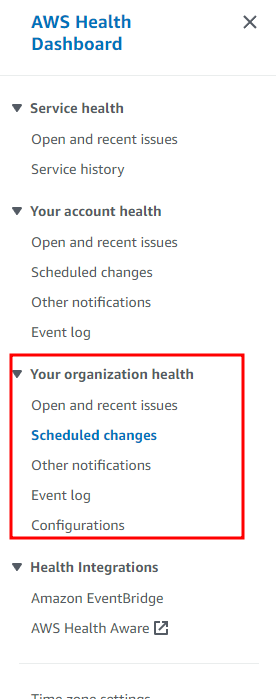
Scheduled changes
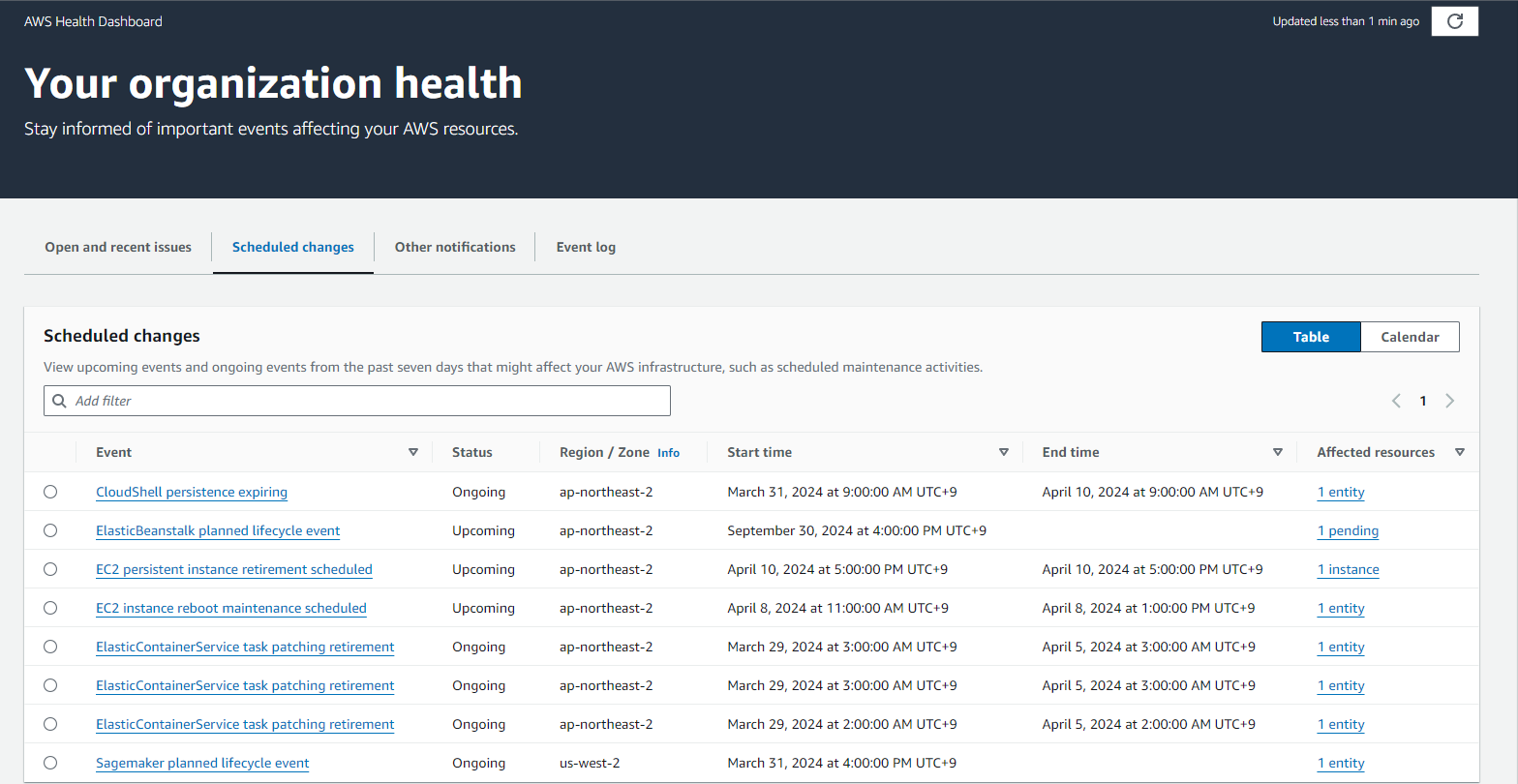
Ec2 Persistent instance retirement scheduled
하드웨어 이슈로 '정지 - 시작' 이 필요한 대상 및 사유에 대한 정보이다.
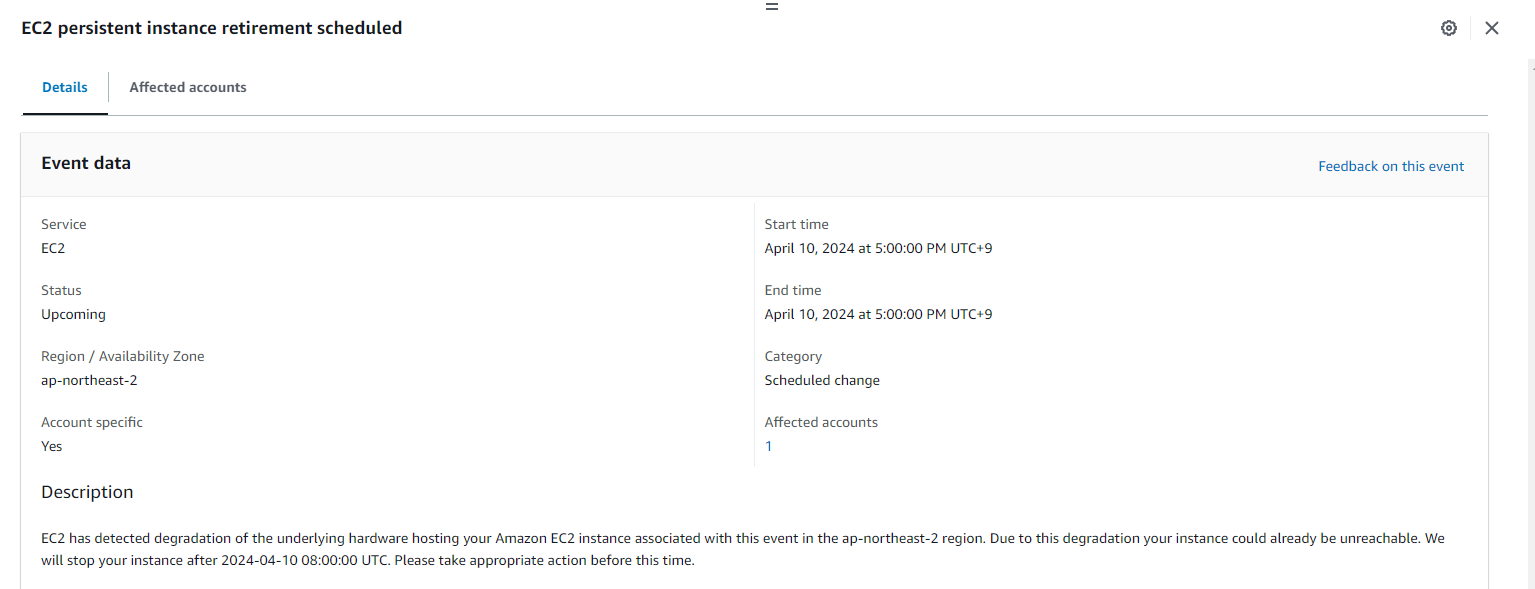
Description
EC2 has detected degradation of the underlying hardware hosting your Amazon EC2 instance associated with this event in the ap-northeast-2 region. Due to this degradation your instance could already be unreachable. We will stop your instance after 2024-04-10 08:00:00 UTC. Please take appropriate action before this time.You can find more information about retirement events scheduled for your EC2 instances in the AWS Management Console https://console.aws.amazon.com/ec2/v2/home?region=ap-northeast-2#Events
What will happen to my instance?
Your instance will be stopped after the specified retirement date. You can start it again at any time after it’s stopped. Any data on local instance-store volumes will be lost when the instance is stopped or terminated.What do I need to do?
We recommend that you stop and start the instance which will migrate the instance to a new host. Please note that any data on your local instance-store volumes will not be preserved when you stop and start your instance. For more information about stopping and starting your instance, and what to expect when your instance is stopped, such as the effect on public, private and Elastic IP addresses associated with your instance, see Stop and Start Your Instance in the EC2 User Guide (https://docs.aws.amazon.com/en_us/AWSEC2/latest/UserGuide/Stop_Start.html). However, if you do not need this instance, you can stop it at any time yourself or wait for EC2 to stop it after the retirement date.Why is EC2 retiring my instance?
EC2 may schedule instances for retirement in cases where there is an unrecoverable issue with the underlying hardware. For more information about scheduled retirement events please see the EC2 user guide (https://docs.aws.amazon.com/en_us/AWSEC2/latest/UserGuide/instance-retirement.html).If you have questions or issues, contact AWS Support at: https://aws.amazon.com/support .
파파고 번역
설명
EC2는 ap-northern-2 지역에서 이 이벤트와 관련된 아마존 EC2 인스턴스를 호스팅하는 기본 하드웨어의 성능 저하를 감지했습니다. 이 성능 저하로 인해 인스턴스에 이미 연결할 수 없습니다. UTC 2024-04-1008:00 이후에 인스턴스를 중지하겠습니다. 이 시간 전에 적절한 조치를 취하십시오.AWS Management Console https://console.aws.amazon.com/ec2/v2/home?region=ap-northeast-2#Events 에서 EC2 인스턴스에 대해 예약된 은퇴 이벤트에 대한 자세한 정보를 확인할 수 있습니다
제 인스턴스는 어떻게 됩니까?
지정한 만료일 이후에 인스턴스가 중지됩니다. 중지된 후 언제든지 다시 시작할 수 있습니다. 인스턴스가 중지되거나 종료되면 로컬 인스턴스 저장소 볼륨에 대한 모든 데이터가 손실됩니다.어떻게 해야 하나요?
인스턴스를 새 호스트로 마이그레이션할 인스턴스를 중지 및 시작하는 것이 좋습니다. 인스턴스를 중지 및 시작할 때 로컬 인스턴스 저장소 볼륨에 대한 데이터는 보존되지 않습니다. 인스턴스를 중지 및 시작하는 방법과 인스턴스와 관련된 공용, 개인 및 탄력적 IP 주소에 미치는 영향 등 인스턴스를 중지할 때 예상되는 사항에 대한 자세한 내용은 EC2 사용자 가이드(https://docs.aws.amazon.com/en_us/AWSEC2/latest/UserGuide/Stop_Start.html) 에서 인스턴스 중지 및 시작을 참조하십시오. 그러나 이 인스턴스가 필요하지 않은 경우 언제든지 직접 중지하거나 은퇴 날짜 이후에 EC2가 중지할 때까지 기다릴 수 있습니다.EC2가 제 인스턴스를 은퇴시키는 이유는 무엇입니까?
EC2는 기본 하드웨어에 복구할 수 없는 문제가 있는 경우 은퇴를 위한 인스턴스를 예약할 수 있습니다. 은퇴 예정 이벤트에 대한 자세한 내용은 EC2 사용자 가이드(https://docs.aws.amazon.com/en_us/AWSEC2/latest/UserGuide/instance-retirement.html) 를 참조하십시오.질문이나 문제가 있는 경우 AWS 지원(https://aws.amazon.com/support 로 문의하십시오.