터미널에서 컴퓨터이름, 유저이름 커스텀하기
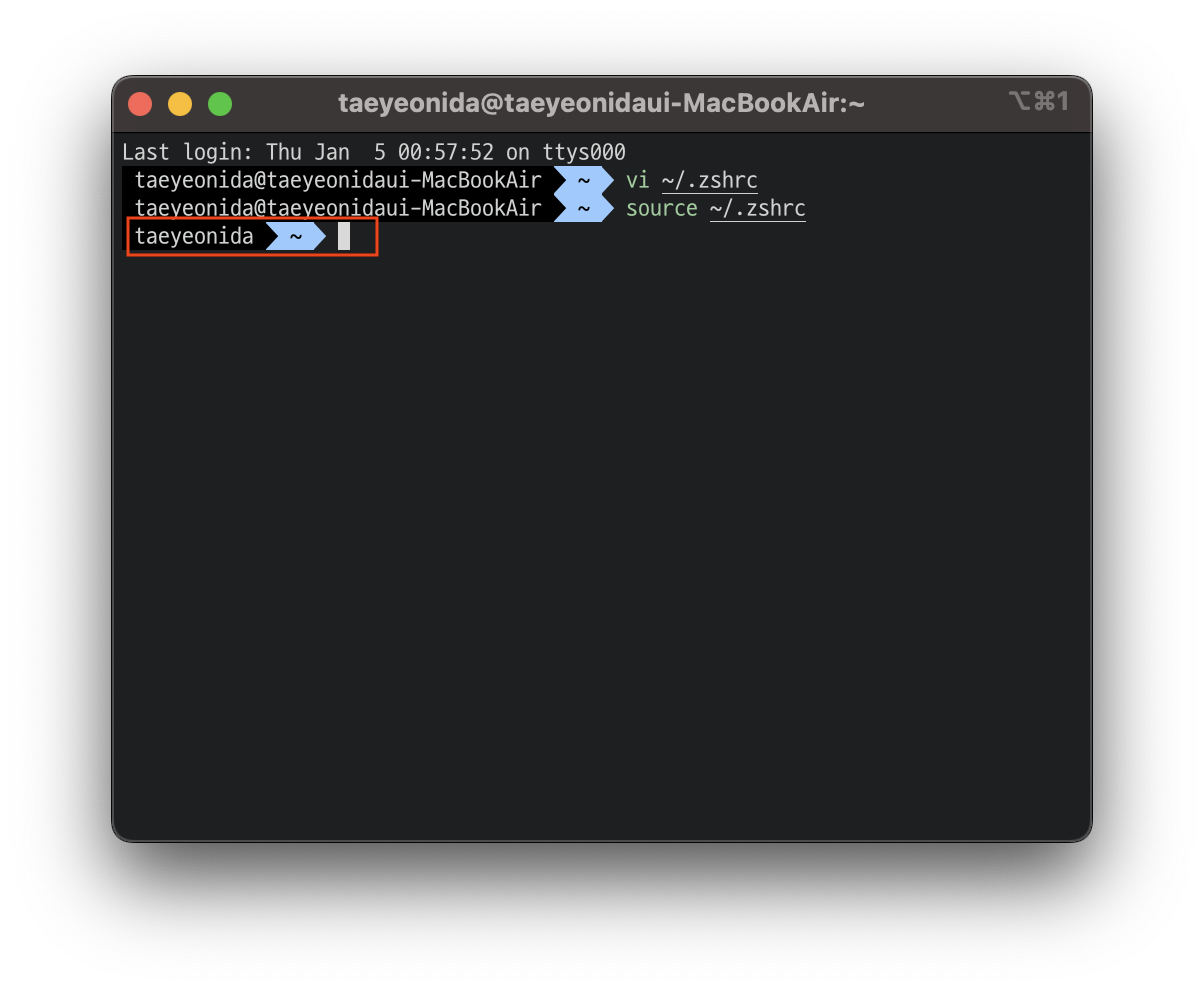
터미널을 켰을때 아래의 사진처럼 컴퓨터이름, 유저이름이 길게 나와 지저분해보여서 없애고 싶을 수 있습니다.

1. zshrc 편집기 열기
vi ~/.zshrc
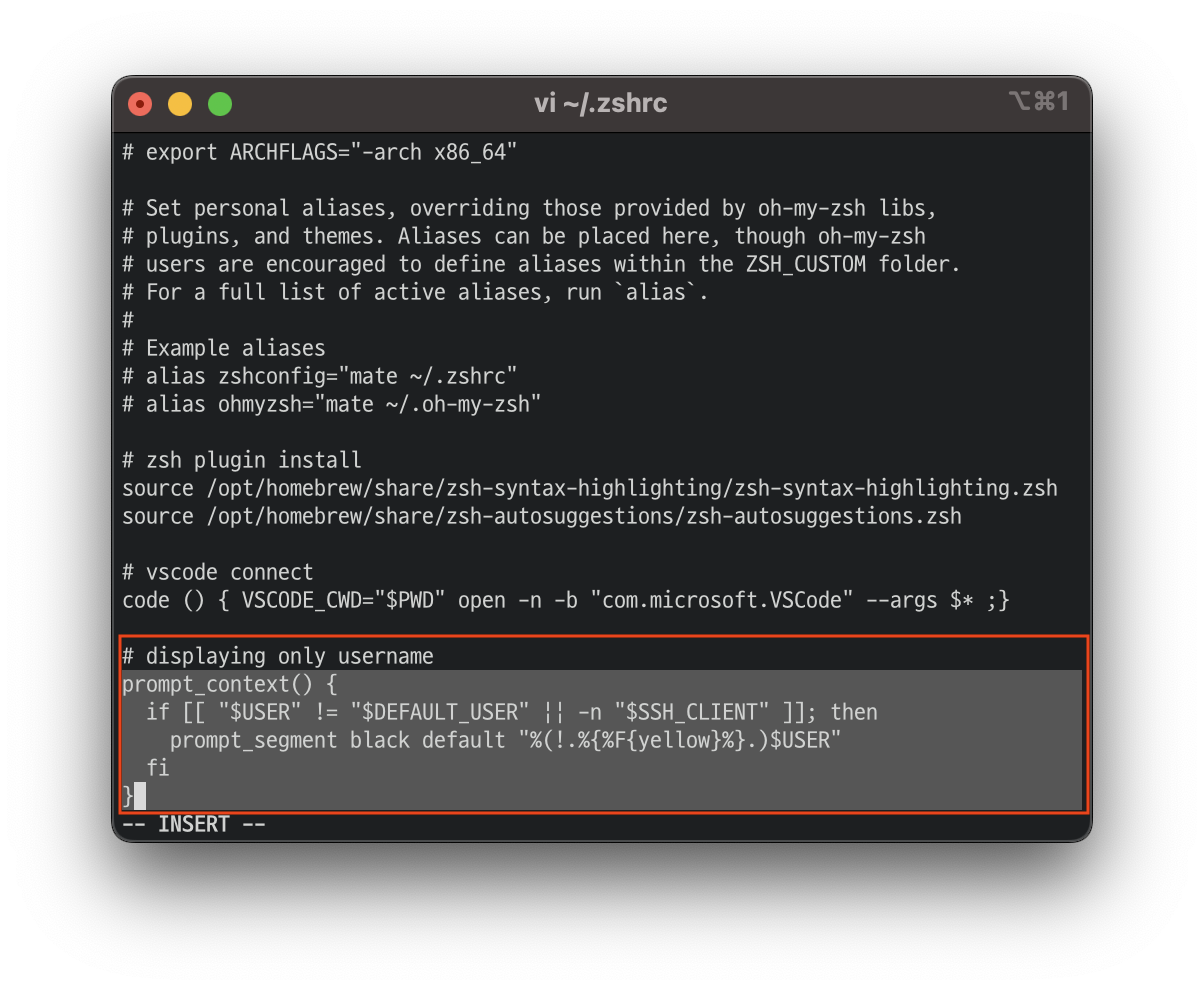
2. 아래의 스크립트 .zshrc 파일 최하단에 추가 (원하는 방법 택1)
1) 컴퓨터이름, 유저이름 둘다 숨기기
prompt_context(){}2) 컴퓨터이름만 숨기기 -> "저는 이걸 선택!!"
prompt_context() {
  if [[ "$USER" != "$DEFAULT_USER" || -n "$SSH_CLIENT" ]]; then
    prompt_segment black default "%(!.%{%F{yellow}%}.)$USER"
  fi
}
3) 컴퓨터이름 숨기고, 유저이름 바꾸고 싶을때
prompt_context() {
  prompt_segment black default "NEW_USERNAME"
}
3. 추가 후 적용
source ~/.zshrc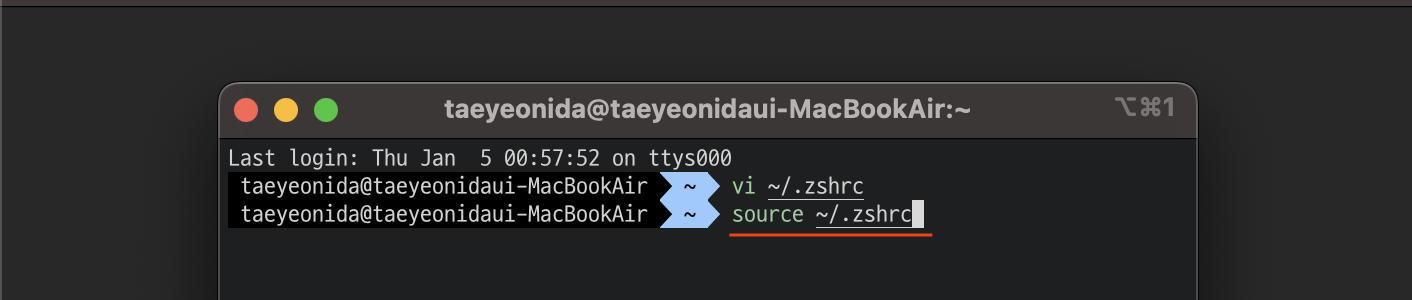
적용을 완료하면 아래의 사진처럼 유저이름만 터미널에 표시된다. 깔끔하다!!
zsh 필수 플러그인 설치하기
1. autojump
brew install autojump- autojump는 여러변의 cd명령을 통해서 디렉터리를 바꾸는 것을 간단히 j 명령을 통해서 한번에 이동할수 있는 플러그인이다.
- 한번이상 디렉토리를 방문한경우에만 autojump 가 가능하다.
2. zsh-autosuggestions
brew install zsh-autosuggestions- zsh-autosuggestions은 history 기반으로 최근에 입력한 명령어를 미리보기 형태로 보여준다.
- 방향키를 통해 미리보기로 나타난 명령어라인을 완성 시킬수 있다.
3. zsh-syntax-highlighting
brew install zsh-syntax-highlighting- zsh-systax-highlighting은 명령어와 미리보기등을 구분하기 쉽게 하이라이팅 해주는 플러그인이다.
위의 3가지를 설치 했으면 zsh를 사용하고 있기때문에 .zshrc 파일 하단에 아래 스크립트 추가 후 적용해줘야 플러그인이 작동합니다. (* 현재 autojump는 brew로 설치만해도 작동하는것으로 보임)
source /opt/homebrew/share/zsh-syntax-highlighting/zsh-syntax-highlighting.zsh
source /opt/homebrew/share/zsh-autosuggestions/zsh-autosuggestions.zsh
source ~/.zshrc
Investing Developer