SQL
Structured Query Language
CRUD
C - create
R - read
U - update
D - delete
desc 테이블이름;해당 테이블의 구조를 보여줌
INSERT문 예제 1
desc topic;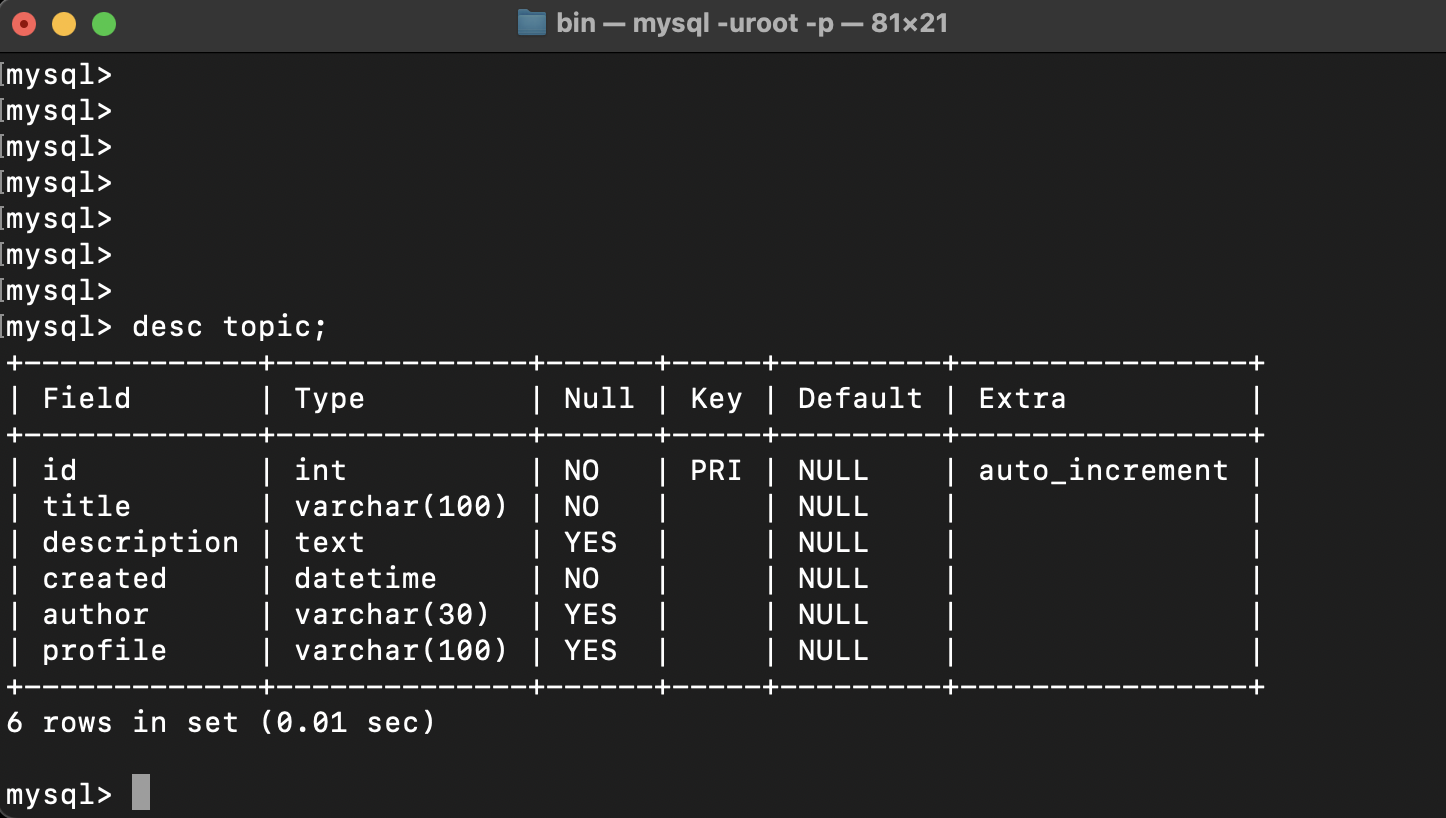
INSERT INTO 테이블 이름(c1,c2,c3,⋯) VALUES(r1,r2,r3,⋯);해당 테이블의 열에 데이터 값 입력
INSERT문 예제 2
insert into topic(title,description,created,author,profile) values('MySQL','MySQL is ...,NOW(),'egoing','developer');
insert into topic (title,description,created,author,profile) values('ORACLE','ORACLE is...',NOW(),'egoing','developer');
insert into topic (title,description,created,author,profile) values('SQL SERVER', 'SQL Server is...', NOW(), 'duru', 'data administratior');
insert into topic (title,description,created,author,profile) values('PostgreSQL', 'PostgreSQL is...', NOW(), 'taeho', 'data scientist, developer');
insert into topic (title,description,created,author,profile) values('MongoDB', 'MongpDB is...', NOW(), 'egoing', 'developer');
SELECT * FROM 테이블 이름;해당 테이블을 직관적으로 보여줌
SELECT문 예제 1
SELECT * FROM topic;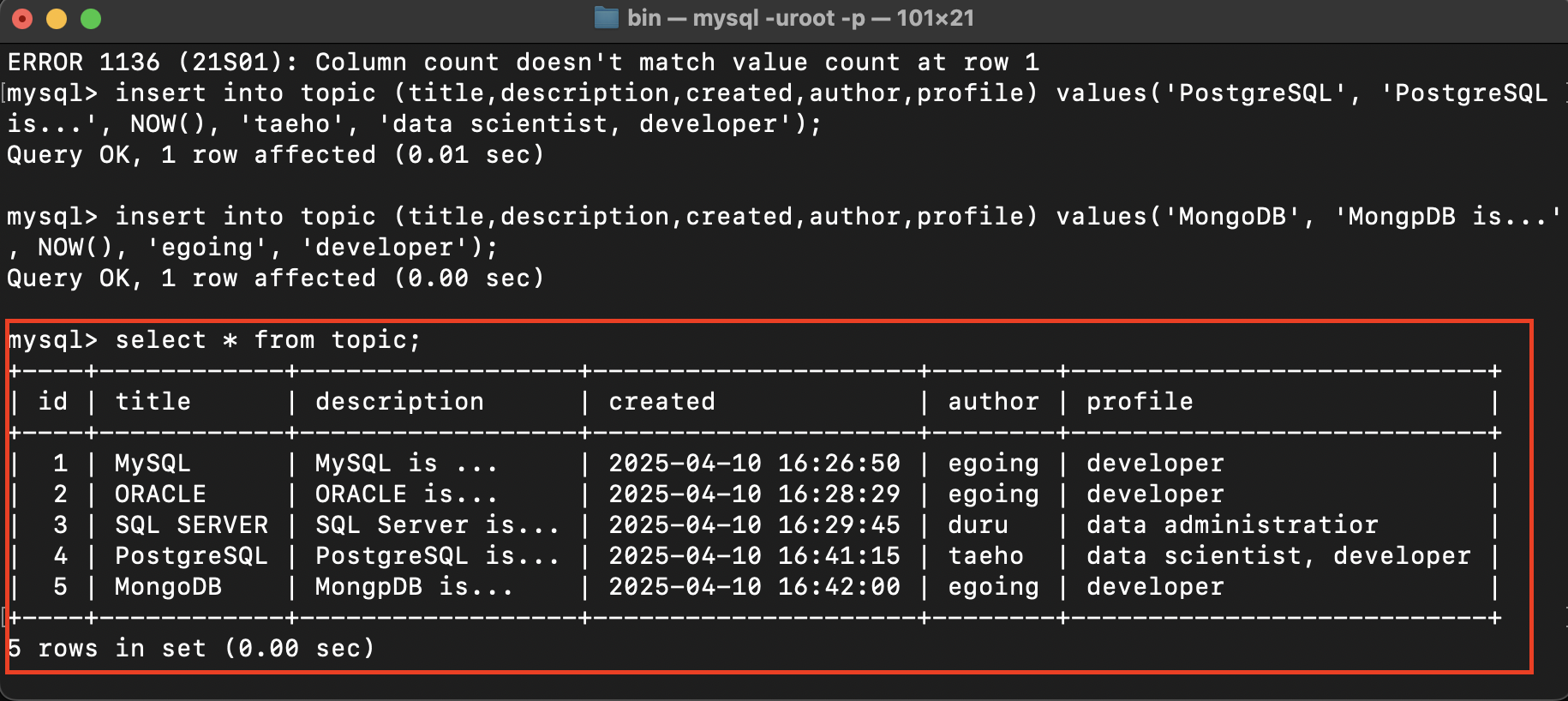
SELECT C1,C2,C3⋯ FROM 테이블 이름;C1,C2,C3⋯ 의 값만 보여줌
SELECT C1,C2,C3⋯ FROM 테이블 이름 WHERE C3='OOO'C3의 값이 OOO 인 데이터만 보여줌
SELECT C1,C2,C3⋯ FROM 테이블 이름 WHERE C3='OOO' ORDER by C1 desc;C3의 값이 OOO인 데이터들을 C1의 값이 높은 순으로 나열해서 보여줌
SELECT C1,C2,C3⋯ FROM 테이블 이름 WHERE C3='OOO' ORDER by C1 desc LIMIT 보고싶은 데이터 양;보고 싶은 데이터 양을 나열해서 보여줌
SELECT문 예제2
select id,title,created,author from topic;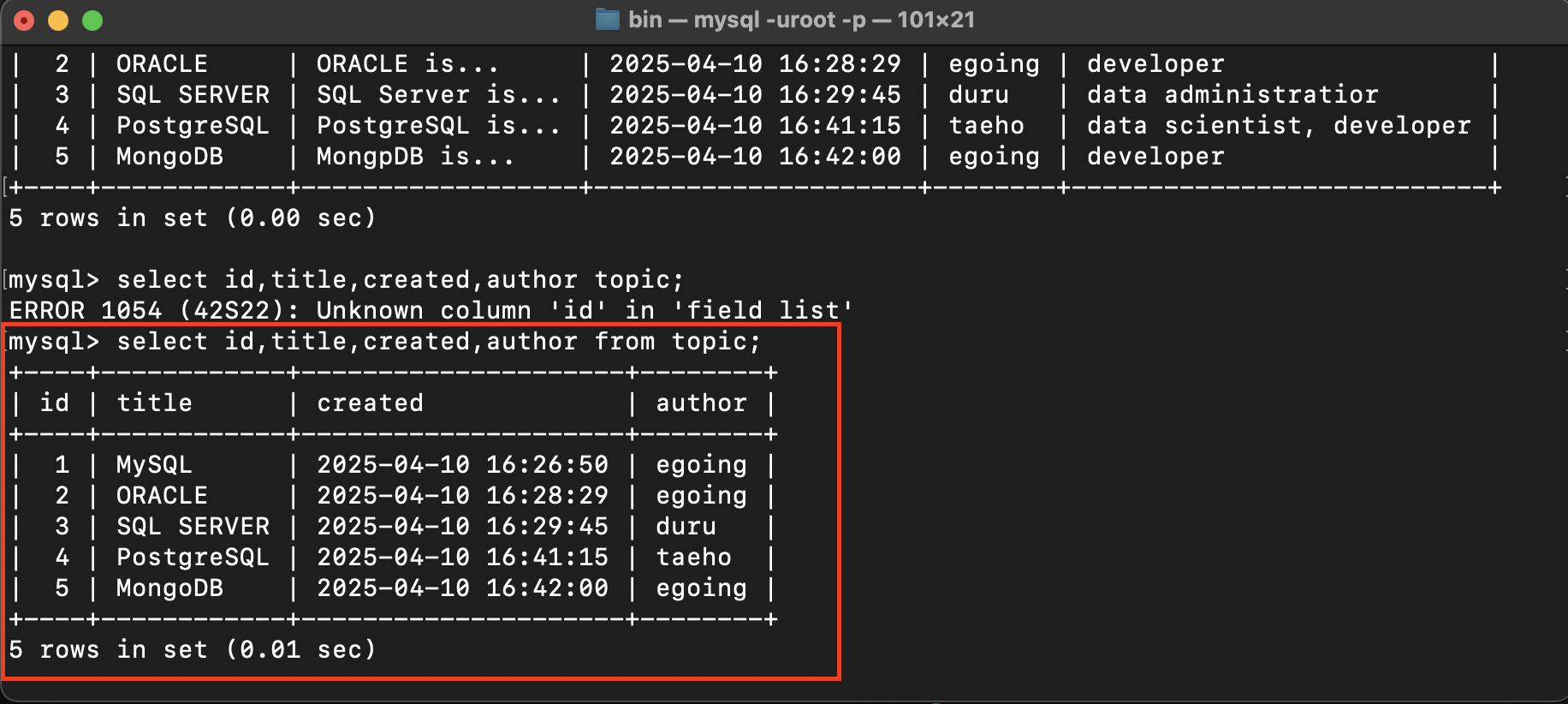
select id,title,created,author from topic where author='egoing';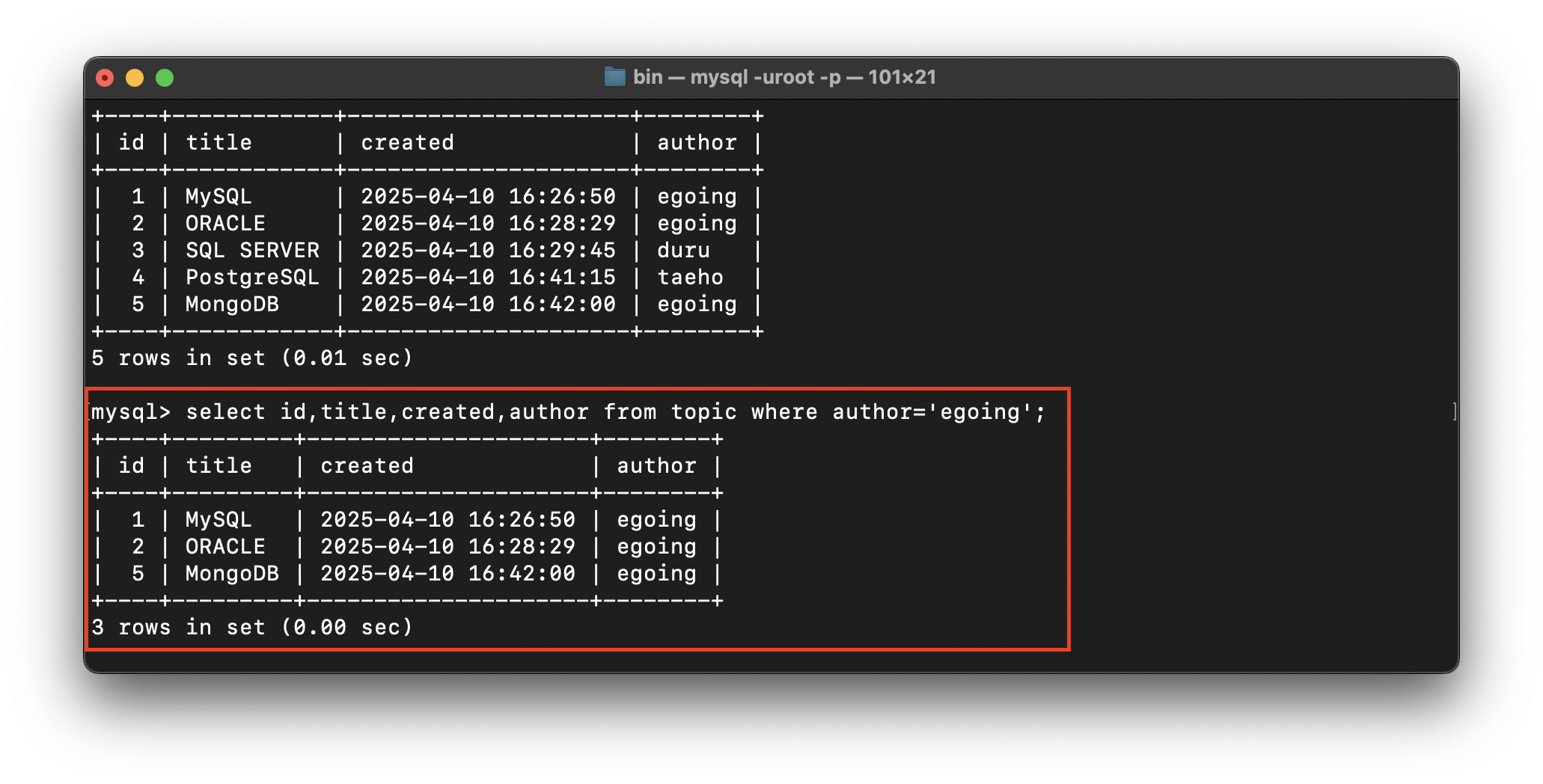
select id,title,created,author from topic where author='egoing' order by id desc;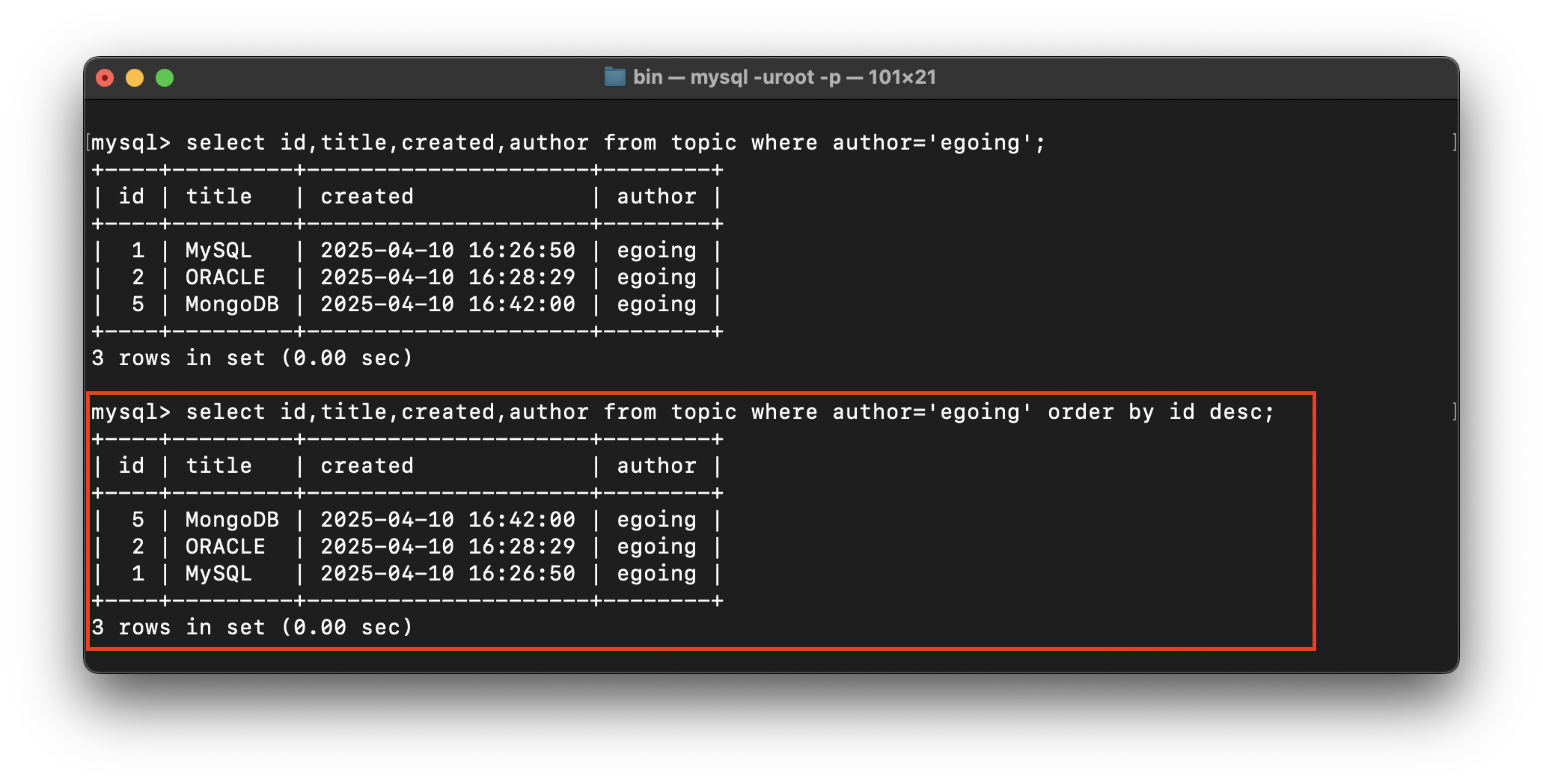
select id,title,created,author from topic where author='egoing' order by id desc LIMIT 2;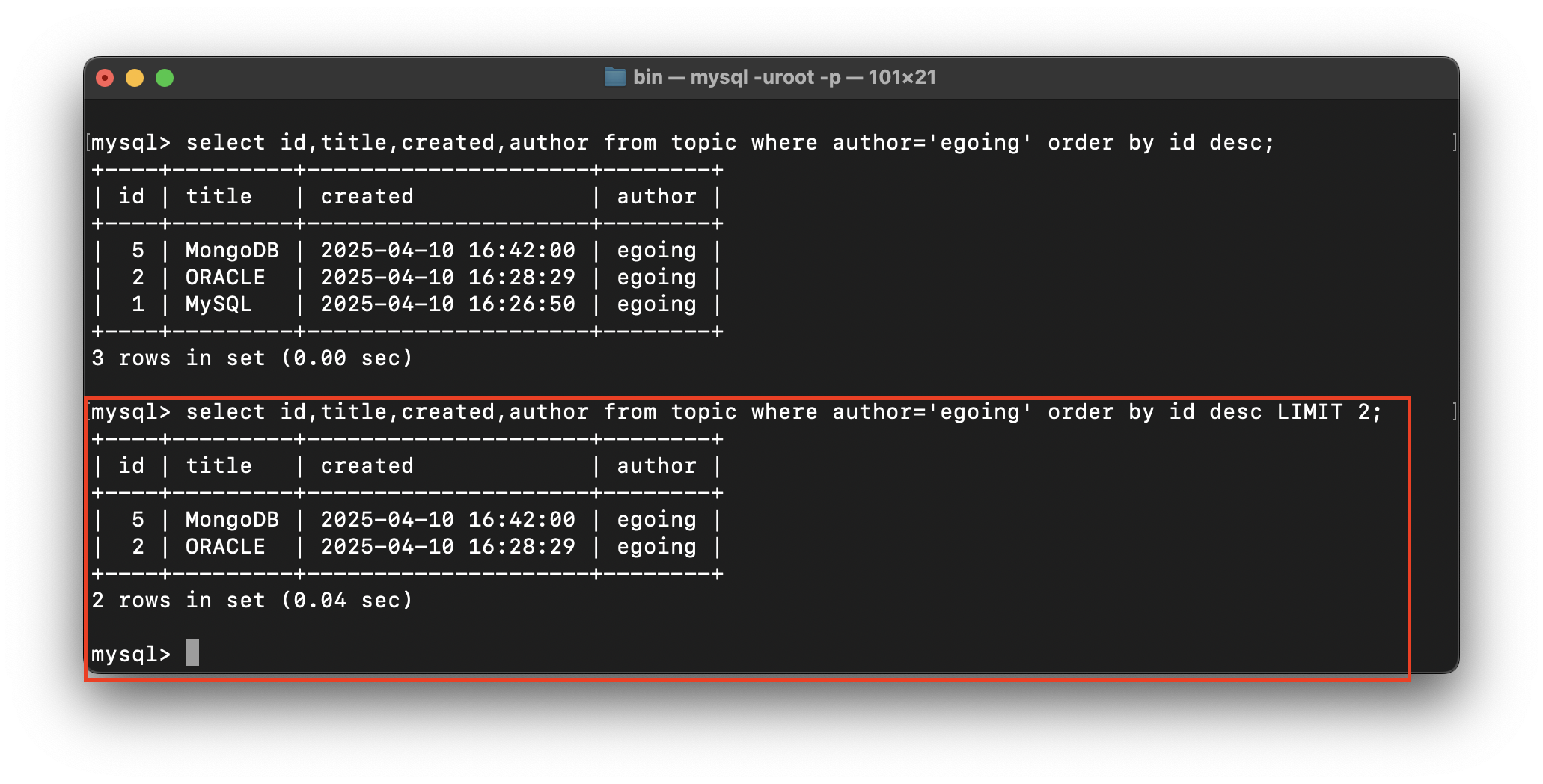

“누군가는 너를 사랑하고 있다.”