Instancing
만약 수천, 수만개의 particle, 나뭇잎등을 렌더링 할때
1개씩 렌더링을 하면 속도가 느려터질거임
glDrawArrays는 딱 1개씩 draw를 하는거잖아 ㅇㅇ
한번에 수천, 수만개의 도형을 한번에 그리는게 instancing임
이때 사용되는게
glDrawArraysInstanced, glDrawElementsInstanced, 인스턴스 배열임
그리고 instance의 index를 다룰 수 있는 glsl 내장 변수 gl_InstanceID가 있음
59번째의 instance라면 gl_InstanceID는 58이 되는거지 ㅇㅇ
glDrawArraysInstanced, glDrawElementsInstanced, gl_InstanceID 사용예시
float quadVertices[] = {
    // 위치          // 색상
    -0.05f,  0.05f,  1.0f, 0.0f, 0.0f,
     0.05f, -0.05f,  0.0f, 1.0f, 0.0f,
    -0.05f, -0.05f,  0.0f, 0.0f, 1.0f,

    -0.05f,  0.05f,  1.0f, 0.0f, 0.0f,
     0.05f, -0.05f,  0.0f, 1.0f, 0.0f,
     0.05f,  0.05f,  0.0f, 1.0f, 1.0f
};
이런 4각형 vertex들을 정의해줌
이걸 변환과 instancing을 통해 100개를 10*10사이즈의 사각형으로 출력해볼거임
fragment shader는 아래와 같음
#version 330 core
out vec4 FragColor;
in vec3 fColor;
void main()
{
    FragColor = vec4(fColor, 1.0);
}
이건 간단함
이제 핵심구역인 vertex shader를 보자
#version 330 core
layout (location = 0) in vec2 aPos;
layout (location = 1) in vec3 aColor;

out vec3 fColor;
uniform vec2 offsets[100];

void main()
{
    vec2 offset = offsets[gl_InstanceID];
    gl_Position = vec4(aPos + offset, 0.0, 1.0);
    fColor = aColor;
}
uniform으로 offsets를 받아줄거임
그리고 해당 offset으로 각 인스턴스들을 옮길거임
여기서 gl_InstanceID가 쓰인걸 볼 수 있음
즉, instance에 해당되는 id를 이용해 offset을 찾고, 해당 offset을 instance에 이용해서 위치를 옮기는거임
그럼 main으로 돌아와서 렌더링 들어가기전에 offset들을 초기화 해주자
glm::vec2 translations[100];
int index = 0;
float offset = 0.1f;
for(int y = -10; y < 10; y += 2)
{
    for(int x = -10; x < 10; x += 2)
    {
        glm::vec2 translation;
        translation.x = (float)x / 10.0f + offset;
        translation.y = (float)y / 10.0f + offset;
        translations[index++] = translation;
    }
}
그리고 렌더 루프에서 uniform값 넣어주면...
shader.use();
for(unsigned int i = 0; i < 100; i++)
{
    shader.setVec2(("offsets[" + std::to_string(i) + "]")), translations[i]);
}

glBindVertexArray(quadVAO);
glDrawArraysInstanced(GL_TRIANGLES, 0, 6, 100);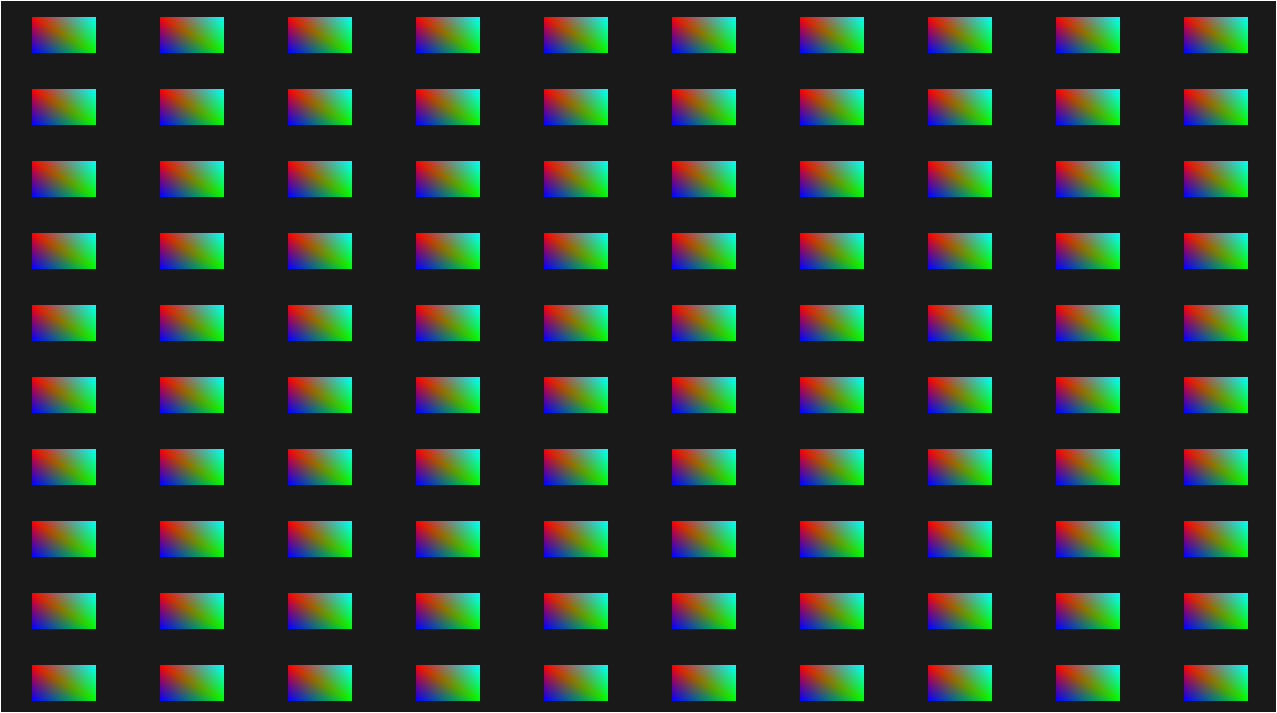
kuuuu~~
인스턴스 배열, glVertexAttribDivisor
이젠 최적화의 영역임
지금은 100개라서 문제가 없었지만,,
만약 10000개라면?
uniform 최대 개수는 한정적이라 불가능할거임
그럼 어떻게 해야하나?
일반적인 layout location을 통해 offset을 한번에 받아주는 전략을 사용할거임
#version 330 core
layout (location = 0) in vec2 aPos;
layout (location = 1) in vec3 aColor;
layout (location = 2) in vec2 aOffset;

out vec3 fColor;

void main()
{
    gl_Position = vec4(aPos + aOffset, 0.0, 1.0);
    fColor = aColor;
}
모델의 VBO를 만드는것처럼 인스턴스의 VBO를 만들어주면 됨
glm::vec2 translations[100];
int index = 0;
float offset = 0.1f;
for(int y = -10; y < 10; y += 2)
{
    for(int x = -10; x < 10; x += 2)
    {
        glm::vec2 translation;
        translation.x = (float)x / 10.0f + offset;
        translation.y = (float)y / 10.0f + offset;
        translations[index++] = translation;
    }
}

unsigned int instanceVBO;
glGenBuffers(1, &instanceVBO);
glBindBuffer(GL_ARRAY_BUFFER, instanceVBO);
glBufferData(GL_ARRAY_BUFFER, sizeof(glm::vec2) * 100, &translations[0], GL_STATIC_DRAW);
glBindBuffer(GL_ARRAY_BUFFER, 0);
이런식으로 VBO를 만들고 GL_ARRAY_BUFFER에 바인딩 시켜준 다음에
vec2의 사이즈만큼 100개의 인스턴스, translation배열을 참조로 넘겨주면 됨
이제 vertex attribute를 넘겨줘야함
glEnableVertexAttribArray(2);
glBindBuffer(GL_ARRAY_BUFFER, instanceVBO);
glVertexAttribPointer(2, 2, GL_FLOAT, GL_FALSE, 2 * sizeof(float), (void*)0);
glBindBuffer(GL_ARRAY_BUFFER, 0);
glVertexAttribDivisor(2, 1);
코드를 천천히 보면
- 2번 location으로 데이터를 넘겨줌
- GL_ARRAY_BUFFER에 VBO바인딩
- VBO가 어떤 형식으로 이뤄져있는지 넘김
- 2번통로, vec2이니 2개의 float, GL_FLOAT타입, normalize안함, 2개의 float, 0번 offset부터
- 버퍼 바인딩 해제 후...
핵심인 glVertexAttribDivisor(2, 1);등장
glVertexAttribDivisor
그냥 간단한 개념임
glVertexAttribDivisor(GLuint index, GLuint divisor)
index는 우리가 설정한 location을 의미함
divisor는 몇개의 인스턴스마다 vertex attributes를 갱신할건지를 의미함
divisor가 핵심인데
만약 100개의 물체를 인스터싱하는데, divisor가 2면, 2개마다 vertex attributes가 갱신되어서 2개씩 같은 vertex attributes를 사용하게 되는거임
그리고 그냥
cubeShader.use();
glBindVertexArray(VAO);
glDrawArraysInstanced(GL_TRIANGLES, 0, 6, 100);
이렇게 glDrawArraysInstanced를 통해 draw만 해주면...
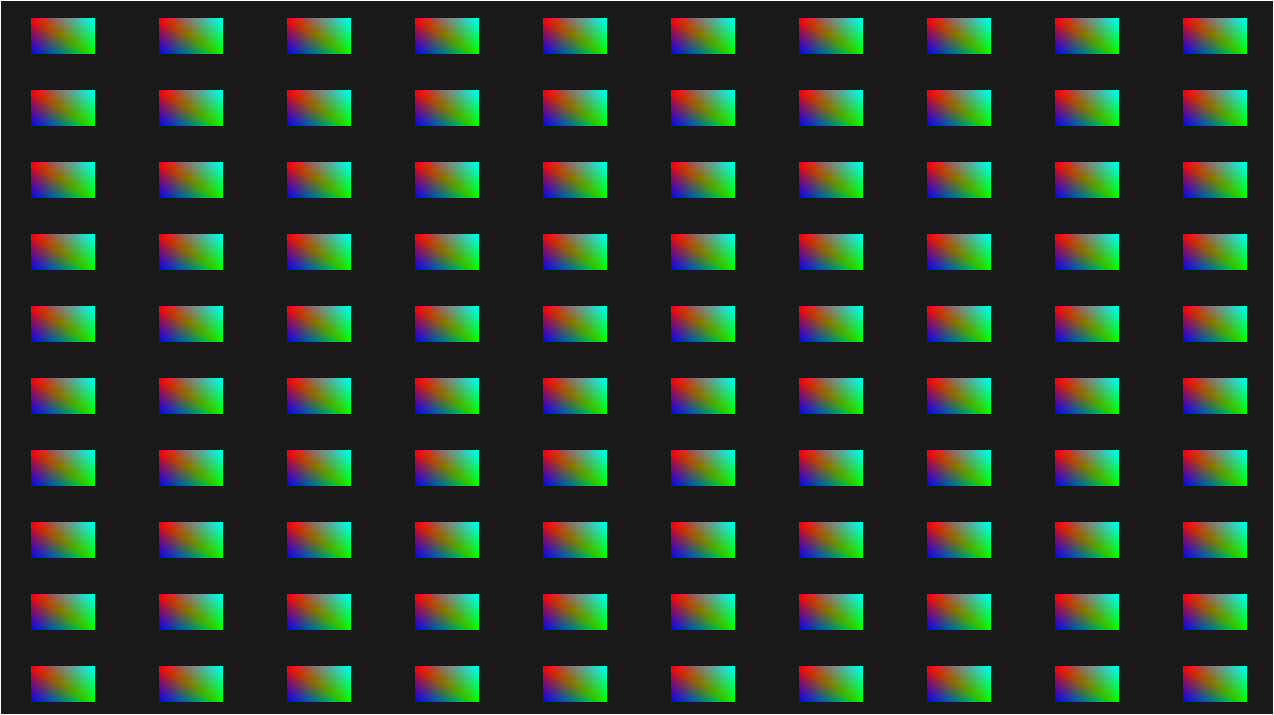
같은 형식으로 출력되는걸 볼 수 있지비
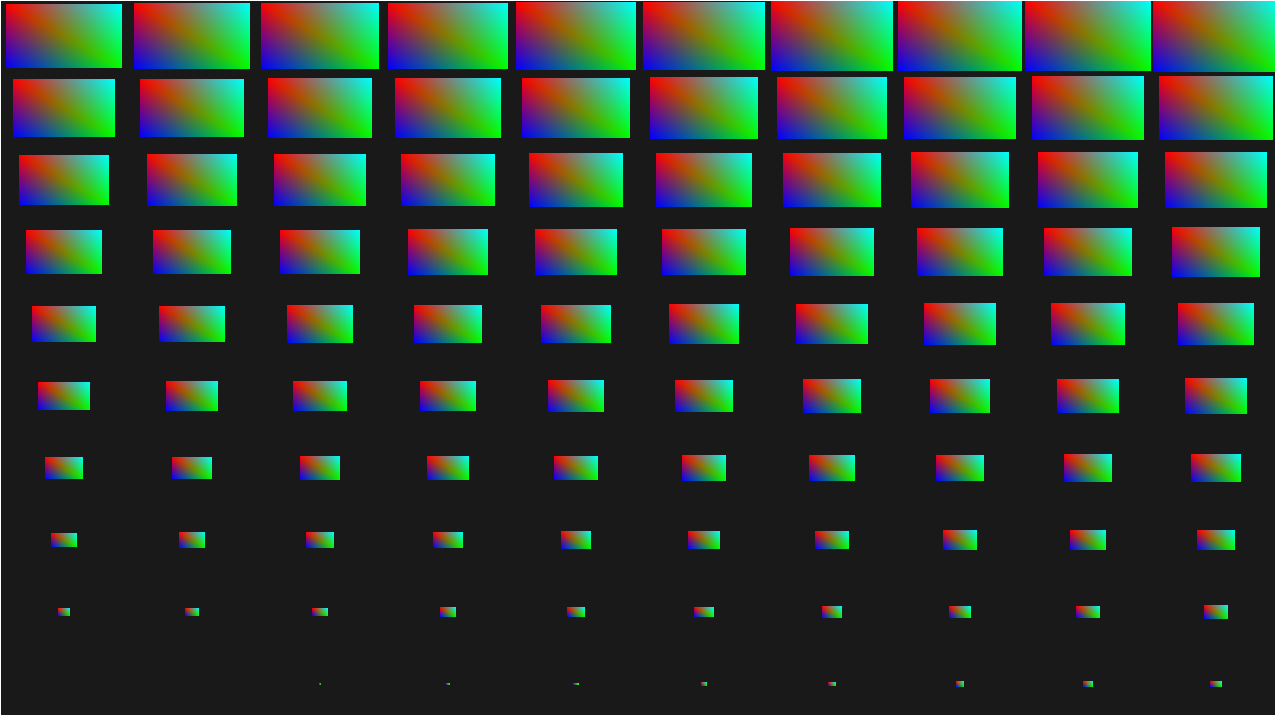
이런 재밋는 짓거리도
vertex shader수정을 통해 할 수 이뜸
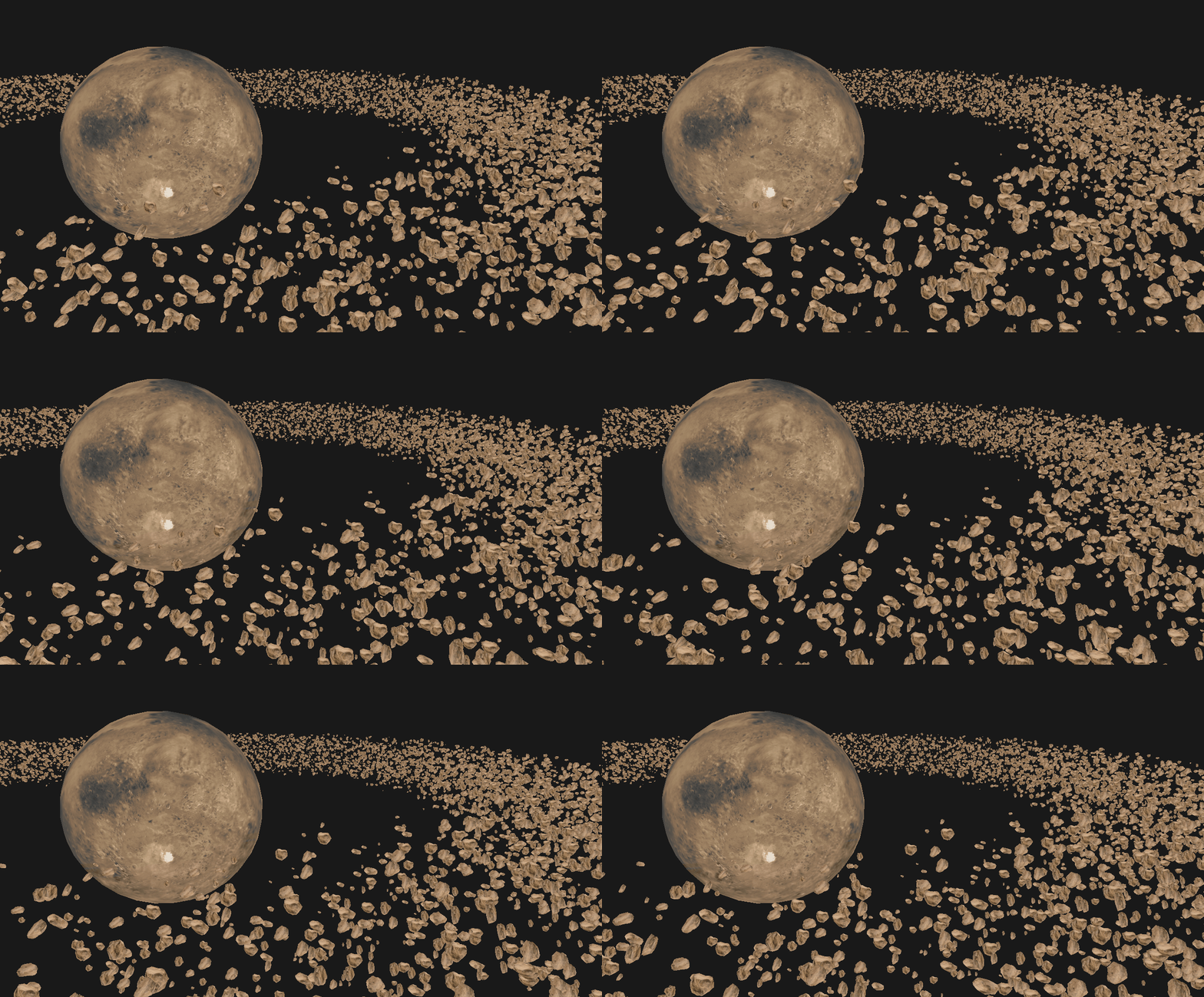
목성like 출력
목성은 큰 행성이 있고, 주변을 떠다니는 위성조각들이 있음
이걸 구현해볼거임
당연히 uniform으로 하면 터질거라
인스턴스 배열로 처리하는걸 보여줌
아마 여기서 코드를 설명하는것보다
LearnOpenGL - 목성과 위성 여기서 전체코드를 보고 아래 해설 1개만 봐도 문제가 없을듯
가장중요한 부분인 asteroid.vsh와 인스턴스 배열을 이용하는 구간임
#version 330 core
layout (location = 0) in vec3 aPos;
layout (location = 2) in vec2 aTexCoords;
layout (location = 3) in mat4 instanceMatrix;
out vec2 TexCoords;
uniform mat4 projection;
uniform mat4 view;
void main()
{
    gl_Position = projection * view * instanceMatrix * vec4(aPos, 1.0);
    TexCoords = aTexCoords;
}
location = 3으로 instanceMatrix라는 matrix를 불러올거임
이제 인스턴스 배열을 사용하는거임
//instanceMatrices 만들어짐....

unsigned int buffer;
glGenBuffers(1, &buffer);
glBindBuffer(GL_ARRAY_BUFFER, buffer);
glBufferData(GL_ARRAY_BUFFER, amount * sizeof(glm::mat4), &modelMatrices[0], GL_STATIC_DRAW);

for(unsigned int i = 0; i < rock.meshes.size(); i++)
{
    unsigned int VAO = rock.meshes[i].VAO;
    glBindVertexArray(VAO);
    // 정점 속성
    std::size_t vec4Size = sizeof(glm::vec4);
    glEnableVertexAttribArray(3);
    glVertexAttribPointer(3, 4, GL_FLOAT, GL_FALSE, 4 * vec4Size, (void*)0);
    glEnableVertexAttribArray(4);
    glVertexAttribPointer(4, 4, GL_FLOAT, GL_FALSE, 4 * vec4Size, (void*)(1 * vec4Size));
    glEnableVertexAttribArray(5);
    glVertexAttribPointer(5, 4, GL_FLOAT, GL_FALSE, 4 * vec4Size, (void*)(2 * vec4Size));
    glEnableVertexAttribArray(6);
    glVertexAttribPointer(6, 4, GL_FLOAT, GL_FALSE, 4 * vec4Size, (void*)(3 * vec4Size));

    glVertexAttribDivisor(3, 1);
    glVertexAttribDivisor(4, 1);
    glVertexAttribDivisor(5, 1);
    glVertexAttribDivisor(6, 1);

    glBindVertexArray(0);
}- 버퍼를 만들고 만들어놓은 matrices로 데이터 채움
- location = 3으로 matrix를 넣어야함
- mat4는 vec4 * 4의 크기임
- 따라서 location = 3,4,5,6으로 자동적으로 각 행(vec4)이 이동됨
- 그에 맞춰 3,4,5,6번 location으로 넣어주고, divisor을 1로 만들어 각 인스턴스마다 vertex attributes 업데이트!
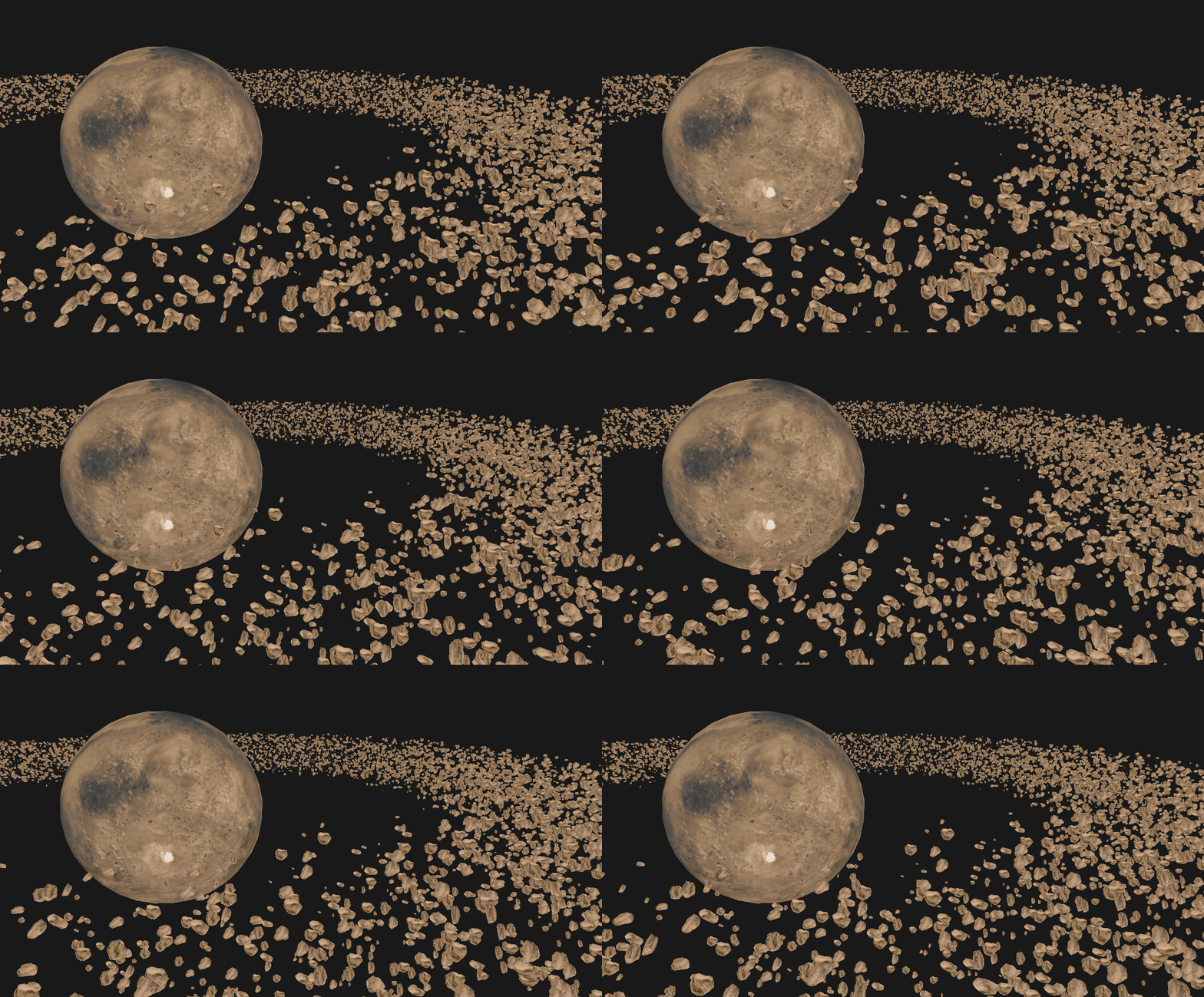
구우우욷