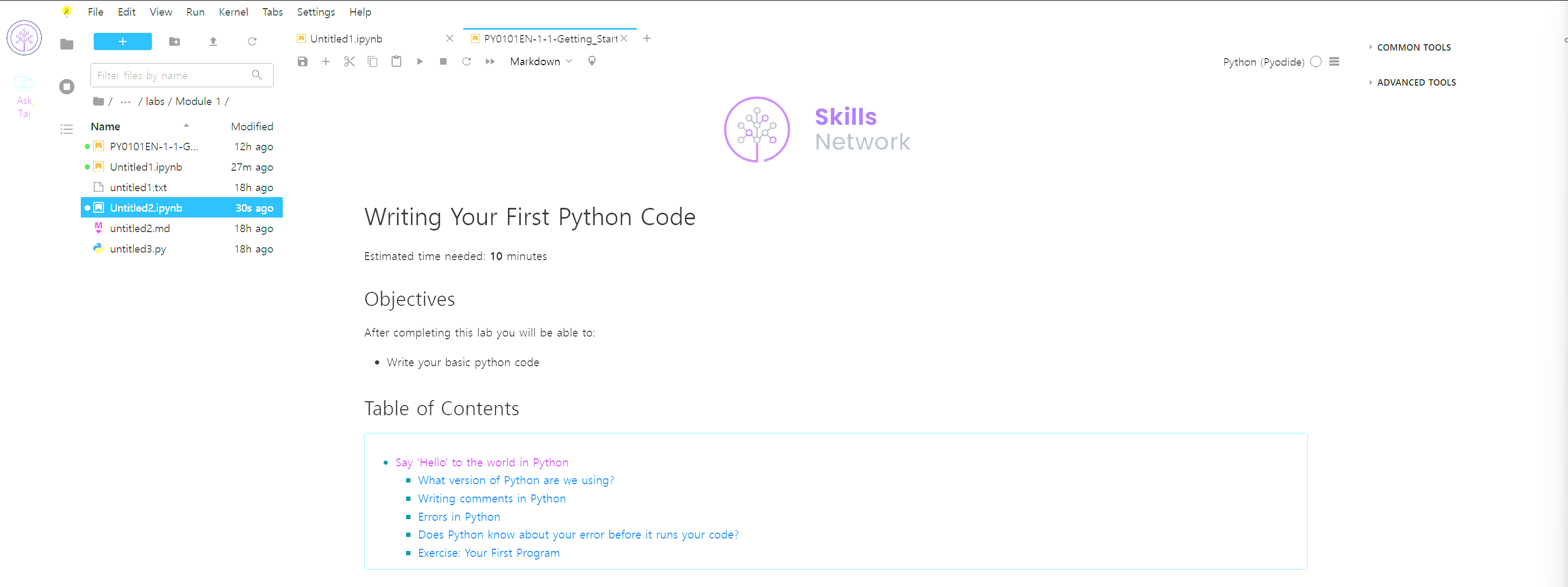

Estimated time needed: 10 minutes
Objectives
After completing this lab you will be able to:
- Write your basic python code
Table of Contents
Say 'Hello' to the world in Python
When learning a new programming language, it is customary to start with an "hello world" example. As simple as it is, this one line of code will ensure that we know how to print a string in output and how to execute code within cells in a notebook.
# Try your first Python output

print('Hello, Python!')
After executing the cell above, you should see that Python prints Hello, Python!. Congratulations on running your first Python code!
print() is a function. You passed the string 'Hello, Python!' as an argument to instruct Python on what to print.
What version of Python are we using?
There are two popular versions of the Python programming language in use today: Python 2 and Python 3. The Python community has decided to move on from Python 2 to Python 3, and many popular libraries have announced that they will no longer support Python 2.
Since Python 3 is the future, in this course we will be using it exclusively. How do we know that our notebook is executed by a Python 3 runtime? We can look in the top-right hand corner of this notebook and see "Python 3".
We can also ask Python directly and obtain a detailed answer. Try executing the following code:
# Check the Python Version

import sys
print(sys.version)sys is a built-in module that contains many system-specific parameters and functions, including the Python version in use. Before using it, we must explictly import it.
Writing comments in Python
In addition to writing code, note that it's always a good idea to add comments to your code. It will help others understand what you were trying to accomplish (the reason why you wrote a given snippet of code). Not only does this help other people understand your code, it can also serve as a reminder to you when you come back to it weeks or months later.
To write comments in Python, use the number symbol # before writing your comment. When you run your code, Python will ignore everything past the # on a given line.
# Practice on writing comments

print('Hello, Python!') # This line prints a string
After executing the cell above, you should notice that This line prints a string did not appear in the output, because it was a comment (and thus ignored by Python).
The second line was also not executed because print('Hi') was preceded by the number sign (#) as well! Since this isn't an explanatory comment from the programmer, but an actual line of code, we might say that the programmer commented out that second line of code.
Errors in Python
Everyone makes mistakes. For many types of mistakes, Python will tell you that you have made a mistake by giving you an error message. It is important to read error messages carefully to really understand where you made a mistake and how you may go about correcting it.
For example, if you spell print as frint, Python will display an error message. Give it a try:
# Print string as error message

frint("Hello, Python!")
The error message tells you:
- where the error occurred (more useful in large notebook cells or scripts), and
- what kind of error it was (NameError)
Here, Python attempted to run the function frint, but could not determine what frint is since it's not a built-in function and it has not been previously defined by us either.
You'll notice that if we make a different type of mistake, by forgetting to close the string, we'll obtain a different error (i.e., a SyntaxError). Try it below:
# Try to see built-in error message

print("Hello, Python!)
Does Python know about your error before it runs your code?
Python is what is called an interpreted language. Compiled languages examine your entire program at compile time, and are able to warn you about a whole class of errors prior to execution. In contrast, Python interprets your script line by line as it executes it. Python will stop executing the entire program when it encounters an error (unless the error is expected and handled by the programmer, a more advanced subject that we'll cover later on in this course).
Try to run the code in the cell below and see what happens:
# Print string and error to see the running order

print("This will be printed")
frint("This will cause an error")
print("This will NOT be printed")
Exercise: Your First Program
Generations of programmers have started their coding careers by simply printing "Hello, world!". You will be following in their footsteps.
In the code cell below, use the print() function to print out the phrase: Hello, world!
# Write your code below. Don't forget to press Shift+Enter to execute the cell
print("Hello, world!")
Now, let's enhance your code with a comment. In the code cell below, print out the phrase: Hello, world! and comment it with the phrase Print the traditional hello world all in one line of code.
# Write your code below. Don't forget to press Shift+Enter to execute the cell
print("Hello, world!") # Print the traditional hello world
What is the value of z where z = x + y?
# Write your code below. Don't forget to press Shift+Enter to execute the cell
17
Congratulations, you have completed your first lesson and hands-on lab in Python.
Author
Other contributors
© IBM Corporation 2023. All rights reserved.

3개의 댓글

The development of technology and AI is really bringing a strong impact in many industries. Build and develop impressive programs. Enjoy exchanging geometry dash and learning more advanced knowledge.
Many candidates preparing for the Oracle 1z0-1046-24 exam utilize "practice dumps" or collections of questions and answers to build confidence and familiarize themselves with the exam format. These resources often aim to simulate the real exam environment, providing insights into question patterns, difficulty levels, and topic distribution.
https://www.certstopics.com/product-detail/1z0-1046-24.html