
✅ 개요
2차 팀 프로젝트에서 결제 기능 개발을 맡게 되었다.
스크럼을 통해 토스페이먼츠 api로 구현하기로 결정했고 그 과정을 적어보려 한다.
✅ Toss Payments API를 선택한 이유
1. 깔끔한 UI Docs와 설명
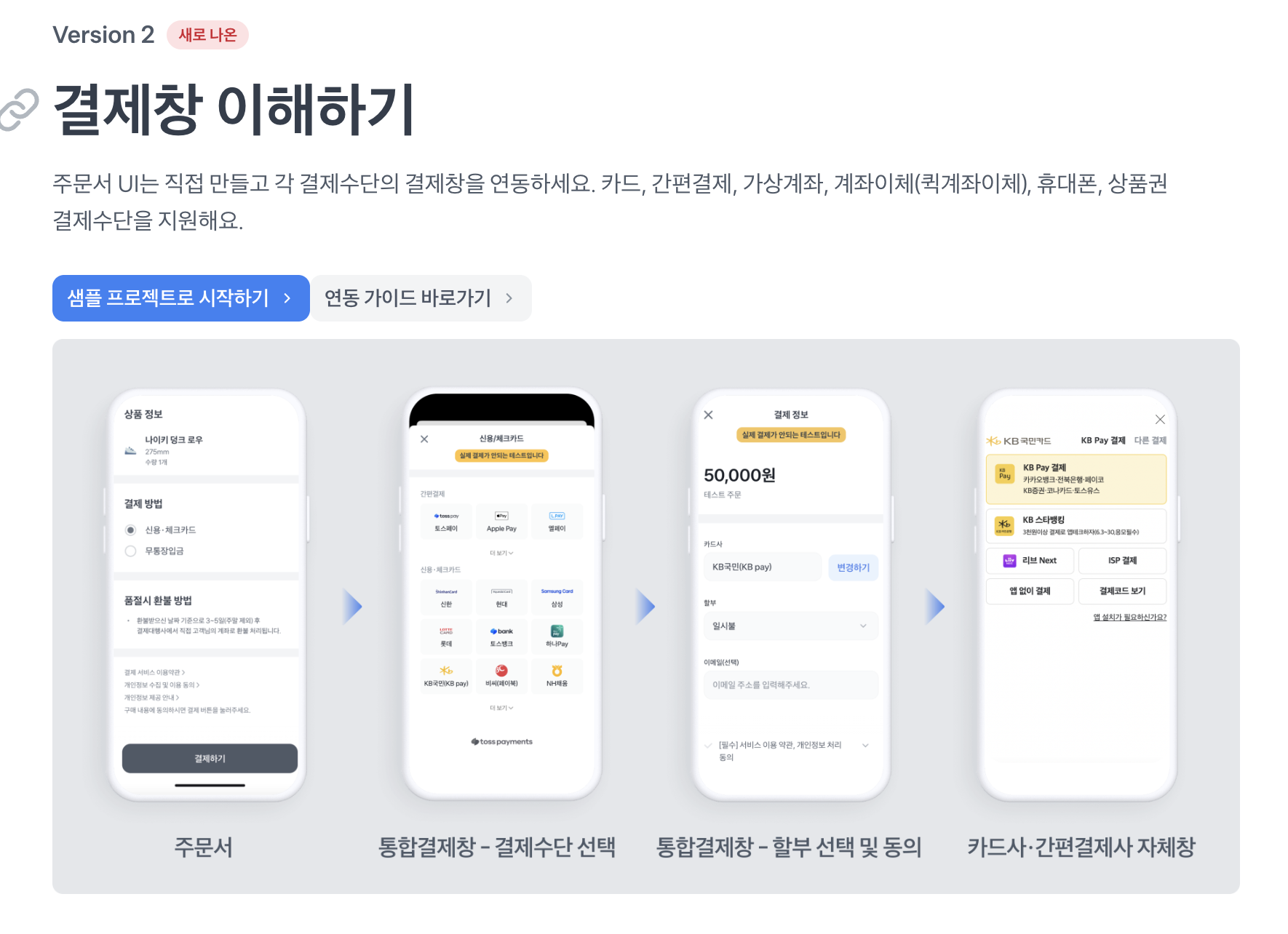
특정 API를 도입할 때 Docs를 읽곤 하는데 토스페이먼츠의 Docs는 가독성면에서 최고라고 볼 수 있다.
2. 테스트 코드 제공
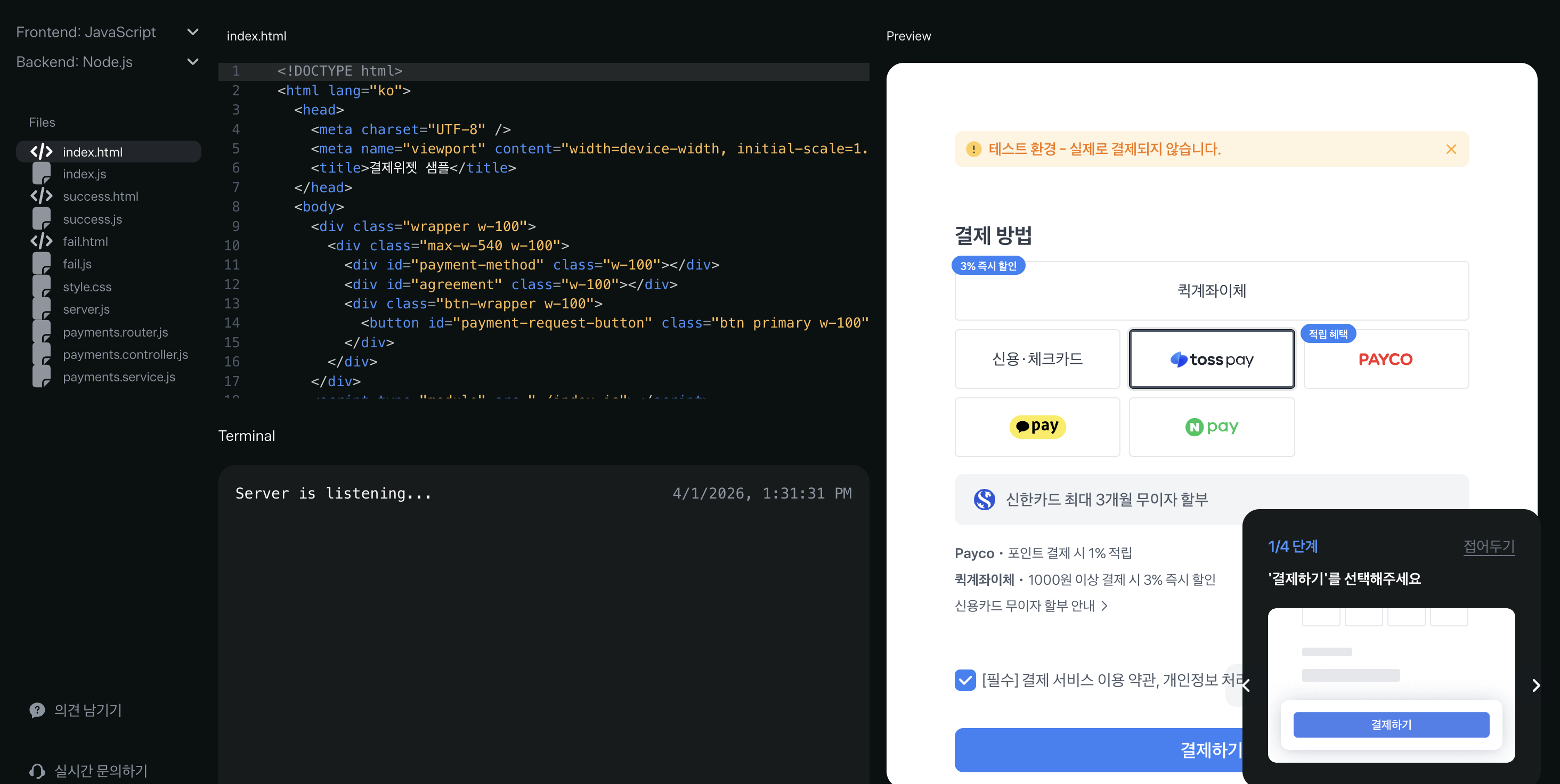
3. 모든 결제 수단 사용 가능
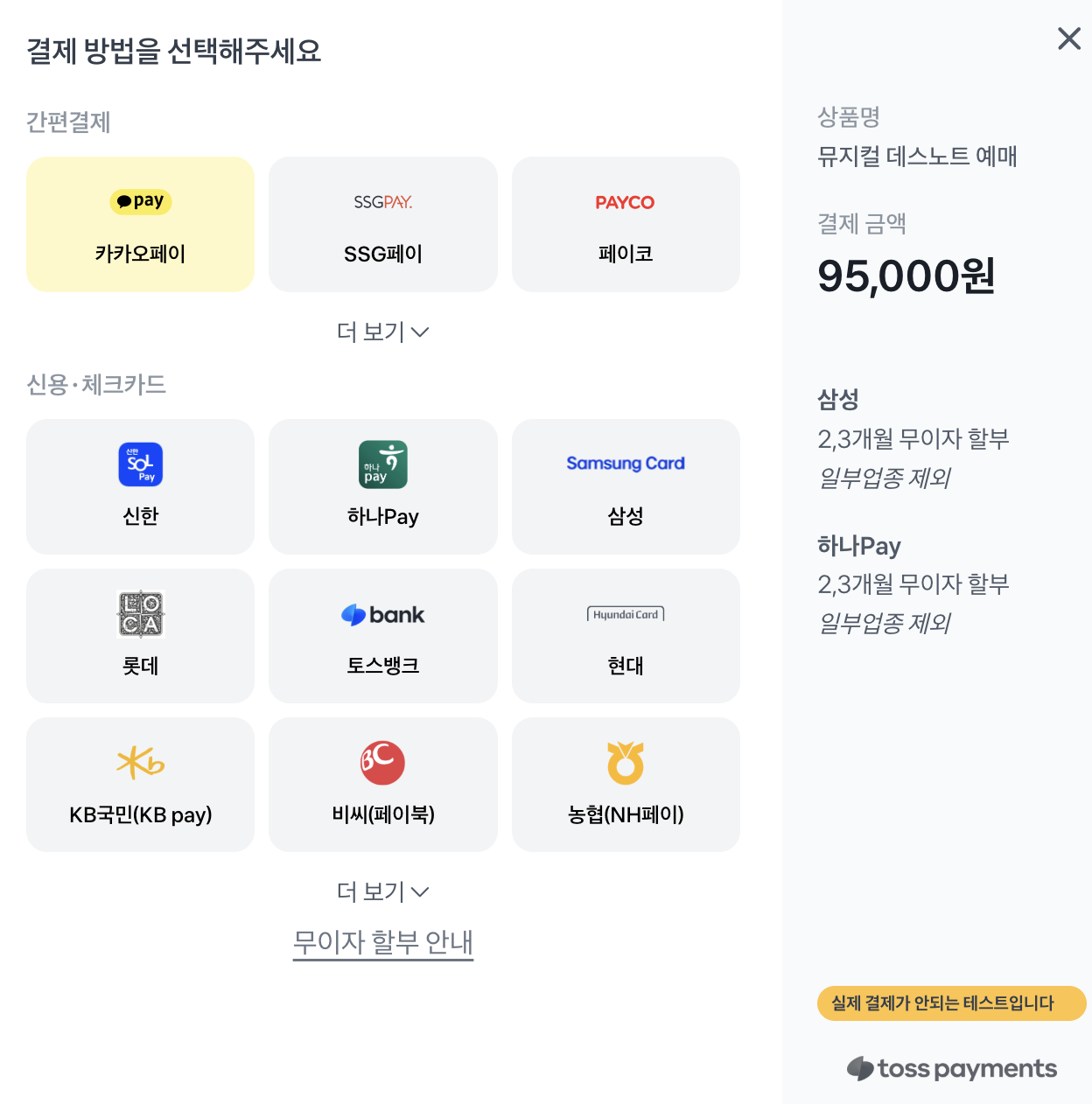
결제위젯을 사용해 모든 결제수단 (카카오페이, 토스뱅크 및 각종 카드사들) 을 한 번에 연동할 수 있어 좋았다.
✅ 결제 플로우 코드로 이해하기
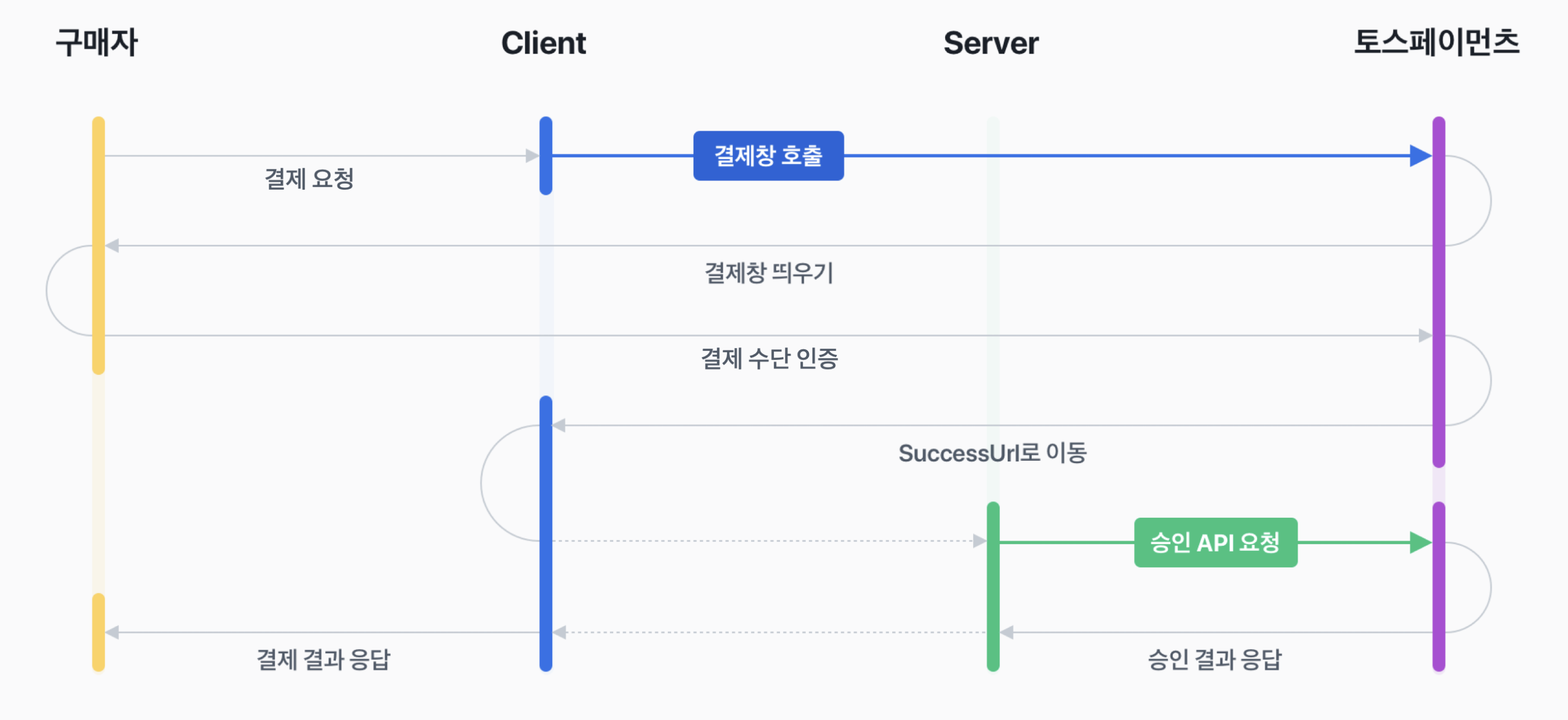
0. 먼저 API 키를 받아야 한다.
1. 먼저 구매자가 클라이언트에 결제를 요청
결제 하기 버튼을 누른다.
2. 프론트엔드에서 결제창 호출 전 준비 및 결제창 띄우기
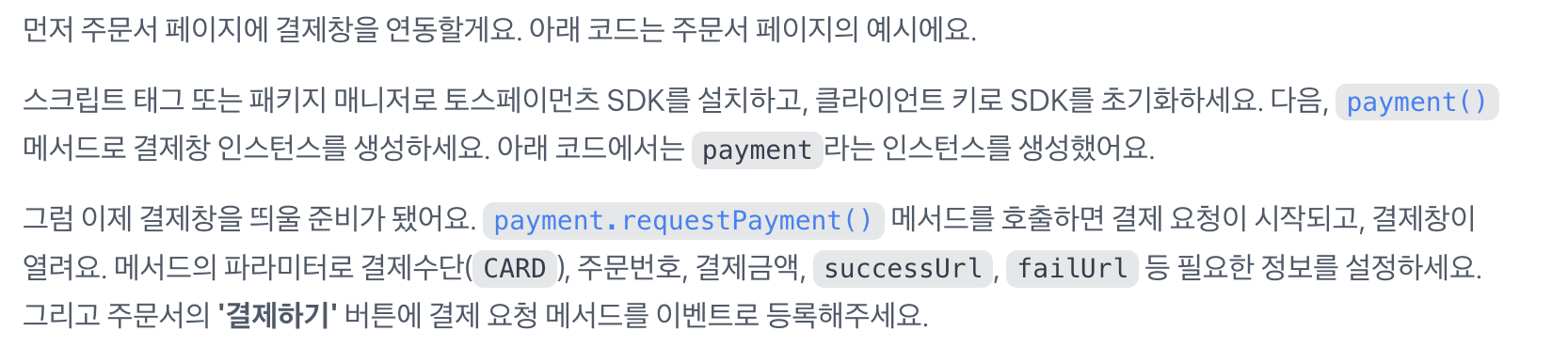
Toss SDK 설치
npm install @tosspayments/payment-widget-sdk- 준비 단계
// 토스 클라이언트 키 꺼내기
const clientKey = window.TOSS_CLIENT_KEY;
// 토스 SDK 초기화
const tossPayments = TossPayments(clientKey);
// 고객 키 생성
const customerKey = `member_${Date.now()}`;
// 결제 객체 생성
const payment = tossPayments.payment({ customerKey });- 결제 창 띄우기
await payment.requestPayment({
    method: "CARD",
    amount: {
        currency: "KRW",
        value: Number(currentDraft.totalPrice)
    },
    orderId: currentDraft.draftId,
    orderName: `${currentDraft.performanceTitle} 예매`,
    successUrl: window.location.origin + `/payments/toss/success?draftId=${currentDraft.draftId}`,
    failUrl: window.location.origin + `/payments/toss/fail?draftId=${currentDraft.draftId}`,
    customerName: `회원 ${currentDraft.memberId}`
});
결제 창 띄우기 성공 시 successUrl로 가고, 실패 시 failUrl로 가게 설정했다.
3. 리다이렉션 URL로 이동
PaymentController에서 성공 -> tossPaymentSerice에서 로직 실행
@GetMapping("/success")
   public String success(
           @RequestParam String paymentKey,
           @RequestParam String orderId,
           @RequestParam Long amount,
           @RequestParam UUID draftId
   ) {
       tossPaymentService.handleSuccess(draftId, paymentKey, orderId, amount);

       return "redirect:/reservation";
} 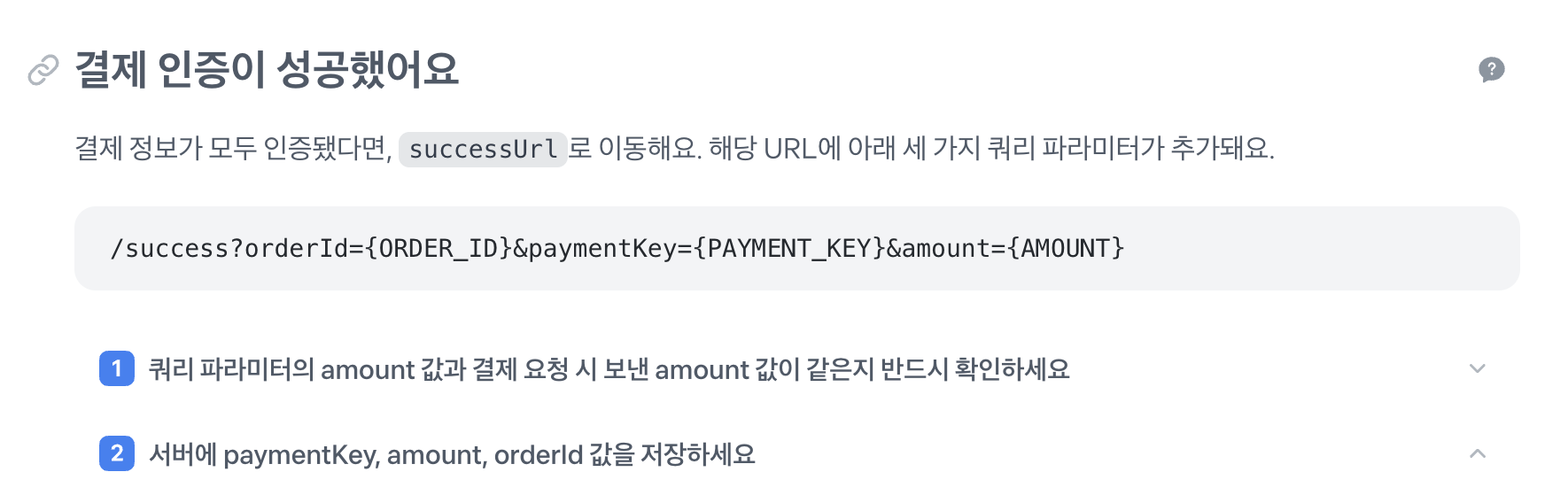
토스 페이먼츠는 인증 성공 시 amount 값 검증과 payment 엔터티에 paymentKey, amount, orderId 값을 저장하는 것을 권고한다.
PaymentController에서 실패 -> 메시지 보내기
@GetMapping("/fail")
public String fail(
       @RequestParam(required = false) String code,
       @RequestParam(required = false) String message,
       @RequestParam(required = false) String orderId
) {
   System.out.println("결제 실패 code = " + code);
   System.out.println("결제 실패 message = " + message);
   System.out.println("결제 실패 orderId = " + orderId);

   if (orderId != null && !orderId.isBlank()) {
       return "redirect:/reservationConfirm2?draftId=" + orderId;
   }

   return "redirect:/performance-list";
} 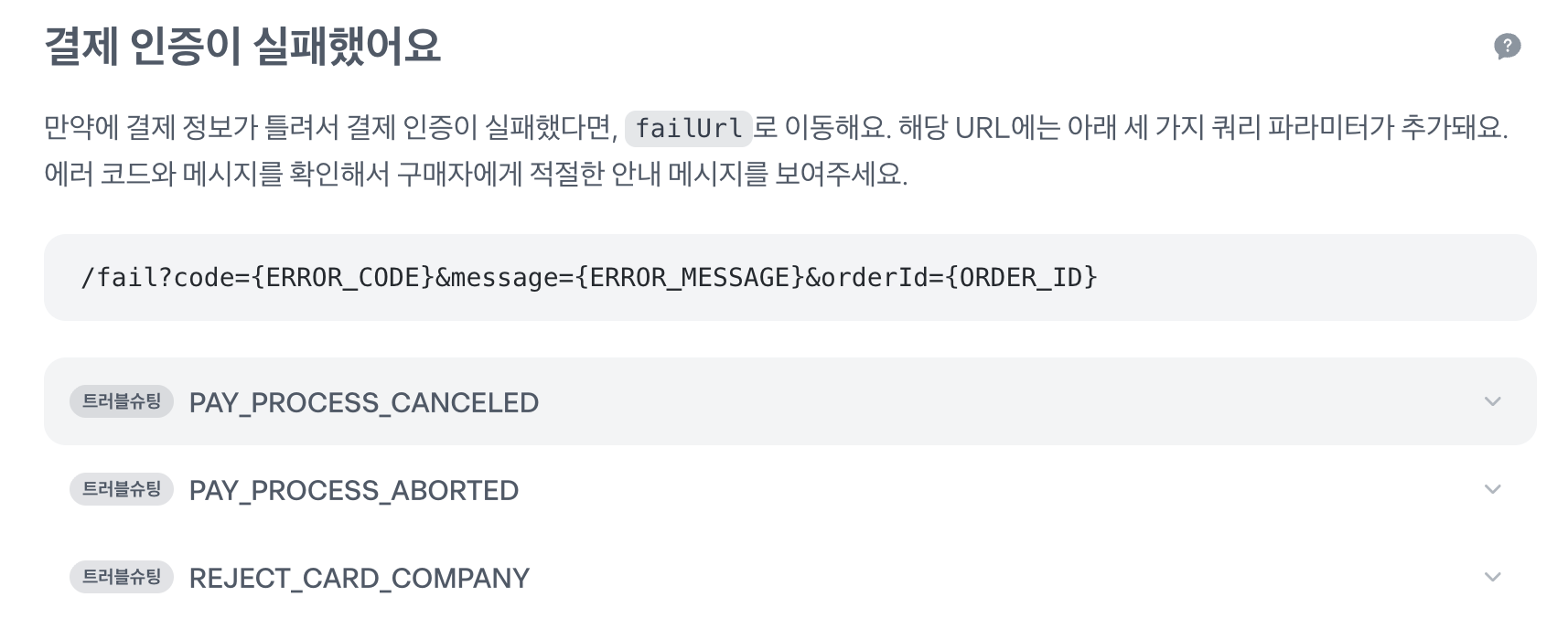
실패 시 각 메시지 구매자에게 보여주기
4. 결제 승인 및 응답 확인
tossPaymentService.handleSuccess(draftId, paymentKey, orderId, amount);
성공 시 이 로직 안에서 결제를 승인한다.
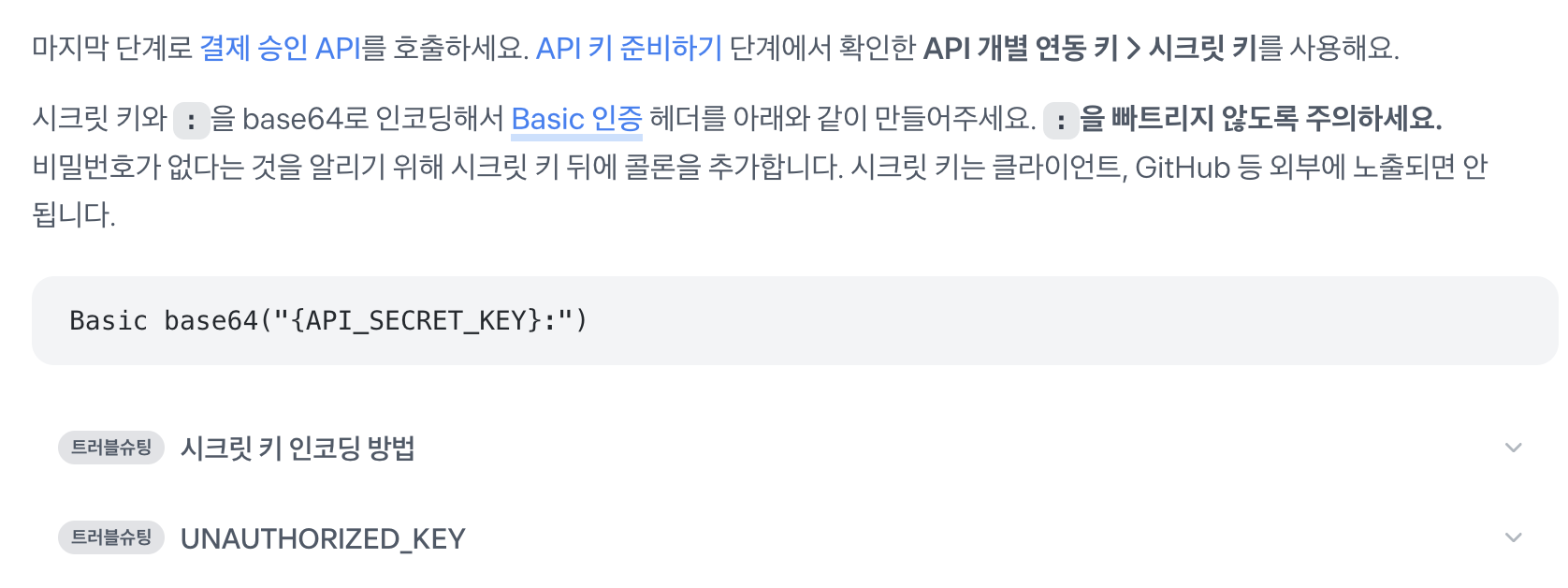
String encodedAuth = Base64.getEncoder()
        .encodeToString((secretKey + ":").getBytes(StandardCharsets.UTF_8));

String responseBody = restClient.post()
        .uri("https://api.tosspayments.com/v1/payments/confirm")
        .header(HttpHeaders.AUTHORIZATION, "Basic " + encodedAuth)
        .header(HttpHeaders.CONTENT_TYPE, MediaType.APPLICATION_JSON_VALUE)
        .body(Map.of(
                "paymentKey", paymentKey,
                "orderId", orderId,
                "amount", amount
        ))
        .retrieve()
        .body(String.class);
Backend Engineer