이번에는 날짜와 시간을 다루는 LocalDateTime을 이용해 KMP/CMP 프로젝트에 적용하는 방법을 알아보자.
LocalDateTime이라고 해서 일반 java에 있는 LocalDateTime을 사용하는 것이 아니다.
Kotlin Multiplatfor에서 사용하는 LocalDate은 아래 라이브러리를 활용해 날짜와 시간을 구해야 한다.
https://github.com/Kotlin/kotlinx-datetime
위 라이브러리 Readme에 꽤나 자세하게 적혀있어서 글만 잘 읽어도 충분히 잘 활용할 수 있으며, 대부분 java에 있는 LocalDateTime과 비슷하게 느낄 수 있을 것이다.
오늘은 이 라이브러리를 활용해 각 나라별 시간을 표시하는 프로젝트를 만들 것이다.
라이브러리 주입
이 게시글을 만든 기준 현재 0.7.1이므로 각자 최신 라이브러리 버전으로 추가하자.
[versions]
datetime = "0.7.1"

[libraries]
kotlinx-datetime = { module = "org.jetbrains.kotlinx:kotlinx-datetime", version.ref = "datetime" }
composeApp/build.gradle.kts
kotlin {
    //...

    sourceSets {
        //...
        commonMain.dependencies {
          	//...
            implementation(libs.kotlinx.datetime)
        }
       	//...
    }
}
commonMain에 의존성을 추가 하면 된다.
각 나라별 시간을 조회하는 UI 구현
먼저 App.kt파일의 전체 코드다.
//나라별 이름과 TimeZone을 저장하는 City 데이터 클래스
data class City(
    val name: String,
    val timeZone: TimeZone,
)

@OptIn(ExperimentalTime::class)
@Composable
@Preview
fun App() {
    MaterialTheme {
    	//여러 나라별 이름과 TimeZone 저장
        val cities = remember {
            listOf(
                City("Berlin", TimeZone.of("Europe/Berlin")),
                City("London", TimeZone.of("Europe/London")),
                City("New York", TimeZone.of("America/New_York")),
                City("Los Angeles", TimeZone.of("America/Los_Angeles")),
                City("Tokyo", TimeZone.of("Asia/Tokyo")),
                City("Sydney", TimeZone.of("Australia/Sydney")),
                City("Seoul", TimeZone.of("Asia/Seoul")),
            )
        }

        var cityTimes by remember {
            mutableStateOf(listOf<Pair<City, LocalDateTime>>())
        }

        //1초마다 각 나라별 시간의 LocalDateTime 변환
        LaunchedEffect(true) {
            while(true) {
                cityTimes = cities.map {
                    val now = Clock.System.now()
                    it to now.toLocalDateTime(it.timeZone)
                }
                delay(1000L)

            }
        }

        LazyColumn(
            modifier = Modifier.fillMaxSize()
        ) {
            items(
                items = cityTimes
            ) { (city, datetime) ->
                Row(
                    modifier = Modifier
                        .fillMaxWidth()
                        .padding(16.dp),
                    horizontalArrangement = Arrangement.SpaceBetween,
                    verticalAlignment = Alignment.CenterVertically
                ) {
                    Text(
                        text = city.name,
                        fontSize = 30.sp,
                        fontWeight = FontWeight.Bold
                    )

                    Column(
                        modifier = Modifier,
                        horizontalAlignment = Alignment.End
                    ) {
                        Text(
                            text = datetime
                                .format(LocalDateTime.Format {
                                    hour()
                                    char(':')
                                    minute()
                                    char(':')
                                    second()

                                }),
                            fontSize = 30.sp,
                            fontWeight = FontWeight.Light
                        )
                        Text(
                            text = datetime
                                .format(LocalDateTime.Format {
                                    year()
                                    char('/')
                                    monthNumber()
                                    char('/')
                                    day()
                                }),
                            fontSize = 30.sp,
                            fontWeight = FontWeight.Light,
                            textAlign = TextAlign.End
                        )
                    }
                }
            }
        }
    }
}
1. TimeZone으로 각 나라별 지정하기
먼저 처음 보이는 City의 객체로 TimeZone이 있다.
해당 라이브러리에 적혀있는 TimeZone의 설명글을 보면 아래와 같다.
TimeZone과 FixedOffsetTimeZone은 kotlin.time.Instant와 LocalDateTime 간의 변환을 수행할 때 필요한 시간대 정보.
즉 각 나라의 필요한 시간대 정보를 저장하는 것으로 TimeZone.of()안에 나라의 정보 String을 적으면 된다.
물론 아무렇게나 적으면 안되고(잘못 적으면 IllegalTimeZoneException이 발생) 이 정보를 어디서 찾아야 하는지 찾는 와중에 아래의 링크를 타고 확인할 수 있었다.
https://github.com/unicode-org/cldr/blob/main/common/supplemental/windowsZones.xml
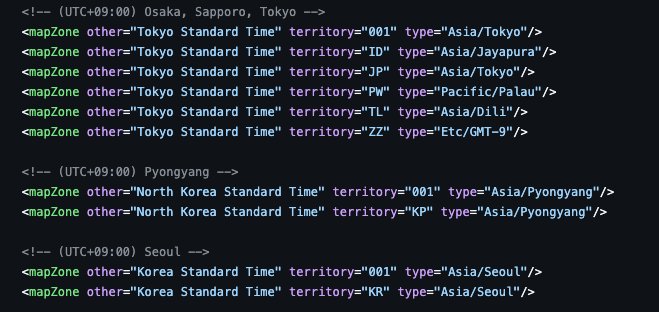
각 나라에 대한 정보를 찾을 수 있었고 여기서 type에 적혀있는 부분을 사용하면 된다.
2. Clock으로 Instance 값을 받고 각 나라별 LocalDateTime 변환
		//1초마다 각 나라별 시간의 LocalDateTime 변환
        LaunchedEffect(true) {
            while(true) {
                cityTimes = cities.map {
                    val now = Clock.System.now()
                    it to now.toLocalDateTime(it.timeZone)
                }
                delay(1000L)

            }
        }
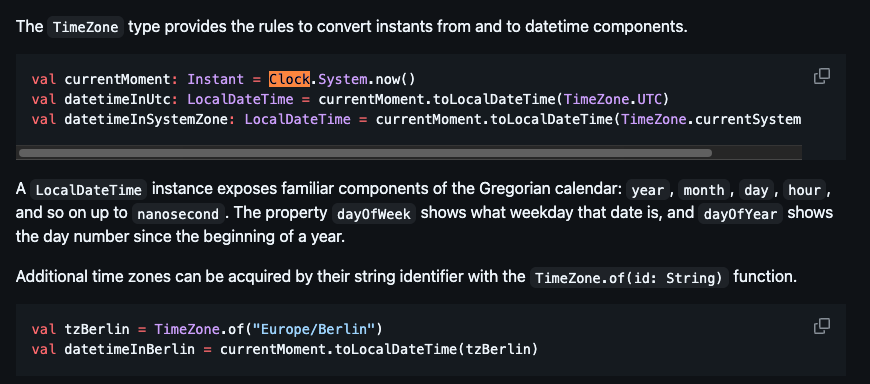
Clock을 이용해 Instance 객체를 받고 toLocalDateTime에 각 나라별 timeZone을 넣어 나라에 맞는 LocalDateTime으로 변환이 가능하다.
이 또한 라이브러리에 잘 적혀 있어서 금방 사용이 가능했다.
이제 봤는데 TimeZone.currentSystemDefault()를 이용해 각 OS에서 설정한 언어에 맞게 TimeZone을 가져올 수도 있는 것 같다.
3. Formatting
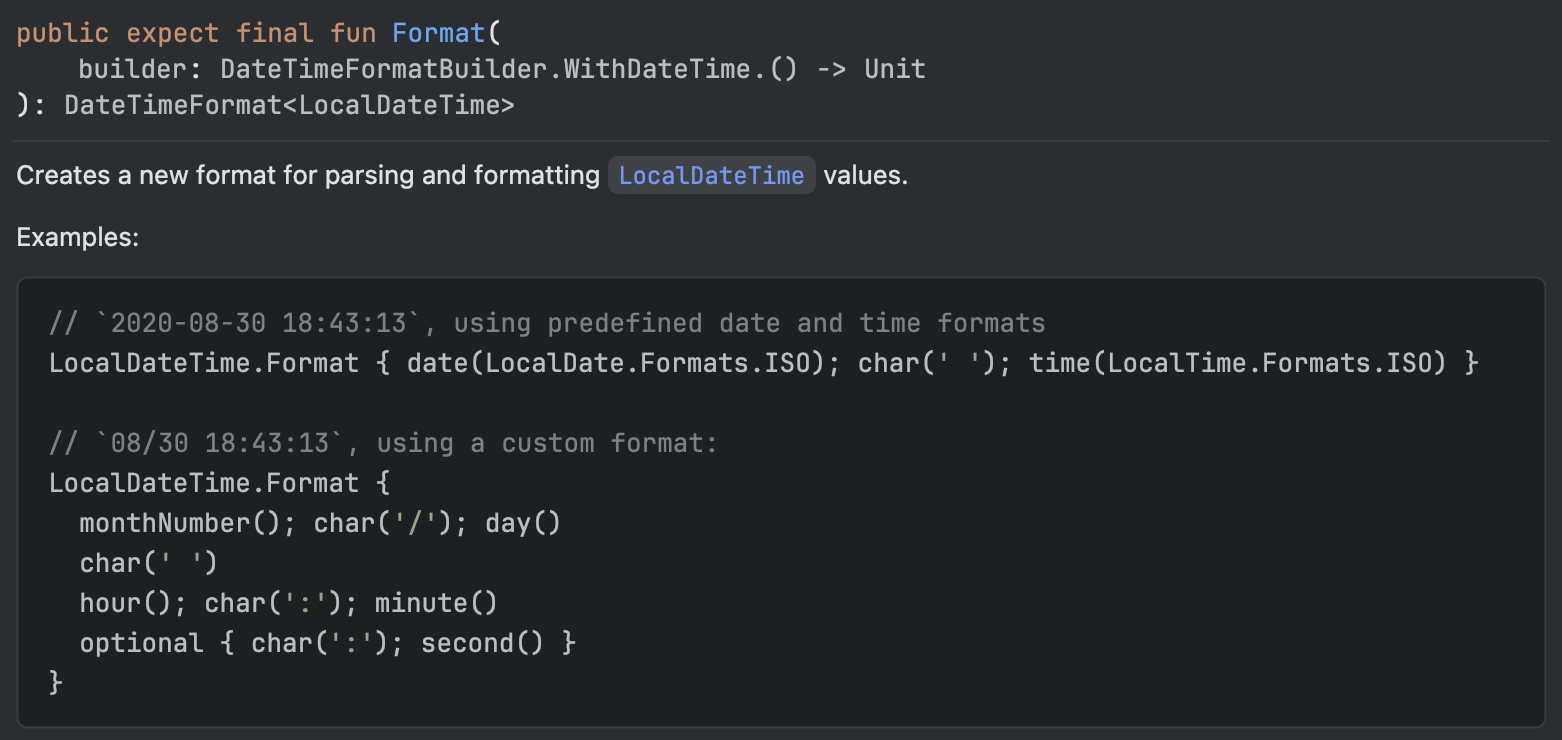
특히 Formatting 관련해서 일반적인 java의 포맷팅과 조금 달랐다.
자바는 보통 DateTimeFormatter을 이용한 ofPattern을 이용해서 날짜 변환을 하는 방식을 주로 사용했었는데 kotlinx.Localdate에서는 Format이라는 것을 이용해서 정보를 가져올 수 있다.
참고로 Format을 보면 builder가 DateTimeFormatBuilder.WithDateTime의 확장함수로 되어 있어서 이 객체를 이용한 날짜 변환을 쉽게 구현할 수 있는 것 같다. 코드 자체도 뭔가 kotlin 스러운 느낌이 있어서 쉽게 와닿기도 좋고 문서에서 변환하는 방법도 잘 알려줘서 상황에 맞게 날짜 형식 변환이 쉬울 것 같은 느낌이 들었다.
물론 Format내에도 byUnicodePattern라는 걸 이용해 ofPattern과 비슷하게 사용하는 방법도 있는 것 같다. 라이브러리 사이트에서 쉽게 예시들이 있어 원할 때 적용할 것들을 선택하면 될 것 같다.
4. 실행 결과
이제 구현한 것들의 결과를 살펴보자. 안드로이드 IOS 두 가지를 실행했을 때 실행 결과다
| Android | IOS |
|---|---|
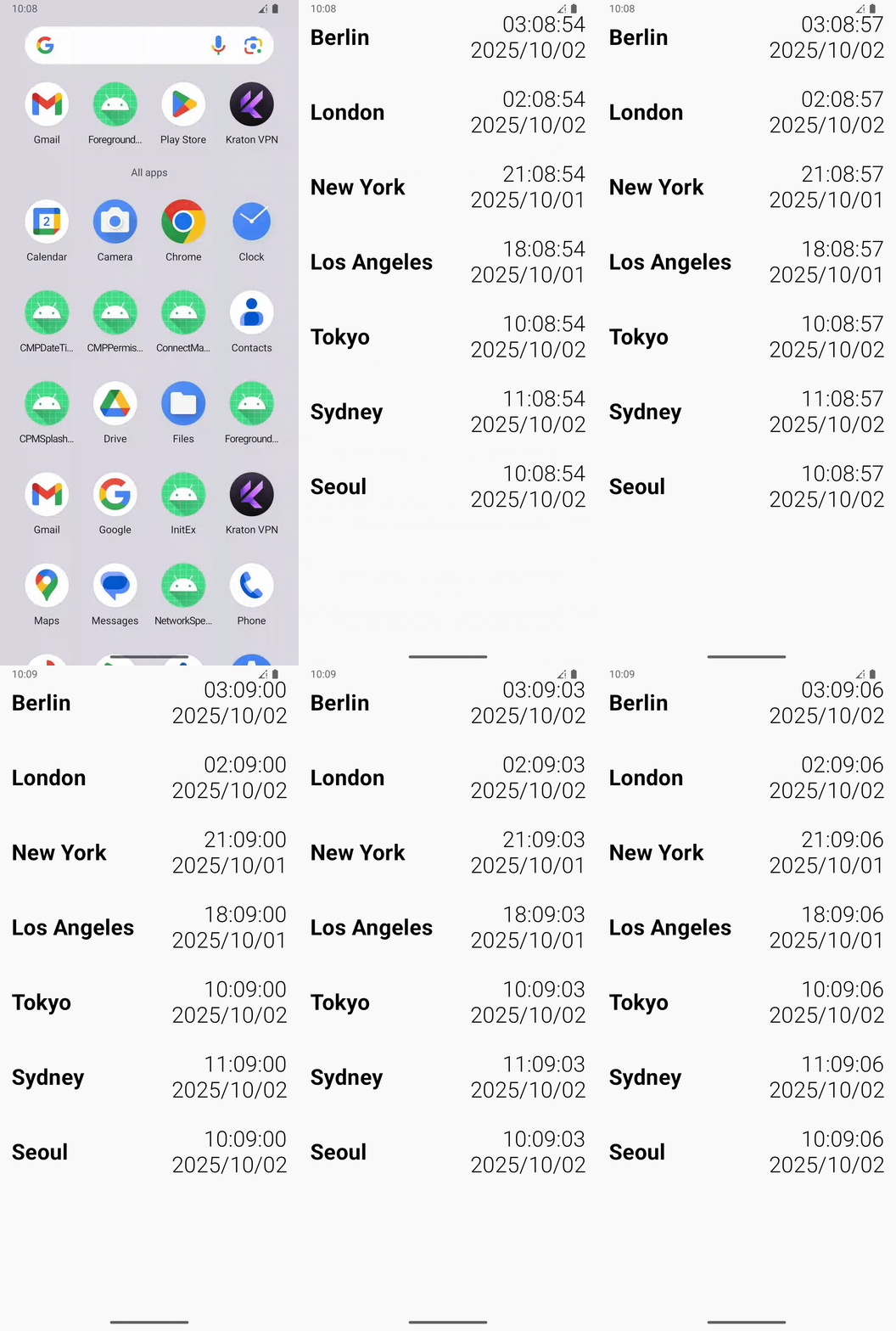 | 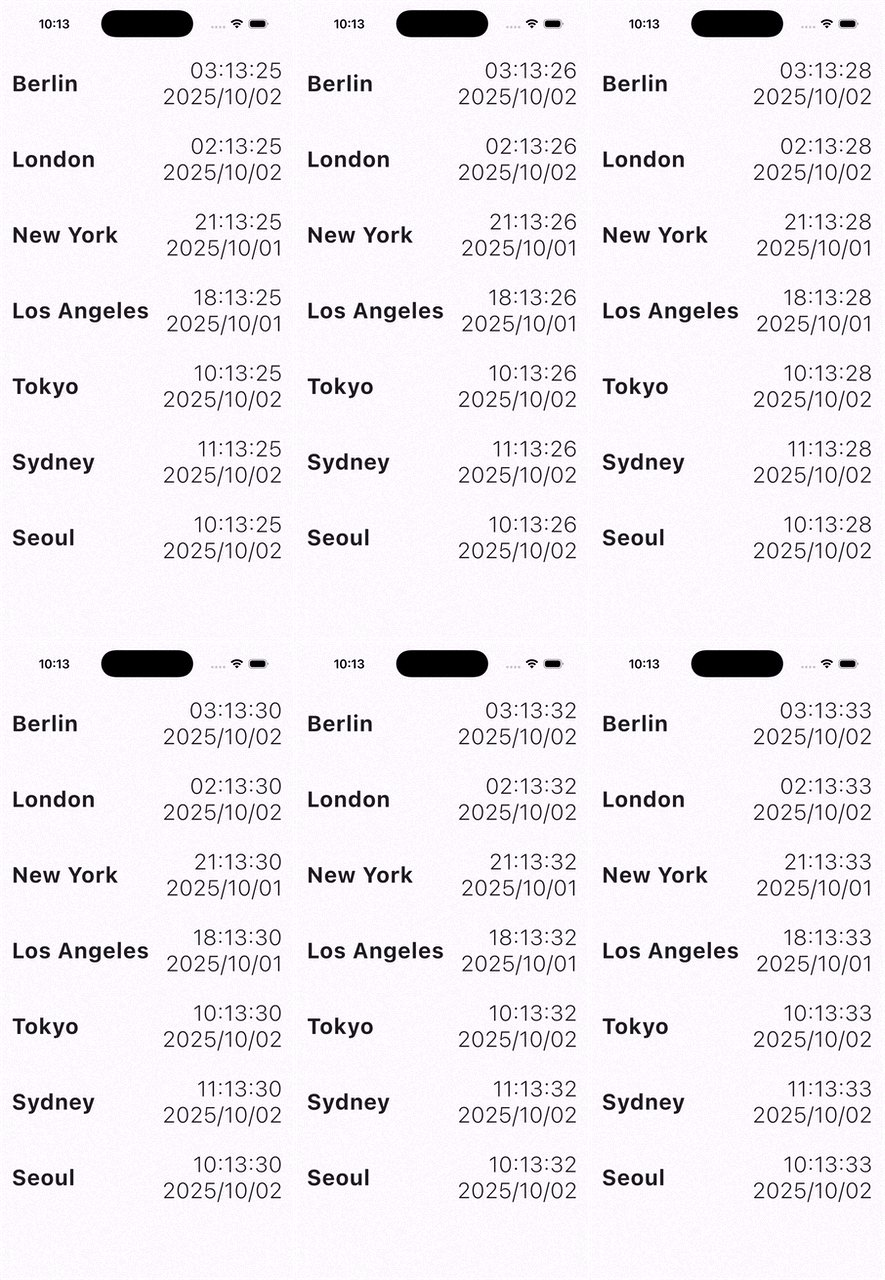 |
굳 둘다 정상적으로 동작이 되는 것을 볼 수 있다.