KMP 프로젝트에서 테스트 코드의 작성방법에 대해 알아보자
코드 작성 방법은 유튜브와 공식 문서를 참조해 간단한 테스트를 작성했습니다.
공통 의존성 추가하기
assertK로 equals를 판단하는 라이브러리를 작성.
[versions]
#...
assertk = "0.28.1"
coreKtx = "1.6.1"
composeTest = "1.9.0"

[libraries]
#...

assertk = { module = "com.willowtreeapps.assertk:assertk", version.ref = "assertk" }
compose-ui-test-junit4-android = { module = "androidx.compose.ui:ui-test-junit4-android", version.ref = "composeTest" }
compose-ui-test-manifest = { module = "androidx.compose.ui:ui-test-manifest", version.ref = "composeTest" }
core-ktx = { group = "androidx.test", name = "core-ktx", version.ref = "coreKtx" }
이후 commonTest에 의존성 주입
kotlin {
    //...

    sourceSets {

        //...
        commonTest.dependencies {
            implementation(libs.kotlin.test)
            implementation(libs.assertk)
            implementation(compose.uiTest)
//            implementation(kotlin("test-annotation-common"))
        }
    }
}
영상에서는 test-annotaion-common을 사용했는데 이를 의존성 주입하면 테스트가 실패하게 된다. 이를 제거하니 해결이 되었음.
공통(commonTest) 테스트 작성하기
일단 Android나 IOS에서 공통으로 사용하는 commonMain에서의 테스트를 알아보자
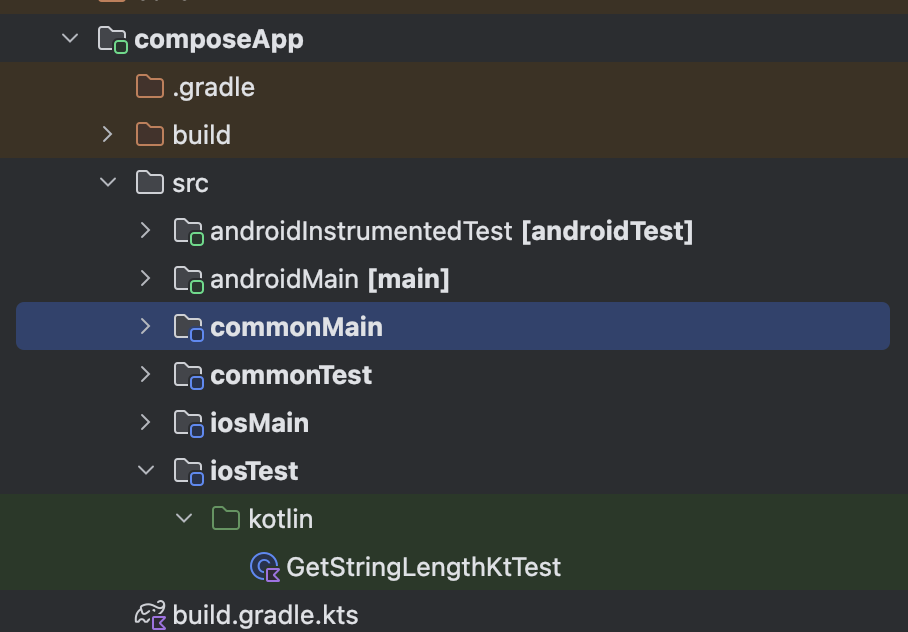
먼저 kmp.jetbrains.com에서 프로젝트를 설정하면 위 사진과 같은 폴더가 생성될 것이다.(아마 androidInstrumentedTes폴더와 iosTest폴더는 없을 것이다.
먼저 commonMain에 getInitials 파일을 생성 후 아래와 같이 작성
/**
 * Returns the initials of a person's full name.
 *
 * getInitials("Philipp Lackner") -> "PL"
 * getInitials("Philipp") -> "PH"
 * getInitials("Philipp Middle Lackner") -> "PL"
 */
fun getInitials(fullName: String): String {
    val names = fullName
        .split(" ")
        .filter { it.isNotBlank() }
    return when {
        names.size == 1 && names.first().length <= 1 -> {
            names.first().first().toString().uppercase()
        }

        names.size == 1 && names.first().length > 1 -> {
            val name = names.first().uppercase()
            "${name.first()}${name[1].uppercase()}"
        }

        names.size == 2 ||
                names.size >= 3 -> {
            val firstName = names.first().uppercase()
            val lastName = names.last().uppercase()
            "${firstName.first()}${lastName.first()}"
        }

        else -> ""
    }
}
이름을 작성하면 이니셜한 값으로 나오는 코드다. 이 함수의 테스트 코드를 작성하는 위치는 바로 commonTest 폴더에서 작성하면 된다.
만약 없다면 src 폴더에서 directory를 눌러 아래와 같이 commonTest/kotlin을 찾으면 된다. 이미 생성되어 있기 때문에 이미지에서는 보이지 않지만 없는 사람은 뜰 것이다.
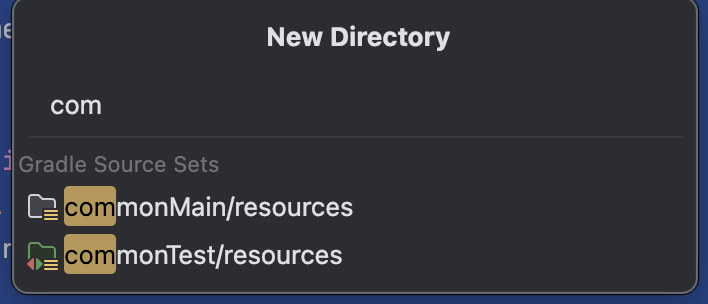
만들었으면 GetInitailKtTest 파일을 생성하고 아래와 같이 작성
class GetInitialsKtTest {

    @Test
    fun testGetInitails() {
        val fullName = "Yoon Chan"
        assertThat(getInitials(fullName = fullName)).isEqualTo("YC")
    }
}
assertK를 이용해 이니셜이 정확히 나오는지 확인
테스트를 실행하려고 왼쪽에 실행버튼을 누르면 Android에서 실행할 것인지 Ios에서 실행할 것인지 선택할 수 있다.
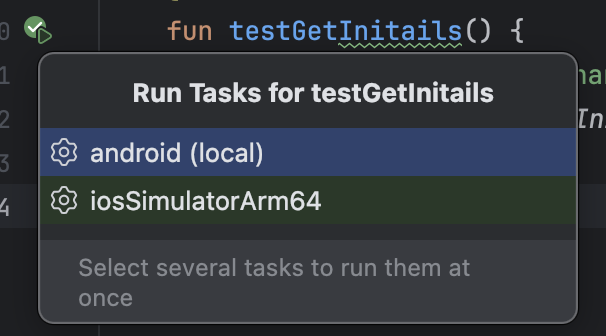
Ios로 실행해보니 정상적으로 동작이 된다.

common이 아닌 다른 모듈에서 테스트를 진행해야 하는 경우
common에만 코드가 몰려있지 않는 경우가 많을 것이다 예를 들면 안드로이드에서만 사용하는 코드라던가 IOS에서만 사용하는 코드를 테스트하고 싶은 경우가 있다.
이럴 경우에는 commonTest와 비슷하게 각 OS에 맞는 test를 만들면 된다.
IOS인 경우 똑같이 src > directory 해서 iosTest/kotlin이 보일 것이다. 이를 생성하면 해당 테스트 폴더가 보일 것이다.
그리고 iosMain 폴더에 StringLength 파일 생성. 단순히 String 길이 반환하는 함수를 만들었따.
fun stringLength(string: String): Int {
    return string.length
}
commonTest와 똑같이 iosTest에서 이와 관련되 테스트 코드 작성(GetStringLengthKtTest.kt)
class GetStringLengthKtTest {
    @Test
    fun testGetStringLength() {
        assertThat(stringLength("abc")).isEqualTo(3)
    }
}
똑같이 왼쪽에 실행 버튼이 있는데 이번에는 선택지가 아닌 바로 테스트가 실행되는 것을 볼 수 있다.
UI 테스트
이번에는 UI 테스트가 동작이 되는지 확인해보자
먼저 commonTest에 아래의 의존성 추가
kotlin {
    //...
    sourceSets {
        val desktopTest by getting

        // Adds common test dependencies
        commonTest.dependencies {
            implementation(kotlin("test"))

            //이거 추가. 아직 실험단계인듯..
            @OptIn(org.jetbrains.compose.ExperimentalComposeLibrary::class)
            implementation(compose.uiTest)
        }
    }
}
이후 UI 테스트 관련 코드 작성 commonMain에 Counter파일을 만들고 아래와 같이 작성했다.
@Composable
fun Counter(modifier: Modifier = Modifier) {
    var count by remember {
        mutableStateOf(0)
    }

    Column {
        Text(count.toString())
        Button(onClick = {count++}) {
            Text("Increment")
        }
    }
}
단순히 버튼을 클릭하면 카운트의 숫자가 증가하는 화면이다.
이를 테스트하기 위해 commonTest에 CounterKtTest파일을 만들어 아래와 같이 작성
@OptIn(ExperimentalTestApi::class)
class CounterKtTest {

    @Test
    fun testCountingUp() = runComposeUiTest {
        setContent {
            Counter()
        }

        //아직 안눌렀을 때
        onNodeWithText("0").assertExists()
        onNodeWithText("1").assertDoesNotExist()

        //눌렀을때
        onNodeWithText("Increment").performClick()
        onNodeWithText("1").assertExists()
        onNodeWithText("0").assertDoesNotExist()
    }
}
Compose 테스트와 비슷하게 UI 테스트 코드를 작성
다만 IOS로 테스트를 진행하면 정상적으로 이루어지는데 Android로 테스트를 진행하면 아래와 같은 오류가 발생

이를 해결하려고 했지만 원인은 못찾았지만 아래 링크에서 Android는 테스트를 위한 준비를 따로 설정을 해줘야 하는 것 같다.
https://www.jetbrains.com/help/kotlin-multiplatform-dev/compose-test.html
문서와 똑같이 설정을 진행해도 해결은 되지 않았다.
다만 문서 아래에 각 OS 별 테스트 코드 실행방법이 있다.
- ios : ./gradlew :composeApp:iosSimulatorArm64Test
- android emulator : ./gradlew :composeApp:connectedAndroidTest
아래 명령어를 실행하면 그래도 정상적으로 동작은 된다. (다만 에뮬레이터가 켜져 있어야 한다.)
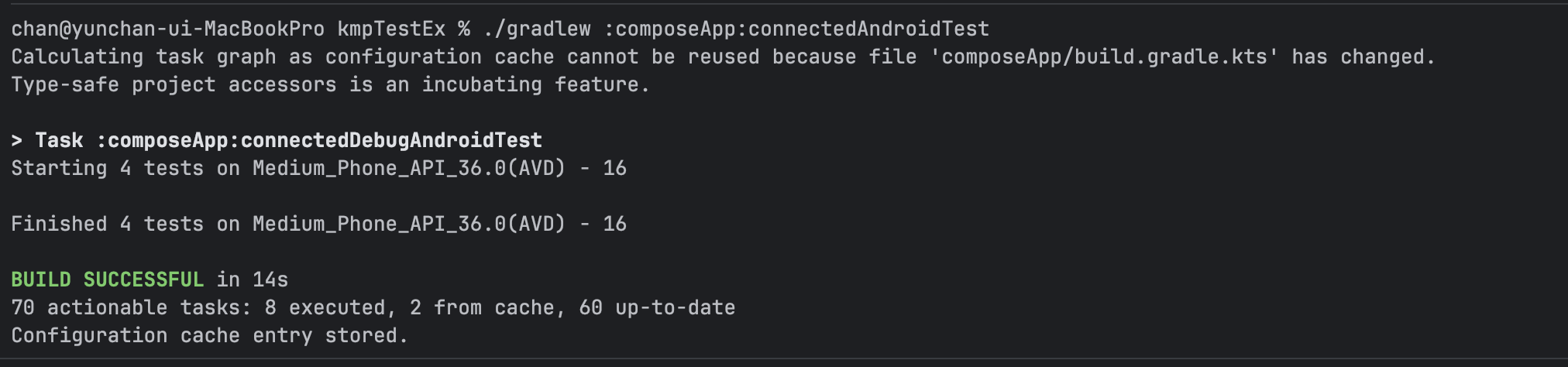
그래도 성공은 되니까 일단은 여기까지..