클로드 데스크탑에 Filesystem MCP 서버를 연결하는 과정에서의 오류 해결
-
MCP 서버 오픈 소스 레포지토리 깃헙 으로 이동
-
내 컴퓨터의 파일을 제어할 수 있는 Filesystem 을 연결한다.
npm i -g @modelcontextprotocol/server-filesystem -
클로드 데스크탑 설치 Download
-
실행 후
설정 > 개발자 > 설정 편집이동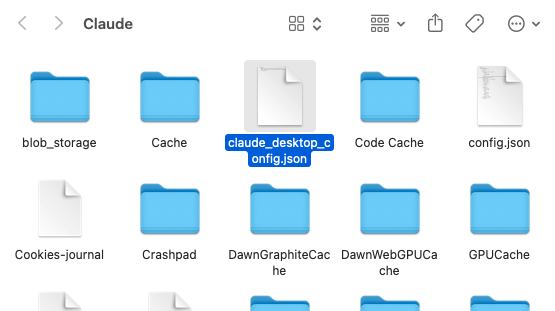
{
  "mcpServers": {
    "filesystem": {
      "command": "npx",
      "args": [
        "-y",
        "@modelcontextprotocol/server-filesystem",
        "/Users/username/Desktop", // 'username' 은 자신의 컴퓨터 이름
        "/path/to/other/allowed/dir" // 기타 경로 추가
      ]
    }
  }
}- 위와 같이 기본 템플릿을 붙여넣고 나의 컴퓨터 환경에 맞게 수정한다.
나는 아래와 같이 작성
{
  "mcpServers": {
    "filesystem": {
      "command": "npx",
      "args": [
        "-y",
        "@modelcontextprotocol/server-filesystem",
        "/Users/Jintaekim",
        "Volumes/MySSD" // 외장하드
      ]
    }
  }
}
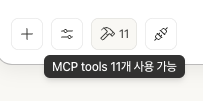
클로드 데스크탑 종료 후 재시작하여 프롬프트에 아래와 같은 아이콘이 보이면 정상.
1차 오류
- 클로드 재시작하니 환경설정 오류 메시지가 뜸.
- 오류 로그를 확인해 보니
command not found: /Users/jintaekim - 터미널에서
pwd로 확인해보니 경로는 이상없음. - stackoverflow 에서 검색한 비슷한문제
- 내 경우는 mvn 으로 노드버전을 2개이상 관리하고 있었는데 이 부분이 의심이 됨.
해결
- 아래와 같이 작성하여 정상적으로 실행
-y옵션 삭제, node와 @modelcontextprotocol 패키지의 정확한 경로 명세.
{
  "mcpServers": {
    "filesystem": {
      "command": "/Users/jintaekim/.nvm/versions/node/v20.16.0/bin/node",
      "args": [
        "/Users/jintaekim/.nvm/versions/node/v20.16.0/lib/node_modules/@modelcontextprotocol/server-filesystem/dist/index.js",
        "/Users/jintaekim",
        "/Volumes/JintaeSSD"
      ]
    }
  }
}
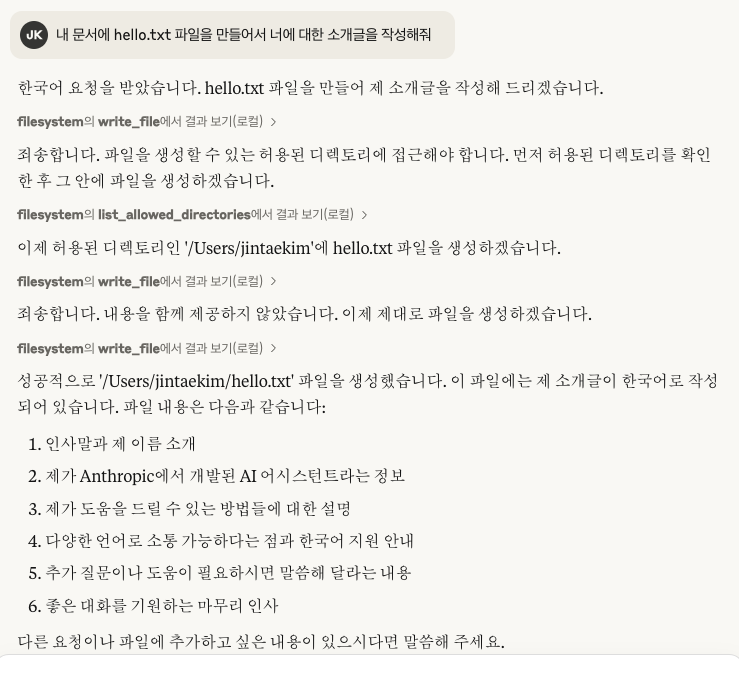
결과

공부하고 또 공부하고 또 공부하고
덕분에 해결했습니다~