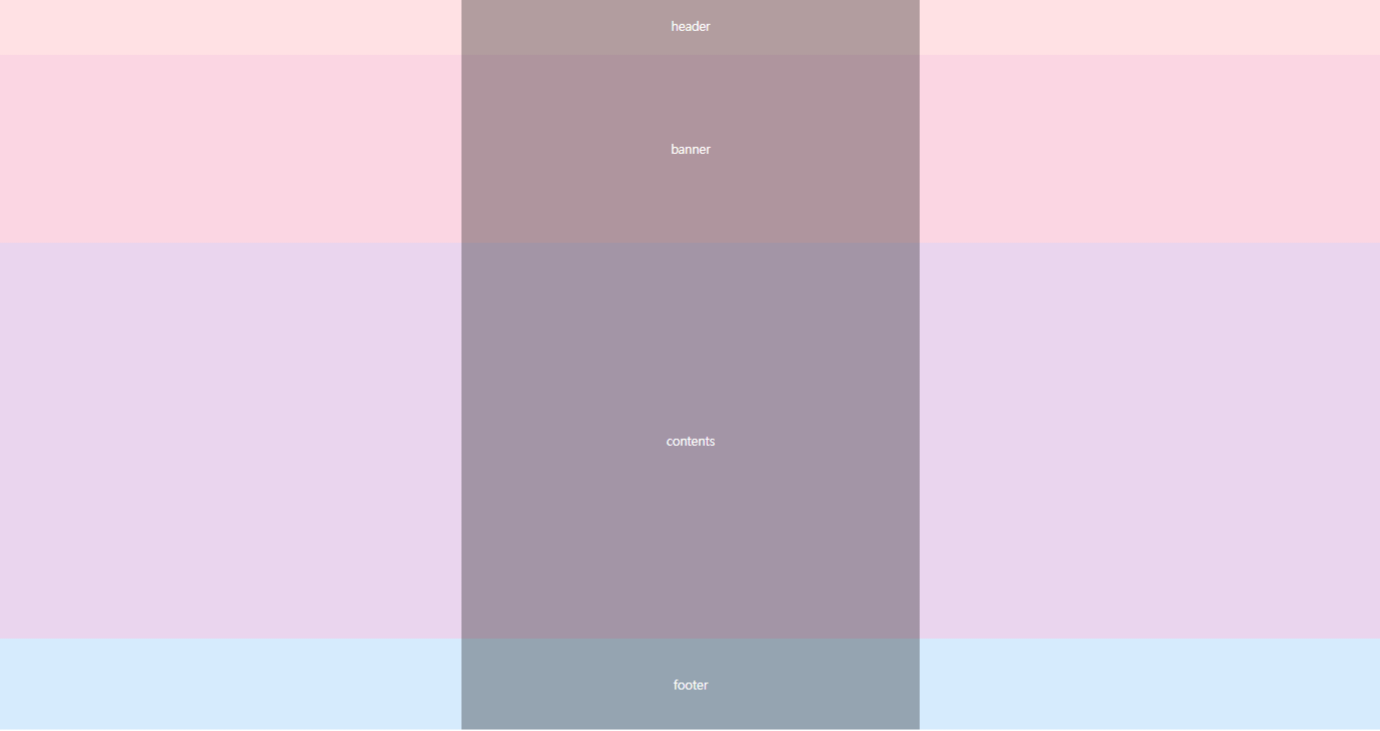
layout 6
구조(총 4개의 박스)
header
banner
contents
footer
** layout 6은 layout 5와 유사하지만 보다 코드가 간결함
실습 코드 1
: layout 5와 유사함(코드 간결X version)
<!DOCTYPE html>
<html lang="ko">
<head>
    <meta charset="UTF-8">
    <title>layout6</title>
    <style>
        * {margin: 0; padding: 0;}
        #wrap {text-align: center; font-size: 30px; color:#fff;}
        #header {width: 100%; height: 140px; background: #ffe1e4;}
        #banner {width: 100%; height: 450px; background: #fbd6e3;}
        #contents {width: 100%; height: 950px; background: #ead5ee;}
        #footer {width: 100%; height: 220px; background: #d6ebfd;}

        .header-container {width: 1100px; margin: 0 auto; line-height: 140px; height: 140px; background: #999;}
        .banner-container {width: 1100px; margin: 0 auto; line-height: 450px; height: 450px; background: #888;}
        .contents-container {width: 1100px; margin: 0 auto; line-height: 950px; height: 950px; background: #777;}
        .footer-container {width: 1100px; margin: 0 auto; line-height: 220px; height: 220px; background: #666;}
    </style>
</head>
<body>
    <div id ="wrap">
        <div id="header">
            <div class="header-container">header</div>
        </div>
        <div id=banner>
            <div class="banner-container">banner</div>
        </div>
        <div id=contents>
            <div class="contents-container">contents</div>
        </div>
        <div id=footer>
            <div class="footer-container">footer</div>
        </div>
    </div>
</body>
</html>
실습 코드 2
: 코드 간결한 version
<!DOCTYPE html>
<html lang="ko">
<head>
    <meta charset="UTF-8">
    <title>layout6</title>
    <style>
        * {margin: 0; padding: 0;}
        #wrap {text-align: center; font-size: 30px; color:#fff;}
        #header {height: 140px; line-height: 140px; background: #ffe1e4;}
        #banner {height: 450px; line-height: 450px; background: #fbd6e3;}
        #contents {height: 950px; line-height: 950px; background: #ead5ee;}
        #footer {height: 220px; line-height: 220px; background: #d6ebfd;}
        .container {width: 1100px; margin: 0 auto; height: inherit; background: rgba(0,0,0,0.3);}
    </style>
</head>
<body>
    <div id ="wrap">
        <div id="header">
            <div class="container">header</div>
        </div>
        <div id=banner>
            <div class="container">banner</div>
        </div>
        <div id=contents>
            <div class="container">contents</div>
        </div>
        <div id=footer>
            <div class="container">footer</div>
        </div>
    </div>
</body>
</html>
참고할 내용
-
header(헤더)에서 id는 한 번 밖에 쓸 수 없지만, class는 반복해서 쓸 수 있음
-
height: inherit(위에서 상속 받는 것)
-
background
-
background: #999
-> 헥사코드 모드
-
background: rgba(0, 0, 0, 0.3)
-> rgb 모드
rgba(0, 0, 0, 0.3) = rgba(r, g, b, 투명도)
이때 투명도는 0에서 1 사이의 값
-