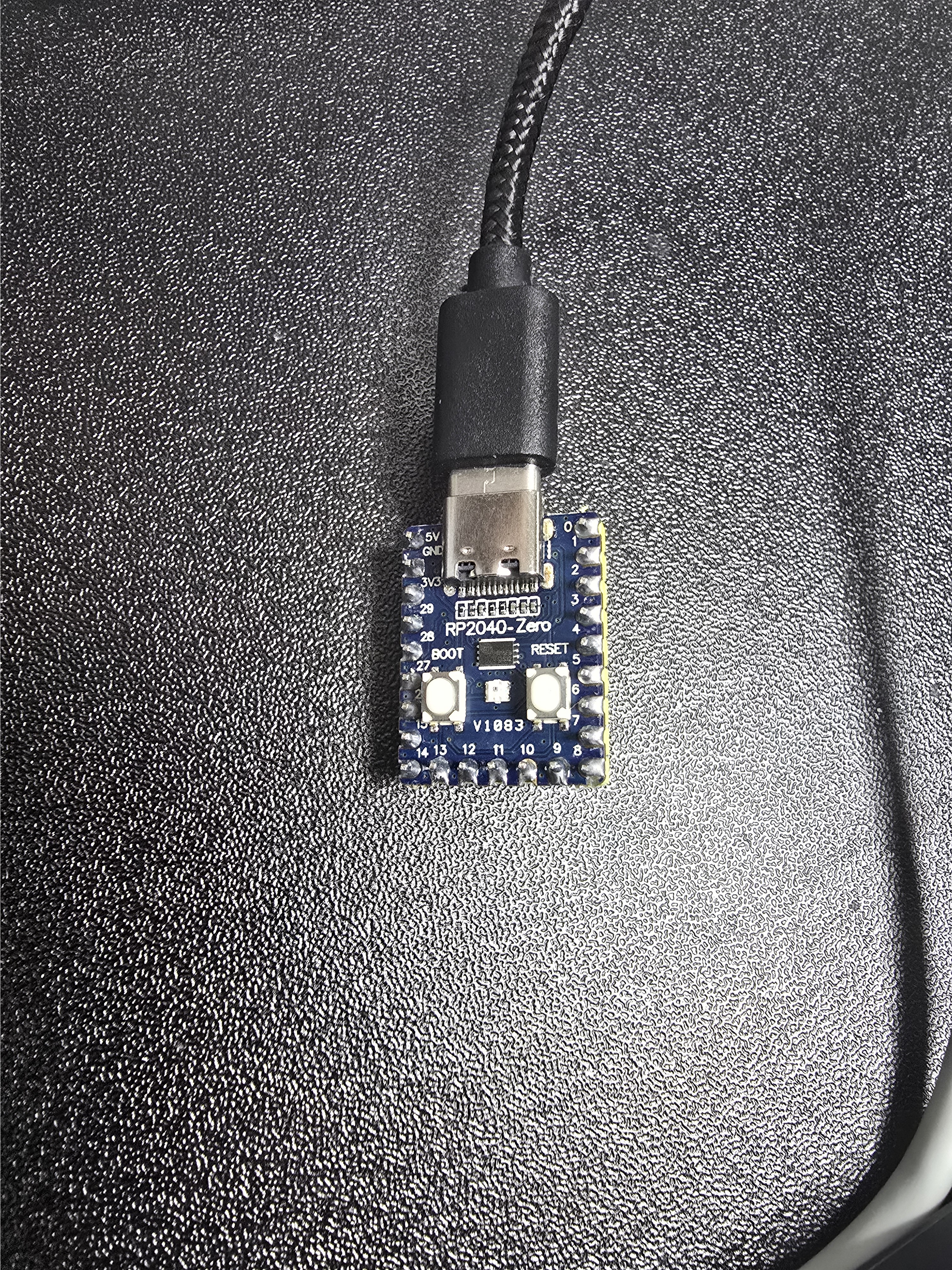
pico를 구매하여 tinyusb로 vendor interface를 설정할 예정이다. kmdf로 만든 드라이버로 endpoint로 bulk 통신을 할 것이다. 이전에 구매한 아두이노 우노 r3의 경우에는 기본적으로 cdc 인터페이스를 사용하여 kmdf로 만든 커스텀 드라이버로는 디스크립터를 읽어 엔드포인트를 얻어와 파이프 핸들까지는 얻어오는데 성공했지만 통신하는 것은 다소 무리가 있었다. 이번에는 엔드포인트로 led 제어하는 것을 해볼 예정이다.
pico 펌웨어 올리기
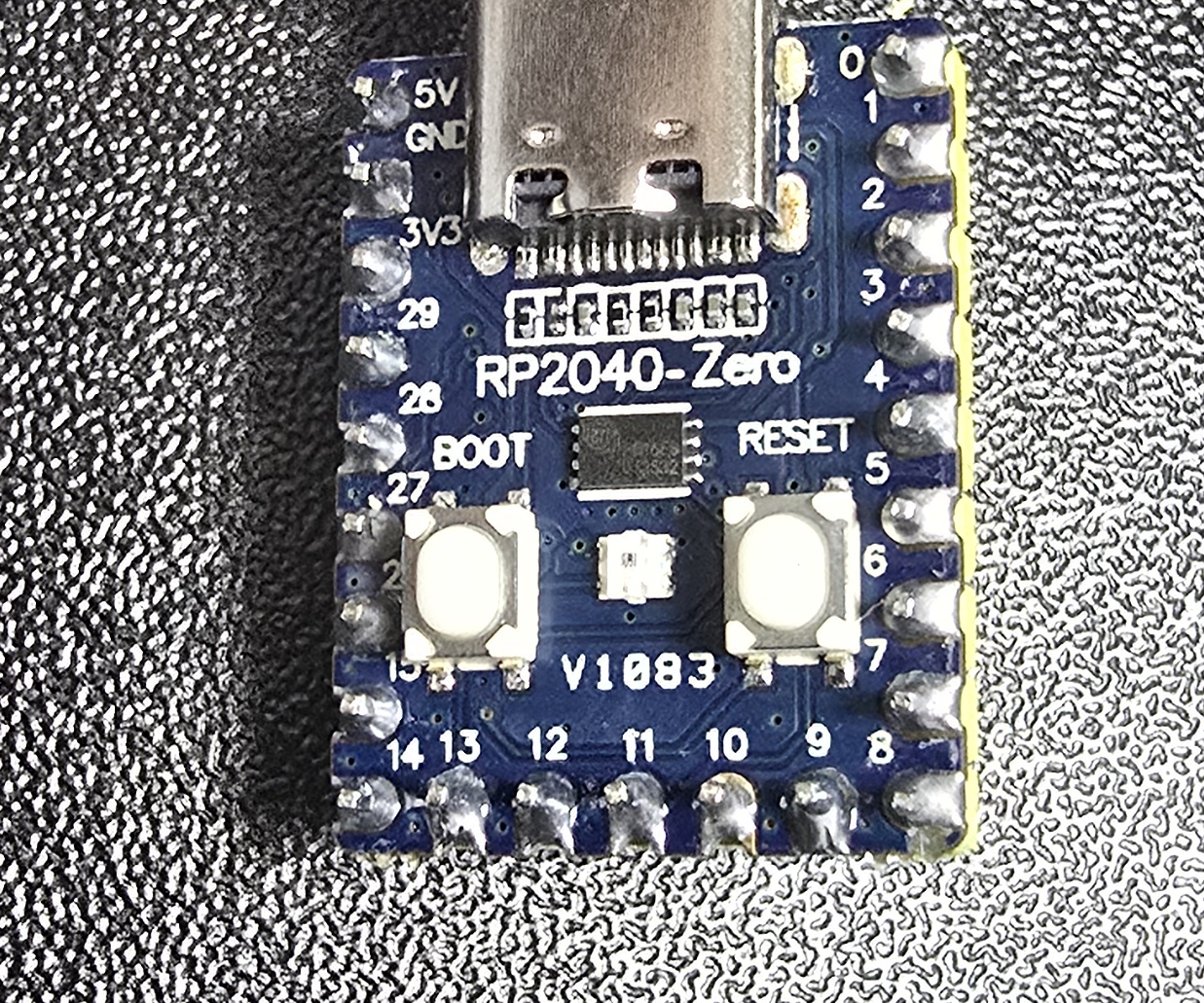
귀여운 pico를 구매하였다.
아두이노는 Arduino IDE에서 직접 파일을 올렸었는데 pico는 UF2라는 부트로더 방식으로 usb 메모리에 파일을 옮겨서 펌웨어를 올린다고 한다. 기본적으로 올려야 하는 뼈대를 만들어서 올리기 위해서 vscode에서 Raspberry Pi Pico Extension을 설치하였다. 설치를 하게 되면 아래처럼 나온다.
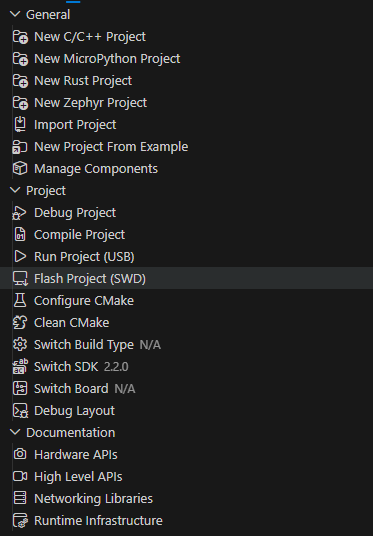
New C/C++ Project를 선택하여 project를 만들어주었다.
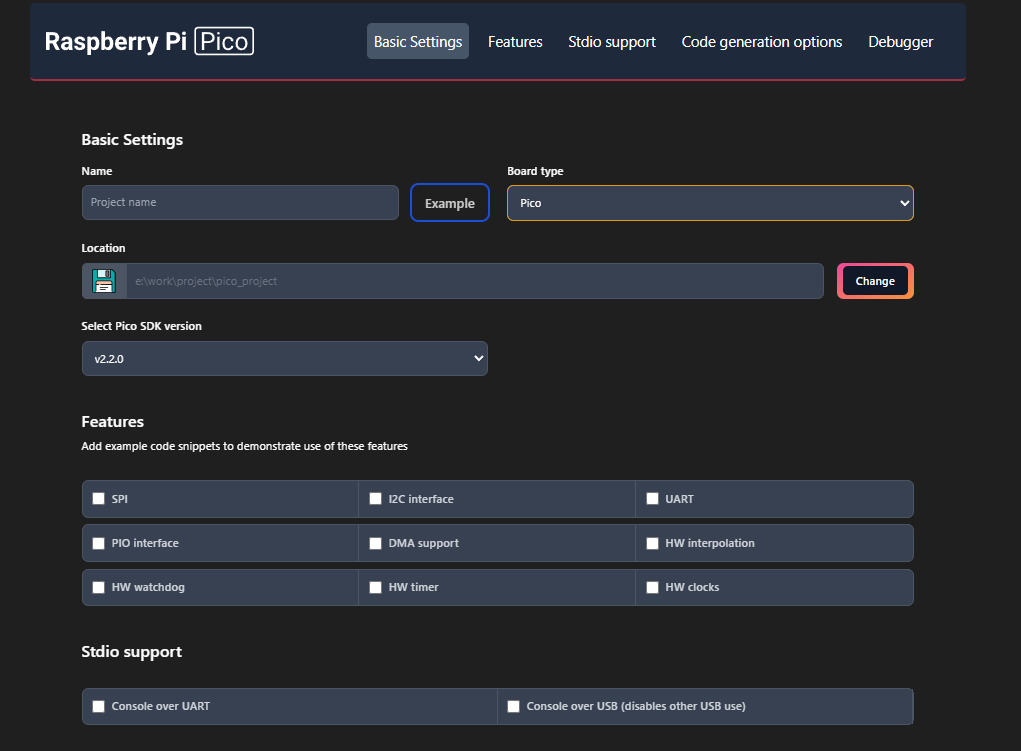
필요한 부분만 체크하여 만들었다. 처음 해보는거라서 익숙치 않다...
또한 빌드에 필요한 도구들을 설치해야한다.
- CMAKE
- MAKE
- GNU Arm Embeded Toolchain
3개를 모두 설치하면된다.
https://github.com/wangki-kyu/pico_usb_vendor 테스트 소스는 여기서 확인할 수 있다. 필수 도구들을 설치한 뒤 cmake를 활용해 빌드 구성을 만들고 make로 빌드를 한다.
cmake --preset default
cd build
make

pico_test.utf2 파일이 생성되었다. pico의 boot 버튼을 누른 상태에서 usb를 연결 후, 잡힌 F 디스크에 파일을 넣어주었더니 자동으로 부트가 되었다.
pico를 VM으로 usb 리다이렉트 하기
최종 목표는 kmdf로 드라이버를 만들어야하는 것이므로 호스트 pc에서 테스트를 할 수 없다. 따라서 pico를 vm에서 인식을 시켜야한다. 아두이노에서 해봤기 때문에 쉽게 할 수 있을 줄 알았다. 그런데 문제가 발생했다. 이 사이트 에 나온 이슈처럼 busy하다고 나오면서 이미 호스트 pc의 장치관리자에서 점유를 하고 있어 vm에서 장치 인식이 안되는 이슈가 있었다. 약 3시간 정도 삽질을 하다가 펌웨어 문제인가? 라고 생각을 하고 다시 소스를 확인했다.
USB 호스트는 기본 enumeration 과정에서 device의 string descriptor(제조사명, 제품명, 시리얼번호 등)를 요청한다. 이때 descriptor 데이터의 포맷이 USB 스페을 준수하지 않으면, 호스트의 USB 스택이 올바른 응답을 받지 못해 계속해서 재시도하게 되고, 이로 인해 device가 "busy" 상태에 머물러 있게 될 수 있다고 한다.
간단하게 테스트용으로 만드느라 아래와 같이 설정했었다.
// before
const char string_manufacturer[] = "TestMfg";
const char string_product[] = "Pico USB Device";
const char string_serial[] = "123456";

const uint8_t *desc_strings[4] = {
    NULL
};
descriptor 포맷 변경
// after
// Language descriptor (Index 0)
static const uint16_t _desc_str_langid[] = {
    (uint16_t) ((TUSB_DESC_STRING << 8) | (2 + 2)),
    0x0409  // English US
};

// Manufacturer string descriptor (Index 1)
static const uint16_t _desc_str_manufacturer[] = {
    (uint16_t) ((TUSB_DESC_STRING << 8) | (2 + 2*7)),
    'T', 'e', 's', 't', 'M', 'f', 'g', 0
};

// Product string descriptor (Index 2)
static const uint16_t _desc_str_product[] = {
    (uint16_t) ((TUSB_DESC_STRING << 8) | (2 + 2*15)),
    'P', 'i', 'c', 'o', ' ', 'U', 'S', 'B', ' ', 'D', 'e', 'v', 'i', 'c', 'e', 0
};

// Serial number string descriptor (Index 3)
static const uint16_t _desc_str_serial[] = {
    (uint16_t) ((TUSB_DESC_STRING << 8) | (2 + 2*6)),
    '1', '2', '3', '4', '5', '6', 0
};
descriptor callback 함수 개선
// before
const uint16_t *tud_descriptor_string_cb(uint8_t index, uint16_t langid) {
    (void) langid;
    return NULL;
}
// after
const uint16_t *tud_descriptor_string_cb(uint8_t index, uint16_t langid) {
(void) langid;
// Index 0 always returns language descriptor
if (index == 0) {
return _desc_str_langid;
}
// Return string descriptor for valid indices
if (index < sizeof(_desc_string_table) / sizeof(_desc_string_table[0])) {
return _desc_string_table[index];
}
return NULL;
}USB 호스트가 descriptor를 요청할 때, 이전 코드에서 항상 NULL을 반환했기 때문에, 호스트는 string descriptor를 받지 못하고 이를 enumeration 실패의 신호로 받아들여 계속 재시도했다.
vm에서의 장치관리자 확인
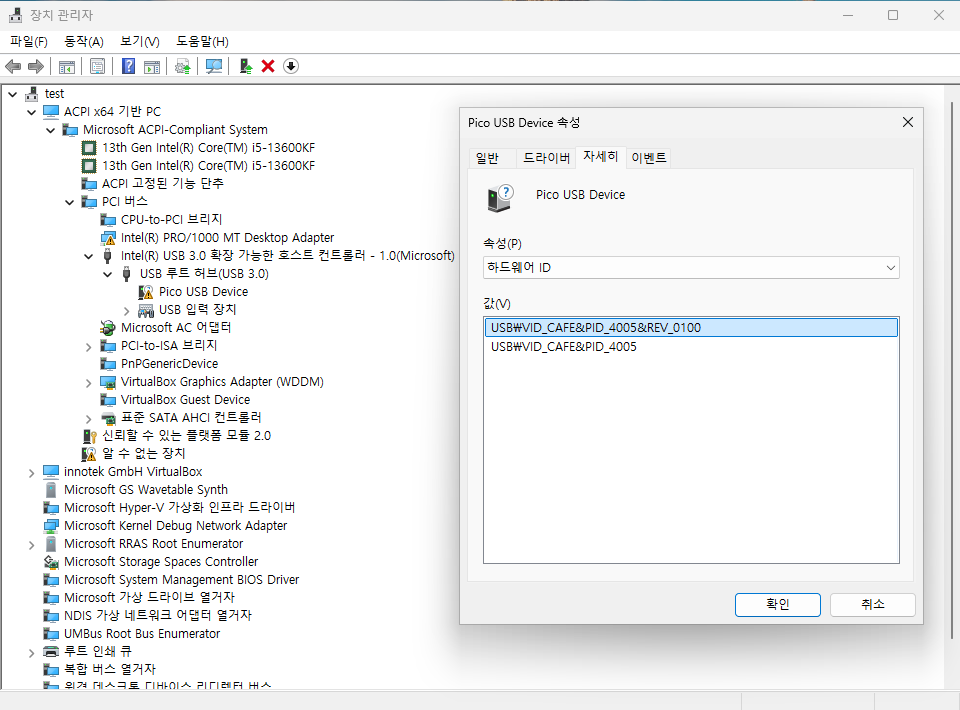
하드웨어 ID를 보니 VID/PID를 확인할 수 있다. USB Device Viewer로 확인하니
[Port2]


Is Port User Connectable:         yes
Is Port Debug Capable:            no
Companion Port Number:            10
Companion Hub Symbolic Link Name: USB#ROOT_HUB30#4&24054718&0&0#{f18a0e88-c30c-11d0-8815-00a0c906bed8}
Protocols Supported:
 USB 1.1:                         yes
 USB 2.0:                         yes
 USB 3.0:                         no


       ---===>Device Information<===---
String Descriptor for index 2 not available while device is in low power state.

ConnectionStatus:
Current Config Value:              0x00  -> Device Bus Speed: Full (is not SuperSpeed or higher capable)
Device Address:                    0x02
Open Pipes:                           0
*!*ERROR:  No open pipes!

          ===>Device Descriptor<===
bLength:                           0x12
bDescriptorType:                   0x01
bcdUSB:                          0x0200
bDeviceClass:                      0x00  -> This is an Interface Class Defined Device
bDeviceSubClass:                   0x00
bDeviceProtocol:                   0x00
bMaxPacketSize0:                   0x40 = (64) Bytes
idVendor:                        0xCAFE = Vendor ID not listed with USB.org
idProduct:                       0x4005
bcdDevice:                       0x0100
iManufacturer:                     0x01
String Descriptor for index 1 not available while device is in low power state.
iProduct:                          0x02
String Descriptor for index 2 not available while device is in low power state.
iSerialNumber:                     0x03
String Descriptor for index 3 not available while device is in low power state.
bNumConfigurations:                0x01

       ---===>Full Configuration Descriptor<===---

          ===>Configuration Descriptor<===
bLength:                           0x09
bDescriptorType:                   0x02
wTotalLength:                    0x0020  -> Validated
bNumInterfaces:                    0x01
bConfigurationValue:               0x01
iConfiguration:                    0x00
bmAttributes:                      0x80  -> Bus Powered
MaxPower:                          0x32 = 100 mA

          ===>Interface Descriptor<===
bLength:                           0x09
bDescriptorType:                   0x04
bInterfaceNumber:                  0x00
bAlternateSetting:                 0x00
bNumEndpoints:                     0x02
bInterfaceClass:                   0xFF  -> Interface Class Unknown to USBView
bInterfaceSubClass:                0x00
bInterfaceProtocol:                0x00
iInterface:                        0x00

          ===>Endpoint Descriptor<===
bLength:                           0x07
bDescriptorType:                   0x05
bEndpointAddress:                  0x81  -> Direction: IN - EndpointID: 1
bmAttributes:                      0x02  -> Bulk Transfer Type
wMaxPacketSize:                  0x0040 = 0x40 bytes
bInterval:                         0x00

          ===>Endpoint Descriptor<===
bLength:                           0x07
bDescriptorType:                   0x05
bEndpointAddress:                  0x01  -> Direction: OUT - EndpointID: 1
bmAttributes:                      0x02  -> Bulk Transfer Type
wMaxPacketSize:                  0x0040 = 0x40 bytes
bInterval:                         0x00
하위 계층 구조와 상세 명세를 시각적으로 확인하니 드라이버를 아직 올리지않아 발생한 문제들이 있는 것 같다.
결론
환경 세팅이 제일 고통스럽다. 세팅이 완료되었으니 kmdf로 pico를 제어하는 드라이버를 만들어봐야겠다.