
❤ git (Homebrew) 설치
1. Git 홈페이지 접속 후 다운로드(https://git-scm.com/)
2. Homebrew 설치
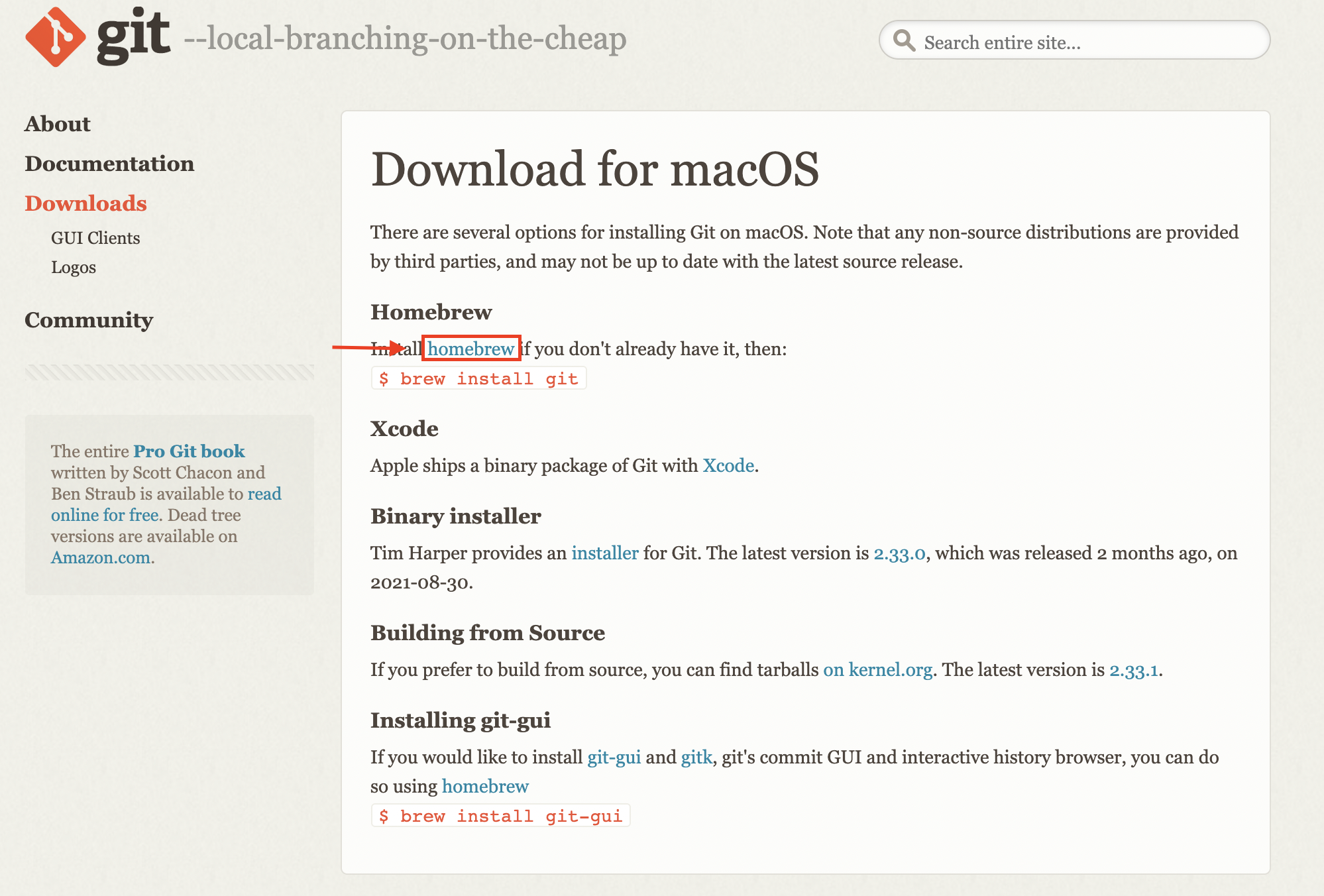
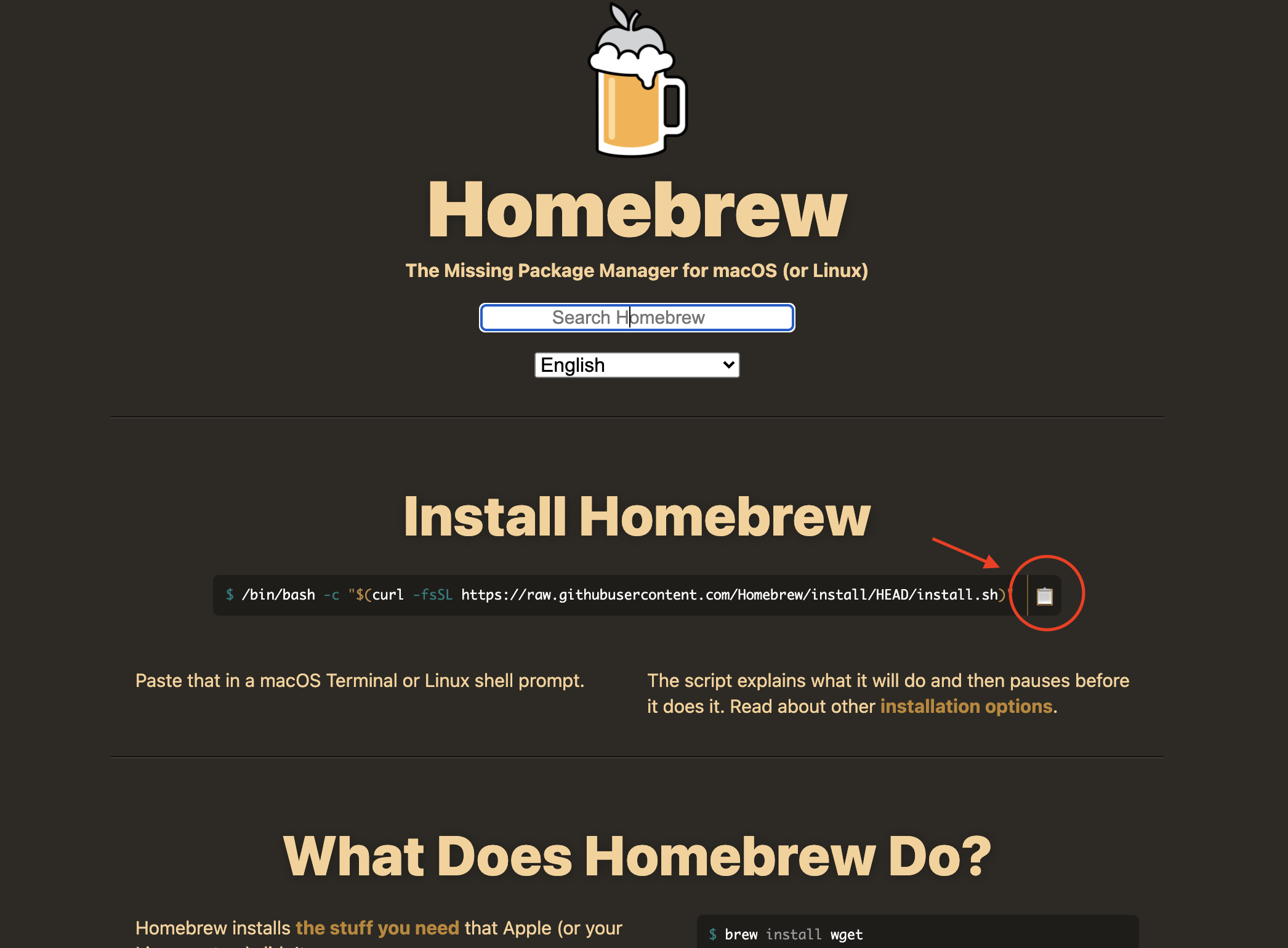
2-1. Homebrew 설치 명령어 복사 후 터미널에 입력
Password: 문구 출력되면 맥 비밀번호 입력
3. git 설치
brew install git
4. git 버전확인
git --version
❤ git 설정
git config --global user.name "이름"
git config --global user.email "이메일"
git config --global init.defaultBranch main
1) git 초기화
git init
2) git add
모든 파일 추가
git add --all
or
git add .
3) git 상태
- status : staging에 있는 파일 리스트와 없는 파일을 알려준다.
git status
*) git branch가 없을 경우
git branch -M main
4) commit
- commit : staging에 있는 파일 리스트를 메세지와 함께 버전을 기록한다.
git commit -m "messege"
5) remote

git remote add origin "https://github.com/wldus1208/vueproject.git"
6) push
git push
or
git push -u origin main
*) remote 된 원격저장소 삭제
git remote rm origin
📍push 오류 해결
The requested URL returned error: 403
- 토큰 인증방식으로 바뀐 후 권한없어서 나오는 오류
- 구글 다 찾아서 해봤는데 안되서 ssh 방식으로 해결
1) ssh 방식으로 remote
git remote set-url origin ssh://git@github.com/wldus1208/vueproject.git
2) ssh key 발급
ssh-keygen -t rsa -C "git 로그인한 이메일"
- ssh key를 만드는데 rsa(공개키 암호 알고리즘) 방식으로 만들고
C 옵션은 그냥 코멘트라서 써도 되고 안써도 됨.
- ssh-keygen을 실행하면 terminal 창에 어디 위치에 키를 생성할 건지 지정하라고 나오는데 그냥 엔터키를 누르면 기본 위치 (~/.ssh/id_rsa.pub)에 생성
- 패스워드를 지정하라고 나올텐데 패스워드를 지정하고 싶으시면 입력, 아니면 그냥 엔터
- ~/.ssh/id_rsa.pub에 키가 생성
이 키는 절대 남에게 공개하면 안됨
- 생성된 키는 깃허브에 등록해야되기 때문에 cat ~/.ssh/id_rsa.pub 을 한 다음에 나온 내용 복사
- 깃허브 로그인 -> Settings -> SSH and GPG Keys
- New SSH key 버튼 -> Title 아무거나 입력, 아래의 Key를 넣는 부분에서 복사한 ssh key(~/.ssh/id_rsa.pub) 키 입력
- git push
📍 위 내용대로 하고 난 후에 생긴 새로운 오류
! [rejected] main -> main (fetch first)
error: 레퍼런스를 'ssh://github.com/wldus1208/vueproject.git'에 푸시하는데 실패했습니다.
찾아보니 local에는 readme파일이 없는데 원격저장소에만 있을 때 생기는 오류라고 함.
해결방법
- 강제 push
* 주의 강제로 푸시하면 git의 README.md 파일 날라가버린다.
-git push -f origin
- pull 한 후 다시 커밋 후 push
git pull origin main
❤ git pull
- 원격 저장소에 있는 프로젝트 내용을 가져오는 역할을 한다.